

Avis sur Salesmate 2026 : Avantages, Inconvénients, Fonctionnalités et Tarifs
Salesmate se distingue comme un CRM flexible et simple d’utilisation pour les équipes en croissance, offrant une automatisation puissante et des intégrations fluides pour accompagner des flux de travail évolutifs.

Nous évaluons les outils de manière indépendante, et les commissions contribuent au financement de nos tests. Consultez notre politique de transparence, notre méthodologie, ou suggérez un outil.
Salesmate is a CRM software built for sales teams that need pipeline management, built-in calling, and two-way texting without stitching together separate tools. I'd mainly consider it if you're running an inside sales operation and want more native communication features than Pipedrive offers, without the cost and complexity of a full marketing platform like HubSpot.
Salesmate Evaluation Summary

4.7/5
- From $23/user/month (billed annually)
- 15-day free trial
Pourquoi faire confiance à nos recommandations de logiciels
6,700+
Reviews
20
Industry experts
16+
Evaluation factors
14
Years
Nos avis reflètent notre jugement indépendant — et non un argumentaire de vente. Découvrez comment nous restons transparents.
Pour ce guide, nous avons évalué les outils grâce à des tests pratiques et une recherche indépendante, en notant les outils selon nos critères de sélection.
Nos avis reflètent notre jugement éditorial humain, et non un argumentaire de vente.
Salesmate Overview
If you’re judging Salesmate against other CRM software, I think you’ll find its clean interface, quick onboarding, and built-in calling features set it apart for small and midsize teams. The automation and integration options are strong for the price, and support is responsive.
While it doesn’t offer the deep customization or analytics you might want for complex enterprise needs, it’s a smart pick if you’re selecting a CRM to unify sales and marketing without a steep learning curve. For example, teams moving from spreadsheets or juggling multiple tools will notice a big improvement in workflow clarity.
Pros
- Responsive customer support with live chat and video options.
- Automation journeys simplify repetitive sales and marketing tasks.
- Built-in calling and texting features for sales outreach.
Cons
- Add-on costs can increase total price for growing teams.
- Some reporting features lack advanced customization.
- Email deliverability can be inconsistent for bulk campaigns.
Is Salesmate Right For Your Needs?
Who Would be a Good Fit for Salesmate?
Salesmate is a smart choice for teams that want built-in calling, automation, and a clean interface without the complexity of enterprise platforms. It’s especially useful for small to midsize businesses, sales-driven organizations, and companies that need to unify sales and marketing in one place. If you’re looking for a CRM that’s easy to onboard, supports outbound outreach, and offers responsive support, Salesmate is likely to fit your workflow.
- Small Business OwnersAffordable pricing and simple setup make it accessible for small business needs.
- Insurance BrokersIntegrated calling and reminders help brokers stay on top of renewals and outreach.
- AgenciesShared pipelines and activity tracking make it easy for agencies to manage multiple clients.
- B2B Sales TeamsPipeline management and deal tracking are tailored for multi-stage B2B sales cycles.
- SaaS StartupsAutomation journeys help SaaS teams nurture leads and onboard users efficiently.
- Real Estate TeamsSalesmate’s built-in calling and texting streamline client follow-ups and property updates.
Who Would be a Bad Fit for Salesmate?
Salesmate isn’t the best choice for large enterprises, highly regulated industries, or teams that need deep analytics and customization. If your business relies on advanced reporting, complex workflows, or industry-specific compliance, you’ll likely find Salesmate’s feature set limiting compared to more specialized or enterprise-focused CRMs.
- Data-Heavy Marketing TeamsReporting and segmentation tools may not meet complex marketing analytics needs.
- Manufacturing CompaniesLimited support for inventory, order management, or production tracking.
- Field Service TeamsNo native field service management or mobile offline capabilities.
- Financial ServicesMissing advanced security and compliance tools needed for financial regulations.
- Healthcare ProvidersIt doesn’t offer HIPAA compliance or healthcare-specific workflow features.
- Large EnterprisesSalesmate lacks the advanced analytics and deep customization large enterprises require.
Comment nous testons et notons les outils
Nous avons passé des années à construire, affiner et améliorer notre système de test et de notation des logiciels. La grille d’évaluation est conçue pour saisir toutes les nuances dans le choix d’un logiciel et pour identifier ce qui rend un outil efficace, en mettant l’accent sur les aspects essentiels du processus de décision. Vous trouverez ci-dessous le détail exact de notre méthode de test et de notation selon sept critères. Cela nous permet de fournir une évaluation impartiale des logiciels basée sur la fonctionnalité principale, les fonctionnalités remarquables, la facilité d’utilisation, l’onboarding, le support client, les intégrations, les avis clients et le rapport qualité-prix.
Fonctionnalités principales (25 % de la note finale)
Le point de départ de notre évaluation est toujours la fonctionnalité principale de l’outil. Dispose-t-il des fonctions et caractéristiques de base auxquelles un utilisateur peut s’attendre ? Certaines de ces fonctionnalités de base sont-elles réservées à des formules plus onéreuses ? Nous attendons d’un outil qu’il tienne la comparaison avec les capacités minimales de ses concurrents.
Fonctionnalités remarquables (25 % de la note finale)
Nous évaluons ensuite les fonctionnalités remarquables, rares ou originales, qui vont au-delà des fonctionnalités principales habituellement trouvées dans ce type d’outils. Un score élevé reflète des fonctionnalités spécialisées ou innovantes qui accélèrent le produit, l’optimisent ou apportent une valeur ajoutée à l’utilisateur. Nous évaluons également la facilité d’intégration de l’outil aux autres logiciels généralement présents dans l’écosystème technologique, afin d’étendre ses fonctionnalités et son utilité. Les outils qui offrent de nombreuses intégrations natives, connexions tierces et accès API pour des intégrations personnalisées obtiennent la meilleure note.
Facilité d’utilisation (10 % de la note finale)
Nous évaluons la rapidité et la facilité d’exécution des tâches principales à l’aide de l’outil. Les logiciels les mieux notés sont bien conçus, intuitifs, proposent des applis mobiles, fournissent des modèles et facilitent la réalisation de tâches complexes.
Onboarding (10 % de la note finale)
Nous savons combien il est important d’adopter rapidement une nouvelle plateforme en équipe. Nous évaluons donc la facilité de prise en main de l’outil avec un minimum de formation. Nous étudions la rapidité avec laquelle un membre peut être opérationnel et commencer à utiliser l’outil sans expérience préalable. Un score élevé indique qu’aucun ou très peu de support est requis.
Support client (10 % de la note finale)
Nous examinons la rapidité et la facilité avec lesquelles il est possible de sortir d’une impasse et de trouver de l’aide par téléphone, chat en direct ou base de connaissances. Les outils et entreprises qui proposent une assistance en temps réel obtiennent la meilleure note, tandis que les chatbots sont les moins bien notés.
Avis clients (10 % de la note finale)
Au-delà de nos propres tests et évaluations, nous prenons en compte le score net d’appréciation des clients actuels et passés. Nous examinons la probabilité qu’ils choisissent à nouveau l’outil pour ses fonctionnalités principales. Un score élevé reflète une forte satisfaction des clients actuels ou passés.
Rapport qualité-prix (10 % de la note finale)
Enfin, en tenant compte de tous les autres critères, nous comparons le prix moyen des forfaits d’entrée de gamme avec les fonctionnalités de base et évaluons la valeur ajoutée selon les autres critères. Un logiciel offrant plus pour moins sera mieux noté.
Core Features
Pipeline Management
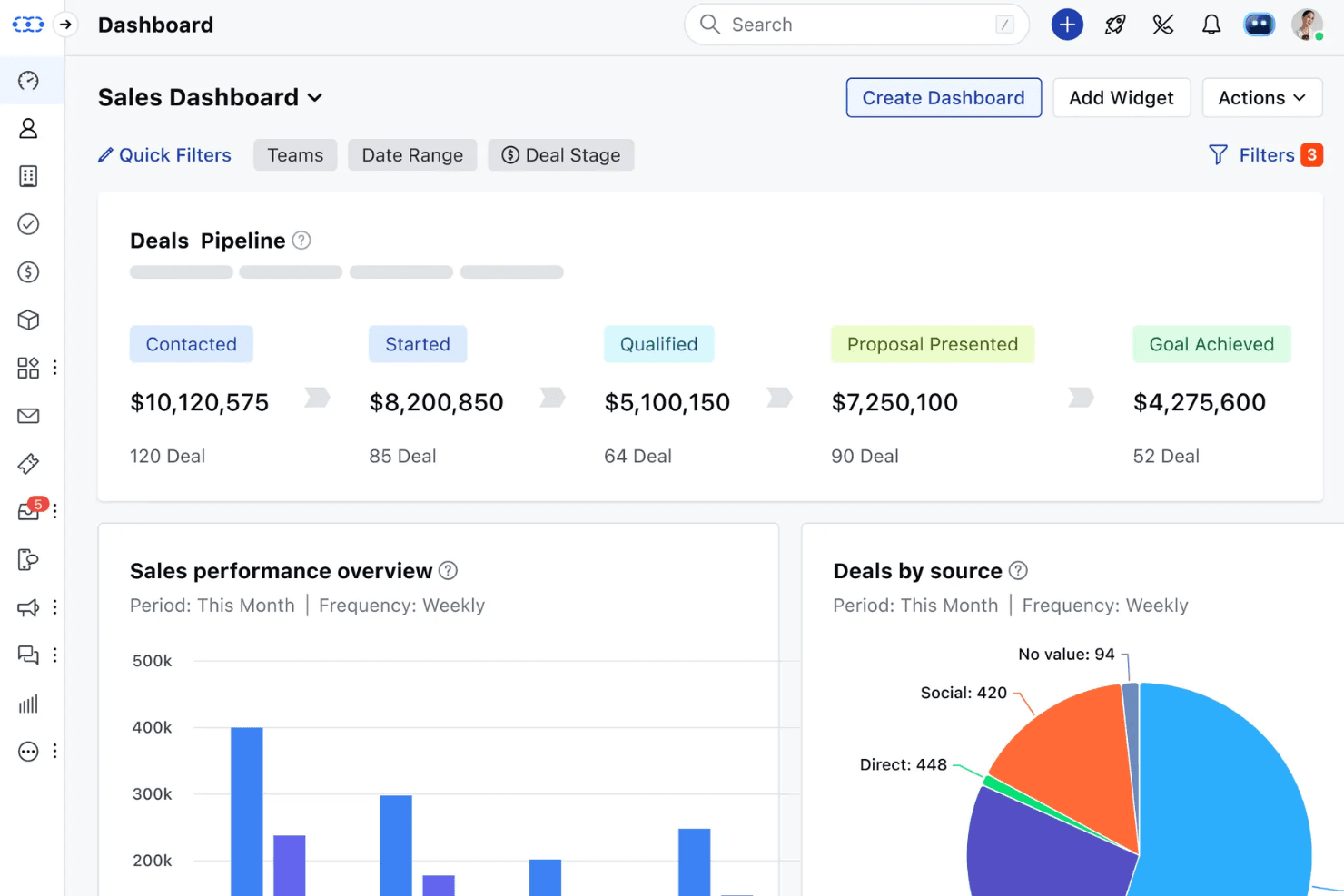
Visual pipelines let you track deals by stage and drag-and-drop to update progress. You can customize stages to match your sales process.
Built-In Calling and Texting
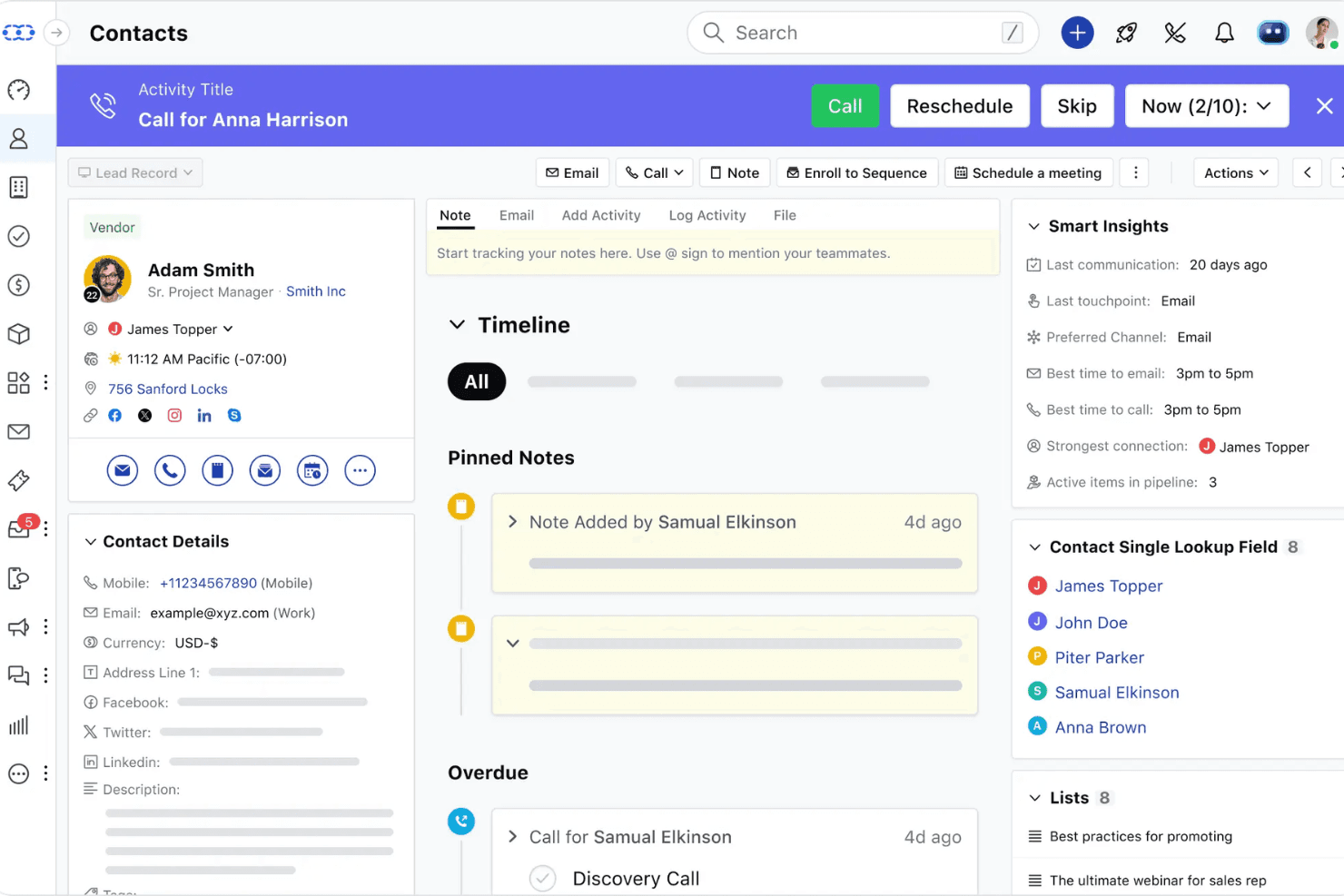
Make calls and send texts directly from the CRM, with automatic logging. This helps sales teams keep all outreach and follow-ups in one place.
Sales Automation Journeys
Automate repetitive tasks like lead assignment, follow-ups, and email sequences. Users can build workflows with triggers and actions to save time.
Email Campaigns and Tracking
Send bulk emails, track opens and clicks, and schedule follow-ups. Real-time analytics show which messages drive engagement.
Activity and Task Management
Assign tasks, set reminders, and log meetings or calls for each contact. This keeps teams organized and ensures nothing falls through the cracks.
Reporting and Analytics
Access dashboards for sales performance, pipeline health, and activity tracking. Reports are easy to generate, though customization is somewhat limited.
Ease of Use
Salesmate is one of the more approachable CRM platforms, with a clean interface and intuitive navigation that new users pick up quickly. Onboarding is straightforward, and features like drag-and-drop pipelines and built-in calling are easy to access without digging through menus.
Many users mention that setup takes just a few hours, not days, and ongoing support is responsive. I think teams looking for a no-fuss CRM will appreciate how little training is needed to get started.
Integrations
Salesmate integrates with Active Campaign, Aweber, Big Commerce, Shopify, Zoom, DocuSign, Microsoft Teams, Xero, PandaDoc, and RingCentral, among others.
Salesmate also offers an open API and connects with third-party integration tools like Zapier, Make, and Integrately.

Salesmate Specs
- 2-Factor Authentication: No
- API: Yes
- Calendar Management: Yes
- Call Tracking: Yes
- Campaign Management: No
- Click-to-Dial: Yes
- Contact Management: Yes
- Contact Sharing: Yes
- Custom Data Forms: No
- Customer Management: Yes
- Dashboard: Yes
- Data Export: Yes
- Data Import: Yes
- Data Visualization: Yes
- Email Integration: Yes
- External Integrations: Yes
- File Sharing: Yes
- File Transfer: No
- Google Apps Integration: Yes
- Lead Management: Yes
- Lead Scoring: Yes
- Marketing Automation: No
- Mobile App: No
- Multi-User: Yes
- Notifications: Yes
- Pipeline Management: Yes
- Sales Automation: Yes
- Scheduling: Yes
- Social-Media Integration: No
- Task Scheduling/Tracking: Yes
- Third-Party Plugins/Add-Ons: Yes


