

Avis sur QuotaPath 2026 : Avantages, Inconvénients, Fonctionnalités & Tarifs
QuotaPath instaure la confiance dans votre processus commercial en offrant des commissions claires, équitables et faciles à suivre, ce qui améliore la performance de l’équipe.

Nous évaluons les outils de manière indépendante, et les commissions contribuent au financement de nos tests. Consultez notre politique de transparence, notre méthodologie, ou suggérez un outil.
QuotaPath is a sales commission software built to bring accuracy and transparency to commission tracking. It’s especially valuable for revenue leaders, sales managers, and operations teams in fast-growing SaaS companies and high-performance sales organizations. By removing confusion around payouts, QuotaPath helps you build trust, motivate your team, and drive consistent results.
In this article, you'll find a detailed look at QuotaPath's features, pros and cons, use cases, and pricing to help you decide if this software delivers the transparency and confidence you need in your commission process.
QuotaPath Evaluation Summary
4.6/5
- From $30/month (billed annually)
- Free 14-day trial
Pourquoi faire confiance à nos recommandations de logiciels
6,700+
Reviews
20
Industry experts
16+
Evaluation factors
14
Years
Nos avis reflètent notre jugement indépendant — et non un argumentaire de vente. Découvrez comment nous restons transparents.
Pour ce guide, nous avons évalué les outils grâce à des tests pratiques et une recherche indépendante, en notant les outils selon nos critères de sélection.
Nos avis reflètent notre jugement éditorial humain, et non un argumentaire de vente.
QuotaPath Overview
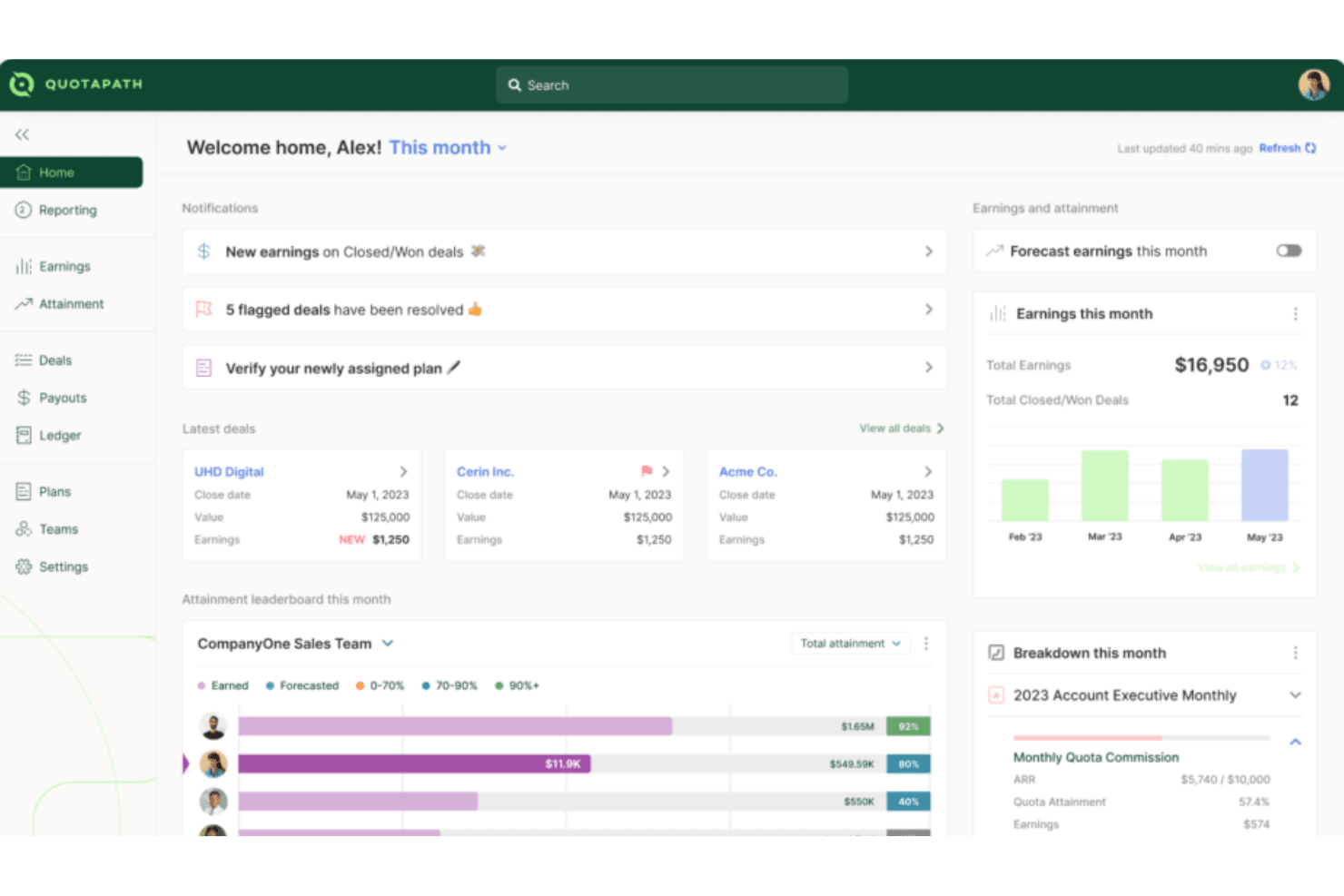
QuotaPath is designed to make commission tracking simple, accurate, and easy for both leaders and reps. It brings visibility into earnings, goals, and team performance without the confusion of spreadsheets. While it may not have the most advanced customization, most teams find it straightforward and intuitive to use. The result is a tool that builds trust in payouts and keeps everyone motivated to hit their targets.
Pros
- You can track commissions in real time and see exactly where you stand.
- Your team gets clear, easy-to-read dashboards that build trust in payouts.
- You can set goals that keep everyone aligned and motivated to hit targets.
Cons
- Lacks financial-related features like budget management, which might require you to use additional tools.
- Fewer advanced forecasting tools compared to bigger platforms.
- It has limited customization options, which could be a drawback if your team needs more tailored solutions.
Is QuotaPath Right For Your Needs?
Who Would be a Good Fit for QuotaPath?
QuotaPath works best for sales teams, revenue leaders, and ops managers in fast-growing companies who need simple, reliable commission tracking. If you’re scaling a SaaS business, running a high-volume sales org, or managing multiple reps with complex goals, you’ll find value in its clear dashboards and real-time visibility. It’s designed for teams that want trust in their payouts without relying on spreadsheets or manual tracking.
- SaaS CompaniesQuotaPath helps you manage fast-changing comp plans and keep reps motivated with transparent payouts that build trust, reduce confusion, and support rapid growth.
- Mid-Sized TeamsIt gives you just enough structure without the heavy lift of a large enterprise system, making adoption smooth, affordable, and practical for everyday use.
- Revenue OperationsYou can track goals across reps and tie them back to broader revenue targets with accurate data, automated tracking, and clear performance visibility.
- Sales ManagersIt lets you see performance clearly so you can coach and motivate with confidence while cutting back disputes, saving time, and boosting team morale.
- Remote TeamsIts dashboards keep everyone aligned on payouts, no matter where they’re working, ensuring visibility, accountability, and shared trust across distributed sales teams.
- StartupsYou can get rid of messy spreadsheets and use a simple system that grows with your team, scales as you hire, and adapts quickly.
Who Would be a Bad Fit for QuotaPath?
QuotaPath isn’t the best choice if you’re a very large enterprise with highly complex, custom commission rules. If you need deep analytics, heavy forecasting, or extremely tailored workflows, you’ll likely find it limiting. Companies with complex integration needs may also find its offerings insufficient for their operations.
- Large EnterprisesQuotaPath's limited customization options may not meet the complex needs of large-scale operations.
- Complex Finance TeamsYou won’t get the deep financial analytics some finance departments rely on.
- Highly-Customized SolutionsIf your team requires highly tailored commission structures, QuotaPath's standard offerings may fall short.
- ManufacturingAn industry with complex, multi-tiered commission systems that might need more flexibility than QuotaPath provides.
- Niche IndustriesIf your industry has very unusual payout rules, you may not find the flexibility you need.
- Highly Regulated IndustriesIndustries needing specialized compliance features could find QuotaPath insufficient for their specific needs.
Comment nous testons et notons les outils
Nous avons passé des années à construire, affiner et améliorer notre système de test et de notation des logiciels. La grille d’évaluation est conçue pour saisir toutes les nuances dans le choix d’un logiciel et pour identifier ce qui rend un outil efficace, en mettant l’accent sur les aspects essentiels du processus de décision. Vous trouverez ci-dessous le détail exact de notre méthode de test et de notation selon sept critères. Cela nous permet de fournir une évaluation impartiale des logiciels basée sur la fonctionnalité principale, les fonctionnalités remarquables, la facilité d’utilisation, l’onboarding, le support client, les intégrations, les avis clients et le rapport qualité-prix.
Fonctionnalités principales (25 % de la note finale)
Le point de départ de notre évaluation est toujours la fonctionnalité principale de l’outil. Dispose-t-il des fonctions et caractéristiques de base auxquelles un utilisateur peut s’attendre ? Certaines de ces fonctionnalités de base sont-elles réservées à des formules plus onéreuses ? Nous attendons d’un outil qu’il tienne la comparaison avec les capacités minimales de ses concurrents.
Fonctionnalités remarquables (25 % de la note finale)
Nous évaluons ensuite les fonctionnalités remarquables, rares ou originales, qui vont au-delà des fonctionnalités principales habituellement trouvées dans ce type d’outils. Un score élevé reflète des fonctionnalités spécialisées ou innovantes qui accélèrent le produit, l’optimisent ou apportent une valeur ajoutée à l’utilisateur. Nous évaluons également la facilité d’intégration de l’outil aux autres logiciels généralement présents dans l’écosystème technologique, afin d’étendre ses fonctionnalités et son utilité. Les outils qui offrent de nombreuses intégrations natives, connexions tierces et accès API pour des intégrations personnalisées obtiennent la meilleure note.
Facilité d’utilisation (10 % de la note finale)
Nous évaluons la rapidité et la facilité d’exécution des tâches principales à l’aide de l’outil. Les logiciels les mieux notés sont bien conçus, intuitifs, proposent des applis mobiles, fournissent des modèles et facilitent la réalisation de tâches complexes.
Onboarding (10 % de la note finale)
Nous savons combien il est important d’adopter rapidement une nouvelle plateforme en équipe. Nous évaluons donc la facilité de prise en main de l’outil avec un minimum de formation. Nous étudions la rapidité avec laquelle un membre peut être opérationnel et commencer à utiliser l’outil sans expérience préalable. Un score élevé indique qu’aucun ou très peu de support est requis.
Support client (10 % de la note finale)
Nous examinons la rapidité et la facilité avec lesquelles il est possible de sortir d’une impasse et de trouver de l’aide par téléphone, chat en direct ou base de connaissances. Les outils et entreprises qui proposent une assistance en temps réel obtiennent la meilleure note, tandis que les chatbots sont les moins bien notés.
Avis clients (10 % de la note finale)
Au-delà de nos propres tests et évaluations, nous prenons en compte le score net d’appréciation des clients actuels et passés. Nous examinons la probabilité qu’ils choisissent à nouveau l’outil pour ses fonctionnalités principales. Un score élevé reflète une forte satisfaction des clients actuels ou passés.
Rapport qualité-prix (10 % de la note finale)
Enfin, en tenant compte de tous les autres critères, nous comparons le prix moyen des forfaits d’entrée de gamme avec les fonctionnalités de base et évaluons la valeur ajoutée selon les autres critères. Un logiciel offrant plus pour moins sera mieux noté.
Core Features
Commission Tracking
QuotaPath allows you to easily track sales commissions in real time, offering transparency for your team. You can quickly see how commissions are calculated, reducing confusion and errors.
Performance Analytics
This feature provides insights into sales performance, helping you make informed decisions. With clear data visualization, you can identify trends and adjust strategies accordingly.
Customizable Dashboards
QuotaPath's dashboards let you tailor views to match your team's needs, offering a personalized experience. You can focus on the metrics that matter most to your work.
Automated Calculations
The software automates commission calculations, saving you time and minimizing mistakes. It ensures accuracy, so you can trust the numbers without manual checks.
Goal Setting
You can set and track sales goals within QuotaPath, aligning your team's efforts with company objectives. This feature keeps everyone on the same page and motivated.
Compensation Transparency
QuotaPath offers clear visibility into compensation structures, so your team knows exactly how they earn. This transparency boosts trust and morale among your sales staff.
Ease of Use
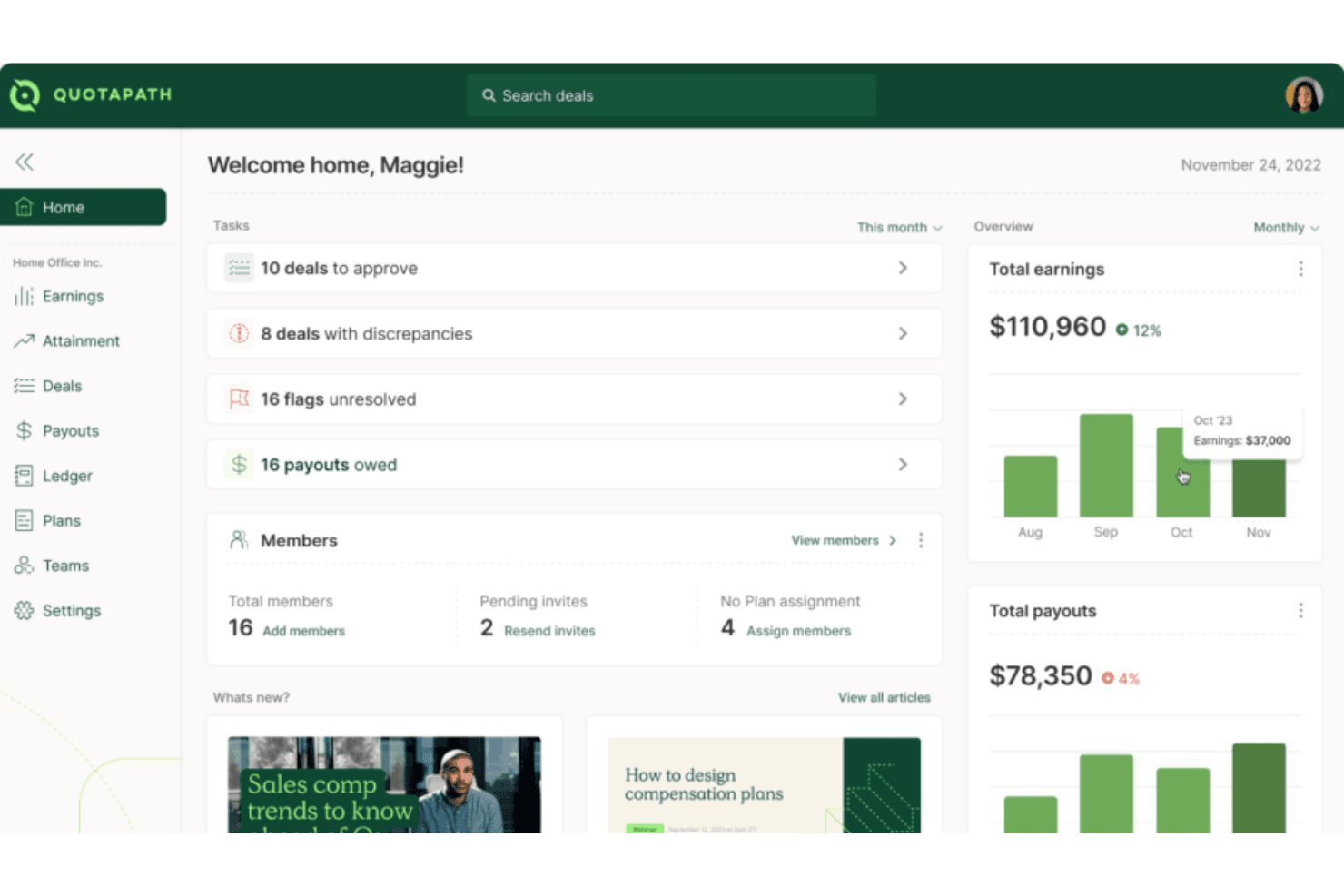
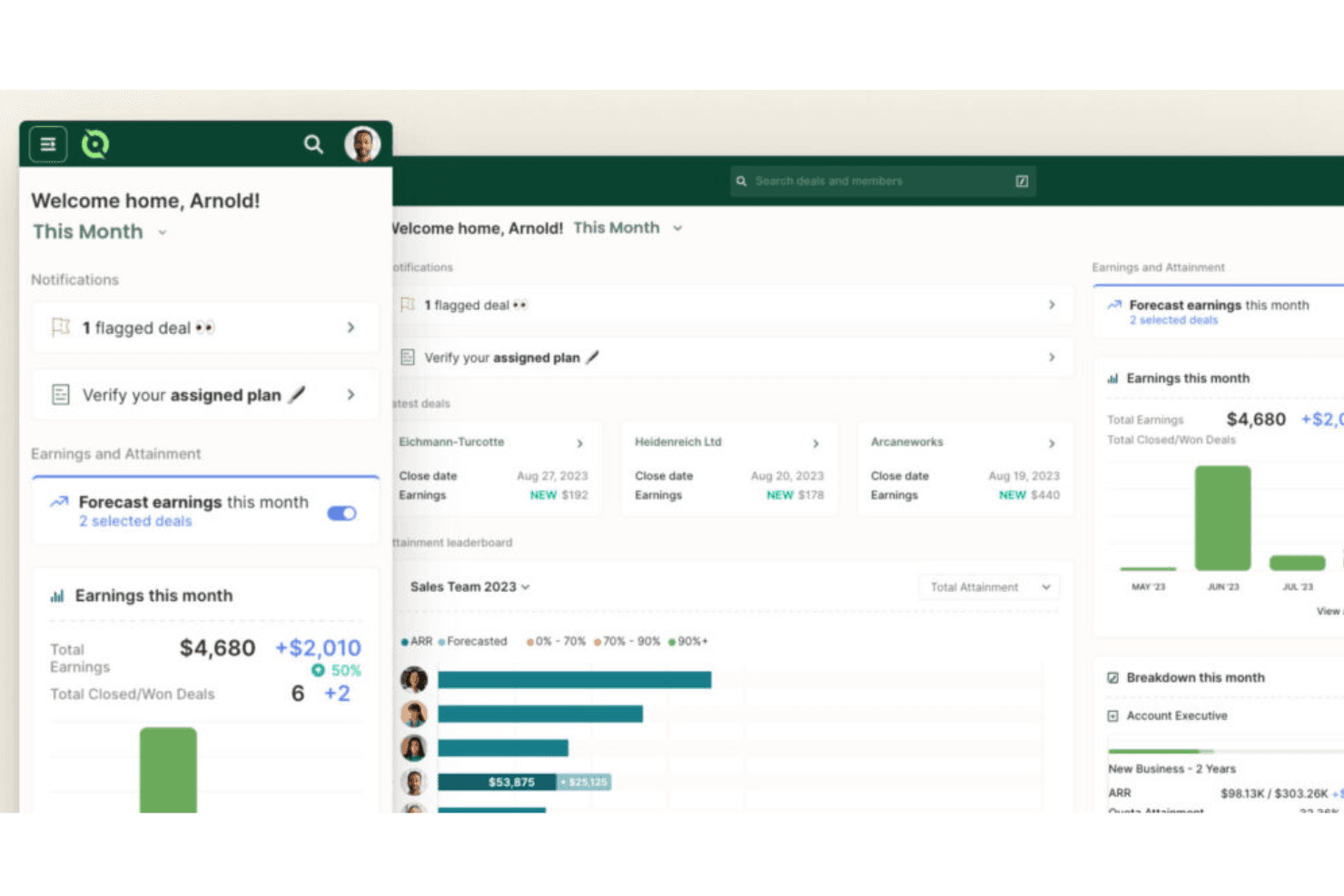
QuotaPath stands out for its user-friendly design, making it easy for your team to get up and running quickly. You can set up plans, track payouts, and view dashboards without needing deep training. Your team gets clear visuals and straightforward workflows that cut through the usual complexity of commission tracking. Even if you’re not tech-savvy, you’ll find it intuitive and reliable for keeping commissions accurate and transparent.
Integrations
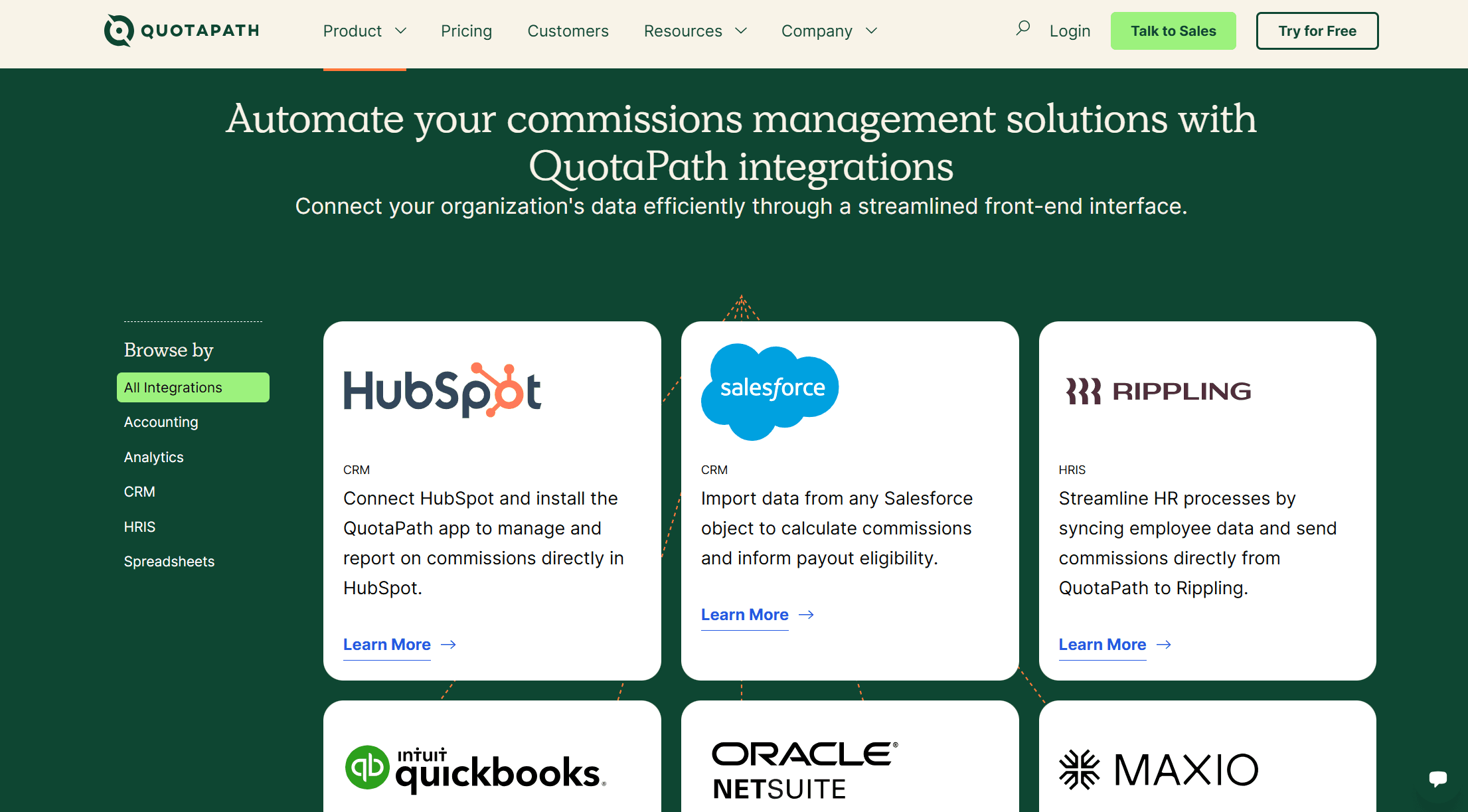
QuotaPath integrates natively with HubSpot, Salesforce, Rippling, QuickBooks, Oracle NetSuite, Maxio, and offers Single Sign-On (SSO) for secure access.
QuotaPath also features an open API for custom integrations and connects with third-party integration tools.
QuotaPath Specs
- 2-Factor Authentication: No
- API: Yes
- Audience Targeting: No
- Budgeting: No
- Calendar Management: No
- Call Recording: No
- Click-to-Dial: No
- Contact Management: No
- Contact Sharing: No
- Conversion Tracking: No
- Customer Management: No
- Dashboard: Yes
- Data Export: Yes
- Data Import: Yes
- Data Visualization: Yes
- Email Integration: No
- Expense Tracking: No
- External Integrations: No
- Forecasting: Yes
- Google Apps Integration: Yes
- Inventory Tracking: No
- Lead Management: No
- Lead Scoring: No
- Marketing Automation: No
- Multi-User: Yes
- Notifications: Yes
- Payroll: No
- Project Management: No
- Referral Tracking: No
- Sales Motivator: Yes
- Scheduling: No
- Social-Media Integration: No
- Supplier Management: No
- Tax Management: No
- Third-Party Plugins/Add-Ons: Yes
- Travel Management: No


