

Avis sur Highspot 2026 : Avantages, Inconvénients, Fonctionnalités et Tarifs
Highspot est une plateforme d'aide à la vente qui aide les équipes à gérer leur contenu, former les commerciaux et engager les acheteurs. Découvrez comment elle soutient votre processus commercial, améliore la productivité et ses éventuelles limites.

Nous évaluons les outils de manière indépendante, et les commissions contribuent au financement de nos tests. Consultez notre politique de transparence, notre méthodologie, ou suggérez un outil.
Highspot is a sales enablement software for go-to-market teams that need a single place to manage sales content, run onboarding and coaching programs, and track buyer engagement. I'd consider it over Seismic if your team wants tighter integration between content management and sales coaching without the administrative overhead Seismic typically requires to get both working well together.
Highspot Evaluation Summary
4.6/5
- Pricing upon request
- Free demo available
Pourquoi faire confiance à nos recommandations de logiciels
6,700+
Reviews
20
Industry experts
16+
Evaluation factors
14
Years
Nos avis reflètent notre jugement indépendant — et non un argumentaire de vente. Découvrez comment nous restons transparents.
Pour ce guide, nous avons évalué les outils grâce à des tests pratiques et une recherche indépendante, en notant les outils selon nos critères de sélection.
Nos avis reflètent notre jugement éditorial humain, et non un argumentaire de vente.
Highspot Overview
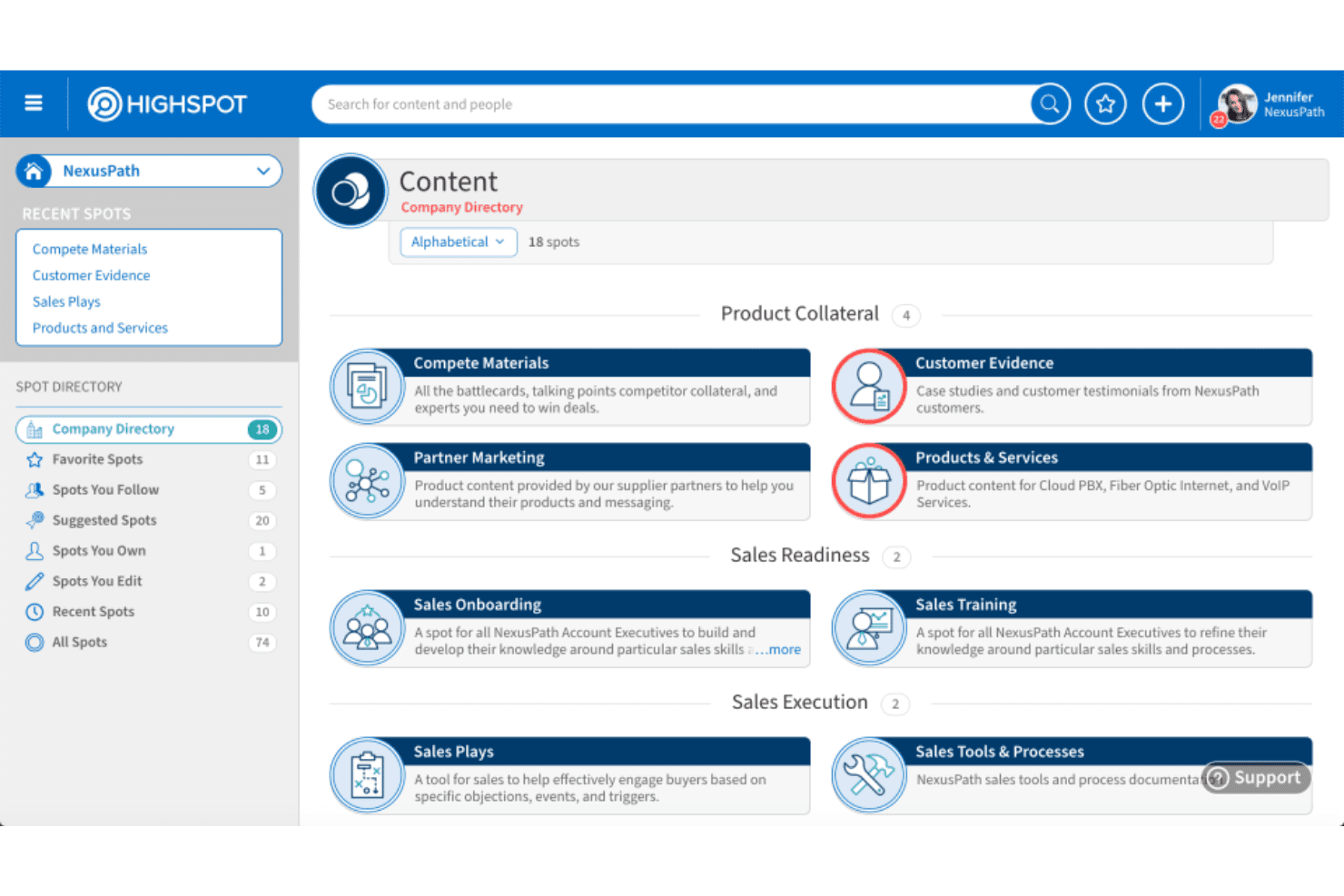
When I’m judging sales enablement tools, I see Highspot standing out for its polished interface, strong analytics, and top-notch onboarding resources. Its pricing isn’t the lowest, but you get advanced search, intuitive content management, and tight CRM integrations.
If you’re selecting for a large team with complex sales motions or global enablement needs, I think Highspot is a front-runner. Some competitors offer cheaper plans or broader native integrations, but Highspot’s training modules and support make adoption easier in my experience, especially if you’re determined to drive consistent seller performance at scale.
Pros
- Guided selling playbooks make onboarding and ramping faster.
- Deep analytics connect content usage to sales outcomes.
- In-app training modules help reinforce best practices.
Cons
- Search can return too many irrelevant results for users.
- Reporting customizations feel limited for advanced analytics needs.
- Bulk content uploads sometimes run into processing delays.
Is Highspot Right For Your Needs?
Who Would be a Good Fit for Highspot?
Highspot is especially well-suited for mid-to-large B2B companies, global organizations, or regulated industries needing a robust content and training hub. Revenue teams and enablement leaders will get the most value from Highspot’s powerful playbooks, content analytics, and enterprise-grade controls.
Teams rolling out new sales methodologies, hiring aggressively, or operating with large, distributed workforces are also likely to see fast results from Highspot’s focused onboarding and localization features.
- Large Sales TeamsHighspot’s scalable playbooks and content management keep big teams working from the same resources and best practices.
- Life Sciences IndustryStrict version control and content compliance help life sciences companies deliver only approved assets to reps.
- Global EnterprisesGlobal localization and region-specific content distribution make it easy to support sales in multiple languages.
- Technology CompaniesHighspot’s analytics and guided selling give tech sales leaders insight into content performance and rep activity at scale.
- High-Velocity OnboardingFast-moving organizations benefit from structured ramp-up paths and in-app training for new hires.
- Revenue OperationsRevOps teams appreciate detailed reporting, pipeline-linked engagement metrics, and seamless integration with CRM tools.
Who Would be a Bad Fit for Highspot?
If you’re running a small business, a simple sales process, or rarely update your content, Highspot’s advanced features will likely go underused and overpriced. Companies seeking deeply customized workflows, one-off marketing campaigns, or lightweight collaboration may find Highspot more complex and expensive than needed.
Teams with minimal regulatory risk or lacking a formal enablement function will not get full value from Highspot’s enterprise-grade capabilities.
- Small StartupsThe steep learning curve and advanced features are overkill for startups needing just basic content sharing.
- Solo ConsultantsIndividual sellers rarely need Highspot’s playbooks, coaching, or centralized analytics.
- Retail Sales TeamsFrontline retail staff tend to require hands-on, POS-focused enablement vs. formalized sales asset management.
- Creative AgenciesTeams needing a flexible, design-oriented platform may find Highspot’s sales workflows too rigid.
- Informal Sales ProcessesOrganizations without a defined sales process likely won’t benefit from Highspot’s structured playbooks or tracking.
- Minimal Compliance NeedsCompanies without content regulation or strict messaging guidelines will leave many Highspot features unused.
Comment nous testons et notons les outils
Nous avons passé des années à construire, affiner et améliorer notre système de test et de notation des logiciels. La grille d’évaluation est conçue pour saisir toutes les nuances dans le choix d’un logiciel et pour identifier ce qui rend un outil efficace, en mettant l’accent sur les aspects essentiels du processus de décision. Vous trouverez ci-dessous le détail exact de notre méthode de test et de notation selon sept critères. Cela nous permet de fournir une évaluation impartiale des logiciels basée sur la fonctionnalité principale, les fonctionnalités remarquables, la facilité d’utilisation, l’onboarding, le support client, les intégrations, les avis clients et le rapport qualité-prix.
Fonctionnalités principales (25 % de la note finale)
Le point de départ de notre évaluation est toujours la fonctionnalité principale de l’outil. Dispose-t-il des fonctions et caractéristiques de base auxquelles un utilisateur peut s’attendre ? Certaines de ces fonctionnalités de base sont-elles réservées à des formules plus onéreuses ? Nous attendons d’un outil qu’il tienne la comparaison avec les capacités minimales de ses concurrents.
Fonctionnalités remarquables (25 % de la note finale)
Nous évaluons ensuite les fonctionnalités remarquables, rares ou originales, qui vont au-delà des fonctionnalités principales habituellement trouvées dans ce type d’outils. Un score élevé reflète des fonctionnalités spécialisées ou innovantes qui accélèrent le produit, l’optimisent ou apportent une valeur ajoutée à l’utilisateur. Nous évaluons également la facilité d’intégration de l’outil aux autres logiciels généralement présents dans l’écosystème technologique, afin d’étendre ses fonctionnalités et son utilité. Les outils qui offrent de nombreuses intégrations natives, connexions tierces et accès API pour des intégrations personnalisées obtiennent la meilleure note.
Facilité d’utilisation (10 % de la note finale)
Nous évaluons la rapidité et la facilité d’exécution des tâches principales à l’aide de l’outil. Les logiciels les mieux notés sont bien conçus, intuitifs, proposent des applis mobiles, fournissent des modèles et facilitent la réalisation de tâches complexes.
Onboarding (10 % de la note finale)
Nous savons combien il est important d’adopter rapidement une nouvelle plateforme en équipe. Nous évaluons donc la facilité de prise en main de l’outil avec un minimum de formation. Nous étudions la rapidité avec laquelle un membre peut être opérationnel et commencer à utiliser l’outil sans expérience préalable. Un score élevé indique qu’aucun ou très peu de support est requis.
Support client (10 % de la note finale)
Nous examinons la rapidité et la facilité avec lesquelles il est possible de sortir d’une impasse et de trouver de l’aide par téléphone, chat en direct ou base de connaissances. Les outils et entreprises qui proposent une assistance en temps réel obtiennent la meilleure note, tandis que les chatbots sont les moins bien notés.
Avis clients (10 % de la note finale)
Au-delà de nos propres tests et évaluations, nous prenons en compte le score net d’appréciation des clients actuels et passés. Nous examinons la probabilité qu’ils choisissent à nouveau l’outil pour ses fonctionnalités principales. Un score élevé reflète une forte satisfaction des clients actuels ou passés.
Rapport qualité-prix (10 % de la note finale)
Enfin, en tenant compte de tous les autres critères, nous comparons le prix moyen des forfaits d’entrée de gamme avec les fonctionnalités de base et évaluons la valeur ajoutée selon les autres critères. Un logiciel offrant plus pour moins sera mieux noté.
Core Features
Content Management
Organize, tag, and share sales content from a single library. Teams always find up-to-date assets for every stage of the funnel.
AI-Powered Search
Smart search surfaces the most relevant resources quickly. Sellers waste less time hunting for the right piece of content.
Guided Selling
Interactive playbooks deliver context-specific content and messaging tips. New reps follow consistent steps to match top performers.
Training and Coaching
In-app training lets managers assign learning modules and track completion. Reinforce best practices with quizzes and feedback loops built right in.
Engagement Analytics
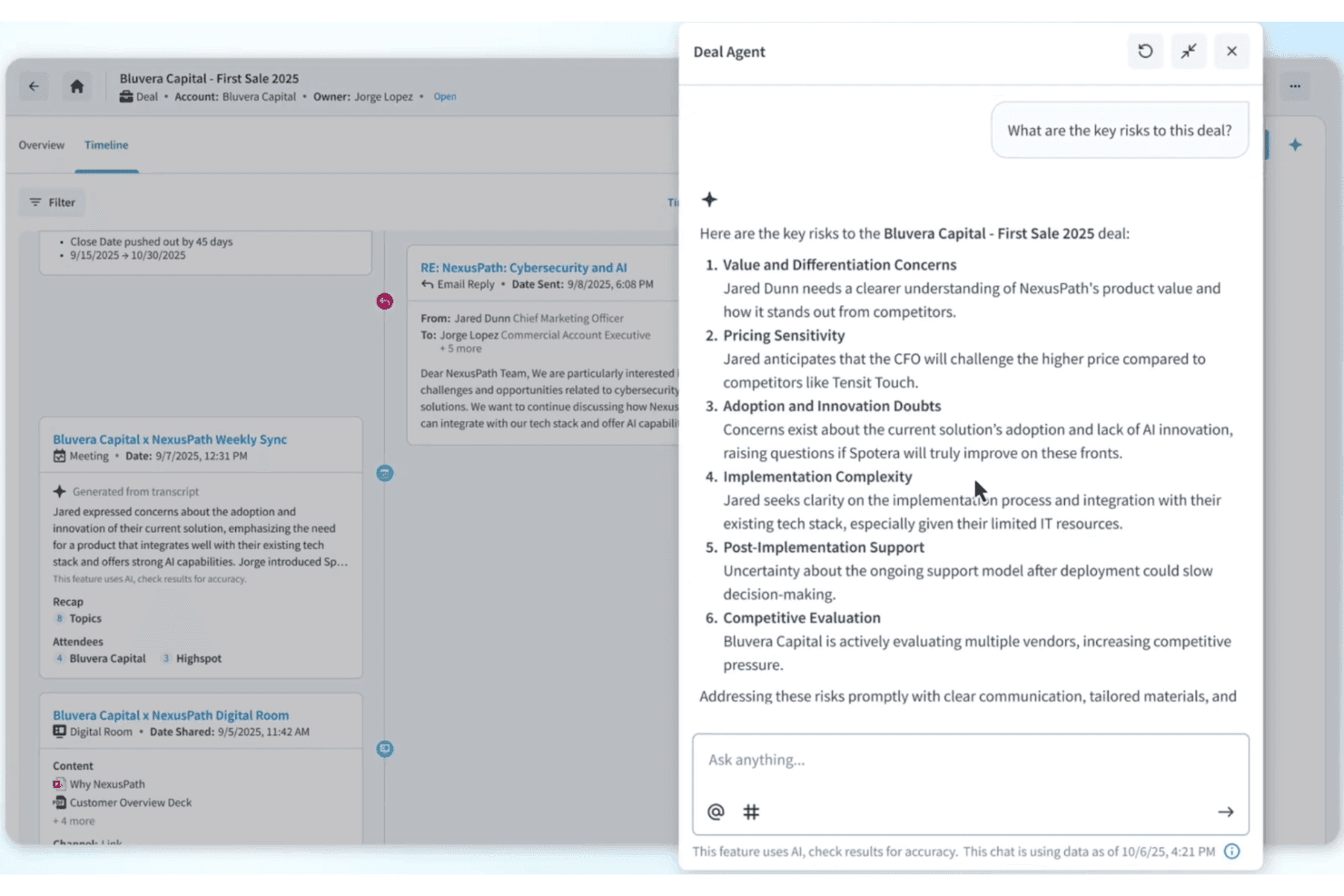
Track who views, shares, or interacts with every asset. Link content performance directly to deal activity and sales outcomes.
Pitch Tracking
Monitor how prospects engage with shared presentations and materials. Reps get real-time alerts when content is opened or forwarded.
Ease of Use
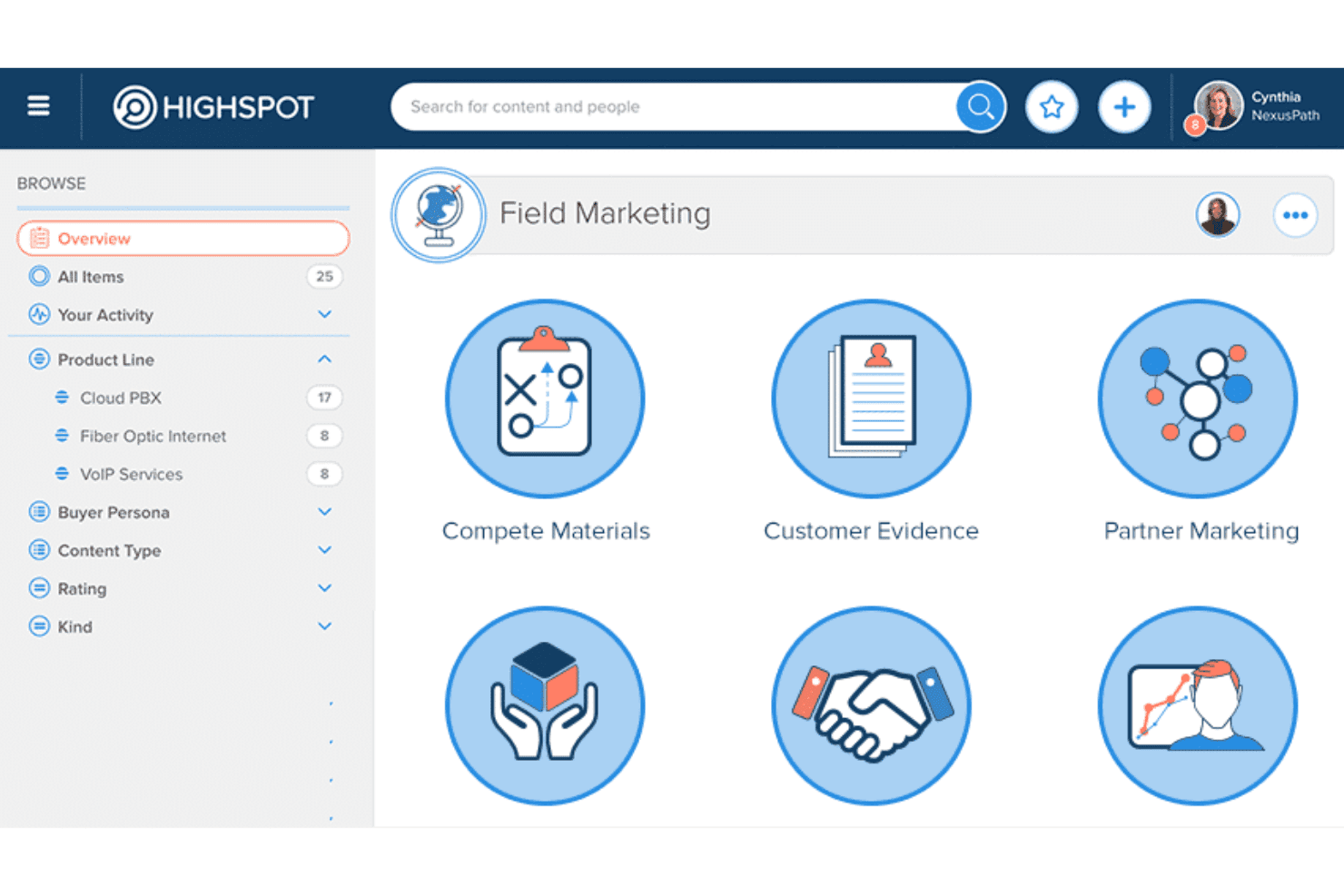
Highspot’s crisp interface and clear navigation make it easy for new users to get up and running fast. I think one of its big usability wins is intuitive content tagging and recommended resources—most reviewers agree reps quickly find what they need.
Guided playbooks and training modules are simple to assign or complete, keeping adoption high even for less tech-savvy teams.
Integrations
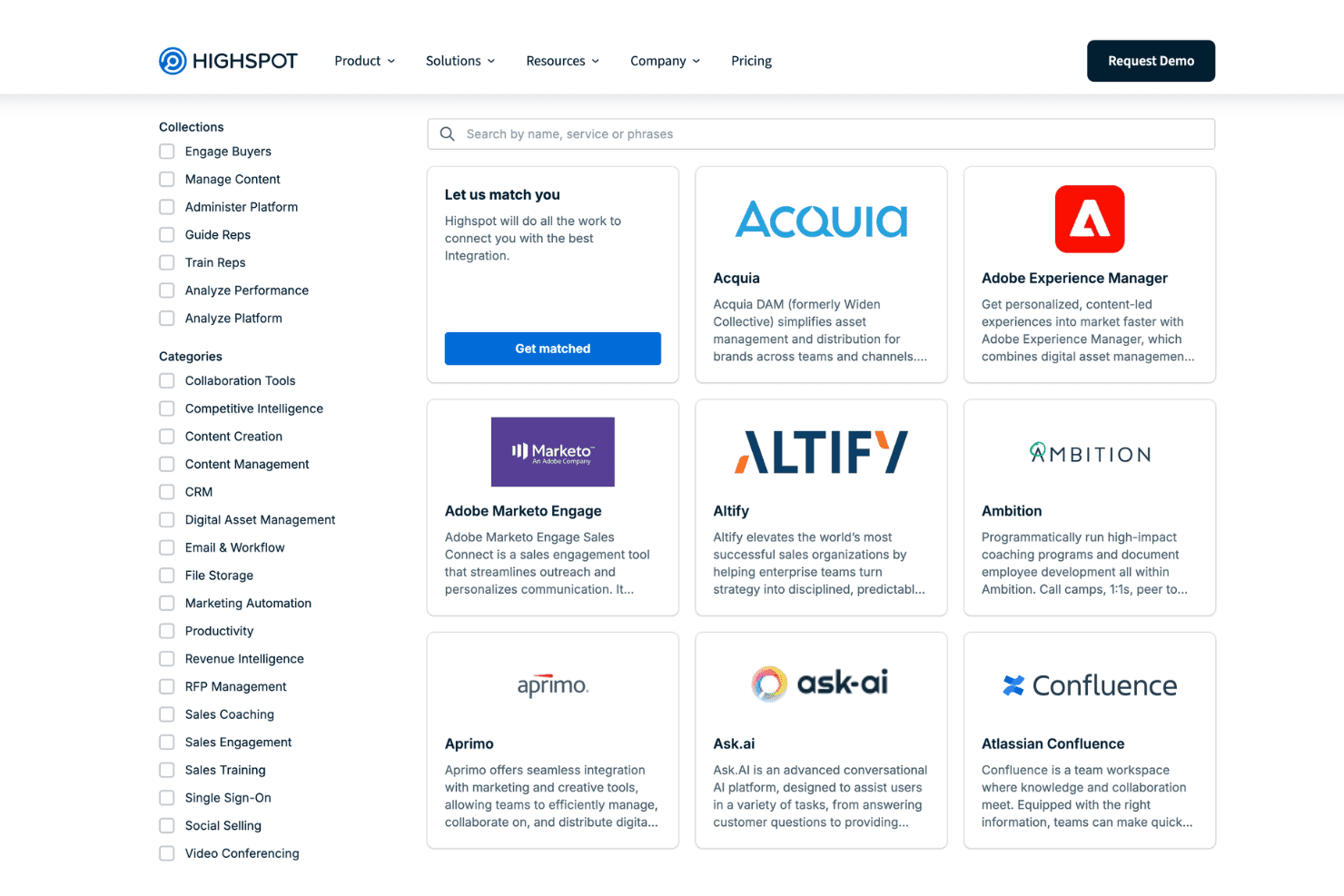
Highspot integrates with Salesforce, Microsoft Dynamics 365, Slack, Microsoft Teams, Outlook, Google Workspace, Zoom, DocuSign, Seismic, and Outreach, among others.
Highspot also offers a robust API for custom integrations and supports connections with third-party integration platforms.
Highspot Specs
- 2-Factor Authentication: Yes
- Accounts Payable: No
- Accounts Receivable: No
- API: Yes
- Approval Workflows: Yes
- Balance Sheet: No
- Billing/Invoicing: No
- Budgeting: No
- Calendar Management: No
- Comparative Reporting: Yes
- CRM Integration: Yes
- Custom Reports: Yes
- Customer Management: No
- Dashboard: Yes
- Data Export: Yes
- Data Import: Yes
- Data Visualization: Yes
- Expense Tracking: No
- External Integrations: Yes
- Forecasting: No
- General Account Ledger: No
- Historical Data Analysis: Yes
- Inventory Tracking: No
- Multi-Currency: No
- Multi-User: Yes
- Notifications: Yes
- P&L: No
- Payroll: No
- Scenario Planning: No
- Scheduling: No
- Supplier Management: No
- Tax Management: No
- Time Management: No


