

Avis sur Creatio CRM : avantages, inconvénients, fonctionnalités clés et tarification expliqués
Creatio CRM combines AI-powered automation with flexible sales, marketing, and service workflows, making it a strong CRM software choice for enterprises with complex revenue operations. Find out if it’s the right fit in my expert review.

Nous évaluons les outils de manière indépendante, et les commissions contribuent au financement de nos tests. Consultez notre politique de transparence, notre méthodologie, ou suggérez un outil.
Managing revenue operations across sales, marketing, and service gets harder as teams grow and processes become more complex. Disconnected systems, rigid workflows, and manual handoffs can make it difficult for revenue leaders to maintain visibility, respond quickly, and keep teams aligned around the customer journey.
Creatio CRM is CRM software designed for organizations that need more flexibility in how they manage sales, marketing, and service processes, combining AI-powered automation, configurable workflows, and no-code tools in a single platform. It can help teams automate routine work, improve visibility across customer interactions, and adapt CRM processes as business needs change.
In this review, I evaluate Creatio CRM to help you decide whether it fits your revenue operations.
Creatio CRM Evaluation Summary
4.7/5
- From $40/user/month (billed annually)
- Free demo available
Pourquoi faire confiance à nos recommandations de logiciels
6,700+
Reviews
20
Industry experts
16+
Evaluation factors
14
Years
Nos avis reflètent notre jugement indépendant — et non un argumentaire de vente. Découvrez comment nous restons transparents.
Pour ce guide, nous avons évalué les outils grâce à des tests pratiques et une recherche indépendante, en notant les outils selon nos critères de sélection.
Nos avis reflètent notre jugement éditorial humain, et non un argumentaire de vente.
Creatio CRM Overview
In my opinion, Creatio CRM stands out for how much control it gives enterprises over complex sales, marketing, and service processes. Its AI, no-code automation, forecasting, and configurable workflows let revenue teams shape the CRM around their processes rather than the other way around. The tradeoff is a steeper learning curve and more involved implementation than simpler CRM tools.
Pros
- No-code tools let revenue teams adapt sales, marketing, and service workflows without relying on developers for every change.
- Predictive, generative, and agentic AI can assist with lead response, recommendations, forecasting, and routine CRM work.
- Flexible workflows, custom objects, applications, and integrations make Creatio well suited to complex enterprise CRM environments.
Cons
- Highly configurable implementations require more upfront planning around workflows, data models, integrations, and user experiences.
- Administrators and power users may need time to learn Creatio’s no-code development and process automation capabilities.
- Smaller teams with basic contact management or pipeline needs may find the platform broader than necessary.
Is Creatio CRM Right For Your Needs?
Who Would be a Good Fit for Creatio CRM?
Creatio CRM is a strong fit for midsize and large organizations that need flexible CRM software across sales, marketing, and service. It is particularly compelling for teams with complex workflows that want AI and no-code automation without forcing every process into a rigid CRM structure.
- Banking and Financial ServicesBanks, credit unions, insurers, and mortgage providers can use Creatio to automate customer-facing workflows across sales, marketing, and service.
- Manufacturing and DistributionManufacturers and distributors can use Creatio to manage complex account relationships and automate sales and service processes across teams.
- Telecom CompaniesTelecom organizations can use Creatio to manage high-volume customer interactions and coordinate sales and service workflows across channels.
- Retail and Consumer GoodsRetail and CPG teams can use Creatio for customer segmentation, campaign management, engagement, and service workflows across brands and markets.
- High-Tech and Business ServicesB2B teams with longer sales cycles can use Creatio to manage opportunities, automate handoffs, and maintain visibility across revenue functions.
- Large Multi-Team EnterprisesEnterprises can use Creatio to connect sales, marketing, and service teams through shared customer data, configurable workflows, and AI automation.
Who Would be a Bad Fit for Creatio CRM?
Creatio CRM may be more platform than you need if your CRM requirements are simple or highly prescriptive. Smaller teams and point-solution buyers may get better value from lighter tools with less configuration and implementation effort.
- Very Small BusinessesTeams with only a few users may find Creatio too broad for basic customer records and pipeline tracking.
- Basic Sales CRM BuyersOrganizations that only need contact management, deal tracking, and simple follow-ups may be better served by a lighter CRM.
- Point-Solution BuyersCompanies looking only for ticketing, workflow automation, or another single-purpose tool may not need Creatio’s broader CRM capabilities.
- Teams Wanting a Fixed Out-of-the-Box CRMOrganizations that prefer predefined processes with minimal configuration may find Creatio more flexible than necessary.
- Organizations With Minimal Automation NeedsTeams with straightforward customer processes may struggle to justify Creatio’s broader AI, no-code, and workflow automation capabilities.
- Teams Without Capacity for a Configurable ImplementationOrganizations that want a near-instant deployment with little planning or administration may find Creatio too demanding to implement.
Comment nous testons et notons les outils
Nous avons passé des années à construire, affiner et améliorer notre système de test et de notation des logiciels. La grille d’évaluation est conçue pour saisir toutes les nuances dans le choix d’un logiciel et pour identifier ce qui rend un outil efficace, en mettant l’accent sur les aspects essentiels du processus de décision. Vous trouverez ci-dessous le détail exact de notre méthode de test et de notation selon sept critères. Cela nous permet de fournir une évaluation impartiale des logiciels basée sur la fonctionnalité principale, les fonctionnalités remarquables, la facilité d’utilisation, l’onboarding, le support client, les intégrations, les avis clients et le rapport qualité-prix.
Fonctionnalités principales (25 % de la note finale)
Le point de départ de notre évaluation est toujours la fonctionnalité principale de l’outil. Dispose-t-il des fonctions et caractéristiques de base auxquelles un utilisateur peut s’attendre ? Certaines de ces fonctionnalités de base sont-elles réservées à des formules plus onéreuses ? Nous attendons d’un outil qu’il tienne la comparaison avec les capacités minimales de ses concurrents.
Fonctionnalités remarquables (25 % de la note finale)
Nous évaluons ensuite les fonctionnalités remarquables, rares ou originales, qui vont au-delà des fonctionnalités principales habituellement trouvées dans ce type d’outils. Un score élevé reflète des fonctionnalités spécialisées ou innovantes qui accélèrent le produit, l’optimisent ou apportent une valeur ajoutée à l’utilisateur. Nous évaluons également la facilité d’intégration de l’outil aux autres logiciels généralement présents dans l’écosystème technologique, afin d’étendre ses fonctionnalités et son utilité. Les outils qui offrent de nombreuses intégrations natives, connexions tierces et accès API pour des intégrations personnalisées obtiennent la meilleure note.
Facilité d’utilisation (10 % de la note finale)
Nous évaluons la rapidité et la facilité d’exécution des tâches principales à l’aide de l’outil. Les logiciels les mieux notés sont bien conçus, intuitifs, proposent des applis mobiles, fournissent des modèles et facilitent la réalisation de tâches complexes.
Onboarding (10 % de la note finale)
Nous savons combien il est important d’adopter rapidement une nouvelle plateforme en équipe. Nous évaluons donc la facilité de prise en main de l’outil avec un minimum de formation. Nous étudions la rapidité avec laquelle un membre peut être opérationnel et commencer à utiliser l’outil sans expérience préalable. Un score élevé indique qu’aucun ou très peu de support est requis.
Support client (10 % de la note finale)
Nous examinons la rapidité et la facilité avec lesquelles il est possible de sortir d’une impasse et de trouver de l’aide par téléphone, chat en direct ou base de connaissances. Les outils et entreprises qui proposent une assistance en temps réel obtiennent la meilleure note, tandis que les chatbots sont les moins bien notés.
Avis clients (10 % de la note finale)
Au-delà de nos propres tests et évaluations, nous prenons en compte le score net d’appréciation des clients actuels et passés. Nous examinons la probabilité qu’ils choisissent à nouveau l’outil pour ses fonctionnalités principales. Un score élevé reflète une forte satisfaction des clients actuels ou passés.
Rapport qualité-prix (10 % de la note finale)
Enfin, en tenant compte de tous les autres critères, nous comparons le prix moyen des forfaits d’entrée de gamme avec les fonctionnalités de base et évaluons la valeur ajoutée selon les autres critères. Un logiciel offrant plus pour moins sera mieux noté.
Core Features
AI-Native CRM
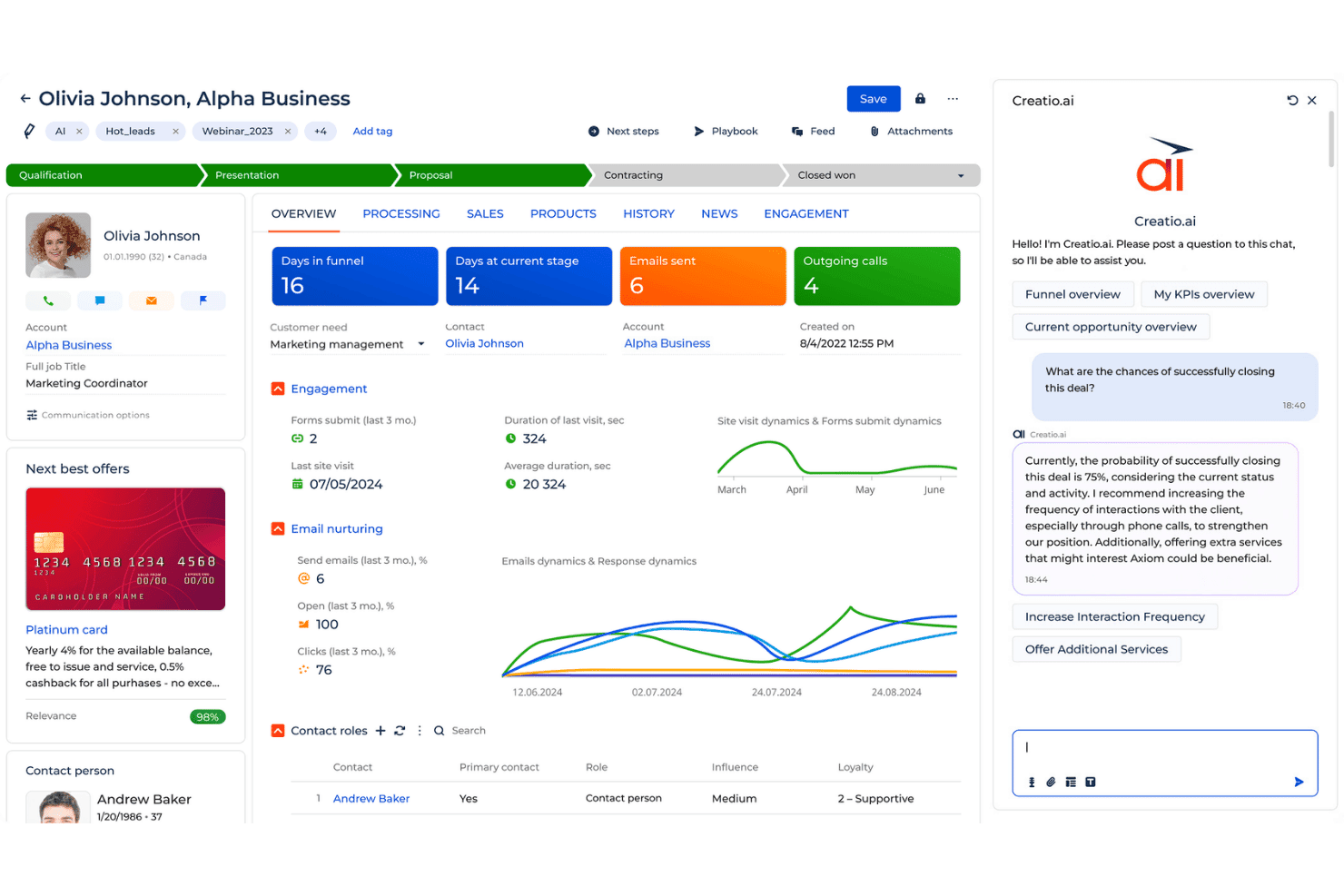
Use predictive, generative, and agentic AI across sales, marketing, and service. Teams can get recommendations, automate routine work, and use AI assistance directly within everyday CRM processes.
Sales Automation and Forecasting
Manage leads, opportunities, accounts, orders, and sales processes while tracking pipeline health and forecasts. Revenue teams can automate follow-ups and use real-time data to support sales planning.
Marketing Automation
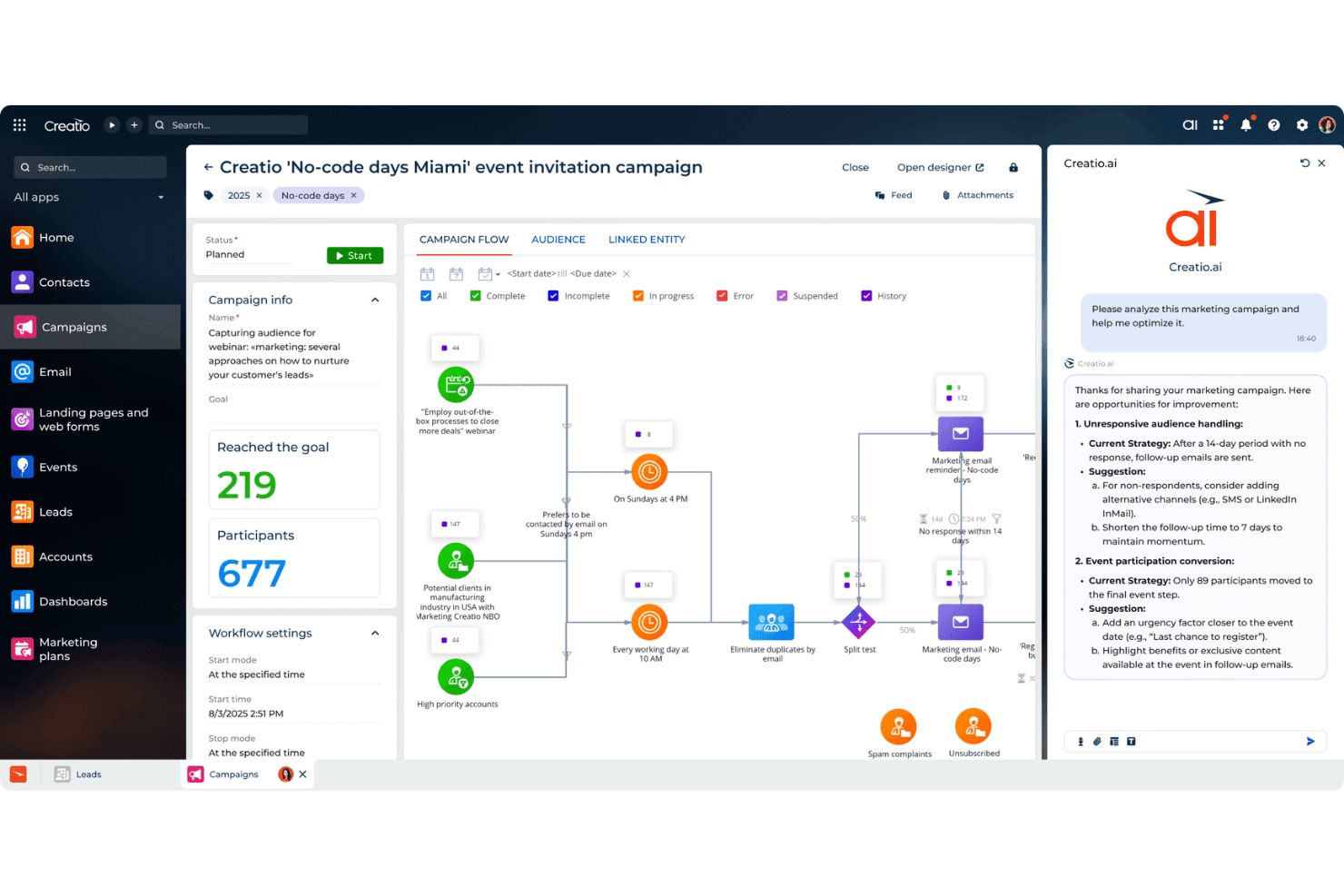
Segment audiences, manage campaigns, personalize outreach, and track lead conversion. Marketing teams can connect engagement activity with pipeline generation and coordinate follow-up with sales.
Customer 360 View
Centralize account, contact, interaction, and activity data to create a shared customer view. Sales, marketing, and service teams can use the same context throughout the customer lifecycle.
Service and Case Management
Manage customer cases with omnichannel support, SLA tracking, knowledge management, and agent workspaces. Automated workflows help standardize routing, escalation, and resolution.
CRM Analytics and Reporting
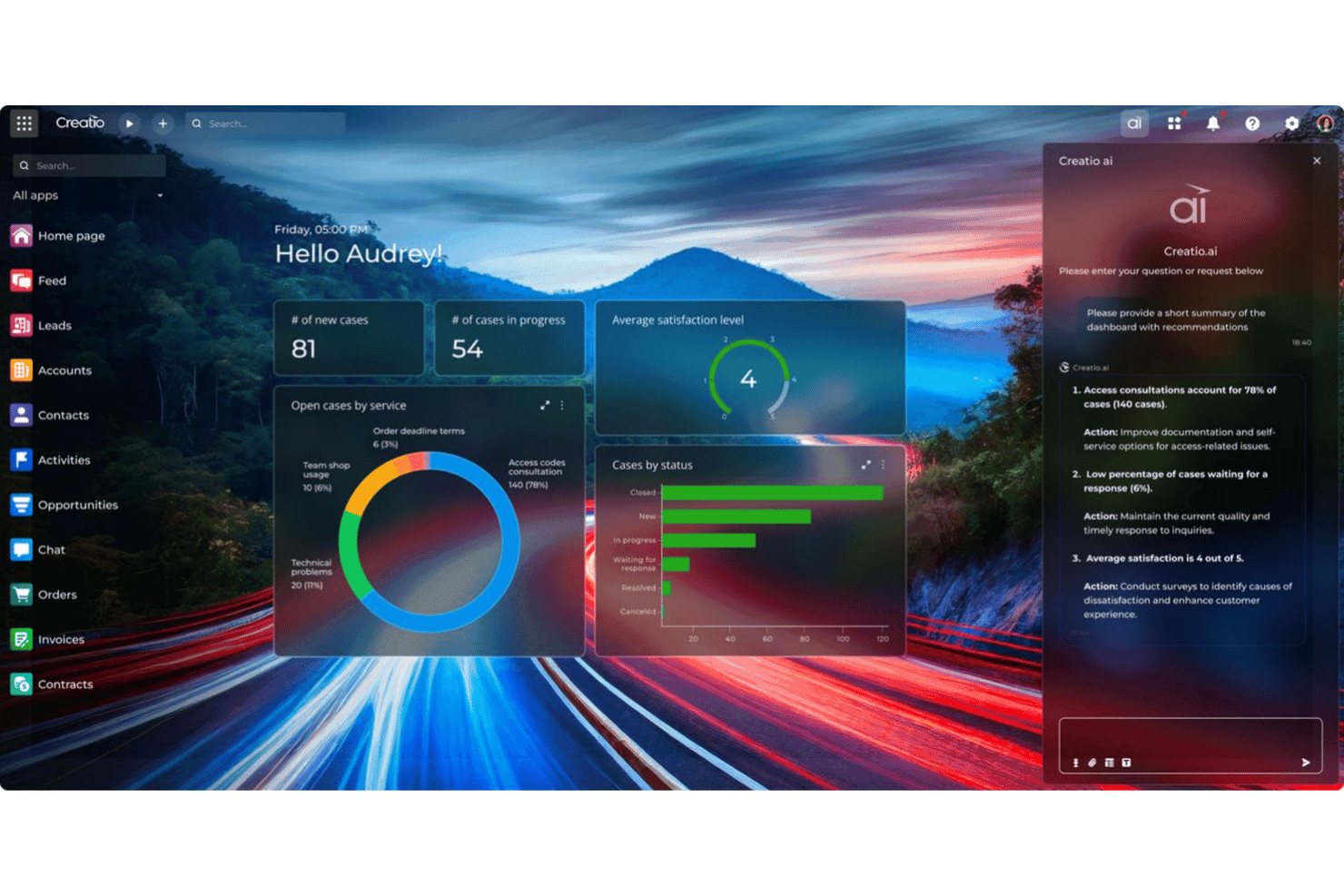
Track pipeline, campaign performance, customer activity, and team KPIs through configurable dashboards and reporting. Revenue leaders can use these insights to monitor performance and identify areas that need attention.

Standout Features
Human and AI Agent Workflow Orchestration
Creatio lets employees and AI agents work within the same business processes rather than treating AI as a separate assistant. Agents can support users during everyday work or autonomously execute defined processes based on goals and policies.
No-Code Composable CRM Architecture
Combine CRM, workflow automation, AI, and no-code application development within the same platform. Teams can customize workflows, applications, and data models while connecting Creatio with other enterprise technologies and AI models.
Ease of Use
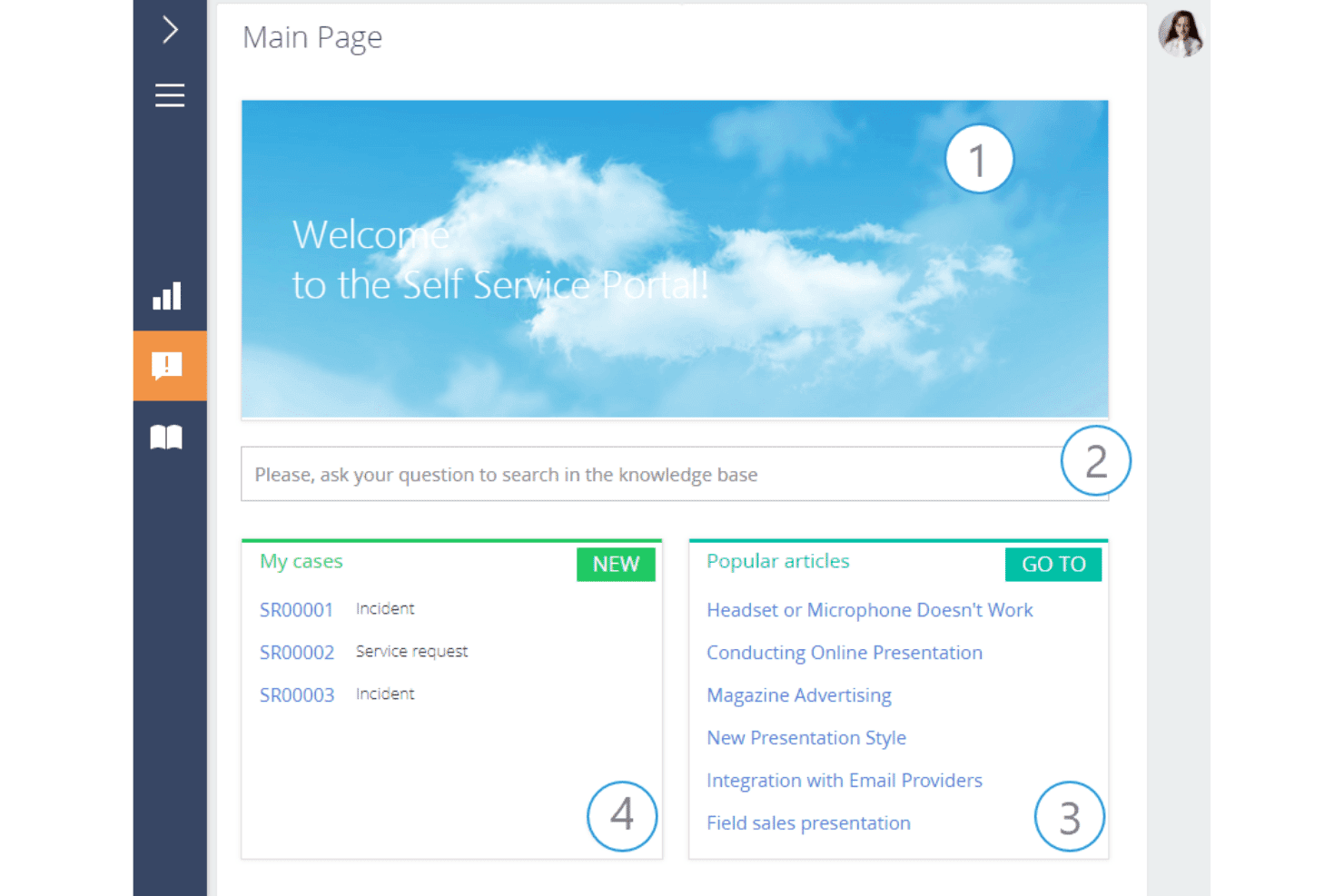
For an enterprise CRM this configurable, Creatio CRM is relatively approachable. Its no-code tools reduce the development work needed to adjust workflows and applications, but administrators and power users should still expect a learning curve as automation, integrations, and custom processes become more complex.
Onboarding
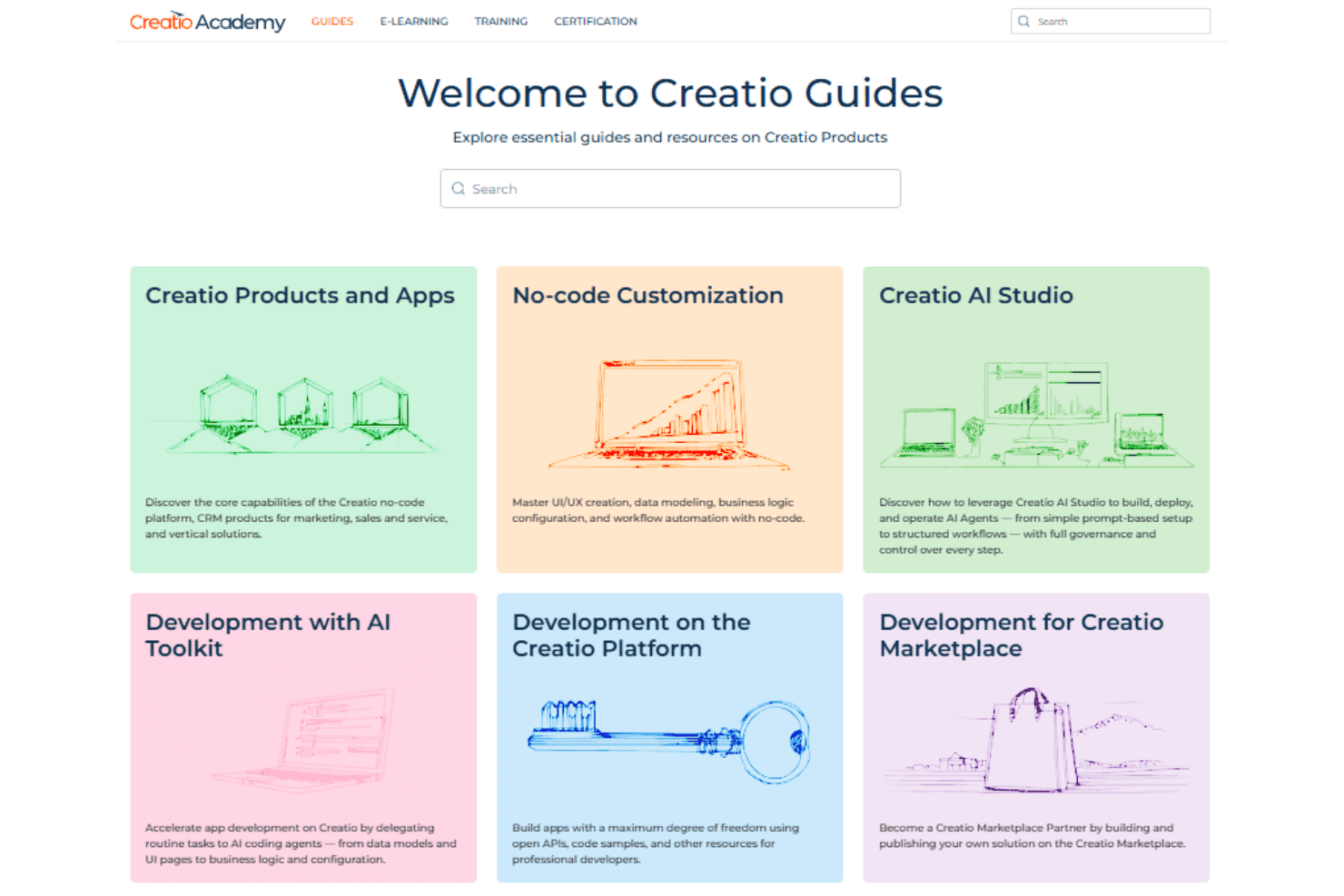
Creatio CRM takes a guided approach to onboarding, which suits a platform with this much room for customization. Implementation can cover process design, data migration, integrations, testing, and user enablement, with delivery handled by Creatio, a certified partner, or an internal team. Creatio Academy supports ongoing learning, though larger deployments will naturally take longer to roll out.
Customer Support
Creatio CRM combines direct technical support with self-service resources through Creatio Academy and its user Community. That mix gives teams options for troubleshooting and ongoing learning, but support coverage varies by plan, with 24/7 coverage reserved for Premium Support.
Integrations
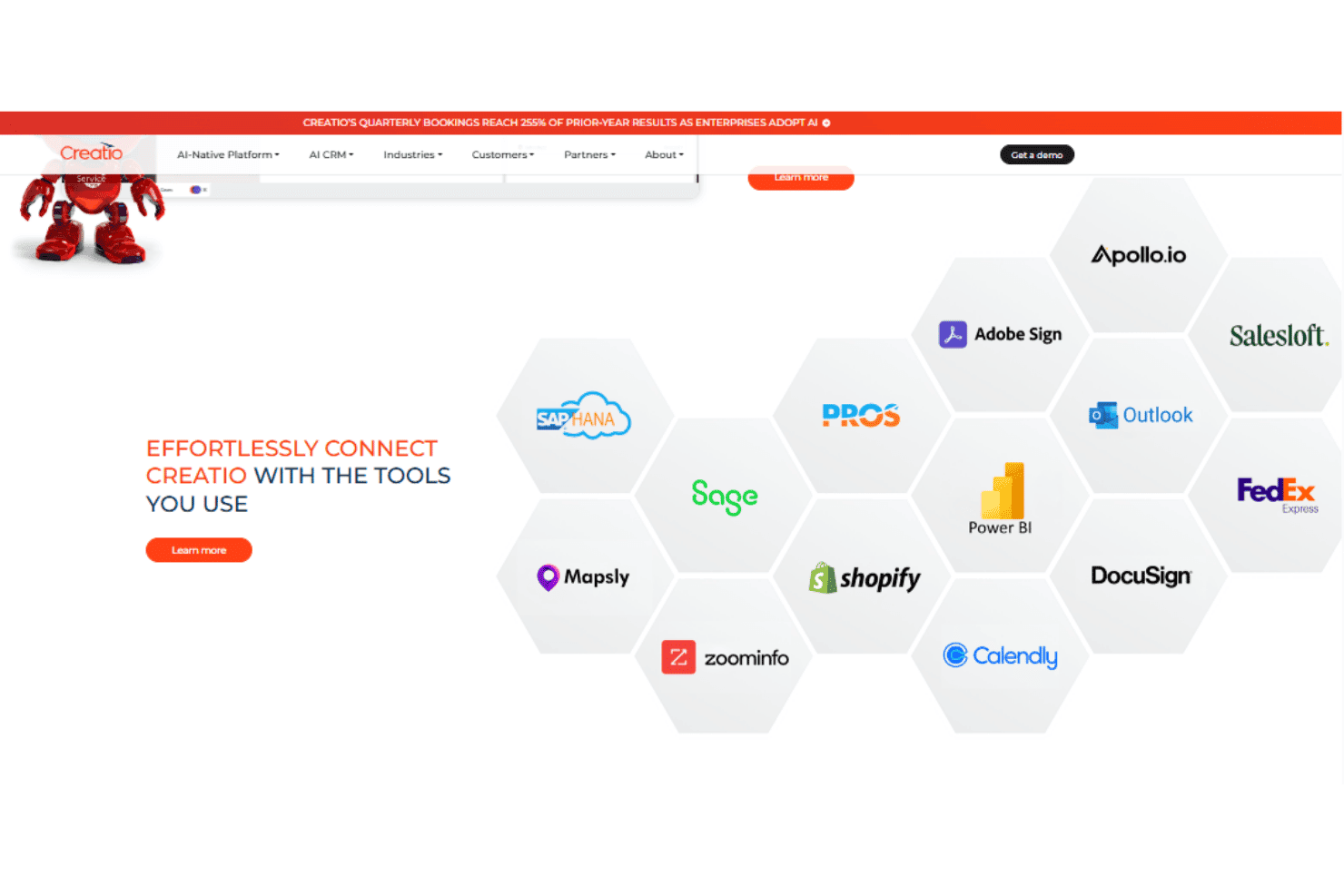
Creatio CRM offers native integrations with Microsoft Exchange and Microsoft 365, Google mail, calendar, and contacts, Facebook Messenger, WhatsApp, Telegram, and supported telephony services such as Webitel, Asterisk, Cisco Finesse, and Avaya.
Creatio CRM also supports REST, SOAP, OData, and other API-based connections for additional enterprise systems and custom workflows.
Value for Money
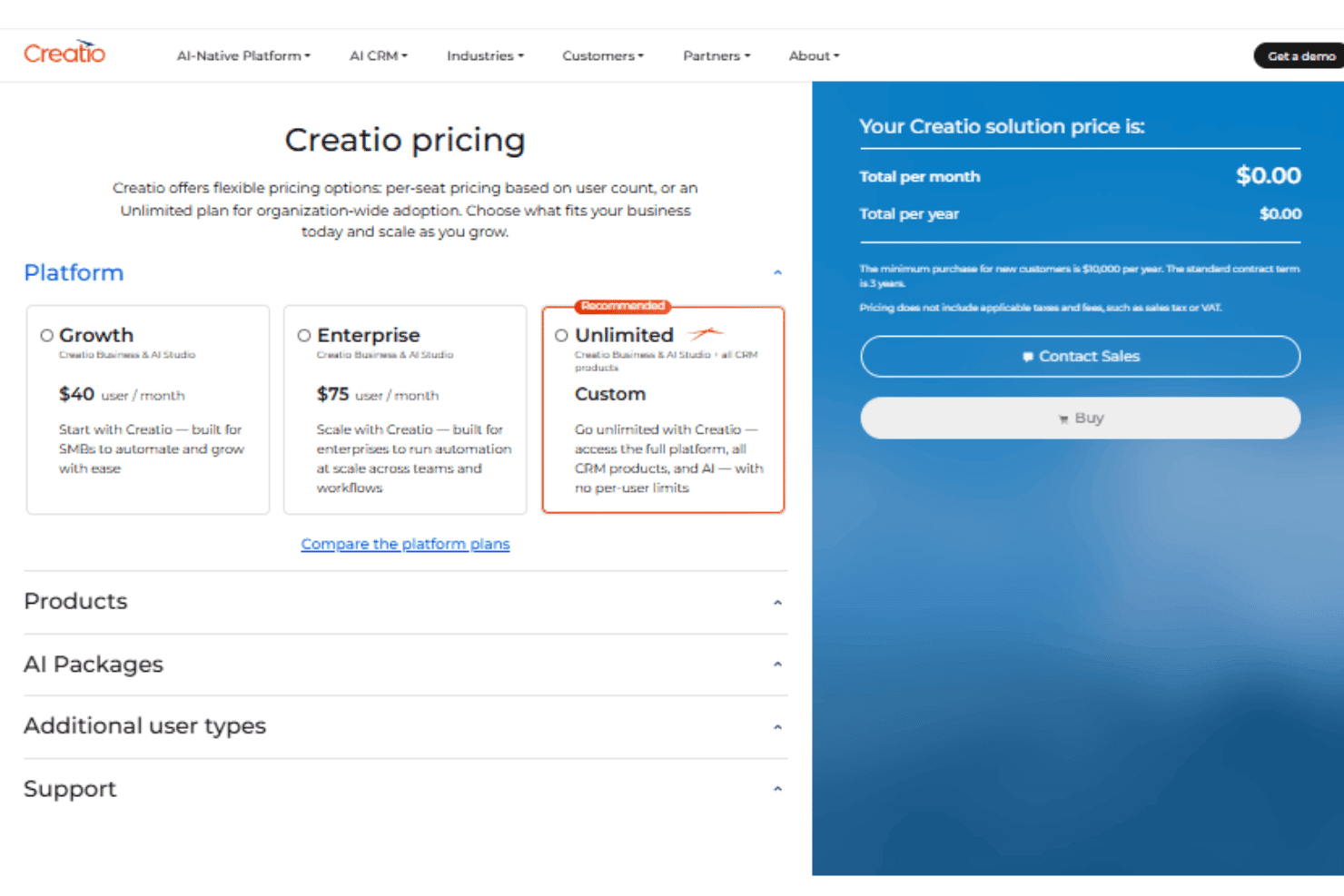
Creatio CRM offers good value for organizations that will make extensive use of its AI, no-code, and workflow automation capabilities. Its modular model lets buyers combine a platform plan with Sales, Marketing, and Service products as needed, while AI-native capabilities are included at no additional cost. The tradeoff is commitment: the annual minimum and standard three-year contract make more sense for a substantial, long-term CRM deployment than a lightweight rollout.
- Growth: Includes Creatio Business and AI Studio with the core no-code, workflow automation, and AI capabilities for building and automating business processes.
- Enterprise: Includes Creatio Business and AI Studio with greater capacity for enterprise-scale automation across teams and workflows.
- Unlimited: Includes the full Creatio platform, all CRM products, and AI capabilities with organization-wide access and no per-user limits.
- CRM Products: Sales, Marketing, and Service can be added depending on which customer-facing functions the organization needs.
New Product Updates from Creatio CRM
 Opens new window
Creatio CRM Adds AI, WhatsApp, Analytics, and Design Updates
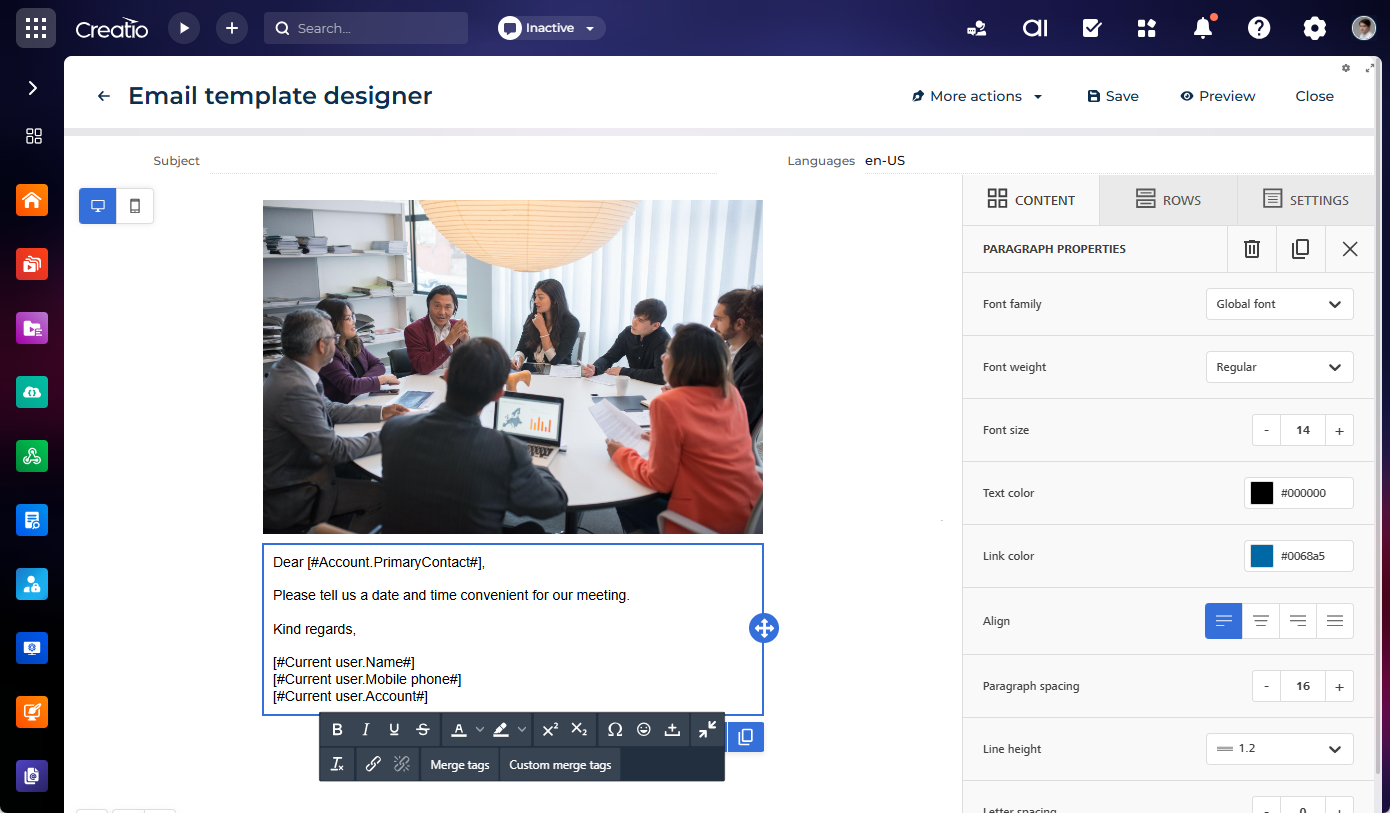
Creatio CRM adds expanded AI coding agents, a native WhatsApp Meta Cloud API channel, Freedom UI pivot tables, a new Email Template Designer, and a no-code Theme Designer. These updates give teams additional ways to build apps, manage conversations, analyze data, and customize the platform. Highlights include:
- AI App Development: Build workplaces, dashboards, widgets, business rules, and pivot tables using natural-language requests.
- Native WhatsApp: Connect WhatsApp Business through the Meta Cloud API and manage conversations in Agent Inbox.
- Pivot Table Analytics: Analyze cross-tabulated data across Freedom UI dashboards, forms, lists, and home pages.
- Email Template Designer: Build service and transactional emails with a visual drag-and-drop editor.
- Theme Designer: Create and edit custom themes visually with live previews and configurable color palettes.
Visit Creatio CRM’s official site for more details.
Creatio CRM Specs
- 2-Factor Authentication: Yes
- API: Yes
- Calendar Management: Yes
- Call Tracking: Yes
- Campaign Management: Yes
- Click-to-Dial: Yes
- Contact Management: Yes
- Contact Sharing: Yes
- Custom Data Forms: Yes
- Customer Management: Yes
- Dashboard: Yes
- Data Export: Yes
- Data Import: Yes
- Data Visualization: Yes
- Email Integration: Yes
- External Integrations: Yes
- File Sharing: Yes
- File Transfer: Yes
- Google Apps Integration: Yes
- Lead Management: Yes
- Lead Scoring: Yes
- Marketing Automation: Yes
- Mobile App: Yes
- Multi-User: Yes
- Notifications: Yes
- Pipeline Management: Yes
- Sales Automation: Yes
- Scheduling: Yes
- Social-Media Integration: Yes
- Task Scheduling/Tracking: Yes
- Third-Party Plugins/Add-Ons: Yes
Creatio CRM FAQs
Creatio CRM Company Overview & History
Creatio is a global software company headquartered in Boston, Massachusetts. Founded in 2014 by Katherine Kostereva, who continues to serve as CEO, the company develops AI-powered CRM, workflow automation, and no-code technology for midsize and large organizations. Creatio serves thousands of customers in more than 100 countries and has a local presence across 25 countries.
Creatio CRM Major Milestones
- 2014: Creatio was founded by Katherine Kostereva as a CRM and business process automation company.
- 2019: The company rebranded from bpm’online to Creatio.
- 2022: Creatio launched version 8.0 Atlas, expanding its no-code and composable application development capabilities.
- 2024: Creatio raised $200 million at a $1.2 billion valuation in a minority investment round.
- 2026: Creatio was named the only Visionary in Gartner’s Magic Quadrant for CRM Sales Platforms.