

Salesflaren arvostelu: hyvät ja huonot puolet, ominaisuudet ja hinnoittelu selitettynä
Olen testannut Salesflaren älykästä CRM-järjestelmää – tässä kerrotaan, miten sen intuitiivinen automaatio ja käyttäjälähtöinen suunnittelu voivat yksinkertaistaa myyntiputkeasi vuonna 2026 ja sen jälkeen. Katsotaan, sopiiko se sinulle.

We review tools independently, and commissions help fund our testing. See our transparency policy, our methodology, or suggest a tool.
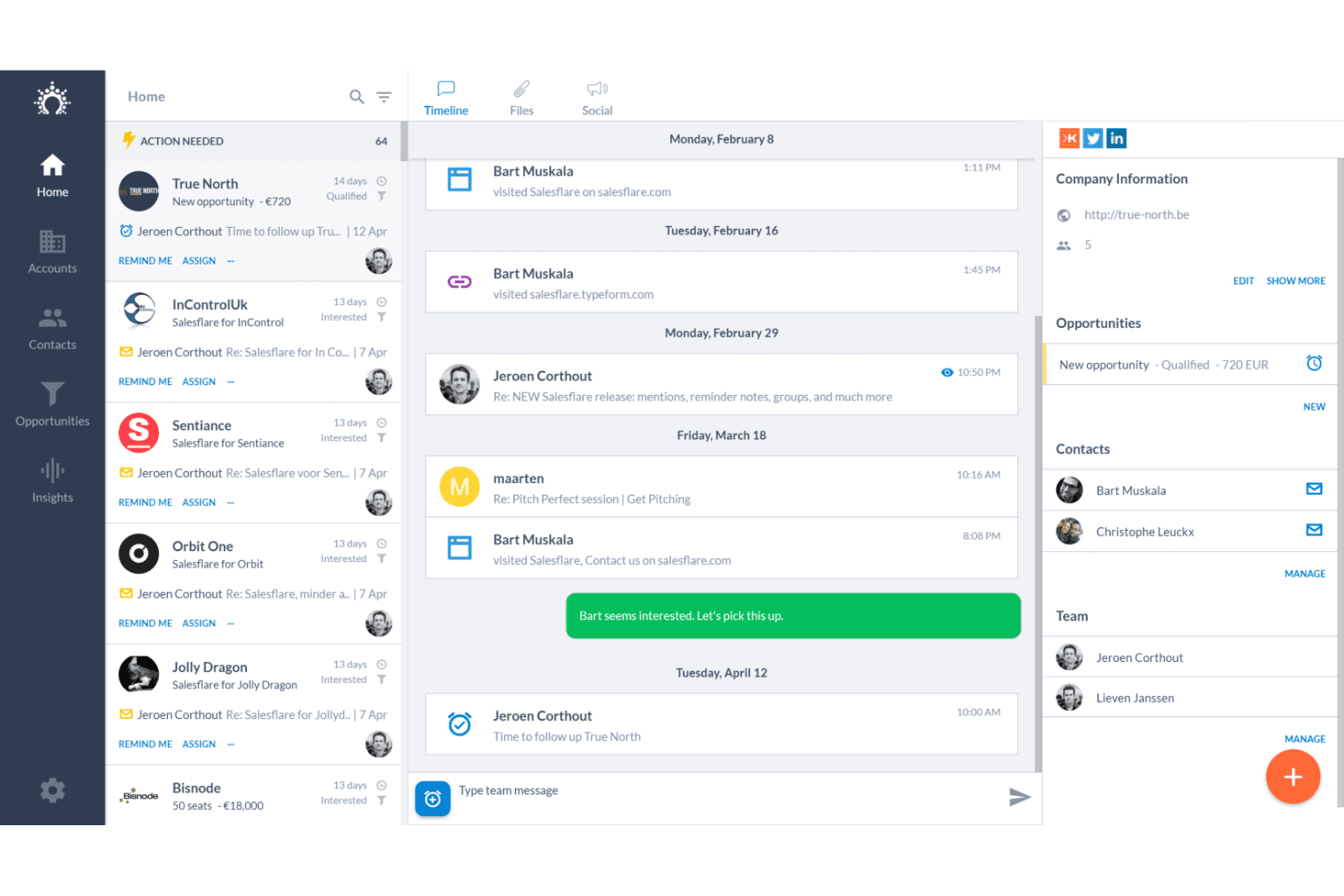
Salesflare is a CRM software built for small B2B sales teams that need to track leads and deals without manually logging every interaction. I'd consider it over something like Pipedrive if keeping your CRM data current is a real problem—Salesflare pulls contact details, company info, and communication history automatically from email, LinkedIn, and your calendar, so records stay accurate without relying on reps to update them manually.
Salesflare Evaluation Summary
4.7/5
- From $29/user/month (billed annually)
- 30-day free trial + free demo available
Why Trust Our Software Recommendations
6,700+
Reviews
20
Industry experts
16+
Evaluation factors
14
Years
Our reviews reflect our independent judgment—not a sales pitch. Learn how we stay transparent.
For this guide, we evaluated tools using hands-on testing and independent research, scoring tools using our selection criteria.
Our reviews reflect our human editorial judgment, not a sales pitch.
Salesflare Overview
In my experience, Salesflare stands out for its automated contact syncing, clean interface, and quick onboarding, making it one of the easiest CRM options for small, fast-moving B2B teams. While you won’t get the same customization depth or advanced analytics as some alternatives, Salesflare’s pricing and hands-off data entry make it a strong option if you’re judging solutions based on usability and speed to value. If your team cares more about adopting a CRM that people will actually use, this is one I’d choose for startups or lean sales teams.
Pros
- Automatically pulls contact and company data from emails and calendars
- Visual sales pipelines simplify deal tracking and pipeline updates
- In-app email tracking shows real-time email open notifications
Cons
- No built-in phone dialer or advanced calling features
- Reporting features are limited for complex analytics needs
- Lacks granular user permissions for larger sales teams
Is Salesflare Right For Your Needs?
Who Would be a Good Fit for Salesflare?
Salesflare is a strong fit for smaller teams and fast-moving businesses that need easy automation, modern UX, and intuitive lead tracking. I think you’ll get the most value if you’re in B2B sales, early-stage SaaS, or agencies, especially if your sales process relies on managing contacts, tracking conversations, and following up quickly. It’s also a good match for web-based, remote-friendly companies who want CRM automation without a big IT lift.
- Tech StartupsSalesflare supports quick scaling, automatic data collection, and pipeline clarity for lean sales teams needing traction fast.
- Marketing AgenciesAutomated email tracking and Kanban pipelines help agencies manage client pipelines and communications without extra manual work.
- Freelance ConsultantsThe CRM’s simplicity, email enrichment, and task management keep solo professionals on top of networking and proposals.
- B2B Sales TeamsSalesflare’s template-driven communication and follow-up reminders fit the high-touch relationship needs of B2B deal cycles.
- Remote Sales DepartmentsCloud-based, cross-device access and hands-off data entry support distributed teams needing a CRM that ‘just works’ out of the box.
- Growing SMBsUnlimited contacts and clear upgrade paths let small businesses adopt professional sales processes without complexity or added admin.
Who Would be a Bad Fit for Salesflare?
Salesflare isn’t the best fit for large enterprises or teams who need deep custom configuration and highly segmented permissions. Companies in fields with complex regulatory needs, extensive reporting, or direct-to-consumer operations may also find the tool’s features too limited. Sales teams needing built-in call centers, offline access, or industry-specific modules are going to find better options elsewhere.
- Enterprise CorporationsAdvanced user roles, custom fields, and deep process customization required by large organizations aren’t fully supported.
- Healthcare ProvidersSalesflare lacks built-in HIPAA compliance or industry-specific workflows often expected in healthcare CRMs.
- Direct-to-Consumer BrandsThe system’s feature set focuses on B2B account management, not high-volume retail or ecommerce customer needs.
- Complex Finance TeamsFirms needing granular reporting, multi-entity dashboards, and bespoke approval chains will run into reporting limits.
- Call Center OperationsSalesflare doesn’t include a native phone dialer or advanced call tracking needed for heavy outbound and inbound call teams.
- Field Sales RepresentativesNo offline mode and limited mobile customization make it less suitable for reps who work in areas with spotty connectivity.
How We Test & Score Tools
We’ve spent years building, refining, and improving our software testing and scoring system. The rubric is designed to capture the nuances of software selection and what makes a tool effective, focusing on critical aspects of the decision-making process.
Below, you can see exactly how our testing and scoring works across seven criteria. It allows us to provide an unbiased evaluation of the software based on core functionality, standout features, ease of use, onboarding, customer support, integrations, customer reviews, and value for money.
Core Functionality (25% of final scoring)
The starting point of our evaluation is always the core functionality of the tool. Does it have the basic features and functions that a user would expect to see? Are any of those core features locked to higher-tiered pricing plans? At its core, we expect a tool to stand up against the baseline capabilities of its competitors.
Standout Features (25% of final scoring)
Next, we evaluate uncommon standout features that go above and beyond the core functionality typically found in tools of its kind. A high score reflects specialized or unique features that make the product faster, more efficient, or offer additional value to the user.
We also evaluate how easy it is to integrate with other tools typically found in the tech stack to expand the functionality and utility of the software. Tools offering plentiful native integrations, 3rd party connections, and API access to build custom integrations score best.
Ease of Use (10% of final scoring)
We consider how quick and easy it is to execute the tasks defined in the core functionality using the tool. High scoring software is well designed, intuitive to use, offers mobile apps, provides templates, and makes relatively complex tasks seem simple.
Onboarding (10% of final scoring)
We know how important rapid team adoption is for a new platform, so we evaluate how easy it is to learn and use a tool with minimal training. We evaluate how quickly a team member can get set up and start using the tool with no experience. High scoring solutions indicate little or no support is required.
Customer Support (10% of final scoring)
We review how quick and easy it is to get unstuck and find help by phone, live chat, or knowledge base. Tools and companies that provide real-time support score best, while chatbots score worst.
Customer Reviews (10% of final scoring)
Beyond our own testing and evaluation, we consider the net promoter score from current and past customers. We review their likelihood, given the option, to choose the tool again for the core functionality. A high scoring software reflects a high net promoter score from current or past customers.
Value for Money (10% of final scoring)
Lastly, in consideration of all the other criteria, we review the average price of entry level plans against the core features and consider the value of the other evaluation criteria. Software that delivers more, for less, will score higher.
Core Features
Automated Data Enrichment
Salesflare automatically gathers contact and company information from email signatures and public sources. This saves users time on manual data entry and keeps records up to date.
Visual Sales Pipelines
Organize deals using drag-and-drop Kanban boards. You can customize pipeline stages to fit your unique sales process.
Email Tracking and Templates
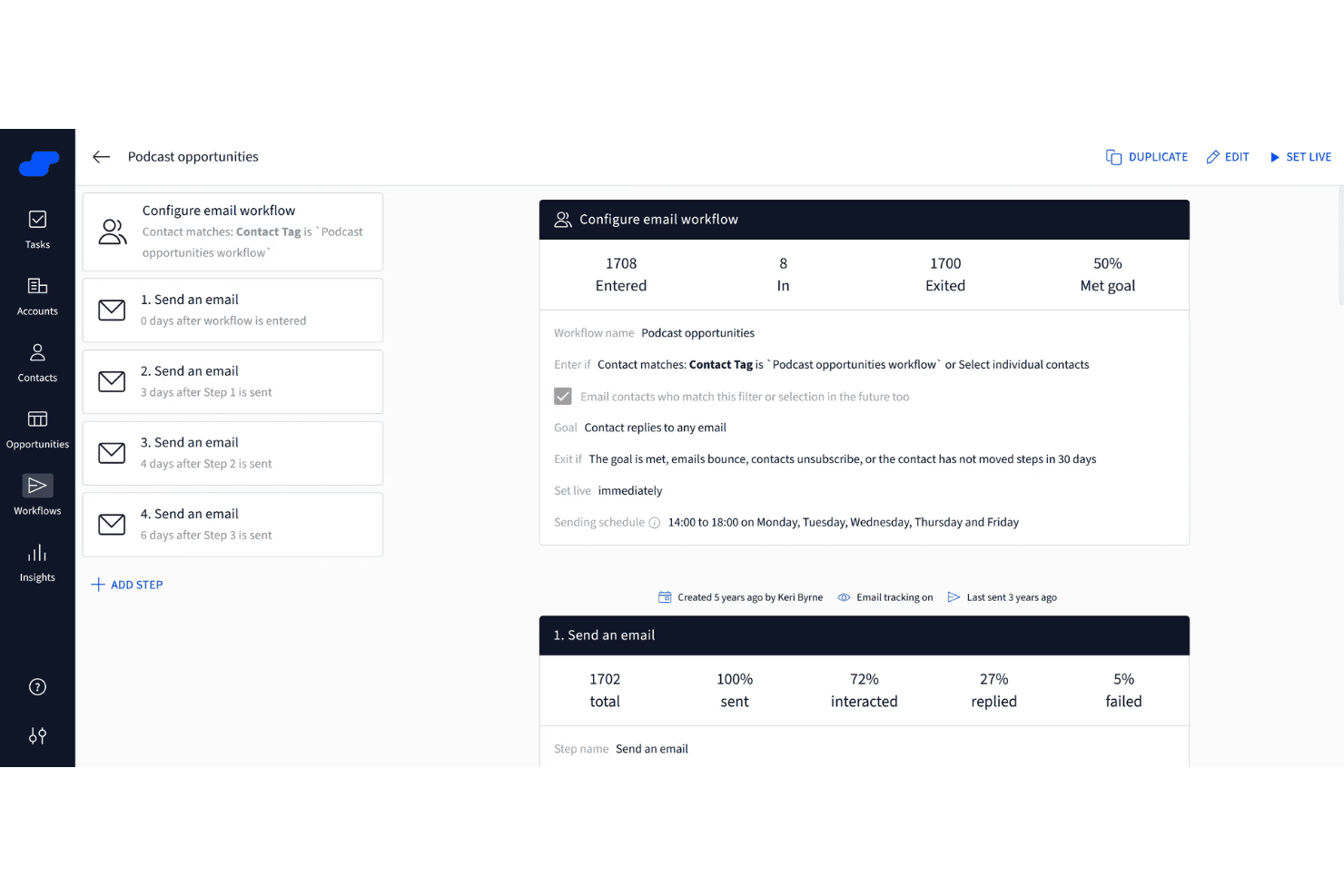
Get real-time notifications when contacts open your emails. Create and reuse email templates to speed up outreach while tracking engagement.
Activity and Task Management
Assign follow-ups, set reminders, and track sales activities from one dashboard. The system highlights which opportunities need action next.
Relationship Timeline
View all interactions—emails, meetings, calls, and notes—in a chronological feed for each contact. This timeline helps sales teams understand relationships at a glance.
Reporting and Insights
Access pipeline analytics, performance metrics, and conversion rates with visual dashboards. These insights let teams judge what’s working and adjust their tactics quickly.
Ease of Use
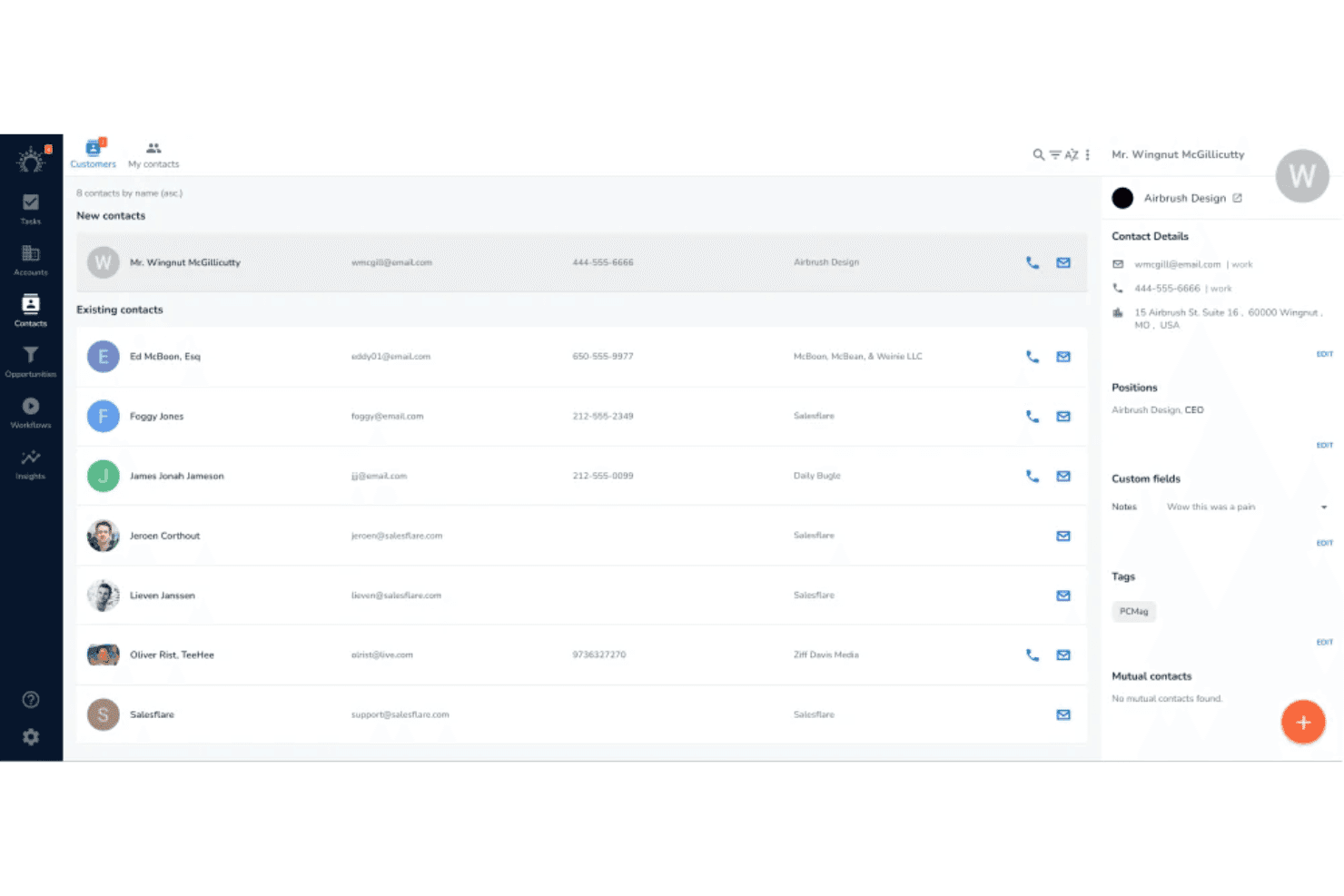
Salesflare’s interface feels inviting and modern, letting users automate contact updates and build pipelines with just a few clicks. I think onboarding is truly quick, thanks to the minimal setup and built-in tutorials. Reviewers often mention how Salesflare condenses CRM tasks into clear next steps, so sales teams know exactly what needs attention.
Integrations
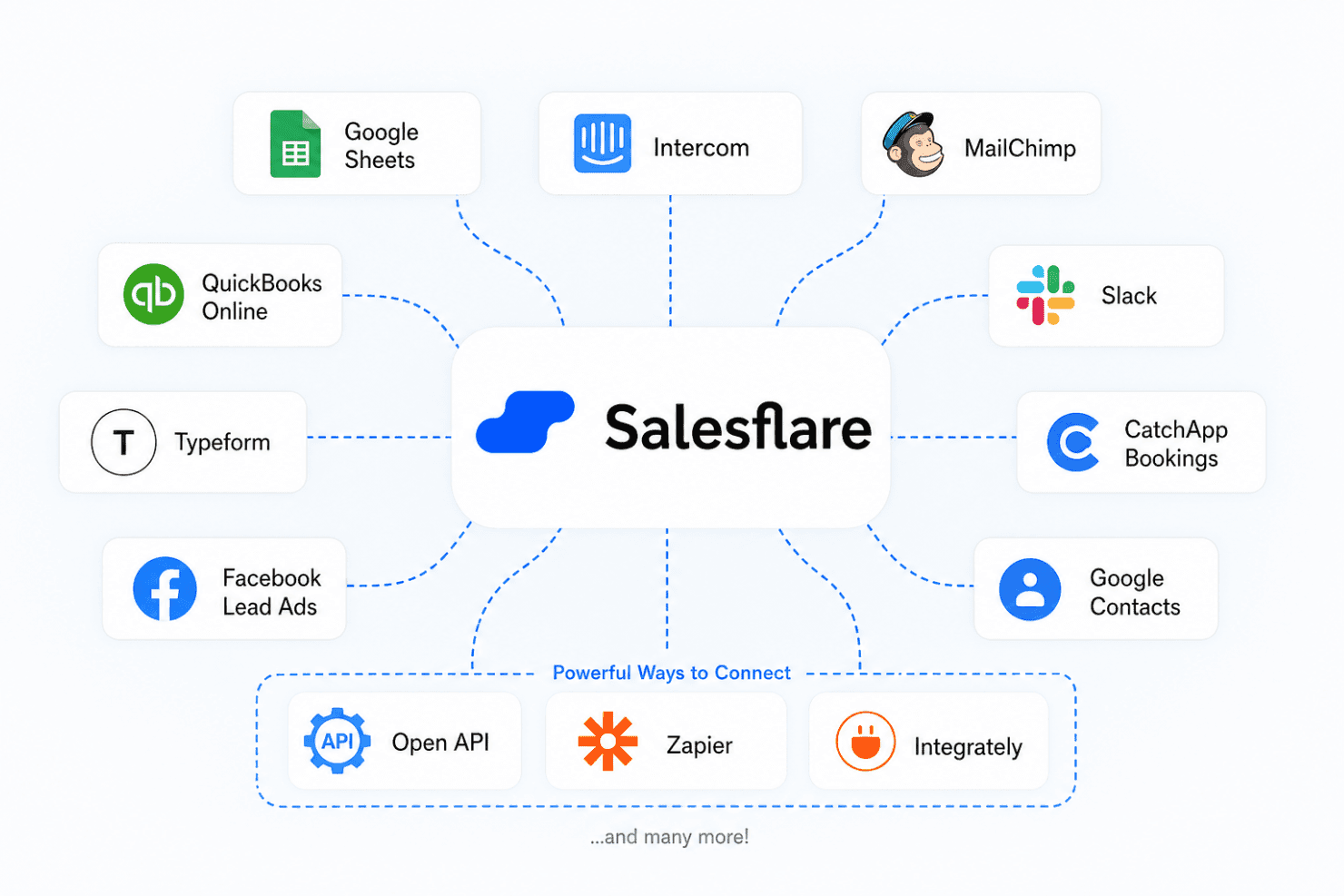
Salesflare integrates with Google Sheets, Intercom, MailChimp, QuickBooks Online, Slack, Typeform, CatchApp Bookings, Facebook Lead Ads, and Google Contacts, among others.
Salesflare also offers an open API and connects with third-party integration tools like Zapier and Integrately.
Salesflare Specs
- 2-Factor Authentication: Yes
- API: Yes
- Calendar Management: Yes
- Call Tracking: Yes
- Campaign Management: Yes
- Click-to-Dial: Yes
- Contact Management: Yes
- Contact Sharing: Yes
- Custom Data Forms: No
- Customer Management: Yes
- Dashboard: Yes
- Data Export: Yes
- Data Import: Yes
- Data Visualization: Yes
- Email Integration: Yes
- External Integrations: Yes
- File Sharing: Yes
- File Transfer: Yes
- Google Apps Integration: Yes
- Lead Management: Yes
- Lead Scoring: Yes
- Marketing Automation: Yes
- Mobile App: Yes
- Multi-User: Yes
- Notifications: Yes
- Pipeline Management: Yes
- Sales Automation: Yes
- Scheduling: Yes
- Social-Media Integration: Yes
- Task Scheduling/Tracking: Yes
- Third-Party Plugins/Add-Ons: Yes


