

QuotaPath-arvostelu: hyvät puolet, huonot puolet, ominaisuudet & hinnoittelu

We review tools independently, and commissions help fund our testing. See our transparency policy, our methodology, or suggest a tool.
QuotaPath is a sales commission software built to bring accuracy and transparency to commission tracking. It’s especially valuable for revenue leaders, sales managers, and operations teams in fast-growing SaaS companies and high-performance sales organizations. By removing confusion around payouts, QuotaPath helps you build trust, motivate your team, and drive consistent results.
In this article, you'll find a detailed look at QuotaPath's features, pros and cons, use cases, and pricing to help you decide if this software delivers the transparency and confidence you need in your commission process.
QuotaPath Evaluation Summary
4.6/5
- From $30/month (billed annually)
- Free 14-day trial
Why Trust Our Software Recommendations
6,700+
Reviews
20
Industry experts
16+
Evaluation factors
14
Years
Our reviews reflect our independent judgment—not a sales pitch. Learn how we stay transparent.
For this guide, we evaluated tools using hands-on testing and independent research, scoring tools using our selection criteria.
Our reviews reflect our human editorial judgment, not a sales pitch.
QuotaPath Overview
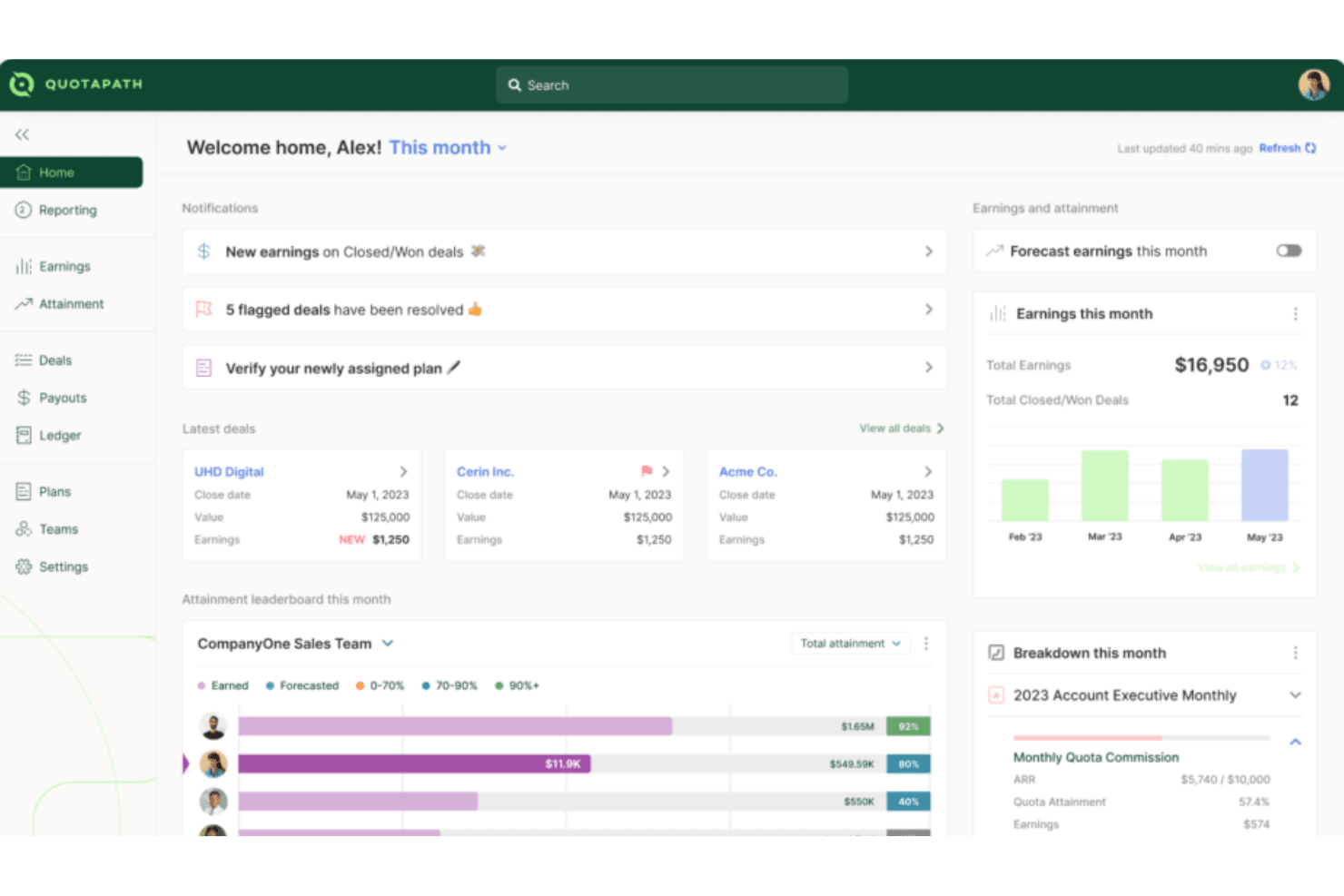
QuotaPath is designed to make commission tracking simple, accurate, and easy for both leaders and reps. It brings visibility into earnings, goals, and team performance without the confusion of spreadsheets. While it may not have the most advanced customization, most teams find it straightforward and intuitive to use. The result is a tool that builds trust in payouts and keeps everyone motivated to hit their targets.
Pros
- You can track commissions in real time and see exactly where you stand.
- Your team gets clear, easy-to-read dashboards that build trust in payouts.
- You can set goals that keep everyone aligned and motivated to hit targets.
Cons
- Lacks financial-related features like budget management, which might require you to use additional tools.
- Fewer advanced forecasting tools compared to bigger platforms.
- It has limited customization options, which could be a drawback if your team needs more tailored solutions.
Is QuotaPath Right For Your Needs?
Who Would be a Good Fit for QuotaPath?
QuotaPath works best for sales teams, revenue leaders, and ops managers in fast-growing companies who need simple, reliable commission tracking. If you’re scaling a SaaS business, running a high-volume sales org, or managing multiple reps with complex goals, you’ll find value in its clear dashboards and real-time visibility. It’s designed for teams that want trust in their payouts without relying on spreadsheets or manual tracking.
- SaaS CompaniesQuotaPath helps you manage fast-changing comp plans and keep reps motivated with transparent payouts that build trust, reduce confusion, and support rapid growth.
- Mid-Sized TeamsIt gives you just enough structure without the heavy lift of a large enterprise system, making adoption smooth, affordable, and practical for everyday use.
- Revenue OperationsYou can track goals across reps and tie them back to broader revenue targets with accurate data, automated tracking, and clear performance visibility.
- Sales ManagersIt lets you see performance clearly so you can coach and motivate with confidence while cutting back disputes, saving time, and boosting team morale.
- Remote TeamsIts dashboards keep everyone aligned on payouts, no matter where they’re working, ensuring visibility, accountability, and shared trust across distributed sales teams.
- StartupsYou can get rid of messy spreadsheets and use a simple system that grows with your team, scales as you hire, and adapts quickly.
Who Would be a Bad Fit for QuotaPath?
QuotaPath isn’t the best choice if you’re a very large enterprise with highly complex, custom commission rules. If you need deep analytics, heavy forecasting, or extremely tailored workflows, you’ll likely find it limiting. Companies with complex integration needs may also find its offerings insufficient for their operations.
- Large EnterprisesQuotaPath's limited customization options may not meet the complex needs of large-scale operations.
- Complex Finance TeamsYou won’t get the deep financial analytics some finance departments rely on.
- Highly-Customized SolutionsIf your team requires highly tailored commission structures, QuotaPath's standard offerings may fall short.
- ManufacturingAn industry with complex, multi-tiered commission systems that might need more flexibility than QuotaPath provides.
- Niche IndustriesIf your industry has very unusual payout rules, you may not find the flexibility you need.
- Highly Regulated IndustriesIndustries needing specialized compliance features could find QuotaPath insufficient for their specific needs.
How We Test & Score Tools
We’ve spent years building, refining, and improving our software testing and scoring system. The rubric is designed to capture the nuances of software selection and what makes a tool effective, focusing on critical aspects of the decision-making process.
Below, you can see exactly how our testing and scoring works across seven criteria. It allows us to provide an unbiased evaluation of the software based on core functionality, standout features, ease of use, onboarding, customer support, integrations, customer reviews, and value for money.
Core Functionality (25% of final scoring)
The starting point of our evaluation is always the core functionality of the tool. Does it have the basic features and functions that a user would expect to see? Are any of those core features locked to higher-tiered pricing plans? At its core, we expect a tool to stand up against the baseline capabilities of its competitors.
Standout Features (25% of final scoring)
Next, we evaluate uncommon standout features that go above and beyond the core functionality typically found in tools of its kind. A high score reflects specialized or unique features that make the product faster, more efficient, or offer additional value to the user.
We also evaluate how easy it is to integrate with other tools typically found in the tech stack to expand the functionality and utility of the software. Tools offering plentiful native integrations, 3rd party connections, and API access to build custom integrations score best.
Ease of Use (10% of final scoring)
We consider how quick and easy it is to execute the tasks defined in the core functionality using the tool. High scoring software is well designed, intuitive to use, offers mobile apps, provides templates, and makes relatively complex tasks seem simple.
Onboarding (10% of final scoring)
We know how important rapid team adoption is for a new platform, so we evaluate how easy it is to learn and use a tool with minimal training. We evaluate how quickly a team member can get set up and start using the tool with no experience. High scoring solutions indicate little or no support is required.
Customer Support (10% of final scoring)
We review how quick and easy it is to get unstuck and find help by phone, live chat, or knowledge base. Tools and companies that provide real-time support score best, while chatbots score worst.
Customer Reviews (10% of final scoring)
Beyond our own testing and evaluation, we consider the net promoter score from current and past customers. We review their likelihood, given the option, to choose the tool again for the core functionality. A high scoring software reflects a high net promoter score from current or past customers.
Value for Money (10% of final scoring)
Lastly, in consideration of all the other criteria, we review the average price of entry level plans against the core features and consider the value of the other evaluation criteria. Software that delivers more, for less, will score higher.
Core Features
Commission Tracking
QuotaPath allows you to easily track sales commissions in real time, offering transparency for your team. You can quickly see how commissions are calculated, reducing confusion and errors.
Performance Analytics
This feature provides insights into sales performance, helping you make informed decisions. With clear data visualization, you can identify trends and adjust strategies accordingly.
Customizable Dashboards
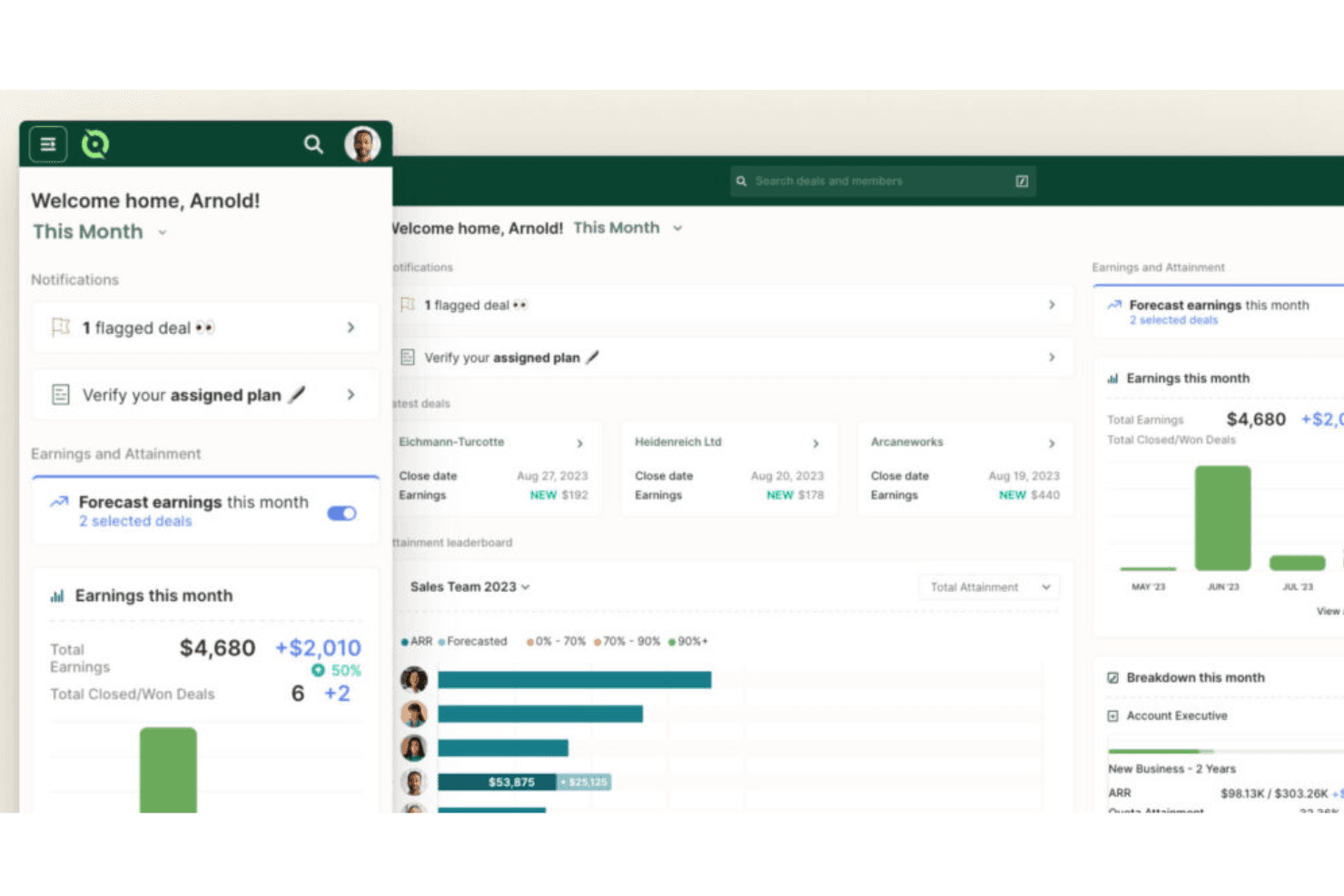
QuotaPath's dashboards let you tailor views to match your team's needs, offering a personalized experience. You can focus on the metrics that matter most to your work.
Automated Calculations
The software automates commission calculations, saving you time and minimizing mistakes. It ensures accuracy, so you can trust the numbers without manual checks.
Goal Setting
You can set and track sales goals within QuotaPath, aligning your team's efforts with company objectives. This feature keeps everyone on the same page and motivated.
Compensation Transparency
QuotaPath offers clear visibility into compensation structures, so your team knows exactly how they earn. This transparency boosts trust and morale among your sales staff.
Ease of Use
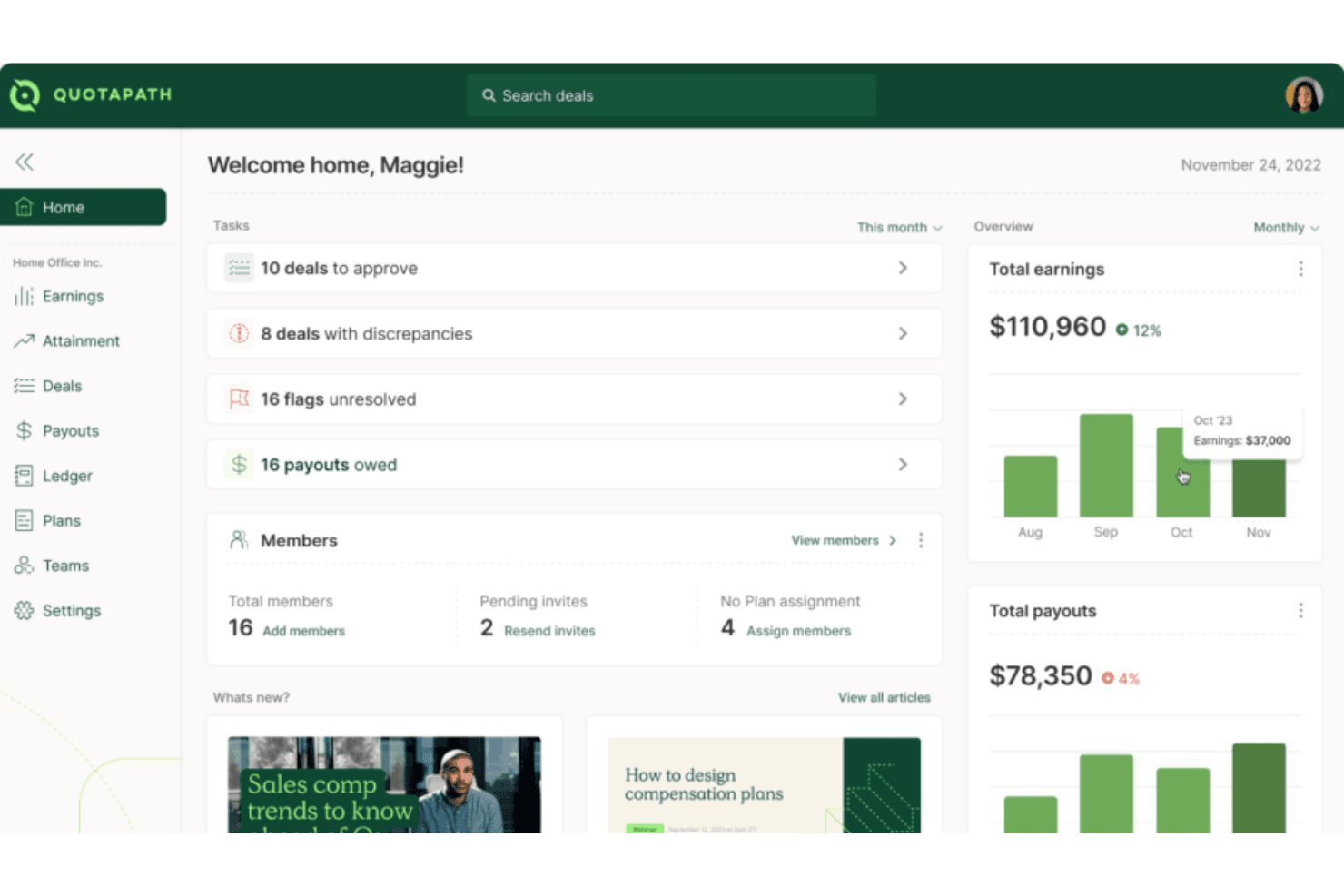
QuotaPath stands out for its user-friendly design, making it easy for your team to get up and running quickly. You can set up plans, track payouts, and view dashboards without needing deep training. Your team gets clear visuals and straightforward workflows that cut through the usual complexity of commission tracking. Even if you’re not tech-savvy, you’ll find it intuitive and reliable for keeping commissions accurate and transparent.
Integrations
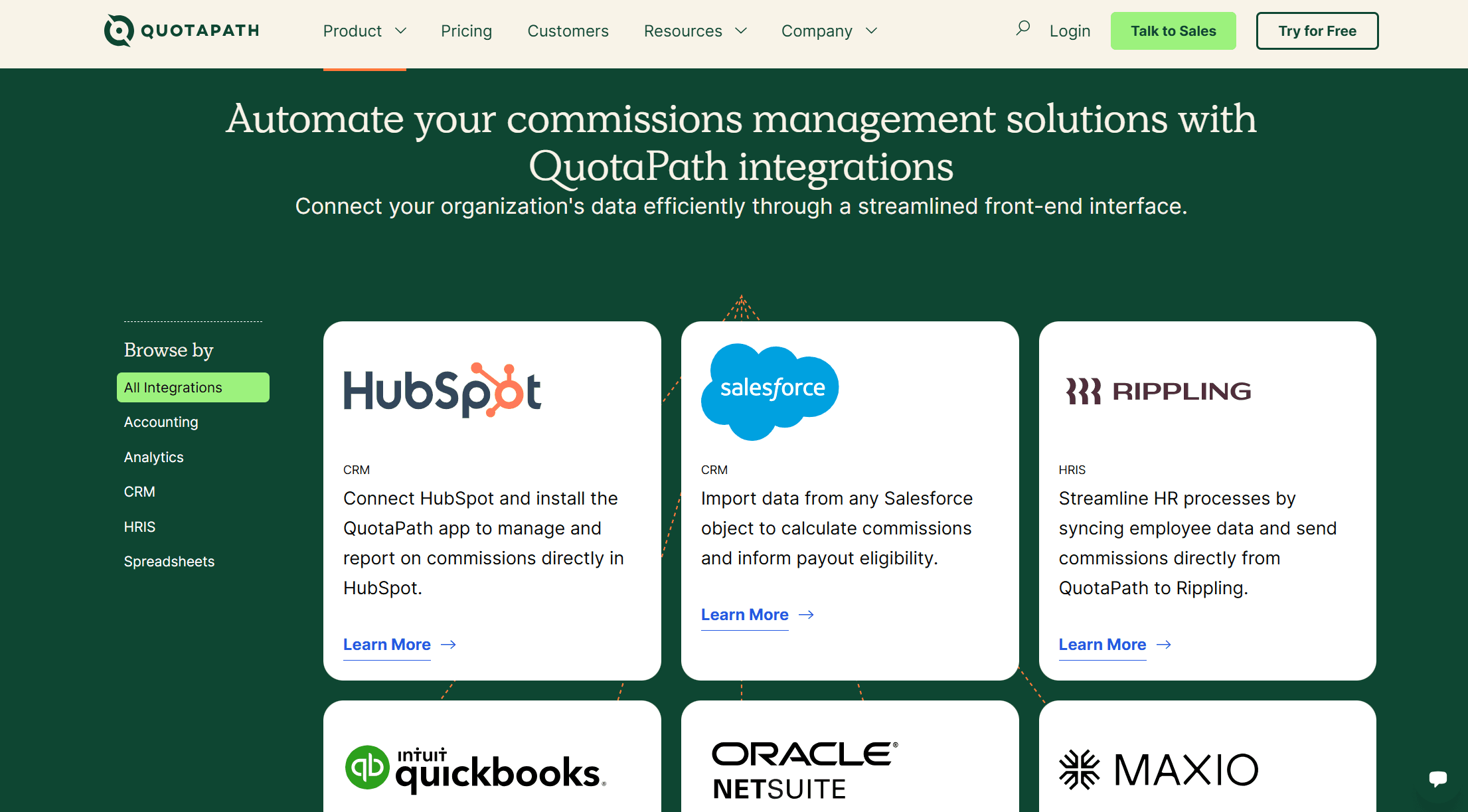
QuotaPath integrates natively with HubSpot, Salesforce, Rippling, QuickBooks, Oracle NetSuite, Maxio, and offers Single Sign-On (SSO) for secure access.
QuotaPath also features an open API for custom integrations and connects with third-party integration tools.
QuotaPath Specs
- 2-Factor Authentication: No
- API: Yes
- Audience Targeting: No
- Budgeting: No
- Calendar Management: No
- Call Recording: No
- Click-to-Dial: No
- Contact Management: No
- Contact Sharing: No
- Conversion Tracking: No
- Customer Management: No
- Dashboard: Yes
- Data Export: Yes
- Data Import: Yes
- Data Visualization: Yes
- Email Integration: No
- Expense Tracking: No
- External Integrations: No
- Forecasting: Yes
- Google Apps Integration: Yes
- Inventory Tracking: No
- Lead Management: No
- Lead Scoring: No
- Marketing Automation: No
- Multi-User: Yes
- Notifications: Yes
- Payroll: No
- Project Management: No
- Referral Tracking: No
- Sales Motivator: Yes
- Scheduling: No
- Social-Media Integration: No
- Supplier Management: No
- Tax Management: No
- Third-Party Plugins/Add-Ons: Yes
- Travel Management: No


