

Ontraport-arvostelu: hyvät ja huonot puolet, ominaisuudet ja hinnoittelu
Ontraport loistaa kaiken kattavilla markkinoinnin automaatio- ja CRM-ominaisuuksillaan, joten se sopii erinomaisesti pienyrityksille, jotka tavoittelevat tehokkuutta keskitetyn hallintapaneelin avulla.

We review tools independently, and commissions help fund our testing. See our transparency policy, our methodology, or suggest a tool.
Ontraport is a CRM software built for small and mid-sized businesses that need contact management, marketing automation, email campaigns, landing pages, and ecommerce tools in one place. I'd mainly recommend it if you want HubSpot-level automation depth without having to pay across multiple plan tiers just to unlock the features your team actually needs day-to-day.
Ontraport Evaluation Summary
4.3/5
- From $83/month
- 14-day free trial
Why Trust Our Software Recommendations
6,700+
Reviews
20
Industry experts
16+
Evaluation factors
14
Years
Our reviews reflect our independent judgment—not a sales pitch. Learn how we stay transparent.
For this guide, we evaluated tools using hands-on testing and independent research, scoring tools using our selection criteria.
Our reviews reflect our human editorial judgment, not a sales pitch.
Ontraport Overview
In my opinion, Ontraport is solid CRM software for small- to medium-sized businesses looking for marketing automation and customer management. It excels in offering an extensive suite of features that integrate sales and marketing efforts, including a visual campaign builder, reusable templates, and advanced segmenting capabilities. However, its interface may seem daunting for new users compared to simpler CRM solutions.
Ontraport shines in customer support and onboarding, ensuring team members can leverage its capabilities effectively with tools such as screen share and guided setup options. It's particularly valuable for businesses focused on marketing automation and those willing to invest time in understanding its extensive capabilities. Compared to competitors, it offers good value, especially if you're looking for an all-in-one solution.
Pros
- You can automate complex marketing campaigns.
- It offers excellent customer support for quickly resolving issues.
- It offers powerful, flexible email marketing tools.
Cons
- The user interface can be overwhelming for new users.
- It may take time for your team to learn all the features.
- You may find the reporting tools less intuitive than other CRMs.
Is Ontraport Right For Your Needs?
Who Would be a Good Fit for Ontraport?
Ontraport is ideal for small- to medium-sized businesses and marketing teams that need powerful marketing automation software. If your team focuses on nurturing leads and automating email campaigns, Ontraport's feature set will suit you well. Its powerful automation tools, incorporated page builder, and lead capture pop-up form feature could refine your marketing efforts. Entrepreneurs and small business owners will also find value in its all-in-one capabilities, which simplify marketing and customer relations management.
- Small BusinessesOntraport offers affordable automation tools that help simplify marketing and customer management for small teams, with integrated payment processing through Stripe, PayPal, and credit cards.
- Marketing TeamsYour team can use Ontraport's automation to create and manage complex marketing campaigns without needing extra software.
- EntrepreneursEntrepreneurs benefit from Ontraport's all-in-one platform, which simplifies marketing and customer relations management while supporting scalable funnels and upsells.
- E-commerceOntraport's email marketing tools and sales automation are perfect for managing online sales and customer engagement.
- Coaches and ConsultantsOntraport lets you automate client communications and manage leads, freeing up time for other work.
- NonprofitsNonprofits can use Ontraport to manage donor relationships and automate communication, which helps increase engagement and support.
Who Would be a Bad Fit for Ontraport?
Ontraport may not suit large enterprises or teams requiring advanced reporting and analytics. Industries that rely heavily on real-time data insights and complex workflows may find it lacking. Additionally, if your team prefers a more intuitive interface with minimal learning curves, Ontraport's complexity could be a barrier.
- Large EnterprisesOntraport's reporting tools may not meet the complex data needs of large enterprises.
- Data-Driven TeamsIf your team relies on advanced analytics, Ontraport's reporting capabilities may not suffice.
- Finance DepartmentsFinance teams needing detailed financial reporting could find Ontraport's tools inadequate.
- Tech CompaniesTech companies requiring real-time data insights may find Ontraport lacking in analytics.
- Project ManagementOntraport may not offer the specialized tools needed for detailed project management.
- Beginner UsersIf your team is new to CRM systems, Ontraport's learning curve could be challenging.
How We Test & Score Tools
We’ve spent years building, refining, and improving our software testing and scoring system. The rubric is designed to capture the nuances of software selection and what makes a tool effective, focusing on critical aspects of the decision-making process.
Below, you can see exactly how our testing and scoring works across seven criteria. It allows us to provide an unbiased evaluation of the software based on core functionality, standout features, ease of use, onboarding, customer support, integrations, customer reviews, and value for money.
Core Functionality (25% of final scoring)
The starting point of our evaluation is always the core functionality of the tool. Does it have the basic features and functions that a user would expect to see? Are any of those core features locked to higher-tiered pricing plans? At its core, we expect a tool to stand up against the baseline capabilities of its competitors.
Standout Features (25% of final scoring)
Next, we evaluate uncommon standout features that go above and beyond the core functionality typically found in tools of its kind. A high score reflects specialized or unique features that make the product faster, more efficient, or offer additional value to the user.
We also evaluate how easy it is to integrate with other tools typically found in the tech stack to expand the functionality and utility of the software. Tools offering plentiful native integrations, 3rd party connections, and API access to build custom integrations score best.
Ease of Use (10% of final scoring)
We consider how quick and easy it is to execute the tasks defined in the core functionality using the tool. High scoring software is well designed, intuitive to use, offers mobile apps, provides templates, and makes relatively complex tasks seem simple.
Onboarding (10% of final scoring)
We know how important rapid team adoption is for a new platform, so we evaluate how easy it is to learn and use a tool with minimal training. We evaluate how quickly a team member can get set up and start using the tool with no experience. High scoring solutions indicate little or no support is required.
Customer Support (10% of final scoring)
We review how quick and easy it is to get unstuck and find help by phone, live chat, or knowledge base. Tools and companies that provide real-time support score best, while chatbots score worst.
Customer Reviews (10% of final scoring)
Beyond our own testing and evaluation, we consider the net promoter score from current and past customers. We review their likelihood, given the option, to choose the tool again for the core functionality. A high scoring software reflects a high net promoter score from current or past customers.
Value for Money (10% of final scoring)
Lastly, in consideration of all the other criteria, we review the average price of entry level plans against the core features and consider the value of the other evaluation criteria. Software that delivers more, for less, will score higher.
Core Features
Contact Management: Ontraport lets you store and manage all your customer data in one place, acting as a centralized dashboard for tracking customer interactions.
Email Marketing: The platform offers powerful tools for creating and automating email campaigns. Your marketing team can use the customizable templates to personalize messages, boost engagement, and improve deliverability.
Sales Automation: You can automate sales processes to improve efficiency and reduce manual tasks. This feature helps your team focus on closing deals.
Lead Scoring: Ontraport allows you to assign scores to leads based on their interactions. This helps your sales team members to prioritize high-potential leads.
Task Management: You can organize tasks and set reminders to help your team stay in control.
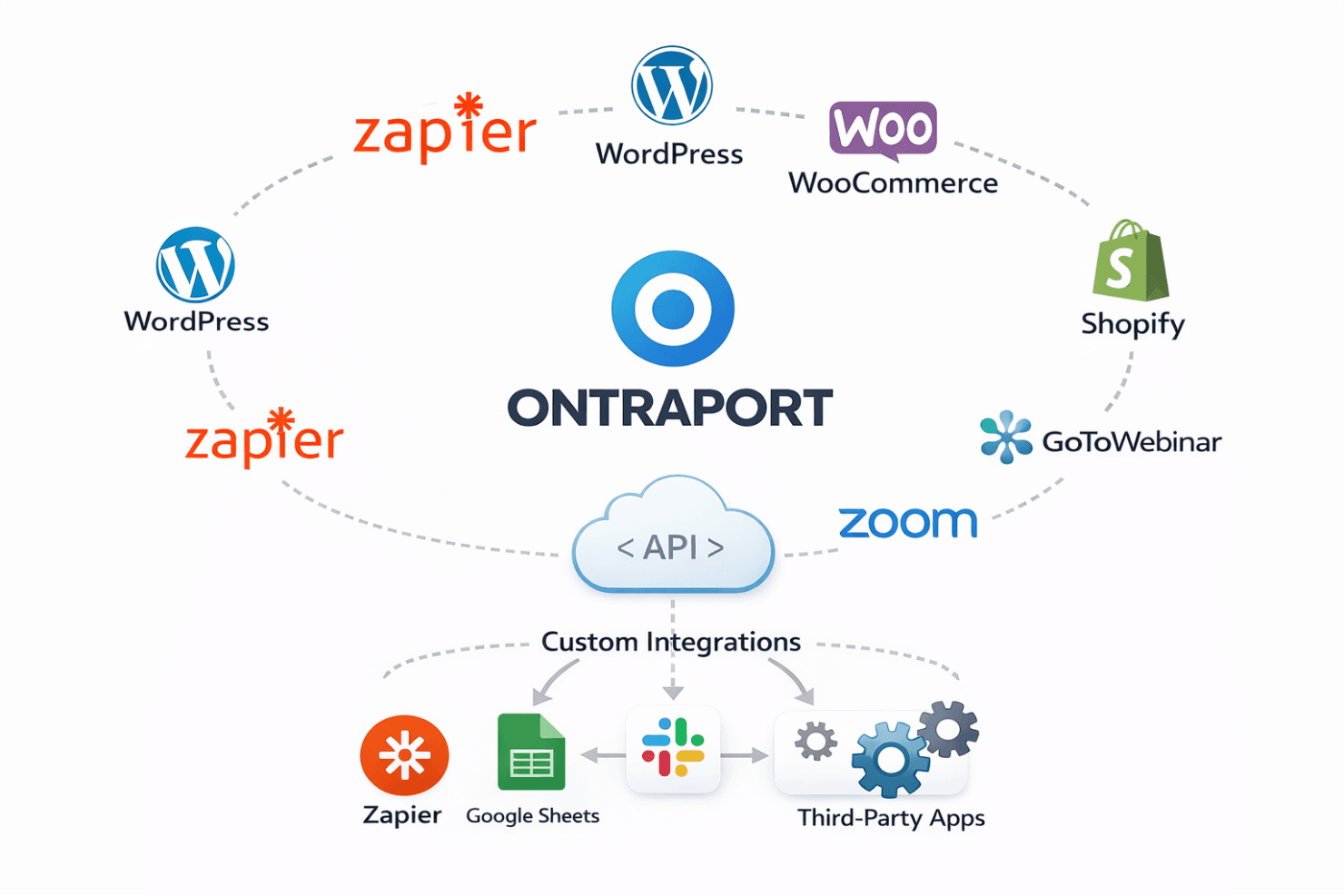
Reporting and Analytics: The platform provides basic reporting tools to track performance metrics, including campaign results and open rates. This helps your team make informed, data-based decisions.
Ease of Use
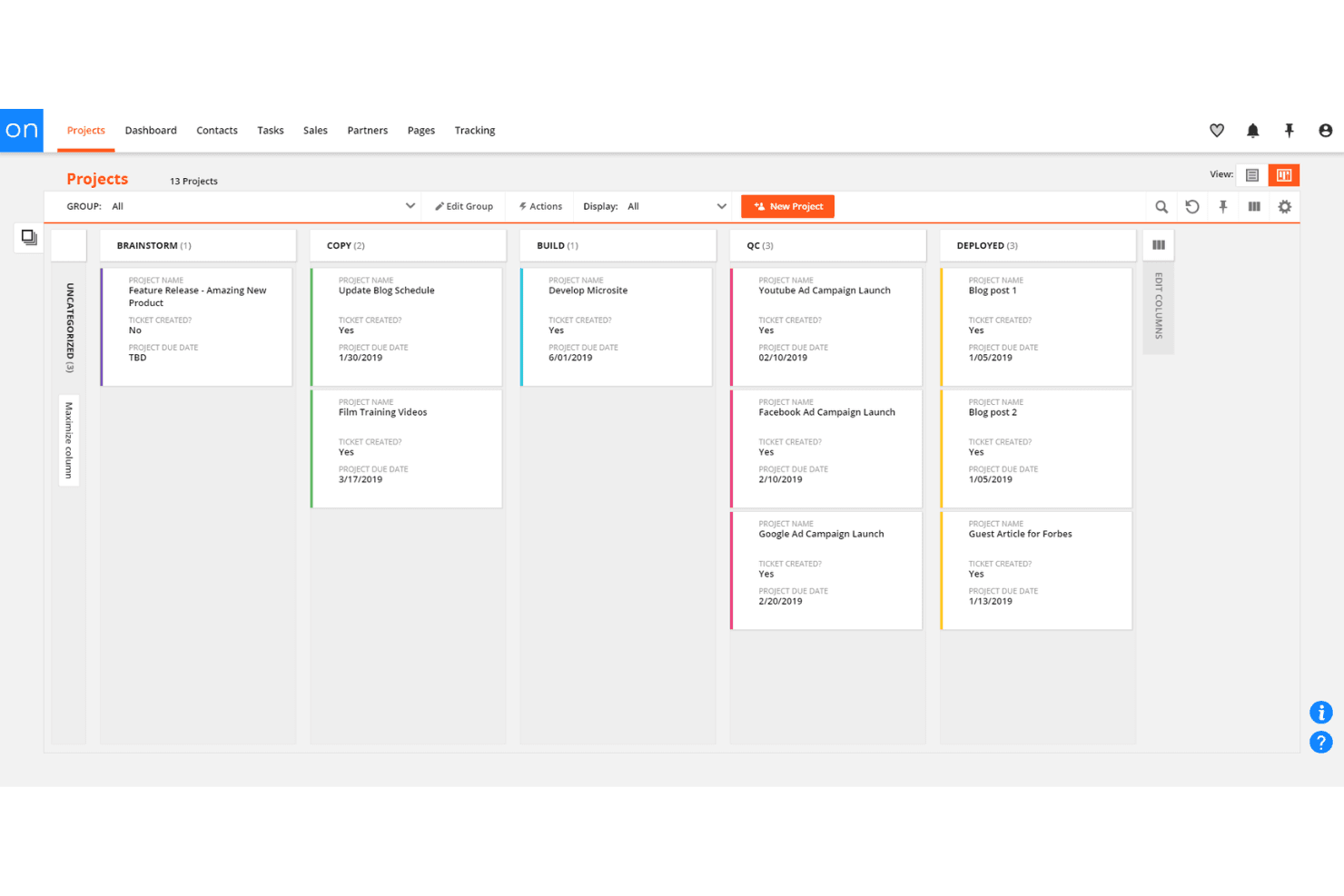
Ontraport's user interface can be daunting at first, especially if you're new to CRM systems. Its extensive features require time to learn, which may initially slow your team down. However, once you get past the learning curve, the platform's automation and customization capabilities can greatly improve your work efficiency. Compared to simpler CRM tools, Ontraport demands more from users but offers powerful tools that can significantly benefit your marketing and sales efforts.
Integrations
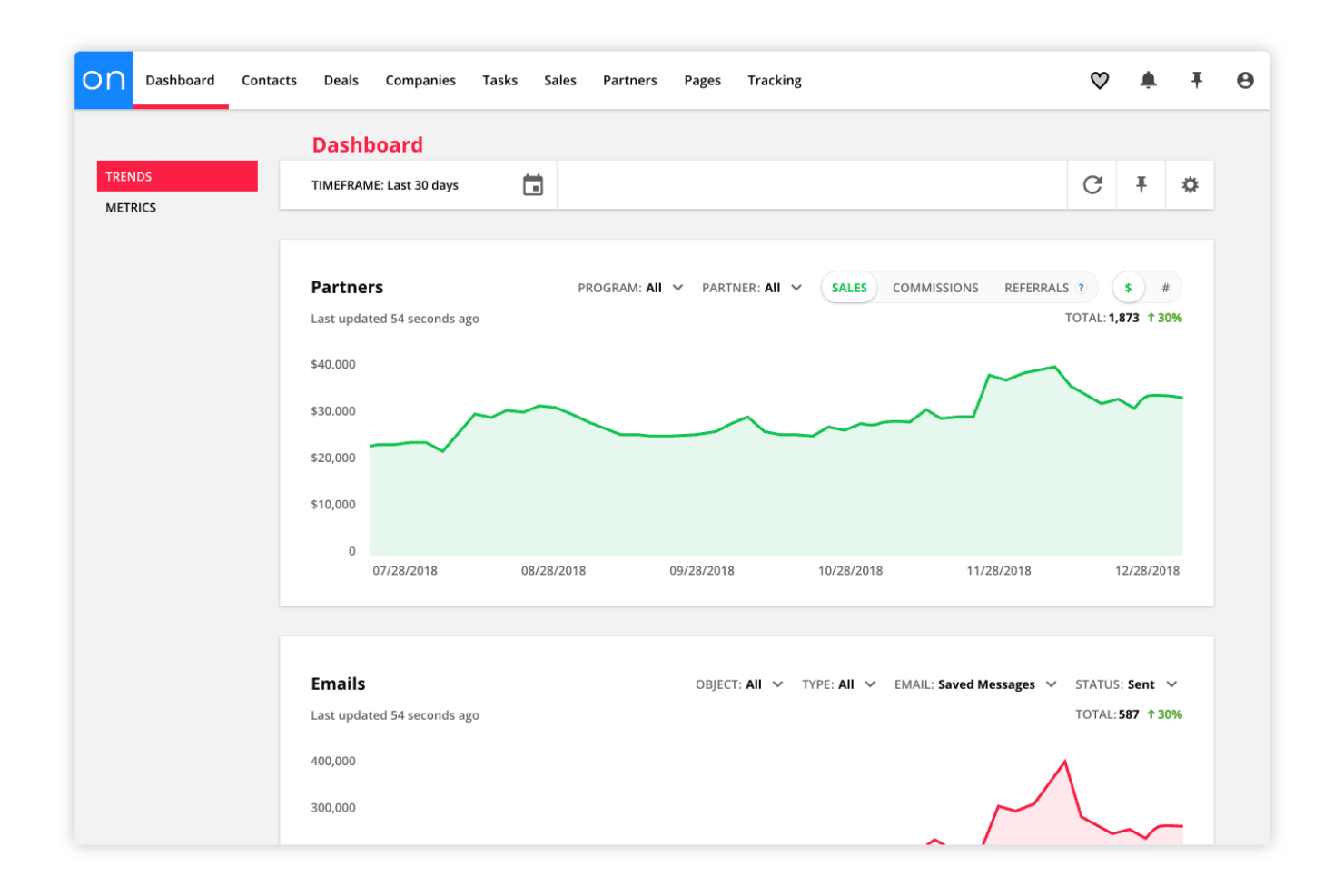
Ontraport integrates with tools such as Zapier, WordPress, WooCommerce, and Shopify, allowing you to connect your CRM with websites, e-commerce platforms, and thousands of third-party apps. It also supports integrations with Zoom and GoToWebinar for event automation and follow-ups. Ontraport provides an open API, enabling businesses with specific technical requirements to build custom integrations and automate workflows.
Ontraport Specs
- A/B Testing: Yes
- Analytics: No
- API: Yes
- Audience Targeting: No
- Automated Conversion: No
- Batch Permissions & Access: No
- Behavioral Tracking: No
- Brand Management: Yes
- Campaign Management: No
- Contact Management: Yes
- Contact Sharing: Yes
- Conversion Tracking: Yes
- CRM Integration: No
- Customer Management: Yes
- Dashboards: No
- Data Export: Yes
- Data Import: Yes
- Email Integration: Yes
- External Integrations: Yes
- Keyword Tracking: No
- Landing Pages: No
- Lead Management: Yes
- Lead Scoring: Yes
- Link Tracking: No
- Marketing Automation: Yes
- Multi-User: Yes
- Notifications: Yes
- Password & Access Management: Yes
- Social-Media Integration: Yes


