

Five9-arvostelu: edut, haitat, ominaisuudet ja hinnoittelu
Five9 erottuu edukseen intuitiivisella käyttöliittymällään ja kattavalla asiakastuella, mikä tekee siitä erinomaisen vaihtoehdon tiimeille, jotka etsivät luotettavaa ja tehokasta automaattista soitto-ohjelmistoa.

We review tools independently, and commissions help fund our testing. See our transparency policy, our methodology, or suggest a tool.
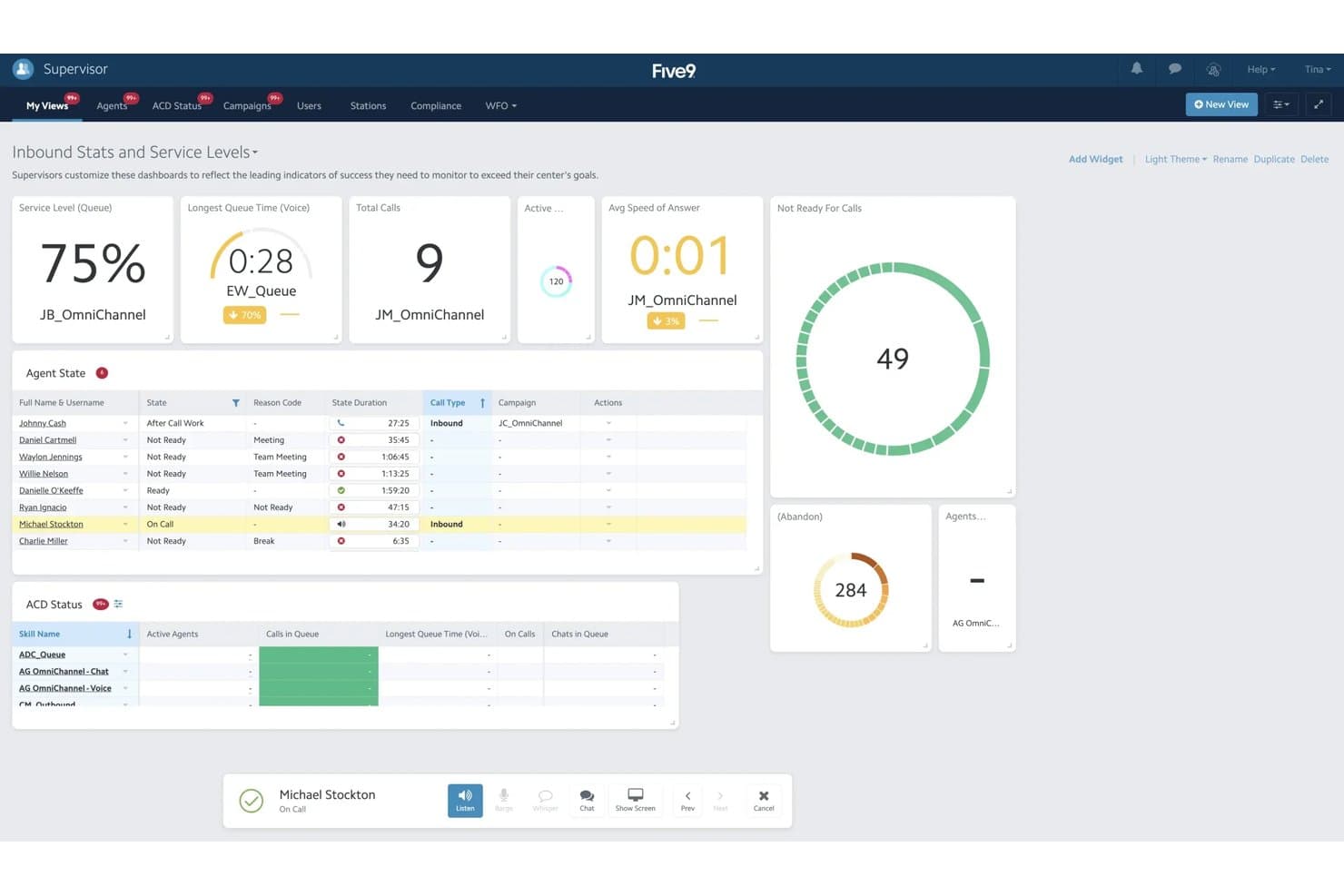
Five9 is an auto dialer software built for contact centers running high-volume outbound calling campaigns that need predictive, power, and progressive dialing modes in one platform. I'd consider it if your team needs more dialing intelligence and reporting depth than a tool like Aircall provides, without the complexity and cost of a full enterprise platform like Genesys.
Five9 Evaluation Summary
4.1/5
- From $119/seat/month
- Free demo available
Why Trust Our Software Recommendations
6,700+
Reviews
20
Industry experts
16+
Evaluation factors
14
Years
Our reviews reflect our independent judgment—not a sales pitch. Learn how we stay transparent.
For this guide, we evaluated tools using hands-on testing and independent research, scoring tools using our selection criteria.
Our reviews reflect our human editorial judgment, not a sales pitch.
Five9 Overview
In my opinion, Five9 is a solid choice for teams looking for reliable auto dialer software. Its standout features, overall functionality and strong customer support make it appealing, though the ease of use could be improved. Compared to other cloud contact center providers, Five9 excels in onboarding and support, making it ideal for customer service teams needing quick setup and assistance. However, its interface can be a bit tricky, which might not suit teams that require intuitive navigation. Overall, Five9 is best for environments where support and onboarding are key, like in large-scale contact centers.
Pros
- Your team will appreciate the strong customer support available when needed.
- Onboarding is smooth and quick, getting you up and running fast.
- It offers powerful call management features that boost productivity.
Cons
- You might find the interface less intuitive than other options.
- Some users report occasional technical glitches during calls.
- It can be resource-heavy, which might affect system performance.
Is Five9 Right For Your Needs?
Who Would be a Good Fit for Five9?
Five9 is ideal for large contact centers in industries like telecommunications and finance. Your team will benefit from its efficient call handling and strong customer support, which are crucial for managing high call volumes. If you're in customer service, Five9's powerful call management features will enhance productivity. It’s also great for teams that need fast onboarding to minimize downtime. The software's capabilities make it well-suited for environments where quick setup and reliable support are essential.
- Telecommunications CompaniesYour team can handle high call volumes efficiently with Five9's powerful call management features.
- Finance DepartmentsFive9's strong customer support ensures your team can resolve customer inquiries quickly and effectively.
- Customer Service TeamsWith fast onboarding, your team can get up and running without delay, improving service delivery.
- Large Contact CentersFive9's capabilities make it easy to manage large volumes of calls efficiently and reliably.
- Sales TeamsFive9's features can help your team boost productivity by automating outbound calls and follow-ups.
- Tech Support DepartmentsThe software's reliable customer support ensures your team can provide timely assistance to users.
Who Would be a Bad Fit for Five9?
Five9 might not suit small businesses or startups with limited resources. Its complex user interface can be challenging for teams needing simplicity and ease of use. If your team prioritizes intuitive navigation, Five9's learning curve could slow you down. Also, if technical glitches are a concern, you might find it frustrating. Teams that don’t require extensive call management features might find Five9's capabilities excessive and unnecessary.
- Small StartupsYour team might struggle with Five9's complex interface and find it overwhelming for simple operations.
- FreelancersFive9's powerful features are excessive for individual use and may not justify the cost.
- Nonprofit OrganizationsLimited budgets may not align well with Five9's feature set and potential resource demands.
- Retail BusinessesIf your focus isn't on high-volume calls, Five9's capabilities might be more than you need.
- Educational InstitutionsFive9's learning curve and interface complexity might not fit well with your needs for straightforward communication.
- Independent ConsultantsYour work might not require the extensive call management features Five9 offers, making it a less practical choice.
How We Test & Score Tools
We’ve spent years building, refining, and improving our software testing and scoring system. The rubric is designed to capture the nuances of software selection and what makes a tool effective, focusing on critical aspects of the decision-making process.
Below, you can see exactly how our testing and scoring works across seven criteria. It allows us to provide an unbiased evaluation of the software based on core functionality, standout features, ease of use, onboarding, customer support, integrations, customer reviews, and value for money.
Core Functionality (25% of final scoring)
The starting point of our evaluation is always the core functionality of the tool. Does it have the basic features and functions that a user would expect to see? Are any of those core features locked to higher-tiered pricing plans? At its core, we expect a tool to stand up against the baseline capabilities of its competitors.
Standout Features (25% of final scoring)
Next, we evaluate uncommon standout features that go above and beyond the core functionality typically found in tools of its kind. A high score reflects specialized or unique features that make the product faster, more efficient, or offer additional value to the user.
We also evaluate how easy it is to integrate with other tools typically found in the tech stack to expand the functionality and utility of the software. Tools offering plentiful native integrations, 3rd party connections, and API access to build custom integrations score best.
Ease of Use (10% of final scoring)
We consider how quick and easy it is to execute the tasks defined in the core functionality using the tool. High scoring software is well designed, intuitive to use, offers mobile apps, provides templates, and makes relatively complex tasks seem simple.
Onboarding (10% of final scoring)
We know how important rapid team adoption is for a new platform, so we evaluate how easy it is to learn and use a tool with minimal training. We evaluate how quickly a team member can get set up and start using the tool with no experience. High scoring solutions indicate little or no support is required.
Customer Support (10% of final scoring)
We review how quick and easy it is to get unstuck and find help by phone, live chat, or knowledge base. Tools and companies that provide real-time support score best, while chatbots score worst.
Customer Reviews (10% of final scoring)
Beyond our own testing and evaluation, we consider the net promoter score from current and past customers. We review their likelihood, given the option, to choose the tool again for the core functionality. A high scoring software reflects a high net promoter score from current or past customers.
Value for Money (10% of final scoring)
Lastly, in consideration of all the other criteria, we review the average price of entry level plans against the core features and consider the value of the other evaluation criteria. Software that delivers more, for less, will score higher.
Core Features
Automated Dialing
Five9 automatically dials numbers for your team, saving time and effort. It reduces idle time between calls, boosting productivity.
Call Routing
This feature directs inbound calls to the right agent based on skills or availability. It helps streamline call handling and ensures your customers get quick and efficient service.
Real-Time Monitoring
You can monitor calls live, offering immediate feedback to your team. It helps maintain quality and improves training efficiency.
Analytics and Reporting
Five9 provides detailed reports on call metrics, helping you track performance. This data aids in making informed decisions.
Interactive Voice Response (IVR)
IVR allows your customers to navigate menus using voice commands. It enhances the customer experience by reducing wait times.
Call Recording
Record calls for quality monitoring and training. It helps you maintain high standards and resolve disputes effectively.
Ease of Use
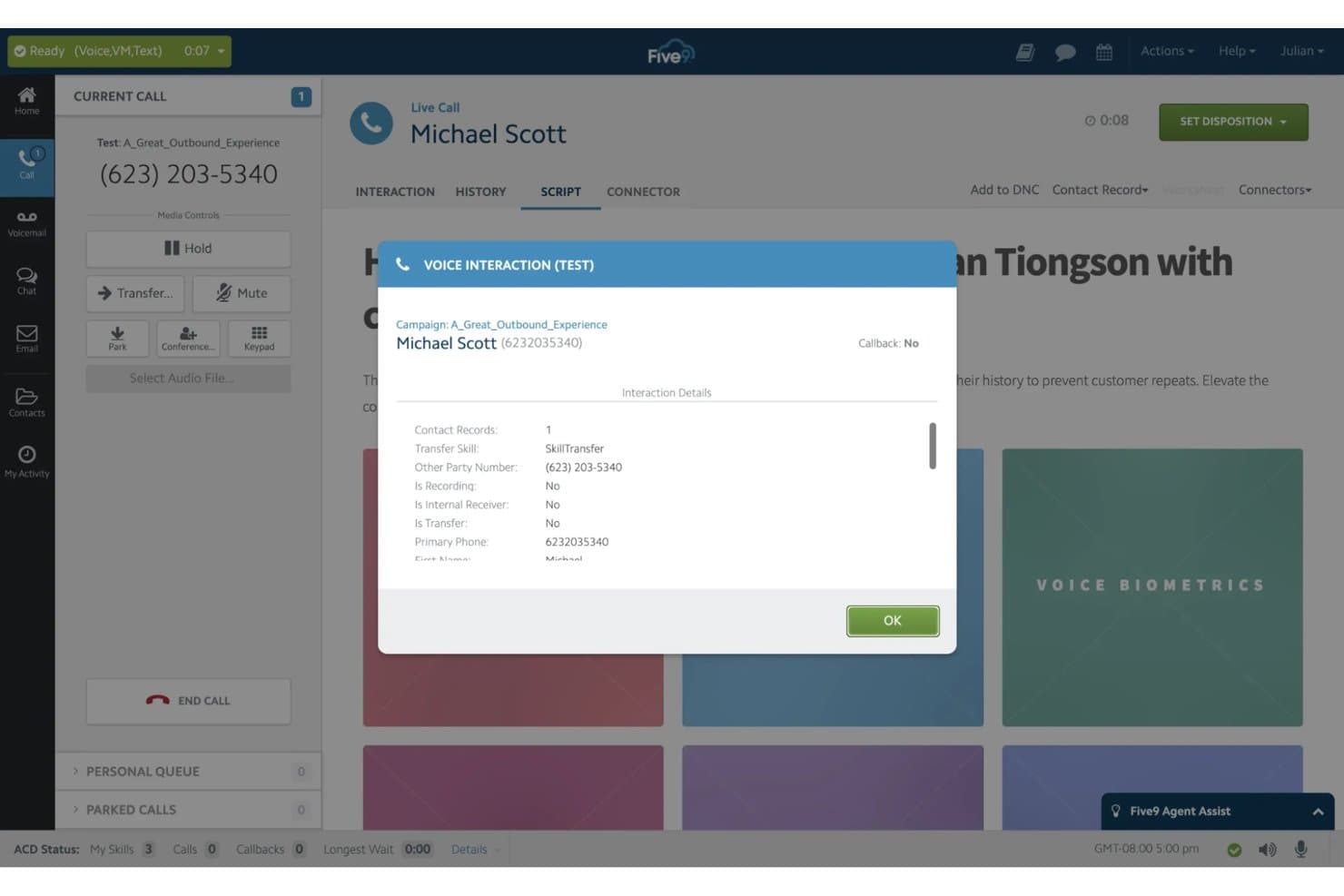
Five9 can be challenging to navigate due to its complex interface, which might slow your team down initially. Some users find the learning curve steep, especially if you're new to auto dialer software. However, once mastered, its powerful features like real-time monitoring and analytics make it worth the effort. If your team is prepared for a bit of a learning phase, the productivity gains can be significant.
Integrations
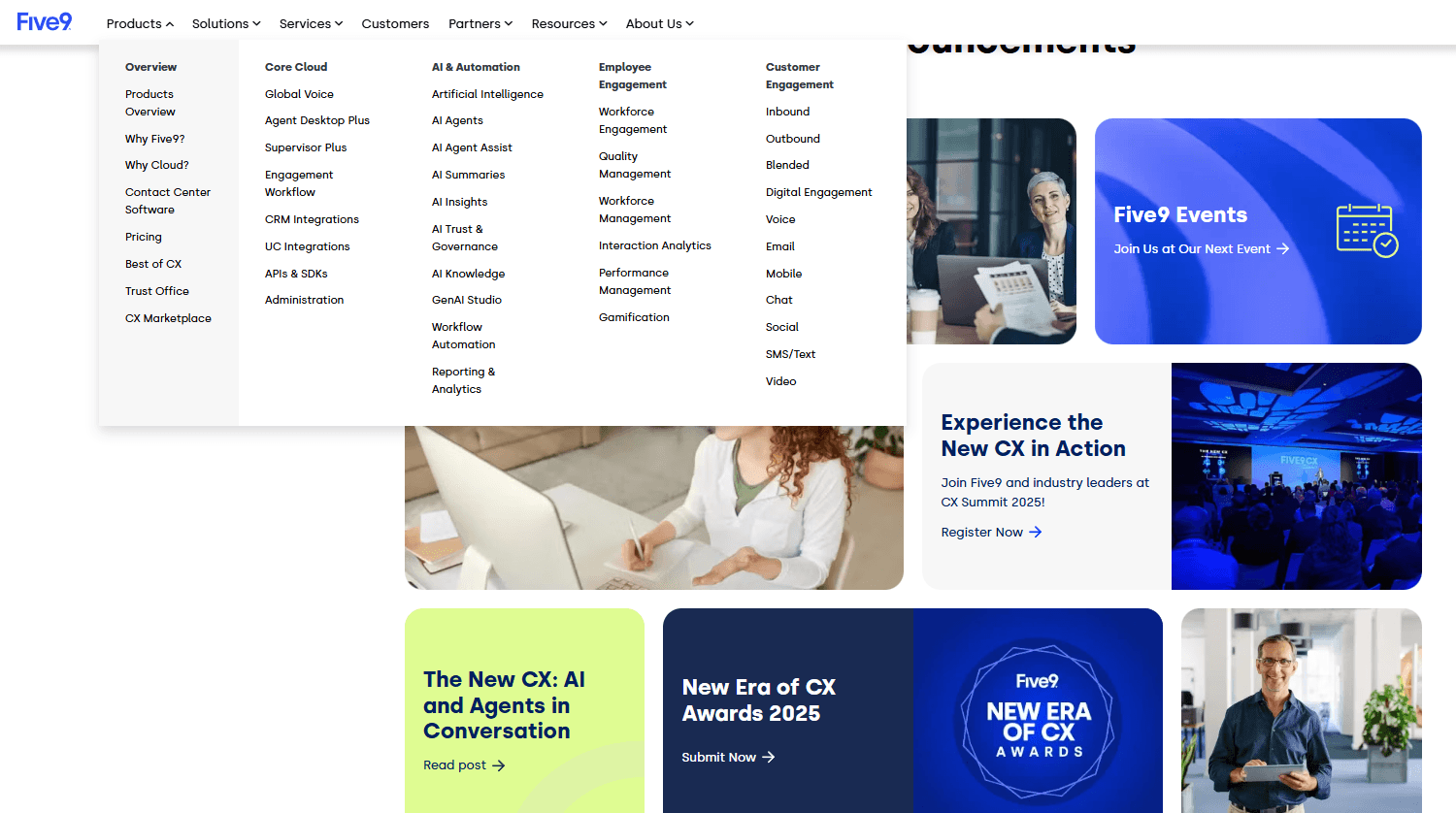
Five9 integrates with Salesforce, ServiceNow, Microsoft, Oracle, Zendesk, NetSuite, Zoom, Slack, Google Workspace, and Microsoft Teams.
Five9 also offers an API for custom integrations and connects with third-party integration tools.
Five9 Specs
- API: Yes
- Auto Dialer: Yes
- Batch Permissions & Access: No
- Calendar Management: No
- Call Disposition: Yes
- Call Integration: Yes
- Call Logging: Yes
- Call Monitoring: Yes
- Call Recording: Yes
- Call Scripting: Yes
- Call Tracking: Yes
- Chat: Yes
- Click-to-Dial: Yes
- Contact Management: Yes
- Contact Sharing: Yes
- Custom Data Forms: Yes
- Customer Management: Yes
- Customer Service: Yes
- Dashboard: Yes
- Data Export: Yes
- Data Import: Yes
- Data Visualization: No
- Email Integration: Yes
- Escalation Management: No
- External Integrations: Yes
- Google Apps Integration: No
- Interactive Voice Response: Yes
- Knowledge Base: No
- Lead Management: Yes
- Lead Scoring: No
- Marketing Automation: No
- Multi-User: Yes
- Notifications: Yes
- SAP Integration: No
- Scheduling: Yes
- Softphone: Yes
- Supplier Management: No
- Support Forum: No
- Ticket Management: No


