Reseña de Salesmate: Ventajas, Desventajas, Características y Precios Explicados


Salesmate is a CRM software designed to help revenue operations teams unify sales, marketing, and customer success workflows. If you’re struggling with disconnected data, manual processes, or limited pipeline visibility, Salesmate offers a flexible platform with automation, built-in calling, and strong integration options.
In this review, you’ll get a clear look at Salesmate’s features, pricing, pros and cons, and where it fits best—so you can decide if it’s the right CRM to drive alignment and growth for your team.
Salesmate Evaluation Summary
- From $23/user/month (billed annually)
- 15-day free trial available
Por Qué Confiar en Nuestras Reseñas de Software
Hemos estado probando y revisando software RevOps desde 2022. Como líderes en RevOps, sabemos lo crítico y difícil que es tomar la decisión correcta al seleccionar software. Invertimos en una investigación profunda para ayudar a nuestra audiencia a tomar mejores decisiones de compra de software. Hemos probado más de 2.000 herramientas para diferentes casos de uso de RevOps y escrito más de 1.000 reseñas de software exhaustivas. Conozca cómo mantenemos la transparencia y nuestra metodología de evaluación de software.
Salesmate Overview
If you’re judging Salesmate against other CRM software, I think you’ll find its clean interface, quick onboarding, and built-in calling features set it apart for small and midsize teams. The automation and integration options are strong for the price, and support is responsive.
While it doesn’t offer the deep customization or analytics you might want for complex enterprise needs, it’s a smart pick if you’re selecting a CRM to unify sales and marketing without a steep learning curve. For example, teams moving from spreadsheets or juggling multiple tools will notice a big improvement in workflow clarity.
pros
-
Responsive customer support with live chat and video options.
-
Automation journeys simplify repetitive sales and marketing tasks.
-
Built-in calling and texting features for sales outreach.
cons
-
Add-on costs can increase total price for growing teams.
-
Some reporting features lack advanced customization.
-
Email deliverability can be inconsistent for bulk campaigns.
-

Prisync
Visit WebsiteThis is an aggregated rating for this tool including ratings from Crozdesk users and ratings from other sites.4.7 -
Expedite Commerce
Visit Website -
QuickBooks Online
Visit WebsiteThis is an aggregated rating for this tool including ratings from Crozdesk users and ratings from other sites.4




Cómo Probamos y Evaluamos Herramientas
Hemos pasado años construyendo, refinando y mejorando nuestro sistema de pruebas y evaluación de software. La rúbrica está diseñada para capturar las complejidades de la selección de software y lo que hace que una herramienta sea efectiva, centrándose en aspectos críticos del proceso de toma de decisiones. A continuación, puede ver exactamente cómo funcionan nuestras pruebas y evaluación a través de siete criterios. Esto nos permite ofrecer una evaluación imparcial del software basada en la funcionalidad principal, características destacadas, facilidad de uso, incorporación, soporte al cliente, integraciones, opiniones de los clientes y relación calidad-precio.
Funcionalidad Principal (25% de la puntuación final)
El punto de partida de nuestra evaluación es siempre la funcionalidad principal de la herramienta. ¿Tiene las características y funciones básicas que un usuario esperaría ver? ¿Alguna de esas funciones principales está restringida a planes de precios superiores? En esencia, esperamos que una herramienta cumpla con las capacidades básicas de sus competidores.
Características Destacadas (25% de la puntuación final)
A continuación, evaluamos características poco comunes que van más allá de la funcionalidad principal que suelen ofrecer herramientas similares. Una puntuación alta refleja funciones especializadas o únicas que hacen que el producto sea más rápido, eficiente o aporte un valor adicional al usuario. También evaluamos lo fácil que es integrar la herramienta con las demás del stack tecnológico para ampliar la utilidad y el alcance del software. Las herramientas que ofrecen integraciones nativas, conexiones de terceros y acceso API para crear integraciones personalizadas reciben las mejores puntuaciones.
Facilidad de Uso (10% de la puntuación final)
Consideramos qué tan rápido y fácil es realizar las tareas definidas en la funcionalidad principal usando la herramienta. El software que obtiene una alta puntuación está bien diseñado, es intuitivo de usar, ofrece aplicaciones móviles, proporciona plantillas y hace que tareas relativamente complejas parezcan sencillas.
Incorporación (10% de la puntuación final)
Sabemos lo importante que es la rápida adopción por parte del equipo de una nueva plataforma, por lo que evaluamos lo fácil que es aprender y utilizar una herramienta con una formación mínima. Evaluamos qué tan rápido un miembro del equipo puede configurarse y empezar a usar la herramienta sin experiencia previa. Las soluciones con puntuación alta indican que se requiere poco o ningún soporte.
Soporte al Cliente (10% de la puntuación final)
Revisamos cuán rápido y sencillo es encontrar ayuda y resolver problemas a través de teléfono, chat en vivo o base de conocimientos. Las herramientas y compañías que brindan soporte en tiempo real obtienen las mejores puntuaciones, mientras que los chatbots reciben las peores.
Opiniones de Clientes (10% de la puntuación final)
Además de nuestras propias pruebas y evaluaciones, consideramos el puntaje neto de promotores de los clientes actuales y anteriores. Revisamos su probabilidad, si tuvieran la opción, de volver a elegir la herramienta para la funcionalidad principal. Un software con puntuación alta refleja un puntaje neto de promotores elevado por parte de clientes actuales o anteriores.
Relación Calidad-Precio (10% de la puntuación final)
Por último, considerando todos los demás criterios, revisamos el precio promedio de los planes de nivel inicial frente a las funciones principales y consideramos el valor de los otros criterios de evaluación. El software que ofrece más, por menos, obtendrá una puntuación más alta.
Core Features
Pipeline Management
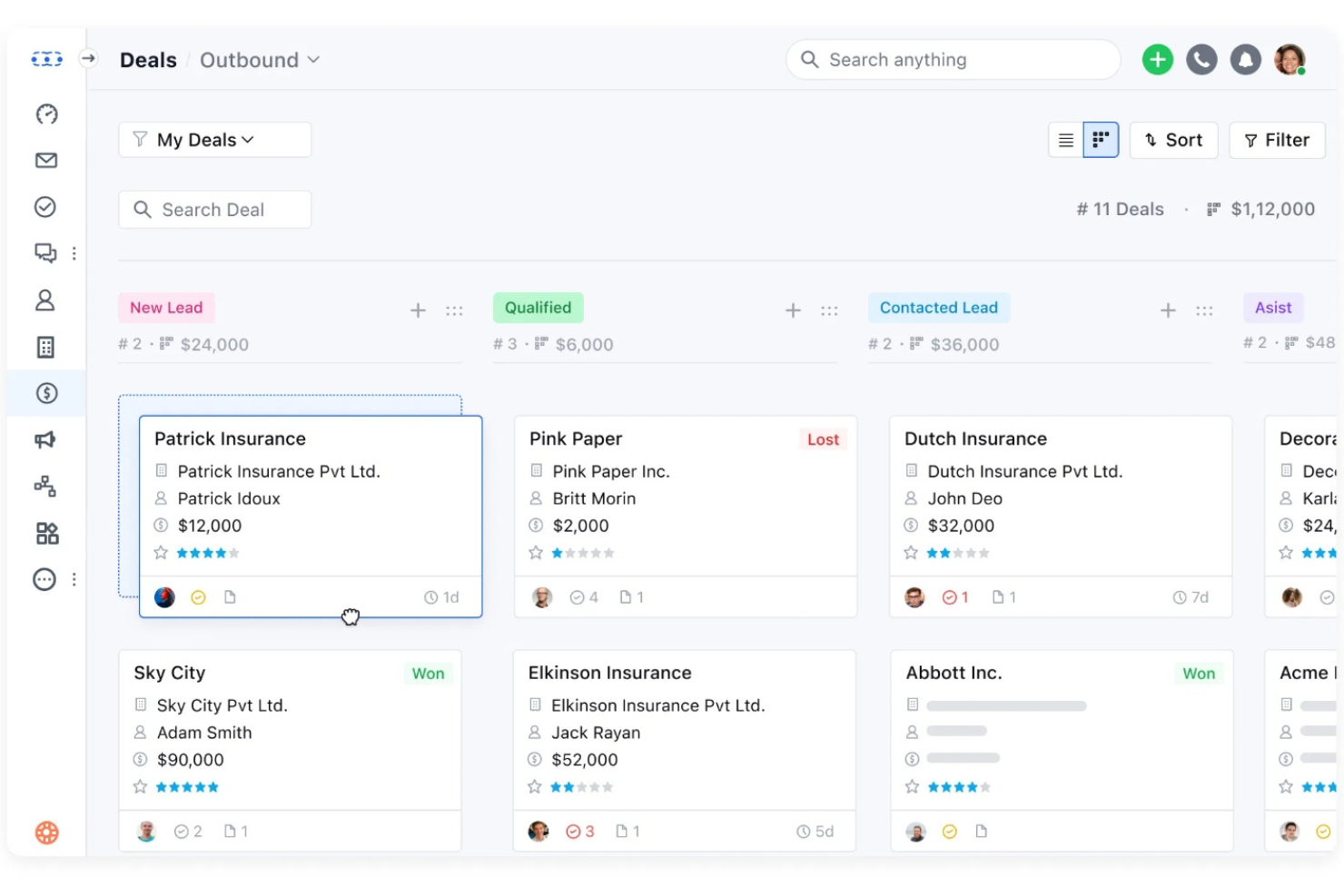
Visual pipelines let you track deals by stage and drag-and-drop to update progress. You can customize stages to match your sales process.
Built-In Calling and Texting
Make calls and send texts directly from the CRM, with automatic logging. This helps sales teams keep all outreach and follow-ups in one place.
Sales Automation Journeys
Automate repetitive tasks like lead assignment, follow-ups, and email sequences. Users can build workflows with triggers and actions to save time.
Email Campaigns and Tracking
Send bulk emails, track opens and clicks, and schedule follow-ups. Real-time analytics show which messages drive engagement.
Activity and Task Management
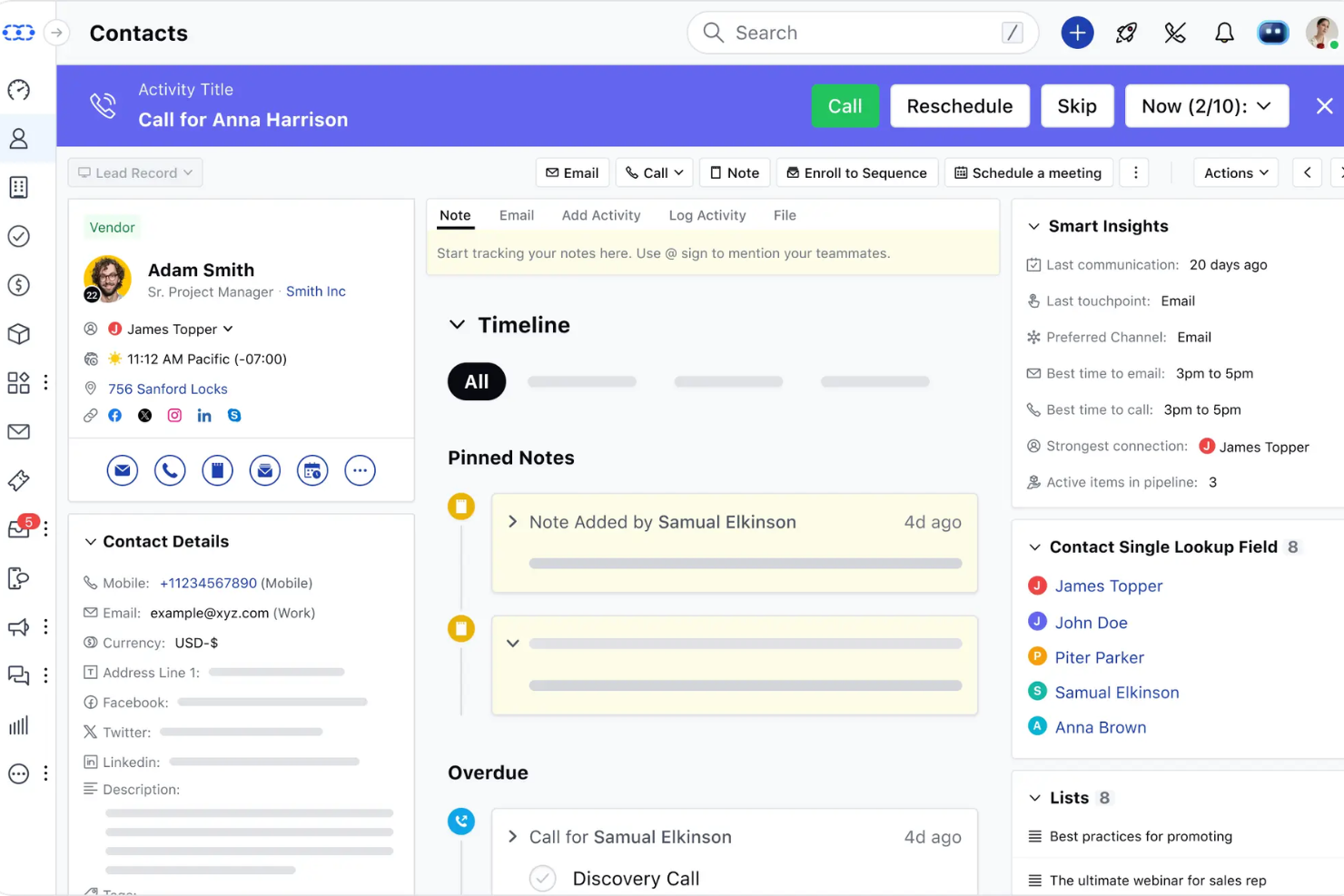
Assign tasks, set reminders, and log meetings or calls for each contact. This keeps teams organized and ensures nothing falls through the cracks.
Reporting and Analytics
Access dashboards for sales performance, pipeline health, and activity tracking. Reports are easy to generate, though customization is somewhat limited.

Ease of Use
Salesmate is one of the more approachable CRM platforms, with a clean interface and intuitive navigation that new users pick up quickly. Onboarding is straightforward, and features like drag-and-drop pipelines and built-in calling are easy to access without digging through menus.
Many users mention that setup takes just a few hours, not days, and ongoing support is responsive. I think teams looking for a no-fuss CRM will appreciate how little training is needed to get started.
Integrations
Salesmate integrates with Active Campaign, Aweber, Big Commerce, Shopify, Zoom, DocuSign, Microsoft Teams, Xero, PandaDoc, and RingCentral, among others.
Salesmate also offers an open API and connects with third-party integration tools like Zapier, Make, and Integrately.

Salesmate Specs
- 2-Factor Authentication
- API
- Calendar Management
- Call Tracking
- Campaign Management
- Click-to-Dial
- Contact Management
- Contact Sharing
- Custom Data Forms
- Customer Management
- Dashboard
- Data Export
- Data Import
- Data Visualization
- Email Integration
- External Integrations
- File Sharing
- File Transfer
- Google Apps Integration
- Lead Management
- Lead Scoring
- Marketing Automation
- Mobile App
- Multi-User
- Notifications
- Pipeline Management
- Sales Automation
- Scheduling
- Social-Media Integration
- Task Scheduling/Tracking
- Third-Party Plugins/Add-Ons