

Reseña de QuotaPath: Pros, Contras, Características y Precios

Analizamos las herramientas de forma independiente, y las comisiones ayudan a financiar nuestras pruebas. Consulta nuestra política de transparencia, nuestra metodología, o sugiere una herramienta.
QuotaPath is a sales commission software built to bring accuracy and transparency to commission tracking. It’s especially valuable for revenue leaders, sales managers, and operations teams in fast-growing SaaS companies and high-performance sales organizations. By removing confusion around payouts, QuotaPath helps you build trust, motivate your team, and drive consistent results.
In this article, you'll find a detailed look at QuotaPath's features, pros and cons, use cases, and pricing to help you decide if this software delivers the transparency and confidence you need in your commission process.
QuotaPath Evaluation Summary
4.6/5
- From $30/month (billed annually)
- Free 14-day trial
Por qué confiar en nuestras recomendaciones de software
6,700+
Reviews
20
Industry experts
16+
Evaluation factors
14
Years
Nuestras reseñas reflejan nuestro criterio independiente, no un discurso de ventas. Descubra cómo mantenemos la transparencia.
Para esta guía, evaluamos las herramientas mediante pruebas prácticas e investigación independiente, puntuando las herramientas según nuestros criterios de selección.
Nuestras reseñas reflejan nuestro criterio editorial humano, no un discurso de ventas.
QuotaPath Overview
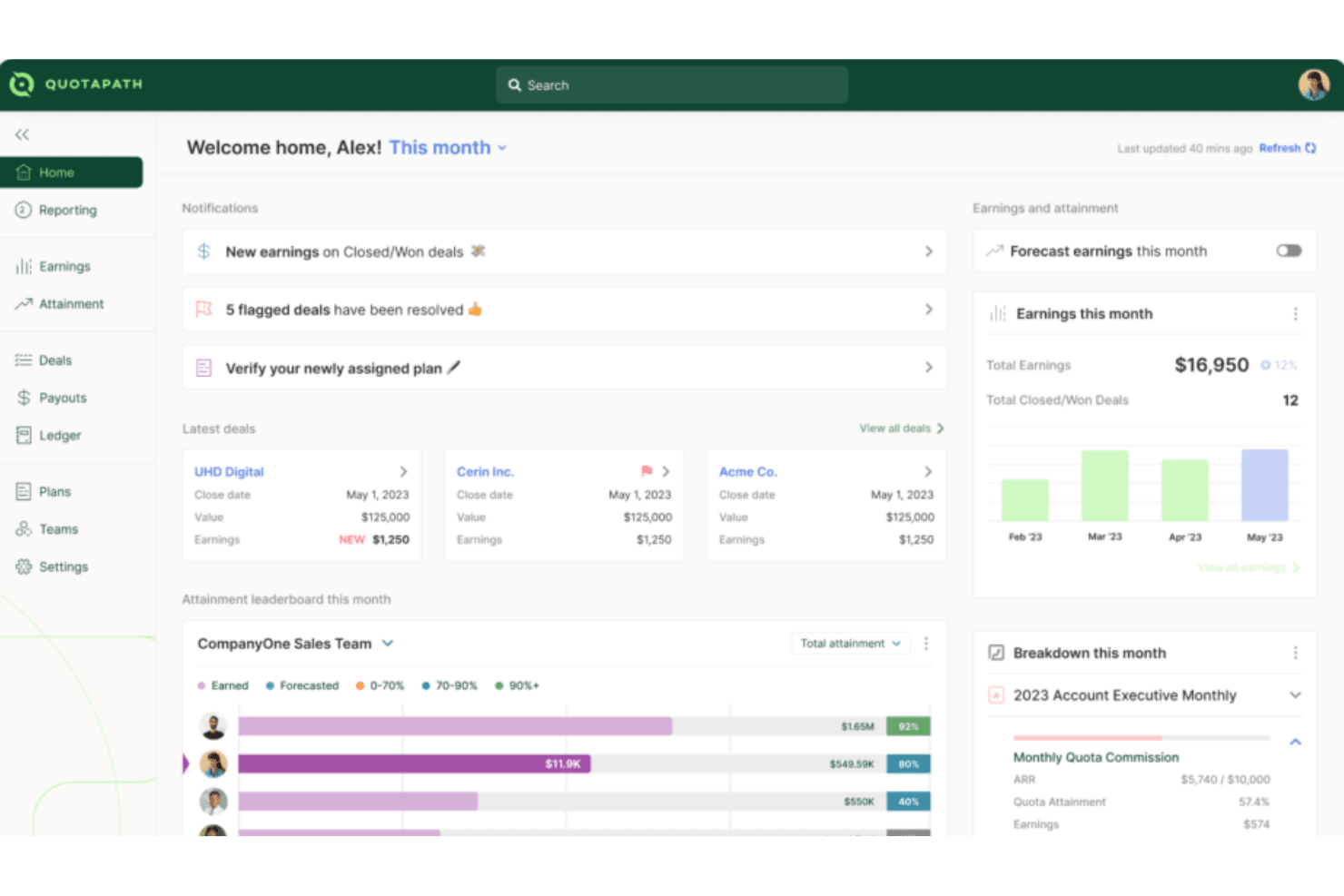
QuotaPath is designed to make commission tracking simple, accurate, and easy for both leaders and reps. It brings visibility into earnings, goals, and team performance without the confusion of spreadsheets. While it may not have the most advanced customization, most teams find it straightforward and intuitive to use. The result is a tool that builds trust in payouts and keeps everyone motivated to hit their targets.
Pros
- You can track commissions in real time and see exactly where you stand.
- Your team gets clear, easy-to-read dashboards that build trust in payouts.
- You can set goals that keep everyone aligned and motivated to hit targets.
Cons
- Lacks financial-related features like budget management, which might require you to use additional tools.
- Fewer advanced forecasting tools compared to bigger platforms.
- It has limited customization options, which could be a drawback if your team needs more tailored solutions.
Is QuotaPath Right For Your Needs?
Who Would be a Good Fit for QuotaPath?
QuotaPath works best for sales teams, revenue leaders, and ops managers in fast-growing companies who need simple, reliable commission tracking. If you’re scaling a SaaS business, running a high-volume sales org, or managing multiple reps with complex goals, you’ll find value in its clear dashboards and real-time visibility. It’s designed for teams that want trust in their payouts without relying on spreadsheets or manual tracking.
- SaaS CompaniesQuotaPath helps you manage fast-changing comp plans and keep reps motivated with transparent payouts that build trust, reduce confusion, and support rapid growth.
- Mid-Sized TeamsIt gives you just enough structure without the heavy lift of a large enterprise system, making adoption smooth, affordable, and practical for everyday use.
- Revenue OperationsYou can track goals across reps and tie them back to broader revenue targets with accurate data, automated tracking, and clear performance visibility.
- Sales ManagersIt lets you see performance clearly so you can coach and motivate with confidence while cutting back disputes, saving time, and boosting team morale.
- Remote TeamsIts dashboards keep everyone aligned on payouts, no matter where they’re working, ensuring visibility, accountability, and shared trust across distributed sales teams.
- StartupsYou can get rid of messy spreadsheets and use a simple system that grows with your team, scales as you hire, and adapts quickly.
Who Would be a Bad Fit for QuotaPath?
QuotaPath isn’t the best choice if you’re a very large enterprise with highly complex, custom commission rules. If you need deep analytics, heavy forecasting, or extremely tailored workflows, you’ll likely find it limiting. Companies with complex integration needs may also find its offerings insufficient for their operations.
- Large EnterprisesQuotaPath's limited customization options may not meet the complex needs of large-scale operations.
- Complex Finance TeamsYou won’t get the deep financial analytics some finance departments rely on.
- Highly-Customized SolutionsIf your team requires highly tailored commission structures, QuotaPath's standard offerings may fall short.
- ManufacturingAn industry with complex, multi-tiered commission systems that might need more flexibility than QuotaPath provides.
- Niche IndustriesIf your industry has very unusual payout rules, you may not find the flexibility you need.
- Highly Regulated IndustriesIndustries needing specialized compliance features could find QuotaPath insufficient for their specific needs.
Cómo Probamos y Evaluamos Herramientas
Hemos pasado años construyendo, refinando y mejorando nuestro sistema de pruebas y evaluación de software. La rúbrica está diseñada para capturar las complejidades de la selección de software y lo que hace que una herramienta sea efectiva, centrándose en aspectos críticos del proceso de toma de decisiones. A continuación, puede ver exactamente cómo funcionan nuestras pruebas y evaluación a través de siete criterios. Esto nos permite ofrecer una evaluación imparcial del software basada en la funcionalidad principal, características destacadas, facilidad de uso, incorporación, soporte al cliente, integraciones, opiniones de los clientes y relación calidad-precio.
Funcionalidad Principal (25% de la puntuación final)
El punto de partida de nuestra evaluación es siempre la funcionalidad principal de la herramienta. ¿Tiene las características y funciones básicas que un usuario esperaría ver? ¿Alguna de esas funciones principales está restringida a planes de precios superiores? En esencia, esperamos que una herramienta cumpla con las capacidades básicas de sus competidores.
Características Destacadas (25% de la puntuación final)
A continuación, evaluamos características poco comunes que van más allá de la funcionalidad principal que suelen ofrecer herramientas similares. Una puntuación alta refleja funciones especializadas o únicas que hacen que el producto sea más rápido, eficiente o aporte un valor adicional al usuario. También evaluamos lo fácil que es integrar la herramienta con las demás del stack tecnológico para ampliar la utilidad y el alcance del software. Las herramientas que ofrecen integraciones nativas, conexiones de terceros y acceso API para crear integraciones personalizadas reciben las mejores puntuaciones.
Facilidad de Uso (10% de la puntuación final)
Consideramos qué tan rápido y fácil es realizar las tareas definidas en la funcionalidad principal usando la herramienta. El software que obtiene una alta puntuación está bien diseñado, es intuitivo de usar, ofrece aplicaciones móviles, proporciona plantillas y hace que tareas relativamente complejas parezcan sencillas.
Incorporación (10% de la puntuación final)
Sabemos lo importante que es la rápida adopción por parte del equipo de una nueva plataforma, por lo que evaluamos lo fácil que es aprender y utilizar una herramienta con una formación mínima. Evaluamos qué tan rápido un miembro del equipo puede configurarse y empezar a usar la herramienta sin experiencia previa. Las soluciones con puntuación alta indican que se requiere poco o ningún soporte.
Soporte al Cliente (10% de la puntuación final)
Revisamos cuán rápido y sencillo es encontrar ayuda y resolver problemas a través de teléfono, chat en vivo o base de conocimientos. Las herramientas y compañías que brindan soporte en tiempo real obtienen las mejores puntuaciones, mientras que los chatbots reciben las peores.
Opiniones de Clientes (10% de la puntuación final)
Además de nuestras propias pruebas y evaluaciones, consideramos el puntaje neto de promotores de los clientes actuales y anteriores. Revisamos su probabilidad, si tuvieran la opción, de volver a elegir la herramienta para la funcionalidad principal. Un software con puntuación alta refleja un puntaje neto de promotores elevado por parte de clientes actuales o anteriores.
Relación Calidad-Precio (10% de la puntuación final)
Por último, considerando todos los demás criterios, revisamos el precio promedio de los planes de nivel inicial frente a las funciones principales y consideramos el valor de los otros criterios de evaluación. El software que ofrece más, por menos, obtendrá una puntuación más alta.
Core Features
Commission Tracking
QuotaPath allows you to easily track sales commissions in real time, offering transparency for your team. You can quickly see how commissions are calculated, reducing confusion and errors.
Performance Analytics
This feature provides insights into sales performance, helping you make informed decisions. With clear data visualization, you can identify trends and adjust strategies accordingly.
Customizable Dashboards
QuotaPath's dashboards let you tailor views to match your team's needs, offering a personalized experience. You can focus on the metrics that matter most to your work.
Automated Calculations
The software automates commission calculations, saving you time and minimizing mistakes. It ensures accuracy, so you can trust the numbers without manual checks.
Goal Setting
You can set and track sales goals within QuotaPath, aligning your team's efforts with company objectives. This feature keeps everyone on the same page and motivated.
Compensation Transparency
QuotaPath offers clear visibility into compensation structures, so your team knows exactly how they earn. This transparency boosts trust and morale among your sales staff.
Ease of Use
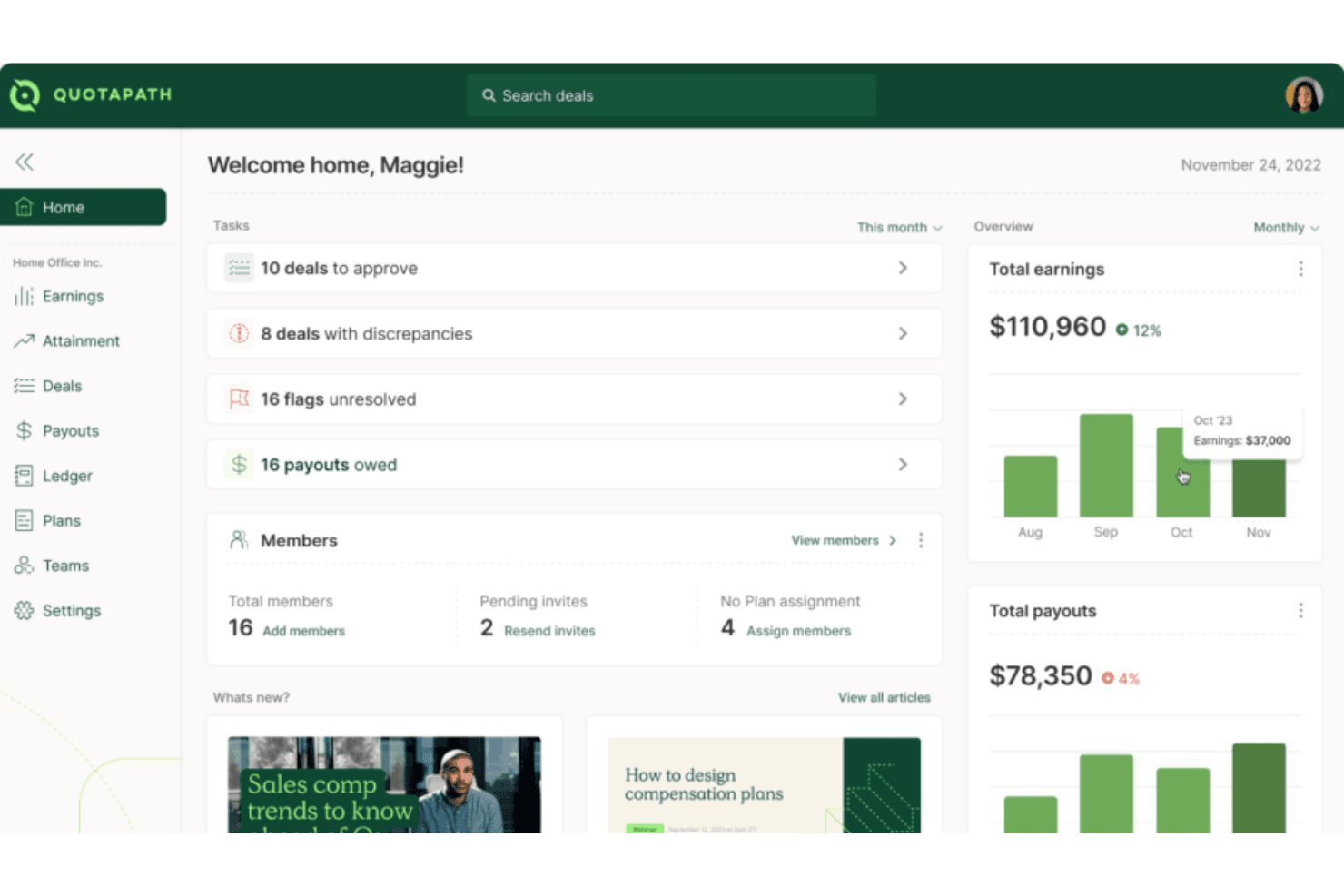
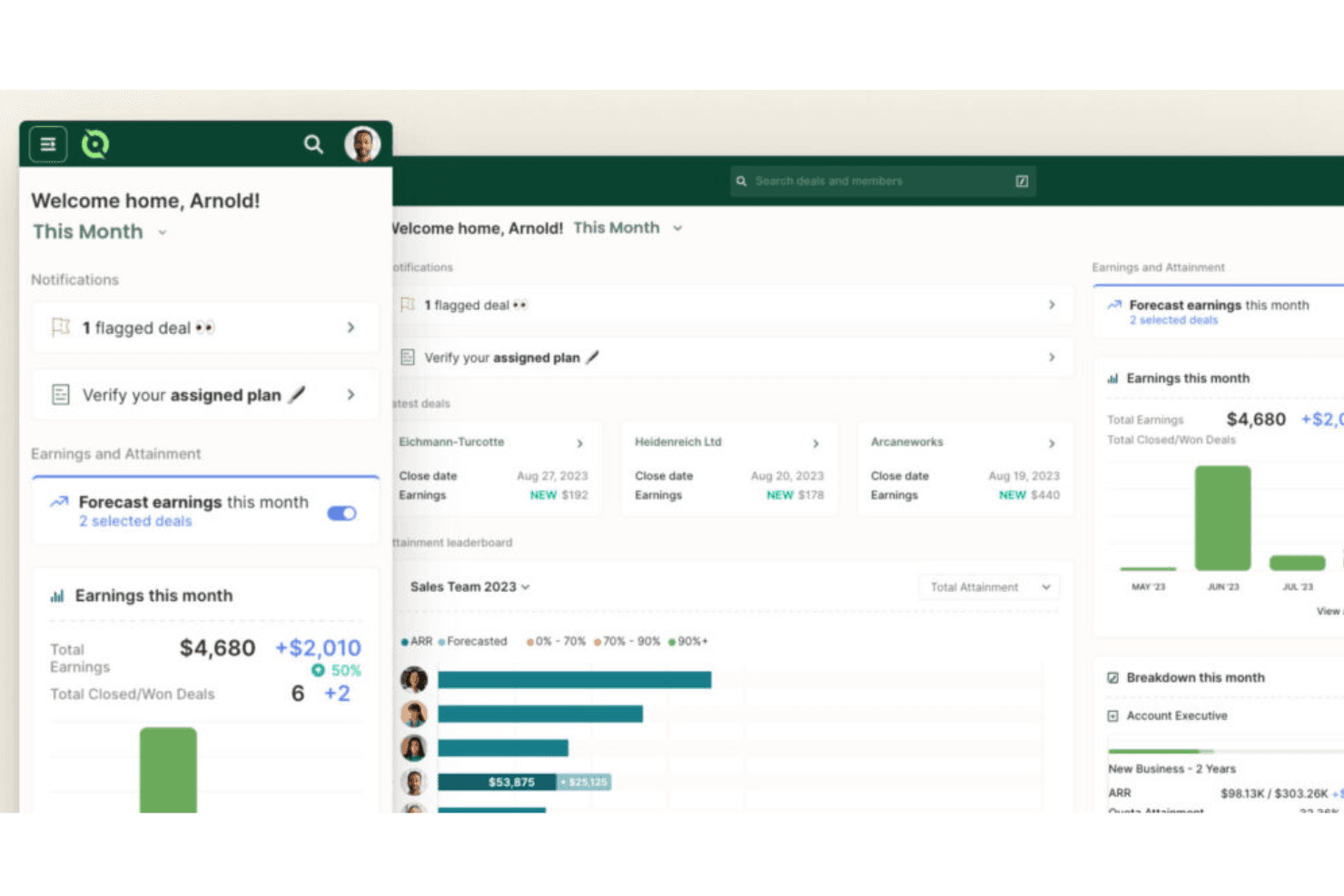
QuotaPath stands out for its user-friendly design, making it easy for your team to get up and running quickly. You can set up plans, track payouts, and view dashboards without needing deep training. Your team gets clear visuals and straightforward workflows that cut through the usual complexity of commission tracking. Even if you’re not tech-savvy, you’ll find it intuitive and reliable for keeping commissions accurate and transparent.
Integrations
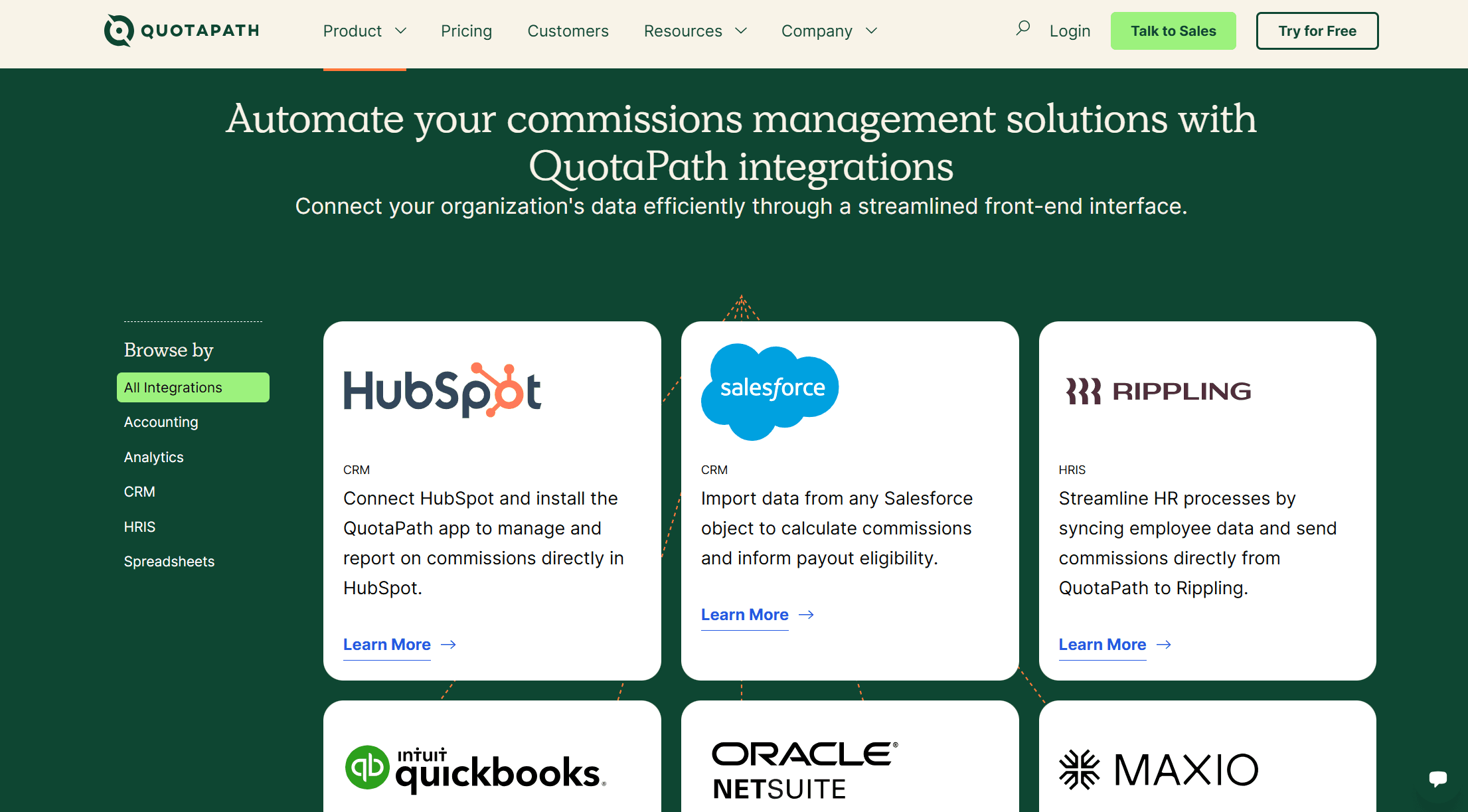
QuotaPath integrates natively with HubSpot, Salesforce, Rippling, QuickBooks, Oracle NetSuite, Maxio, and offers Single Sign-On (SSO) for secure access.
QuotaPath also features an open API for custom integrations and connects with third-party integration tools.
QuotaPath Specs
- 2-Factor Authentication: No
- API: Yes
- Audience Targeting: No
- Budgeting: No
- Calendar Management: No
- Call Recording: No
- Click-to-Dial: No
- Contact Management: No
- Contact Sharing: No
- Conversion Tracking: No
- Customer Management: No
- Dashboard: Yes
- Data Export: Yes
- Data Import: Yes
- Data Visualization: Yes
- Email Integration: No
- Expense Tracking: No
- External Integrations: No
- Forecasting: Yes
- Google Apps Integration: Yes
- Inventory Tracking: No
- Lead Management: No
- Lead Scoring: No
- Marketing Automation: No
- Multi-User: Yes
- Notifications: Yes
- Payroll: No
- Project Management: No
- Referral Tracking: No
- Sales Motivator: Yes
- Scheduling: No
- Social-Media Integration: No
- Supplier Management: No
- Tax Management: No
- Third-Party Plugins/Add-Ons: Yes
- Travel Management: No


