

Reseña de LinkedIn Sales Navigator: Pros, Contras, Características y Precios
LinkedIn Sales Navigator destaca de manera única al aprovechar la vasta red de LinkedIn, lo que lo convierte en una herramienta indispensable para las estrategias de ventas B2B centradas en las relaciones.

Analizamos las herramientas de forma independiente, y las comisiones ayudan a financiar nuestras pruebas. Consulta nuestra política de transparencia, nuestra metodología, o sugiere una herramienta.
LinkedIn Sales Navigator is a sales software built for teams that need to identify, prioritize, and reach B2B prospects using LinkedIn's professional network data. I'd consider it over tools like ZoomInfo when contact data accuracy matters more than raw database size—since prospects maintain their own LinkedIn profiles, the information you're prospecting against tends to be more current than what you'd find in a third-party-enriched database.
LinkedIn Sales Navigator Evaluation Summary
4.4/5
- From $119.99/user/month
- Free trial available
Por qué confiar en nuestras recomendaciones de software
6,700+
Reviews
20
Industry experts
16+
Evaluation factors
14
Years
Nuestras reseñas reflejan nuestro criterio independiente, no un discurso de ventas. Descubra cómo mantenemos la transparencia.
Para esta guía, evaluamos las herramientas mediante pruebas prácticas e investigación independiente, puntuando las herramientas según nuestros criterios de selección.
Nuestras reseñas reflejan nuestro criterio editorial humano, no un discurso de ventas.
LinkedIn Sales Navigator Overview
In my opinion, LinkedIn Sales Navigator is an excellent choice for teams focused on relationship-driven sales. Its integration with LinkedIn's vast network offers a unique advantage in sourcing and nurturing leads. While the interface can be a bit complex for beginners, the onboarding process helps ease the transition. Compared to other tools, it stands out in leveraging social connections, though it might not offer the same breadth of features as some CRM platforms. It's best for industries like tech and finance where connections are key. If your team values relationship building, this tool is worth considering.
Pros
- You can access a vast network of potential leads through LinkedIn's platform.
- It offers advanced search filters to help you find the right prospects.
- Your team can save and organize leads efficiently with its lead management features.
Cons
- The interface can be complex and overwhelming for new users.
- It might not have all the CRM functionalities your team needs.
- You may find the learning curve steep if you're not familiar with LinkedIn.
Is LinkedIn Sales Navigator Right For Your Needs?
Who Would be a Good Fit for LinkedIn Sales Navigator?
LinkedIn Sales Navigator is great for sales teams in industries like technology and finance where networking is key. If your team focuses on relationship-driven sales processes, this tool helps you find and engage prospects using LinkedIn's extensive network. With features like advanced search filters and lead management, it's ideal for account managers and business development reps who need to target specific leads efficiently.
- Technology SalesLinkedIn Sales Navigator helps you connect with tech decision-makers through its advanced search and LinkedIn's vast network.
- Financial ServicesYou can leverage LinkedIn's connections to find high-value clients and stakeholders in the finance industry.
- Recruitment AgenciesThe tool's search filters help your recruiters find and engage top candidates quickly and effectively.
- Business DevelopmentFor those in business development, it offers lead management features to track and nurture potential partnerships.
- Enterprise Sales TeamsLarge sales teams benefit from its ability to organize and save numerous leads, helping sales reps streamline prospecting.
- Marketing ProfessionalsIf you're in marketing, its insights and data can help tailor campaigns to the right audience.
Who Would be a Bad Fit for LinkedIn Sales Navigator?
LinkedIn Sales Navigator might not be the best choice for small businesses or teams that don't rely heavily on networking. If your work doesn't involve relationship-driven sales or if you need a tool with comprehensive CRM features, this might not meet your needs. It's also not ideal for industries where LinkedIn's network isn't widely used or for teams with limited time to learn a complex interface.
- Retail ShopsRetail businesses typically focus on in-person sales and don't benefit much from LinkedIn's networking capabilities.
- Manufacturing CompaniesManufacturing teams often rely on supply chain management over networking, making this tool less relevant.
- Small Local BusinessesLocal businesses may not find value in LinkedIn's global reach if their customer base is local.
- Customer Service TeamsCustomer service roles focus on support rather than prospecting, so LinkedIn Sales Navigator isn't necessary.
- Healthcare ProvidersHealthcare providers usually don't use LinkedIn for patient engagement or lead generation.
- Non-Profit OrganizationsNon-profits might not need LinkedIn's sales features if their focus is more on community engagement than sales.
Cómo Probamos y Evaluamos Herramientas
Hemos pasado años construyendo, refinando y mejorando nuestro sistema de pruebas y evaluación de software. La rúbrica está diseñada para capturar las complejidades de la selección de software y lo que hace que una herramienta sea efectiva, centrándose en aspectos críticos del proceso de toma de decisiones. A continuación, puede ver exactamente cómo funcionan nuestras pruebas y evaluación a través de siete criterios. Esto nos permite ofrecer una evaluación imparcial del software basada en la funcionalidad principal, características destacadas, facilidad de uso, incorporación, soporte al cliente, integraciones, opiniones de los clientes y relación calidad-precio.
Funcionalidad Principal (25% de la puntuación final)
El punto de partida de nuestra evaluación es siempre la funcionalidad principal de la herramienta. ¿Tiene las características y funciones básicas que un usuario esperaría ver? ¿Alguna de esas funciones principales está restringida a planes de precios superiores? En esencia, esperamos que una herramienta cumpla con las capacidades básicas de sus competidores.
Características Destacadas (25% de la puntuación final)
A continuación, evaluamos características poco comunes que van más allá de la funcionalidad principal que suelen ofrecer herramientas similares. Una puntuación alta refleja funciones especializadas o únicas que hacen que el producto sea más rápido, eficiente o aporte un valor adicional al usuario. También evaluamos lo fácil que es integrar la herramienta con las demás del stack tecnológico para ampliar la utilidad y el alcance del software. Las herramientas que ofrecen integraciones nativas, conexiones de terceros y acceso API para crear integraciones personalizadas reciben las mejores puntuaciones.
Facilidad de Uso (10% de la puntuación final)
Consideramos qué tan rápido y fácil es realizar las tareas definidas en la funcionalidad principal usando la herramienta. El software que obtiene una alta puntuación está bien diseñado, es intuitivo de usar, ofrece aplicaciones móviles, proporciona plantillas y hace que tareas relativamente complejas parezcan sencillas.
Incorporación (10% de la puntuación final)
Sabemos lo importante que es la rápida adopción por parte del equipo de una nueva plataforma, por lo que evaluamos lo fácil que es aprender y utilizar una herramienta con una formación mínima. Evaluamos qué tan rápido un miembro del equipo puede configurarse y empezar a usar la herramienta sin experiencia previa. Las soluciones con puntuación alta indican que se requiere poco o ningún soporte.
Soporte al Cliente (10% de la puntuación final)
Revisamos cuán rápido y sencillo es encontrar ayuda y resolver problemas a través de teléfono, chat en vivo o base de conocimientos. Las herramientas y compañías que brindan soporte en tiempo real obtienen las mejores puntuaciones, mientras que los chatbots reciben las peores.
Opiniones de Clientes (10% de la puntuación final)
Además de nuestras propias pruebas y evaluaciones, consideramos el puntaje neto de promotores de los clientes actuales y anteriores. Revisamos su probabilidad, si tuvieran la opción, de volver a elegir la herramienta para la funcionalidad principal. Un software con puntuación alta refleja un puntaje neto de promotores elevado por parte de clientes actuales o anteriores.
Relación Calidad-Precio (10% de la puntuación final)
Por último, considerando todos los demás criterios, revisamos el precio promedio de los planes de nivel inicial frente a las funciones principales y consideramos el valor de los otros criterios de evaluación. El software que ofrece más, por menos, obtendrá una puntuación más alta.
Core Features
Advanced Search Filters: You can zero in on the right prospects using detailed filters for industry, job title, company size, and advanced boolean search logic. This helps your team target leads that align with your goals.
Lead Recommendations: LinkedIn Sales Navigator suggests potential leads based on your preferences and past interactions. This saves time and helps your team focus on high-potential prospects.
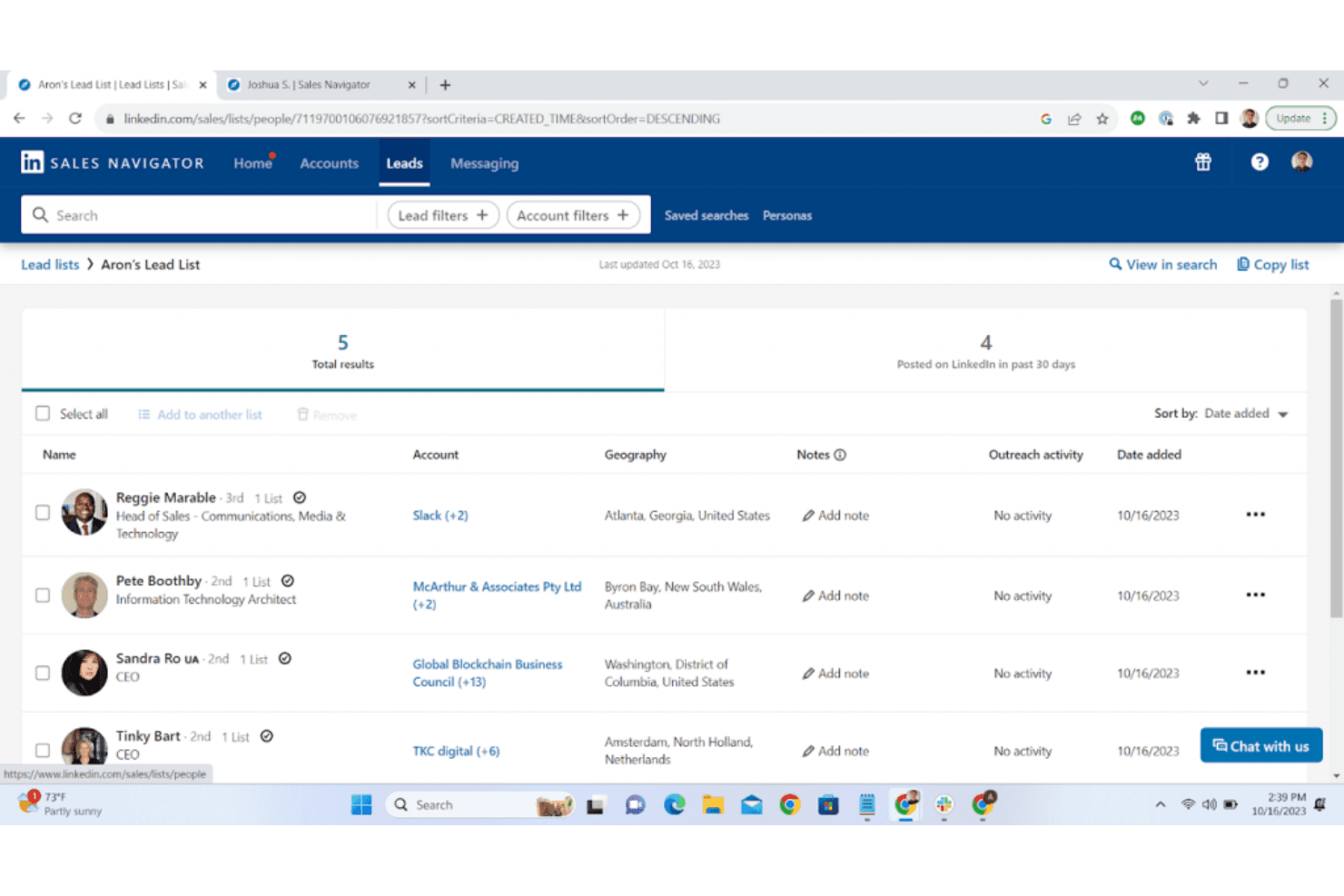
Lead Management: Save and organize leads to keep track of your outreach efforts efficiently. This feature ensures your team doesn't miss any follow-ups.
InMail Messaging: You can contact prospects directly even if you're not connected on LinkedIn, reducing reliance on connection requests and can help improve response rates.
Account and Contact Insights: Get real-time updates, such as job changes, on your saved accounts and contacts. This keeps you informed about changes that could impact your sales approach.
CRM Sync: While not an integration, it syncs your leads and accounts with supported CRMs to keep your data up-to-date. This helps your team maintain consistent records.

Ease of Use
LinkedIn Sales Navigator can be a bit challenging for new users due to its complex interface. Navigating through its advanced features like search filters and lead management might take some getting used to. However, once you get the hang of it, the platform becomes a powerful tool for finding and managing prospects. Your team will appreciate the intuitive design of features like InMail messaging and account insights, which streamline communication and keep you informed.

Integrations
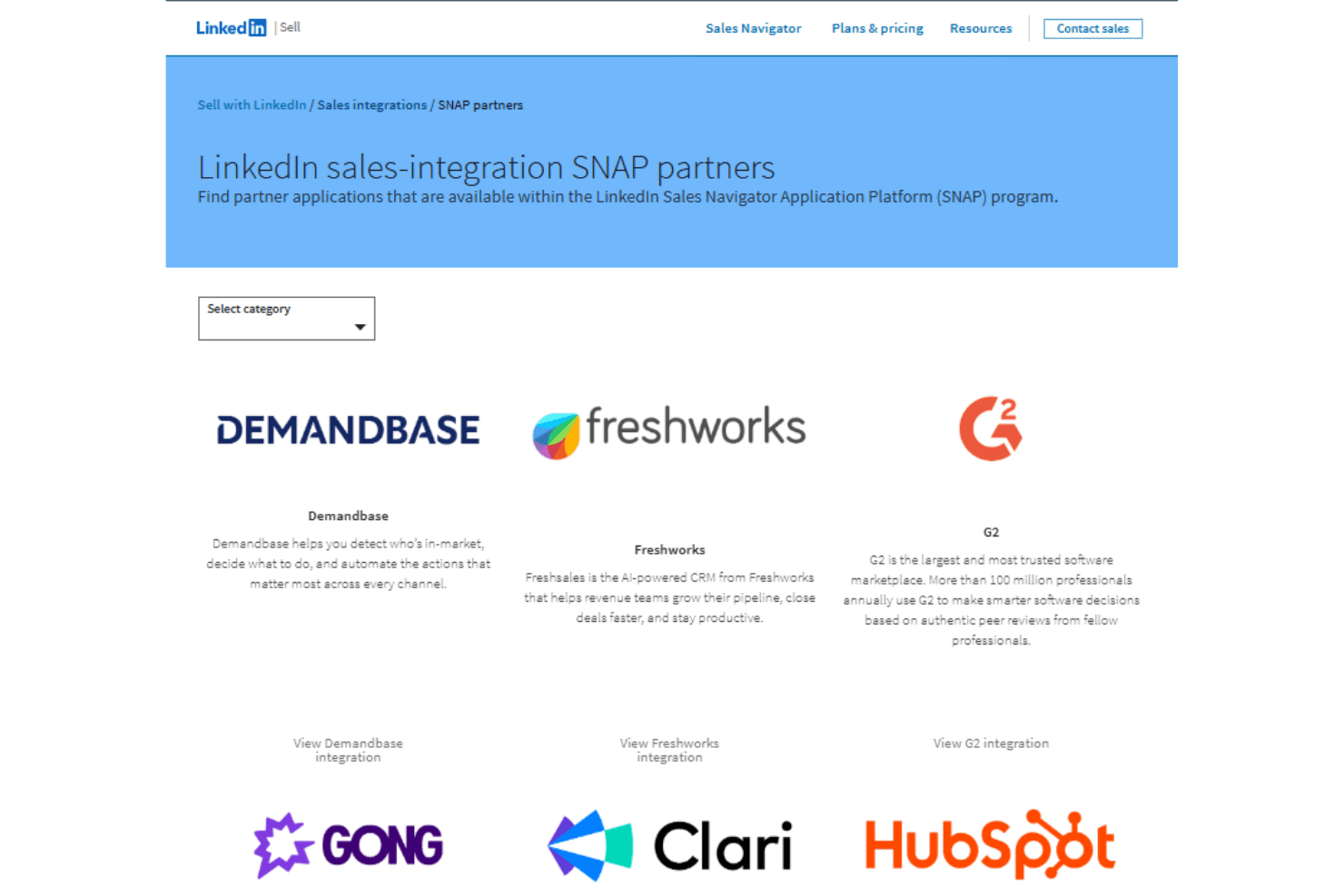
LinkedIn Sales Navigator integrates with HubSpot, Microsoft Dynamics 365, Salesforce, Outreach, SalesLoft, Gong, and Clari through LinkedIn’s SNAP partner ecosystem to sync leads, accounts, and sales activity.
It also provides API access via approved partner programs, enabling deeper third-party integrations and embedded workflows across supported sales tools.
LinkedIn Sales Navigator Specs
- 2-Factor Authentication: Yes
- Accounts Payable: Yes
- Accounts Receivable: Yes
- API: Yes
- Approval Workflows: Yes
- Balance Sheet: Yes
- Billing/Invoicing: Yes
- Budgeting: Yes
- Calendar Management: Yes
- Comparative Reporting: Yes
- CRM Integration: Yes
- Custom Reports: Yes
- Customer Management: Yes
- Dashboard: Yes
- Data Export: Yes
- Data Import: Yes
- Data Visualization: Yes
- Expense Tracking: Yes
- External Integrations: Yes
- Forecasting: Yes
- General Account Ledger: Yes
- Historical Data Analysis: Yes
- Inventory Tracking: Yes
- Multi-Currency: Yes
- Multi-User: Yes
- Notifications: Yes
- P&L: Yes
- Payroll: Yes
- Scenario Planning: Yes
- Scheduling: Yes
- Supplier Management: Yes
- Tax Management: Yes
- Time Management: Yes


