

Reseña de Less Annoying CRM: Ventajas, Desventajas, Características y Precios Explicados
Less Annoying CRM destaca por su simplicidad y precios transparentes, lo que lo convierte en una opción ideal para equipos pequeños que buscan un CRM sencillo, sin complicaciones y sin la saturación de funciones complejas.

Analizamos las herramientas de forma independiente, y las comisiones ayudan a financiar nuestras pruebas. Consulta nuestra política de transparencia, nuestra metodología, o sugiere una herramienta.
Less Annoying CRM is a CRM software built for small businesses that need contact management, pipeline tracking, and task follow-ups without a steep learning curve. I'd consider it if your team wants a no-fuss system that does the basics well—and doesn't want to pay for the layers of complexity that come with a tool like HubSpot.
Less Annoying CRM Evaluation Summary

4.9/5
- From $15/user/month
- 30-day free trial available
Por qué confiar en nuestras recomendaciones de software
6,700+
Reviews
20
Industry experts
16+
Evaluation factors
14
Years
Nuestras reseñas reflejan nuestro criterio independiente, no un discurso de ventas. Descubra cómo mantenemos la transparencia.
Para esta guía, evaluamos las herramientas mediante pruebas prácticas e investigación independiente, puntuando las herramientas según nuestros criterios de selección.
Nuestras reseñas reflejan nuestro criterio editorial humano, no un discurso de ventas.
Less Annoying CRM Overview
If you’re judging CRM software on simplicity, transparent pricing, and fast onboarding, Less Annoying is hard to beat. The interface is clean, support is responsive, and you won’t get lost in endless configuration. While it lacks advanced automation and deep integrations, I think it’s a smart pick for small teams or solo operators who want to track contacts, pipelines, and tasks without a learning curve.
If you’re comparing options and value clarity over customization, Less Annoying stands out—especially for businesses that don’t need complex reporting or multi-system workflows.
Pros
- Simple contact, task, and pipeline management for small teams.
- Responsive, human customer support included for all users.
- Flat-rate pricing with no hidden fees or contracts.
Cons
- Limited automation and workflow customization options.
- Lacks advanced reporting and analytics features.
- No built-in mobile app for iOS or Android.
Is Less Annoying CRM Right For Your Needs?
Who Would be a Good Fit for Less Annoying CRM?
Less Annoying CRM is a smart choice for small businesses, solo professionals, and teams that want a straightforward CRM without the overhead of complex features or high costs. If your workflow centers on managing contacts, tracking simple pipelines, and keeping tasks organized, you’ll find Less Annoying’s flat-rate pricing and responsive support appealing. It’s especially well-suited for industries and roles where simplicity, transparency, and quick onboarding matter more than deep customization or advanced analytics.
- Real Estate AgentsContact and pipeline tracking is simple and tailored for relationship management.
- Nonprofit OrganizationsAffordable pricing and easy donor tracking fit tight budgets and small teams.
- Consulting FirmsProject and client tracking is clear without unnecessary features or clutter.
- FreelancersSolo users can manage leads and follow-ups without paying for extras.
- Small Retail ShopsBasic customer tracking and follow-up reminders help maintain repeat business.
- Education ProvidersSimple student and parent communication tracking without complex integrations.
Who Would be a Bad Fit for Less Annoying CRM?
Less Annoying CRM isn’t built for large enterprises, teams needing advanced automation, or industries that rely on deep integrations and analytics. If your business requires multi-step workflows, custom reporting, or a mobile app for field teams, you’ll likely find Less Annoying limiting. It’s not the right choice for organizations that need to connect their CRM to a wide range of external tools or require granular user permissions.
- Enterprise Sales TeamsNo advanced reporting, territory management, or multi-level permissions.
- SaaS CompaniesLacks product usage tracking, subscription management, and API depth.
- Field Service TeamsNo native mobile app for on-the-go access or updates.
- Marketing DepartmentsLimited campaign tracking, segmentation, and marketing automation features.
- Healthcare PracticesNo HIPAA compliance or industry-specific data security controls.
- Manufacturing FirmsNo inventory, order management, or supply chain integration capabilities.
Cómo Probamos y Evaluamos Herramientas
Hemos pasado años construyendo, refinando y mejorando nuestro sistema de pruebas y evaluación de software. La rúbrica está diseñada para capturar las complejidades de la selección de software y lo que hace que una herramienta sea efectiva, centrándose en aspectos críticos del proceso de toma de decisiones. A continuación, puede ver exactamente cómo funcionan nuestras pruebas y evaluación a través de siete criterios. Esto nos permite ofrecer una evaluación imparcial del software basada en la funcionalidad principal, características destacadas, facilidad de uso, incorporación, soporte al cliente, integraciones, opiniones de los clientes y relación calidad-precio.
Funcionalidad Principal (25% de la puntuación final)
El punto de partida de nuestra evaluación es siempre la funcionalidad principal de la herramienta. ¿Tiene las características y funciones básicas que un usuario esperaría ver? ¿Alguna de esas funciones principales está restringida a planes de precios superiores? En esencia, esperamos que una herramienta cumpla con las capacidades básicas de sus competidores.
Características Destacadas (25% de la puntuación final)
A continuación, evaluamos características poco comunes que van más allá de la funcionalidad principal que suelen ofrecer herramientas similares. Una puntuación alta refleja funciones especializadas o únicas que hacen que el producto sea más rápido, eficiente o aporte un valor adicional al usuario. También evaluamos lo fácil que es integrar la herramienta con las demás del stack tecnológico para ampliar la utilidad y el alcance del software. Las herramientas que ofrecen integraciones nativas, conexiones de terceros y acceso API para crear integraciones personalizadas reciben las mejores puntuaciones.
Facilidad de Uso (10% de la puntuación final)
Consideramos qué tan rápido y fácil es realizar las tareas definidas en la funcionalidad principal usando la herramienta. El software que obtiene una alta puntuación está bien diseñado, es intuitivo de usar, ofrece aplicaciones móviles, proporciona plantillas y hace que tareas relativamente complejas parezcan sencillas.
Incorporación (10% de la puntuación final)
Sabemos lo importante que es la rápida adopción por parte del equipo de una nueva plataforma, por lo que evaluamos lo fácil que es aprender y utilizar una herramienta con una formación mínima. Evaluamos qué tan rápido un miembro del equipo puede configurarse y empezar a usar la herramienta sin experiencia previa. Las soluciones con puntuación alta indican que se requiere poco o ningún soporte.
Soporte al Cliente (10% de la puntuación final)
Revisamos cuán rápido y sencillo es encontrar ayuda y resolver problemas a través de teléfono, chat en vivo o base de conocimientos. Las herramientas y compañías que brindan soporte en tiempo real obtienen las mejores puntuaciones, mientras que los chatbots reciben las peores.
Opiniones de Clientes (10% de la puntuación final)
Además de nuestras propias pruebas y evaluaciones, consideramos el puntaje neto de promotores de los clientes actuales y anteriores. Revisamos su probabilidad, si tuvieran la opción, de volver a elegir la herramienta para la funcionalidad principal. Un software con puntuación alta refleja un puntaje neto de promotores elevado por parte de clientes actuales o anteriores.
Relación Calidad-Precio (10% de la puntuación final)
Por último, considerando todos los demás criterios, revisamos el precio promedio de los planes de nivel inicial frente a las funciones principales y consideramos el valor de los otros criterios de evaluación. El software que ofrece más, por menos, obtendrá una puntuación más alta.
Core Features
Contact Management
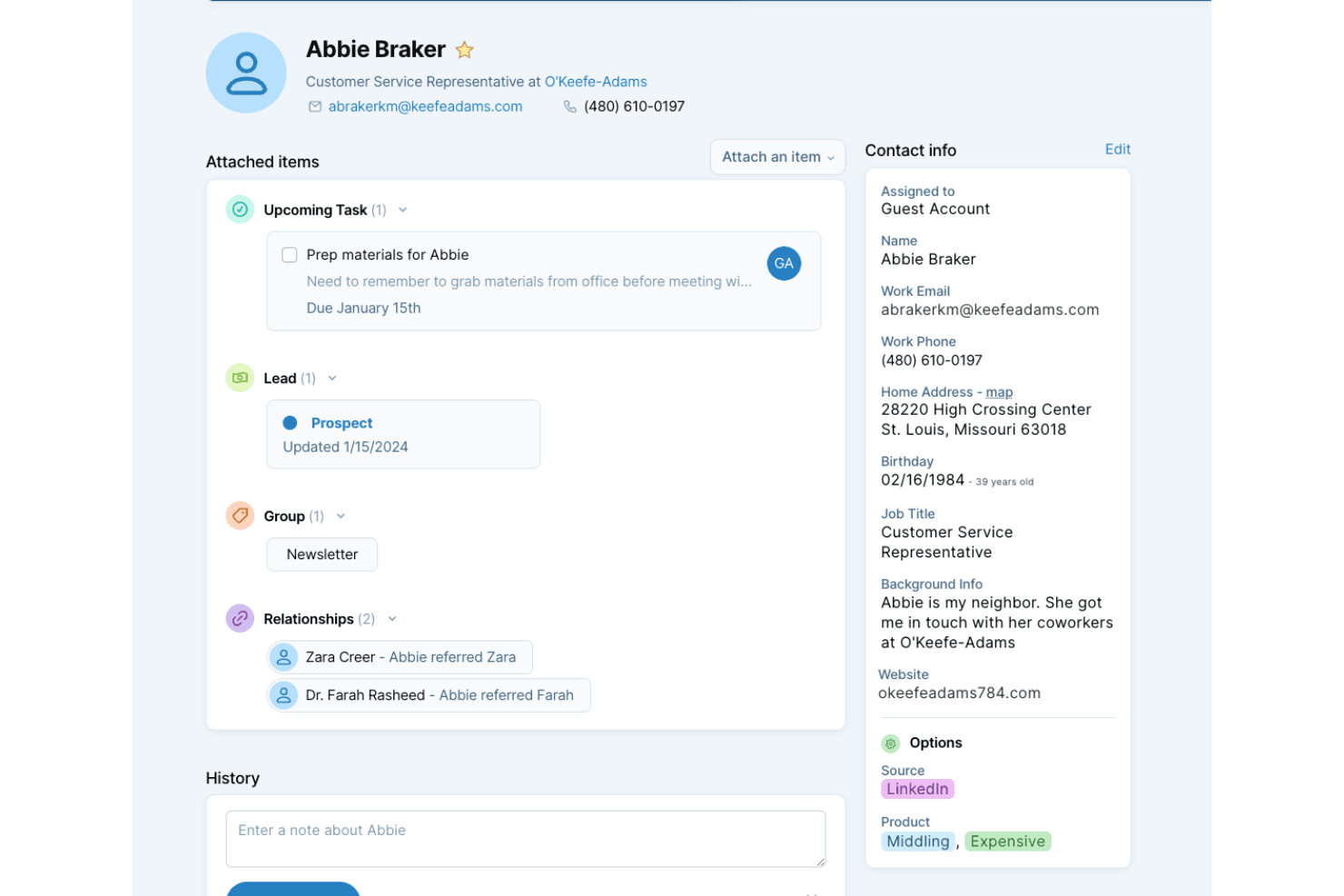
Store, organize, and search all your contacts in one place. Add custom fields and notes to keep relationship details front and center.
Pipeline Tracking
Visualize leads and deals as they move through your sales process. Drag-and-drop interface makes updating deal stages quick and intuitive.
Task and Calendar Management
Create tasks, set reminders, and view everything on a built-in calendar. Sync with Google Calendar for a unified schedule.
Team Collaboration
Share contacts, pipelines, and notes with your team. Assign tasks and see updates in real time for better coordination.
Custom Fields
Add fields tailored to your business needs, like referral sources or contract dates. This flexibility helps you capture the data that matters most.
Daily Agenda Emails
Receive a daily summary of your tasks and events by email. Stay on top of follow-ups and appointments without logging in.
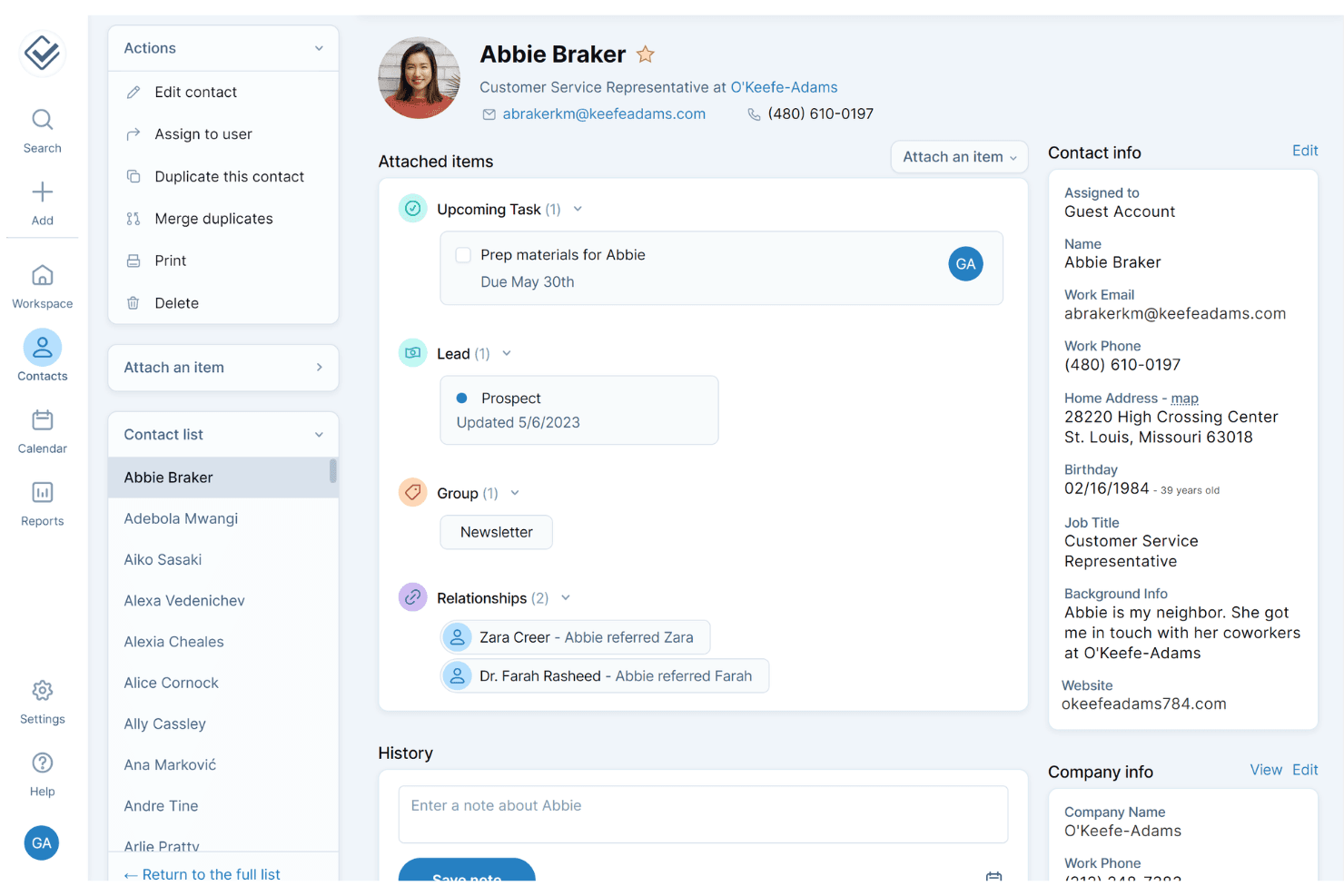
Ease of Use
Less Annoying CRM is one of the most approachable CRM software options I’ve used. The interface is clean, navigation is straightforward, and setup takes minutes—not hours. Users consistently mention how quickly they can add contacts, update pipelines, and find information without training or manuals. There’s no clutter or hidden menus, so even non-technical team members can get started right away. This simplicity makes it a favorite for small teams and solo users.
Integrations
Less Annoying CRM integrates with Mailchimp, Google Calendar, Outlook Calendar, Google Contacts, Zapier, QuickBooks Sync, Badger Maps, JustCall, Pabbly Connect, and LeadsBridge, among others.
Less Annoying CRM also offers an API and connects with thousands of other apps through Zapier and similar third-party integration tools.

Less Annoying CRM Specs
- 2-Factor Authentication: Yes
- API: Yes
- Calendar Management: Yes
- Call Tracking: No
- Campaign Management: No
- Click-to-Dial: Yes
- Contact Management: Yes
- Contact Sharing: Yes
- Custom Data Forms: No
- Customer Management: Yes
- Dashboard: Yes
- Data Export: Yes
- Data Import: Yes
- Data Visualization: Yes
- Email Integration: Yes
- External Integrations: Yes
- File Sharing: Yes
- File Transfer: No
- Google Apps Integration: No
- Lead Management: Yes
- Lead Scoring: Yes
- Marketing Automation: No
- Mobile App: No
- Multi-User: Yes
- Notifications: Yes
- Pipeline Management: Yes
- Sales Automation: Yes
- Scheduling: Yes
- Social-Media Integration: No
- Task Scheduling/Tracking: Yes
- Third-Party Plugins/Add-Ons: Yes


