


Nutshell vs. HubSpot CRM: Comparación y Reseñas de Expertos para 2026
Te explico en detalle en qué se diferencian realmente Nutshell y HubSpot CRM, para que puedas dejar de dudar y encontrar el CRM adecuado con confianza.

Analizamos las herramientas de forma independiente, y las comisiones ayudan a financiar nuestras pruebas. Consulta nuestra política de transparencia, nuestra metodología, o sugiere una herramienta.
Sales teams fall apart fast when reps are buried in disconnected tools, scrambling for missing customer data, and manually patching together workflows just to keep deals alive. A CRM that’s supposed to drive revenue can quietly become the reason opportunities stall, prospects go cold, and pipelines start leaking at every stage.
Choosing the right CRM software can tie your team in knots—especially when you’re weighing tools like Nutshell and HubSpot CRM. Maybe you’re wrestling with integrations, needing something easy for your reps, or trying to stretch your budget without losing essential features. You want a platform that grows with you, keeps your data secure, and actually gets used.
In this article, you’ll get a point-by-point comparison of both tools, including pros and cons, use cases, pricing, security, and usability. I’ll give you the practical details you need to decide which CRM software is truly right for your team.
Nutshell
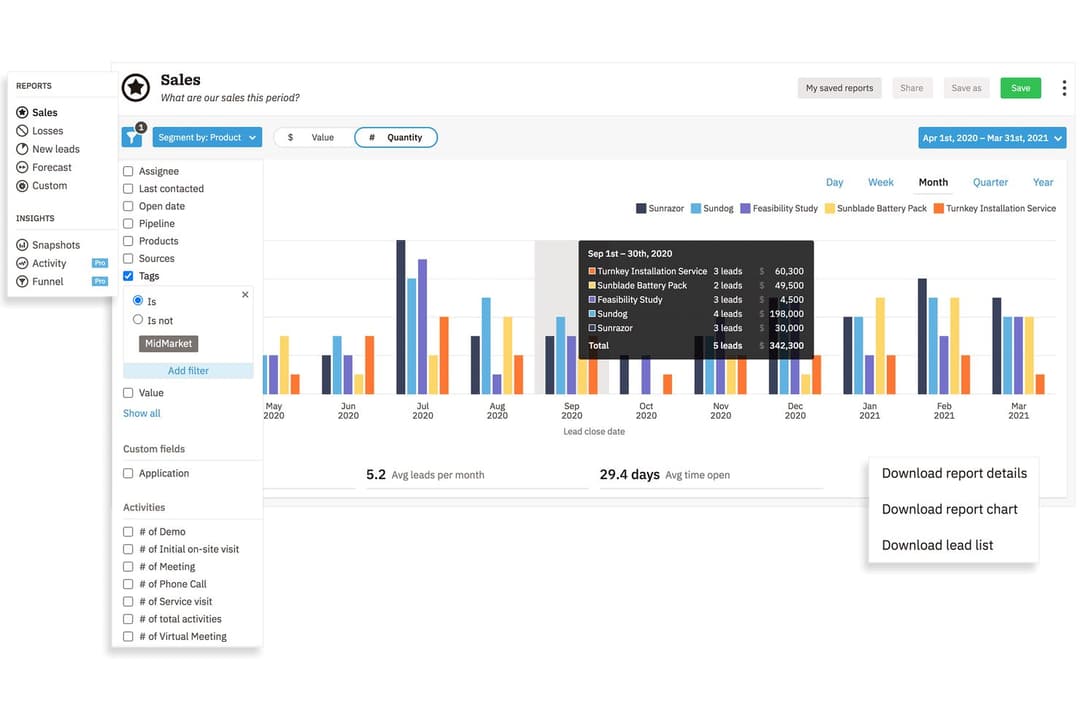
4.3/5
- 14-day free trial + free demo available
- From $13/user/month (billed annually)
HubSpot CRM


4.4/5
- Free plan available
- From $7/user/month
Por qué confiar en nuestras recomendaciones de software
6,700+
Reviews
20
Industry experts
16+
Evaluation factors
14
Years
Nuestras reseñas reflejan nuestro criterio independiente, no un discurso de ventas. Descubra cómo mantenemos la transparencia.
Para esta guía, evaluamos las herramientas mediante pruebas prácticas e investigación independiente, puntuando las herramientas según nuestros criterios de selección.
Nuestras reseñas reflejan nuestro criterio editorial humano, no un discurso de ventas.
| Nutshell | HubSpot CRM | |
|---|---|---|
| Free Trial | 14-day free trial + free demo available | Free plan available |
| Pricing | From $13/user/month (billed annually) | From $7/user/month |
Precios y Costos Ocultos de Nutshell vs. HubSpot CRM
Nutshell ofrece una estructura de precios sencilla que incluye la mayoría de las funciones esenciales en planes simples, con opciones adicionales para complementos como SMS. HubSpot CRM comienza gratis con características básicas, pero tendrás que agregar "hubs" de pago y complementos premium para desbloquear capacidades avanzadas, por lo que los costos pueden aumentar a medida que creces o necesitas controles más detallados. Espera rutas de venta adicional en ambas plataformas para cosas como usuarios extra, automatización e integraciones, aunque estos tienden a ser más previsibles con la estructura de Nutshell.
Para elegir el proveedor adecuado, alinea las funciones imprescindibles de tu equipo y calcula cuánto costarían para tu crecimiento durante 12–24 meses. Realiza pruebas con escenarios reales—como aumentar la cantidad de usuarios, sincronizar integraciones adicionales o añadir automatización de marketing—para ver cómo cambian los precios. Obtendrás mayor valor y evitarás sorpresas si comprendes cuándo cada herramienta pasa de "incluido" a "mejora" conforme tus necesidades cambian.
| Nutshell | HubSpot CRM | |
|---|---|---|
| 2-Factor Authentication | Yes | Yes |
| API | Yes | Yes |
| Calendar Management | Yes | Yes |
| Call Tracking | Yes | Yes |
| Campaign Management | Yes | Yes |
| Click-to-Dial | Yes | Yes |
| Contact Management | Yes | Yes |
| Contact Sharing | Yes | Yes |
| Custom Data Forms | Yes | Yes |
| Customer Management | Yes | Yes |
| Dashboard | Yes | Yes |
| Data Export | Yes | Yes |
| Data Import | Yes | Yes |
| Data Visualization | Yes | Yes |
| Email Integration | Yes | Yes |
| External Integrations | Yes | Yes |
| File Sharing | Yes | Yes |
| File Transfer | Yes | Yes |
| Google Apps Integration | Yes | Yes |
| Lead Management | Yes | Yes |
| Lead Scoring | Yes | Yes |
| Marketing Automation | Yes | Yes |
| Mobile App | Yes | Yes |
| Multi-User | Yes | Yes |
| Notifications | Yes | Yes |
| Pipeline Management | Yes | Yes |
| Sales Automation | Yes | Yes |
| Scheduling | Yes | Yes |
| Social-Media Integration | Yes | Yes |
| Task Scheduling/Tracking | Yes | Yes |
| Third-Party Plugins/Add-Ons | Yes | Yes |
| Integración | Nutshell | HubSpot CRM |
| Google Workspace | ✅ | ✅ |
| Microsoft 365 | ✅ | ✅ |
| Slack | ✅ | ✅ |
| QuickBooks Online | ✅ | ✅ |
| Mailchimp | ✅ | ✅ |
| Shopify | ✅ | ✅ |
| Zendesk | ✅ | ✅ |
| PandaDoc | ✅ | ✅ |
| Constant Contact | ❌ | ✅ |
| Intercom | ✅ | ✅ |
| API | ✅ | ✅ |
| Zapier | ✅ | ✅ |
Tanto Nutshell como HubSpot CRM ofrecen un núcleo sólido de integraciones populares, por lo que es probable que encuentres soporte para las principales herramientas que ya utilizas. HubSpot lleva la delantera en cuanto a opciones nativas para herramientas de soporte y marketing, pero ambas plataformas ofrecen API y conexiones con Zapier para que tu equipo pueda cubrir cualquier carencia.
| Factor | Nutshell | HubSpot CRM |
|---|---|---|
| FactorPrivacidad de los datos | NutshellSigue GDPR, PCI DSS, SOC 2 Tipo 1 y leyes de privacidad estadounidenses, con controles claros para los usuarios. | HubSpot CRMCumple con GDPR y CCPA, con centros de datos globales y controles de privacidad detallados. |
| FactorCifrado | NutshellUtiliza TLS 1.2 para cifrado en tránsito y cifrado AES-256 en reposo. | HubSpot CRMEmplea cifrado TLS/SSL para los datos en tránsito y en reposo. |
| FactorControles de acceso | NutshellRoles de usuario y permisos personalizables para acceso granular a los datos. | HubSpot CRMPermisos extensos, acceso basado en roles y gestión avanzada de usuarios. |
| FactorDisponibilidad | NutshellPublica el estado de disponibilidad con informes históricos de fiabilidad. | HubSpot CRMGarantías de disponibilidad de nivel empresarial y una página de estado dedicada. |
| FactorRespuesta ante incidentes | NutshellPublica notificaciones de incidentes y se compromete a una resolución rápida. | HubSpot CRMMonitoreo 24/7, equipo de seguridad de guardia y procedimientos de respuesta documentados. |
Ambas plataformas cumplen con los aspectos esenciales de seguridad y cumplimiento, pero HubSpot CRM ofrece controles más avanzados y mayor cobertura global. He encontrado que Nutshell es confiable y sencillo para la mayoría de las necesidades de las pymes, mientras que HubSpot CRM destaca para equipos más grandes que buscan garantías sobre la residencia de datos, acceso avanzado y manejo de incidentes.
| Factor | Nutshell | HubSpot CRM |
|---|---|---|
| FactorInterfaz de usuario | NutshellPanel limpio y minimalista diseñado para acceso rápido y claridad. | HubSpot CRMModerna, visualmente atractiva y con paneles personalizables. |
| FactorIncorporación | NutshellGuía paso a paso y asistentes útiles para una configuración rápida. | HubSpot CRMRecursos extensos de aprendizaje, guías en la aplicación y foros comunitarios. |
| FactorPersonalización | NutshellPersonalización sencilla de flujos y embudos mediante arrastrar y soltar. | HubSpot CRMCampos y vistas flexibles; personalización más profunda pero con más capas de menús. |
| FactorSoporte | NutshellChat en vivo y atención personalizada reconocidos por respuestas rápidas. | HubSpot CRMCentro de ayuda abundante, chat en vivo y base de conocimientos. |
| FactorCurva de aprendizaje | NutshellFácil de usar con entrenamiento mínimo para tareas básicas. | HubSpot CRMMás funciones implican cierta complejidad inicial para usuarios nuevos. |
Nutshell domina lo básico para una rápida adopción, mientras que HubSpot CRM es ideal si buscas flexibilidad y no te importa una curva de aprendizaje más pronunciada. En mi experiencia, Nutshell es perfecto para equipos que necesitan empezar de inmediato, mientras que HubSpot CRM recompensa a quienes desean ajustar y adaptar cada detalle.
Nutshell
- Sales automation workflows handle multi-step processes effectively
- Implementation and onboarding are streamlined for rapid deployment and adoption.
- Responsive support team resolves most issues promptly
- Nutshell isn’t as customizable as other enterprise solutions
- Marketing capabilities isn’t as robust as a dedicated marketing platform
- Limited native enterprise integrations
HubSpot CRM
- Fast onboarding with helpful templates and guides.
- AI features for reporting, forecasting, and content generation.
- Built-in marketing automation and sales tools in one platform.
- Pricing increases quickly as you add premium features.
- Workflow automation can be restrictive for complex processes.
- Advanced reporting features require higher-tier plans.
Nutshell
- Small Sales TeamsSetup is fast, automation reduces manual work, and unlimited contacts keep costs predictable as you scale.
- B2B ServicesCustomizable pipelines and integrations with email and scheduling tools help manage leads from discovery through close.
- SaaS StartupsEasy-to-tweak workflows and email campaign features fit short sales cycles and lean teams.
- AgenciesPipeline views, contact segmentation, and shared activity histories help handle multiple client accounts.
- Distributed TeamsCloud access, mobile app, and straightforward collaboration features suit remote and hybrid work cultures.
- NonprofitsSimple donor management, bulk emailing, and custom fields support relationship-building without CRM complexity.
HubSpot CRM
- SaaS StartupsHubSpot’s automation and lead tracking help SaaS teams scale quickly.
- Marketing AgenciesThe platform’s campaign management and client reporting tools are built-in.
- B2B Sales TeamsPipeline management and deal tracking are easy to set up and use.
- Small BusinessesTemplates and guided onboarding reduce the need for technical resources.
- Customer Success TeamsShared inboxes and ticketing streamline support and follow-up.
- NonprofitsFree and low-cost plans offer core CRM features for limited budgets.
¿Quién debe usar Nutshell y quién debe usar HubSpot CRM?
Nutshell es ideal para pymes y equipos enfocados en ventas que buscan una plataforma robusta y fácil de aprender, que mantenga a todos organizados sin costos ocultos. Por otro lado, HubSpot CRM es perfecto para empresas en crecimiento con necesidades de ventas y marketing más complejas, mayores requerimientos de integración o equipos que planean expandirse a mercados globales. Si valoras la simplicidad y una adopción rápida, te recomendaría Nutshell; si buscas un CRM integral con amplias capacidades de marketing y personalización, HubSpot CRM es la mejor opción.
| Nutshell | HubSpot CRM | |
|---|---|---|
| Automation | Nutshell Built-in email automation and basic workflow tools. | HubSpot CRM Advanced automation including marketing and sales sequences. |
| Customization | Nutshell Simple drag-and-drop pipelines, less granular options. | HubSpot CRM Highly customizable fields, dashboards, and automation. |
| Pricing Model | Nutshell Simplified plans with predictable costs and included features with optional paid add-ons. | HubSpot CRM Free tier plus paid add-ons; costs increase as you add functionality. |
| User Onboarding | Nutshell Quick, guided setup in days. | HubSpot CRM Comprehensive onboarding resources, but more initial complexity. |
| Contact Management | Both platforms offer robust contact management, letting users store details, track touchpoints, and segment lists for sales outreach and follow-up. |
|---|---|
| Integration Options | Nutshell and HubSpot CRM support integration with major email, calendar, and workflow tools, plus offer Zapier/API for custom connections. |
| Mobile Access | Each provides fully featured mobile apps for iOS and Android, keeping sales reps productive and connected on the go. |
| Pipeline Tracking | Each delivers visual pipeline tracking with drag-and-drop deal management, clear stage visibility, and customizable views for sales teams. |
| Reporting Tools | Both provide built-in analytics and reporting dashboards, allowing teams to track performance, sales forecasts, and conversion rates. |