


Nutshell vs. Copper CRM: Comparación y Reseñas de Expertos para 2026
Analizo Nutshell y Copper CRM cara a cara, mostrando cuál se adapta mejor a tu flujo de trabajo y señalando lo que realmente distingue a cada uno en 2026.

Analizamos las herramientas de forma independiente, y las comisiones ayudan a financiar nuestras pruebas. Consulta nuestra política de transparencia, nuestra metodología, o sugiere una herramienta.
When sales reps are stuck digging through cluttered pipelines, updating spreadsheets by hand, or bouncing between disconnected tools just to track a lead, deals start stalling fast. A CRM that’s supposed to organize your sales process can easily become the reason opportunities slip away in the first place.
If you’re feeling stuck between Nutshell and Copper CRM, you’re not alone. Maybe you want sales tools that don’t overwhelm your team, or you’re trying to make sense of which CRM software actually supports your sales process without adding friction. Both promise straightforward pipelines and integrations, but the experience and real value can look pretty different once you dig in.
In this article, you’ll get a side-by-side comparison—including pros and cons, use cases, pricing, security, and usability—so you can pick the right fit with confidence. I’ll help you see past the surface and decide which one deserves a spot in your tech stack.
Nutshell
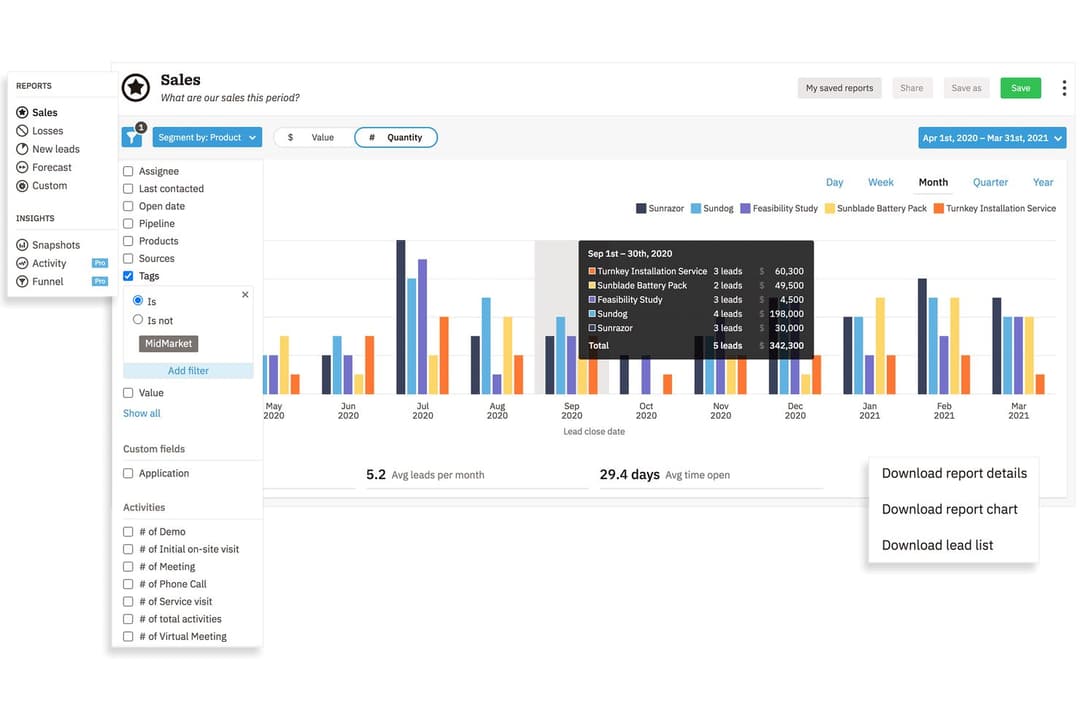
4.3/5
- 14-day free trial + free demo available
- From $13/user/month (billed annually)
Copper CRM
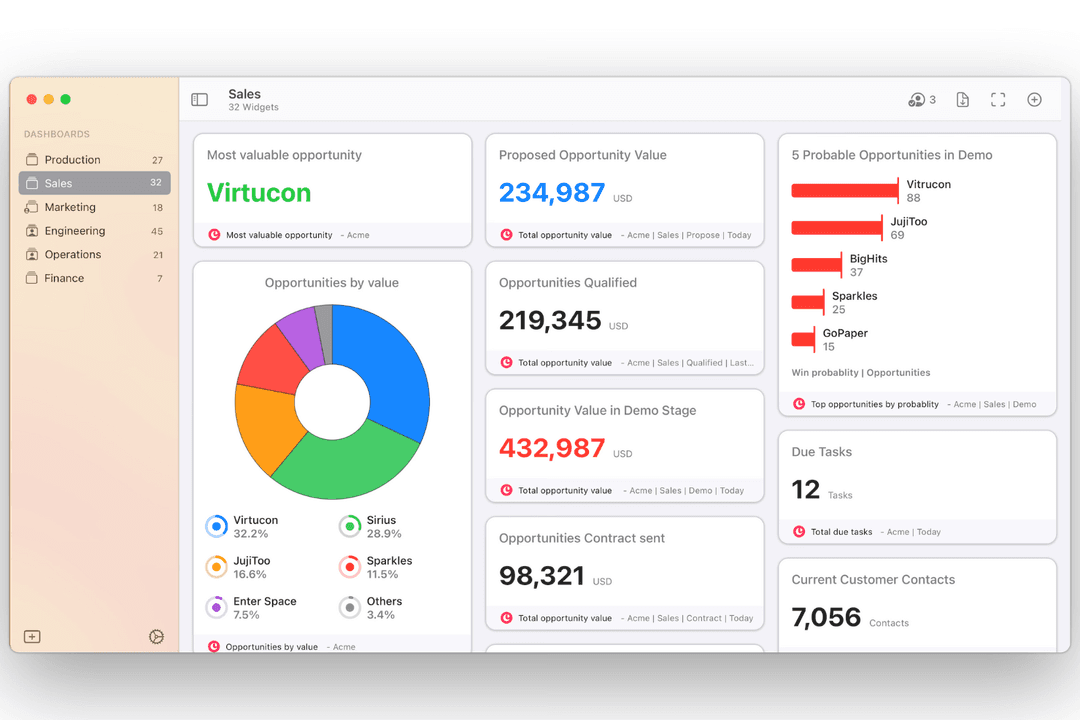
4.5/5
- 14-day free trial
- From $12/user/month
Por qué confiar en nuestras recomendaciones de software
6,700+
Reviews
20
Industry experts
16+
Evaluation factors
14
Years
Nuestras reseñas reflejan nuestro criterio independiente, no un discurso de ventas. Descubra cómo mantenemos la transparencia.
Para esta guía, evaluamos las herramientas mediante pruebas prácticas e investigación independiente, puntuando las herramientas según nuestros criterios de selección.
Nuestras reseñas reflejan nuestro criterio editorial humano, no un discurso de ventas.
| Nutshell | Copper CRM | |
|---|---|---|
| Free Trial | 14-day free trial + free demo available | 14-day free trial |
| Pricing | From $13/user/month (billed annually) | From $12/user/month |
Precios y costos ocultos de Nutshell vs. Copper CRM
Nutshell utiliza un modelo de suscripción por niveles donde las funciones se expanden en los planes superiores, mientras que el precio de Copper CRM también es escalonado pero se centra en los roles de usuario y el nivel de integración. Ambos ofrecen facturación mensual o anual y podrías encontrarte con cargos adicionales por complementos, implementación o integraciones avanzadas—especialmente si tu equipo necesita más automatización o soporte.
Para elegir la mejor relación calidad-precio, compara las necesidades actuales y futuras de tus procesos con las funciones escalonadas que ofrece cada proveedor, verificando en qué nivel se encuentran tus herramientas o integraciones imprescindibles. Recomiendo revisar detenidamente la letra pequeña en cuanto a mínimos de usuarios, tarifas de configuración o limitaciones de soporte, ya que estos detalles pueden marcar una diferencia real a medida que tu equipo crezca o cambie.
<div class="slate-p" data-slate-node="element" data-block-id="VN05wKggYa" data-slate-fragment="JTVCJTdCJTIyY2hpbGRyZW4lMjIlM0ElNUIlN0IlMjJ0ZXh0JTIyJTNBJTIyQm90aCUyME51dHNoZWxsJTIwYW5kJTIwQ29wcGVyJTIwQ1JNJTIwb2ZmZXIlMjBwaXBlbGluZSUyMG1hbmFnZW1lbnQlMkMlMjBjb250YWN0JTIwdHJhY2tpbmclMkMlMjByZXBvcnRpbmclMkMlMjBzYWxlcyUyMGF1dG9tYXRpb24lMkMlMjBhbmQlMjBpbnRlZ3JhdGlvbiUyMHdpdGglMjBlbWFpbCUyMGFuZCUyMGNhbGVuZGFycy4lMjBZb3UlRTIlODAlOTlsbCUyMGZpbmQlMjB0YXNrJTIwYXNzaWdubWVudCUyQyUyMGJhc2ljJTIwd29ya2Zsb3clMjBhdXRvbWF0aW9ucyUyQyUyMGFuZCUyMG1vYmlsZSUyMGFjY2VzcyUyMGJ1aWx0JTIwaW4lMkMlMjBtYWtpbmclMjBpdCUyMGVhc3klMjB0byUyMHN1cHBvcnQlMjBldmVyeWRheSUyMHNhbGVzJTIwd29yayUyMG5vJTIwbWF0dGVyJTIwd2hpY2glMjBDUk0lMjB5b3UlMjBjaG9vc2UuJTIyJTdEJTVEJTJDJTIydHlwZSUyMiUzQSUyMnAlMjIlMkMlMjJpZCUyMiUzQSUyMmtoNHNWZGN0czUlMjIlN0QlMkMlN0IlMjJjaGlsZHJlbiUyMiUzQSU1QiU3QiUyMnRleHQlMjIlM0ElMjJXaGF0JTIwc2V0cyUyME51dHNoZWxsJTIwYXBhcnQlMjBpcyUyMGl0cyUyMGZsZXhpYmxlJTIwcmVwb3J0aW5nJTIwY3VzdG9taXphdGlvbiUyMGFuZCUyMGl0cyUyMGRpdmVyc2UlMjBob3N0JTIwb2YlMjBzdWl0ZXMlMjB0aGF0JTIwYWxsb3clMjBmb3IlMjBzZWFtbGVzcyUyMHNhbGVzJTJDJTIwbWFya2V0aW5nJTJDJTIwYW5kJTIwZW5nYWdlbWVudCUyMCVFMiU4MCU5NCUyMGFsbCUyMHdpdGhvdXQlMjBsZWF2aW5nJTIwdGhlJTIwcGxhdGZvcm0uJTIwTnV0c2hlbGwlMjBpcyUyMGlkZWFsJTIwZm9yJTIwdGVhbXMlMjB0aGF0JTIwd2FudCUyMGElMjByb2J1c3QlMjBhbGwtaW4tb25lJTIwcGxhdGZvcm0lMjBjYXBhYmxlJTIwb2YlMjBzdXBwb3J0aW5nJTIwdGhlJTIwZW50aXJlJTIwc2FsZXMlMjBwaXBlbGluZSUyMGFuZCUyMHN1cnJvdW5kaW5nJTIwd29ya2Zsb3dzLi4lMjBDb3BwZXIlMjBDUk0lMjBzdGFuZHMlMjBvdXQlMjBmb3IlMjBpdHMlMjBkZWVwJTIwR29vZ2xlJTIwV29ya3NwYWNlJTIwaW50ZWdyYXRpb24lMjBhbmQlMjBhdXRvbWF0ZWQlMjBkYXRhJTIwY2FwdHVyZSUyQyUyMHBlcmZlY3QlMjBmb3IlMjB0ZWFtcyUyMHdobyUyMGxpdmUlMjBpbiUyMEdtYWlsJTIwb3IlMjBHb29nbGUlMjBDYWxlbmRhciUyMGFuZCUyMHdhbnQlMjB0aGVpciUyMENSTSUyMHRvJTIwZmVlbCUyMGludmlzaWJsZS4lMjIlN0QlNUQlMkMlMjJ0eXBlJTIyJTNBJTIycCUyMiUyQyUyMmlkJTIyJTNBJTIyVk4wNXdLZ2dZYSUyMiU3RCU1RA==
| Nutshell | Copper CRM | |
|---|---|---|
| API | Yes | Yes |
| Data Export | Yes | Yes |
| Data Import | Yes | Yes |
| External Integrations | Yes | Yes |
| Multi-User | Yes | Yes |
| Notifications | Yes | Yes |
| Third-Party Plugins/Add-Ons | Yes | Yes |
| Integración | Nutshell | Copper CRM |
| Google Workspace | ✅ | ✅ |
| Microsoft 365 | ✅ | ❌ |
| QuickBooks Online | ✅ | ✅ |
| Slack | ✅ | ✅ |
| Mailchimp | ✅ | ✅ |
| HubSpot | ❌ | ✅ |
| ❌ | ✅ | |
| Xero | ❌ | ✅ |
| API | ✅ | ✅ |
| Zapier | ✅ | ✅ |
Ambas herramientas cubren lo esencial como Google Workspace, QuickBooks, Mailchimp, Zapier y ofrecen acceso a la API, lo que las hace una sólida elección para flujos de trabajo comunes. Copper CRM destaca con integraciones más especializadas para usuarios de Google y Xero, mientras que Nutshell sobresale con Microsoft 365 y conexiones personalizadas a través de su marketplace de apps y API.
| Factor | Nutshell | Copper CRM |
| Cifrado de datos | Utiliza TLS 1.2 para cifrado en tránsito y cifrado AES-256 en reposo. | Cifra los datos en tránsito y en reposo utilizando estándares de la industria. |
| Cumplimiento normativo | Cumple con GDPR, PCI DSS, SOC 2 Tipo 1 y leyes de privacidad de EE. UU. con controles claros para el usuario. | Cumple con GDPR y cuenta además con certificación SOC 2 para mayor garantía. |
| Controles de acceso | Ofrece roles y permisos de usuario personalizables. | Proporciona configuraciones de permisos granulares y controles para compartir en equipo. |
| Respaldo y recuperación | Copias de seguridad automáticas diarias con redundancia multirregional. | Respaldos regulares de datos con sólidos procesos de recuperación ante desastres. |
| Registro de actividad | Rastrea la actividad del usuario y registros de acceso para auditorías. | Mantiene registros detallados de actividad de usuario para auditorías del sistema. |
Nutshell y Copper CRM son en gran medida comparables en cuanto a la seguridad, fiabilidad y controles administrativos, ya que ambos ofrecen las protecciones que la mayoría de las empresas espera de una plataforma CRM moderna. La experiencia general y el nivel de control resultan muy similares en ambos sistemas.
| Factor | Nutshell | Copper CRM |
|---|---|---|
| FactorInterfaz de usuario | NutshellPanel limpio e intuitivo con tableros de arrastrar y soltar. | Copper CRMDiseño minimalista estilo Google que se siente nativo en Workspace. |
| FactorImplementación | NutshellGuía de configuración, opciones sencillas de importación y útiles textos emergentes de ayuda. | Copper CRMIntegración perfecta con Gmail, además de recorridos dentro de la aplicación para configurar todo. |
| FactorPersonalización | NutshellTableros y campos flexibles sin curva de aprendizaje pronunciada. | Copper CRMPersonalización sencilla con fuerte enfoque en integraciones de Google. |
| FactorExperiencia móvil | NutshellApps completas para iOS y Android. | Copper CRMLa app móvil está altamente integrada con herramientas de Google. |
| FactorSoporte al cliente | NutshellSoporte rápido por correo/chat y un centro de ayuda detallado. | Copper CRMSoporte receptivo con recursos adicionales para usuarios de Workspace. |
Ambas herramientas son fáciles de configurar y comenzar a usar, pero Copper CRM gana adeptos entre quienes buscan una experiencia nativa de Google, mientras que Nutshell destaca por su incorporación amigable y personalización accesible. Recomiendo Copper CRM si tu equipo trabaja principalmente en Gmail, pero Nutshell resulta más sencillo para equipos que quieren resultados rápidos y menos carga tecnológica.
Nutshell
- Sales automation workflows handle multi-step processes effectively
- Implementation and onboarding are streamlined for rapid deployment and adoption.
- Responsive support team resolves most issues promptly
- Nutshell isn’t as customizable as other enterprise solutions
- Marketing capabilities isn’t as robust as a dedicated marketing platform
- Limited native enterprise integrations
Copper CRM
- It integrates seamlessly with Google Workspace, making it easy for your team to manage communication.
- The user interface is intuitive, reducing the learning curve for your team.
- It offers strong automation features that can simplify your workflow.
- Customization options are limited compared to other CRMs.
- Reporting capabilities might not meet the needs of data-driven teams.
- It lacks some advanced features that larger organizations might require.
Nutshell
- Small Sales TeamsSetup is fast, automation reduces manual work, and unlimited contacts keep costs predictable as you scale.
- B2B ServicesCustomizable pipelines and integrations with email and scheduling tools help manage leads from discovery through close.
- SaaS StartupsEasy-to-tweak workflows and email campaign features fit short sales cycles and lean teams.
- AgenciesPipeline views, contact segmentation, and shared activity histories help handle multiple client accounts.
- Distributed TeamsCloud access, mobile app, and straightforward collaboration features suit remote and hybrid work cultures.
- NonprofitsSimple donor management, bulk emailing, and custom fields support relationship-building without CRM complexity.
Copper CRM
- Tech StartupsCopper CRM is ideal for tech startups using Google Workspace, providing seamless integration with Google tools.
- Small BusinessesFor small businesses, Copper CRM simplifies customer management with an easy-to-use interface and strong automation features.
- Sales TeamsSales teams benefit from Copper CRM's automation, reducing manual data entry and improving communication.
- Marketing DepartmentsMarketing departments find value in Copper CRM's ability to integrate with Google tools, enhancing collaboration and efficiency.
- Remote TeamsRemote teams thrive with Copper CRM's cloud-based access and integration with Google Workspace, enabling seamless collaboration.
- Project ManagementProject management teams use Copper CRM to streamline tasks with its intuitive interface and Google Drive integration.
¿Quién debería usar Nutshell y quién debería usar Copper CRM?
Nutshell es perfecto para pymes y equipos de ventas en crecimiento que necesitan tableros flexibles, funcionalidades todo-en-uno y una configuración que sea rápida de aprender. Copper CRM es la elección ideal para equipos centrados en Google Workspace —especialmente agencias, consultorías y startups— que quieren un CRM que se integre directamente en Gmail y Google Calendar. Elige Nutshell si valoras precios asequibles y funciones robustas, o selecciona Copper CRM si tu empresa usa intensivamente las herramientas de Google a diario.
| Nutshell | Copper CRM | |
|---|---|---|
| Automation | Nutshell Robust workflow automation with sales triggers. | Copper CRM Automated data entry and updates via Google tool integration. |
| Email Marketing | Nutshell Built-in email marketing tools for campaigns. | Copper CRM No integrated marketing, relies on third-party apps. |
| Google Integration | Nutshell Limited to basic sync features. | Copper CRM Deep, native integration with Gmail and Google Calendar. |
| Pricing Flexibility | Nutshell Straightforward, feature-based tier options. | Copper CRM Role-based tiers, pricing varies by integration depth. |
| Reporting | Nutshell Flexible, customizable reports suitable for sales ops. | Copper CRM Streamlined, automated reports focused on Google-centric data. |
| API Access | Each allows users and developers to build custom integrations or connect to additional tools via API. |
|---|---|
| Email Integration | Both sync with major email platforms to log conversations and trigger follow-ups right from the CRM dashboard. |
| Mobile Apps | Each provides mobile apps for iOS and Android, so sales teams can manage leads and updates on the go. |
| Pipeline Management | Both tools offer visual sales pipelines with drag-and-drop stage management, helping teams track deals easily. |
| User Permissions | Both include robust role-based permissions, letting admins control who sees and edits different records. |