
Heyflow Test 2026: Vorteile, Nachteile, Funktionen und Preise
Heyflow hilft Unternehmen dabei, Leads mit KI-gestützten Tools zu erfassen, zu qualifizieren und zu konvertieren. Entdecken Sie, wie seine Automatisierungsfunktionen die Leadgenerierungs-Workflows verbessern und Besucher in qualifizierte Interessenten verwandeln.

Wir bewerten Tools unabhängig, und Provisionen helfen, unsere Tests zu finanzieren. Sehen Sie unsere transparente Richtlinie, unsere Methodik oder schlagen Sie ein Tool vor.
Heyflow is an AI lead generation software built to help RevOps leaders capture, qualify, and nurture leads without the bottlenecks of clunky forms or manual data entry. With revenue operations teams often bogged down by inconsistent data, slow response times, and the need to scale personalized engagement, Heyflow promises a no-code platform that blends automation, customizable flows, and AI-driven insights.
In this review, I’ll break down Heyflow’s features, best and worst use cases, pros and cons, and pricing to help you decide if it fits your revenue engine.
Heyflow Evaluation Summary
4.6/5
- From $56/month (billed annually)
- 14-day free trial
Warum Sie unseren Software-Empfehlungen vertrauen können
6,700+
Reviews
20
Industry experts
16+
Evaluation factors
14
Years
Unsere Bewertungen spiegeln unser unabhängiges Urteilsvermögen wider – keine Verkaufsstrategie. Erfahren Sie, wie wir transparent bleiben.
Für diesen Leitfaden haben wir Tools mithilfe von praktischen Tests und unabhängiger Recherche bewertet und dabei unsere Bewertungskriterien angewendet.
Unsere Bewertungen spiegeln unser menschliches redaktionelles Urteilsvermögen wider, keine Verkaufsstrategie.
Heyflow Overview
In my experience, Heyflow stands out for its intuitive interface and flexible flow builder, making onboarding fast for teams that need quick deployment. Choosing Heyflow means you get strong lead capture options, dynamic personalization, and clear analytics, though integration options can feel limited if your tech stack is complex. Pricing is fair given the advanced AI capabilities, and support is responsive.
I think high-velocity marketing or sales teams who want drag-and-drop automation without heavy IT involvement will get the most value, especially if they’re focused on optimizing conversion paths and minimizing manual tasks.
Pros
- AI-driven lead qualification boosts response speed and accuracy
- Drag-and-drop builder creates fully custom flows with no code
- Visual analytics dashboard tracks conversion rates in real time
Cons
- No native support for advanced lead scoring algorithms
- Limited multilingual options for global campaign creation
- Lacks out-of-the-box CRM or email platform integrations
Is Heyflow Right For Your Needs?
Who Would be a Good Fit for Heyflow?
Heyflow is best for teams that want visually engaging, conversion-optimized lead flows without code. Marketing agencies, SaaS startups, and small to mid-sized sales teams will appreciate its quick setup and customization. Organizations in regulated industries needing secure file uploads or companies wanting branded, interactive lead capture experiences also stand to benefit.
Anyone aiming to streamline multi-step form experiences for high-quality lead qualification should consider Heyflow.
- Marketing AgenciesAgencies benefit from custom branding, white labeling, and advanced design controls for differentiated client experiences.
- SaaS StartupsSaaS teams can quickly build and iterate on signup flows without developer resources, responding fast to market feedback.
- Real Estate FirmsCustom file uploads and conditional logic make capturing qualified leads for property listings more efficient.
- Education ProvidersMulti-step forms simplify collecting student applications and documents while guiding prospects through course options.
- Customer Success TeamsInteractive flows support effective onboarding for new users, gathering key information for personalized outreach.
- Healthcare ClinicsSecure data capture and file upload features help clinics gather health details and required documents from new patients.
Who Would be a Bad Fit for Heyflow?
Heyflow isn’t ideal for large enterprises needing deep data integrations, global brands with complex multilingual requirements, or companies processing massive lead volumes. Teams requiring advanced analytics, scoring, or industry-specific compliance beyond what’s offered may feel limited.
It’s also not the best choice for resource-constrained businesses who need only basic, static forms or companies needing intricate workflow automation tied to numerous backend systems.
- Multinational CorporationsLimited multilingual support may not meet diverse, global localization needs.
- Enterprise IT DepartmentsComplex workflow automation and custom internal integrations go beyond Heyflow’s built-in capabilities.
- Financial InstitutionsRegulatory demands and advanced data handling requirements often exceed what Heyflow provides out-of-the-box.
- Small Local BusinessesThose with simple, static forms can use more basic or free options at lower cost.
- Large Ecommerce StoresHigh-volume transaction management and deep inventory integration are not features Heyflow supports.
- Data Science TeamsHeyflow lacks customizable, advanced analytics and personalized lead scoring tools crucial to data-driven teams.
Wie wir Tools testen & bewerten
Wir haben Jahre damit verbracht, unser System zur Softwarebewertung und -prüfung aufzubauen, zu verfeinern und kontinuierlich zu verbessern. Der Bewertungsmaßstab ist darauf ausgelegt, die Feinheiten der Software-Auswahl und die Effektivität eines Tools abzubilden, wobei der Fokus auf entscheidende Aspekte des Auswahlprozesses gelegt wird. Nachfolgend können Sie genau sehen, wie unser Test- und Bewertungssystem anhand von sieben Kriterien funktioniert. Dadurch sind wir in der Lage, eine objektive Einschätzung der Software auf Basis von Kernfunktionalität, besonderen Merkmalen, Benutzerfreundlichkeit, Onboarding, Kundensupport, Integrationen, Kundenbewertungen und Preis-Leistungs-Verhältnis zu geben.
Kernfunktionalität (25% der Gesamtnote)
Unser Bewertungsprozess beginnt immer mit der Kernfunktionalität eines Tools. Verfügt es über die grundlegenden Funktionen und Merkmale, die ein Nutzer erwarten würde? Sind einige dieser Kernfunktionen nur in teureren Tarifen verfügbar? Grundsätzlich erwarten wir, dass ein Tool mit den Grundfunktionen seiner Wettbewerber mithalten kann.
Besondere Merkmale (25% der Gesamtnote)
Im nächsten Schritt bewerten wir außergewöhnliche Zusatzfunktionen, die über den üblichen Funktionsumfang hinausgehen. Eine hohe Bewertung spiegelt spezialisierte oder einzigartige Eigenschaften wider, welche das Produkt schneller, effizienter oder für den Nutzer wertvoller machen. Wir bewerten außerdem, wie einfach sich andere typische Tools zur Erweiterung der Funktionalität und des Nutzens integrieren lassen. Lösungen mit zahlreichen nativen Integrationen, Drittanbieter-Anbindungen und API-Zugängen für eigene Anpassungen schneiden am besten ab.
Benutzerfreundlichkeit (10% der Gesamtnote)
Wir berücksichtigen, wie schnell und einfach sich Aufgaben mit der Kernfunktionalität durch das Tool erledigen lassen. Hoch bewertete Software ist gut gestaltet, intuitiv bedienbar, bietet mobile Apps, Vorlagen und gestaltet sogar komplexe Aufgaben einfach.
Onboarding (10% der Gesamtnote)
Uns ist wichtig, wie schnell Teams eine neue Plattform übernehmen, daher bewerten wir, wie leicht ein Tool ohne umfangreiche Schulungen erlernbar und nutzbar ist. Wir betrachten, wie schnell Teammitglieder ohne Vorerfahrung loslegen können. Hoch bewertete Lösungen zeichnen sich dadurch aus, dass nur wenig oder keine Unterstützung notwendig ist.
Kundensupport (10% der Gesamtnote)
Wir prüfen, wie schnell und einfach es ist, Unterstützung per Telefon, Live-Chat oder Wissensdatenbank zu erhalten. Anbieter, die Echtzeit-Support bieten, erzielen die besten Noten, während Chatbots am schlechtesten abschneiden.
Kundenbewertungen (10% der Gesamtnote)
Zusätzlich zu unseren eigenen Tests berücksichtigen wir den Net Promoter Score von aktuellen und früheren Kunden. Wir prüfen, ob Nutzer das Tool für die Kernfunktionalitäten erneut wählen würden. Eine hohe Softwarebewertung spiegelt einen hohen Weiterempfehlungswert aktueller oder früherer Kunden wider.
Preis-Leistungs-Verhältnis (10% der Gesamtnote)
Abschließend bewerten wir unter Berücksichtigung aller Kriterien den durchschnittlichen Preis für Einstiegs-Tarife im Verhältnis zu den Kernfunktionen und dem Wert der übrigen Kriterien. Software, die mehr Leistung für weniger Geld bietet, erzielt eine höhere Bewertung.
Core Features
Visual Flow Builder
Design custom lead funnels with a simple drag-and-drop interface. Create logic-based journeys that guide users based on their responses.
AI-Powered Personalization
Automatically adapts questions and outputs for each visitor using AI. Boosts engagement by serving relevant content in real time.
Response Validation and Enrichment
Auto-validates lead data and enriches submissions using machine learning. Reduces manual review and delivers better-qualified leads to your pipeline.
Multi-Step Forms
Breaks complex lead capture into easy, conversational steps. Helps increase completion rates by minimizing user friction.
Real-Time Analytics
Get instant insights on completion rates and drop-off points. Identify where users convert or exit, so you can refine your flows quickly.
Conditional Logic
Set dynamic rules to show or hide questions based on prior answers. Personalizes every lead path and targets different segments automatically.
Ease of Use
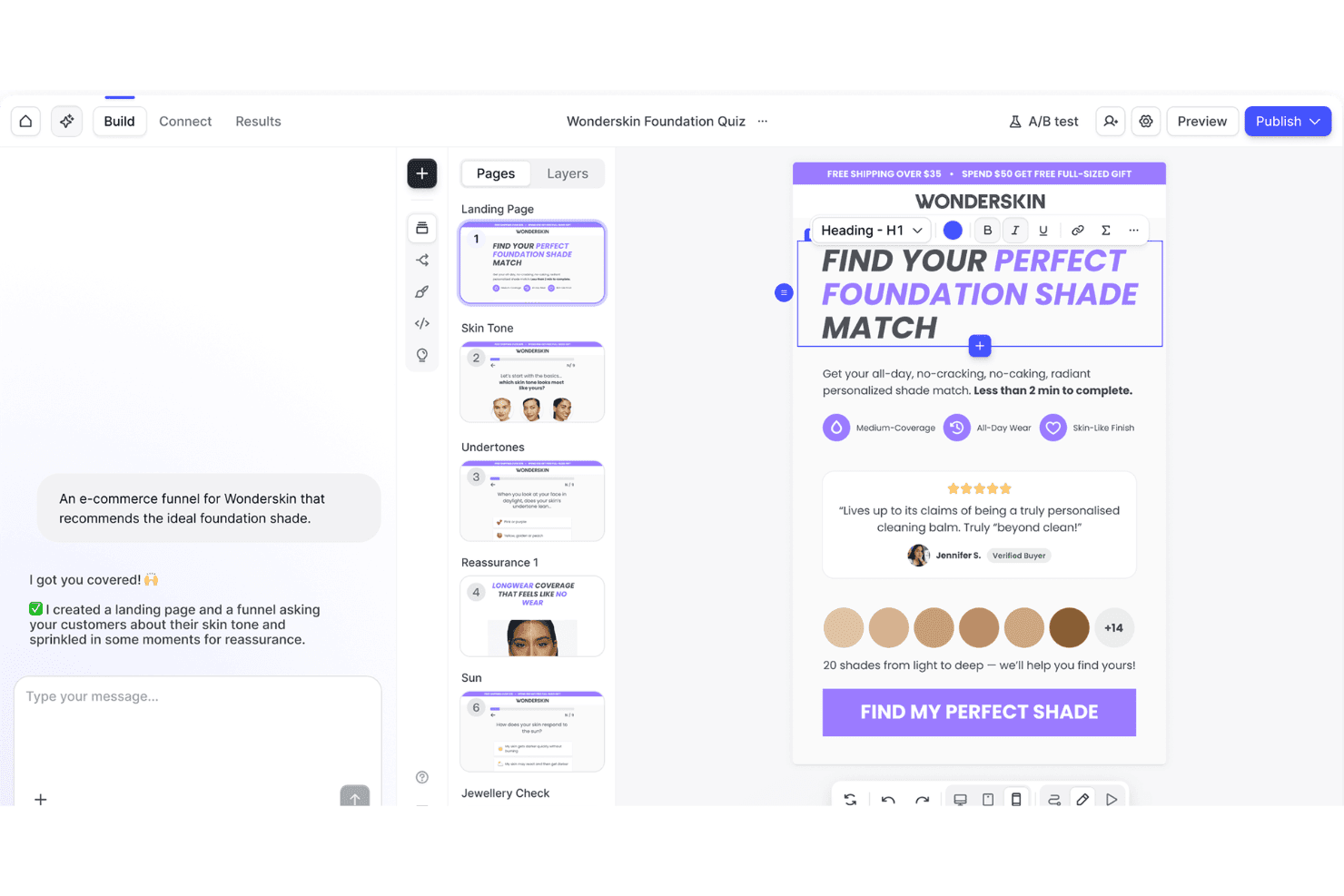
Heyflow’s interface is refreshingly visual and requires no coding, so you can launch new flows fast without technical help.
Users often mention how the step-by-step builder, real-time previews, and inline editing make it easy to design sophisticated lead paths. This hands-on approach makes iterating and optimizing flows much simpler than most alternatives.
Integrations
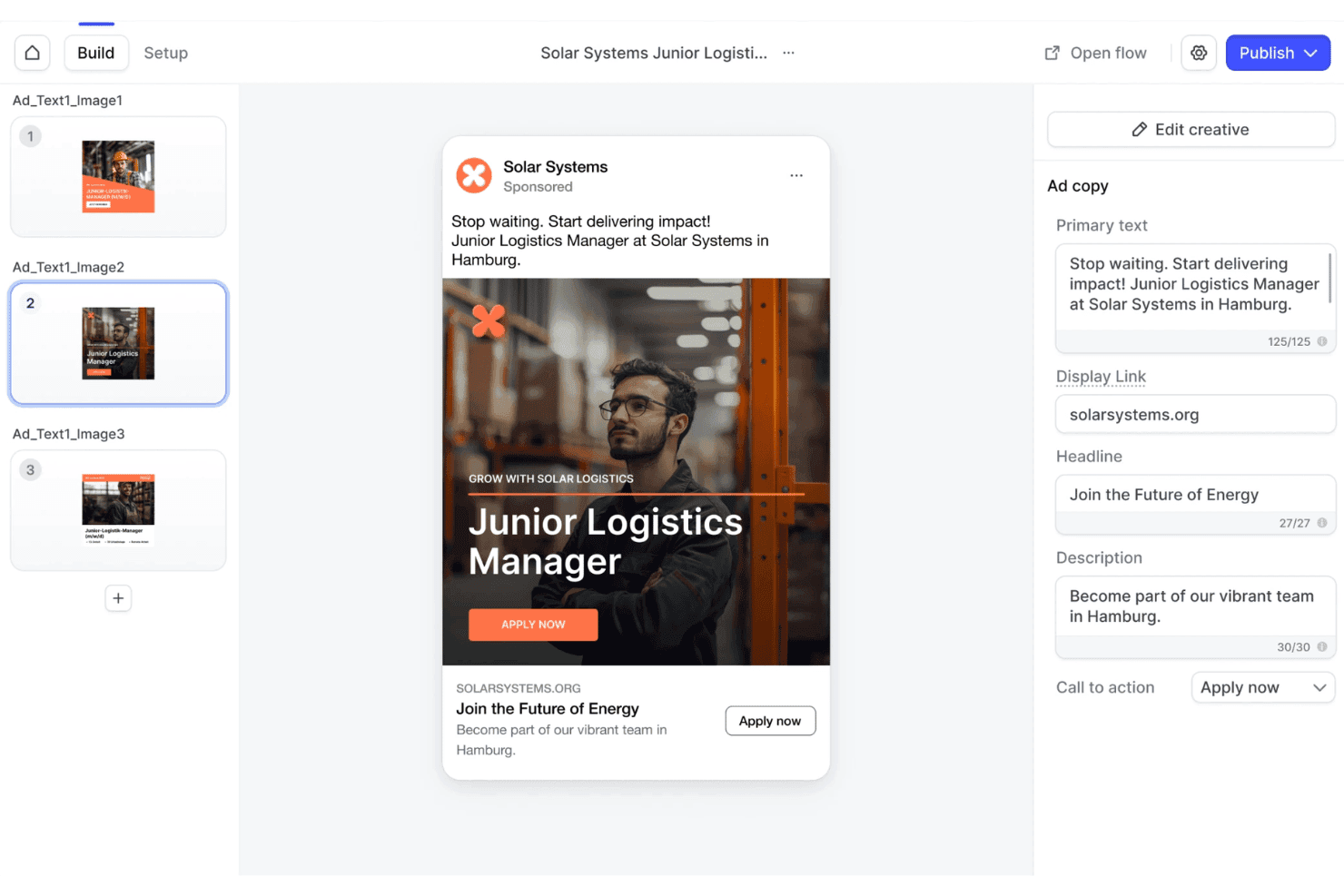
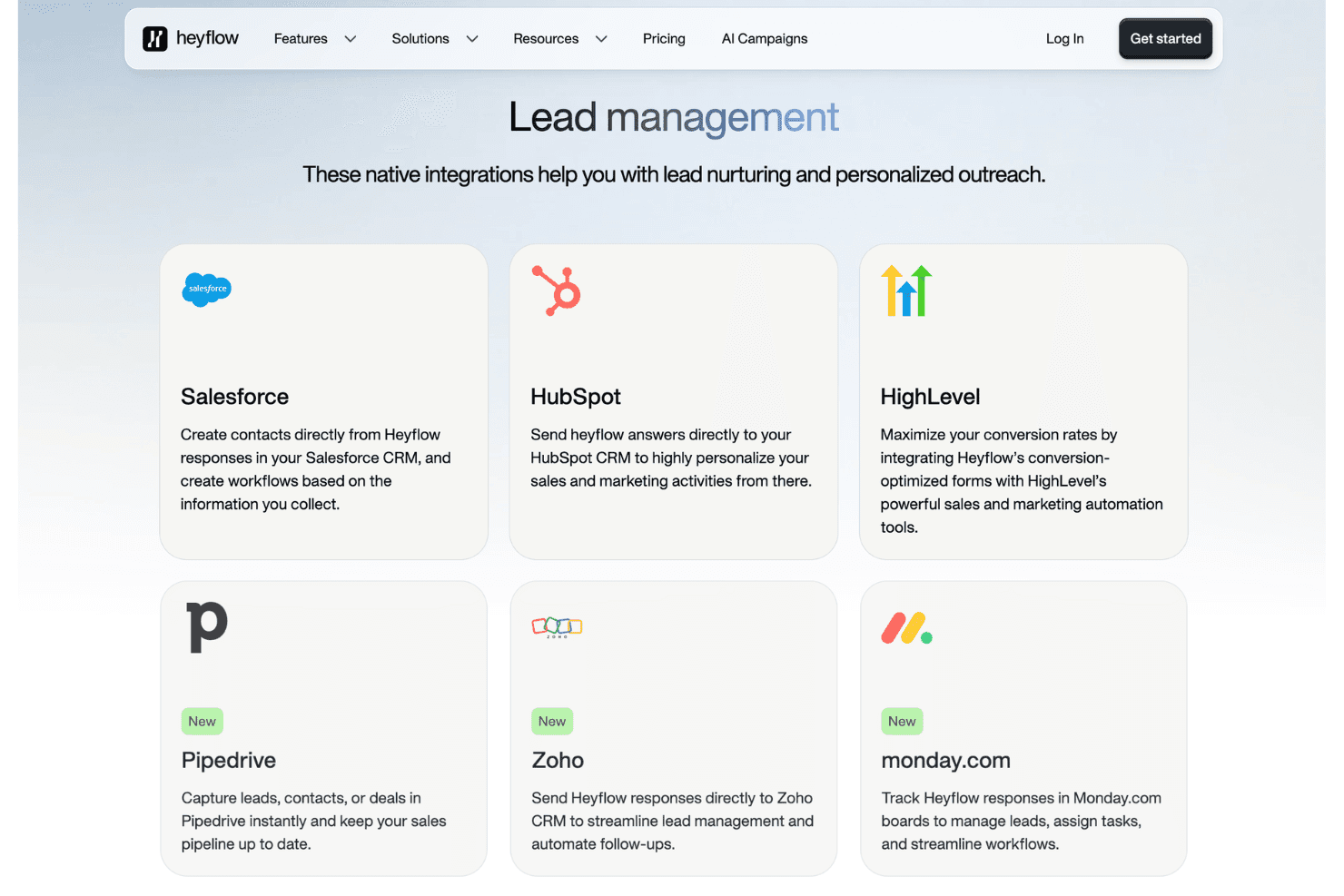
Heyflow integrates with HubSpot, Salesforce, Mailchimp, Google Sheets, Slack, Pipedrive, Zapier, Make, Webhooks, and Shopify.
Heyflow also offers a public API and connects with third-party integration tools like Zapier and Make.
Heyflow Specs
- A/B Testing: Yes
- API: Yes
- Data Export: Yes
- Data Import: Yes
- External Integrations: Yes
- Landing Pages: Yes
- Multi-User: Yes
- Third-Party Plugins/Add-Ons: Yes


