Better Proposals Bewertung: Vorteile, Nachteile, Funktionen und Preise erklärt


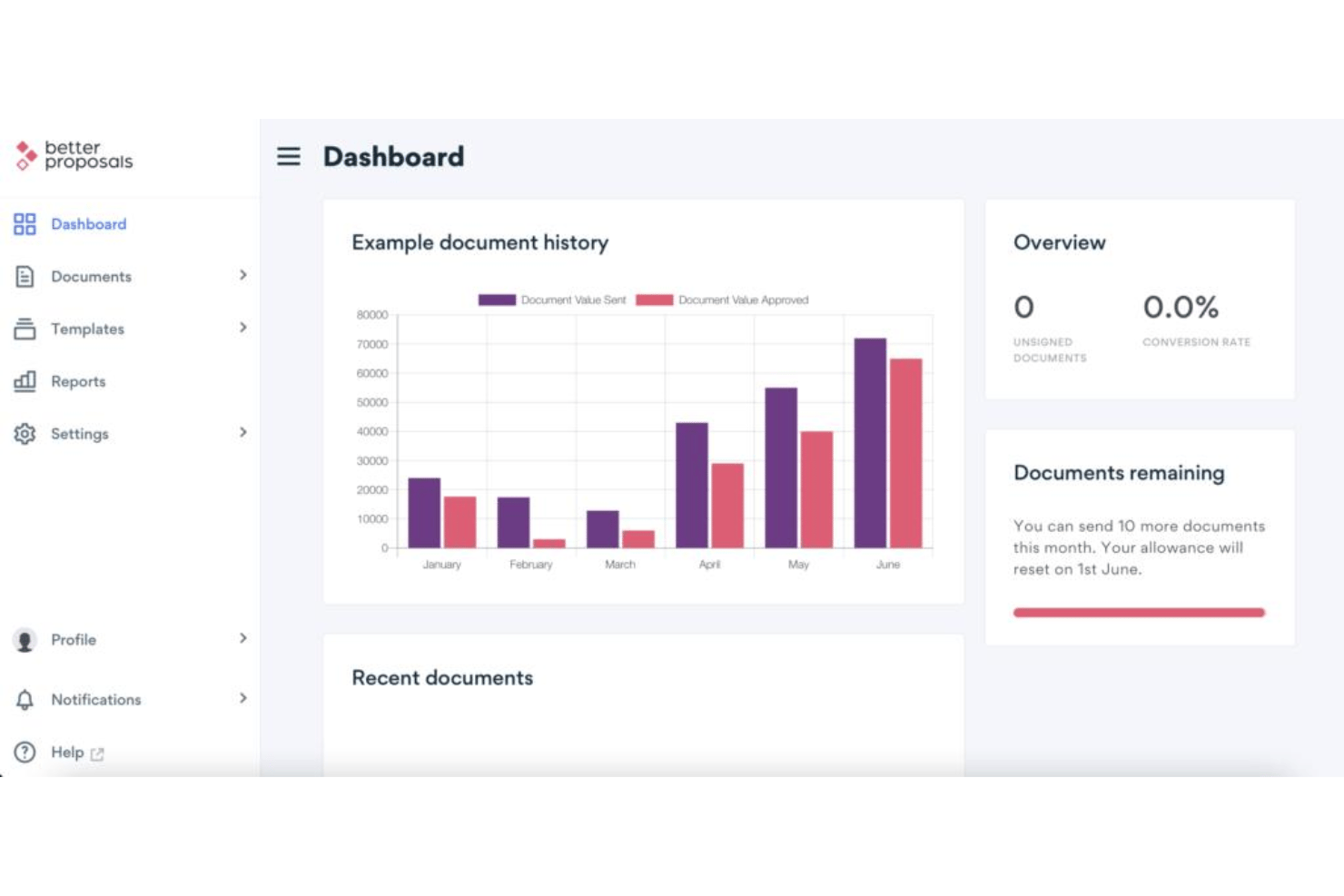
Better Proposals is a proposal software built for sales teams that need to send trackable, professionally designed proposals at volume. I'd lean toward it over Proposify when your priority is getting clean, on-brand proposals out the door fast, without the setup complexity that comes with more feature-heavy platforms.
Better Proposals Evaluation Summary
- From $13/user/month (billed annually)
- 14-day free trial
Warum Sie unseren Software-Bewertungen vertrauen können
Seit 2022 testen und bewerten wir RevOps-Software. Als RevOps-Verantwortliche wissen wir selbst, wie kritisch und schwierig es ist, die richtige Software-Auswahl zu treffen. Wir investieren in gründliche Recherche, um unserer Community fundierte Kaufentscheidungen zu ermöglichen. Wir haben mehr als 2.000 Tools für verschiedene RevOps-Anwendungsfälle getestet und über 1.000 umfassende Software-Bewertungen verfasst. Erfahren Sie, wie wir Transparenz gewährleisten & unsere Software-Bewertungskriterien.
Better Proposals Overview
If you’re judging proposal software by interface and onboarding ease, I think Better Proposals sets itself apart with its ready-to-use templates and quick setup—even non-technical teams can get started fast. Its pricing is competitive and the analytics make tracking a breeze, though integrations are more limited than some alternatives. I’d suggest it’s a strong fit for small to midsize revenue teams who want digital signing and modern branding without complex configuration. For users prioritizing design and simplicity over endless customization, Better Proposals is an easy pick.
pros
-
Built-in payment gateway for accepting deposits or full payments
-
Real-time proposal viewing and signing notifications
-
Large library of pre-designed, mobile-friendly templates
cons
-
Limited white labeling capabilities on standard plans
-
Proposal editing can feel restrictive due to block-style formatting
-
No offline proposal creation or sending options
-

Prisync
Visit WebsiteThis rating combines scores from multiple user review sites to reflect overall customer sentiment about the product.4.7 -
Expedite Commerce
Visit Website -
QuickBooks Online
Visit WebsiteThis rating combines scores from multiple user review sites to reflect overall customer sentiment about the product.4





Wie wir Tools testen & bewerten
Wir haben Jahre damit verbracht, unser System zur Softwarebewertung und -prüfung aufzubauen, zu verfeinern und kontinuierlich zu verbessern. Der Bewertungsmaßstab ist darauf ausgelegt, die Feinheiten der Software-Auswahl und die Effektivität eines Tools abzubilden, wobei der Fokus auf entscheidende Aspekte des Auswahlprozesses gelegt wird. Nachfolgend können Sie genau sehen, wie unser Test- und Bewertungssystem anhand von sieben Kriterien funktioniert. Dadurch sind wir in der Lage, eine objektive Einschätzung der Software auf Basis von Kernfunktionalität, besonderen Merkmalen, Benutzerfreundlichkeit, Onboarding, Kundensupport, Integrationen, Kundenbewertungen und Preis-Leistungs-Verhältnis zu geben.
Kernfunktionalität (25% der Gesamtnote)
Unser Bewertungsprozess beginnt immer mit der Kernfunktionalität eines Tools. Verfügt es über die grundlegenden Funktionen und Merkmale, die ein Nutzer erwarten würde? Sind einige dieser Kernfunktionen nur in teureren Tarifen verfügbar? Grundsätzlich erwarten wir, dass ein Tool mit den Grundfunktionen seiner Wettbewerber mithalten kann.
Besondere Merkmale (25% der Gesamtnote)
Im nächsten Schritt bewerten wir außergewöhnliche Zusatzfunktionen, die über den üblichen Funktionsumfang hinausgehen. Eine hohe Bewertung spiegelt spezialisierte oder einzigartige Eigenschaften wider, welche das Produkt schneller, effizienter oder für den Nutzer wertvoller machen. Wir bewerten außerdem, wie einfach sich andere typische Tools zur Erweiterung der Funktionalität und des Nutzens integrieren lassen. Lösungen mit zahlreichen nativen Integrationen, Drittanbieter-Anbindungen und API-Zugängen für eigene Anpassungen schneiden am besten ab.
Benutzerfreundlichkeit (10% der Gesamtnote)
Wir berücksichtigen, wie schnell und einfach sich Aufgaben mit der Kernfunktionalität durch das Tool erledigen lassen. Hoch bewertete Software ist gut gestaltet, intuitiv bedienbar, bietet mobile Apps, Vorlagen und gestaltet sogar komplexe Aufgaben einfach.
Onboarding (10% der Gesamtnote)
Uns ist wichtig, wie schnell Teams eine neue Plattform übernehmen, daher bewerten wir, wie leicht ein Tool ohne umfangreiche Schulungen erlernbar und nutzbar ist. Wir betrachten, wie schnell Teammitglieder ohne Vorerfahrung loslegen können. Hoch bewertete Lösungen zeichnen sich dadurch aus, dass nur wenig oder keine Unterstützung notwendig ist.
Kundensupport (10% der Gesamtnote)
Wir prüfen, wie schnell und einfach es ist, Unterstützung per Telefon, Live-Chat oder Wissensdatenbank zu erhalten. Anbieter, die Echtzeit-Support bieten, erzielen die besten Noten, während Chatbots am schlechtesten abschneiden.
Kundenbewertungen (10% der Gesamtnote)
Zusätzlich zu unseren eigenen Tests berücksichtigen wir den Net Promoter Score von aktuellen und früheren Kunden. Wir prüfen, ob Nutzer das Tool für die Kernfunktionalitäten erneut wählen würden. Eine hohe Softwarebewertung spiegelt einen hohen Weiterempfehlungswert aktueller oder früherer Kunden wider.
Preis-Leistungs-Verhältnis (10% der Gesamtnote)
Abschließend bewerten wir unter Berücksichtigung aller Kriterien den durchschnittlichen Preis für Einstiegs-Tarife im Verhältnis zu den Kernfunktionen und dem Wert der übrigen Kriterien. Software, die mehr Leistung für weniger Geld bietet, erzielt eine höhere Bewertung.
Core Features
Digital Signatures
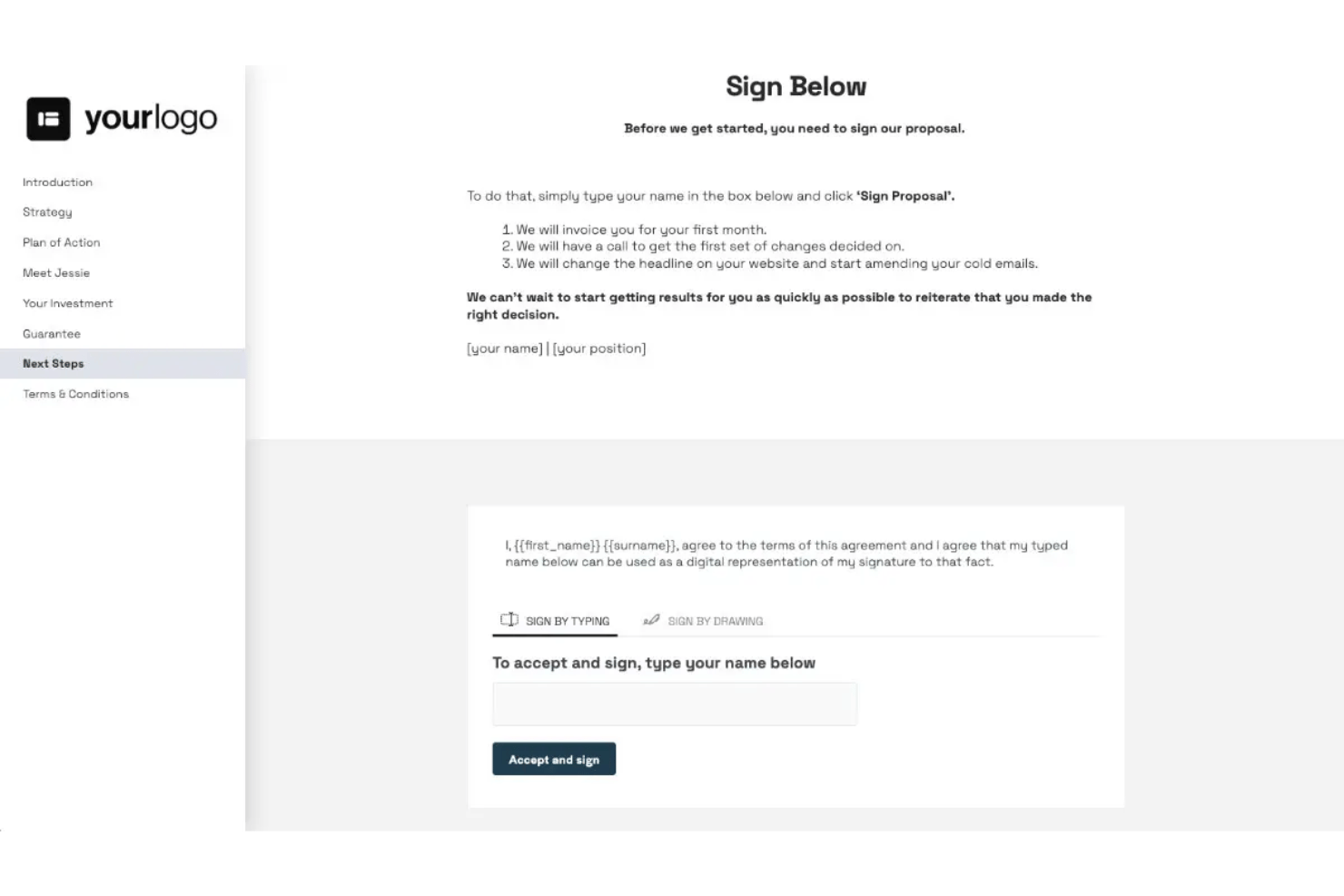
Clients can sign proposals instantly from any device. E-signatures are legally binding and tracked automatically.
Payment Integrations
Collect deposits or full payments directly in your proposals. Stripe and PayPal support speeds up deal execution.
Real-Time Analytics
Track when, where, and how often proposals are viewed. Get notified the moment a prospect opens or signs.
Proposal Templates
Choose from a library of modern, customizable templates. Every template is mobile-friendly and designed for digital delivery.
Content Library
Save commonly used sections and reuse them in new proposals. Insert pre-approved content with a click for faster creation.
PDF Export
Download or send proposals as professionally formatted PDFs. This ensures clients can view documents offline or archive them easily.
Ease of Use
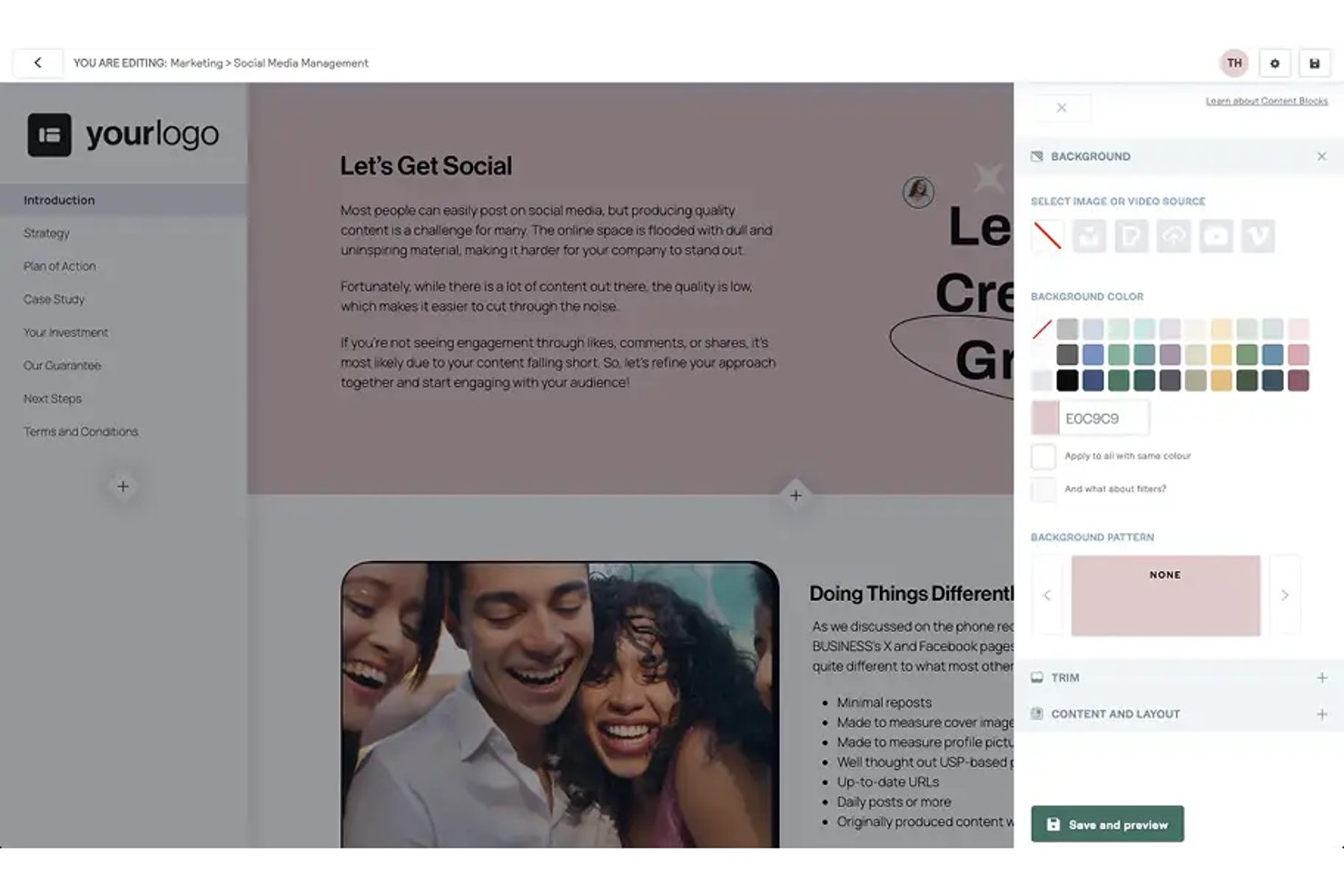
Better Proposals stands out for user-friendly interface with its drag-and-drop editor, clear navigation, and quick-start templates. Most users say onboarding takes minutes, not hours, which speeds up adoption. I think even first-timers will find proposal creation straightforward, thanks to guided steps and instant previews of every change.
Integrations
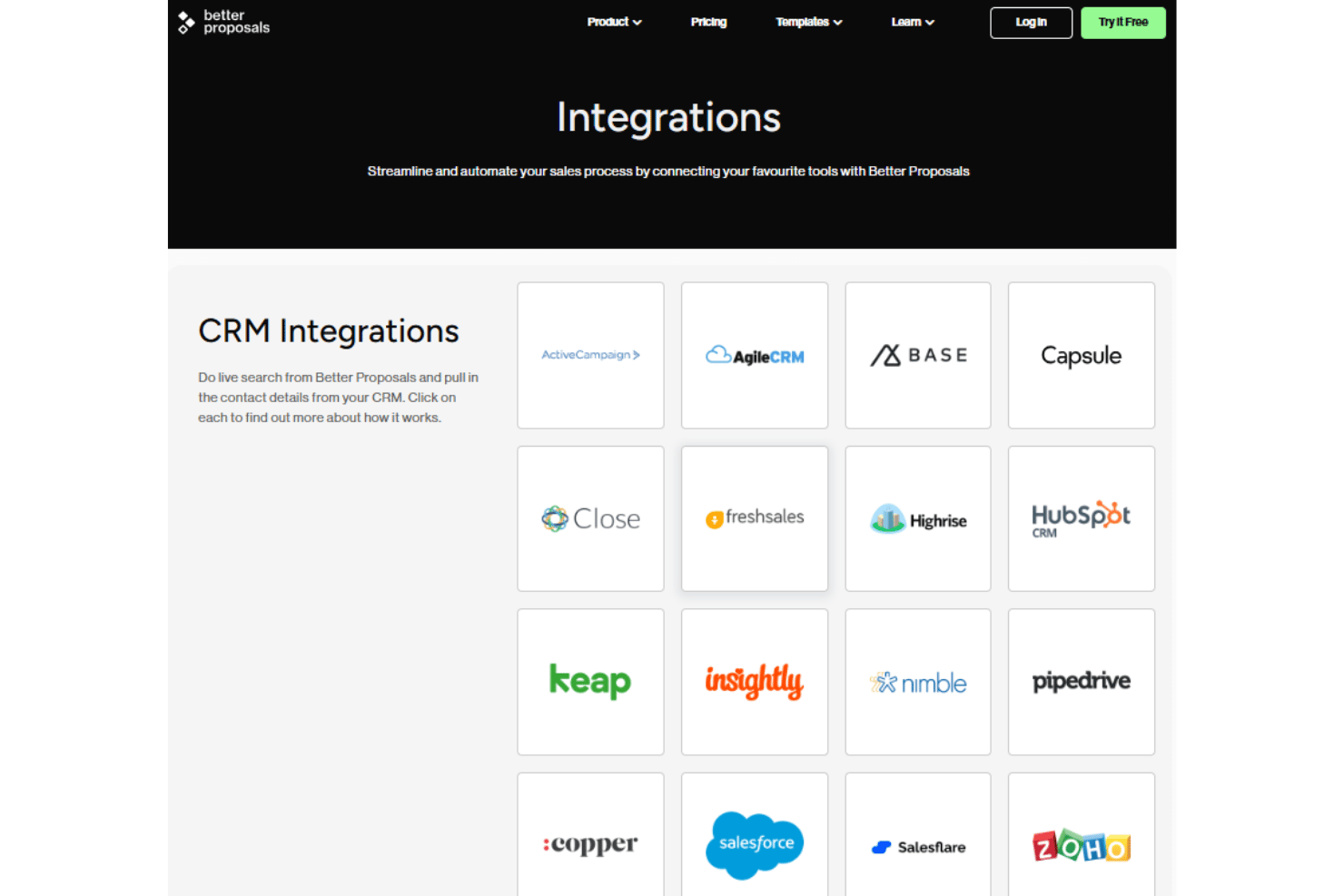
Better Proposals integrates with HubSpot, Salesforce, Pipedrive, Zoho CRM, Freshsales, Zapier, Stripe, PayPal, and Asana, among others.
It also offers a public API and connects with third-party integration tools for broader workflow automation.
Better Proposals Specs
- API
- Audience Targeting
- Contact Management
- Contact Sharing
- Conversion Tracking
- Customer Management
- Data Export
- Data Import
- Email Integration
- Expense Tracking
- External Integrations
- Inventory Tracking
- Lead Management
- Lead Scoring
- Multi-Currency
- Multi-User
- Notifications
- Project Management
- Supplier Management