

Driven Review 2026: Pros, Cons, Features and Pricing
I judge Driven by what matters most in sales comp: whether it makes commissions clearer and easier to manage. Here’s how its features, trade-offs, and pricing stack up.

We review tools independently, and commissions help fund our testing. See our transparency policy, our methodology, or suggest a tool.
Driven is a sales compensation software for teams that need to manage commission plans and give reps clear payout visibility. I’d choose it over CaptivateIQ when you want to build plans from existing documents or plain-language prompts and launch without consultant-led implementation.
Driven Evaluation Summary
4.8/5
- Pricing upon request
- Free plan available
Why Trust Our Software Recommendations
6,700+
Reviews
20
Industry experts
16+
Evaluation factors
14
Years
Our reviews reflect our independent judgment—not a sales pitch. Learn how we stay transparent.
For this guide, we evaluated tools using hands-on testing and independent research, scoring tools using our selection criteria.
Our reviews reflect our human editorial judgment, not a sales pitch.
Driven Overview
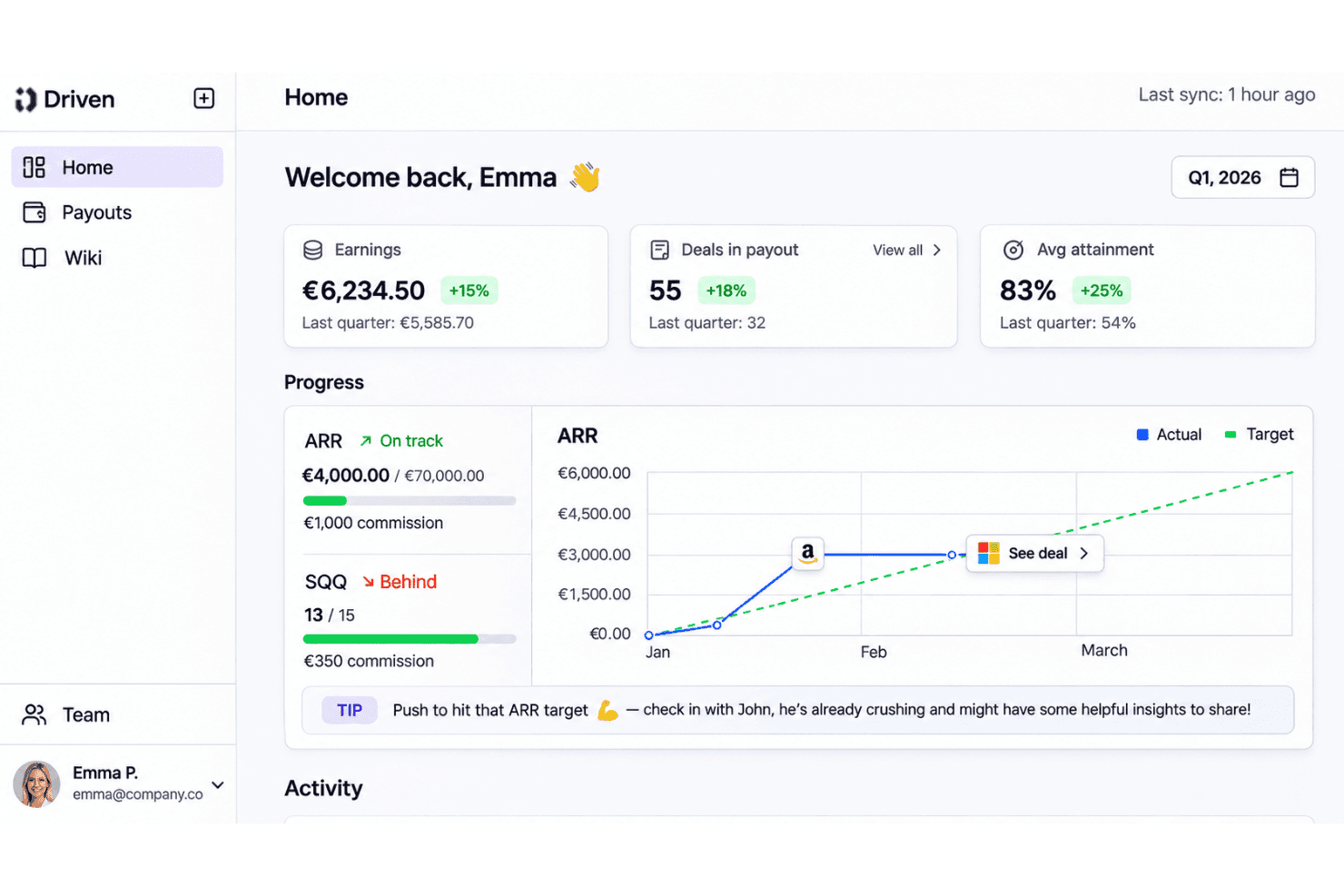
I’d choose Driven for a sales team that wants clear commission calculations without consultant-led setup. Its chat-based plan builder, live earnings dashboards, payout approvals, and deal-level audit trails cover the core workflow; for example, finance can review approved payouts and export statements as CSV or PDF. The free tier supports three seats and one plan, while larger tiers use custom pricing and add guided or dedicated setup and support. I like its simple, prompt-led interface, but it only offers named integrations with Salesforce, HubSpot, and Slack, so teams with other CRMs should check CSV options before selecting it.
Pros
- Reps see live earnings, targets, and deal-level payout explanations.
- Automated calculations, audit trails, and dispute reviews cut manual reconciliation.
- Prompt-led plan building turns compensation documents into editable rules.
Cons
- Teams outside Salesforce or HubSpot may depend on CSV imports.
- Highly tailored commission workflows have fewer options than larger suites.
- Multi-currency support sits behind quote-based Enterprise pricing.


How We Test & Score Tools
We’ve spent years building, refining, and improving our software testing and scoring system. The rubric is designed to capture the nuances of software selection and what makes a tool effective, focusing on critical aspects of the decision-making process.
Below, you can see exactly how our testing and scoring works across seven criteria. It allows us to provide an unbiased evaluation of the software based on core functionality, standout features, ease of use, onboarding, customer support, integrations, customer reviews, and value for money.
Core Functionality (25% of final scoring)
The starting point of our evaluation is always the core functionality of the tool. Does it have the basic features and functions that a user would expect to see? Are any of those core features locked to higher-tiered pricing plans? At its core, we expect a tool to stand up against the baseline capabilities of its competitors.
Standout Features (25% of final scoring)
Next, we evaluate uncommon standout features that go above and beyond the core functionality typically found in tools of its kind. A high score reflects specialized or unique features that make the product faster, more efficient, or offer additional value to the user.
We also evaluate how easy it is to integrate with other tools typically found in the tech stack to expand the functionality and utility of the software. Tools offering plentiful native integrations, 3rd party connections, and API access to build custom integrations score best.
Ease of Use (10% of final scoring)
We consider how quick and easy it is to execute the tasks defined in the core functionality using the tool. High scoring software is well designed, intuitive to use, offers mobile apps, provides templates, and makes relatively complex tasks seem simple.
Onboarding (10% of final scoring)
We know how important rapid team adoption is for a new platform, so we evaluate how easy it is to learn and use a tool with minimal training. We evaluate how quickly a team member can get set up and start using the tool with no experience. High scoring solutions indicate little or no support is required.
Customer Support (10% of final scoring)
We review how quick and easy it is to get unstuck and find help by phone, live chat, or knowledge base. Tools and companies that provide real-time support score best, while chatbots score worst.
Customer Reviews (10% of final scoring)
Beyond our own testing and evaluation, we consider the net promoter score from current and past customers. We review their likelihood, given the option, to choose the tool again for the core functionality. A high scoring software reflects a high net promoter score from current or past customers.
Value for Money (10% of final scoring)
Lastly, in consideration of all the other criteria, we review the average price of entry level plans against the core features and consider the value of the other evaluation criteria. Software that delivers more, for less, will score higher.
Core Features
Chat-Based Plan Builder
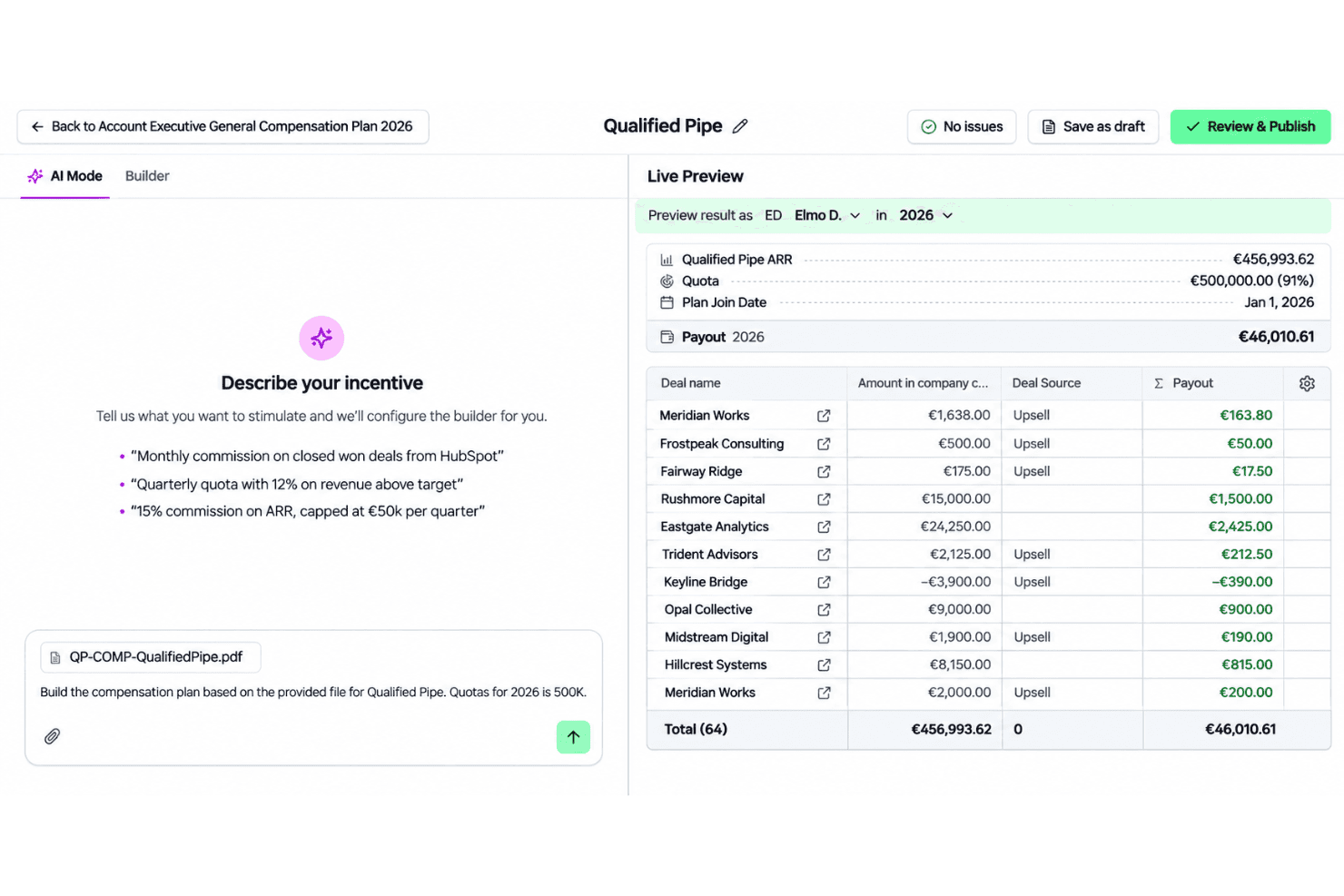
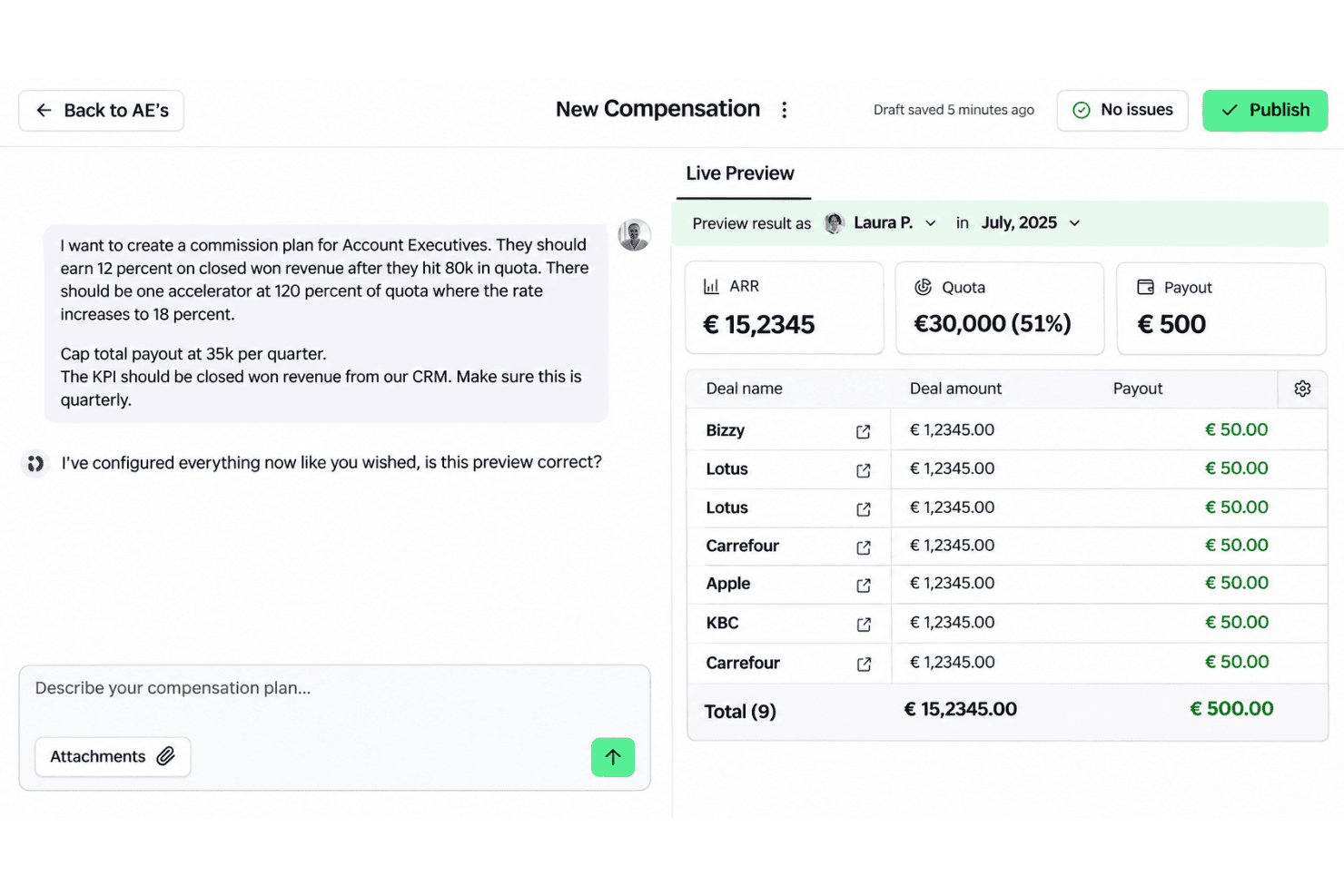
Driven turns compensation documents or plain-language prompts into editable plan rules. Your team can start from existing terms and review the rules before applying them.
Automated Commission Calculations
Driven calculates commissions from configured plan rules. This gives finance and sales teams a consistent basis for checking payouts.
Live Earnings Dashboards
Reps can view current earnings and targets in a live dashboard. That visibility helps them connect their progress with expected payouts.
Deal-Level Payout Explanations
Driven shows payout explanations and audit trails at the deal level. Reps and finance can check how a specific deal affected a commission.
Payout Approvals and Statements
Finance can review and approve payouts, then export statements as CSV or PDF. This gives the team a record to check against commission totals.
Dispute Reviews
Driven supports reviews of commission disputes. Teams can use the review process to examine contested payouts alongside deal-level payout details.
Ease of Use
Driven offers a straightforward setup experience through its chat-based plan builder, which converts plan documents or prompts into editable commission rules. Dashboards provide real-time earnings visibility and deal-level explanations, helping teams understand commission calculations. Salesforce and HubSpot integrations support connected workflows, while teams using other CRM systems may need to rely on CSV imports.
Integrations
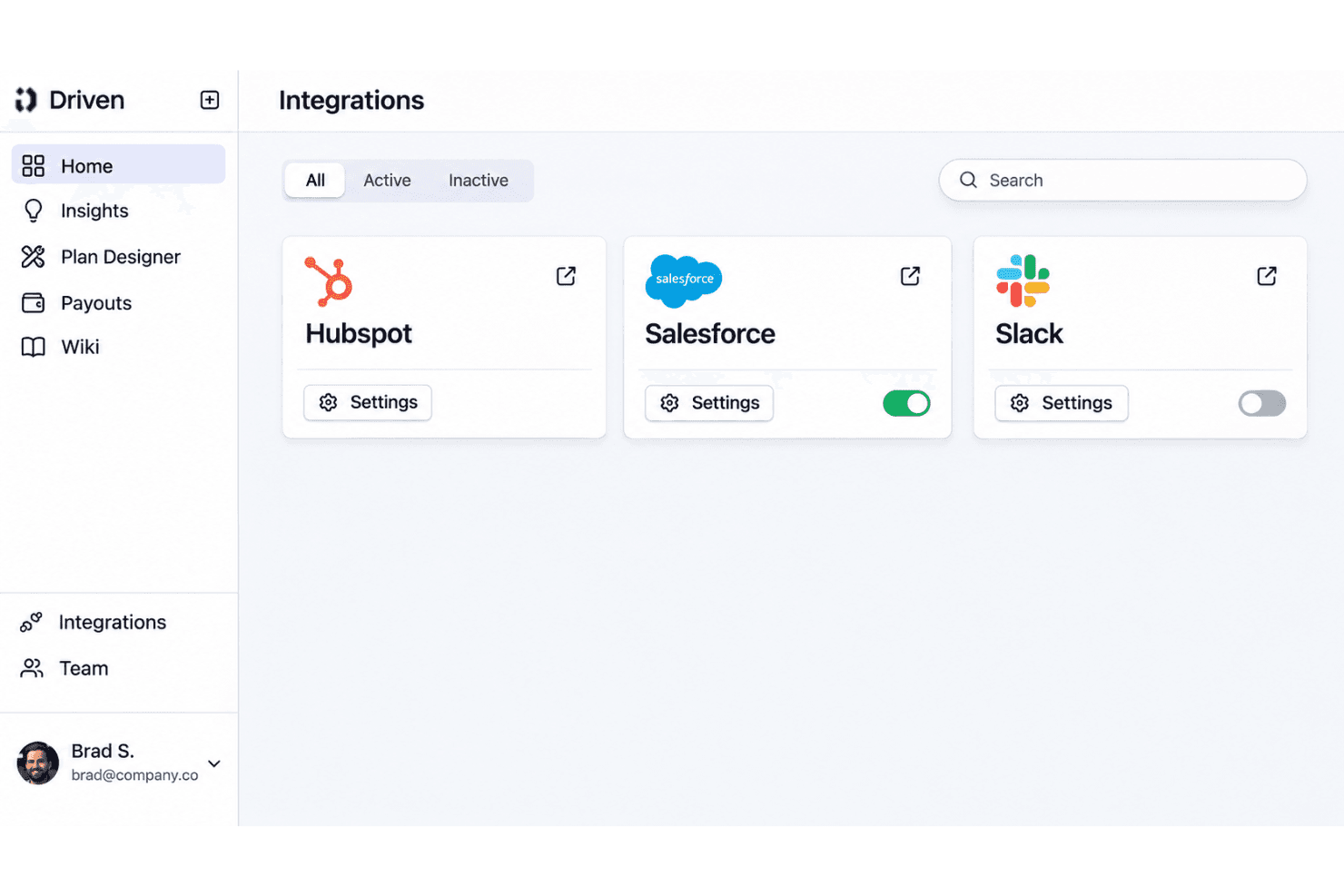
Driven integrates with Salesforce, HubSpot, and Slack. It also supports custom connections to other systems through APIs, MCP, or its AI agent, with assistance from the Driven team.
Driven Specs
- 2-Factor Authentication: Yes
- API: Yes
- Audience Targeting: No
- Budgeting: Yes
- Calendar Management: No
- Call Recording: No
- Click-to-Dial: No
- Contact Management: No
- Contact Sharing: No
- Conversion Tracking: No
- Customer Management: No
- Dashboard: Yes
- Data Export: Yes
- Data Import: Yes
- Data Visualization: Yes
- Email Integration: No
- Expense Tracking: No
- External Integrations: Yes
- Forecasting: Yes
- Google Apps Integration: No
- Inventory Tracking: No
- Lead Management: Yes
- Lead Scoring: No
- Marketing Automation: No
- Multi-User: Yes
- Notifications: Yes
- Payroll: No
- Project Management: No
- Referral Tracking: No
- Sales Motivator: Yes
- Scheduling: No
- Social-Media Integration: No
- Supplier Management: No
- Tax Management: No
- Third-Party Plugins/Add-Ons: No
- Travel Management: No


