
Varicent Review 2026: Pros, Cons, Features and Pricing
I see Varicent as a sales-compensation platform worth judging by fit, not feature count—this review weighs its strengths, trade-offs, and pricing to help you decide.

We review tools independently, and commissions help fund our testing. See our transparency policy, our methodology, or suggest a tool.
Varicent is sales compensation software for teams that need to model complex incentive plans, calculate commissions, and track performance alongside quota and territory planning. I’d choose it over Xactly when your priority is testing and adjusting intricate compensation plans, with tools for plan simulation and automated calculations in the same platform.
Varicent Evaluation Summary

4.5/5
- Pricing upon request
- Free demo available
Why Trust Our Software Recommendations
6,700+
Reviews
20
Industry experts
16+
Evaluation factors
14
Years
Our reviews reflect our independent judgment—not a sales pitch. Learn how we stay transparent.
For this guide, we evaluated tools using hands-on testing and independent research, scoring tools using our selection criteria.
Our reviews reflect our human editorial judgment, not a sales pitch.
Varicent Overview
I’d choose Varicent when your team needs complex incentive plans alongside quota and territory planning. Plan simulation and automated calculations handle examples like accelerators, commission splits, and plan changes better than simpler commission trackers. Seller statements and dashboards show earnings and performance, though the flexible interface has a learning curve. Public pricing isn’t transparent, so compare quotes and implementation scope; onboarding can take months. Users praise knowledgeable support but report variable response times. Its integration options suit connected data environments, but validate required connectors early. I’d select it for larger teams with complex rules and operations capacity, not teams prioritizing fast setup.
Pros
- Flexible plan modeling handles complex commission rules and crediting.
- Automated calculations and audit trails support accurate, traceable payouts.
- Seller statements clarify earnings, quota attainment, and performance.
Cons
- Large-volume calculations can lag during renewal peaks.
- Implementations often take six to twelve months.
- Support-ticket resolution can take weeks or longer.


How We Test & Score Tools
We’ve spent years building, refining, and improving our software testing and scoring system. The rubric is designed to capture the nuances of software selection and what makes a tool effective, focusing on critical aspects of the decision-making process.
Below, you can see exactly how our testing and scoring works across seven criteria. It allows us to provide an unbiased evaluation of the software based on core functionality, standout features, ease of use, onboarding, customer support, integrations, customer reviews, and value for money.
Core Functionality (25% of final scoring)
The starting point of our evaluation is always the core functionality of the tool. Does it have the basic features and functions that a user would expect to see? Are any of those core features locked to higher-tiered pricing plans? At its core, we expect a tool to stand up against the baseline capabilities of its competitors.
Standout Features (25% of final scoring)
Next, we evaluate uncommon standout features that go above and beyond the core functionality typically found in tools of its kind. A high score reflects specialized or unique features that make the product faster, more efficient, or offer additional value to the user.
We also evaluate how easy it is to integrate with other tools typically found in the tech stack to expand the functionality and utility of the software. Tools offering plentiful native integrations, 3rd party connections, and API access to build custom integrations score best.
Ease of Use (10% of final scoring)
We consider how quick and easy it is to execute the tasks defined in the core functionality using the tool. High scoring software is well designed, intuitive to use, offers mobile apps, provides templates, and makes relatively complex tasks seem simple.
Onboarding (10% of final scoring)
We know how important rapid team adoption is for a new platform, so we evaluate how easy it is to learn and use a tool with minimal training. We evaluate how quickly a team member can get set up and start using the tool with no experience. High scoring solutions indicate little or no support is required.
Customer Support (10% of final scoring)
We review how quick and easy it is to get unstuck and find help by phone, live chat, or knowledge base. Tools and companies that provide real-time support score best, while chatbots score worst.
Customer Reviews (10% of final scoring)
Beyond our own testing and evaluation, we consider the net promoter score from current and past customers. We review their likelihood, given the option, to choose the tool again for the core functionality. A high scoring software reflects a high net promoter score from current or past customers.
Value for Money (10% of final scoring)
Lastly, in consideration of all the other criteria, we review the average price of entry level plans against the core features and consider the value of the other evaluation criteria. Software that delivers more, for less, will score higher.
Core Features
Incentive Plan Design
Varicent’s no-code plan builder lets teams create or customize components for commission rules, tiers, and complex plan structures. Its change audit trail helps you track revisions when plans shift mid-cycle.
Automated Commission Calculations
Varicent applies incentive logic across plans and maintains calculation audit trails. Your team can trace payouts back to their calculations, such as checking whether credited sales triggered an accelerator tier.
Plan Modeling and Simulation
Use predictive analytics and performance trends to model plan options and forecast their outcomes before rollout. For example, compare an accelerator’s expected payout and revenue impact with the current plan.
Seller Statements and Dashboards
The seller portal provides on-demand commission statements, commission data, quota attainment, and tier information. A rep can check earnings and see whether progress toward quota has moved them into a higher tier.
Payout Approval Workflows
Varicent routes payout approvals and plan documents through configurable workflows, with options for plan acknowledgment and e-signature. Your team can set review steps before payouts and keep plan acceptance on record.
Quota and Territory Planning
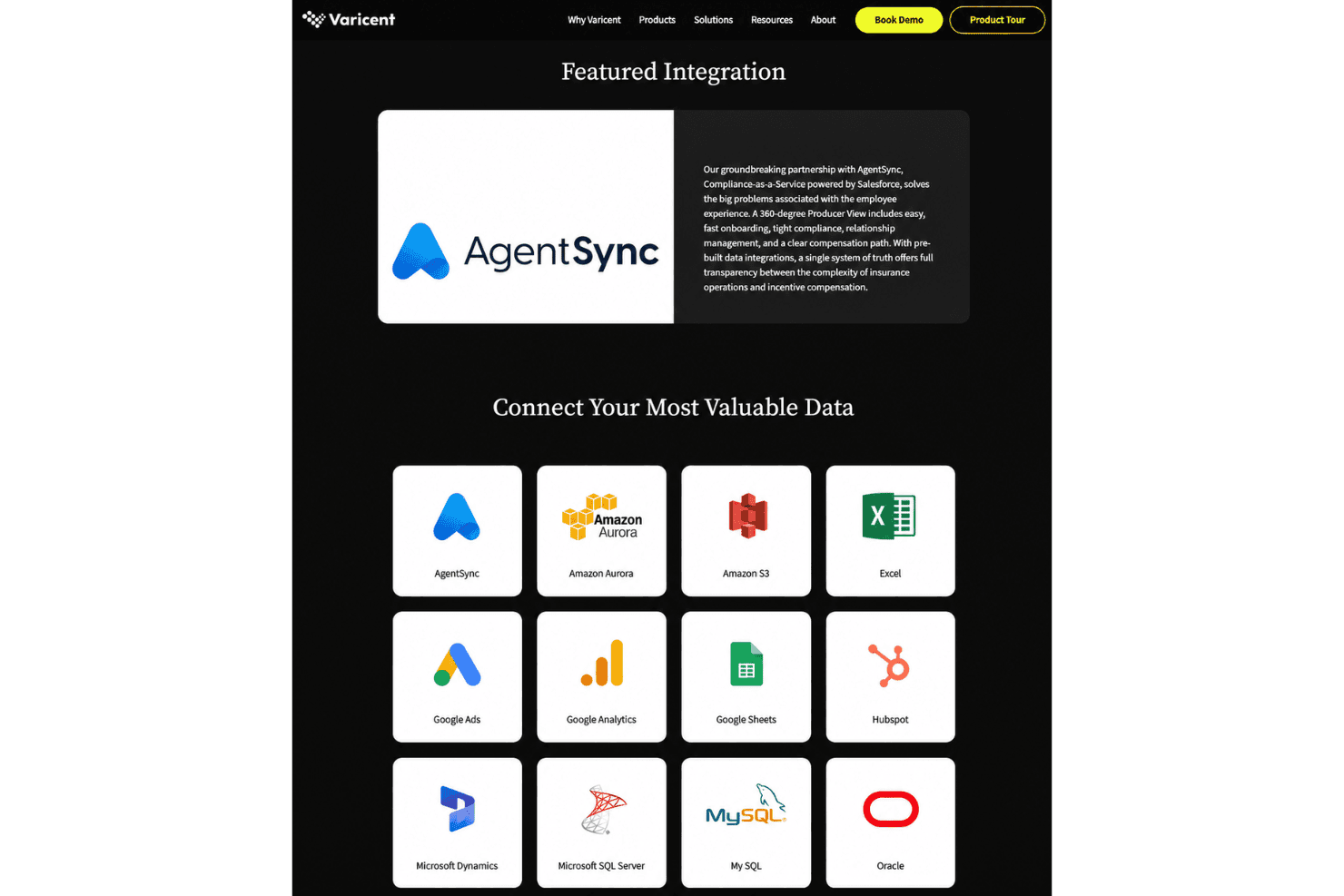
Varicent’s sales planning tools model territories, quotas, capacity, and incentives together, allowing teams to compare scenarios before setting targets. For example, test a quota against seller capacity and territory coverage, then assess its compensation impact.
Ease of Use
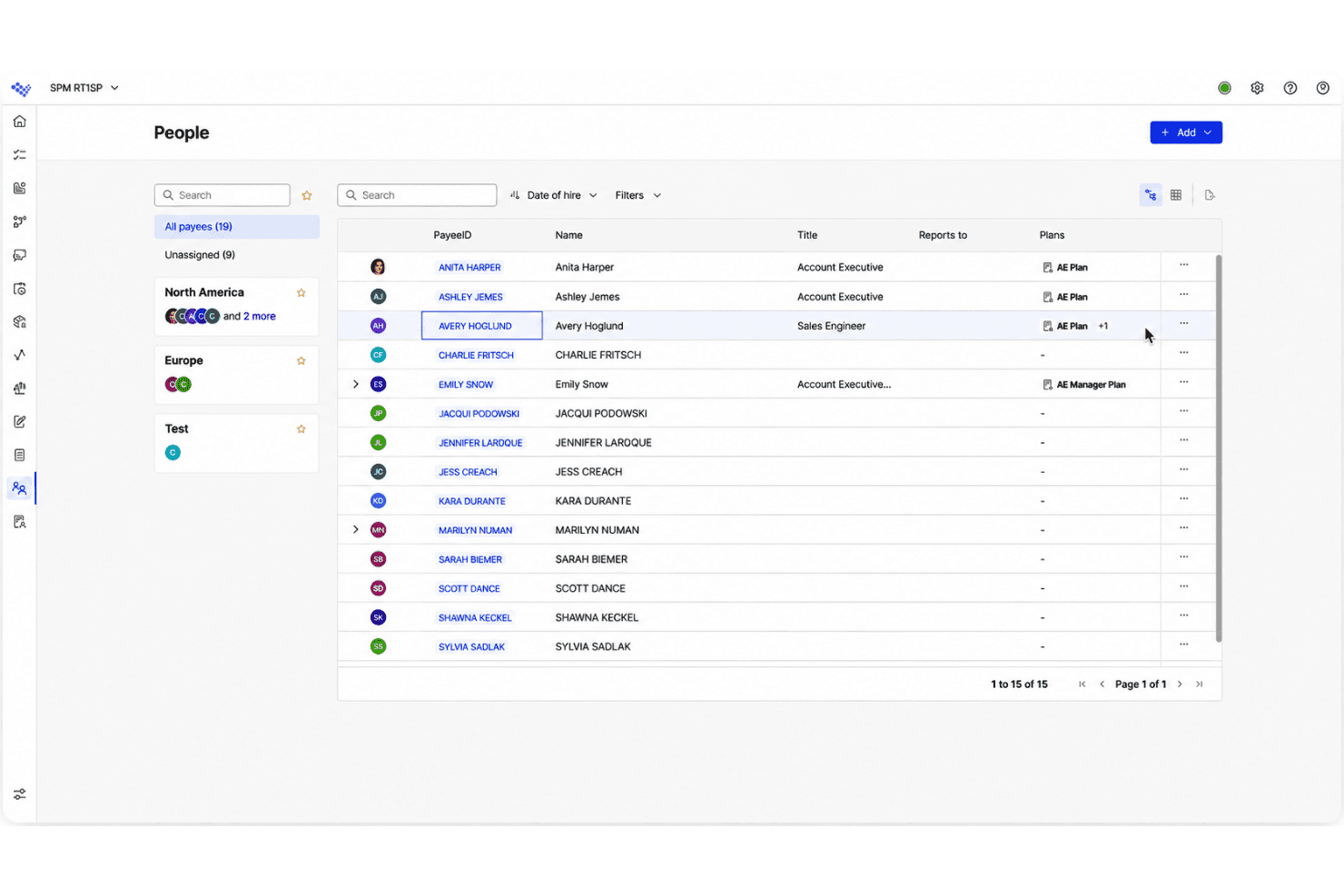
Varicent is capable but takes time to learn, especially when configuring complex plans and workflows. Its plan builder, simulations, and quota and territory tools give experienced teams room to model detailed rules, while seller statements make earnings easier to check. Support is knowledgeable, although response times can be inconsistent, and implementations can take six to twelve months. I’d call it usable once configured, but a poor fit if you need a quick, intuitive setup.
Integrations
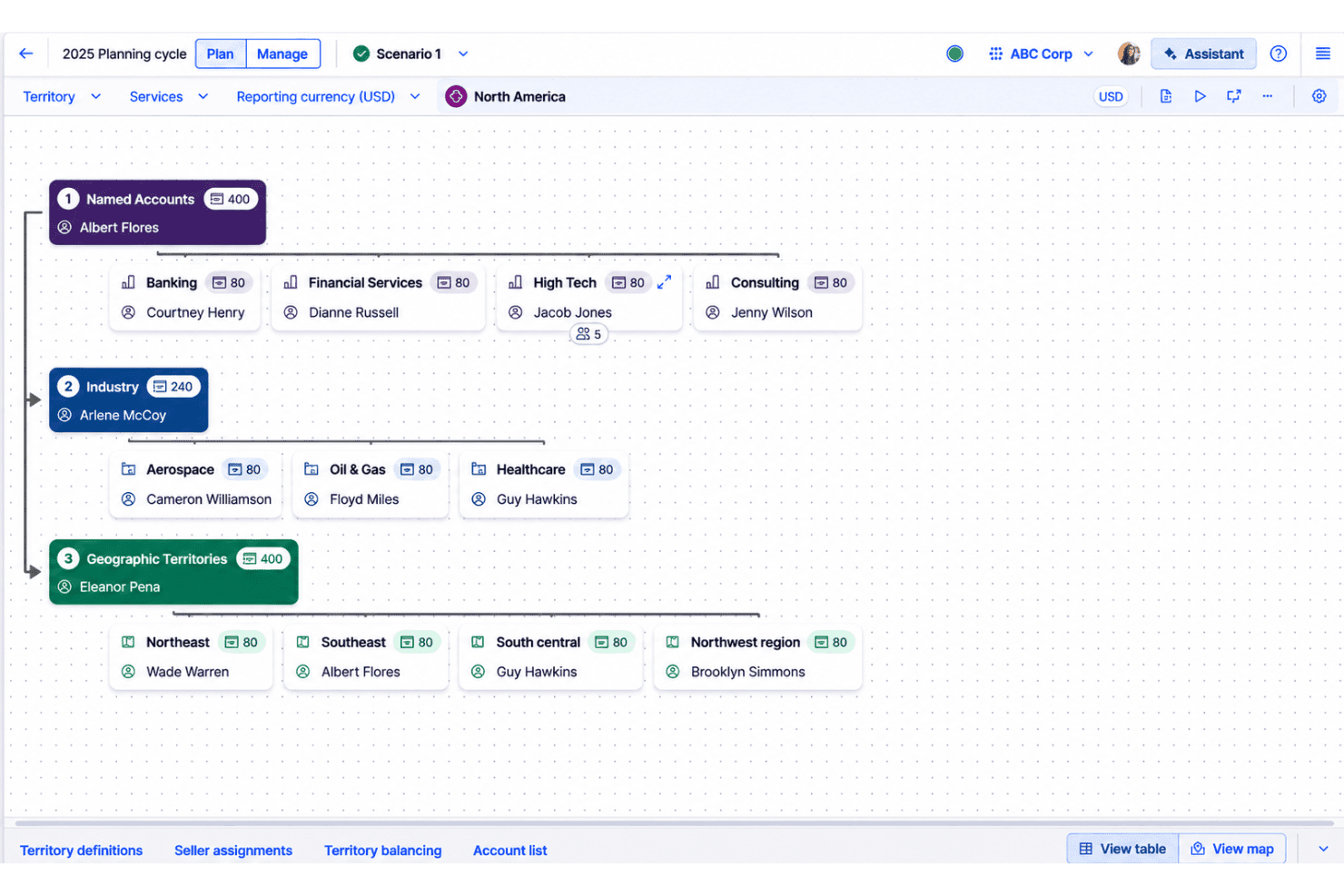
Varicent integrates with AgentSync, Amazon Aurora, Amazon S3, Excel, Google Ads, Google Analytics, Google Sheets, HubSpot, Microsoft Dynamics, and Microsoft SQL Server, among others.
Varicent also provides access to publicly available APIs and REST API connectors for connecting third-party data sources.
Varicent Specs
- API: Yes
- Audience Targeting: No
- Budgeting: Yes
- Calendar Management: No
- Call Disposition: No
- Call Tracking: No
- Contact Management: No
- Contact Sharing: No
- CRM Integration: Yes
- Customer Management: No
- Dashboard: Yes
- Data Export: Yes
- Data Import: Yes
- Data Visualization: Yes
- Email Integration: No
- Expense Tracking: No
- External Integrations: Yes
- Forecasting: Yes
- Google Apps Integration: Yes
- Inventory Tracking: No
- Lead Management: No
- Lead Scoring: No
- Marketing Automation: No
- Multi-Currency: Yes
- Multi-User: Yes
- Notifications: Yes
- Project Management: No
- Referral Tracking: No
- Sales Motivator: Yes
- Scheduling: No
- Softphone: No
- Supplier Management: No
- Third-Party Plugins/Add-Ons: No
- Travel Management: No


