


FluentStream Review: Pros, Cons, Features and Pricing


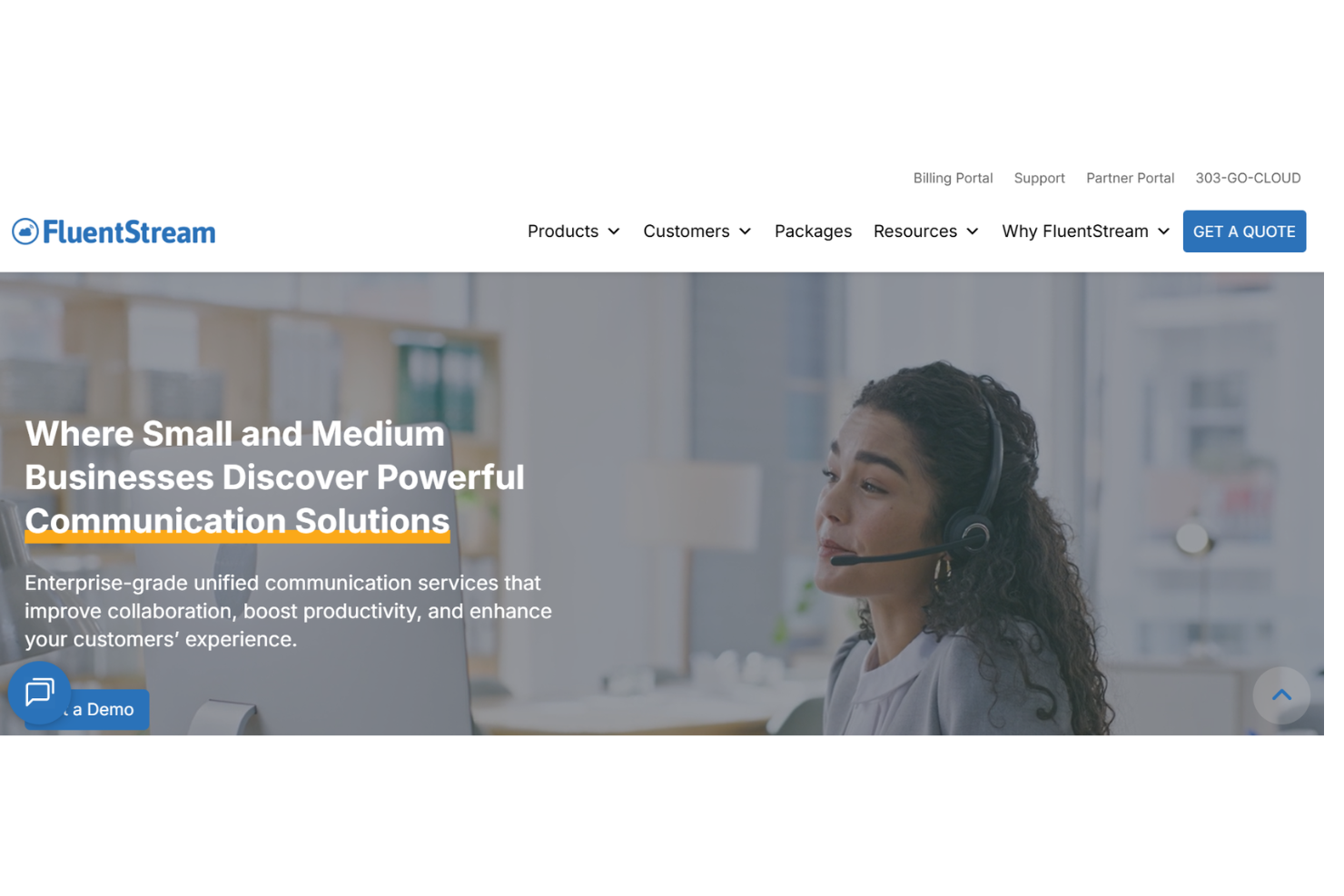
FluentStream is a sales call tracking software built for sales teams that need call recording, routing, and analytics inside a single phone system. I'd consider it over a tool like Aircall if your team wants both the telephony infrastructure and the call tracking layer in one platform—rather than pairing a standalone tracker with a separate VoIP provider. It's a practical fit when your goal is tighter control over call flows without managing multiple vendors.
FluentStream Evaluation Summary
- From $5/month
- Free demo available
Why Trust Our Software Recommendations
Our reviews reflect our independent judgment—not a sales pitch. Learn how we stay transparent.
For this guide, we evaluated tools using hands-on testing and independent research, scoring tools using our selection criteria.
Our reviews reflect our human editorial judgment, not a sales pitch.
FluentStream Overview
In my opinion, FluentStream is a solid choice for small to medium-sized businesses looking for reliable call tracking. It offers a user-friendly interface and good support, though its pricing may not suit everyone. It excels in providing clear call quality and flexible functionality but falls short on integrations compared to some competitors. If your team prioritizes ease of use and effective customer support, FluentStream could be a wise choice, especially for remote work environments.
pros
-
It offers a user-friendly interface that your team can navigate easily.
-
The call quality is consistently clear, enhancing your communications.
-
Customer support is responsive and helpful when you need assistance.
cons
-
It lacks advanced integration options for some specialized tools.
-
Onboarding can be a bit challenging for new users.
-
The feature set might not be as extensive as some competitors.
Is FluentStream Right For Your Needs?
Who Would be a Good Fit for FluentStream?
FluentStream is ideal for small to medium businesses, especially those with remote teams, due to its easy navigation and reliable call quality. Customer service departments benefit from its responsive support, ensuring issues are resolved quickly. It's also well-suited for tech startups that need flexible call management without complex integrations. These functionalities make FluentStream a practical choice for teams prioritizing user-friendly interfaces and efficient communication tools.
-
Remote Teams
FluentStream supports remote work with its user-friendly interface and clear call quality, making communication seamless for your team.
-
Customer Service
Its reliable call quality and responsive customer support ensure smooth interactions with your clients and quick problem resolution.
-
Tech Startups
FluentStream's flexibility and easy-to-use system cater to startups needing effective call tracking without extensive setup.
-
Sales Departments
The straightforward interface helps your sales team focus on closing deals rather than navigating complex software.
-
SMBs
FluentStream offers the essential features small businesses need, without overwhelming them with unnecessary options.
-
Education Providers
FluentStream's clear communication tools facilitate effective interactions between educators and students, enhancing the learning experience.
Who Would be a Bad Fit for FluentStream?
FluentStream isn't ideal for large enterprises requiring complex integrations and extensive feature sets. Its basic functionalities may not meet the demands of industries needing specialized call tracking solutions, like finance or healthcare, where compliance and security are paramount. If your team relies heavily on advanced integrations with other enterprise software, FluentStream might not offer the connectivity you need. It's also less suited for departments that require detailed analytics and reporting capabilities beyond basic call tracking.
-
Large Enterprises
FluentStream's lack of complex integrations and advanced features may not satisfy the needs of large corporations.
-
Finance Industry
Without specialized compliance features, FluentStream doesn't align with the stringent requirements of financial institutions.
-
Healthcare Providers
The absence of robust security features makes FluentStream unsuitable for healthcare with strict privacy regulations.
-
Enterprise IT Teams
FluentStream's limited integration options don't support the complex ecosystems often managed by large IT departments.
-
Marketing Agencies
If your agency needs detailed analytics and custom reporting, FluentStream's basic tracking features might fall short.
-
Legal Firms
FluentStream's lack of advanced call recording and documentation features may not meet the needs of legal professionals.
How We Test & Score Tools
We’ve spent years building, refining, and improving our software testing and scoring system. The rubric is designed to capture the nuances of software selection and what makes a tool effective, focusing on critical aspects of the decision-making process.
Below, you can see exactly how our testing and scoring works across seven criteria. It allows us to provide an unbiased evaluation of the software based on core functionality, standout features, ease of use, onboarding, customer support, integrations, customer reviews, and value for money.
Core Functionality (25% of final scoring)
The starting point of our evaluation is always the core functionality of the tool. Does it have the basic features and functions that a user would expect to see? Are any of those core features locked to higher-tiered pricing plans? At its core, we expect a tool to stand up against the baseline capabilities of its competitors.
Standout Features (25% of final scoring)
Next, we evaluate uncommon standout features that go above and beyond the core functionality typically found in tools of its kind. A high score reflects specialized or unique features that make the product faster, more efficient, or offer additional value to the user.
We also evaluate how easy it is to integrate with other tools typically found in the tech stack to expand the functionality and utility of the software. Tools offering plentiful native integrations, 3rd party connections, and API access to build custom integrations score best.
Ease of Use (10% of final scoring)
We consider how quick and easy it is to execute the tasks defined in the core functionality using the tool. High scoring software is well designed, intuitive to use, offers mobile apps, provides templates, and makes relatively complex tasks seem simple.
Onboarding (10% of final scoring)
We know how important rapid team adoption is for a new platform, so we evaluate how easy it is to learn and use a tool with minimal training. We evaluate how quickly a team member can get set up and start using the tool with no experience. High scoring solutions indicate little or no support is required.
Customer Support (10% of final scoring)
We review how quick and easy it is to get unstuck and find help by phone, live chat, or knowledge base. Tools and companies that provide real-time support score best, while chatbots score worst.
Customer Reviews (10% of final scoring)
Beyond our own testing and evaluation, we consider the net promoter score from current and past customers. We review their likelihood, given the option, to choose the tool again for the core functionality. A high scoring software reflects a high net promoter score from current or past customers.
Value for Money (10% of final scoring)
Lastly, in consideration of all the other criteria, we review the average price of entry level plans against the core features and consider the value of the other evaluation criteria. Software that delivers more, for less, will score higher.
Core Features
Call Management
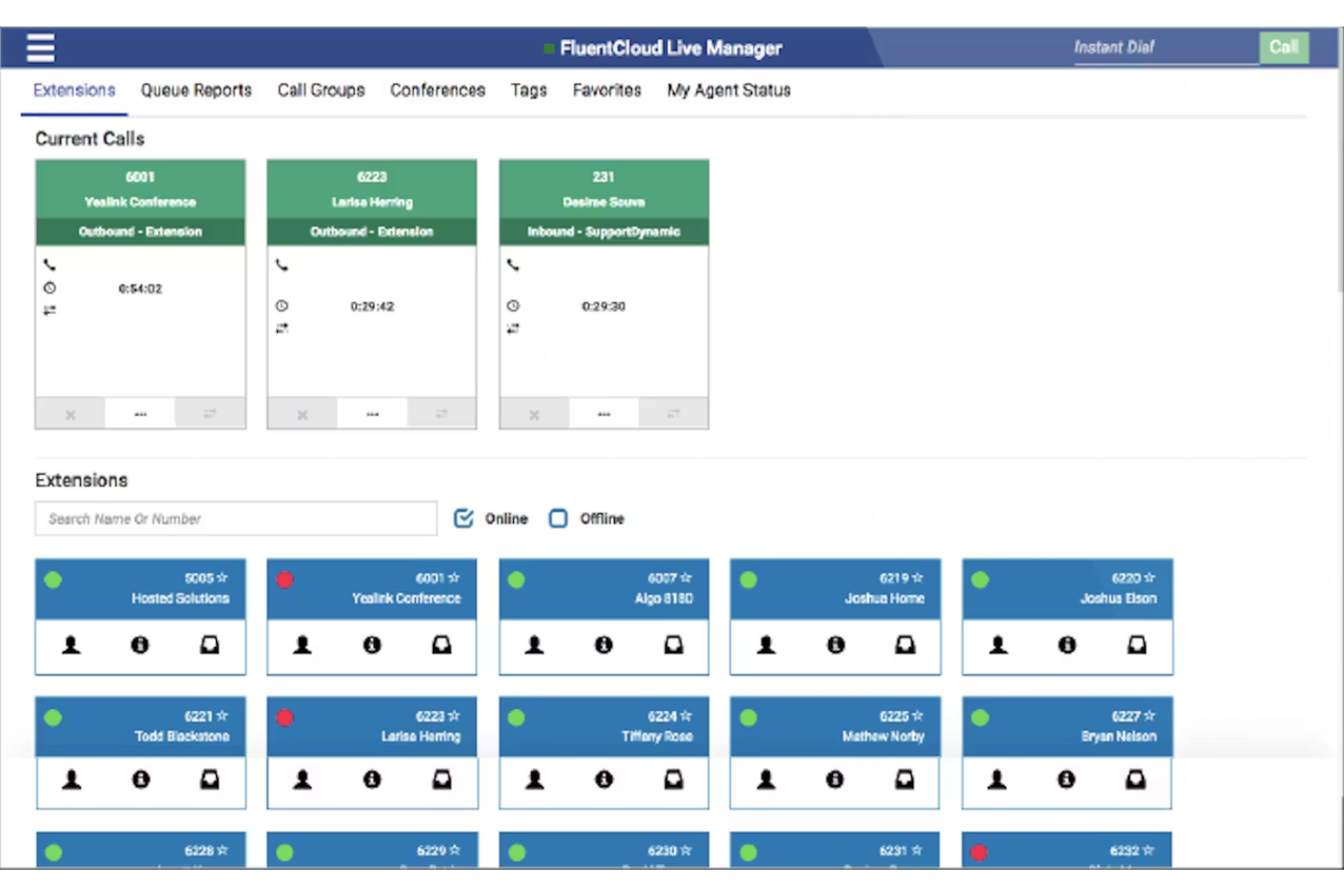
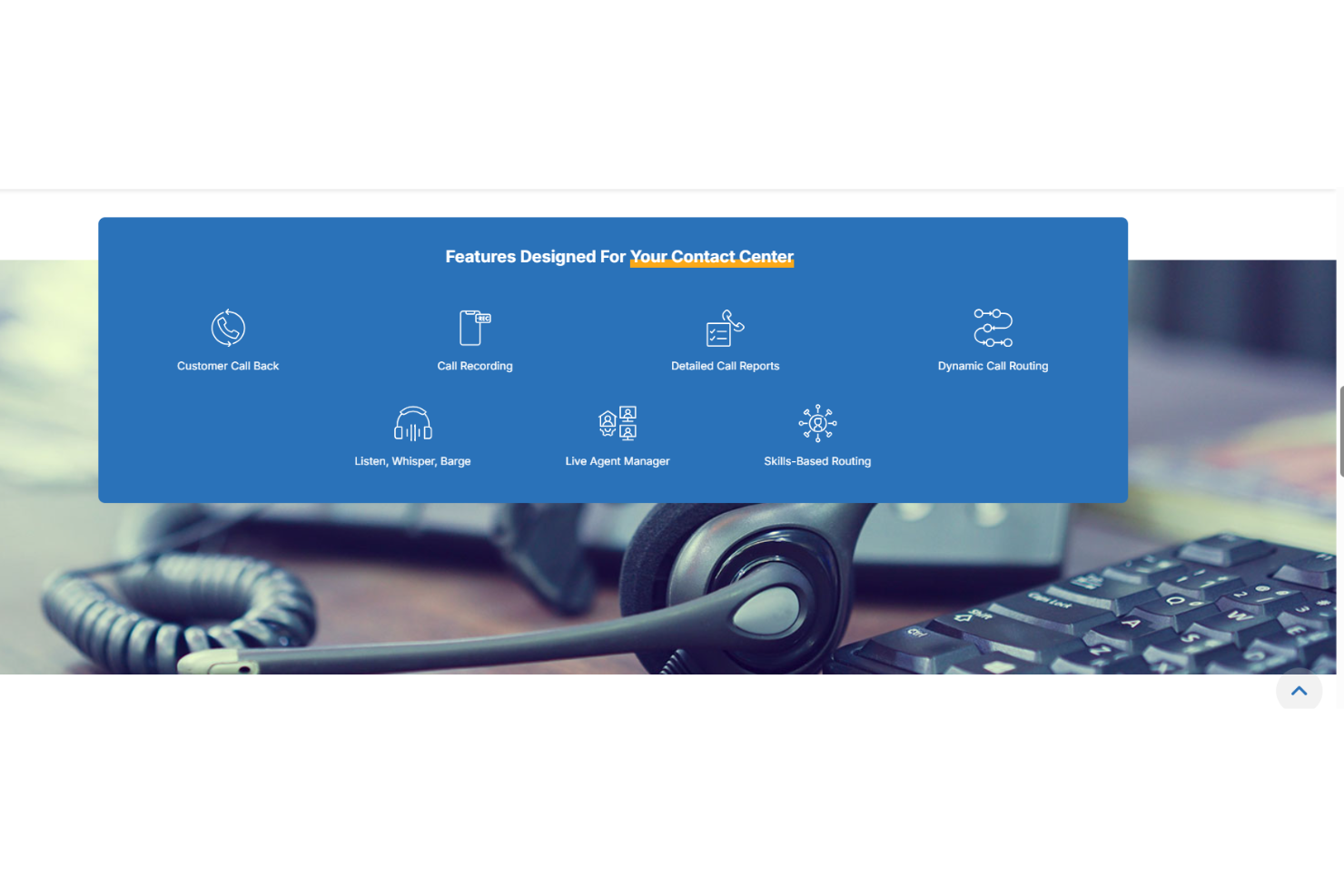
FluentStream lets you manage calls with ease, providing tools for call routing, forwarding, and queuing. You can assign a phone number to different departments to handle calls efficiently.
Voicemail Transcription
This feature converts voicemails into text, allowing you to read messages at your convenience. It saves time and ensures you don't miss important details.
Call Recording
Record calls for quality assurance and training purposes. You can revisit conversations to ensure accuracy and improve your team's performance.
Customizable Call Flows
Design call flows that suit your business needs, directing calls to the right team members. This customization enhances caller experience and operational efficiency.
Call Logs and Usage Reporting
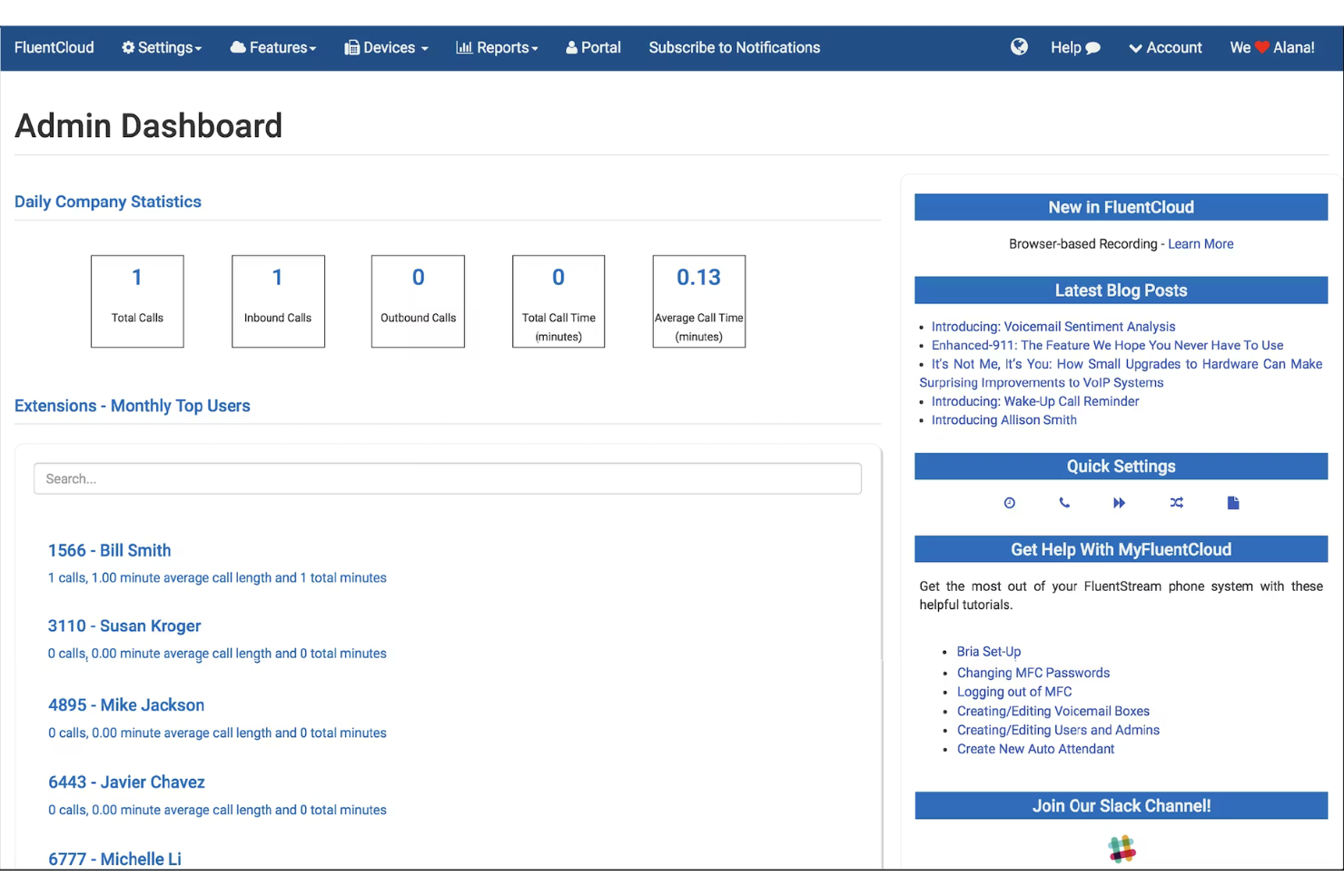
Access call data and metrics to track performance and identify trends. Use this information to make informed decisions and optimize your team's productivity.
Multi-Device Support
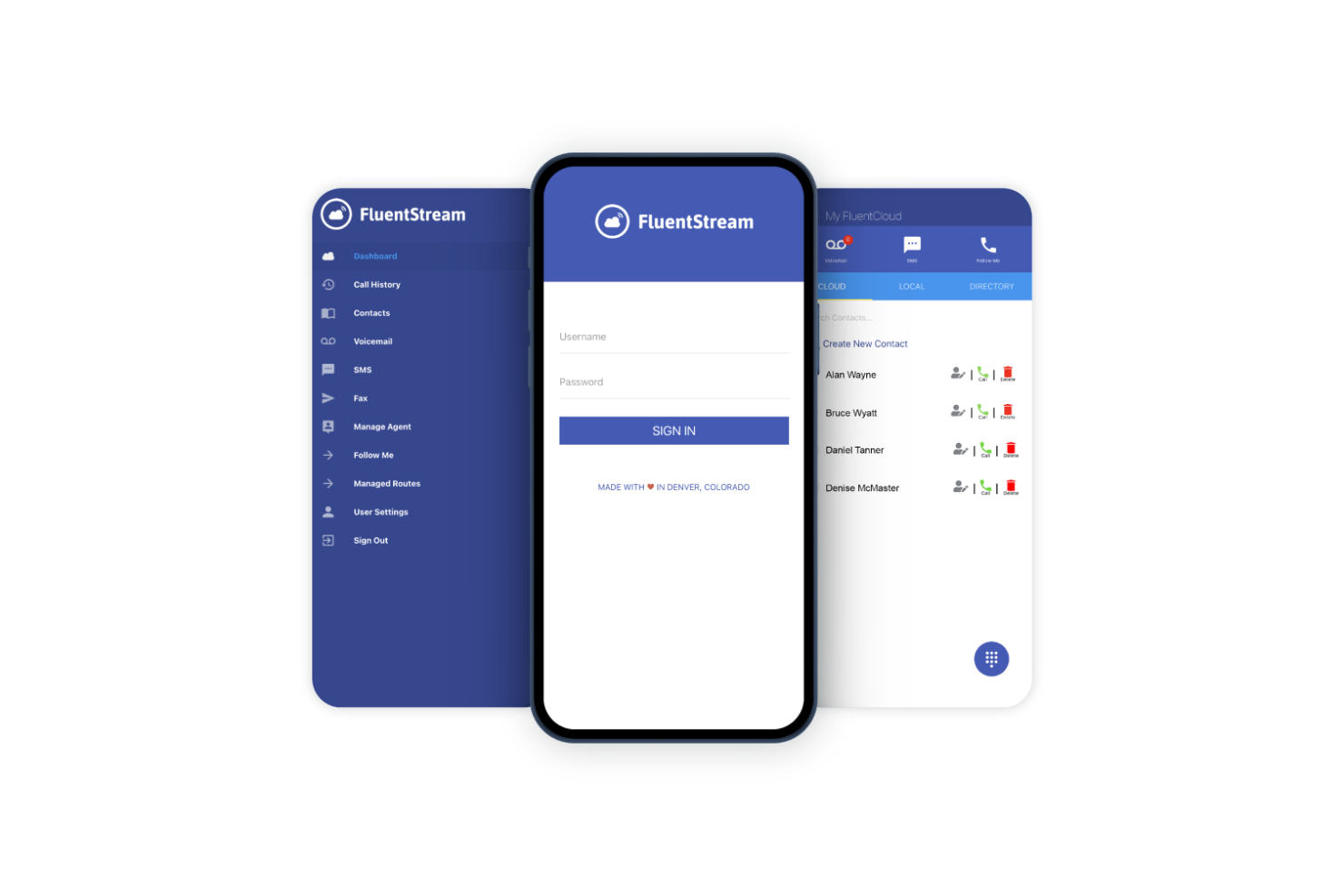
FluentStream works across various devices through its mobile app, enabling your team to stay connected on the go. This flexibility supports remote work and mobility.
Standout Features
Responsive Customer Support
FluentStream is known for its helpful and responsive support team. When issues arise, you can count on quick assistance to keep your operations running smoothly.
User-Friendly Interface
The intuitive design makes it easy for your team to navigate and use FluentStream effectively. This simplicity reduces training time and boosts overall efficiency.
Ease of Use
FluentStream is fairly user-friendly, with an intuitive interface that makes it simple for your team to start using quickly. While it may not be the most advanced, its straightforward design minimizes the learning curve. Features like customizable call flows and voicemail transcription are easy to navigate, enhancing daily operations. Some users may find onboarding a bit challenging, but once set up, the system's efficiency improves communication and productivity for your team.
Onboarding
FluentStream's onboarding process can be a bit challenging for new users, as it may take time to get fully acquainted with the system. While the interface is user-friendly, the initial setup requires patience. However, FluentStream offers responsive customer support to guide you through the process, ensuring your team gets up to speed. Available resources, like tutorials and guides, help reduce the onboarding time, but some users might still find it slower compared to others.
Customer Support
FluentStream offers solid customer support, with responsive and helpful assistance that can promptly address your team's queries and issues. Users appreciate the quick response times and knowledgeable support staff, making it easier to resolve problems. The availability of multiple support channels, including phone and email, ensures that help is accessible when you need it. FluentStream's support contributes to a smoother user experience, allowing your team to focus on their work without prolonged disruptions.
Integrations
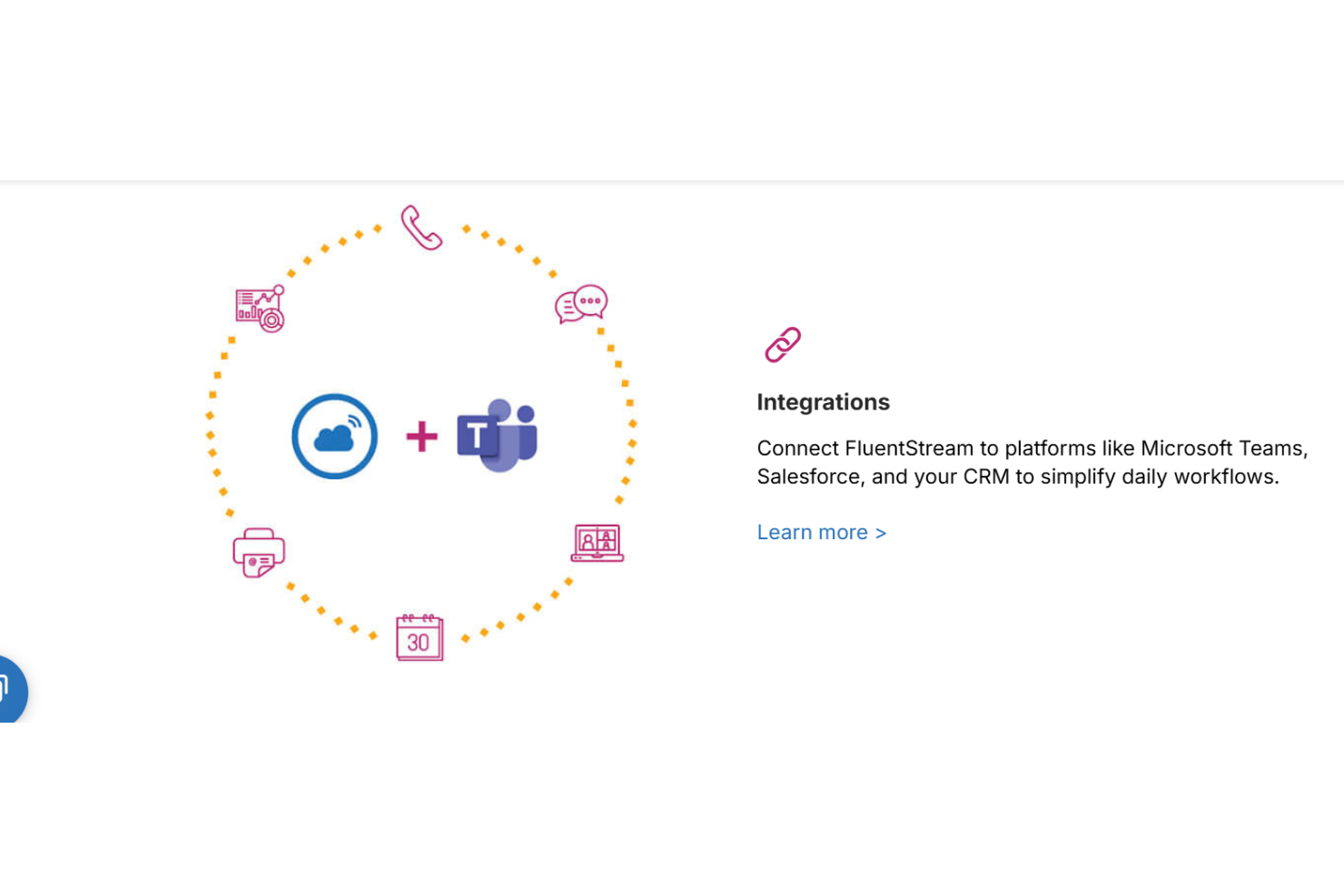
FluentStream integrates with Microsoft Teams, Salesforce, HubSpot, Zendesk, Microsoft Outlook, and Microsoft Dynamics 365 to connect calling workflows with CRM and productivity tools.
FluentStream also provides API access and supports automation through Zapier, enabling custom integrations and extended workflows.
Value for Money
FluentStream uses a quote-based pricing model that aligns costs with how your business communicates rather than locking you into rigid per-seat pricing. Users generally find value in the bundled features like unlimited domestic calling, reliability, and live support especially for teams that want tailored phone systems instead of generic plans. A free demo is available, letting your team confirm fit before committing.
Pricing Plan Options
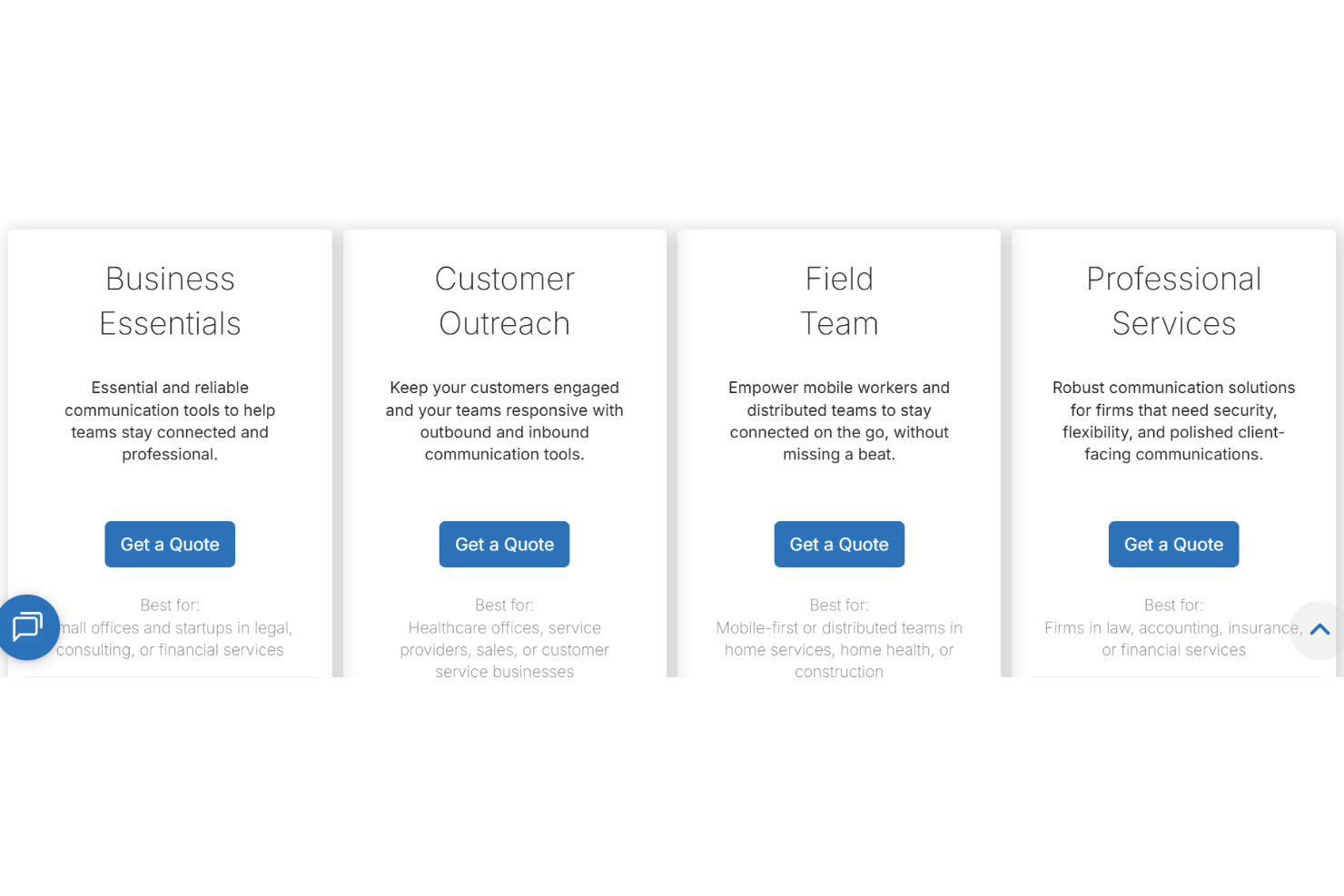
- Business Essentials: Core calling and professional communication tools for small teams.
- Customer Outreach: Inbound and outbound calling features designed for customer engagement.
- Field Team: Mobile-friendly calling tools for distributed and on-the-go teams.
- Professional Services: Advanced, secure communication features for client-facing firms.
FluentStream Specs
- 2-Factor Authentication
- API
- Audio Recording
- Calendar Management
- Call Integration
- Call Recording
- Chat
- Collaboration Support
- Contact Management
- Contact Sharing
- CRM Integration
- Email Integration
- External Integrations
- File Sharing
- Google Apps Integration
- Instant Chat Integration
- Mobile App
- Multi-User
- Notifications
- Project Management
- Scheduling
- SMS
- Softphone
- Video
FluentStream FAQs
How reliable is FluentStream's call quality?
Can FluentStream support remote teams effectively?
Is FluentStream scalable for growing businesses?
What kind of customer support does FluentStream provide?
How does FluentStream handle data security and compliance?
Can FluentStream integrate with our existing CRM?
How customizable is FluentStream for our specific needs?
Does FluentStream offer any training resources for new users?
FluentStream Company Overview & History
FluentStream is a privately held cloud communications company that provides business phone systems and unified communications tools for small and mid-sized organizations. It was founded in 2010 and is headquartered in Denver, Colorado, with a remote workforce supporting customers and partners across the U.S. The company is known for its U.S.-based customer support and its award-winning service, and has been recognized multiple times as a fast-growing private company. In 2025, FluentStream became part of Ooma, expanding its reach within Ooma’s business communications portfolio.
FluentStream Major Milestones
- 2010: Founded in Denver, Colorado as a cloud communications provider.
- 2010–2020: Earned repeated recognition on the Inc. 5000 list for rapid growth.
- 2025: Acquired by Ooma to strengthen its business communications offerings.