
Concord-recension: Fördelar, nackdelar, funktioner och priser
Concord utmärker sig genom användarvänlig avtalshantering och erbjuder omfattande funktioner till konkurrenskraftiga priser, vilket gör lösningen idealisk för växande företag.

We review tools independently, and commissions help fund our testing. See our transparency policy, our methodology, or suggest a tool.
Concord is a cloud based contract management software for teams that need to draft, negotiate, sign, and store contracts in one place. It's worth a close look if your team manages a high volume of contracts but doesn't want the setup complexity of an enterprise tool like Ironclad. Concord covers the full contract lifecycle without requiring a dedicated legal ops team to get it running.
Concord Evaluation Summary
4.5/5
- From $499/month (billed annually)
- Free demo available
Varför du kan lita på våra programvarurekommendationer
6,700+
Reviews
20
Industry experts
16+
Evaluation factors
14
Years
Våra recensioner speglar vårt oberoende omdöme — inte ett säljbudskap. Läs mer om hur vi förblir transparenta.
För den här guiden utvärderade vi verktyg genom praktisk testning och oberoende research, och betygsatte verktygen enligt våra urvalskriterier.
Våra recensioner speglar vårt mänskliga redaktionella omdöme, inte ett säljbudskap.
Concord Overview
In my opinion, Concord is a solid choice for cloud-based contract management, especially if your team values intuitive design and reliable support. It excels in delivering a user-friendly interface and key features like automation, which can simplify your contract workflow. However, the pricing might not be the best fit for smaller teams or startups, as some competitors offer more budget-friendly options. Onboarding could be smoother, as some users find the initial setup a tad complex. If your organization requires robust features and is willing to invest, Concord is worth considering. It's best suited for mid-sized to large enterprises looking for comprehensive contract management capabilities.
Pros
- You can easily collaborate with your team using Concord's user-friendly interface.
- Your document management is simplified with Concord's automated version tracking.
- You gain control with Concord's customizable approval workflows.
Cons
- You might find its search functionality lacking compared to competitors.
- Your team could experience a learning curve with its complex features.
- You may notice occasional performance lags with large document volumes.
Is Concord Right For Your Needs?
Who Would be a Good Fit for Concord?
If your team often juggles numerous contracts and needs to manage them efficiently, Concord is a solid choice. It's perfect for departments like legal, procurement, finance, and sales that need to handle high-priority contracts without the hassle of manual tasks. With AI-assisted reviews and proactive alerts, your team can focus on critical work and save time.
- Legal DepartmentsConcord helps your in-house legal team focus on essential tasks by automating contract reviews.
- Procurement TeamsYour procurement team will benefit from seamless contract creation and management, streamlining supplier relationships.
- Finance DepartmentsConcord aids in managing financial agreements efficiently, ensuring compliance and accurate tracking.
- Sales TeamsSales teams can quickly generate contracts and track them, which speeds up the sales cycle and closes deals faster.
- Small to Medium Enterprises (SMEs)For SMEs, Concord offers a cost-effective solution to manage contracts without needing a large legal team.
- Large EnterprisesLarge enterprises benefit from Concord's scalability and integration capabilities, managing vast numbers of contracts efficiently.
Who Would be a Bad Fit for Concord?
If you're in a highly specialized industry needing advanced customization, Concord might not be your best choice. It lacks extensive customization options, making it less suitable for businesses requiring tailored contract workflows. Teams needing complex integrations could find Concord limiting, as it doesn’t support a wide array of third-party applications. If your work demands intricate reporting or analytics, Concord's capabilities might fall short, as it focuses more on basic contract management functions rather than deep data insights.
- Highly Regulated IndustriesIf your industry requires stringent compliance and audit trails, Concord may not provide the necessary features or flexibility.
- Large EnterprisesLarge enterprises with complex, multi-departmental needs might find Concord's feature set too limited for comprehensive contract management.
- Tech-Heavy StartupsTech startups needing robust API integrations and custom solutions may find Concord's integration options lacking.
- Financial ServicesFinancial services needing advanced analytics and reporting features may not benefit from Concord's basic data capabilities.
- Manufacturing CompaniesManufacturing firms that rely on complex supply chain contracts might find Concord’s functionality too simplistic for their needs.
How We Test & Score Tools
We’ve spent years building, refining, and improving our software testing and scoring system. The rubric is designed to capture the nuances of software selection and what makes a tool effective, focusing on critical aspects of the decision-making process.
Below, you can see exactly how our testing and scoring works across seven criteria. It allows us to provide an unbiased evaluation of the software based on core functionality, standout features, ease of use, onboarding, customer support, integrations, customer reviews, and value for money.
Core Functionality (25% of final scoring)
The starting point of our evaluation is always the core functionality of the tool. Does it have the basic features and functions that a user would expect to see? Are any of those core features locked to higher-tiered pricing plans? At its core, we expect a tool to stand up against the baseline capabilities of its competitors.
Standout Features (25% of final scoring)
Next, we evaluate uncommon standout features that go above and beyond the core functionality typically found in tools of its kind. A high score reflects specialized or unique features that make the product faster, more efficient, or offer additional value to the user.
We also evaluate how easy it is to integrate with other tools typically found in the tech stack to expand the functionality and utility of the software. Tools offering plentiful native integrations, 3rd party connections, and API access to build custom integrations score best.
Ease of Use (10% of final scoring)
We consider how quick and easy it is to execute the tasks defined in the core functionality using the tool. High scoring software is well designed, intuitive to use, offers mobile apps, provides templates, and makes relatively complex tasks seem simple.
Onboarding (10% of final scoring)
We know how important rapid team adoption is for a new platform, so we evaluate how easy it is to learn and use a tool with minimal training. We evaluate how quickly a team member can get set up and start using the tool with no experience. High scoring solutions indicate little or no support is required.
Customer Support (10% of final scoring)
We review how quick and easy it is to get unstuck and find help by phone, live chat, or knowledge base. Tools and companies that provide real-time support score best, while chatbots score worst.
Customer Reviews (10% of final scoring)
Beyond our own testing and evaluation, we consider the net promoter score from current and past customers. We review their likelihood, given the option, to choose the tool again for the core functionality. A high scoring software reflects a high net promoter score from current or past customers.
Value for Money (10% of final scoring)
Lastly, in consideration of all the other criteria, we review the average price of entry level plans against the core features and consider the value of the other evaluation criteria. Software that delivers more, for less, will score higher.
Core Features
Document Management
Concord lets you store and manage contracts in a centralized digital repository, and set user permissions. You can quickly retrieve contracts, helping your team stay organized and efficient.
Collaboration Tools
With Concord, you and your team can collaborate in real-time on contracts, using features like comments and chat. This ensures everyone stays on the same page and can make timely decisions without endless email threads.
E-Signature
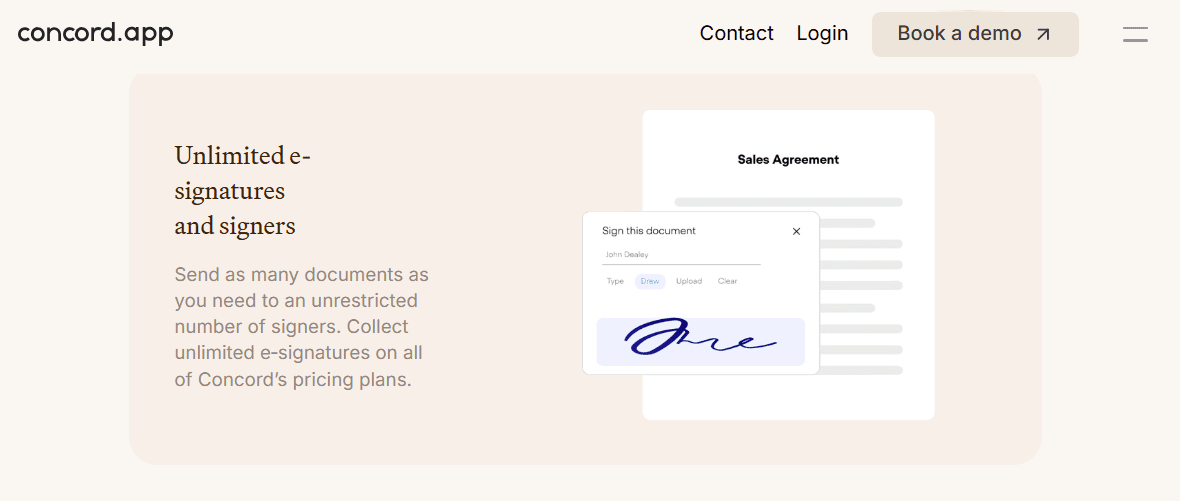
Concord offers a built-in e-signature feature, allowing you to sign contracts digitally without leaving the platform. This speeds up the approval process and eliminates the need for physical paperwork.
Template Library
Concord provides a collection of pre-approved contract templates that you can customize to fit your needs. This saves you time and ensures consistent formatting across all your contracts.
Version Control
You can track changes and maintain a history of all contract versions within Concord. This feature ensures you always have access to the most recent document and can easily review past modifications.
Automated Alerts and Notifications
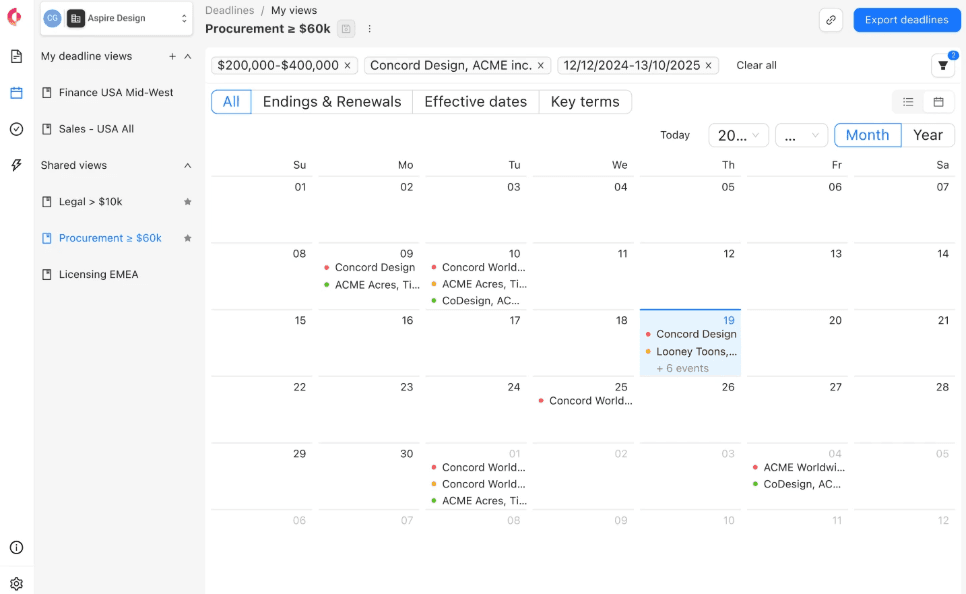
Concord sends automatic reminders and notifications about contract deadlines and renewals. This helps you avoid missed deadlines and ensures timely contract management.
Ease of Use
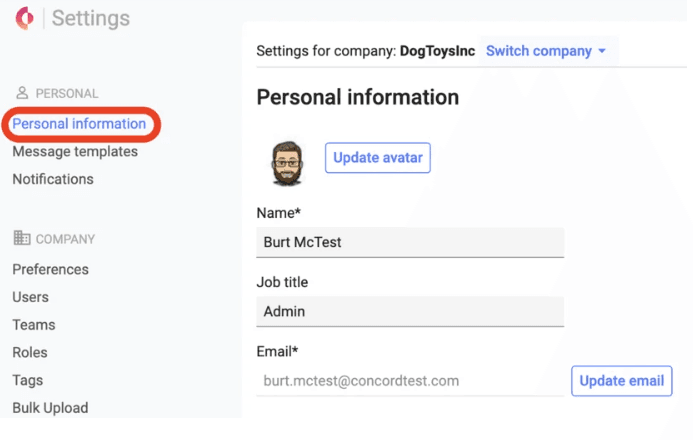
Concord’s user interface is intuitive with easy navigation, making it user-friendly for your team. You can quickly move between features using the left navigation menu, and the clear layout ensures you won't get lost. The interface is straightforward, allowing you to focus on your work rather than figuring out how to use the tool. The simple design helps you and your team save time, making it a solid choice for those who value ease of use.
Integrations
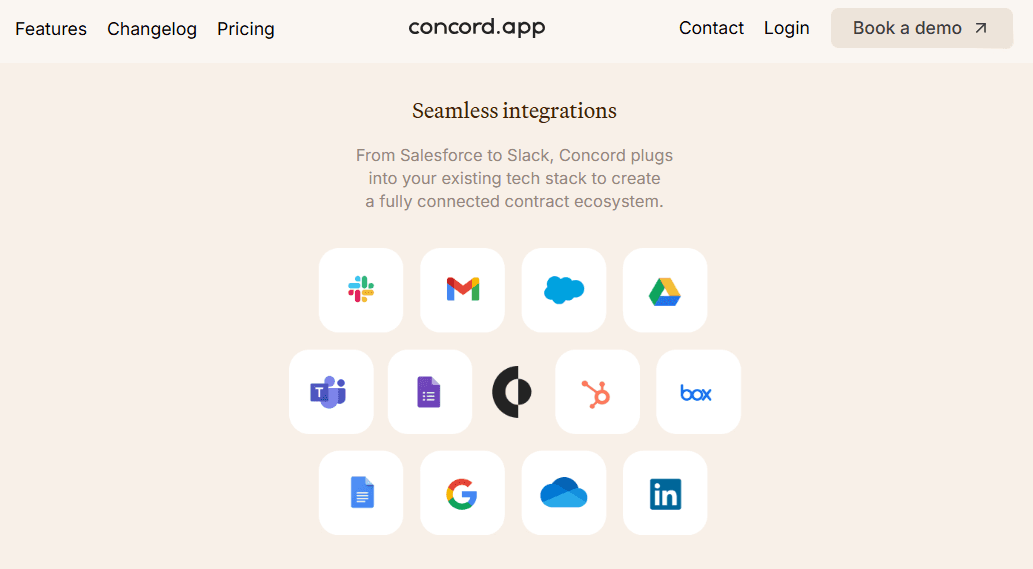
Concord integrates with Salesforce, HubSpot, Zapier, Single Sign-On (SSO), Dropbox, Box, Google Drive, and Azure Active Directory.
Concord also offers an open API that allows users to extend its functionalities for their software and applications.
Concord Specs
- 2-Factor Authentication: Yes
- API: Yes
- Approval Workflows: No
- Audit Trail: No
- Batch Permissions & Access: No
- Calendar Management: No
- Compliance Tracking: No
- Contact Management: No
- Dashboards: No
- Database: No
- Design Templates: No
- Document Comparison: Yes
- Document Management: No
- Electronic Signature: Yes
- External Integrations: Yes
- File Sharing: Yes
- File Transfer: Yes
- History/Version Control: No
- Multi-User: Yes
- NDA Management: No
- Notifications: Yes
- Reports: No
- Scheduling: No
- Task Scheduling/Tracking: No
- Third-Party Plugins/Add-Ons: No
- Workflow Management: No


