

10 bästa CRM-system med låg kodnivå recenserade 2026

Bästa CRM-systemen med låg kod – kortlista


Att hantera intäktsverksamheten kan vara utmanande, särskilt när du hanterar flera uppgifter och datakällor. CRM-lösningar med låg kod hjälper till att förenkla dessa processer, så att ditt team kan fokusera på att driva tillväxt och förbättra effektiviteten.
Enligt min erfarenhet är valet av rätt CRM en viktig faktor för att nå framgång. Jag har testat och granskat flera alternativ för att ge dig en opartisk bild av de bästa tillgängliga CRM-systemen med låg kod.
Den här artikeln guidar dig genom mina främsta val och visar hur dessa verktyg kan göra ditt arbetsflöde smidigare och mer effektivt. Du får tydliga insikter i varje CRM-systems styrkor och lämplighet för dina behov. Låt oss ta en närmare titt och hitta den perfekta lösningen för ditt team.
Why Trust Our Software Reviews
We’ve been testing and reviewing RevOps software since 2022. As RevOps leaders ourselves, we know how critical and difficult it is to make the right decision when selecting software.
We invest in deep research to help our audience make better software purchasing decisions. We’ve tested more than 2,000 tools for different RevOps use cases and written over 1,000 comprehensive software reviews. Learn how we stay transparent & our software review methodology.
Sammanfattning av de bästa CRM-systemen med låg kod
Den här jämförelsetabellen sammanfattar prisuppgifterna för mina främsta CRM-program med låg kod och hjälper dig att hitta det bästa alternativet för din budget och dina affärsbehov.
| Tool | Best For | Trial Info | Price | ||
|---|---|---|---|---|---|
| 1 | Best for automated research | Free plan + free demo available | From $19/month (billed annually) | Website | |
| 2 | Best for CRM databases | Free plan + free demo + 14-day trial available | From $20/user/month | Website | |
| 3 | Best for enterprise-grade CRM solutions | Free plan available | Pricing upon request | Website | |
| 4 | Best for AI-powered customization | 14-day free trial | From $40/user/month (billed annually) | Website | |
| 5 | Best for workflow automation | Free 14-day trial + free demo available | From $59/user/month (billed annually) | Website | |
| 6 | Best for scalable CRM development | 30-day free trial | From $25/user/month | Website | |
| 7 | Best for data visualization features | Free 14-day trial | From $300/month | Website | |
| 8 | Best for rapid CRM building | Free plan + free demo available | From $800/license (billed annually) | Website | |
| 9 | Best for SMEs | Free 30-day trial + free demo available | From $13/user/month | Website | |
| 10 | Best for CRM automation tools | Free plan available; 15-day free trial | From $14/user/month (billed annually) | Website |
Recension av de bästa CRM-systemen med låg kod
Nedan hittar du mina detaljerade sammanfattningar av de bästa CRM-systemen med låg kod som kom med på min kortlista. Mina recensioner ger en detaljerad genomgång av de viktigaste funktionerna, för- och nackdelarna, integrationerna och de bästa användningsområdena för varje verktyg, så att du kan hitta det bästa alternativet för dig.
Softr
Best for automated research
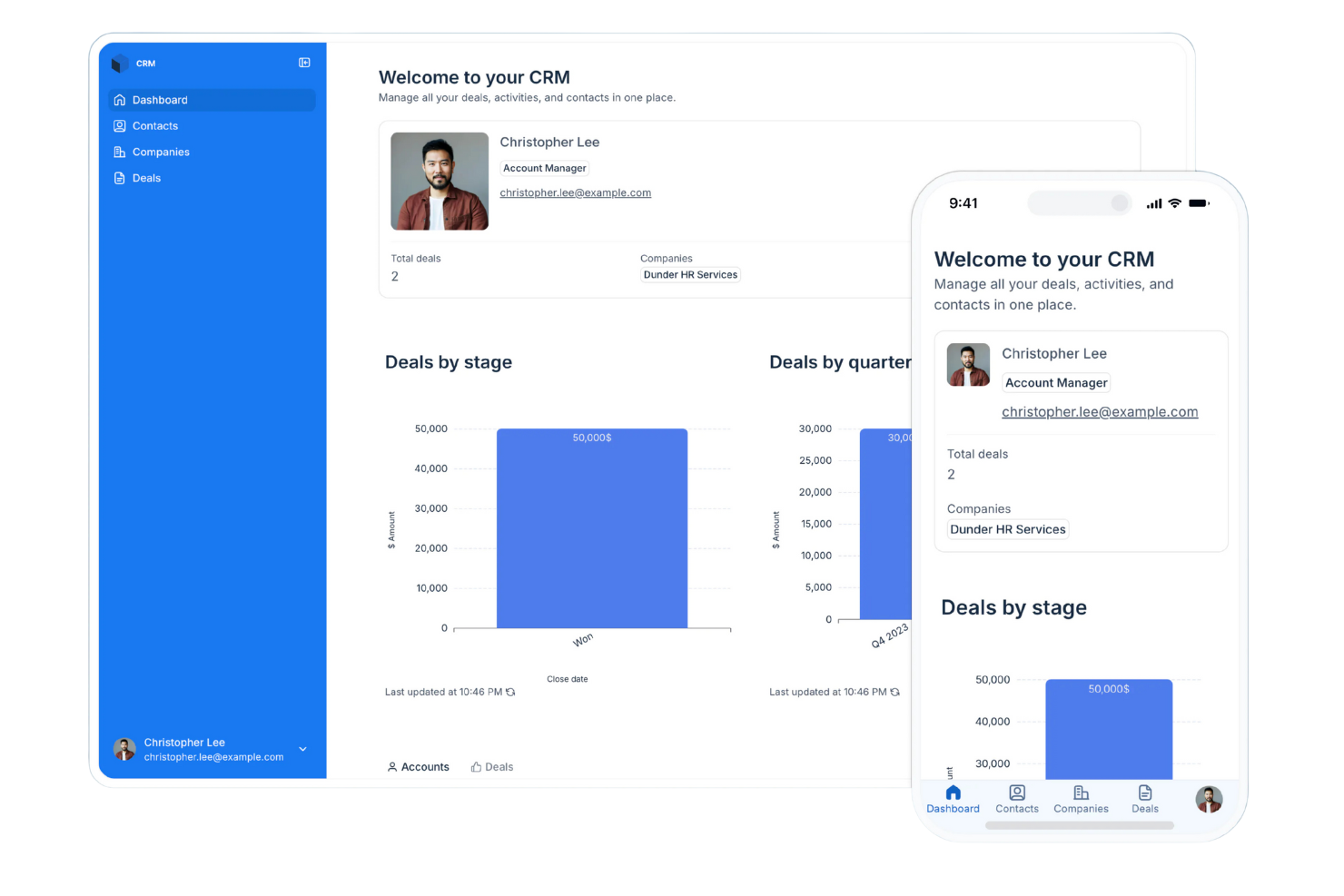
Softr is a platform that lets you build apps, portals, and internal tools without writing code. Its features focus on helping you organize information, handle access, and shape how your data works for daily tasks.
Why I picked Softr: Softr lets you turn your data into working CRM software without needing technical skills or lengthy software development cycles. It gives you ready-made blocks such as lists, forms, and tables so your team can enter and update information in a way that fits how you work. You can set user roles and permissions to keep everything organized as people log in. Custom views help your team follow deals and contacts without digging through clutter.
Standout Features and Integrations:
Features include tools for building gated user access so only the right people see specific data. You can also organize pages using drag-and-drop blocks that keep your CRM clean and easy to navigate. The built-in AI automatically searches for information to enhance your records, saving your sales reps hours of research time.
Integrations include Airtable, Google Sheets, Zapier, Make, Stripe, Google Analytics, HubSpot, Google Calendar, and more.
Pros and Cons
Pros:
- Custom rules fit your workflow
- Adjusts well as your team grows
- Flexible layouts for fast building
Cons:
- Onboarding larger teams requires planning
- Conditional logic can take practice
Airtable
Best for CRM databases
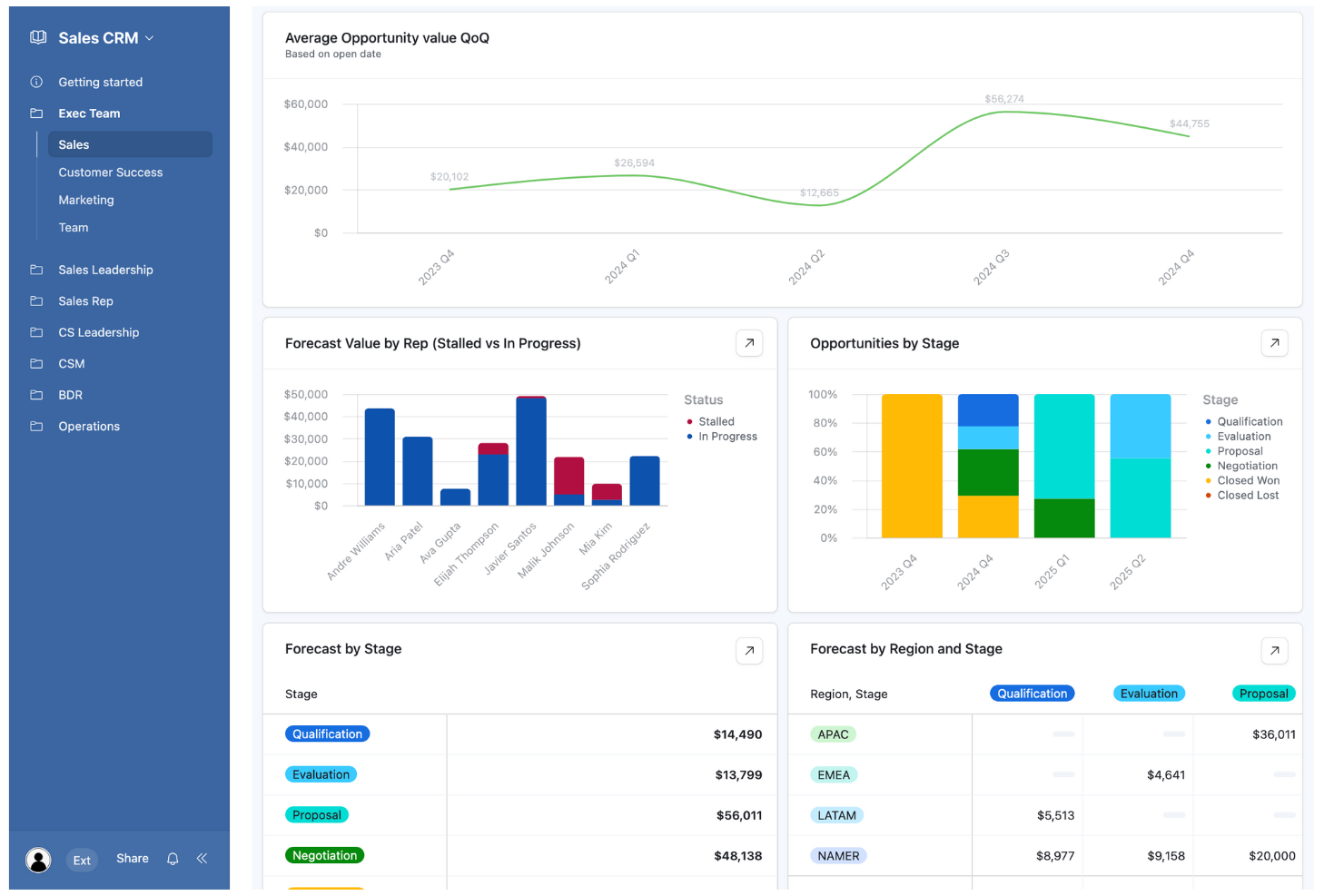
Airtable is a no-code app-building platform designed for teams to create custom applications efficiently. It serves a wide range of users, from marketing teams to finance departments, performing key business functions like data management and process automation.
Why I picked Airtable: Its flexibility in building CRM databases with low-code tools sets it apart. The platform also supports integrations with popular tools, enhancing its utility in various workflows.
Standout Features and Integrations:
Features include automations that help streamline repetitive tasks, relational databases for complex data management, and custom interfaces for tailored user experiences.
Integrations include Slack, Google Drive, Salesforce, Dropbox, Gmail, Zendesk, and more.
Pros and Cons
Pros:
- Supports diverse industries
- Custom interfaces for users
- Flexible database customization
Cons:
- Rigid record caps
- Permissions complexity
Best for enterprise-grade CRM solutions
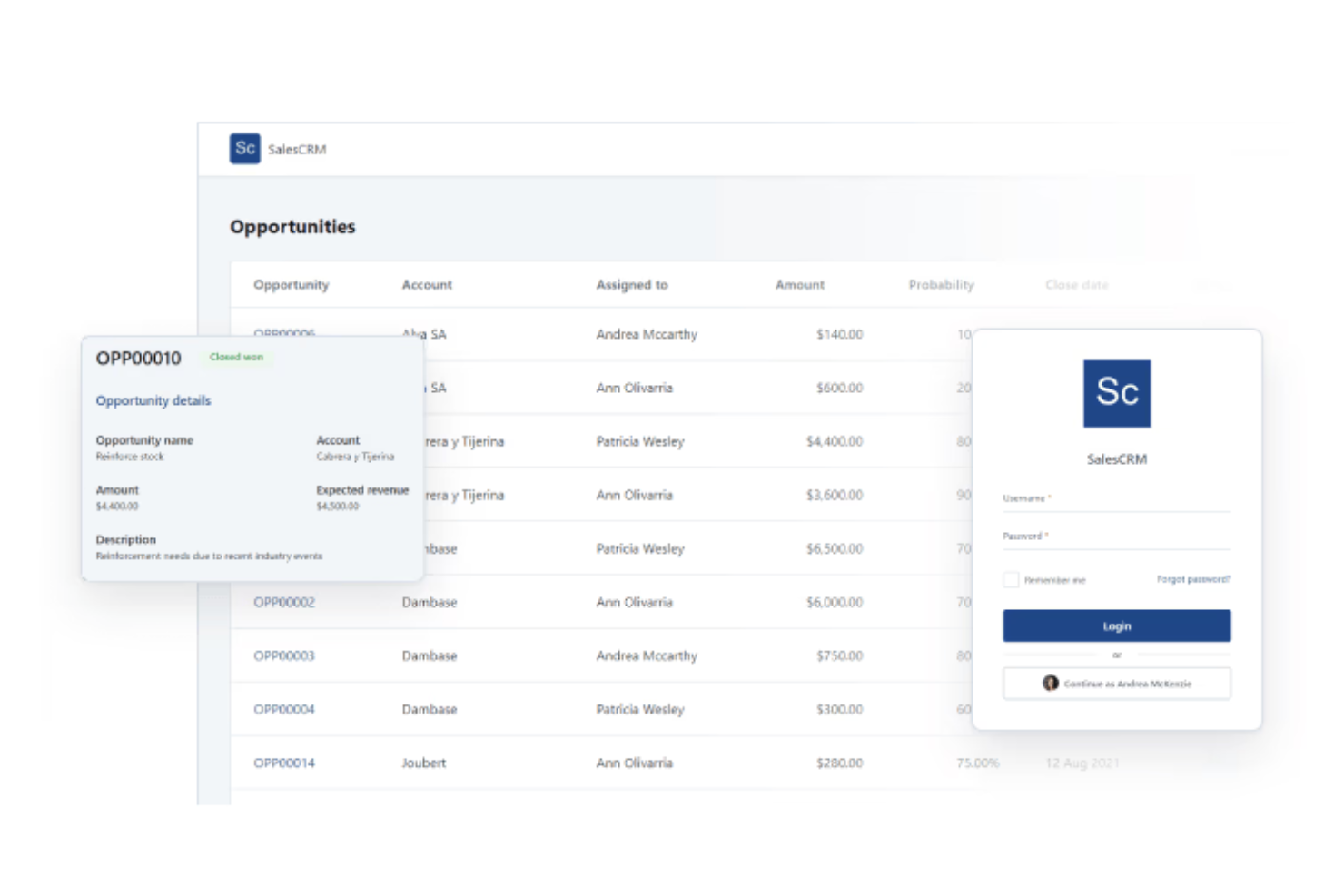
OutSystems is a low-code development platform tailored for enterprises that need custom CRM solutions. It primarily serves large organizations looking to streamline app development processes and enhance their customer relationship management capabilities.
Why I picked OutSystems: It offers enterprise-grade business tools. Users can leverage its advanced features for seamless integration. Its location plugin provides GPS capabilities, adding location-based services to applications.
Standout Features and Integrations:
Features include advanced Excel integration for data handling, cryptographic tools for secure data protection, and a management console for feature releases.
Integrations include Salesforce, Oracle, Zendesk, Jira, PayPal, Dropbox, and more.
Pros and Cons
Pros:
- Supports complex workflows
- Strong security features
- Extensive customization options
Cons:
- Dated UI customization
- Requires a solid understanding of software architecture and database logic
Creatio
Best for AI-powered customization
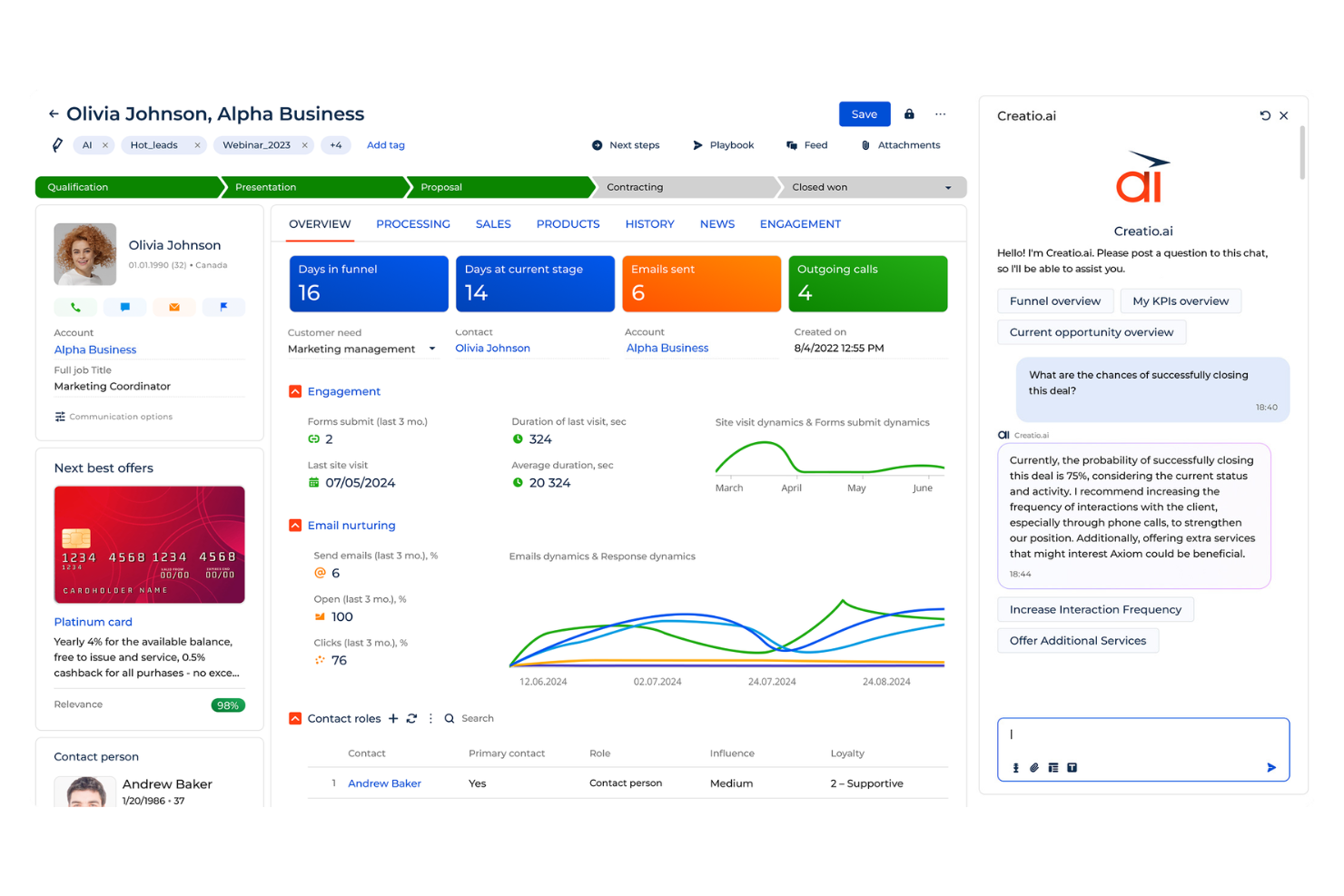
Creatio is a no-code platform that brings together process automation and CRM tools in one place. It’s built for teams that want to design their own automated workflows and handle daily operations without relying on heavy development work.
Why I picked Creatio: Creatio lets your team design your CRM system without writing code, so you can set it up to match the way you work. Its AI guides you through building workflows and automation rules for quicker setup. You can adjust visual interfaces, create approval logic, and update dashboards as your needs change. The process designer connects these pieces so work moves the way you expect, even as your team grows or your workflow shifts.
Standout Features and Integrations:
Features include a built-in process designer you can tweak without code. You can adjust page layouts so your team sees only what they need to work through tasks faster. The platform also brings together sales, service, and marketing work so your team stays on one system instead of switching between tools.
Integrations include Microsoft 365, Google Workspace, Zapier, Mailchimp, Twilio, DocuSign, Jira, Slack, HubSpot, Salesforce, and more.
Pros and Cons
Pros:
- Scales as your needs grow
- Control over workflow changes
- Allows for deep customization
Cons:
- Version update instability
- Limited marketplace ecosystem
Best for workflow automation
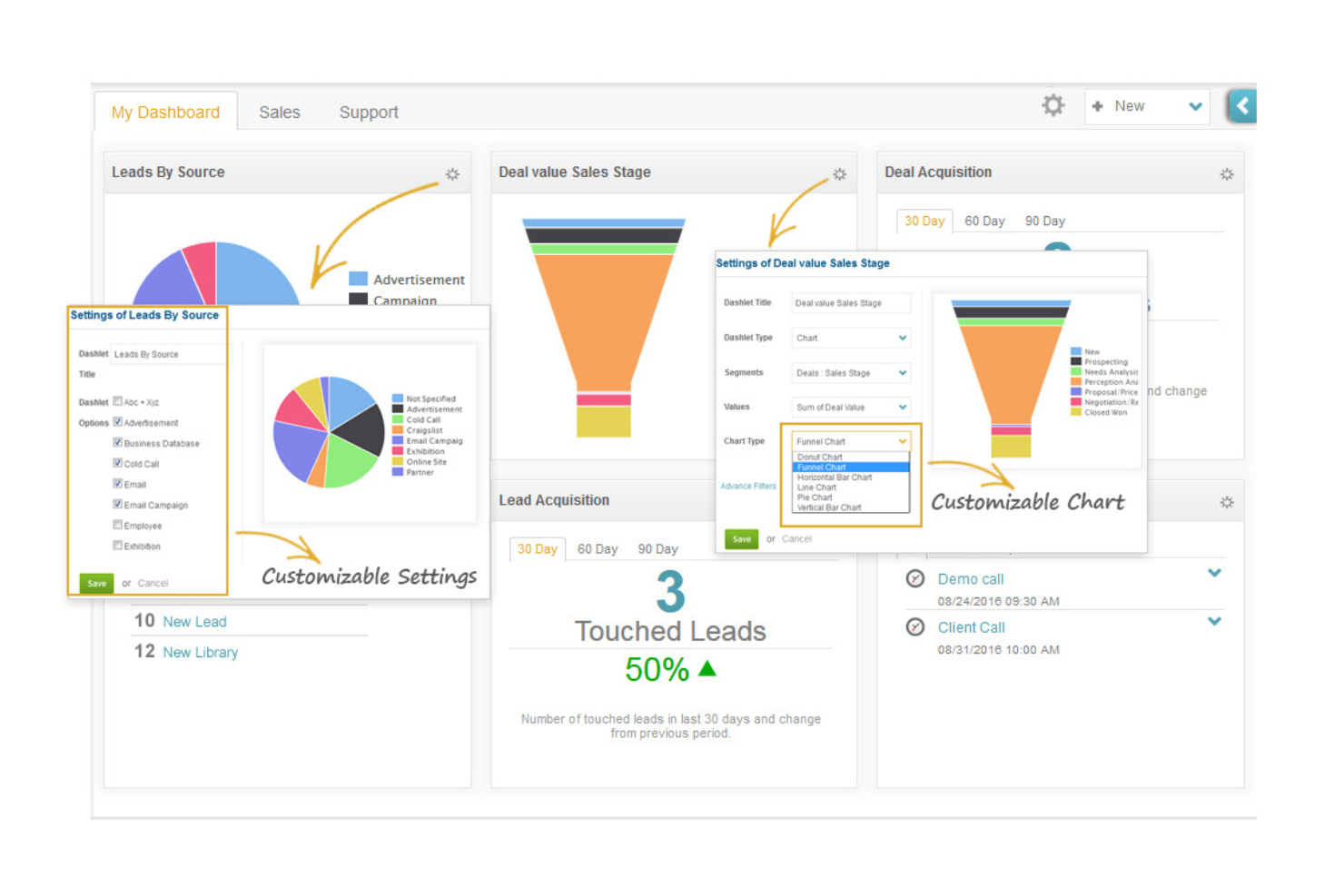
ConvergeHub is a customer lifecycle management CRM platform designed for small to medium-sized businesses, offering tools for sales, marketing, and customer service management. It helps teams automate workflows, manage leads, and enhance customer relationships.
Why I picked ConvergeHub: The tool excels in automating workflows across sales processes and marketing functions, making it accessible for teams lacking coding expertise. The platform provides analytics tools to optimize marketing strategies, and its cloud-based model offers flexibility and scalability for growing businesses.
Standout Features and Integrations:
Features include lead segmentation and scoring for targeting high-quality leads, automated email marketing to engage customers effectively, and analytics tools to refine marketing strategies.
Integrations include PayPal, Stripe, Office 365, Zoom, Mailchimp, QuickBooks, Zapier, OneDrive, Dropbox, PandaDoc, and more.
Pros and Cons
Pros:
- Analytics tools
- Flexible cloud-based model
- Easy workflow automation setup
Cons:
- Excessive data entry clicks
- Variable support response times
Best for scalable CRM development
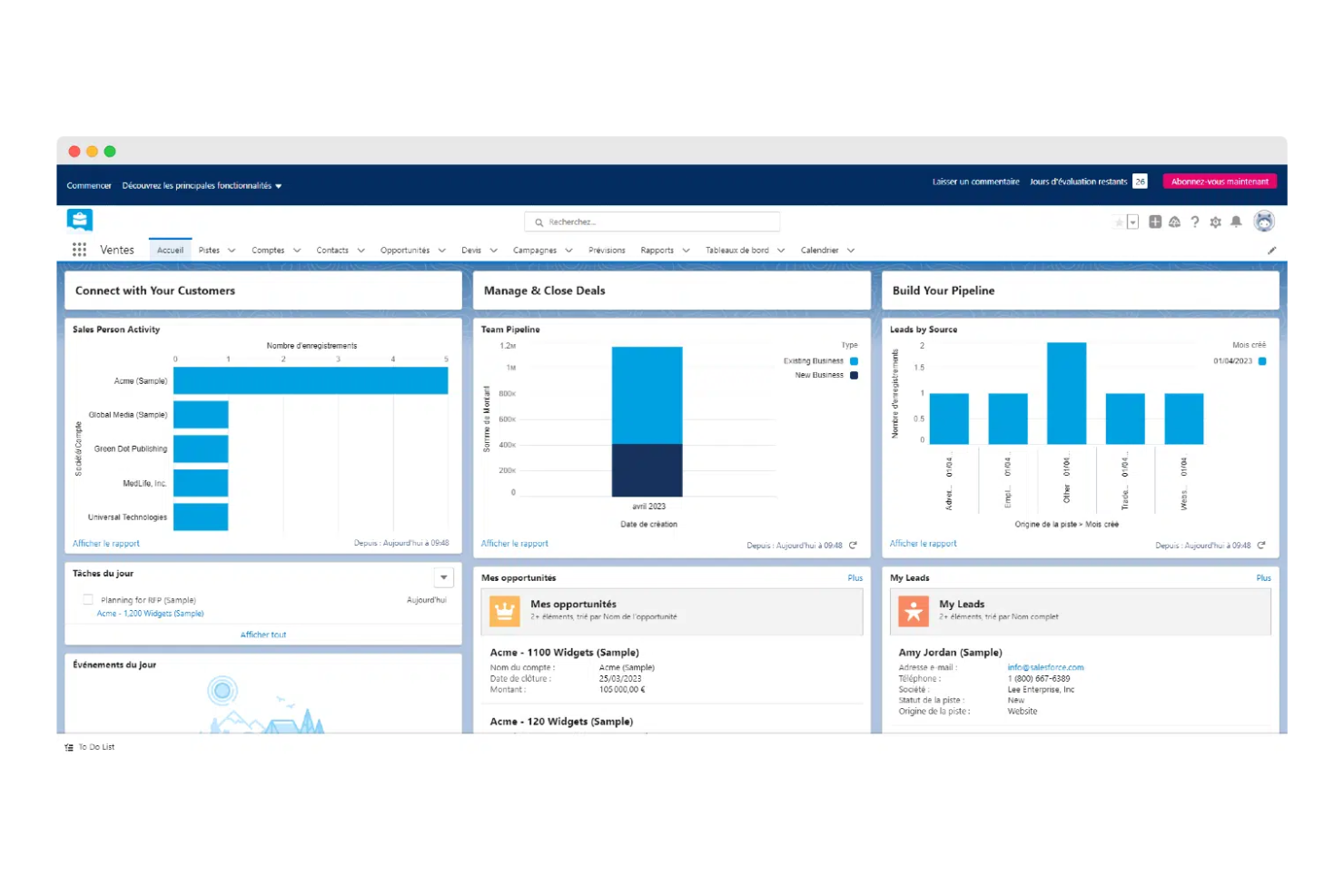
Salesforce is a cloud-based CRM platform geared towards businesses of all sizes, offering tools for sales, marketing, and customer service management. It provides scalable solutions that enable companies to manage customer relationships effectively and adapt to changing business needs.
Why I picked Salesforce: It offers scalable low-code development capabilities, allowing businesses to customize their CRM without extensive coding. Salesforce's interface simplifies app creation, making it accessible for teams with varying technical skills. Its analytics tools provide insights into customer behavior and business performance.
Standout Features and Integrations:
Features include a drag-and-drop interface for easy setup, a comprehensive AppExchange marketplace for additional functionalities, and analytics tools for real-time customer insights.
Integrations include Slack, Mailchimp, QuickBooks, Google Workspace, Dropbox, DocuSign, LinkedIn, and more.
Pros and Cons
Pros:
- Wide range of apps available
- Strong analytics capabilities
- Scalable for large enterprises
Cons:
- Requires ongoing customization
- Basic support can be unresponsive
Kohezion
Best for data visualization features
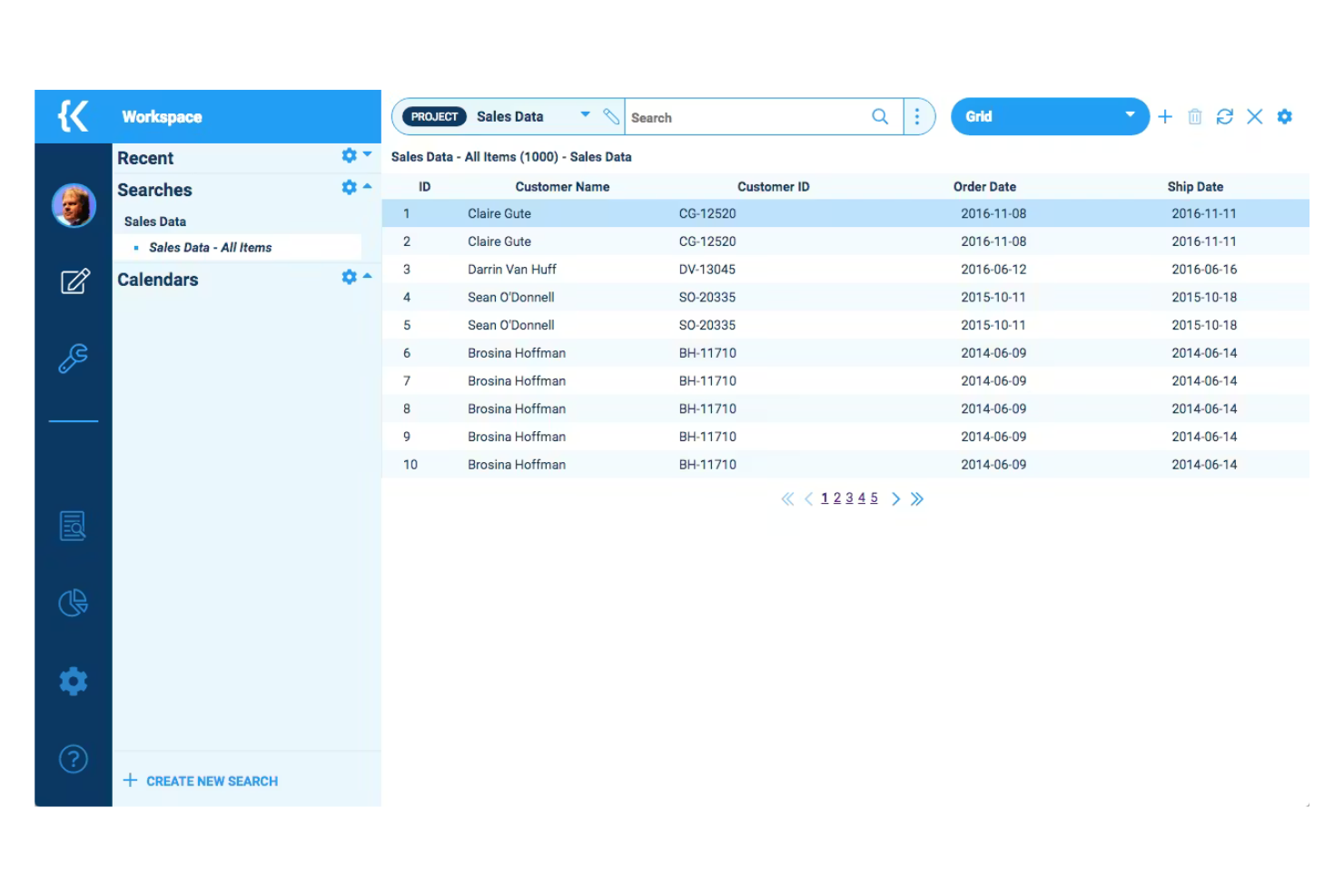
Kohezion is a low-code platform designed for businesses seeking customizable CRM applications. It caters to small and medium-sized enterprises, enabling them to create tailored solutions for data management and workflow automation.
Why I picked Kohezion: It offers a high degree of customization, allowing you to tailor CRM applications to your specific needs without extensive coding skills. The platform has a built-in visualization module so you can share data in real-time. Its flexibility in design and application makes it a versatile tool for various business processes.
Standout Features and Integrations:
Features include custom form creation for tailored data entry, drag-and-drop functionality for easy workflow management, and customizable reports for detailed business insights.
Integrations include Dropbox, Google Drive, Box, and more.
Pros and Cons
Pros:
- Intuitive drag-and-drop functionality
- Flexible design options
- Supports various business processes
Cons:
- Interactive reporting is less intuitive than in specialized tools
- Manual integration requirements

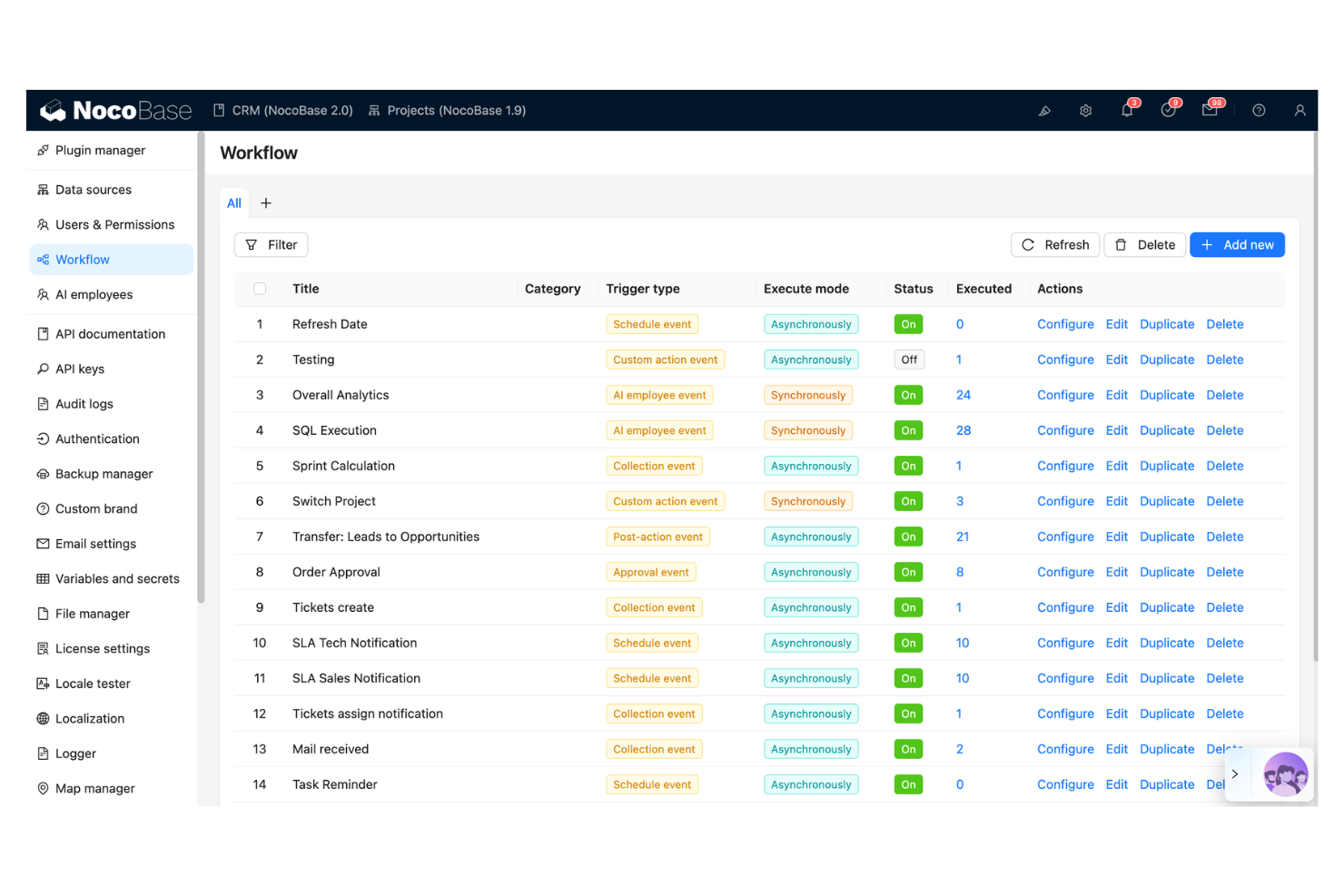
NocoBase is an open-source no-code and low-code development platform designed for teams that need rapid application development. It caters to businesses requiring quick adaptation to changing needs, supporting key functions such as data management and workflow automation.
Why I picked NocoBase: It offers rapid CRM building capabilities with its no-code approach, ideal for teams facing tight deadlines. The platform features customizable data models and a user-friendly interface for efficient application creation. NocoBase also emphasizes security and data control, addressing common concerns with other no-code platforms.
Standout Features and Integrations:
Features include customizable data models for tailored solutions, workflow automation for operational efficiency, and a plugin-based architecture for easy extensibility.
Integrations are not publicly listed.
Pros and Cons
Pros:
- Plugin-based architecture
- Data security controls
- Rapid application development
Cons:
- Documentation gaps
- Limited visual design freedom
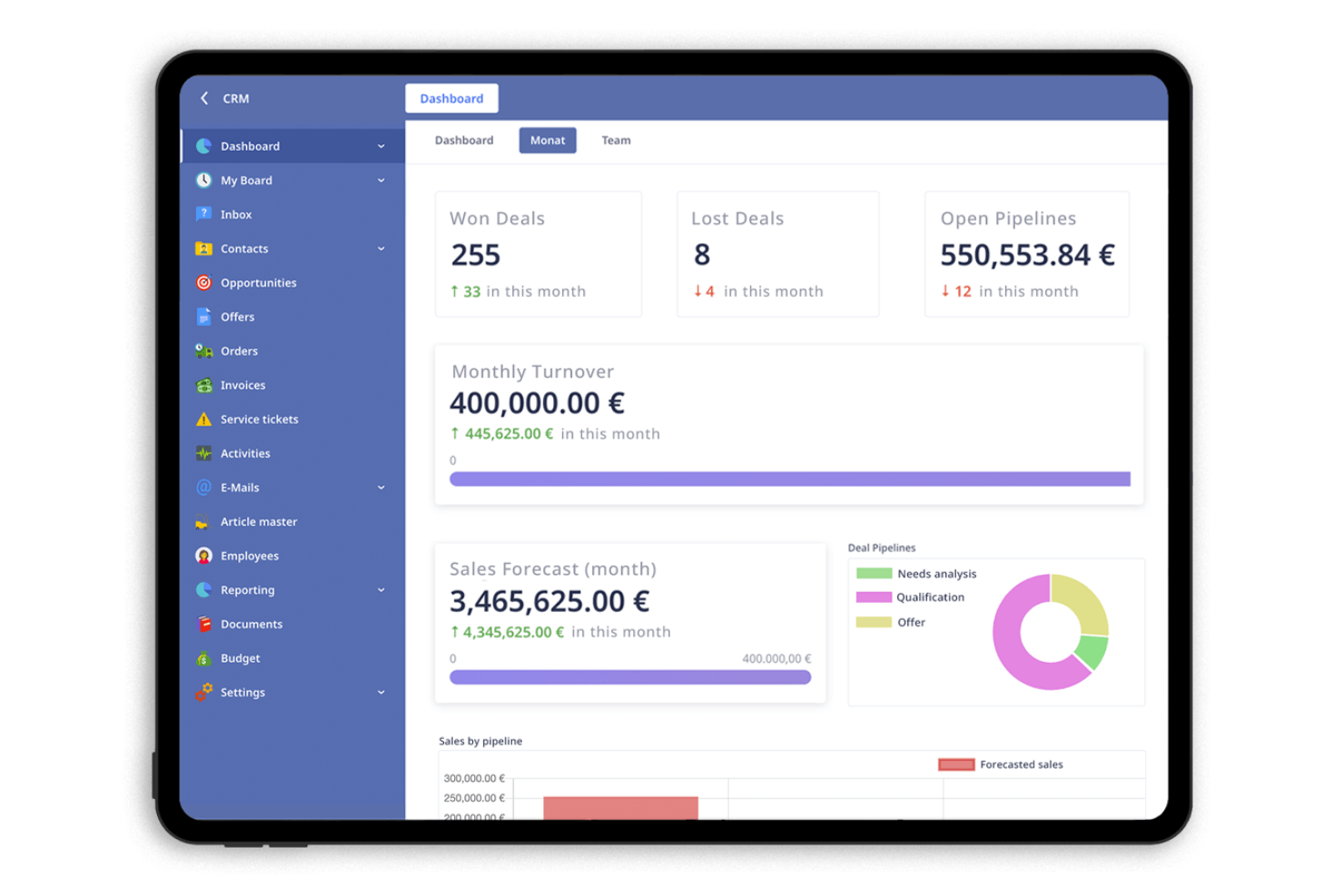
Ninox is a low-code platform designed for small and medium-sized enterprises (SMEs) to create custom CRM applications. It allows businesses to manage customer relationships, automate workflows, and analyze data efficiently.
Why I picked Ninox: It offers flexible tools that make it easy for SMEs to customize their CRM applications. You can create databases to fit your business needs without extensive coding skills. Ninox supports automation of repetitive tasks, freeing up time for more strategic activities.
Standout Features and Integrations:
Features include creating custom databases for tailored business solutions, softphone integration, and an intuitive interface for easy navigation.
Integrations include Zapier, Integrately, Make, and more.
Pros and Cons
Pros:
- Flexible design options
- Easy to create custom forms
- Highly customizable applications
Cons:
- May need technical support for complex setups
- CRM solution is not included in the starter plan
Zoho CRM
Best for CRM automation tools
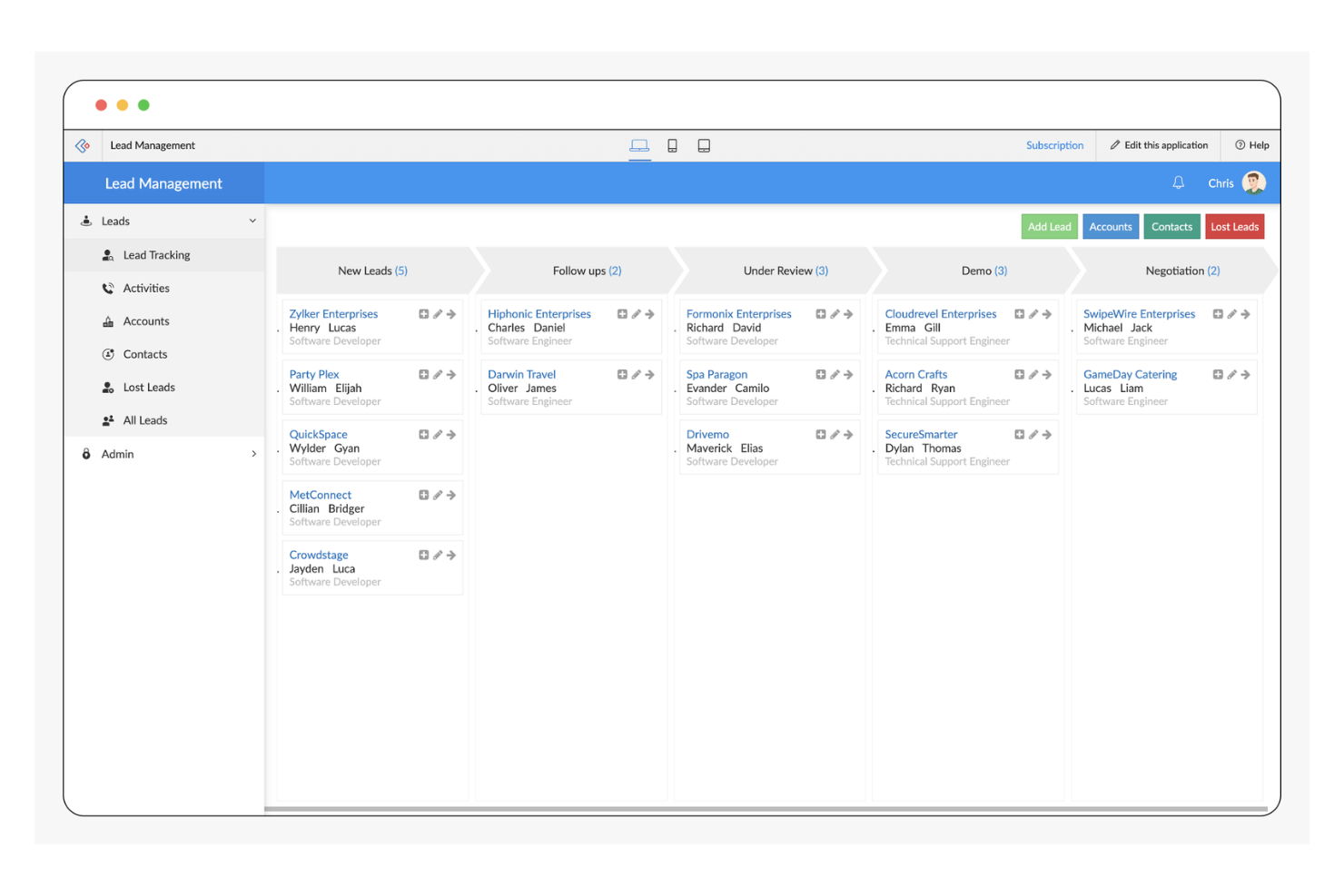
Zoho CRM is a versatile platform designed for businesses of all sizes, focusing on sales, marketing, and customer support automation. It offers a suite of tools to enhance customer relationship management and streamline business processes.
Why I picked Zoho CRM: Zoho CRM excels in providing low-code automation tools that simplify complex workflows. Its AI agent, Zia, offers insights and predictions, which you would not find in traditional CRM software.
Standout Features and Integrations:
Features include workflow automation for reducing manual tasks, a blueprint feature that enhances customer experiences, and an AI assistant for insights and predictions.
Integrations include Mailchimp, Slack, QuickBooks, Zapier, LinkedIn, Dropbox, DocuSign, HubSpot, and more.
Pros and Cons
Pros:
- Wide range of integrations available
- Strong analytics capabilities
- Extensive customization options
Cons:
- May not be cost-effective for small businesses
- Requires ongoing customization
New Product Updates from Zoho CRM

Zoho CRM Adds Reusable Canvas Templates for Forms
Zoho CRM now supports Canvas templates in the Forms view, so you can design a form layout once and reuse it across records for a consistent, faster experience. For more information, visit Zoho CRM's official site.
 .
.


How I Evaluate Low Code CRM
I split my evaluation into two layers: the baseline—pipeline tracking, visual workflow builders, custom objects—every platform must clear, and the differentiators that separate options for RevOps teams.
Core Functionality (Table Stakes For This List)
When I'm selecting tools for my list, I rank each one on a scale from 0 (does not offer the functionality) to 5 (excels in this area) for each core functionality listed below. Then, I calculate the tool's total score into a percentage. Each tool needs to achieve a minimum total score of 65% to be considered for inclusion.
- Visual Workflow Builder: I evaluate whether you can map out multi-step processes like lead routing rules or renewal reminders using drag-and-drop logic rather than scripting.
- Custom Object & Field Creation: RevOps teams often need objects beyond standard contacts and deals, so I check how easily you can spin up structures like partner records or custom subscription models through the UI.
- Pipeline & Deal Management: Every tool should let you track contacts, accounts, and opportunities across configurable stages, including multi-pipeline setups for different product lines or regions.
- No-Code Integrations & APIs: I look at how each platform connects to the broader GTM stack, from marketing automation to billing systems, through native connectors, webhooks, and accessible APIs.
- Configurable Dashboards & Reporting: The ability to build your own revenue dashboards matters here. I check whether you can create cross-object reports and custom metrics without writing queries.
- Role-Based Permissions & Governance: For cross-functional RevOps teams sharing one CRM, I evaluate how granularly you can control access at the field and record level across sales, marketing, and CS users.
Once I have a list of tools that meet this criteria, I consider what sets each platform apart.
Differentiating Factors (What Sets Vendors Apart)
Here's how I compare and contrast different vendors:
Standout Features
Sandbox and version control capabilities matter a lot here. When your RevOps team is iterating on pipeline stages or approval flows, I look for platforms that let you test changes in isolation before pushing them live. AI-powered automation is another area I evaluate closely. Tools that offer configurable lead scoring or predictive forecasting give revenue teams an edge without requiring data science resources. I also check for reusable component libraries with pre-built templates that speed up common setups like renewal tracking or territory assignment.
Beyond Features
Total cost of ownership is something I look at closely. Per-user pricing can balloon fast when sales, marketing, and CS all share one CRM, so I compare licensing models and check for hidden costs around API limits or premium connectors. Time-to-value also matters. I evaluate whether a platform offers guided setup wizards, RevOps-specific templates, or certification programs that help your team go live without expensive consulting engagements. Integration depth rounds this out. A low code CRM needs to fit into your existing GTM stack, from marketing automation to data warehouses.
Så väljer du ett CRM-system med låg kod
Det är lätt att fastna i långa listor över funktioner och komplexa prisstrukturer. För att hjälpa dig att hålla fokus när du arbetar dig igenom din unika urvalsprocess för programvara kommer här en checklista över faktorer att tänka på:
| Faktor | Vad du bör tänka på |
|---|---|
| Skalbarhet | Kan CRM-systemet växa med ditt företag? Tänk på framtida behov och om verktyget kan hantera ökande datamängder och antal användare utan prestandaproblem. |
| Integrationer | Kan det ansluta till dina befintliga verktyg? Kontrollera kompatibiliteten med dina nuvarande system för att undvika störningar i arbetsflödet och säkerställa datakonsistens. |
| Anpassningsbarhet | Hur mycket kan du anpassa CRM-systemet efter dina processer? Leta efter flexibla alternativ för att ändra fält, arbetsflöden och rapporter så att de passar dina specifika behov. |
| Användarvänlighet | Är CRM-systemet intuitivt för ditt team? Säkerställ att gränssnittet är användarvänligt för att minimera utbildningstiden och maximera produktiviteten från start. |
| Implementering och introduktion | Hur snabbt kan du komma igång? Utvärdera vilka resurser och vilket stöd som erbjuds vid konfigureringen, inklusive utbildningsmaterial och dedikerad hjälp med introduktionen. |
| Kostnad | Ryms det inom din budget? Jämför prisplanerna och ta hänsyn till den totala ägandekostnaden, inklusive eventuella dolda avgifter eller nödvändiga tillägg. |
| Säkerhetsåtgärder | Är dina data och din integritet skyddade? Kontrollera att branschstandarder följs och leta efter funktioner som kryptering, åtkomstkontroller och regelbundna uppdateringar. |
| Supporttillgänglighet | Vilka supportalternativ finns tillgängliga? Ta hänsyn till kundtjänstens tillgänglighet, inklusive svarstider och kanaler som chatt, e-post eller telefon. |
Vad är CRM med lite kod?
CRM med lite kod är en typ av programvara som gör det möjligt för användare att skapa och hantera applikationer för kundrelationshantering med minimal kodning. Dessa verktyg används vanligtvis av yrkesverksamma inom försäljning, marknadsföring och kundservice för att öka produktiviteten och förbättra kundinteraktionerna.
Gränssnitt med dra-och-släpp, anpassningsbara mallar och automatiseringsfunktioner bidrar till att förenkla processer, skräddarsy arbetsflöden och minska manuella uppgifter. Sammantaget erbjuder dessa verktyg ett flexibelt och effektivt sätt att hantera kundrelationer och driva affärstillväxt.
Funktioner
När du väljer CRM med lite kod bör du hålla utkik efter följande viktiga funktioner:
- Anpassningsbara mallar: Gör det möjligt för användare att skräddarsy arbetsflöden och processer efter specifika affärsbehov, vilket ökar flexibiliteten och effektiviteten.
- Gränssnitt med dra-och-släpp: Förenklar skapandet av appar genom att användare kan bygga applikationer utan omfattande kodningskunskaper, vilket minskar utvecklingstiden.
- Arbetsflödesautomatisering: Automatiserar återkommande uppgifter, frigör tid för mer strategiska aktiviteter och förbättrar den övergripande produktiviteten.
- Integreringsfunktioner: Säkerställer anslutning till befintliga verktyg och system, upprätthåller datakonsistens och förbättrar arbetsflödet.
- Datavisualisering: Ger tydliga insikter i kunddata genom diagram och grafer, vilket underlättar bättre beslutsfattande.
- Säkerhetsskydd: Skyddar känslig information med funktioner som kryptering och åtkomstkontroller, vilket säkerställer datasekretess och efterlevnad.
- AI-drivna insikter: Erbjuder prediktiv analys och rekommendationer som hjälper användare att fatta välgrundade beslut och optimera strategier.
- Rollbaserad åtkomstkontroll: Hanterar användarbehörigheter effektivt och säkerställer att endast behörig personal kan komma åt specifika data och funktioner.
- Skapande av anpassade databaser: Gör det möjligt att utforma databaser anpassade efter verksamhetens krav och stödjer unika operativa behov.
- Skalbarhet: Stödjer företagstillväxt genom att hantera ökande datamängder och användarantal utan att prestandan försämras.
Fördelar
Att implementera CRM med lite kod ger flera fördelar för ditt team och din verksamhet. Här är några du kan se fram emot:
- Snabbare utveckling: Gränssnitt med dra-och-släpp och anpassningsbara mallar påskyndar processen för att bygga appar, vilket gör att ditt team snabbt kan ta lösningar i drift.
- Ökad produktivitet: Arbetsflödesautomatisering minskar manuella uppgifter och ger ditt team mer tid att fokusera på strategiska initiativ och kundinteraktioner.
- Ökad flexibilitet: Anpassningsbara databaser och integreringsfunktioner gör att du kan skräddarsy CRM-systemet efter verksamhetens specifika behov och anpassa det när dessa behov förändras.
- Förbättrat beslutsfattande: AI-drivna insikter och datavisualisering hjälper dig att förstå kundbeteenden och effektivt optimera dina strategier.
- Kostnadseffektivitet: En metod med lite kod minskar behovet av omfattande kodning och utvecklarresurser, vilket sänker utvecklingskostnaderna.
- Skalbarhet: Möjligheten att hantera växande datamängder och användarantal säkerställer att CRM-systemet kan växa med verksamheten utan prestandaproblem.
- Bättre säkerhet: Inbyggda säkerhetsskydd skyddar känsliga data, säkerställer efterlevnad av branschstandarder och upprätthåller kundernas förtroende.
Kostnader och priser
Att välja CRM med lite kod kräver en förståelse för de olika prismodeller och abonnemang som finns tillgängliga. Kostnaderna varierar beroende på funktioner, teamets storlek, tillägg och annat. Tabellen nedan sammanfattar vanliga abonnemang, deras genomsnittliga priser och typiska funktioner som ingår i CRM-lösningar med lite kod:
Jämförelsetabell för abonnemang för CRM med lite kod
| Abonnemangstyp | Genomsnittligt pris | Vanliga funktioner |
|---|---|---|
| Gratisabonnemang | $0 | Grundläggande kontakthantering, begränsad anpassning och support från användarcommunityn. |
| Privatabonnemang | $10-$50/användare/månad | Anpassningsbara mallar, arbetsflödesautomatisering och e-postintegrering. |
| Företagsabonnemang | $50-$120/användare/månad | Avancerad rapportering, integrering med tredjepartsappar och förbättrade säkerhetsfunktioner. |
| Storabonnemang | $100-$300+/användare/månad | AI-drivna analyser, dedikerad kontosupport samt säkerhets- och efterlevnadsverktyg på företagsnivå. |
Vanliga frågor om CRM med låg kod
Här är några svar på vanliga frågor om CRM med låg kod:
Vad är skillnaden mellan CRM med låg kod och CRM utan kod?
CRM med låg kod kräver viss kodning för anpassning, vilket ger större flexibilitet och kontroll. CRM utan kod gör det däremot möjligt för användare att bygga applikationer utan någon kodning och förlitar sig helt på verktyg med dra och släpp. Välj låg kod om du behöver mer anpassning eller har tekniska resurser. Välj utan kod om användarvänlighet och snabb installation är dina prioriteringar.
Kan CRM med låg kod integreras med mina befintliga system?
Ja, de flesta CRM-lösningar med låg kod erbjuder integrationsmöjligheter med populära verktyg som e-postklienter, marknadsföringsplattformar och bokföringsprogram. Det är viktigt att kontrollera vilka specifika integrationer ett CRM-system stöder innan du köper det. Leta efter CRM-system som erbjuder API-åtkomst för anpassade integrationer om dina system inte finns med i listan.
Hur säkert är CRM med låg kod?
CRM-plattformar med låg kod innehåller vanligtvis säkerhetsåtgärder som datakryptering, åtkomstkontroller och regelbundna säkerhetsuppdateringar. Det är dock viktigt att kontrollera att CRM-systemet följer branschstandarder och bestämmelser som är relevanta för ditt företag. Fråga leverantörerna om deras säkerhetscertifieringar och rutiner för att säkerställa datasäkerheten.
Passar CRM med låg kod för små företag?
Ja, CRM med låg kod kan vara ett utmärkt val för små företag och erbjuder skalbarhet och anpassning utan behov av omfattande tekniska resurser. Det gör det möjligt för små team att automatisera arbetsflöden och hantera kundrelationer effektivt. Leta efter abonnemang som passar din budget och erbjuder funktioner anpassade efter små företags behov.
Vad händer härnäst:
Om du håller på att undersöka CRM med låg kod kan du kontakta en SoftwareSelect-rådgivare för kostnadsfria rekommendationer.
Du fyller i ett formulär och har ett kort samtal där de går igenom detaljerna kring dina behov. Sedan får du en kort lista över programvaror att granska. De hjälper dig dessutom genom hela köpprocessen, inklusive prisförhandlingar.