

Salesforce Spiff Review 2026: Pros, Cons, Features and Pricing
I judge Salesforce Spiff by one question: does clearer commission management justify the cost? Here’s where its features shine—and what to weigh before choosing it.

We review tools independently, and commissions help fund our testing. See our transparency policy, our methodology, or suggest a tool.
Salesforce Spiff is sales compensation software that automates commission calculations and gives sellers real-time visibility into attainment and earnings. If your team already runs on Salesforce and needs commissions tied closely to its sales data, I’d choose Spiff over CaptivateIQ for its native Salesforce platform and workflows.
Salesforce Spiff Evaluation Summary
4.6/5
- From $75/user/month (billed annually)
- Free demo available
Why Trust Our Software Recommendations
6,700+
Reviews
20
Industry experts
16+
Evaluation factors
14
Years
Our reviews reflect our independent judgment—not a sales pitch. Learn how we stay transparent.
For this guide, we evaluated tools using hands-on testing and independent research, scoring tools using our selection criteria.
Our reviews reflect our human editorial judgment, not a sales pitch.
Salesforce Spiff Overview
I’d choose Salesforce Spiff when your team already runs on Salesforce and needs commissions tied to CRM activity. Real-time earnings, deal-level calculation tracing, plan automation, and dispute workflows make statements easier to check. Its Salesforce-native setup and clear seller interface can ease onboarding, while Slack and more than 50 external connectors broaden access. Compared with less CRM-centered options, Spiff offers a strong fit for Salesforce workflows but may be less suitable for teams seeking flexibility outside the Salesforce ecosystem. Support requirements and setup complexity also deserve consideration before selecting it.
Pros
- Real-time statements show reps attainment, payouts, and deal-level calculations.
- Automated calculations handle layered commission plans and replace spreadsheet workflows.
- Dispute tools record payout questions, comments, and approval history.
Cons
- Reports offer limited filtering, exports, and detailed deal drill-downs.
- Slow or inaccurate data syncs can undermine commission statement trust.
- Complex commission calculations may cause slowdowns or timeout errors.


How We Test & Score Tools
We’ve spent years building, refining, and improving our software testing and scoring system. The rubric is designed to capture the nuances of software selection and what makes a tool effective, focusing on critical aspects of the decision-making process.
Below, you can see exactly how our testing and scoring works across seven criteria. It allows us to provide an unbiased evaluation of the software based on core functionality, standout features, ease of use, onboarding, customer support, integrations, customer reviews, and value for money.
Core Functionality (25% of final scoring)
The starting point of our evaluation is always the core functionality of the tool. Does it have the basic features and functions that a user would expect to see? Are any of those core features locked to higher-tiered pricing plans? At its core, we expect a tool to stand up against the baseline capabilities of its competitors.
Standout Features (25% of final scoring)
Next, we evaluate uncommon standout features that go above and beyond the core functionality typically found in tools of its kind. A high score reflects specialized or unique features that make the product faster, more efficient, or offer additional value to the user.
We also evaluate how easy it is to integrate with other tools typically found in the tech stack to expand the functionality and utility of the software. Tools offering plentiful native integrations, 3rd party connections, and API access to build custom integrations score best.
Ease of Use (10% of final scoring)
We consider how quick and easy it is to execute the tasks defined in the core functionality using the tool. High scoring software is well designed, intuitive to use, offers mobile apps, provides templates, and makes relatively complex tasks seem simple.
Onboarding (10% of final scoring)
We know how important rapid team adoption is for a new platform, so we evaluate how easy it is to learn and use a tool with minimal training. We evaluate how quickly a team member can get set up and start using the tool with no experience. High scoring solutions indicate little or no support is required.
Customer Support (10% of final scoring)
We review how quick and easy it is to get unstuck and find help by phone, live chat, or knowledge base. Tools and companies that provide real-time support score best, while chatbots score worst.
Customer Reviews (10% of final scoring)
Beyond our own testing and evaluation, we consider the net promoter score from current and past customers. We review their likelihood, given the option, to choose the tool again for the core functionality. A high scoring software reflects a high net promoter score from current or past customers.
Value for Money (10% of final scoring)
Lastly, in consideration of all the other criteria, we review the average price of entry level plans against the core features and consider the value of the other evaluation criteria. Software that delivers more, for less, will score higher.
Core Features
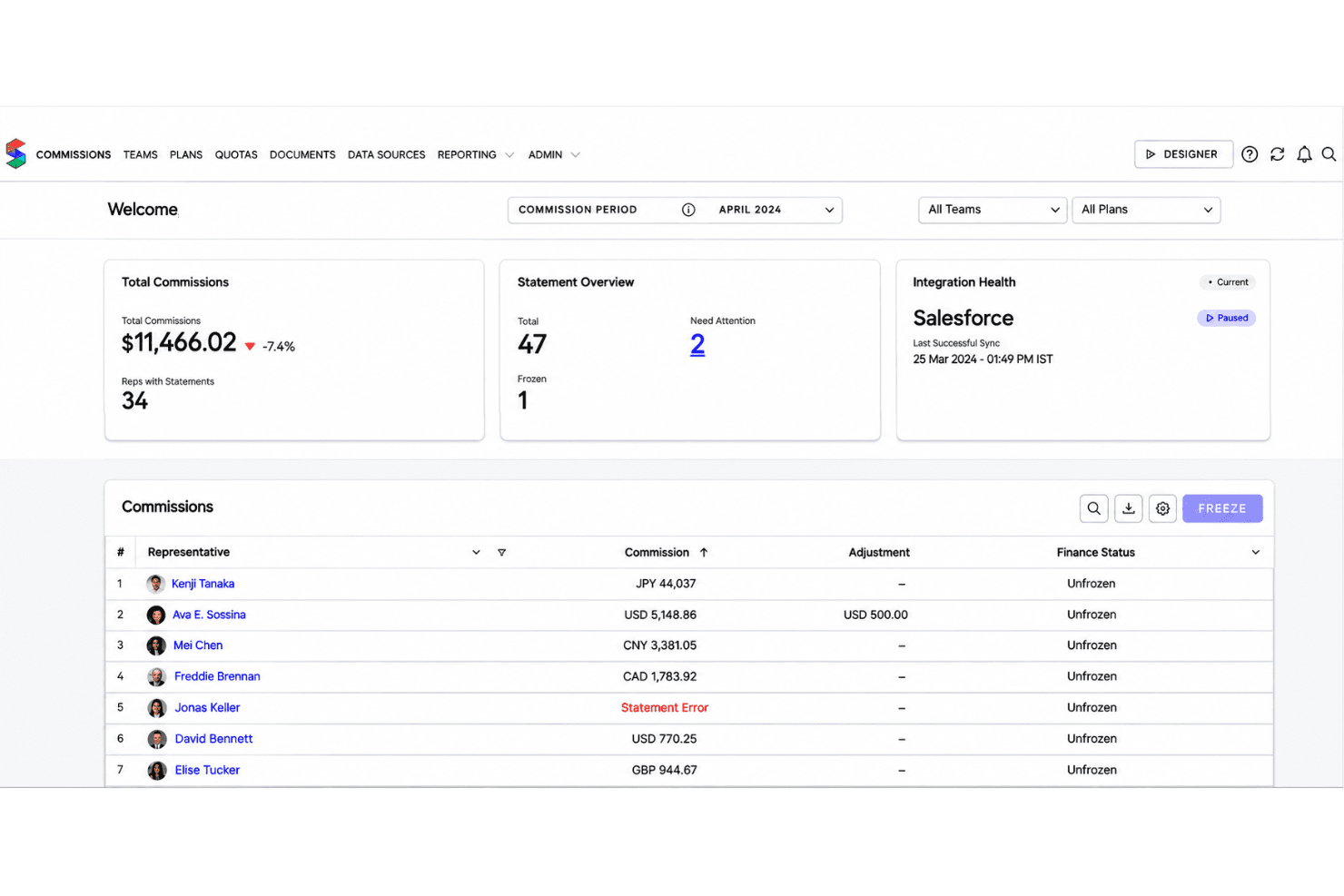
Commission Plan Design
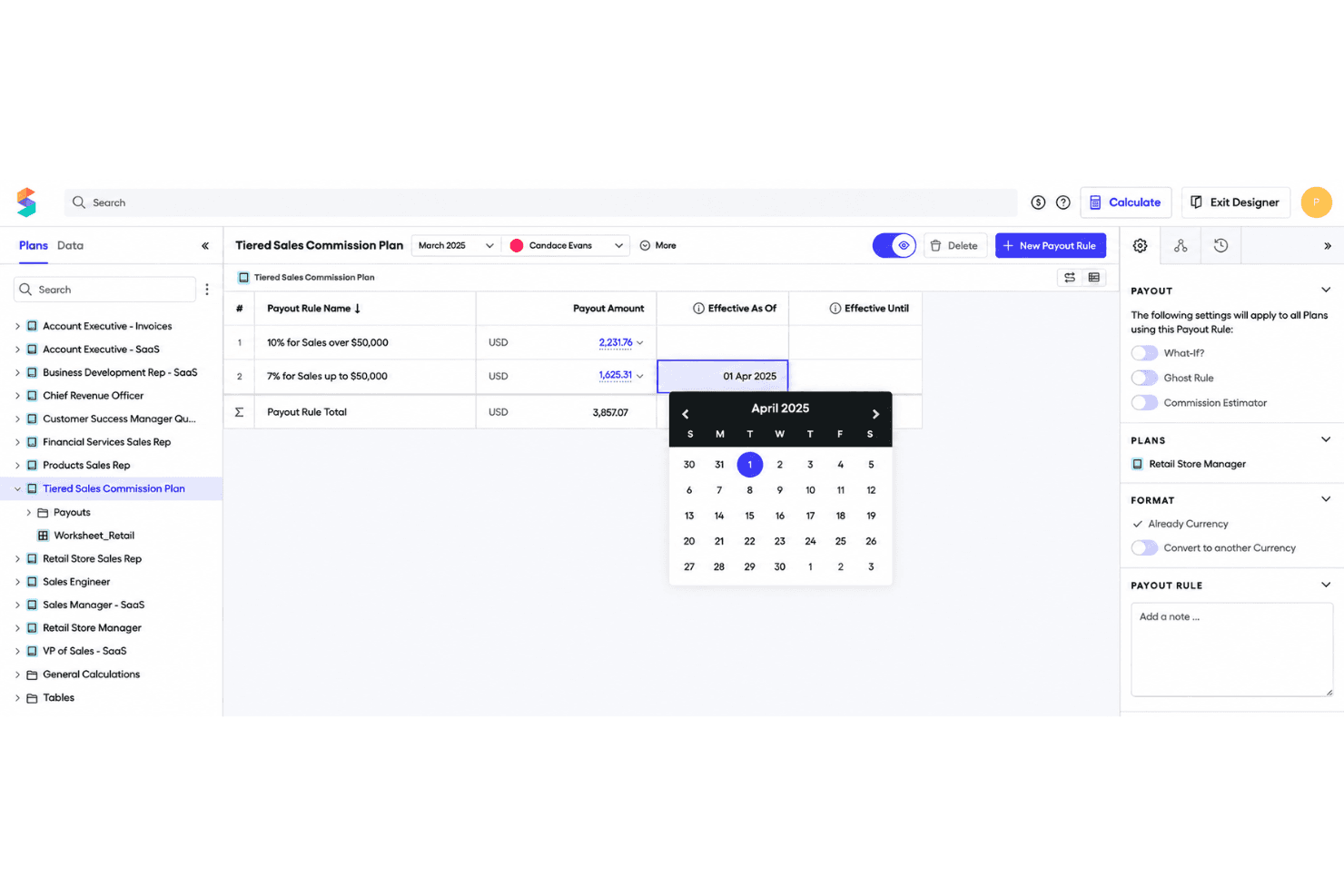
Spiff Designer lets administrators build plans with tiers, accelerators, triggers, and exceptions. Automatic plan assignment can apply the right rules to different roles or teams.
Automated Commission Calculations
Spiff calculates commissions from sales data and recalculates them when deal details change. For example, an updated deal value can flow into the payout calculation without a manual spreadsheet update.
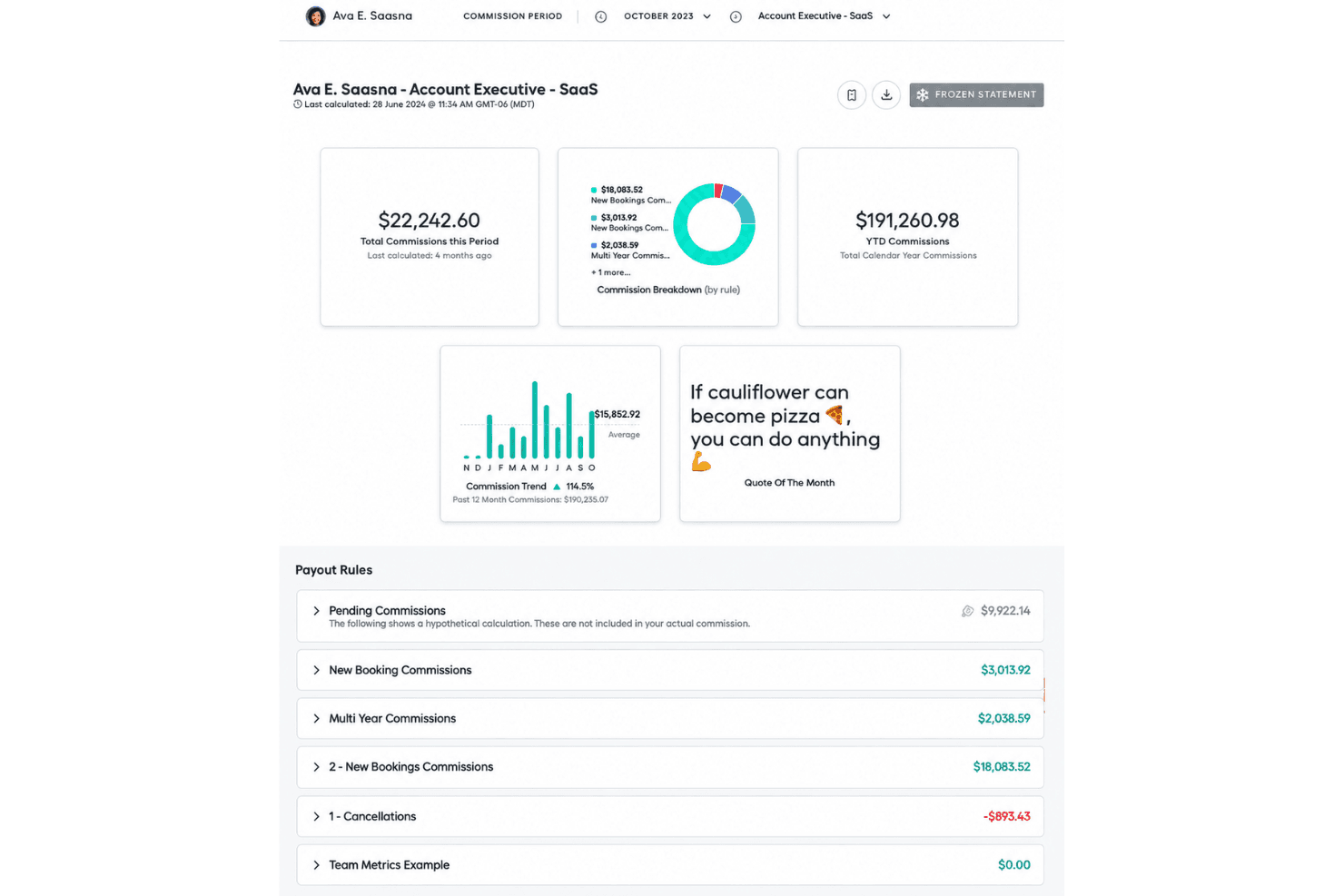
Real-Time Statements and Calculation Tracing
Sellers can view attainment, commissions, goal progress, and deal-level statement details in real time. They can trace a payout back to its source, making it easier to check how a deal affected earnings.
Manager Performance Dashboards
Managers can review team pacing, rankings, attainment, trends, and outliers. These views help them spot when a rep or team is tracking behind goal while there’s still time to respond.
Questions and Dispute Workflows
Sellers can raise payout questions and disputes in Spiff, with comments and records of changes, reasons, and approvers. This gives finance and sales a shared record to review when a rep challenges a calculation.
Audit Trails and Commission Expense Reporting
Spiff records changes to plans, users, calculations, and commission logic, and preserves historical statements. It also automates commission expense reporting, giving finance a clearer record for review.
Ease of Use
Salesforce Spiff offers a straightforward experience for sales reps, though administrators may face a learning curve when configuring complex compensation plans. Its interface provides real-time attainment, earnings, and deal-level payout calculations, helping sellers understand their commissions. However, building layered plans and formulas may require additional configuration and administrator expertise. Overall, Spiff is accessible for daily use but requires planning for more advanced setups.
Integrations
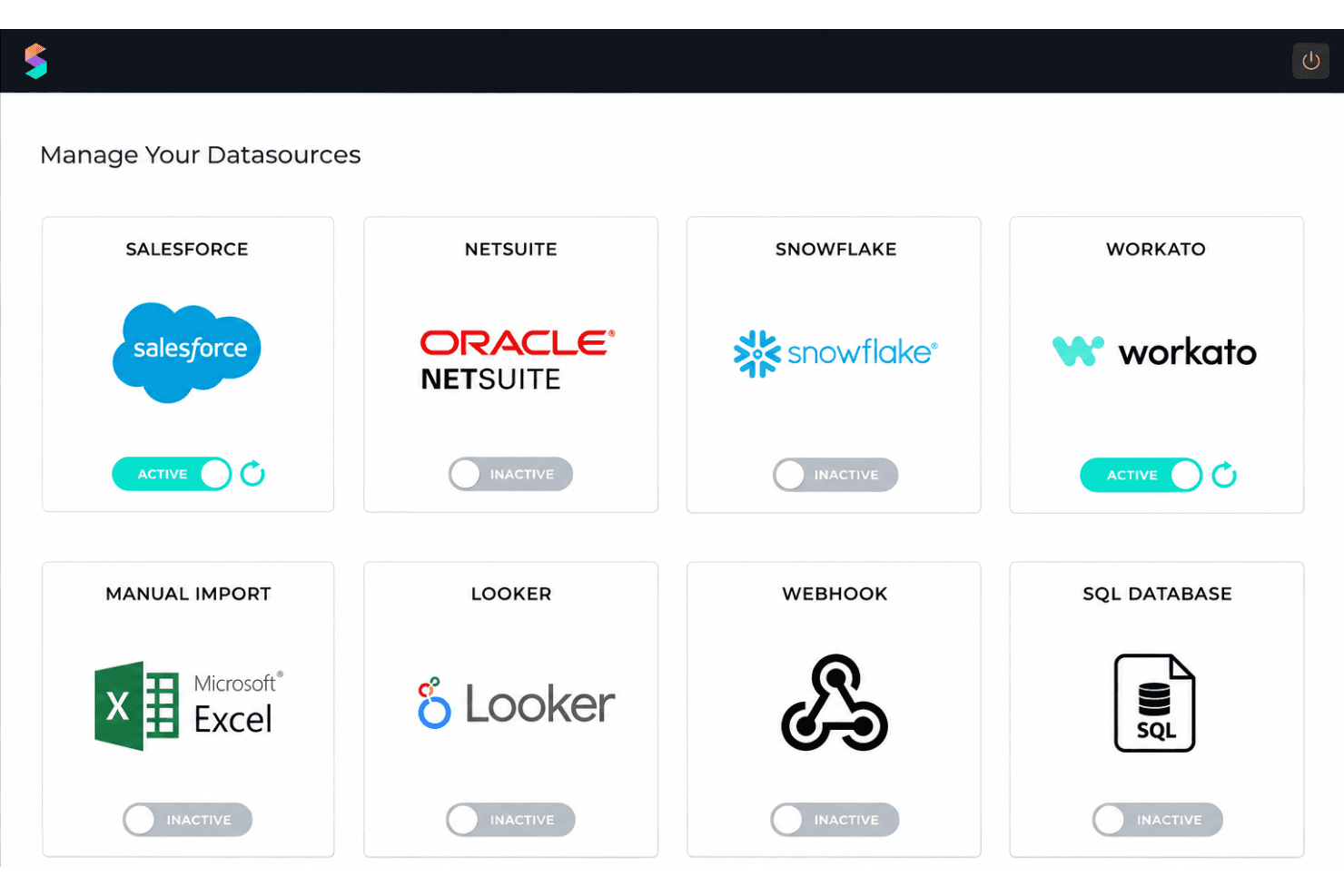
Salesforce Spiff integrates with Salesforce, Revenue Cloud, Slack, Oracle, Snowflake, NetSuite, BambooHR, and Workday. It also supports Excel data imports and connections to additional third-party systems.
Salesforce Spiff provides a REST API and webhooks for custom integrations, with third-party connectivity available through Workato.
Salesforce Spiff Specs
- API: Yes
- Audience Targeting: No
- Budgeting: No
- Calendar Management: No
- Call Disposition: No
- Call Tracking: No
- Contact Management: No
- Contact Sharing: No
- CRM Integration: Yes
- Customer Management: No
- Dashboard: Yes
- Data Export: Yes
- Data Import: Yes
- Data Visualization: Yes
- Email Integration: Yes
- Expense Tracking: Yes
- External Integrations: Yes
- Forecasting: Yes
- Google Apps Integration: Yes
- Inventory Tracking: No
- Lead Management: No
- Lead Scoring: No
- Marketing Automation: No
- Multi-Currency: Yes
- Multi-User: Yes
- Notifications: Yes
- Project Management: No
- Referral Tracking: No
- Sales Motivator: Yes
- Scheduling: Yes
- Softphone: No
- Supplier Management: No
- Third-Party Plugins/Add-Ons: Yes
- Travel Management: No


