
Performio Review 2026: Pros, Cons, Features and Pricing
I look beyond the feature list to see whether Performio makes complex sales compensation easier to manage—and whether its strengths justify the trade-offs and price.

We review tools independently, and commissions help fund our testing. See our transparency policy, our methodology, or suggest a tool.
Performio is sales compensation software for companies managing complex commission plans across CRM, ERP, HRIS, and finance data. I’d choose it over Xactly when your team needs to adjust plan logic without relying on IT, since Performio offers no-code plan components and accepts data in different formats.
Performio Evaluation Summary
4.3/5
- Pricing upon request
- Free demo available
Why Trust Our Software Recommendations
6,700+
Reviews
20
Industry experts
16+
Evaluation factors
14
Years
Our reviews reflect our independent judgment—not a sales pitch. Learn how we stay transparent.
For this guide, we evaluated tools using hands-on testing and independent research, scoring tools using our selection criteria.
Our reviews reflect our human editorial judgment, not a sales pitch.
Performio Overview
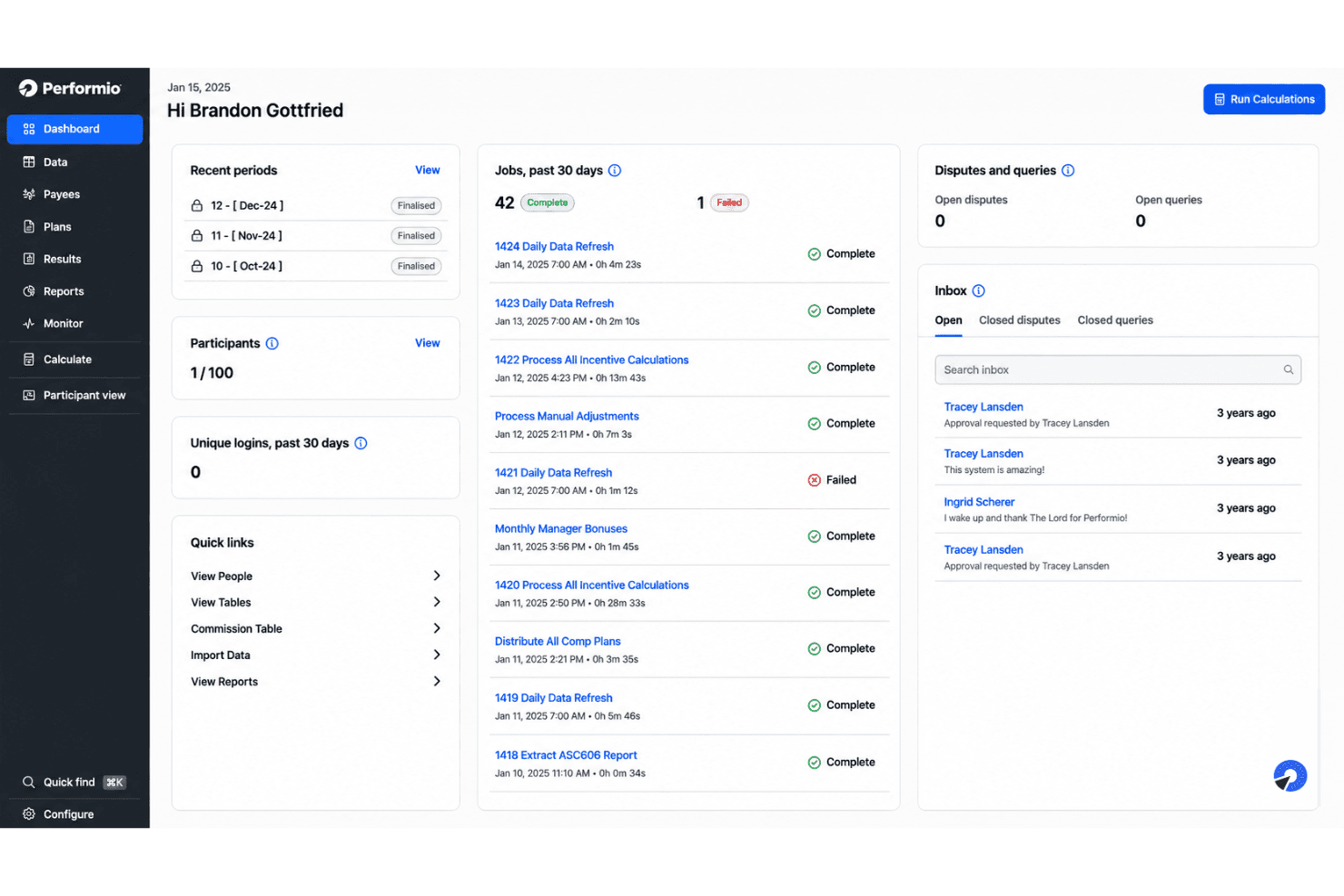
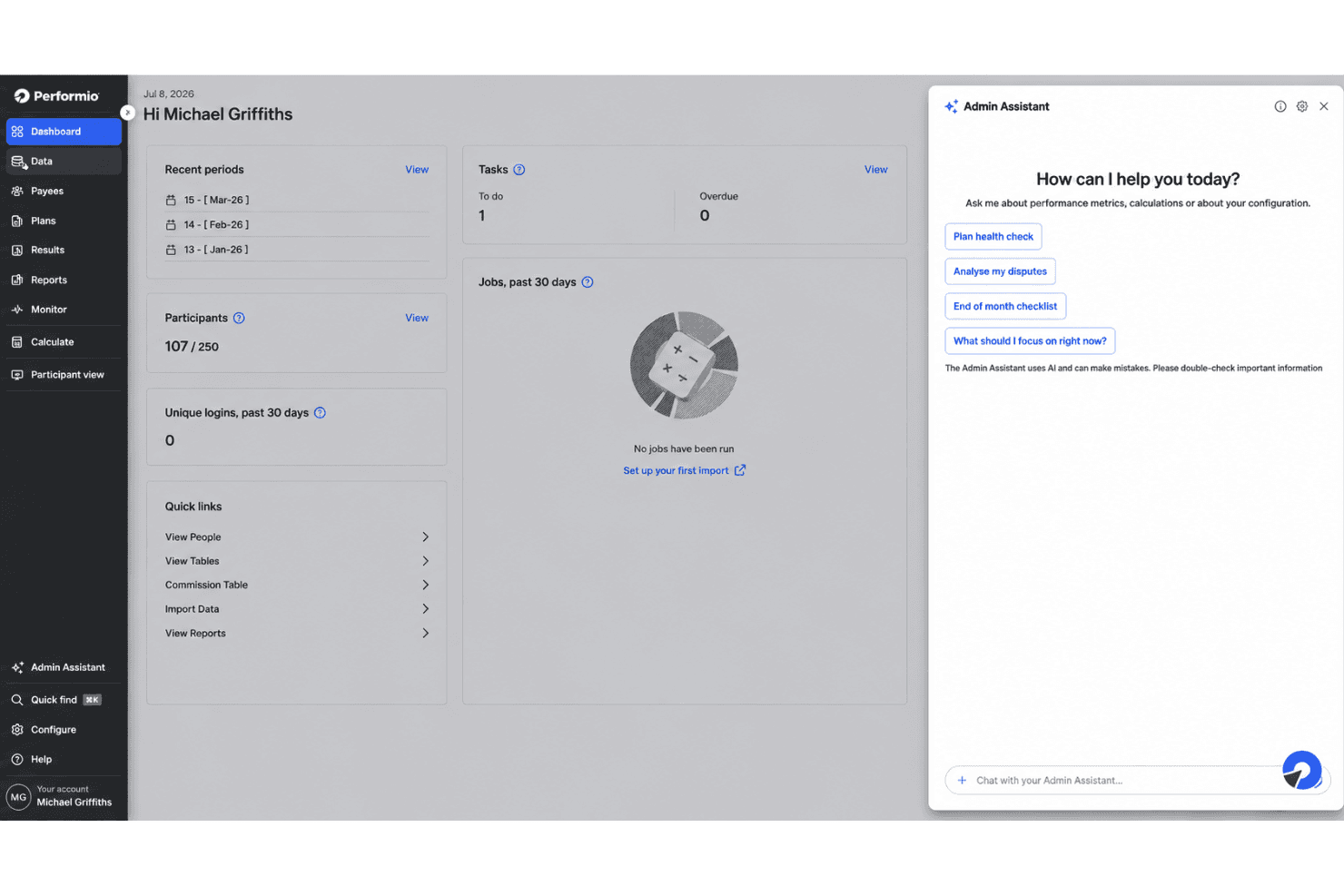
I’d choose Performio when your team manages complex, changing commission plans across CRM, ERP, HRIS, and finance data. Its no-code plan components, flexible data inputs, and guided workflows give admins more control than tools that rely on technical teams for plan changes; dashboards and what-if calculators also make payouts easier for reps to inspect. Implementation includes configuration, testing, training, and consultant support, though pricing is custom, with implementation charged separately. That can be a meaningful hurdle for smaller teams with simple commissions. I’d judge it a strong fit for mid-market and enterprise teams with 70 or more commissionable employees, but excessive for basic plans.
Pros
- No-code components let admins revise complex commission rules.
- Reps get clear payout breakdowns, dashboards, and what-if views.
- Flexible data handling and automated calculations suit varied plans.
Cons
- Commission data refreshes can lag until the next morning.
- Finding specific reports and building custom views takes work.
- Custom pricing and separate implementation fees raise entry costs.


How We Test & Score Tools
We’ve spent years building, refining, and improving our software testing and scoring system. The rubric is designed to capture the nuances of software selection and what makes a tool effective, focusing on critical aspects of the decision-making process.
Below, you can see exactly how our testing and scoring works across seven criteria. It allows us to provide an unbiased evaluation of the software based on core functionality, standout features, ease of use, onboarding, customer support, integrations, customer reviews, and value for money.
Core Functionality (25% of final scoring)
The starting point of our evaluation is always the core functionality of the tool. Does it have the basic features and functions that a user would expect to see? Are any of those core features locked to higher-tiered pricing plans? At its core, we expect a tool to stand up against the baseline capabilities of its competitors.
Standout Features (25% of final scoring)
Next, we evaluate uncommon standout features that go above and beyond the core functionality typically found in tools of its kind. A high score reflects specialized or unique features that make the product faster, more efficient, or offer additional value to the user.
We also evaluate how easy it is to integrate with other tools typically found in the tech stack to expand the functionality and utility of the software. Tools offering plentiful native integrations, 3rd party connections, and API access to build custom integrations score best.
Ease of Use (10% of final scoring)
We consider how quick and easy it is to execute the tasks defined in the core functionality using the tool. High scoring software is well designed, intuitive to use, offers mobile apps, provides templates, and makes relatively complex tasks seem simple.
Onboarding (10% of final scoring)
We know how important rapid team adoption is for a new platform, so we evaluate how easy it is to learn and use a tool with minimal training. We evaluate how quickly a team member can get set up and start using the tool with no experience. High scoring solutions indicate little or no support is required.
Customer Support (10% of final scoring)
We review how quick and easy it is to get unstuck and find help by phone, live chat, or knowledge base. Tools and companies that provide real-time support score best, while chatbots score worst.
Customer Reviews (10% of final scoring)
Beyond our own testing and evaluation, we consider the net promoter score from current and past customers. We review their likelihood, given the option, to choose the tool again for the core functionality. A high scoring software reflects a high net promoter score from current or past customers.
Value for Money (10% of final scoring)
Lastly, in consideration of all the other criteria, we review the average price of entry level plans against the core features and consider the value of the other evaluation criteria. Software that delivers more, for less, will score higher.
Core Features
No-Code Plan Builder
Performio’s component-based Plan Builder lets admins configure rates, targets, tiers, and payout rules without code. Reusable components and effective dating help your team update a new quarter’s rates while preserving a history of plan changes.
Complex Commission Calculations
The calculation engine supports tiered plans, split commissions, rollups, accelerators, draws, guarantees, and clawbacks. You can model rules for a multi-step payout in one system instead of maintaining separate commission spreadsheets.
Automated Commission Processing
Performio automates commission calculations and keeps calculation logic audit-ready. That gives finance a traceable basis for checking a payout when a rep questions a credit or amount.
Approval and Dispute Workflows
Performio offers workflows for approvals and commission disputes. A rep can raise a payout issue for review, while managers follow an approval path rather than resolving it through scattered email threads.
Seller Dashboards and Statements
Seller dashboards and commission statements show earnings, quota attainment, and progress toward goals. Reps can check how a deal affected their payout without waiting for a manually prepared report.
What-If Calculators
What-if calculators let sellers estimate how a deal could affect their commission. A rep can compare potential earnings before a deal closes and see how progress toward a goal changes.

Ease of Use
Performio offers a straightforward experience for sales reps, though administrators may face a learning curve when managing complex compensation plans. Commission statements, payout breakdowns, dashboards, and what-if calculators help sellers understand their earnings without relying on finance teams. However, navigating detailed reports and managing data updates may require familiarization, particularly for teams with extensive reporting requirements.
Integrations
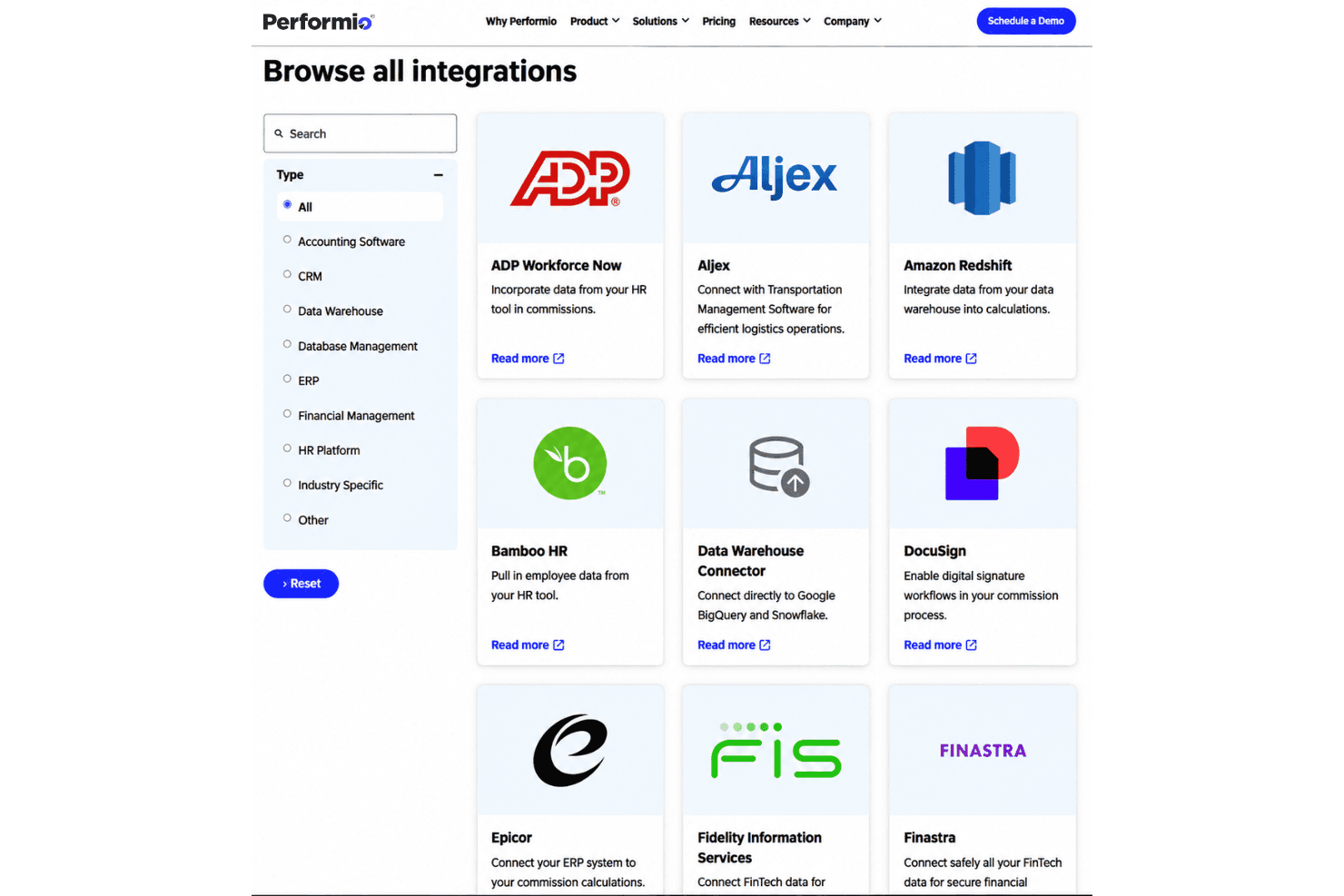
Performio integrates with Salesforce, NetSuite, Snowflake, Google BigQuery, HubSpot, Microsoft Dynamics CRM, ADP Workforce Now, Workday, QuickBooks Online, and SAP. Salesforce and NetSuite are supported through native, out-of-the-box connectors.
Performio also provides a REST API, supports API-based integrations through MuleSoft, and offers SFTP and direct database connections.
Performio Specs
- 360 Degree Feedback: No
- API: Yes
- Budgeting: Yes
- Comparative Reporting: Yes
- Competency Assessment: No
- Competency Scale: No
- Custom Assessments: No
- Dashboard: Yes
- Data Export: Yes
- Data Import: Yes
- Data Visualization: Yes
- Employee Database: Yes
- Employee Engagement: No
- Employee Incentive Management: Yes
- Employee Onboarding: No
- Expense Tracking: Yes
- External Integrations: Yes
- Feedback Management: No
- Forecasting: Yes
- Multi-Account: No
- Multi-Currency: Yes
- Multi-User: Yes
- Notifications: Yes
- Objectives Tracking: Yes
- Onboarding: No
- Online Surveys: No
- P&L: No
- Paper Surveys: No
- Payroll: No
- PDF Export: No
- Performance Appraisal: No
- Performance Reviews: No
- Report & Compliance: Yes
- Self-service Portal: Yes
- Tax Management: No
- Travel Management: No


