


Nutshell versus Copper CRM: vergelijking en deskundige beoordelingen voor 2026
Ik vergelijk Nutshell en Copper CRM rechtstreeks met elkaar, zodat je kunt zien welke het beste bij jouw workflow past en precies kunt ontdekken wat elk platform in 2026 onderscheidt.

We review tools independently, and commissions help fund our testing. See our transparency policy, our methodology, or suggest a tool.
When sales reps are stuck digging through cluttered pipelines, updating spreadsheets by hand, or bouncing between disconnected tools just to track a lead, deals start stalling fast. A CRM that’s supposed to organize your sales process can easily become the reason opportunities slip away in the first place.
If you’re feeling stuck between Nutshell and Copper CRM, you’re not alone. Maybe you want sales tools that don’t overwhelm your team, or you’re trying to make sense of which CRM software actually supports your sales process without adding friction. Both promise straightforward pipelines and integrations, but the experience and real value can look pretty different once you dig in.
In this article, you’ll get a side-by-side comparison—including pros and cons, use cases, pricing, security, and usability—so you can pick the right fit with confidence. I’ll help you see past the surface and decide which one deserves a spot in your tech stack.
Nutshell
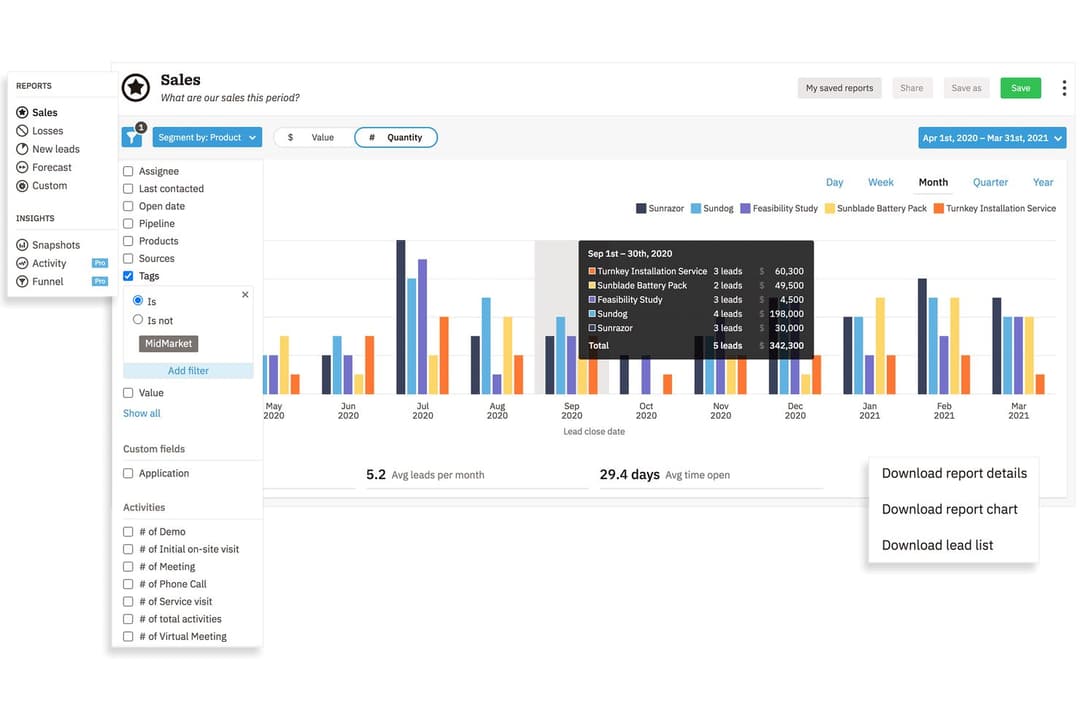
4.3/5
- 14-day free trial + free demo available
- From $13/user/month (billed annually)
Copper CRM
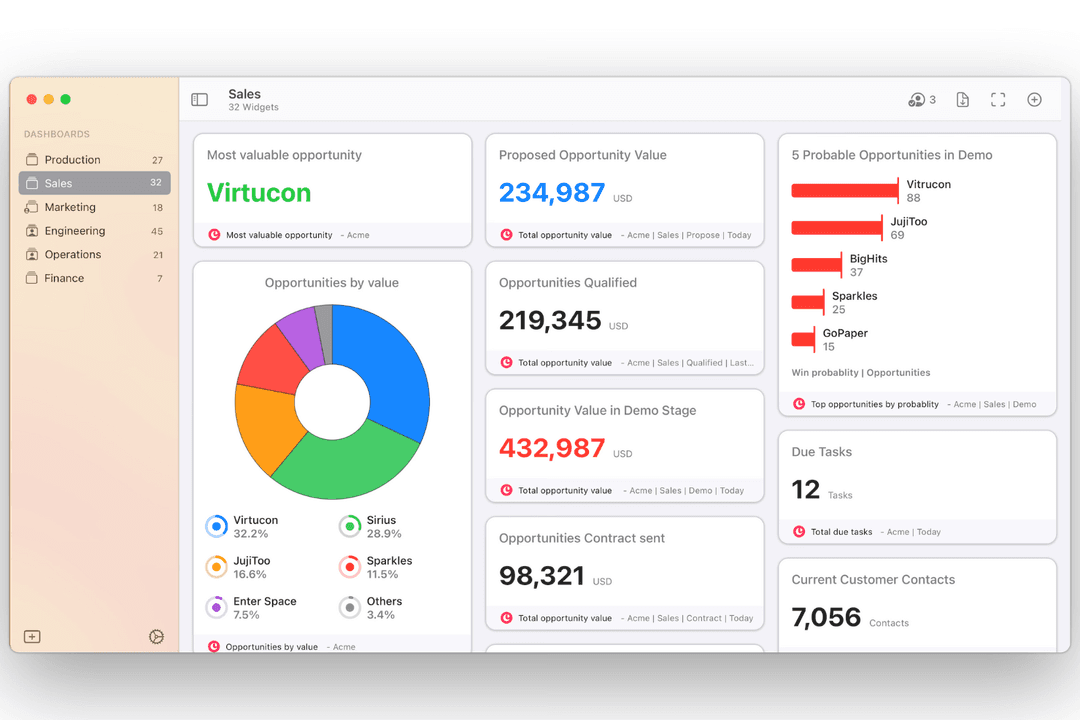
4.5/5
- 14-day free trial
- From $12/user/month
Waarom u onze softwareaanbevelingen kunt vertrouwen
6,700+
Reviews
20
Industry experts
16+
Evaluation factors
14
Years
Onze reviews weerspiegelen ons onafhankelijke oordeel — geen verkooppraatje. Ontdek hoe we transparant blijven.
Voor deze gids hebben we tools geëvalueerd met behulp van praktijktests en onafhankelijk onderzoek, waarbij we tools beoordeelden aan de hand van onze selectiecriteria.
Onze reviews weerspiegelen ons menselijke redactionele oordeel, geen verkooppraatje.
| Nutshell | Copper CRM | |
|---|---|---|
| Free Trial | 14-day free trial + free demo available | 14-day free trial |
| Pricing | From $13/user/month (billed annually) | From $12/user/month |
Prijzen en verborgen kosten van Nutshell versus Copper CRM
Nutshell gebruikt een gelaagd abonnementsmodel waarbij de functies op hogere niveaus worden uitgebreid, terwijl de prijzen van Copper CRM ook op niveaus zijn gebaseerd, maar gericht zijn op gebruikersrollen en de diepgang van integraties. Beide bieden maandelijkse of jaarlijkse facturering, en je kunt te maken krijgen met extra kosten voor add-ons, implementatie of geavanceerde integraties—vooral als je team meer automatisering of ondersteuning nodig heeft.
Om de beste prijs-kwaliteitverhouding te kiezen, breng je de huidige en toekomstige procesbehoeften in kaart tegenover de functies op de niveaus van elke leverancier, en controleer je waar je essentiële tools of integraties onder vallen. Ik raad aan de kleine lettertjes voor minimale aantallen gebruikers, installatiekosten of beperkingen op ondersteuning goed te bekijken, omdat die details een groot verschil kunnen maken naarmate je team groeit of verandert.
| Nutshell | Copper CRM | |
|---|---|---|
| API | Yes | Yes |
| Data Export | Yes | Yes |
| Data Import | Yes | Yes |
| External Integrations | Yes | Yes |
| Multi-User | Yes | Yes |
| Notifications | Yes | Yes |
| Third-Party Plugins/Add-Ons | Yes | Yes |
| Integratie | Nutshell | Copper CRM |
| Google Workspace | ✅ | ✅ |
| Microsoft 365 | ✅ | ❌ |
| QuickBooks Online | ✅ | ✅ |
| Slack | ✅ | ✅ |
| Mailchimp | ✅ | ✅ |
| HubSpot | ❌ | ✅ |
| ❌ | ✅ | |
| Xero | ❌ | ✅ |
| API | ✅ | ✅ |
| Zapier | ✅ | ✅ |
Beide tools bieden de essentiële integraties met onder andere Google Workspace, QuickBooks, Mailchimp en Zapier, evenals API-toegang, waardoor ze solide keuzes zijn voor veelvoorkomende workflows. Copper CRM loopt voorop met meer gespecialiseerde integraties voor gebruikers die voornamelijk met Google en Xero werken, terwijl Nutshell uitblinkt met Microsoft 365 en aangepaste verbindingen via de app-marktplaats en API.
| Factor | Nutshell | Copper CRM |
| Gegevensversleuteling | Gebruikt TLS 1.2 voor versleuteling tijdens overdracht en AES-256-versleuteling voor gegevens in rust. | Versleutelt gegevens tijdens overdracht en in rust volgens industrienormen. |
| Naleving van regelgeving | Voldoet aan de AVG, PCI DSS, SOC 2 Type 1 en Amerikaanse privacywetten, met duidelijke gebruikerscontroles. | Voldoet aan de AVG en beschikt daarnaast over SOC 2-certificering voor extra zekerheid. |
| Toegangscontroles | Biedt aanpasbare gebruikersrollen en machtigingen. | Biedt gedetailleerde machtigingsinstellingen en controles voor het delen binnen teams. |
| Back-up & herstel | Dagelijkse geautomatiseerde back-ups met redundantie in meerdere regio's. | Regelmatige back-ups van gegevens met robuuste procedures voor noodherstel. |
| Activiteitsregistratie | Houdt gebruikersactiviteiten en toegangslogboeken bij voor controledoeleinden. | Houdt gedetailleerde logboeken van gebruikersactiviteiten bij voor systeemcontroles. |
Nutshell en Copper CRM zijn grotendeels vergelijkbaar op het gebied van beveiliging, betrouwbaarheid en beheerderscontroles. Beide bieden de bescherming die de meeste bedrijven verwachten van een modern CRM-platform. De algehele ervaring en mate van controle voelen in beide systemen erg vergelijkbaar aan.
| Factor | Nutshell | Copper CRM |
|---|---|---|
| FactorGebruikersinterface | NutshellEen overzichtelijk, intuïtief dashboard met verkooptrajecten die je kunt slepen en neerzetten. | Copper CRMEen minimalistisch ontwerp in Google-stijl dat vertrouwd aanvoelt binnen Workspace. |
| FactorIntroductie | NutshellBegeleide installatie, eenvoudige importopties en handige aanwijzingen. | Copper CRMNaadloze integratie met Gmail, plus rondleidingen in de app voor de installatie. |
| FactorAanpasbaarheid | NutshellFlexibele verkooptrajecten en velden zonder een steile leercurve. | Copper CRMEenvoudige aanpassingsmogelijkheden met een sterke focus op Google-integraties. |
| FactorMobiele ervaring | NutshellVolwaardige apps voor iOS en Android. | Copper CRMDe mobiele app is nauw geïntegreerd met Google-tools. |
| FactorKlantenondersteuning | NutshellSnelle ondersteuning via e-mail en chat en een uitgebreid helpcentrum. | Copper CRMResponsieve ondersteuning met extra hulpmiddelen voor Workspace-gebruikers. |
Beide tools zijn eenvoudig aan de praat te krijgen, maar Copper CRM spreekt gebruikers aan die een ervaring willen die volledig op Google is gebaseerd, terwijl Nutshell uitblinkt met zijn gebruiksvriendelijke introductie en toegankelijke aanpassingsmogelijkheden. Ik raad Copper CRM aan als je team voornamelijk in Gmail werkt, maar Nutshell voelt eenvoudiger aan voor teams die snel resultaat willen boeken met minder technische overhead.
Nutshell
- Sales automation workflows handle multi-step processes effectively
- Implementation and onboarding are streamlined for rapid deployment and adoption.
- Responsive support team resolves most issues promptly
- Nutshell isn’t as customizable as other enterprise solutions
- Marketing capabilities isn’t as robust as a dedicated marketing platform
- Limited native enterprise integrations
Copper CRM
- It integrates seamlessly with Google Workspace, making it easy for your team to manage communication.
- The user interface is intuitive, reducing the learning curve for your team.
- It offers strong automation features that can simplify your workflow.
- Customization options are limited compared to other CRMs.
- Reporting capabilities might not meet the needs of data-driven teams.
- It lacks some advanced features that larger organizations might require.
Nutshell
- Small Sales TeamsSetup is fast, automation reduces manual work, and unlimited contacts keep costs predictable as you scale.
- B2B ServicesCustomizable pipelines and integrations with email and scheduling tools help manage leads from discovery through close.
- SaaS StartupsEasy-to-tweak workflows and email campaign features fit short sales cycles and lean teams.
- AgenciesPipeline views, contact segmentation, and shared activity histories help handle multiple client accounts.
- Distributed TeamsCloud access, mobile app, and straightforward collaboration features suit remote and hybrid work cultures.
- NonprofitsSimple donor management, bulk emailing, and custom fields support relationship-building without CRM complexity.
Copper CRM
- Tech StartupsCopper CRM is ideal for tech startups using Google Workspace, providing seamless integration with Google tools.
- Small BusinessesFor small businesses, Copper CRM simplifies customer management with an easy-to-use interface and strong automation features.
- Sales TeamsSales teams benefit from Copper CRM's automation, reducing manual data entry and improving communication.
- Marketing DepartmentsMarketing departments find value in Copper CRM's ability to integrate with Google tools, enhancing collaboration and efficiency.
- Remote TeamsRemote teams thrive with Copper CRM's cloud-based access and integration with Google Workspace, enabling seamless collaboration.
- Project ManagementProject management teams use Copper CRM to streamline tasks with its intuitive interface and Google Drive integration.
Wie zou Nutshell moeten gebruiken en wie Copper CRM?
Nutshell is ideaal voor mkb-bedrijven en groeiende verkoopteams die flexibele verkooptrajecten, alles-in-éénfunctionaliteit en een snel te leren installatie nodig hebben. Copper CRM is zonder twijfel de beste keuze voor teams die sterk op Google Workspace zijn gericht—vooral bureaus, adviesbureaus en startups—en die willen dat hun CRM naadloos aansluit op Gmail en Google Calendar. Kies Nutshell als je toegankelijke prijzen en uitgebreide functionaliteit belangrijk vindt, of kies Copper CRM als je bedrijf elke dag volledig afhankelijk is van Google-tools.
| Nutshell | Copper CRM | |
|---|---|---|
| Automation | Nutshell Robust workflow automation with sales triggers. | Copper CRM Automated data entry and updates via Google tool integration. |
| Email Marketing | Nutshell Built-in email marketing tools for campaigns. | Copper CRM No integrated marketing, relies on third-party apps. |
| Google Integration | Nutshell Limited to basic sync features. | Copper CRM Deep, native integration with Gmail and Google Calendar. |
| Pricing Flexibility | Nutshell Straightforward, feature-based tier options. | Copper CRM Role-based tiers, pricing varies by integration depth. |
| Reporting | Nutshell Flexible, customizable reports suitable for sales ops. | Copper CRM Streamlined, automated reports focused on Google-centric data. |
| API Access | Each allows users and developers to build custom integrations or connect to additional tools via API. |
|---|---|
| Email Integration | Both sync with major email platforms to log conversations and trigger follow-ups right from the CRM dashboard. |
| Mobile Apps | Each provides mobile apps for iOS and Android, so sales teams can manage leads and updates on the go. |
| Pipeline Management | Both tools offer visual sales pipelines with drag-and-drop stage management, helping teams track deals easily. |
| User Permissions | Both include robust role-based permissions, letting admins control who sees and edits different records. |