

Det kan være krevende å navigere i verdenen for annonsesalg. Du må håndtere flere kampanjer, følge opp kundenes forventninger og samtidig forsøke å nå inntektsmålene. Det er ikke rart at det hele kan bli overveldende.
Det er her programvare for håndtering av annonsesalg kommer inn i bildet. Den hjelper deg med å holde oversikt over salgsprosessen, håndtere kunderelasjoner og øke effektiviteten i teamet ditt. Etter min erfaring kan det utgjøre en stor forskjell å finne det riktige verktøyet.
I denne artikkelen deler jeg mine beste anbefalinger blant løsningene på markedet. Jeg går gjennom funksjonene deres og fremhever hva som skiller hver av dem fra de andre. Målet mitt er å hjelpe deg med å finne den perfekte løsningen for teamets behov.
Why Trust Our Software Recommendations
6,700+
Reviews
20
Industry experts
16+
Evaluation factors
14
Years
Our reviews reflect our independent judgment—not a sales pitch. Learn how we stay transparent.
For this guide, we evaluated tools using hands-on testing and independent research, scoring tools using our selection criteria.
Our reviews reflect our human editorial judgment, not a sales pitch.
Sammenligningstabell: Programvare for håndtering av annonsesalg
Denne sammenligningstabellen oppsummerer prisopplysningene for mine beste anbefalinger av programvare for håndtering av annonsesalg.
| Tool | Best For | Trial Info | Price | ||
|---|---|---|---|---|---|
| 1 | Best for magazine ad sales and production | Free demo available | Pricing upon request | Website | |
| 2 | Best for newspaper ad sales teams | Free demo available | Pricing upon request | Website | |
| 3 | Best for campaign tracking | Free demo available | Pricing upon request | Website | |
| 4 | Best for publishers | Free demo available | Pricing upon request | Website | |
| 5 | Best for CTV and streaming ad order management | Not available | Pricing upon request | Website | |
| 6 | Best for AI-powered CRM insights | 30-day free trial | From $25/user/month | Website | |
| 7 | Best for end-to-end ad sales quote-to-cash | Free demo available | Pricing upon request | Website | |
| 8 | Best for global ad sales | Free demo available | Pricing upon request | Website | |
| 9 | Best for media ad sales on Salesforce | Free demo available | Pricing upon request | Website | |
| 10 | Best for direct and programmatic unified OMS | Free demo available | Pricing upon request | Website |





Anmeldelse av den beste programvaren for håndtering av annonsesalg
Nedenfor finner du mine detaljerte oppsummeringer av den beste programvaren for håndtering av annonsesalg som kom med på kortlisten. Anmeldelsene mine gir en detaljert gjennomgang av de viktigste funksjonene, fordelene og ulempene, integrasjonene og ideelle bruksområdene for hvert verktøy, slik at du kan finne det beste alternativet for deg.
 Best for magazine ad sales and production
- Free demo available
- Pricing upon request
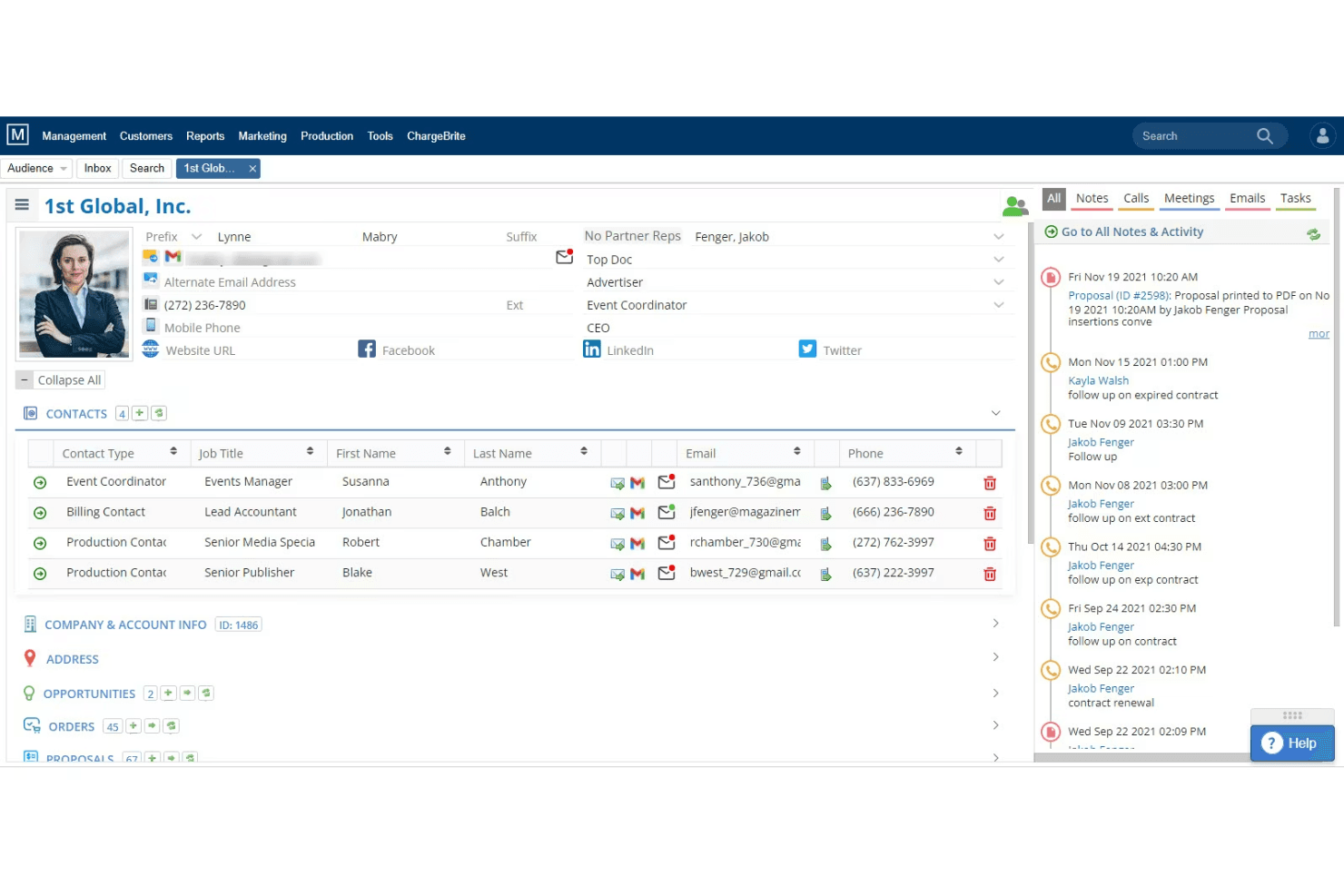
The Magazine Manager organizes ad deals and production for publishers. The Magazine Manager is a publishing-specific advertising sales management platform that combines a purpose-built CRM, insertion order management, live flat planning, and billing automation for print and digital magazine publishers.
Who Is The Magazine Manager Best For?
The Magazine Manager is built for print and digital magazine publishers whose ad sales teams need one platform to manage the full cycle from proposal to payment.
Why I Picked The Magazine Manager
I picked The Magazine Manager because no generic CRM comes close to replicating what it does for magazine ad sales, specifically the live flat plan that updates available print positions in real time the moment a sale is made. I also love that multi-issue contracts auto-generate every insertion order across an entire contract term on signing, which cuts out a significant amount of manual scheduling. Add in automated tearsheet delivery triggered by issue close, and the full production cycle runs without chasing anyone.
The Magazine Manager Key Features
- Multi-issue contract scheduling: When a contract is signed, the system auto-generates every insertion order across the full contract term without manual entry.
- Client self-service portal: Advertisers can upload creative materials, view their ad schedule, and pay invoices through a 24/7 online portal.
- Google Ad Manager two-way sync: Order data flows between The Magazine Manager and GAM in both directions, with real-time impression reconciliation for digital campaigns.
- Media Mate AI: An AI assistant that supports lead prioritization, sales forecasting, and communication drafting directly within the platform.
The Magazine Manager Integrations
The Magazine Manager supports 20 documented integrations, including Google Ad Manager, QuickBooks, Xero, Stripe, Adobe InDesign, and Citrix RightSignature. An API supports custom business intelligence and data warehouse integrations.
Pros and Cons
Pros:
- Self-service portal for creative uploads and payments
- Multi-issue contracts auto-generate insertion orders
- Built-in live flat plan for ad inventory
Cons:
- Mobile app lacks order entry functionality
- No native support for broadcast or OOH
Learn more about The Magazine Manager: Best for newspaper ad sales teams
- Free demo available
- Pricing upon request
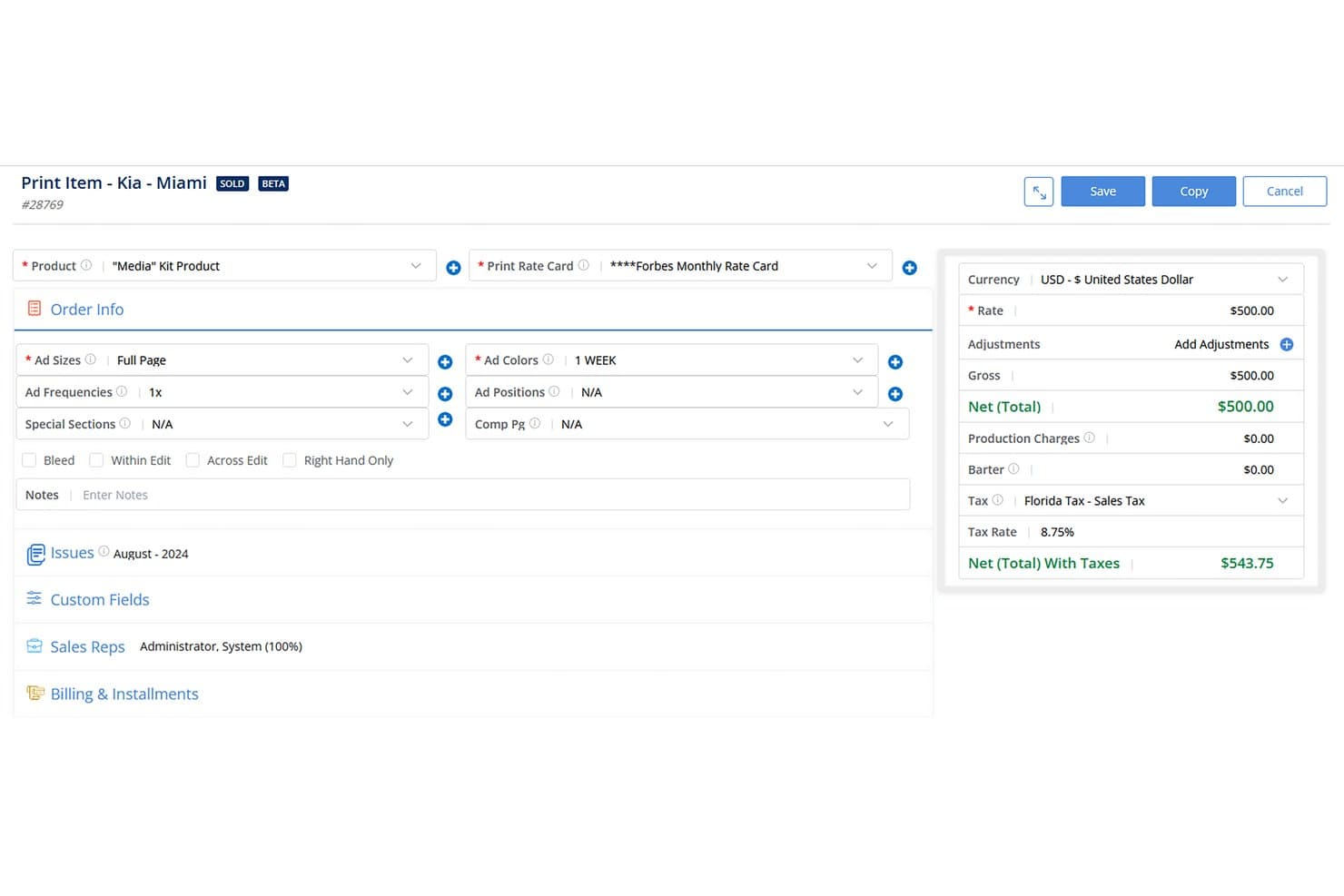
The Newspaper Manager streamlines print ad order entry with pricing and tax. The Newspaper Manager is a publishing-native advertising sales management platform built for newspaper and community publishers, combining a purpose-built ad sales CRM, insertion order management, multimedia proposal generation, billing and invoicing, and revenue reporting in one system.
Who Is The Newspaper Manager Best For?
Newspaper and community publishers managing print-first ad sales workflows will get the most out of this platform, especially those running multiple publications with dedicated field sales reps.
Why I Picked The Newspaper Manager
The Newspaper Manager earns its spot on my shortlist because no other platform treats newspaper ad sales as a first-class workflow. I love how the Multi-Media Proposal Generator auto-populates 100 line items in seconds once you enter dates, which is a real advantage when reps are closing bundled print, classified, and newsletter packages on the same call. The built-in insertion order-to-invoice pipeline, paired with digital tearsheet automation, means billing triggers the moment press is confirmed.
The Newspaper Manager Key Features
- Sales Sequencing: Automates sales tasks like sending emails, scheduling calls, and updating contact records based on preset triggers.
- Google Ad Manager two-way sync: Pushes and pulls order data between the CRM and GAM while reconciling billing against real-time digital ad impressions.
- Revenues & Goals Module: Generates custom sales reports by customer, product, or rep, with comparisons of current and previous sales against preset goals and budgets.
- Customer payment portal: Lets clients review and pay invoices online, supporting multiple payment gateways and currencies.
The Newspaper Manager Integrations
The Newspaper Manager offers documented integrations with Google Ad Manager, QuickBooks, Epicor, Sage, Microsoft Dynamics GP, Adobe InDesign, Stripe, and Gmail. It also connects with Adpay, Breeze, Mailchimp, Campaigner, and Kibana.
Pros and Cons
Pros:
- Automated tearsheet and invoice triggers
- Multi-media proposals generated in seconds
- Built for newspaper and community publishers
Cons:
- Annual contracts required for all plans
- No support for TV or OOH ads
Learn more about The Newspaper Manager:
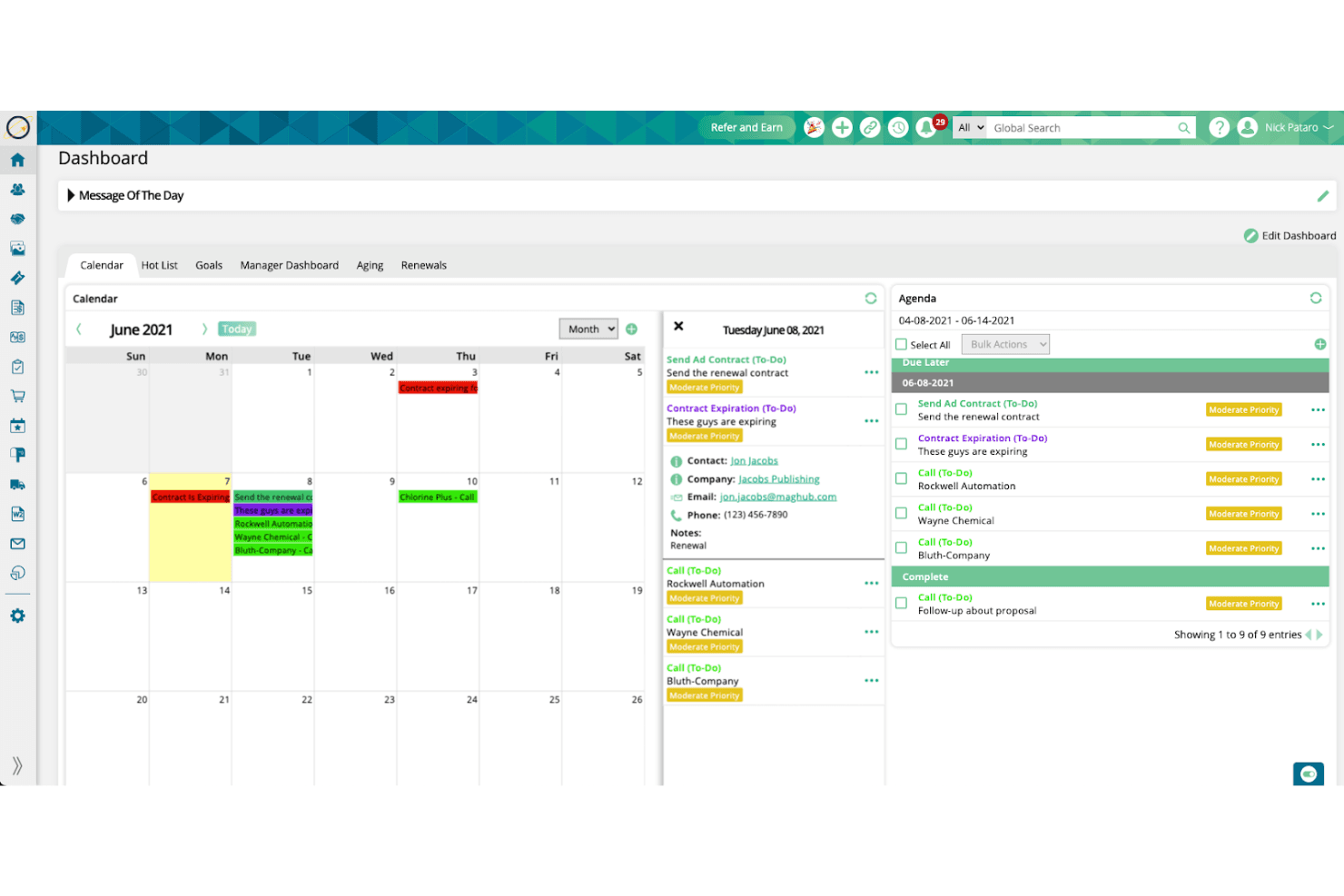
Ad Orbit aligns sales, billing, and reporting for efficient ad work. Ad Orbit is a purpose-built advertising sales management platform that connects CRM, order management, ad ops, and billing into a single contract-to-cash workflow for publishers, broadcasters, podcasters, and event operators.
Who Is Ad Orbit Best For?
Ad Orbit is a strong fit for mid-market publishers, broadcasters, and event operators who need one system to manage ad sales, campaign delivery, and billing together.
Why I Picked Ad Orbit
Ad Orbit earns its spot on my shortlist because its campaign tracking capabilities are built around real delivery data, not estimates. I particularly like how the GAM two-way sync pulls actual delivery figures directly back into the platform, feeding both billing and campaign status without any manual reconciliation. Pair that with rule-based ticket automation and a full revision audit trail per order, and you get a system that keeps campaign progress visible from signed IO to final delivery.
Ad Orbit Key Features
- Multi-product proposal builder: Create proposals with bundled product offerings checked against live inventory, then close deals with integrated e-signature directly in the platform.
- Advertiser self-service portal: A white-labeled client portal lets advertisers upload creative assets, approve proofs, and submit payments without rep involvement.
- Rule-based ticket automation: IFTTT-style automation rules create and assign ad ops tickets by brand, product type, or company the moment an order is approved.
- Delivery-tied invoicing: Invoices generate from actual GAM delivery data, so billing reflects what ran rather than what was booked.
Ad Orbit Integrations
Ad Orbit offers documented native integrations with Google Ad Manager, Salesforce, HubSpot, QuickBooks Online, Xero, Avalara, Stripe, Broadstreet, AdCellerant, and NetSuite (Beta). It also supports custom integrations through a direct API and Zapier.
Pros and Cons
Pros:
- Advertiser portal streamlines creative asset collection
- Delivery-based invoicing reduces billing headaches
- Built for ad sales from end to end
Cons:
- Reporting dashboards offer limited customization options
- NetSuite integration still in beta status
Learn more about Ad Orbit:
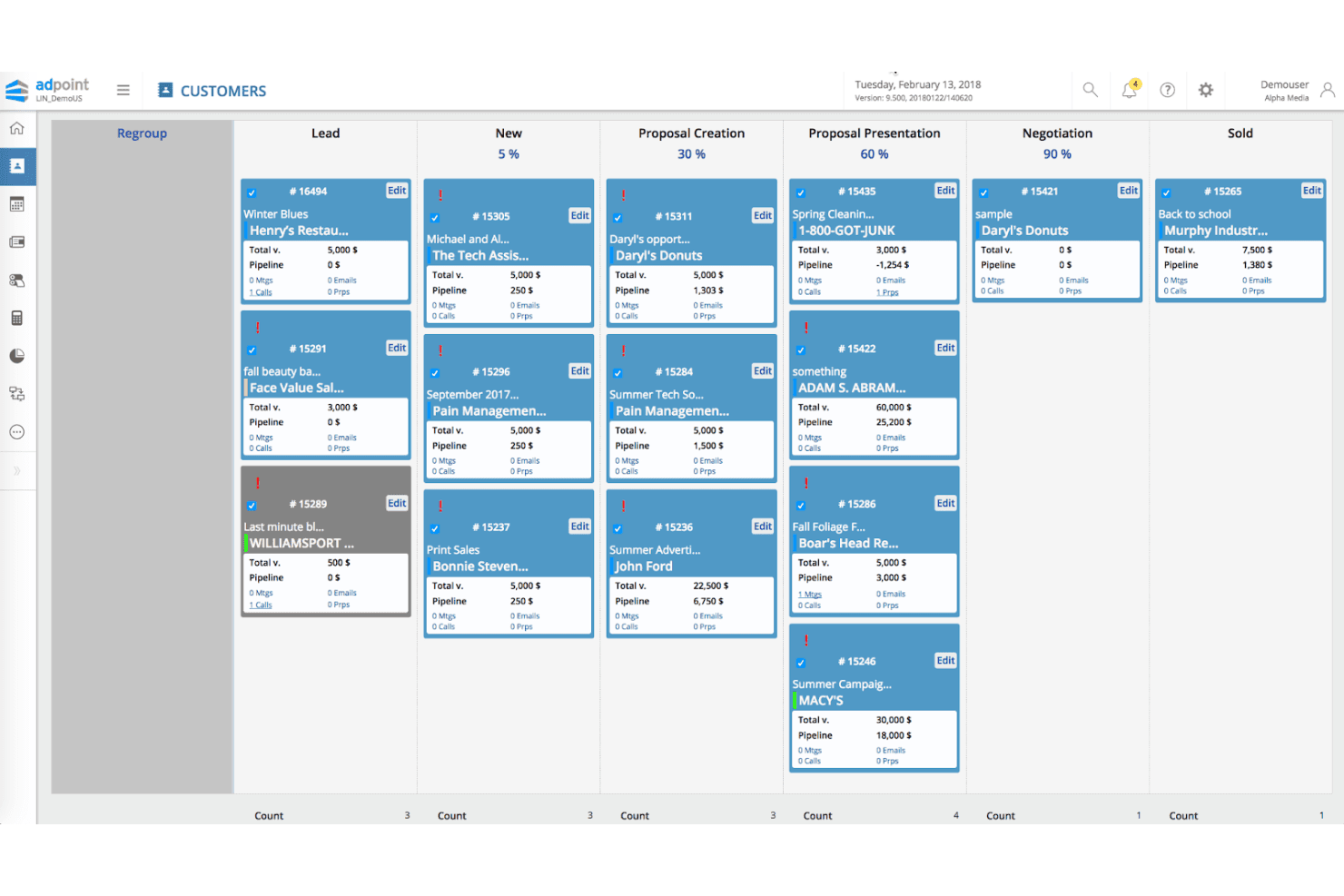
Adpoint charts ad sales and billing steps in one connected system. Adpoint by Lineup Systems is a media-specific advertising sales management platform that covers the full quote-to-cash lifecycle, including ad sales CRM, omnichannel order management, CPQ, billing, and revenue analytics.
Who Is Lineup Systems (Adpoint) Best For?
Adpoint is built for established multi-channel media publishers—think print, broadcast, and digital—that need a single platform to manage their entire ad sales operation.
Why I Picked Lineup Systems (Adpoint)
I picked Adpoint because it's built specifically for media publishers, not adapted from a generic sales tool. The omnichannel OMS handles print, broadcast, digital, OOH, audio, and classified bookings in a single workflow, which is exactly what a multi-channel publisher needs. I also like the Adpoint CPQ module, which supports complex multi-channel pricing, discount tiers, and multi-tiered approval queues so your team can move from proposal to signed insertion order without jumping between systems.
Lineup Systems (Adpoint) Key Features
- Adpoint Assistant: An email connector for Gmail and Outlook that lets reps update CRM records directly from their inbox.
- Pay4Media portal: A self-service advertiser payment hub where clients can view invoices and schedule payments independently.
- Bi-directional ad server reconciliation: Syncs delivery data from Google Ad Manager, Xandr, and Smart AdServer back into Adpoint for invoice accuracy.
- Spend dip detection: An analytics feature that flags drops in advertiser spend to surface at-risk accounts before revenue is lost.
Lineup Systems (Adpoint) Integrations
Adpoint supports 100+ integration partners, including Google Ad Manager, Xandr, Smart AdServer, Adswizz, HubSpot, Salesforce via AppExchange, SAP, Oracle, and Tableau. SOAP and REST APIs support custom integrations.
Pros and Cons
Pros:
- Automated revenue recognition and ad server reconciliation
- Covers print, broadcast, digital, and OOH channels
- Purpose-built workflows for publishers' ad sales teams
Cons:
- CTV and OTT campaign management not fully documented
- No native AI-powered forecasting or deal insights
Learn more about Lineup Systems (Adpoint): Best for CTV and streaming ad order management
- Not available
- Pricing upon request
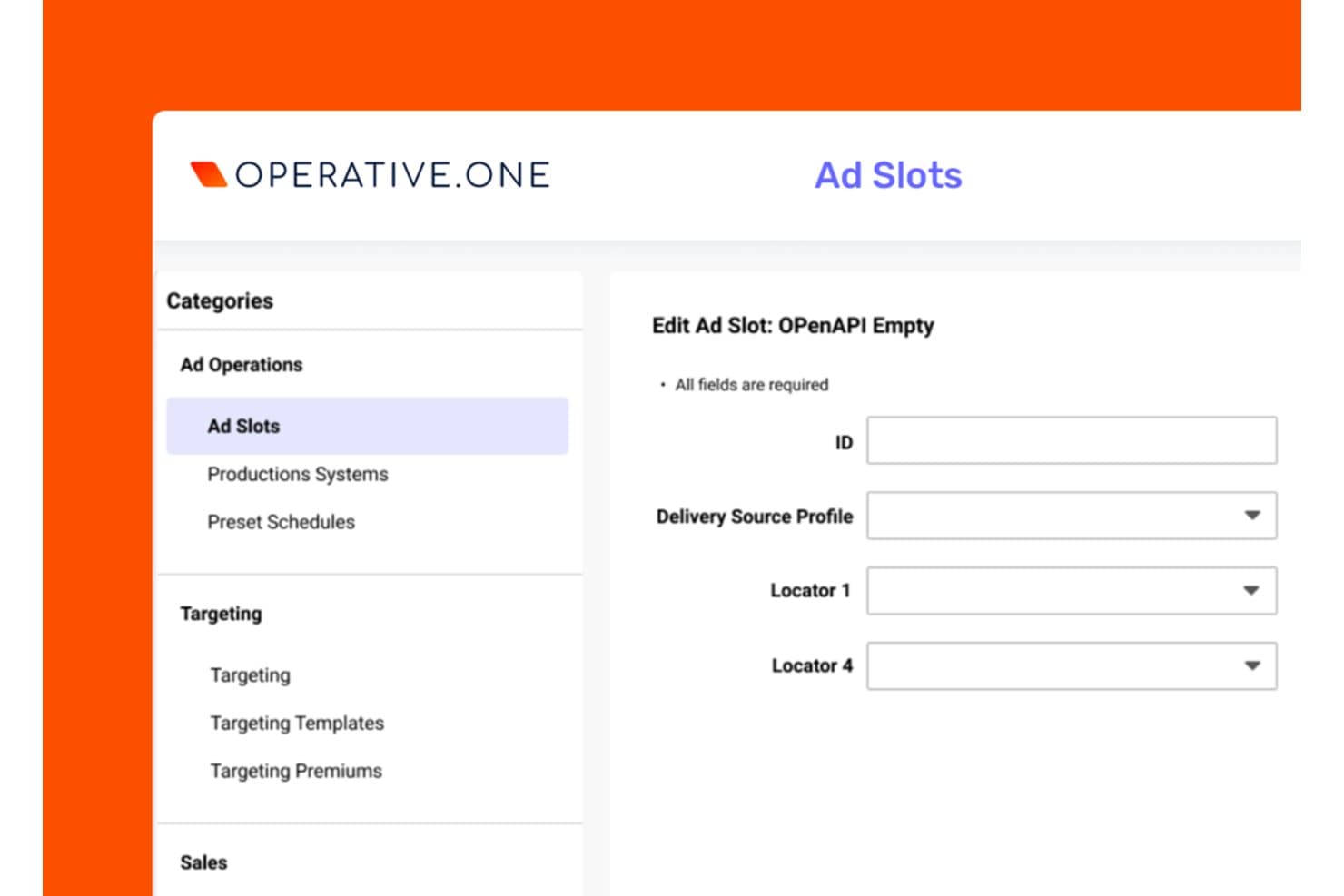
Operative.One lets users configure ad slots with delivery and locator settings. Operative.One is an enterprise ad sales management platform built around order management, covering quote-to-cash workflows, inventory control, AI-powered proposal generation, and revenue analytics across CTV, digital, linear, DOOH, and audio channels.
Who Is Operative.One Best For?
Operative.One is built for enterprise media companies managing high-volume ad sales across CTV, streaming, and linear TV from a single order management system.
Why I Picked Operative.One
Operative.One earns its spot on my shortlist because no other platform comes close to its dominance in CTV and streaming ad order management, powering more than half of global streaming ad revenue across 100+ services. I'm particularly impressed by the Adeline AI proposal generator, which converts RFP inputs into optimized campaign plans near-instantly, cutting what used to take days into seconds. On top of that, AOS Insights delivers real-time revenue metrics and ML-powered forecasting built on Google Cloud, giving ops teams the pipeline visibility they actually need.
Operative.One Key Features
- Converged linear and digital order management: Manages insertion orders, campaign flighting, and revisions across linear TV and digital channels from a single system.
- Programmatic management module: Combines direct-sold and programmatic workflows in one platform, giving sellers a unified view of guaranteed and non-guaranteed demand.
- STAQ data consolidation: Automatically pulls reporting data from 400+ ad tech sources, including ad servers, DSPs, and SSPs, into a single analytics layer.
- Google Ad Manager 360 native integration: Bi-directional trafficking between Operative.One and GAM 360 keeps order data and delivery data in sync without manual handoffs.
Operative.One Integrations
Operative.One has native integrations with Google Ad Manager 360, FreeWheel, and Salesforce Media Cloud, plus integrations with Oracle PeopleSoft and PubMatic. It also offers an API layer and AOS CloudCore for custom data exchange.
Pros and Cons
Pros:
- Real-time revenue analytics with ML forecasting
- Supports converged linear and CTV ad management
- AI proposal generator reduces manual campaign planning
Cons:
- Requires supplemental CRM for advanced tracking
- User interface described as outdated
Learn more about Operative.One: Best for AI-powered CRM insights
- 30-day free trial
- From $25/user/month
Visit WebsiteCustomer Rating:4.4/5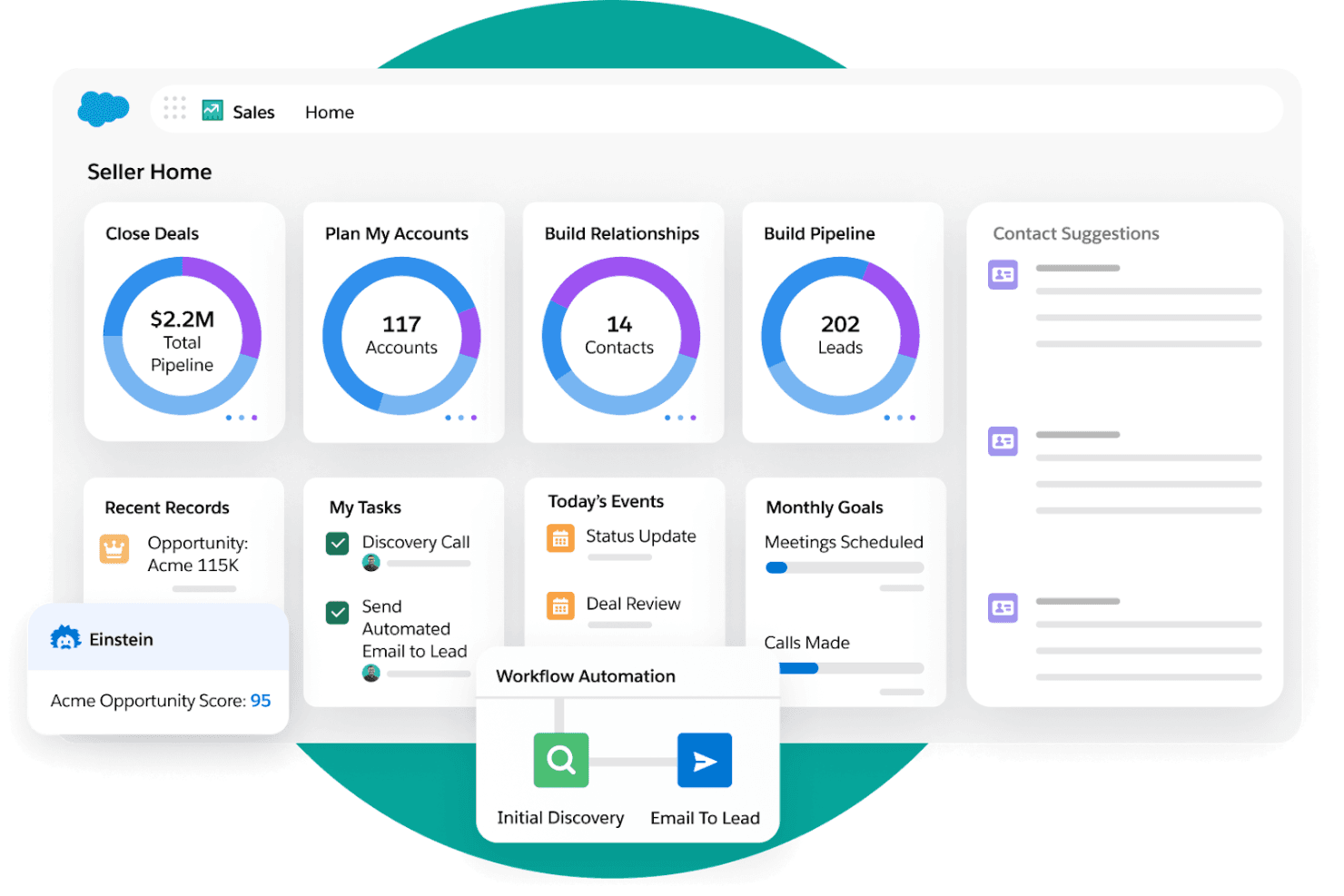
Salesforce supervises sales activity alongside marketing actions. Salesforce Media Cloud is an enterprise ad sales management platform with a purpose-built advertising sales module that covers multi-party CRM, AI-powered proposal generation, cross-channel inventory management, CPQ, order trafficking, and billing in one system.
Who Is Salesforce Best For?
Salesforce Media Cloud is a strong fit for mid-market to enterprise media companies that need AI-driven ad sales pipeline management, cross-channel inventory control, and end-to-end quote-to-cash in one platform.
Why I Picked Salesforce
Salesforce earns its spot on my shortlist because the Agentforce Ad Proposal Agent does something I haven't seen replicated elsewhere: it auto-generates full media plans and pitch decks directly from an RFP brief, cutting processing time by 83% in Uber's production deployment. I also rate its Actionable Relationship Center highly, since it natively models multi-tier advertiser, agency, and holding company structures that generic CRMs simply can't handle.
Salesforce Key Features
- Cross-channel inventory calendar: A centralized view of ad placements across linear TV, CTV, digital, audio, print, and OOH that automatically updates availability network-wide when inventory is reserved.
- Revenue Cloud Advanced billing: Automates invoicing, supports delivery-based and consumption billing models, and handles reconciliation with ASC 606/IFRS 15 revenue recognition compliance.
- AdOpportunity pipeline tracking: Ad-sales-specific opportunity objects with deal stages, split-credit support, and at-risk deal identification built directly into the CRM.
- Google Ad Manager integration: A pre-built native integration that connects order trafficking and campaign setup directly between Salesforce ASM and Google Ad Manager.
Salesforce Integrations
Salesforce has documented integrations with Google Ad Manager and FreeWheel, plus integrations with Slack, Tableau, Data 360, and Marketing Cloud. MuleSoft APIs connect Salesforce with additional ad servers, ERPs such as SAP and NetSuite, and other systems.
Pros and Cons
Pros:
- Unified inventory calendar spans all ad channels
- Multi-tier agency structures modeled natively
- AI proposal agent cuts RFP turnaround time
Cons:
- Full implementation demands significant time and resources
- Advanced features require expensive top-tier plan
Learn more about Salesforce : Best for end-to-end ad sales quote-to-cash
- Free demo available
- Pricing upon request
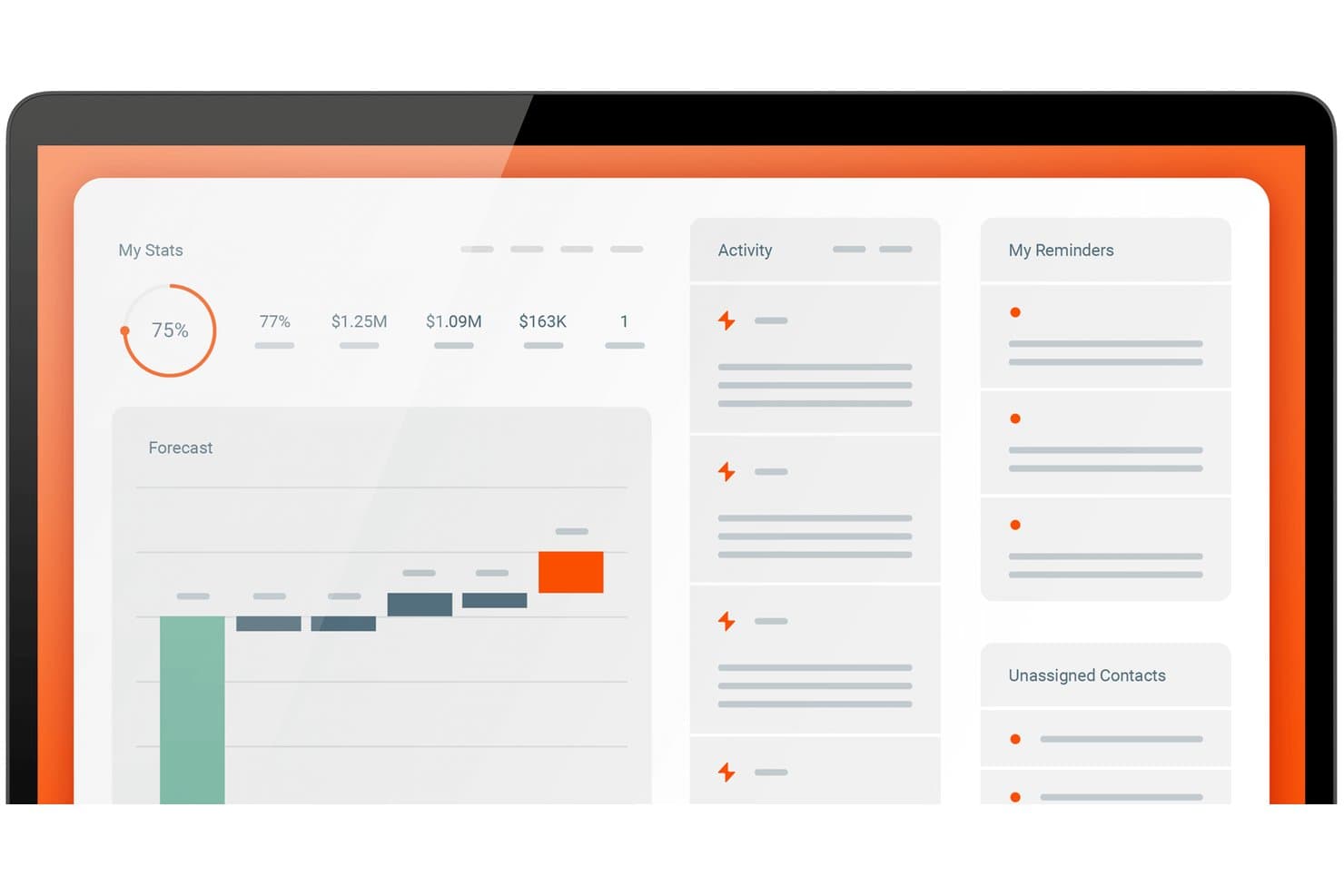
boostr centralizes sales stats, forecasts, and reminders in one dashboard. Boostr is a purpose-built ad sales management platform that unifies CRM, order management, media proposal and CPQ, inventory tracking, trafficking, delivery reconciliation, and billing in a single system designed specifically for media publishers.
Who Is Boostr Best For?
Boostr is a strong fit for media publishers running multi-format ad sales operations across digital, audio, CTV, OOH, or linear TV who need one system to handle everything from RFP to invoice.
Why I Picked Boostr
Boostr earns its spot on my shortlist because it's the only platform I've found that handles the full ad sales lifecycle, from RFP to invoice, without stitching together separate tools. I particularly like Proposal IQ, which uses historical win data and live inventory to generate optimized proposals in minutes rather than hours. The EIO-MediaOcean integration is equally impressive, automating RFP receipt, IO processing, and third-party delivery reconciliation directly with Mediaocean Prisma.
Boostr Key Features
- Omnichannel revenue forecasting: Unifies direct-sold IO and programmatic revenue streams (PG, PMP) into a single forecast view accessible from seller level to CFO.
- Seller priorities dashboard: Surfaces each seller's pipeline progress, quota attainment, and commission data in a single consolidated view.
- 50+ automated workflows: Pre-built automations cover approval routing, rate card enforcement, pacing alerts, oversold inventory checks, and IO processing.
- ERP integration: Syncs billing and invoicing data with NetSuite, Oracle Fusion, Sage Intacct, and QuickBooks for revenue recognition and month-end close.
Boostr Integrations
Integrations include Google Ad Manager, FreeWheel, Mediaocean Prisma, Megaphone, Adswizz, Salesforce, Microsoft Dynamics, NetSuite, QuickBooks, and The Trade Desk. Boostr supports REST, SOAP, flat-file integrations, and custom APIs through its integration workbench.
Pros and Cons
Pros:
- Includes AI agents for campaign trafficking tasks
- Automates RFP response and media plan creation
- Handles every ad sales step in one platform
Cons:
- Reporting customization options may be constrained
- User reviews volume is still limited
Learn more about boostr:
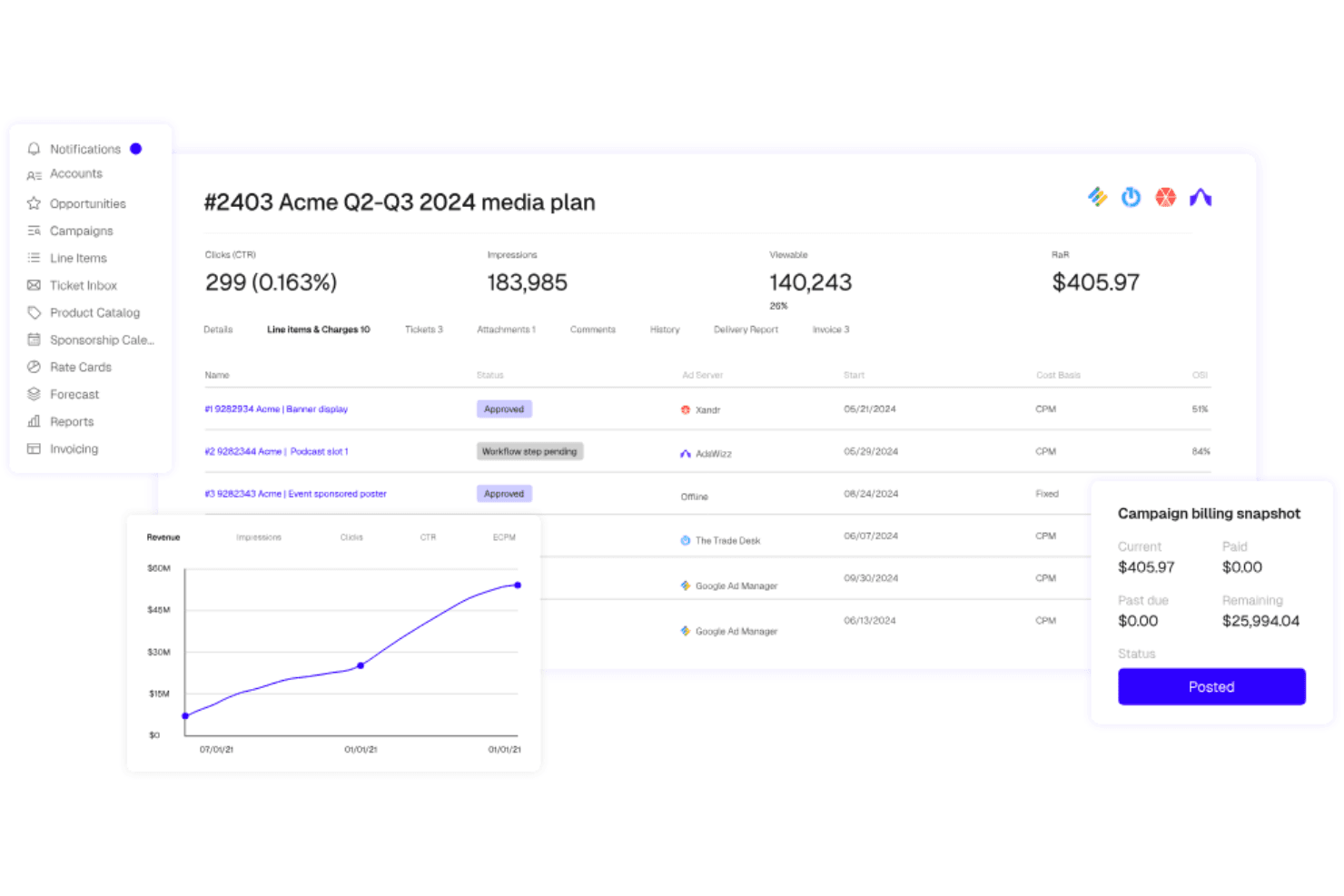
Placements.io directs digital ad workflows from inventory to delivery. Placements.io is an end-to-end advertising sales management platform that covers the full ad sales lifecycle—from CRM and media proposal building to automated ad trafficking, delivery reconciliation, and billing—across digital, CTV, retail media, audio, DOOH, and social channels.
Who Is Placements.io Best For?
Placements.io is a strong fit for mid-to-large media companies running ad sales across multiple channels and regions, from digital publishers to retail media networks and broadcasters.
Why I Picked Placements.io
Placements.io earns its spot as one of the best on my shortlist because no other platform I've evaluated covers as many channels and regions under one ad sales roof. I especially like how its inventory forecasting pulls real-time avails across CTV, audio, DOOH, retail media, and social simultaneously, so a global team managing campaigns across North America, EMEA, and APAC isn't toggling between disconnected systems. The AI Copilot and IO Parser are also standouts for global scale: teams can upload PDF insertion orders from international buyers and have them auto-converted into trafficking-ready media plans.
Placements.io Key Features
- IO Parser: Uploads PDF or image insertion orders and uses OCR and ML to automatically convert them into trafficking-ready media plans.
- Sponsorship Calendar: Manages exclusive and time-bound sponsorship inventory with a dedicated calendar view across all active campaigns.
- ASC 606-compliant billing: Generates invoices from delivery data with built-in accrual-based revenue recognition to meet GAAP standards.
- White-label Storefront: Gives buyers a branded, self-serve portal to book campaigns, manage creatives, and access performance reporting.
Placements.io Integrations
Placements.io offers 40+ pre-built, bi-directional integrations, including Salesforce, Google Ad Manager, Microsoft Invest (Xandr), FreeWheel, NetSuite, and DocuSign. Its open API suite supports custom integrations.
Pros and Cons
Pros:
- ASC 606/GAAP billing for finance compliance
- AI Copilot streamlines campaign and workflow management
- Automated trafficking spans all major ad channels
Cons:
- Limited number of peer user reviews
- No pricing or trial information publicly available
Learn more about Placements.io:
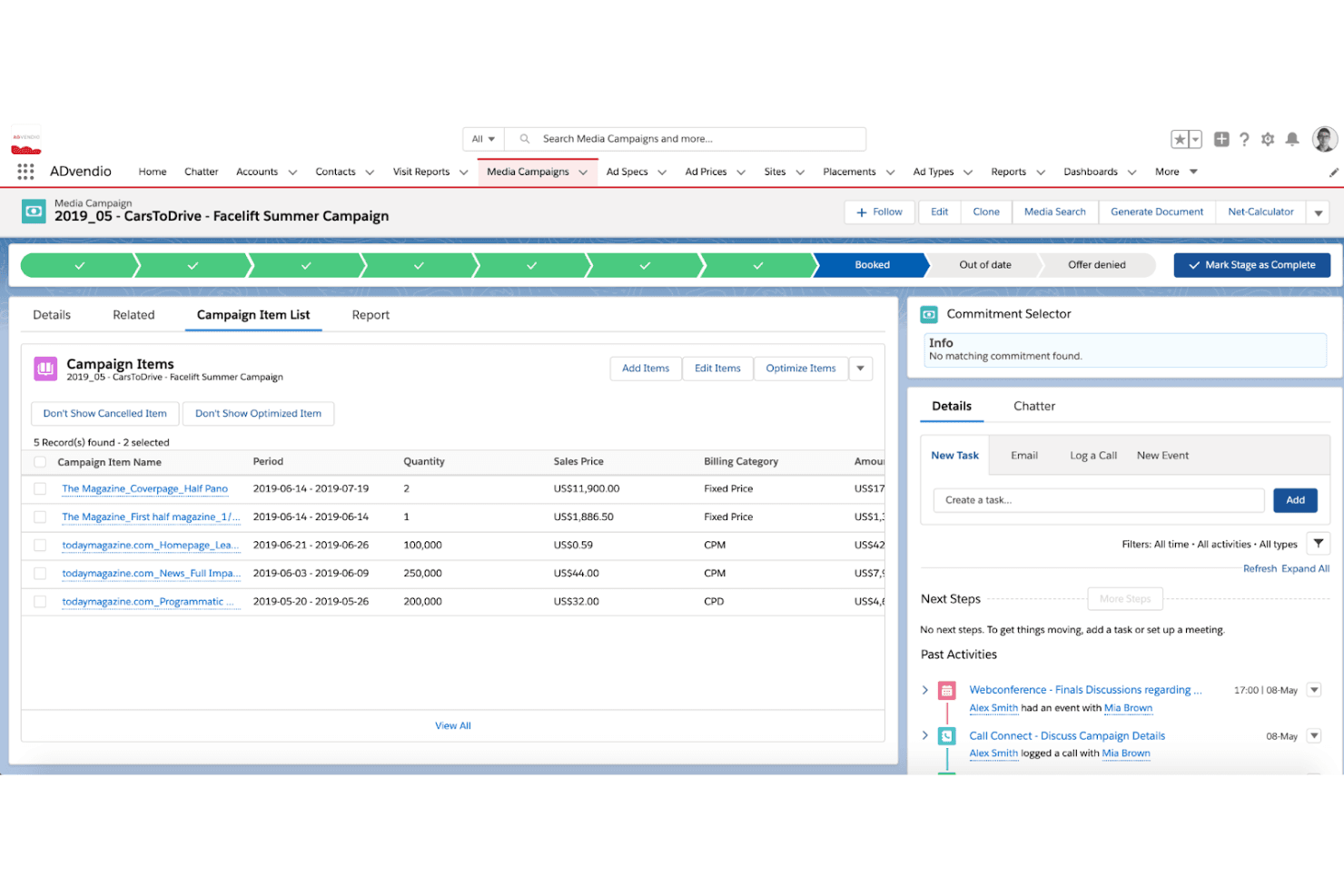
ADvendio processes ad sales and billing through a Salesforce backbone. ADvendio is a Salesforce-native advertising sales management platform that covers omnichannel media planning, CPQ, inventory management, order management, ad server trafficking, and billing across digital, print, OOH, audio, and linear TV.
Who Is ADvendio Best For?
ADvendio suits multi-platform media publishers and broadcaster sales teams that run their business on Salesforce and need a single system to manage direct and programmatic ad sales across digital, print, OOH, audio, and linear TV.
Why I Picked ADvendio
ADvendio earns its spot on my shortlist because it's built 100% natively on Salesforce, making it the clearest choice for media sales teams that already run their pipeline there. What I find most compelling is the Campaign Builder: it pulls Digital, Print, OOH, Audio, and Linear TV into a single quote with real-time inventory checks and dynamic pricing rules applied automatically. Add the AI-powered Seller Agent, which translates client briefs into ready-to-book proposals and enforces commercial guardrails like minimum margins autonomously, and you get a genuinely end-to-end ad sales engine without leaving Salesforce.
ADvendio Key Features
- AdFinance billing module: Generates and sends bulk invoices automatically, with delivery-based reconciliation pulled directly from connected ad servers.
- AdPortal self-serve platform: Lets advertisers and agencies book campaigns independently, reducing manual intake work for publisher sales teams.
- Guardrail Engine: Enforces credit limits, minimum margins, and framework agreement terms across every deal, including autonomous agent-negotiated transactions.
- Multi-entity and multi-currency support: Handles global ad sales operations across multiple companies, currencies, languages, and country-specific tax configurations in a single instance.
ADvendio Integrations
ADvendio offers native integrations with Salesforce, Google Ad Manager, Xandr Monetize, FreeWheel, Broadsign, AdsWizz, SAP, Sage, Microsoft Dynamics 365, and BURT Analytics. Standard APIs and custom connectors support additional ERP and finance integrations.
Pros and Cons
Pros:
- Handles complex ad finance and reconciliation
- Supports true omnichannel ad sales workflow
- Built entirely on Salesforce infrastructure
Cons:
- Booking calendar can be slow and confusing
- Requires ongoing Salesforce admin resources
Learn more about ADvendio:
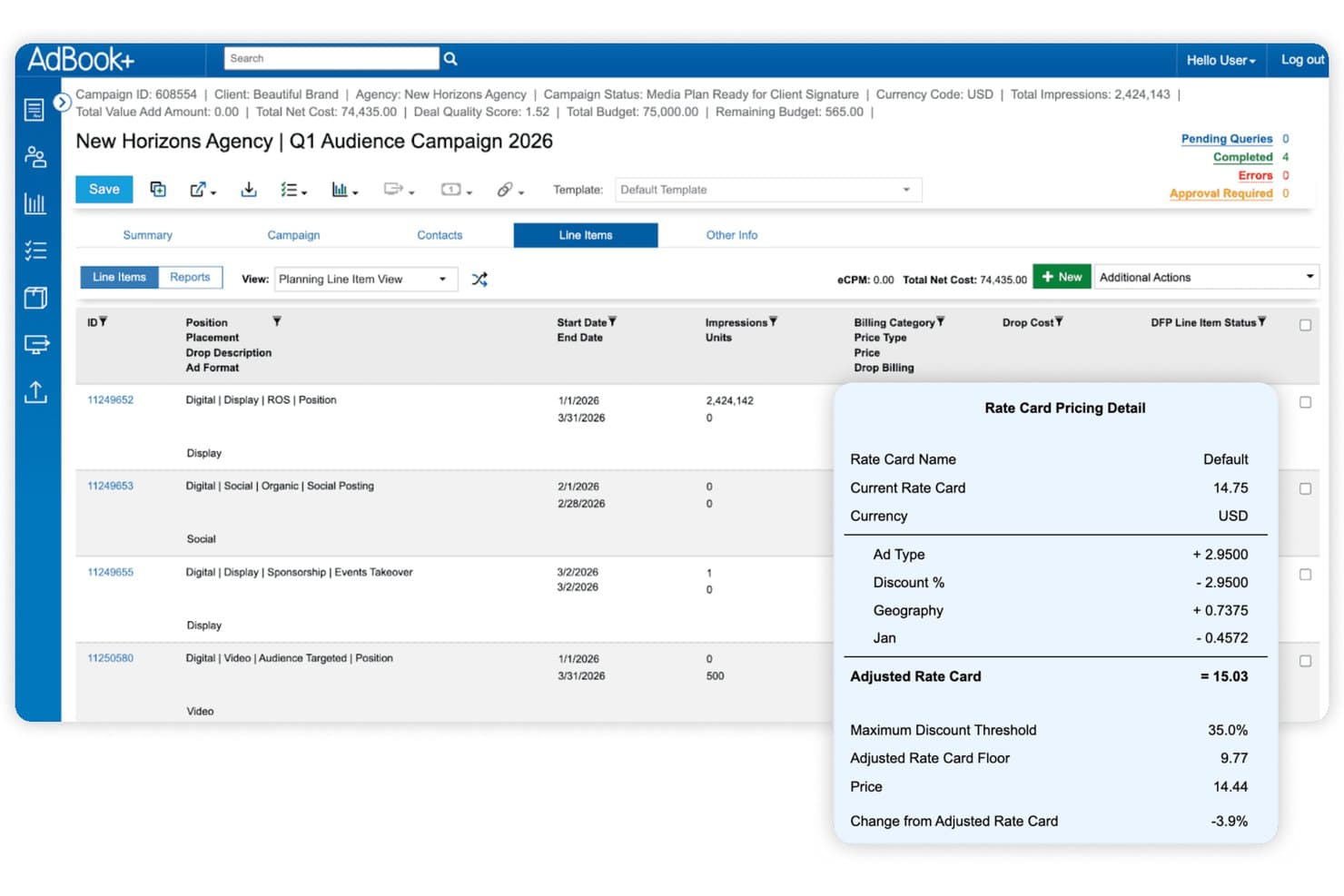
AdBook+ displays rate card pricing details per line item. AdBook+ is a publisher-focused order management system (OMS) that spans direct ad sales, media planning, inventory management, campaign trafficking, billing reconciliation, and programmatic deal management across digital, print, audio, DOOH, and event inventory.
Who Is AdBook+ Best For?
AdBook+ is built for multi-channel publishers—think media companies, B2B publishers, and retail media networks—that need to manage direct ad sales and programmatic deals in a single system.
Why I Picked AdBook+
I picked AdBook+ as one of the best because it's the only platform I've seen that genuinely unifies direct-sold and programmatic deal management inside a single OMS. Through AdBookPSP, private auction, preferred deals, and programmatic guaranteed all sit alongside direct campaigns in one workflow. Add AI-driven product recommendations in the proposal builder and real-time inventory avails via Google Ad Manager, and you've got a system that handles the full sales cycle without stitching together separate tools.
AdBook+ Key Features
- AdBook Portal: A self-serve hub where advertisers can upload creatives, view campaign status, access invoices, and pay via credit card or ACH.
- DQT report import: Exports scheduled revenue and delivery reports as custom Salesforce objects to trigger workflows or populate dashboards.
- Burt Intelligence forecasting: Real-time pacing and delivery insights surfaced directly inside AdBookOMS for in-platform revenue forecasting.
- Agency-holding-company hierarchy management: Structures advertiser, agency, and holding-company relationships across multiple publications with differentiated access controls.
AdBook+ Integrations
AdBook+ has five documented native integrations, including Salesforce, Google Ad Manager, FreeWheel, Vistar Media, and Burt Intelligence. It also connects with DV Publisher Suite, Google Display & Video 360, Snowflake, SFTP, and webhooks, with hundreds of API endpoints for custom integrations.
Pros and Cons
Pros:
- Real-time inventory and avails across channels
- Deep Salesforce-native sales and operations integration
- Unified dashboard for direct and programmatic deals
Cons:
- Limited independent user reviews and ratings
- Platform speed is frequently cited as slow
Learn more about AdBook+:
Annen programvare for håndtering av annonsesalg
Her er noen flere alternativer innen programvare for håndtering av annonsesalg som ikke kom med på kortlisten min, men som likevel er verdt å se nærmere på:
How I Evaluate Advertising Sales Management Software
I evaluate these tools in two layers: the baseline capabilities—ad sales pipeline management, inventory avails, IO workflows, and campaign pacing—any serious contender must have, and the differentiators that set the best apart.
Core Functionality (Table Stakes For This List)
When I'm selecting tools for my list, I rank each one on a scale from 0 (does not offer the functionality) to 5 (excels in this area) for each core functionality listed below. Then, I calculate the tool's total score into a percentage. Each tool needs to achieve a minimum total score of 65% to be considered for inclusion.
- Ad Sales CRM & Pipeline: I check whether a tool can manage advertiser and agency accounts, opportunities, and deal stages in a way that reflects media sales cycles rather than relying on a generic sales pipeline.
- Ad Inventory Tracking & Avails: I check whether a tool gives sales reps real-time visibility into available placements, dayparts, or impressions so they can confidently sell without overbooking.
- Proposal & IO Workflow: From building media plans and rate-card-based quotes to routing an IO for approval, I evaluate how well each platform handles the back-and-forth between reps, planners, and approvers.
- Campaign Order Lifecycle: I look for full order management from booking through delivery, including campaign flighting, revision handling, and makegood workflows that mirror how ad ops teams actually work.
- Revenue Forecasting & Pacing: A tool should let revenue leaders compare pipeline, booked, projected, and delivered revenue against targets—think pacing dashboards that flag underdelivery mid-flight.
- Ad Billing & Reconciliation: Reconciling delivered units against contracted terms is where revenue leakage hides, so I evaluate how each platform automates invoicing, reconciles booked versus delivered activity, and flags discrepancies.
Once I have a list of tools that meet this criteria, I consider what sets each platform apart.
Differentiating Factors (What Sets Vendors Apart)
Here's how I compare and contrast different vendors:
Standout Features
Cross-media sell support matters when your team sells across digital, linear, print, audio, CTV, or OOH—I evaluate whether a platform can manage those avails in one unified view. Rate card and discount governance is another area I look at closely, especially for teams where reps need approval-based discounting to protect margins. I also consider how well a tool unifies programmatic and direct-sold deals, optimizes pricing and inventory allocation, and identifies issues like underdelivery, unbilled campaigns, or revenue leakage.
Beyond Features
Ecosystem integrations are a big differentiator—I check whether a platform syncs with your existing ad server, CRM, finance, and reporting stack without heavy custom development. Vertical and media-type fit also matters; a tool built for broadcast sellers may not serve a digital-first publisher well. I consider the vendor's media-industry expertise and implementation support, particularly when migrating historical campaigns, IOs, and rate cards. Finally, I evaluate scalability, including whether the platform can support multiple brands, regions, currencies, and increasingly complex workflows as the media business grows.
Slik velger du programvare for håndtering av annonsesalg
Det er lett å gå seg vill i lange funksjonslister og komplekse prismodeller. For å hjelpe deg med å holde fokus mens du arbeider deg gjennom den unike programvareutvelgelsesprosessen din, får du her en sjekkliste over faktorer du bør ha i mente:
| Faktor | Hva du bør vurdere |
|---|---|
| FaktorSkalerbarhet | Hva du bør vurdereVil programvaren vokse med virksomheten din? Kontroller om den kan håndtere økt annonsevolum og flere brukere uten ytelsesproblemer. Se etter fleksible prisplaner. |
| FaktorIntegrasjoner | Hva du bør vurdereKan den kobles til de eksisterende verktøyene dine? Kontroller at den integreres med CRM-systemet, faktureringssystemene og annonsenettverkene dine for å unngå datasiloer og manuelt arbeid. |
| FaktorTilpasningsmuligheter | Hva du bør vurdereKan du tilpasse den til arbeidsflytene dine? Se etter instrumentpaneler og felt som kan tilpasses slik at de samsvarer med teamets prosesser og virksomhetens behov. |
| FaktorBrukervennlighet | Hva du bør vurdereEr den brukervennlig for teamet ditt? Test grensesnittet for intuitivitet og enkelhet for å redusere opplæringstiden og øke bruken. |
| FaktorImplementering og innføring | Hva du bør vurdereHvor lang tid vil det ta å komme i gang? Ta hensyn til tiden og ressursene som kreves for oppsett, datamigrering og opplæring. Se etter gode ressurser for innføring. |
| FaktorKostnad | Hva du bør vurdereEr den innenfor budsjettet ditt? Sammenlign prisnivåer og funksjoner som tilbys. Ta hensyn til de totale eierkostnadene, inkludert skjulte gebyrer og fremtidige oppgraderinger. |
| FaktorSikkerhetstiltak | Hva du bør vurdereHvordan beskytter den dataene dine? Se etter kryptering, tilgangskontroller og samsvar med personvernregler for å sikre sensitiv informasjon. |
Hva er programvare for håndtering av annonsesalg?
Programvare for håndtering av annonsesalg er et verktøy som hjelper virksomheter med å administrere og optimalisere salgsprosessene for annonser. Mediesalgsmedarbeidere, kundeansvarlige og annonseoperasjonsteam bruker vanligvis disse verktøyene til å følge opp salg, administrere kunderelasjoner og maksimere inntektene. Funksjoner som håndtering av annonsebeholdning, automatisert fakturering og salgsrapportering bidrar til effektivitet og datadrevne beslutninger. Samlet sett forbedrer disse verktøyene produktiviteten og inntektspotensialet for salgsteam.
Funksjoner
Når du velger programvare for håndtering av annonsesalg, bør du se etter følgende viktige funksjoner:
- Håndtering av annonsebeholdning: Hjelper deg med å følge opp og optimalisere tilgjengelig annonseplass på tvers av kanaler.
- Automatisert fakturering: Reduserer manuelt faktureringsarbeid og antall feil.
- Salgsrapportering: Gir handlingsrettet innsikt i tilstanden til salgspipelinen og inntektsutviklingen.
- Kunderelasjonshåndtering: Organiserer kundedata og kommunikasjon for å bygge og opprettholde sterkere relasjoner.
- Tilpassbare instrumentpaneler: Gjør det mulig for teamene å se måltall og rapporter som er viktigst for deres rolle.
- Sporing på tvers av plattformer: Gir oversikt fra ende til ende på tvers av digital og tradisjonell annonsebeholdning.
- Håndtering av potensielle kunder: Hjelper salgsrepresentanter med å registrere, segmentere og følge opp potensielle kunder.
- E-postkampanjer: Støtter oppfølging, fornyelser og salgsfremstøt.
- Automatisering av oppgaver: Reduserer repetitive arbeidsoppgaver slik at teamene kan konsentrere seg om å avslutte avtaler.
- Tillatelser og sikkerhetstiltak: Beskytter sensitive data med kryptering og rollebasert tilgang.
- Integrasjonsmuligheter: Kobler seg til den eksisterende teknologiplattformen din for å redusere datasiloer.
Fordeler
Implementering av programvare for håndtering av annonsesalg gir flere fordeler for teamet og virksomheten din. Her er noen av fordelene du kan se frem til:
- Økt effektivitet: Automatisering av repetitive oppgaver, som fakturering og rapportering, frigjør tid slik at teamet kan konsentrere seg om viktige initiativer.
- Bedre beslutningstaking: Detaljert salgsrapportering og kundedata legger til rette for informert planlegging.
- Forbedret kundeopplevelse: Organisert kommunikasjon støtter langsiktige relasjoner.
- Bedre inntektspotensial: Optimalisert annonsebeholdning og segmentering avdekker nye muligheter.
- Fleksible arbeidsflyter: Tilpassbare instrumentpaneler og moduler tilpasses ulike salgsroller.
- Administrasjon på tvers av kanaler: Teamene opprettholder en samlet oversikt over kampanjer og annonsebeholdning.
- Datasikkerhet: Tillatelser og sikkerhetstiltak bidrar til å opprettholde samsvar med bransjeregler.
Kostnader & priser
Når du velger programvare for håndtering av annonsesalg, må du forstå de ulike prismodellene og prisplanene som er tilgjengelige. Kostnadene varierer basert på funksjoner, teamstørrelse, tillegg og mer. Tabellen nedenfor oppsummerer vanlige planer, gjennomsnittsprisene deres og typiske funksjoner som inngår i programvareløsninger for håndtering av annonsesalg:
Sammenligningstabell for programvare for håndtering av annonsesalg
| Plantype | Gjennomsnittspris | Vanlige funksjoner |
|---|---|---|
| PlantypeGratisplan | Gjennomsnittspris$0 | Vanlige funksjonerGrunnleggende annonsesporing, begrenset rapportering og standard brukerstøtte. |
| PlantypePersonlig plan | Gjennomsnittspris$10-$30/bruker/måned | Vanlige funksjonerForbedret sporing, grunnleggende CRM-funksjoner, e-poststøtte og tilpassbare oversikter. |
| PlantypeBedriftsplan | Gjennomsnittspris$40-$70/bruker/måned | Vanlige funksjonerAvansert analyse, verktøy for automatisering av oppgaver, segmentering, sporing på tvers av flere kanaler og prioritert brukerstøtte. |
| PlantypePlan for store virksomheter | Gjennomsnittspris$100+/bruker/måned | Vanlige funksjonerFull tilpasning, egen kundeansvarlig, API-tilgang og avanserte sikkerhetsfunksjoner. |
Vanlige spørsmål om programvare for håndtering av annonsesalg
Her er noen svar på vanlige spørsmål om programvare for håndtering av annonsesalg:
Hvordan vet jeg om programvaren kan håndtere både digitalt og tradisjonelt annonsebeholdning?
Du bør undersøke om SaaS-plattformen tilbyr samlet medieplanlegging eller sporing av annonsebeholdning på tvers av kanaler, noe som betyr at den støtter annonseplasseringer i trykte medier, digitale medier, kringkasting og mer. Mange verktøy gir en samlet oversikt over all tilgjengelig annonsebeholdning. Hvis teamet ditt arbeider på tvers av ulike formater, bør du bekrefte at arbeidsflytene for annonsebeholdning og kampanjer dekker hvert enkelt format.
Kan jeg håndtere kontrakter og fakturering gjennom denne programvaren?
Mange verktøy for annonsesalg inkluderer funksjoner for kontraktshåndtering og fakturering, slik at du kan opprette tilbud, fastsette priser, godkjenne avtaler og håndtere fakturaer på ett sted. Enkelte plattformer støtter også kortbetalinger eller kan integreres med betalingstjenester, noe som hjelper team med å avslutte avtaler raskere og redusere forsinkelser i faktureringen.
Hva om annonsekampanjene mine trenger hyppige justeringer etter lansering?
De fleste plattformer lar deg oppdatere kampanjedetaljer etter lansering. Du kan justere plasseringer, priser eller annonsebeholdning basert på resultater eller kundens behov. Denne fleksibiliteten hjelper salgsrepresentanter med å reagere raskt og holder avtalene i gang uten at kampanjene må bygges opp på nytt fra grunnen av.
Hvor fleksibel er prising og tilbudsgivning for komplekse annonsepakker?
Mange verktøy inkluderer prismotorer som støtter ulike prismodeller basert på størrelse, plassering, kanal, tidspunkt og mer. Enkelte systemer bruker maskinlæring til å analysere tidligere avtaler og resultater for annonsebeholdningen, noe som gjør det enklere å lage nøyaktige og konkurransedyktige pakker for kundene.
Vil programvaren hjelpe meg med å prognostisere inntekter og følge med på salgsresultater for hele annonsebeholdningen?
Ja, disse verktøyene tilbyr ofte rapporteringsoversikter som viser inntektsprognoser, status for salgspipeline og resultater for annonsebeholdningen. Dette hjelper teamet ditt med å forstå hvilke muligheter som mest sannsynlig blir avsluttet, og hvor salgsinnsatsen bør konsentreres.
Hva bør jeg vurdere når jeg evaluerer ulike verktøy for annonsesalg for teamet mitt?
Tenk på hvordan teamet ditt selger annonser i dag, og hvor manglene er. Vurder om SaaS-løsningen passer arbeidsflyten og annonsebeholdningstypene deres, integreres med verktøyene dere allerede bruker, og støtter hele kundereisen. Demonstrasjoner eller prøveperioder kan hjelpe deg med å se hvor godt løsningen samsvarer med behovene i det daglige arbeidet.