
Recensione di Qobra: Pro, Contro, Caratteristiche e Panoramica dei Prezzi


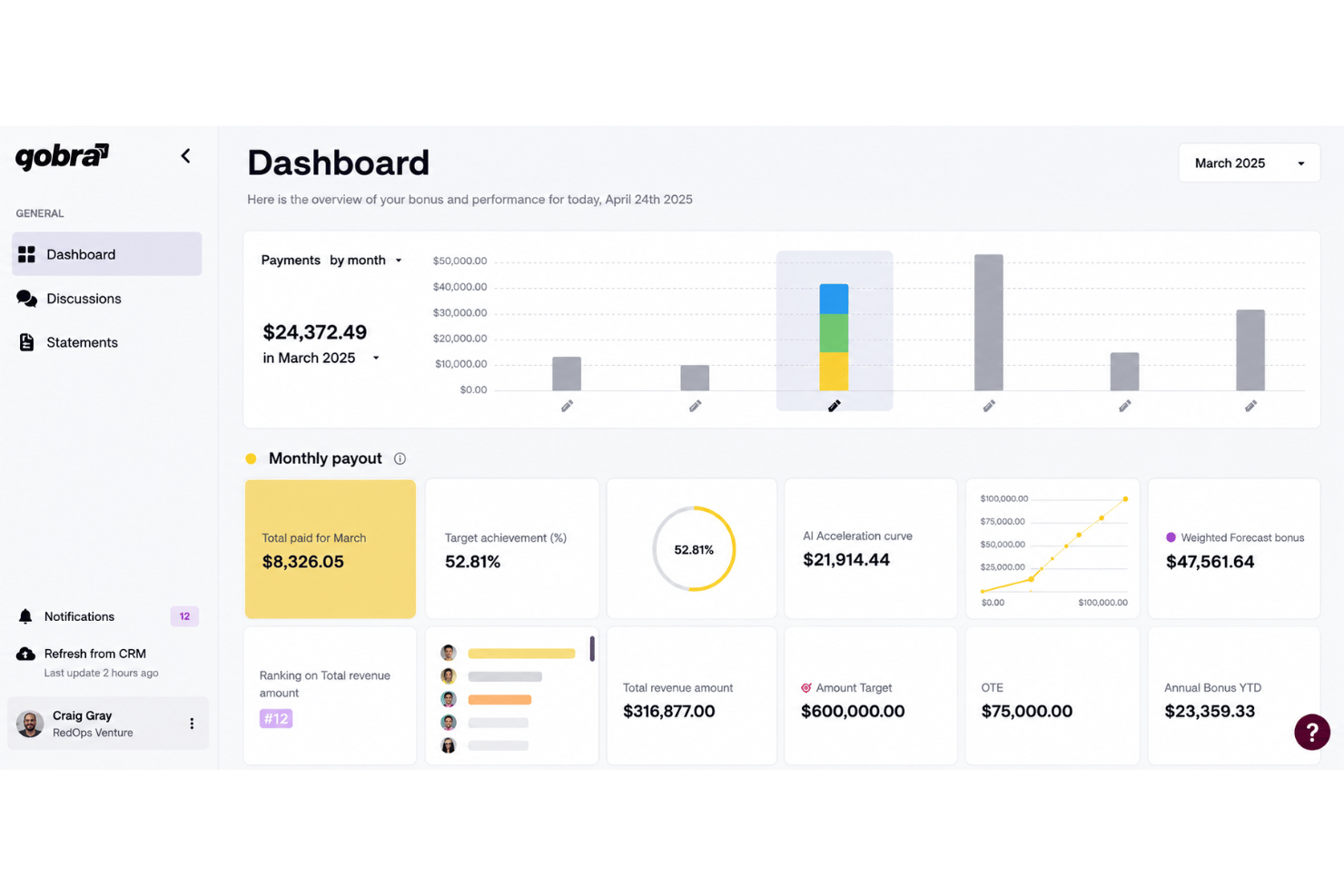
Qobra is a sales compensation software built for revenue teams that need to automate commission calculations and give reps real-time visibility into their earnings. I'd put it on your shortlist if you're outgrowing spreadsheets or find a tool like Xactly too complex for your current scale. Qobra delivers commission automation and rep-facing dashboards without the configuration overhead that enterprise platforms typically require.
Qobra Evaluation Summary
- Pricing upon request
- Free demo available
Perché fidarsi dei nostri consigli sui software
Le nostre recensioni riflettono il nostro giudizio indipendente, non un discorso di vendita. Scopri come manteniamo la trasparenza.
Per questa guida, abbiamo valutato gli strumenti attraverso test pratici e ricerche indipendenti, assegnando un punteggio agli strumenti in base ai nostri criteri di selezione.
Le nostre recensioni riflettono il nostro giudizio editoriale umano, non un discorso di vendita.
Qobra Overview
In my judgment, Qobra stands out for its commission automation, intuitive interface, and flexible plan builder, which makes configuring complex commission processes far easier than with most tools. I think it’s a smart choice if you want real-time dashboards and automated workflows without heavy consulting or delayed implementations. Qobra does lag behind some competitors on deep native integrations, but its transparent pricing and responsive support offset that for most teams. I’d recommend it for high-growth sales organizations who want fast value and clear oversight as they scale.
pros
-
Automates complex commission plan calculations for sales teams
-
Real-time dashboards boost visibility into payouts for reps and managers
-
Custom approval workflows support sales, finance, and leadership needs
cons
-
Lacks advanced territory management or quota modeling features
-
Multi-currency support is limited compared to some competitors
-
API capabilities for custom automations are still developing
-

Prisync
Visit WebsiteThis rating combines scores from multiple user review sites to reflect overall customer sentiment about the product.4.7 -
Expedite Commerce
Visit Website -
QuickBooks Online
Visit WebsiteThis rating combines scores from multiple user review sites to reflect overall customer sentiment about the product.4




Come Testiamo e Valutiamo gli Strumenti
Abbiamo trascorso anni a costruire, perfezionare e migliorare il nostro sistema di valutazione e test dei software. Il nostro metodo è pensato per cogliere le sfumature della selezione software e ciò che rende uno strumento efficace, concentrandosi sugli aspetti critici del processo decisionale. Qui sotto puoi vedere esattamente come funzionano i nostri test e la valutazione sui sette criteri. Ci permette di fornire una valutazione imparziale del software in base alla funzionalità principale, alle caratteristiche distintive, facilità d’uso, onboarding, assistenza clienti, integrazioni, recensioni degli utenti e rapporto qualità-prezzo.
Funzionalità Principali (25% del punteggio finale)
Il punto di partenza per la nostra valutazione è sempre la funzionalità di base dello strumento. Possiede le caratteristiche e le funzioni che un utente si aspetterebbe di trovare? Alcune di queste funzioni di base sono limitate ai piani tariffari più costosi? Per noi uno strumento deve almeno essere alla pari con le capacità minime offerte dai concorrenti.
Caratteristiche Distintive (25% del punteggio finale)
Successivamente, valutiamo le funzionalità insolite o esclusive che vanno oltre le funzioni core normalmente presenti in strumenti simili. Un punteggio elevato riflette una presenza di caratteristiche particolari o uniche che rendono il prodotto più veloce, efficace o danno un valore aggiunto all’utente. Valutiamo anche la facilità di integrazione con altri strumenti tipici del tech stack per espanderne funzionalità e utilità. Gli strumenti che offrono numerose integrazioni native, connessioni di terze parti e accesso API per costruire integrazioni personalizzate ottengono i punteggi migliori.
Facilità d’Uso (10% del punteggio finale)
Consideriamo quanto sia rapido e intuitivo svolgere le attività fondamentali tramite lo strumento. I software con i punteggi più alti hanno un design ben pensato, sono intuitivi, offrono app mobili, forniscono modelli predefiniti e semplificano anche le attività più complesse.
Onboarding (10% del punteggio finale)
Sappiamo quanto sia importante che un nuovo strumento venga rapidamente adottato dal team, quindi valutiamo la facilità di apprendimento con un minimo di formazione. Valutiamo quanto velocemente un membro del team può iniziare a usare lo strumento senza esperienza. Le soluzioni con i punteggi più alti richiedono poco o nessun supporto iniziale.
Assistenza Clienti (10% del punteggio finale)
Analizziamo quanto sia facile e veloce risolvere problemi e ricevere assistenza tramite telefono, chat dal vivo o knowledge base. Gli strumenti e le aziende che offrono supporto in tempo reale ottengono i punteggi migliori, mentre i chatbot ottengono i peggiori.
Recensioni dei Clienti (10% del punteggio finale)
Oltre ai nostri test, consideriamo il net promoter score da clienti attuali e passati. Valutiamo la probabilità che gli utenti sceglierebbero nuovamente lo strumento per le funzionalità principali. Un punteggio elevato riflette un alto net promoter score da parte dei clienti.
Rapporto Qualità-Prezzo (10% del punteggio finale)
Infine, considerando tutti gli altri criteri, esaminiamo il prezzo medio dei piani base rispetto alle funzionalità principali e agli altri fattori valutativi. I software che offrono di più a un costo inferiore ottengono un punteggio più alto.
Core Features
Automated Commission Calculation
Qobra calculates commissions automatically using live sales and CRM data. Teams eliminate spreadsheet errors and manual work every pay cycle.
Real-Time Dashboards
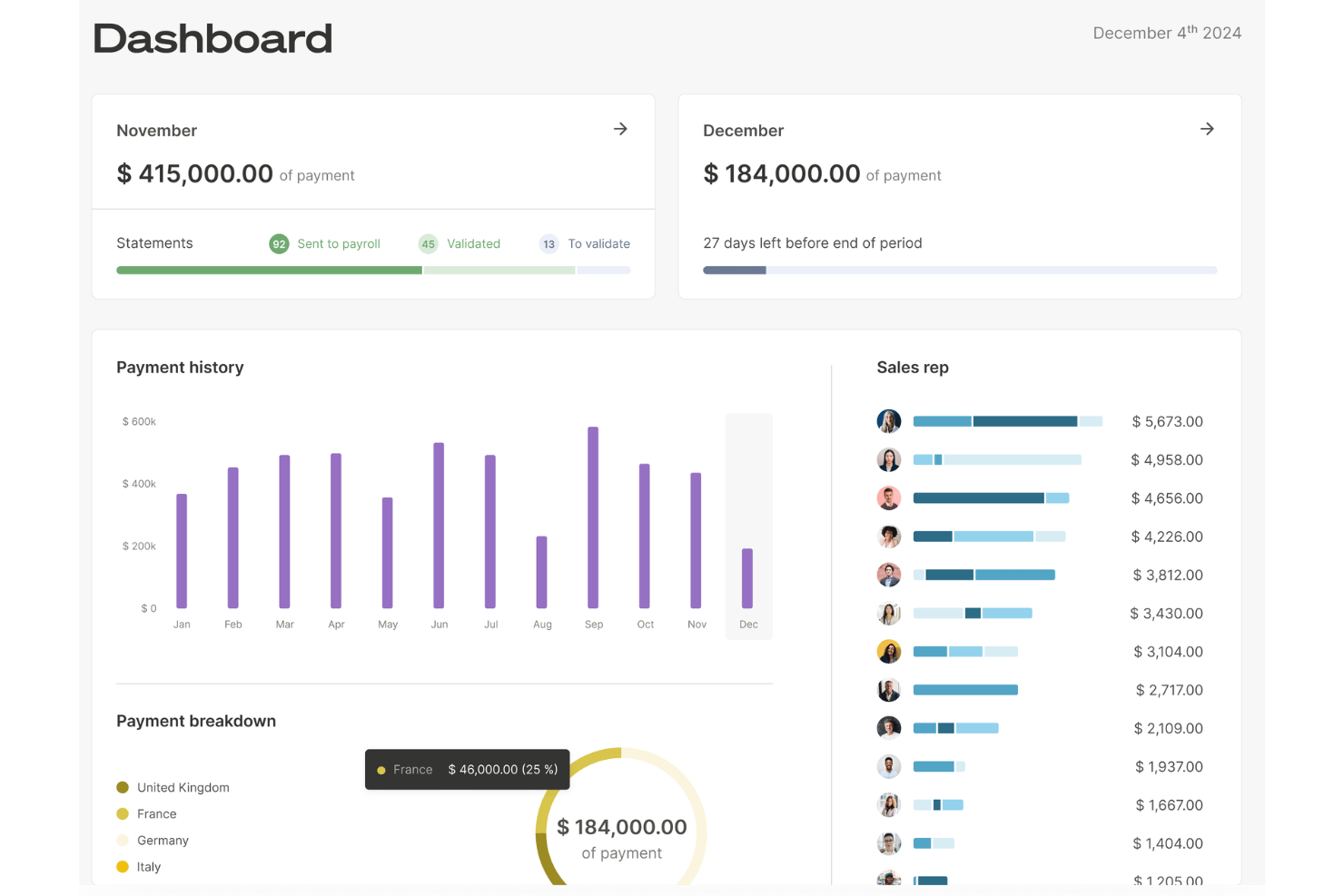
Everyone gets up-to-date visibility on pending, approved, and paid commissions. Sales reps and managers can track performance to targets at a glance.
Custom Plan Designer
Easily build and adjust variable compensation schemes and rules. Configure splits, bonuses, tiers, and exceptions to match varied roles.
Secure Approval Workflows
Route commission approvals through tailored workflows for sales, finance, and leadership. Add transparency and accountability for every payout.
Audit and Dispute Management
Track every change and flag disputes directly in the platform. Reps can initiate payout reviews for swift resolution and shared trust.
Compensation Analytics and Reporting
Analyze compensation spend, attainment, and plan effectiveness with built-in reporting. Make informed decisions about incentives and budgets faster.
Ease of Use
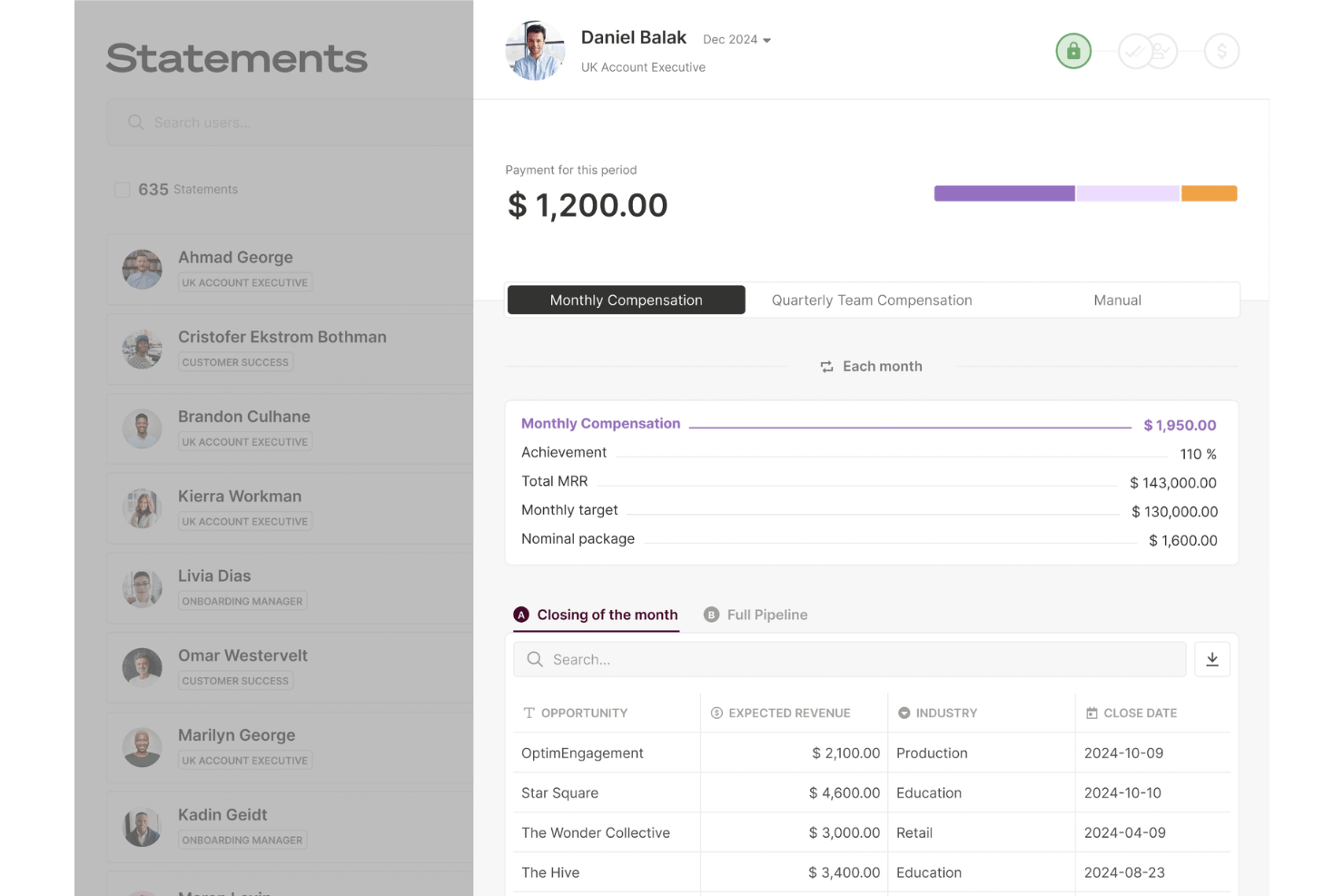
Qobra sets itself apart with a clean interface and guided workflows that help even first-time users configure complex plans quickly. I’ve seen users call out the clarity of its dashboards and how plan changes sync instantly with payout reports. Features like built-in approval flows and dispute tools make day-to-day use straightforward, cutting down on manual errors and unnecessary support tickets.
Integrations
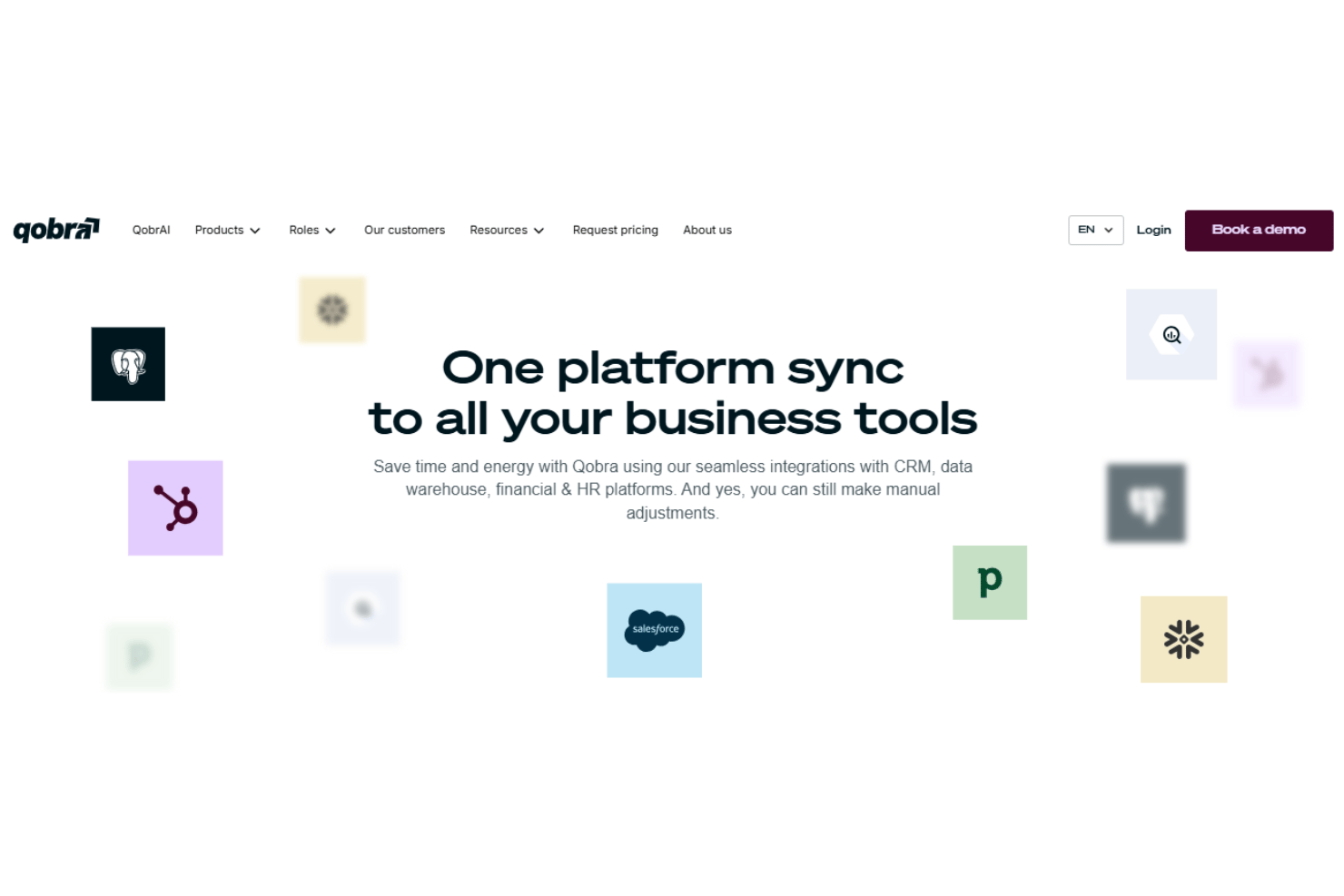
Qobra has seamless integrations with Salesforce, HubSpot CRM, Pipedrive, Odoo, Zoho CRM, Snowflake, Google BigQuery, and PostgreSQL, among others.
Qobra also offers a public API access and supports connections to databases, data warehouses, and HR platforms, letting you automate data syncs or set up custom integrations as needed.
Qobra Specs
- 2-Factor Authentication
- API
- Audience Targeting
- Budgeting
- Calendar Management
- Call Recording
- Click-to-Dial
- Contact Management
- Contact Sharing
- Conversion Tracking
- Customer Management
- Dashboard
- Data Export
- Data Import
- Data Visualization
- Email Integration
- Expense Tracking
- External Integrations
- Forecasting
- Google Apps Integration
- Inventory Tracking
- Lead Management
- Lead Scoring
- Marketing Automation
- Multi-User
- Notifications
- Payroll
- Project Management
- Referral Tracking
- Sales Motivator
- Scheduling
- Social-Media Integration
- Supplier Management
- Tax Management
- Third-Party Plugins/Add-Ons
- Travel Management