Avis sur Omnisend : avantages, inconvénients, fonctionnalités et tarifs expliqués


Omnisend is a free lead management and email marketing platform and lead management software designed to help revenue operations professionals organize contacts, nurture leads, and automate engagement without upfront costs. Ecommerce businesses comparing lead management tools or running a Shopify store already know how important it is to unify your pipeline, keep data current, and empower sales and marketing teams without juggling too many tools or running into feature paywalls. I think Omnisend makes a strong case for itself with multichannel messaging, simple automation, and list-building features built right into the core platform.
In this review, I’ll walk you through the main features, use cases, pricing, and where Omnisend excels (and falls short) as a no-cost option for lead management.
Omnisend Evaluation Summary
- From $11.20/month
- Free plan + free demo available
Pourquoi faire confiance à nos recommandations de logiciels
Nos avis reflètent notre jugement indépendant — et non un argumentaire de vente. Découvrez comment nous restons transparents.
Pour ce guide, nous avons évalué les outils grâce à des tests pratiques et une recherche indépendante, en notant les outils selon nos critères de sélection.
Nos avis reflètent notre jugement éditorial humain, et non un argumentaire de vente.
Omnisend Overview
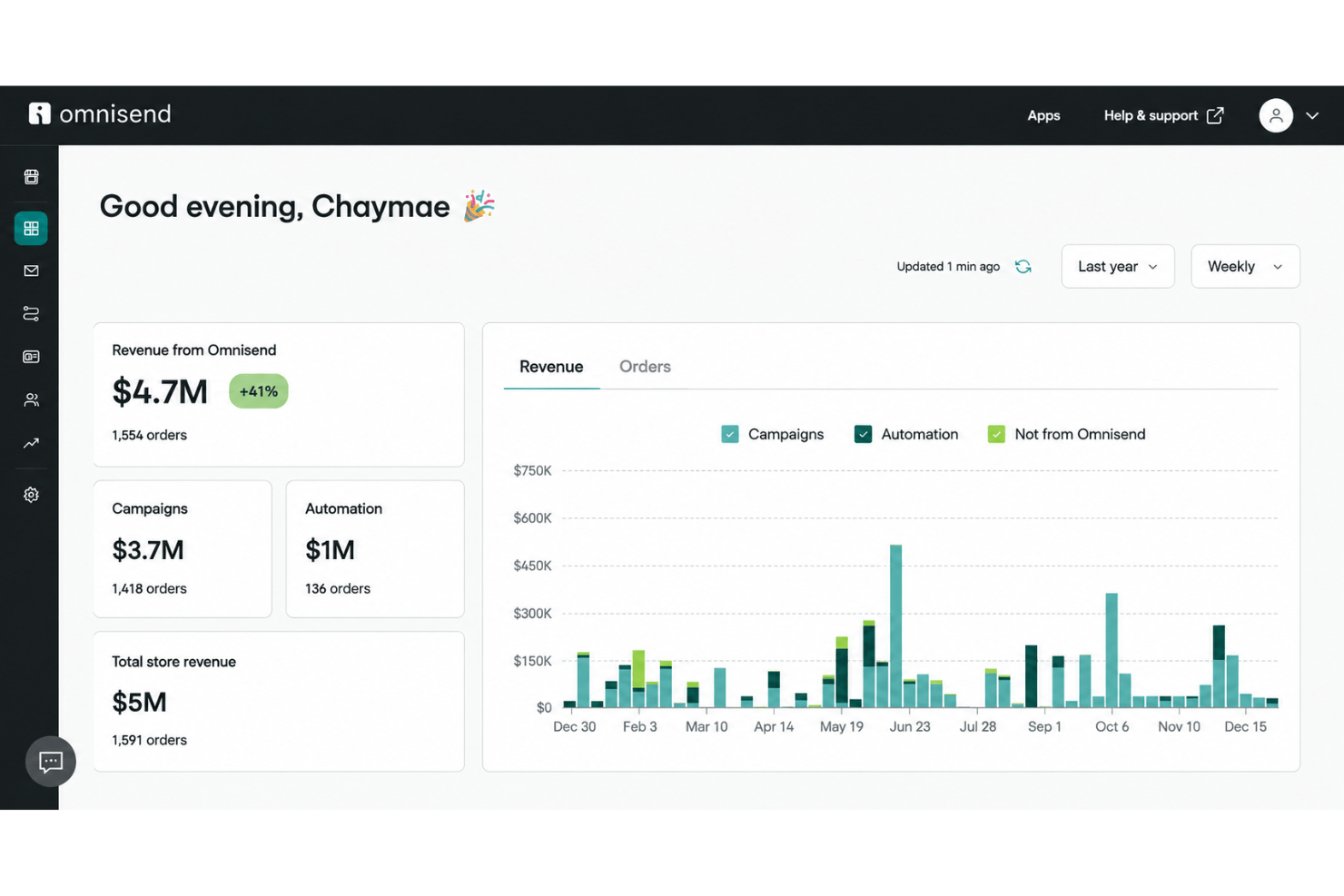
Omnisend feels like a smart pick if you want a free lead management solution with solid multichannel automation and a straightforward interface. I find its email and SMS automation functionality easier to set up than most, and onboarding is quick even if you’re new to these tools. Where it lags is in limited advanced CRM features and customization, but for small teams focused on ecommerce or simple lead nurturing, I think Omnisend’s free tier delivers great value. If you’re judging by simplicity, built-in integrations, and easy automation, it’s an appealing choice for businesses starting to scale their outreach.
pros
-
Free plan includes email, SMS, and web push messaging
-
Pre-built automation flows for welcome, abandoned cart, and more
-
Contact list segmentation available on the free plan
cons
-
Free tier limits monthly email and SMS sends
-
No built-in calling, landing pages, or dedicated page builder for standalone lead capture
-
Reporting dashboard offers only basic performance metrics
-

Prisync
Visit WebsiteThis rating combines scores from multiple user review sites to reflect overall customer sentiment about the product.4.7 -
Expedite Commerce
Visit Website -
QuickBooks Online
Visit WebsiteThis rating combines scores from multiple user review sites to reflect overall customer sentiment about the product.4




Comment nous testons et notons les outils
Nous avons passé des années à construire, affiner et améliorer notre système de test et de notation des logiciels. La grille d’évaluation est conçue pour saisir toutes les nuances dans le choix d’un logiciel et pour identifier ce qui rend un outil efficace, en mettant l’accent sur les aspects essentiels du processus de décision. Vous trouverez ci-dessous le détail exact de notre méthode de test et de notation selon sept critères. Cela nous permet de fournir une évaluation impartiale des logiciels basée sur la fonctionnalité principale, les fonctionnalités remarquables, la facilité d’utilisation, l’onboarding, le support client, les intégrations, les avis clients et le rapport qualité-prix.
Fonctionnalités principales (25 % de la note finale)
Le point de départ de notre évaluation est toujours la fonctionnalité principale de l’outil. Dispose-t-il des fonctions et caractéristiques de base auxquelles un utilisateur peut s’attendre ? Certaines de ces fonctionnalités de base sont-elles réservées à des formules plus onéreuses ? Nous attendons d’un outil qu’il tienne la comparaison avec les capacités minimales de ses concurrents.
Fonctionnalités remarquables (25 % de la note finale)
Nous évaluons ensuite les fonctionnalités remarquables, rares ou originales, qui vont au-delà des fonctionnalités principales habituellement trouvées dans ce type d’outils. Un score élevé reflète des fonctionnalités spécialisées ou innovantes qui accélèrent le produit, l’optimisent ou apportent une valeur ajoutée à l’utilisateur. Nous évaluons également la facilité d’intégration de l’outil aux autres logiciels généralement présents dans l’écosystème technologique, afin d’étendre ses fonctionnalités et son utilité. Les outils qui offrent de nombreuses intégrations natives, connexions tierces et accès API pour des intégrations personnalisées obtiennent la meilleure note.
Facilité d’utilisation (10 % de la note finale)
Nous évaluons la rapidité et la facilité d’exécution des tâches principales à l’aide de l’outil. Les logiciels les mieux notés sont bien conçus, intuitifs, proposent des applis mobiles, fournissent des modèles et facilitent la réalisation de tâches complexes.
Onboarding (10 % de la note finale)
Nous savons combien il est important d’adopter rapidement une nouvelle plateforme en équipe. Nous évaluons donc la facilité de prise en main de l’outil avec un minimum de formation. Nous étudions la rapidité avec laquelle un membre peut être opérationnel et commencer à utiliser l’outil sans expérience préalable. Un score élevé indique qu’aucun ou très peu de support est requis.
Support client (10 % de la note finale)
Nous examinons la rapidité et la facilité avec lesquelles il est possible de sortir d’une impasse et de trouver de l’aide par téléphone, chat en direct ou base de connaissances. Les outils et entreprises qui proposent une assistance en temps réel obtiennent la meilleure note, tandis que les chatbots sont les moins bien notés.
Avis clients (10 % de la note finale)
Au-delà de nos propres tests et évaluations, nous prenons en compte le score net d’appréciation des clients actuels et passés. Nous examinons la probabilité qu’ils choisissent à nouveau l’outil pour ses fonctionnalités principales. Un score élevé reflète une forte satisfaction des clients actuels ou passés.
Rapport qualité-prix (10 % de la note finale)
Enfin, en tenant compte de tous les autres critères, nous comparons le prix moyen des forfaits d’entrée de gamme avec les fonctionnalités de base et évaluons la valeur ajoutée selon les autres critères. Un logiciel offrant plus pour moins sera mieux noté.
Core Features
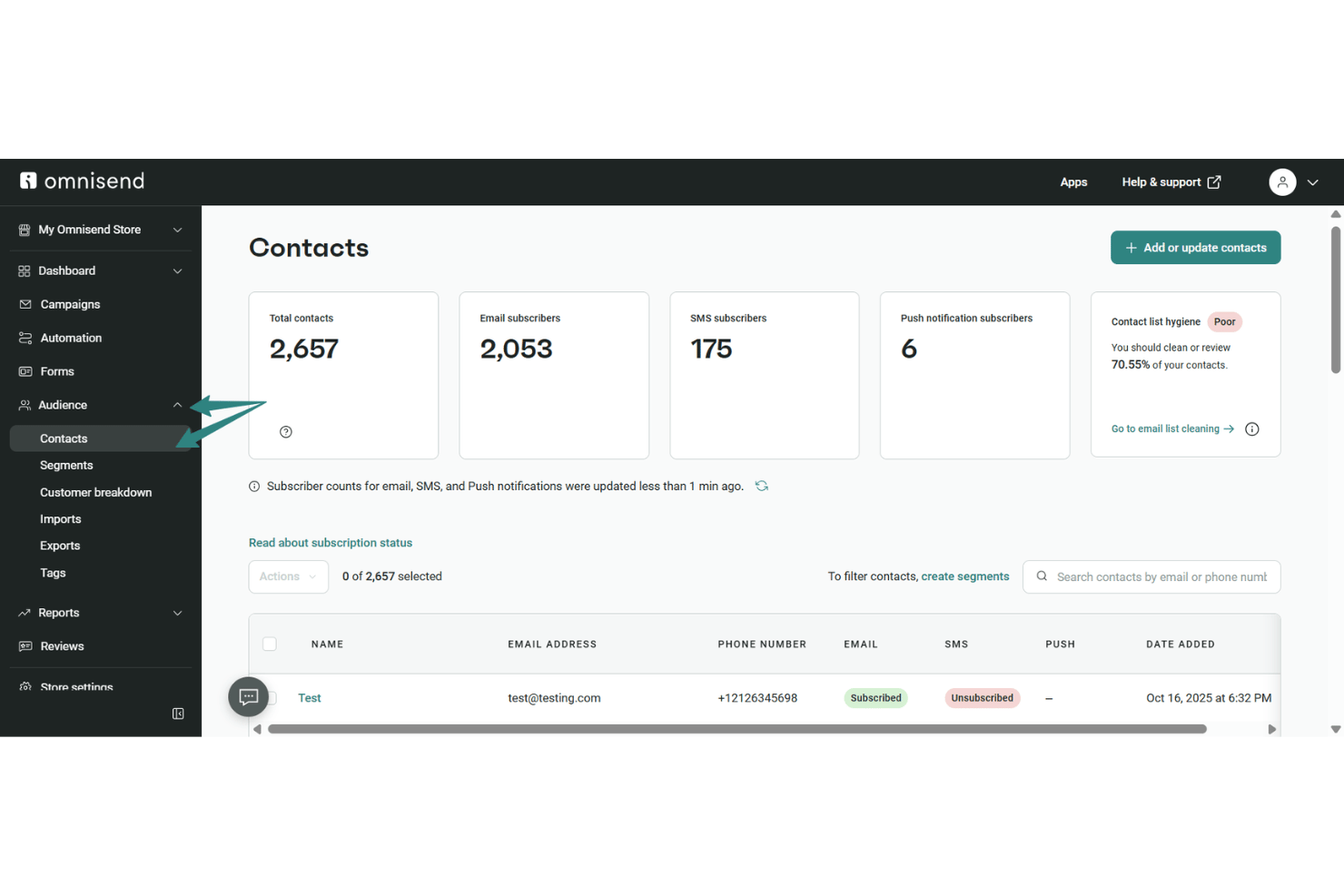
Contact List Management
Store, organize, and segment leads by online store behavior or attributes. This makes it easy to target signups with email templates for relevant marketing campaigns.
Email Campaign Builder
Create broadcast and automated email campaigns with ready-made templates. You can personalize subject lines and content with the email builder to schedule targeted messages at key moments.
SMS and Web Push Messaging
Send SMS or web push notifications to engage leads beyond email. These channels power SMS marketing for contacts who prefer mobile messaging or browser updates.
Automation Workflows
Set up pre-built or custom automation flows for welcome, abandoned cart, and follow-ups. These workflows trigger messages based on lead actions to save you manual effort.
Signup Forms and Popups
Collect leads directly through forms and popups you place on your site. You can choose from a variety of designs and link them to your Omnisend email contact list automatically.
Segmentation Tools
Build audience segments based on purchase activity, engagement, or A/B testing results for your campaigns. This makes it simple to send tailored discount codes, offers, or reminders to the right leads.
Ease of Use
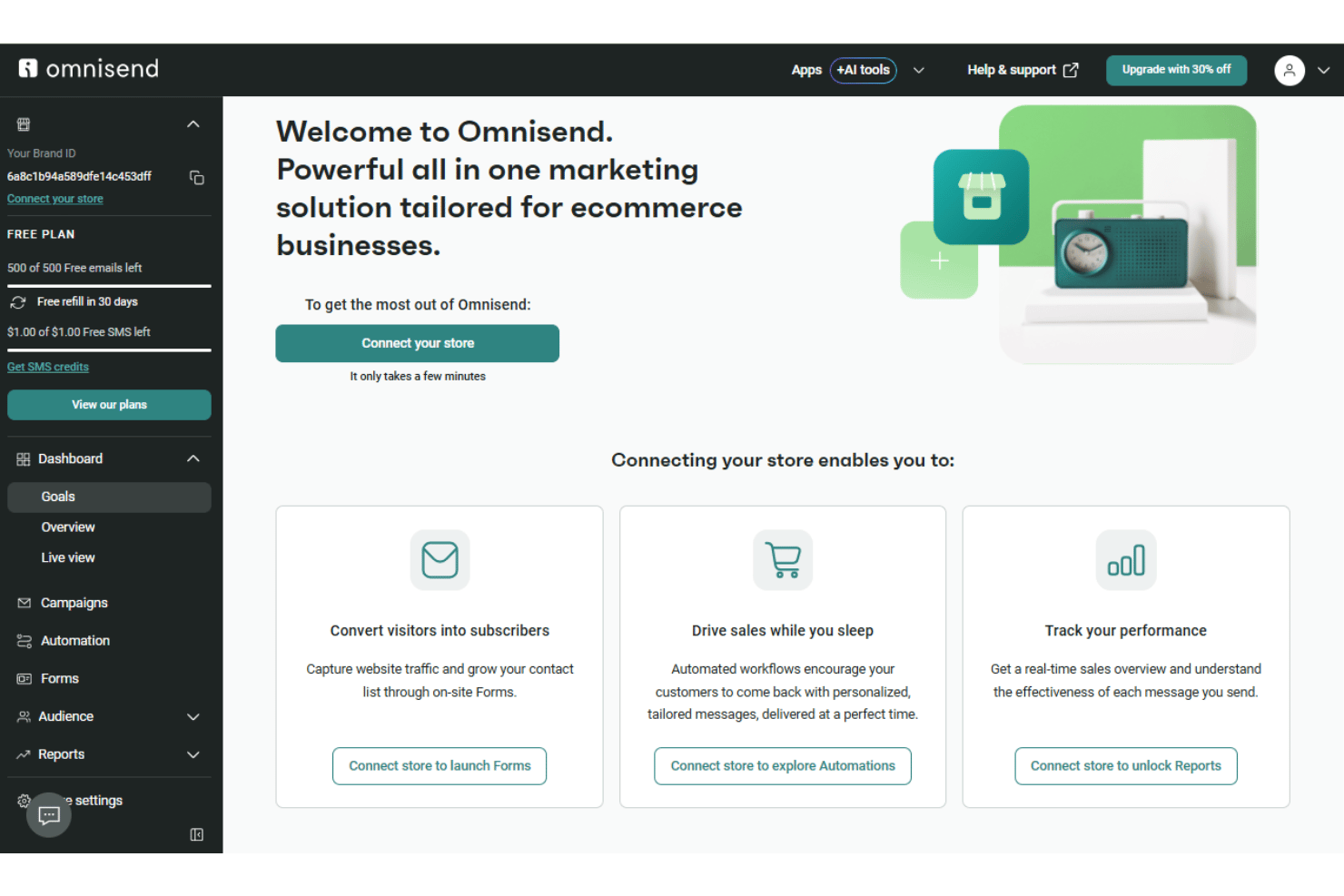
Omnisend stands out for its user-friendly interface and fast onboarding, letting users set up automated flows and campaigns in minutes. I think its drag-and-drop builder and clear step-by-step guidance remove a lot of friction, especially for teams managing leads across several channels. Even users with little technical experience consistently praise the intuitive navigation and pre-built templates that simplify getting started.
Integrations
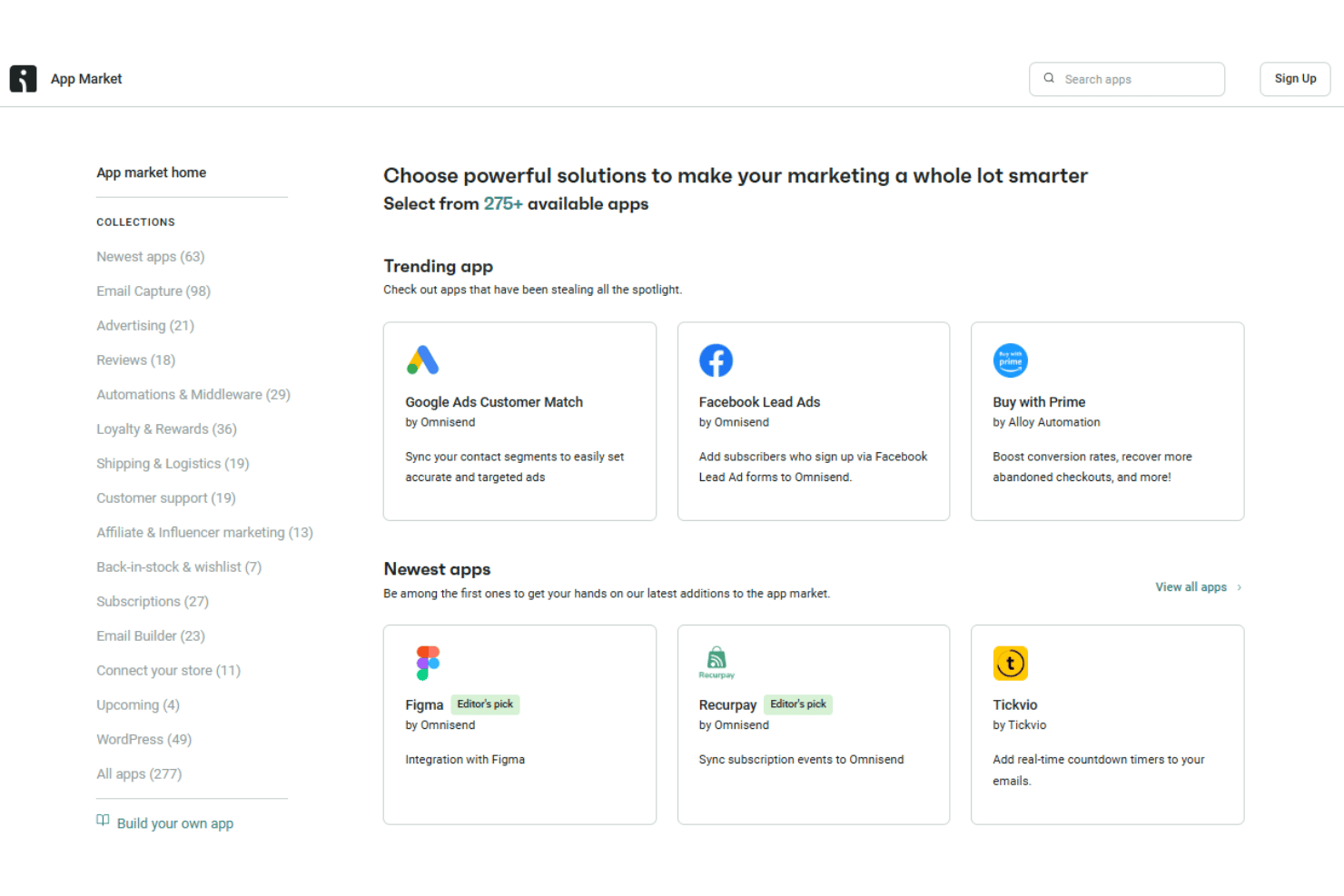
Omnisend integrates with Klaviyo Data Import, Mailchimp Data Import, Shopify, WooCommerce, BigCommerce, Facebook Lead Ads, Google Ads, Lapio, and Zendesk, among others.
Omnisend also offers a public API and supports connections through third-party integration tools and middleware platforms.
New Product Updates from Omnisend

Omnisend Adds Claude Connector and Updates MCP Features
Omnisend adds direct Claude connectivity, improved MCP-generated email templates, and granular read and write permissions for connected AI tools. The updates let users access Omnisend data through natural language, create emails using existing Brand Assets, and control which account data each AI tool can access. Highlights include:
- Claude Connector: Connects Omnisend directly to Claude for accessing campaign, automation, contact, and performance data using natural language.
- On-Brand Email Templates: Uses Brand Assets to automatically apply store colors, fonts, and logos to MCP-generated emails.
- Granular MCP Permissions: Lets users independently enable read and write access for individual data areas when connecting AI tools.
Visit Omnisend’s official site for more details.
 for more details.
Omnisend Adds 12 New Integrations
Omnisend adds integrations with Coefficient, eDesk, Commslayer, Help Scout, Redo, 8returns, Eventbrite, Recurpay, TrustWILL, KickoffLabs, RetentionX, and SurveySparrow. The integrations connect data and events from external tools with Omnisend to trigger email and SMS automations, build reports, and personalize customer messaging. Highlights include:
- Analytics and Support: Coefficient connects reporting data, while eDesk, Commslayer, and Help Scout bring customer support activity into Omnisend workflows.
- Returns, Events, and Subscriptions: Redo, 8returns, Eventbrite, and Recurpay use customer events and status changes to trigger automated messaging.
- Loyalty and Customer Intelligence: TrustWILL, KickoffLabs, RetentionX, and SurveySparrow bring loyalty, referral, behavioral, and survey data into Omnisend for segmentation and automation.
Visit Omnisend’s official site for more details.

Omnisend Adds Send Time Optimization for Email Campaigns
Omnisend adds Send Time Optimization with options to optimize email delivery based on click rates, open rates, or placed orders. The feature uses each contact’s engagement history to determine the best send time, with brand-level engagement data used when individual history is insufficient. Highlights include:
- Click Rate Optimization: Sends emails when each contact is most likely to click.
- Open Rate Optimization: Schedules delivery when each contact is most likely to open an email.
- Order Optimization: Sends emails when each contact is most likely to place an order.
Visit Omnisend’s official site for more details.
Omnisend Expands Integrations With Canva Updates and 14 New Apps
Omnisend now lets users sync designs from any Canva folder and connect multiple Canva accounts. The platform also expanded its App Market with 14 new integrations to help businesses connect subscription, loyalty, support, shipping, analytics, and communication tools. Highlights include:
- Enhanced Canva Integration: Sync designs from any Canva folder and manage multiple Canva accounts with separate folder syncing.
- 14 New App Integrations: Connect Omnisend with Paywhirl, Chargebee, Fourthwall, Unbounce, Zendesk, Viral Loops, Friendbuy, ReferralCandy, EmailHeatmaps, ShipBob, Tickvio, Lapio, Wrapped, and Aircall.
Visit Omnisend's official site for more details.

Omnisend Expands Signup Form Subscription and Redirect Options
Omnisend now lets Back in Stock forms add consenting visitors as subscribed contacts. Users can also redirect submissions from popups, flyouts, embedded forms, and landing pages to a custom URL. Highlights include:
- Back in Stock Subscribers: Adds consenting visitors to the subscribed contact list while capturing product demand.
- Custom Form Redirects: Sends visitors to a selected URL after submission, with controls for tab behavior, delay, and countdown messaging.
Visit Omnisend’s official site for more details.
Omnisend MCP Expands Campaign and Automation Management
Omnisend has expanded MCP to cover more end-to-end marketing execution, giving teams more control over campaigns and automations without leaving their MCP workflows. This helps streamline setup, testing, and optimization across channels. Highlights include:
- Expanded Campaign Support: Create and manage SMS, email A/B test, and Booster campaigns through MCP.
- Full Automation Management: Create, edit, enable, disable, and update automations, including UTM parameters and automation blocks.
Visit Omnisend's official site for more details.

Omnisend Adds New Integrations and Migration Tools
Omnisend adds new integrations and migration tools to simplify campaign creation and ecommerce automation workflows. These updates help users connect design assets, transfer customer segments, and create more targeted messages. Highlights include:
- Canva Integration: Sync Canva designs directly to the Omnisend Image Library for faster campaign creation.
- Klaviyo Segment Migration: Import Klaviyo segments into Omnisend through a self-serve migration workflow.
- New App Integrations: Connect Buy Again & Reorder Reminders and StockIQ to support reorder and inventory-based messaging.
Visit Omnisend’s official site for more details.

Omnisend Improves Automation, Forms, and SMS Tools
Omnisend adds automation, forms, and SMS workflow improvements to simplify campaign management. These updates help users target the right audiences, make quick form changes, and register required SMS Sender IDs directly in Omnisend. Highlights include:
- Segment-Gated Automations: Improve workflow accuracy by allowing segment data to update before contacts enter automations.
- Mobile Form Editing: Make basic form edits directly from a mobile device through the Forms Builder.
- SMS Sender ID Registration: Register SMS Sender IDs for supported markets directly within Omnisend.
Visit Omnisend’s official site for more details.

Omnisend Adds Reports AI Beta for Performance Insights
Omnisend adds Reports AI (Beta) to provide AI-powered analytics support across reports and dashboards. This update helps users summarize performance, understand trends, and get insights from their marketing data faster. Highlights include:
- Reports AI (Beta): Ask questions about sales, campaign, and automation performance using a built-in AI assistant.
- Performance Summaries: Generate plain-language insights from Omnisend data without manually analyzing reports.
Visit Omnisend’s official site for more details.

Omnisend Enhances Multi-Store Management and Automation
Omnisend adds segmentation filters, branded domains for forms, multi-store copy features, templated accounts, and access management. These updates reduce manual work and improve control across multiple stores. Highlights include:
- Advanced Segmentation Filters: Use Total Spent and Average Order Value to target customers more effectively.
- Branded Domains for Forms: Host form landing pages on branded domains to improve trust and consistency.
- Multi-Store Copy Features: Copy campaigns, templates, automations, and signup forms across stores to save time.
- Templated Accounts: Manage multiple client stores more efficiently with reusable account setups.
- Access Management for Agencies: Control user access across accounts to improve team management and security.
- Multi-Store Copy Features: Copy campaigns, templates, automations, and signup forms across multiple stores to save time.
Visit Omnisend’s official site for more details.
Omnisend Specs
- A/B Testing
- API
- Audience Targeting
- Brand Management
- Calendar Management
- Campaign Management
- Compliance Tracking
- Contact Management
- Contact Sharing
- Conversion Tracking
- CRM Integration
- Customer Management
- Dashboard
- Data Export
- Data Import
- Data Visualization
- Email Integration
- External Integrations
- Google Apps Integration
- Lead Management
- Lead Scoring
- Link Tracking
- Marketing Automation
- Multi-User
- Notifications
- Scheduling
- Social-Media Integration
- Third-Party Plugins/Add-Ons