
Avis sur Heyflow 2026 : Avantages, Inconvénients, Fonctionnalités et Tarifs
Heyflow aide les entreprises à capturer, qualifier et convertir les leads grâce à des outils alimentés par l'IA. Découvrez comment ses fonctionnalités d’automatisation améliorent les workflows de génération de prospects et transforment les visiteurs en prospects qualifiés.

Nous évaluons les outils de manière indépendante, et les commissions contribuent au financement de nos tests. Consultez notre politique de transparence, notre méthodologie, ou suggérez un outil.
Heyflow is an AI lead generation software built to help RevOps leaders capture, qualify, and nurture leads without the bottlenecks of clunky forms or manual data entry. With revenue operations teams often bogged down by inconsistent data, slow response times, and the need to scale personalized engagement, Heyflow promises a no-code platform that blends automation, customizable flows, and AI-driven insights.
In this review, I’ll break down Heyflow’s features, best and worst use cases, pros and cons, and pricing to help you decide if it fits your revenue engine.
Heyflow Evaluation Summary
4.6/5
- From $56/month (billed annually)
- 14-day free trial
Pourquoi faire confiance à nos recommandations de logiciels
6,700+
Reviews
20
Industry experts
16+
Evaluation factors
14
Years
Nos avis reflètent notre jugement indépendant — et non un argumentaire de vente. Découvrez comment nous restons transparents.
Pour ce guide, nous avons évalué les outils grâce à des tests pratiques et une recherche indépendante, en notant les outils selon nos critères de sélection.
Nos avis reflètent notre jugement éditorial humain, et non un argumentaire de vente.
Heyflow Overview
In my experience, Heyflow stands out for its intuitive interface and flexible flow builder, making onboarding fast for teams that need quick deployment. Choosing Heyflow means you get strong lead capture options, dynamic personalization, and clear analytics, though integration options can feel limited if your tech stack is complex. Pricing is fair given the advanced AI capabilities, and support is responsive.
I think high-velocity marketing or sales teams who want drag-and-drop automation without heavy IT involvement will get the most value, especially if they’re focused on optimizing conversion paths and minimizing manual tasks.
Pros
- AI-driven lead qualification boosts response speed and accuracy
- Drag-and-drop builder creates fully custom flows with no code
- Visual analytics dashboard tracks conversion rates in real time
Cons
- No native support for advanced lead scoring algorithms
- Limited multilingual options for global campaign creation
- Lacks out-of-the-box CRM or email platform integrations
Is Heyflow Right For Your Needs?
Who Would be a Good Fit for Heyflow?
Heyflow is best for teams that want visually engaging, conversion-optimized lead flows without code. Marketing agencies, SaaS startups, and small to mid-sized sales teams will appreciate its quick setup and customization. Organizations in regulated industries needing secure file uploads or companies wanting branded, interactive lead capture experiences also stand to benefit.
Anyone aiming to streamline multi-step form experiences for high-quality lead qualification should consider Heyflow.
- Marketing AgenciesAgencies benefit from custom branding, white labeling, and advanced design controls for differentiated client experiences.
- SaaS StartupsSaaS teams can quickly build and iterate on signup flows without developer resources, responding fast to market feedback.
- Real Estate FirmsCustom file uploads and conditional logic make capturing qualified leads for property listings more efficient.
- Education ProvidersMulti-step forms simplify collecting student applications and documents while guiding prospects through course options.
- Customer Success TeamsInteractive flows support effective onboarding for new users, gathering key information for personalized outreach.
- Healthcare ClinicsSecure data capture and file upload features help clinics gather health details and required documents from new patients.
Who Would be a Bad Fit for Heyflow?
Heyflow isn’t ideal for large enterprises needing deep data integrations, global brands with complex multilingual requirements, or companies processing massive lead volumes. Teams requiring advanced analytics, scoring, or industry-specific compliance beyond what’s offered may feel limited.
It’s also not the best choice for resource-constrained businesses who need only basic, static forms or companies needing intricate workflow automation tied to numerous backend systems.
- Multinational CorporationsLimited multilingual support may not meet diverse, global localization needs.
- Enterprise IT DepartmentsComplex workflow automation and custom internal integrations go beyond Heyflow’s built-in capabilities.
- Financial InstitutionsRegulatory demands and advanced data handling requirements often exceed what Heyflow provides out-of-the-box.
- Small Local BusinessesThose with simple, static forms can use more basic or free options at lower cost.
- Large Ecommerce StoresHigh-volume transaction management and deep inventory integration are not features Heyflow supports.
- Data Science TeamsHeyflow lacks customizable, advanced analytics and personalized lead scoring tools crucial to data-driven teams.
Comment nous testons et notons les outils
Nous avons passé des années à construire, affiner et améliorer notre système de test et de notation des logiciels. La grille d’évaluation est conçue pour saisir toutes les nuances dans le choix d’un logiciel et pour identifier ce qui rend un outil efficace, en mettant l’accent sur les aspects essentiels du processus de décision. Vous trouverez ci-dessous le détail exact de notre méthode de test et de notation selon sept critères. Cela nous permet de fournir une évaluation impartiale des logiciels basée sur la fonctionnalité principale, les fonctionnalités remarquables, la facilité d’utilisation, l’onboarding, le support client, les intégrations, les avis clients et le rapport qualité-prix.
Fonctionnalités principales (25 % de la note finale)
Le point de départ de notre évaluation est toujours la fonctionnalité principale de l’outil. Dispose-t-il des fonctions et caractéristiques de base auxquelles un utilisateur peut s’attendre ? Certaines de ces fonctionnalités de base sont-elles réservées à des formules plus onéreuses ? Nous attendons d’un outil qu’il tienne la comparaison avec les capacités minimales de ses concurrents.
Fonctionnalités remarquables (25 % de la note finale)
Nous évaluons ensuite les fonctionnalités remarquables, rares ou originales, qui vont au-delà des fonctionnalités principales habituellement trouvées dans ce type d’outils. Un score élevé reflète des fonctionnalités spécialisées ou innovantes qui accélèrent le produit, l’optimisent ou apportent une valeur ajoutée à l’utilisateur. Nous évaluons également la facilité d’intégration de l’outil aux autres logiciels généralement présents dans l’écosystème technologique, afin d’étendre ses fonctionnalités et son utilité. Les outils qui offrent de nombreuses intégrations natives, connexions tierces et accès API pour des intégrations personnalisées obtiennent la meilleure note.
Facilité d’utilisation (10 % de la note finale)
Nous évaluons la rapidité et la facilité d’exécution des tâches principales à l’aide de l’outil. Les logiciels les mieux notés sont bien conçus, intuitifs, proposent des applis mobiles, fournissent des modèles et facilitent la réalisation de tâches complexes.
Onboarding (10 % de la note finale)
Nous savons combien il est important d’adopter rapidement une nouvelle plateforme en équipe. Nous évaluons donc la facilité de prise en main de l’outil avec un minimum de formation. Nous étudions la rapidité avec laquelle un membre peut être opérationnel et commencer à utiliser l’outil sans expérience préalable. Un score élevé indique qu’aucun ou très peu de support est requis.
Support client (10 % de la note finale)
Nous examinons la rapidité et la facilité avec lesquelles il est possible de sortir d’une impasse et de trouver de l’aide par téléphone, chat en direct ou base de connaissances. Les outils et entreprises qui proposent une assistance en temps réel obtiennent la meilleure note, tandis que les chatbots sont les moins bien notés.
Avis clients (10 % de la note finale)
Au-delà de nos propres tests et évaluations, nous prenons en compte le score net d’appréciation des clients actuels et passés. Nous examinons la probabilité qu’ils choisissent à nouveau l’outil pour ses fonctionnalités principales. Un score élevé reflète une forte satisfaction des clients actuels ou passés.
Rapport qualité-prix (10 % de la note finale)
Enfin, en tenant compte de tous les autres critères, nous comparons le prix moyen des forfaits d’entrée de gamme avec les fonctionnalités de base et évaluons la valeur ajoutée selon les autres critères. Un logiciel offrant plus pour moins sera mieux noté.
Core Features
Visual Flow Builder
Design custom lead funnels with a simple drag-and-drop interface. Create logic-based journeys that guide users based on their responses.
AI-Powered Personalization
Automatically adapts questions and outputs for each visitor using AI. Boosts engagement by serving relevant content in real time.
Response Validation and Enrichment
Auto-validates lead data and enriches submissions using machine learning. Reduces manual review and delivers better-qualified leads to your pipeline.
Multi-Step Forms
Breaks complex lead capture into easy, conversational steps. Helps increase completion rates by minimizing user friction.
Real-Time Analytics
Get instant insights on completion rates and drop-off points. Identify where users convert or exit, so you can refine your flows quickly.
Conditional Logic
Set dynamic rules to show or hide questions based on prior answers. Personalizes every lead path and targets different segments automatically.
Ease of Use
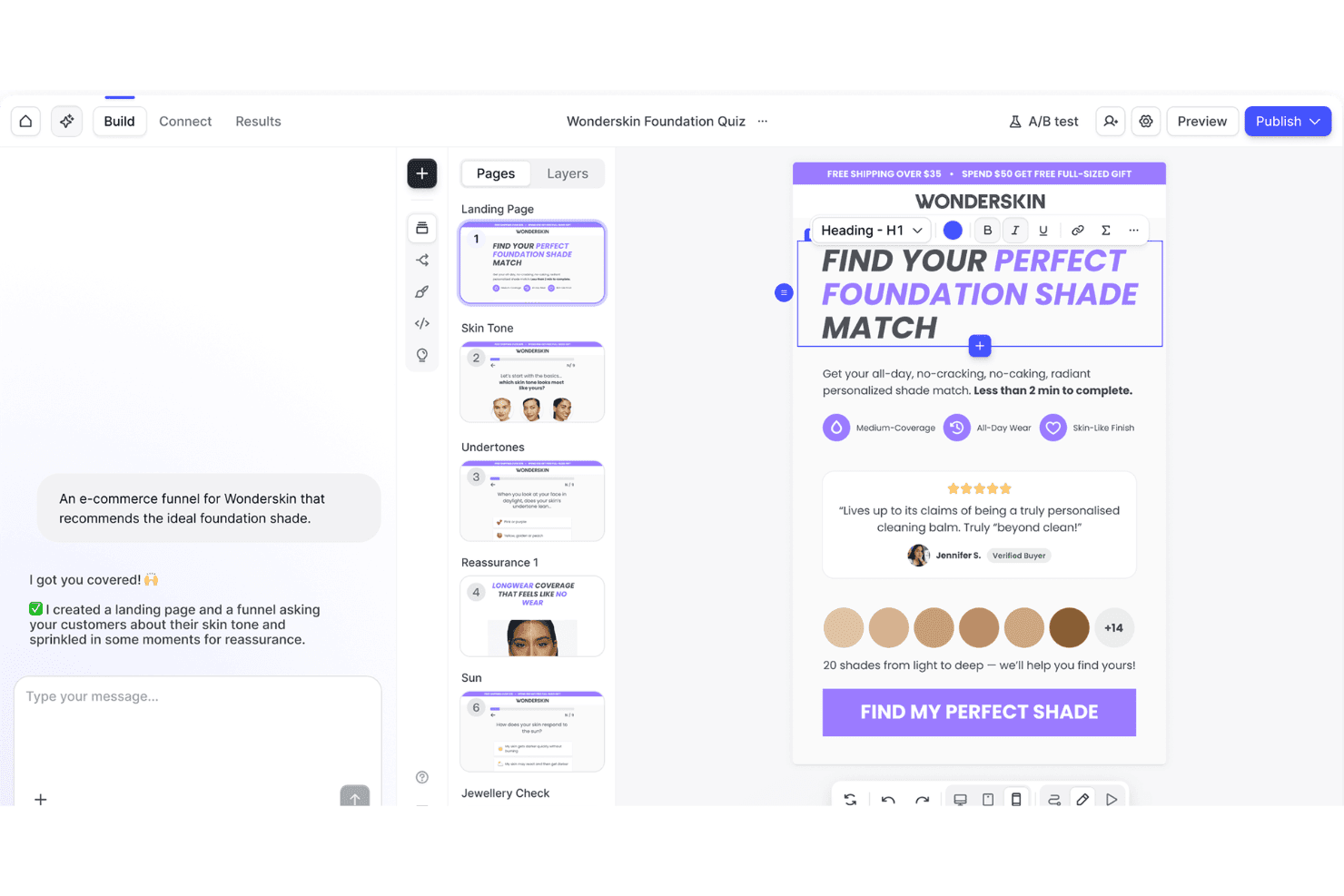
Heyflow’s interface is refreshingly visual and requires no coding, so you can launch new flows fast without technical help.
Users often mention how the step-by-step builder, real-time previews, and inline editing make it easy to design sophisticated lead paths. This hands-on approach makes iterating and optimizing flows much simpler than most alternatives.
Integrations
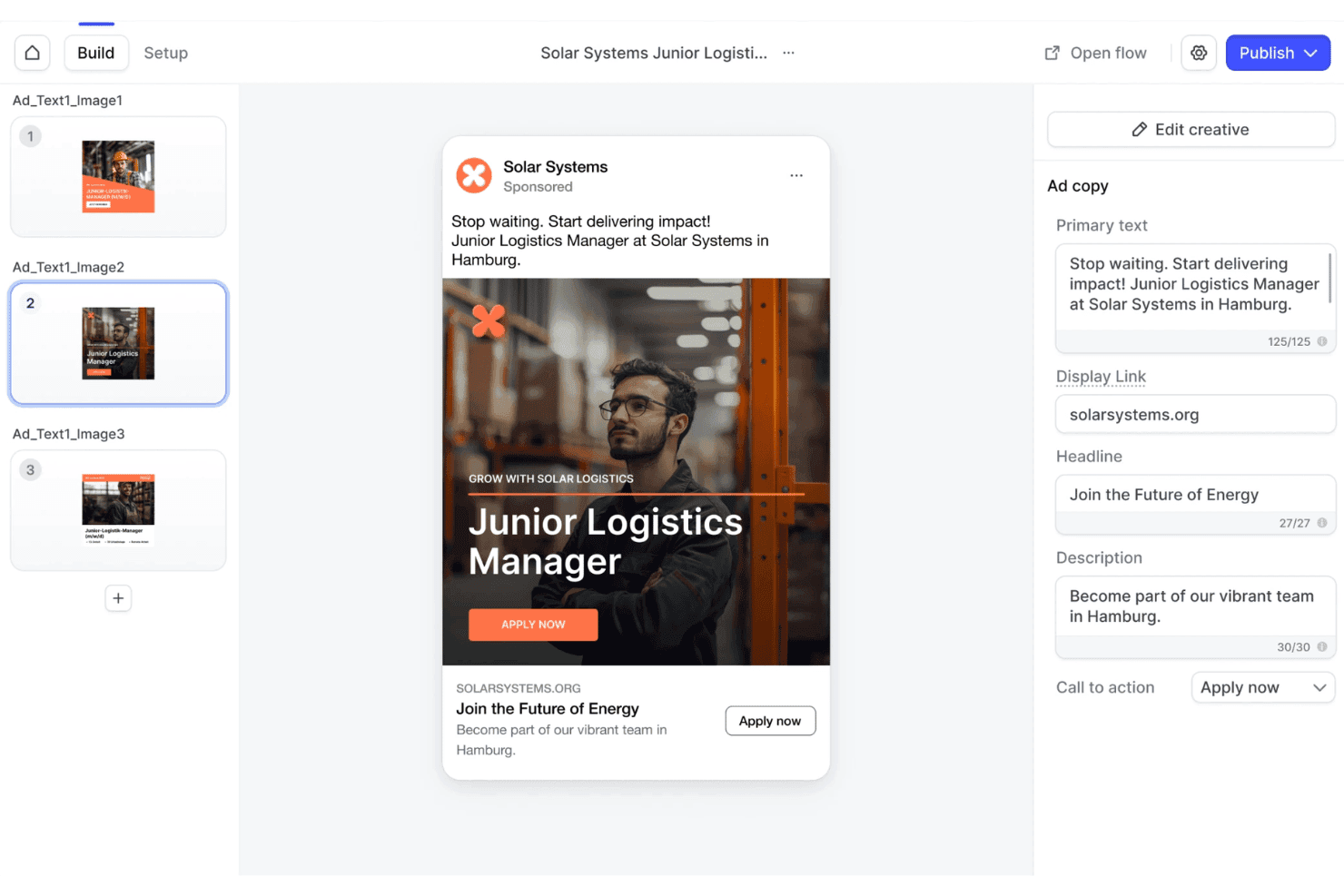
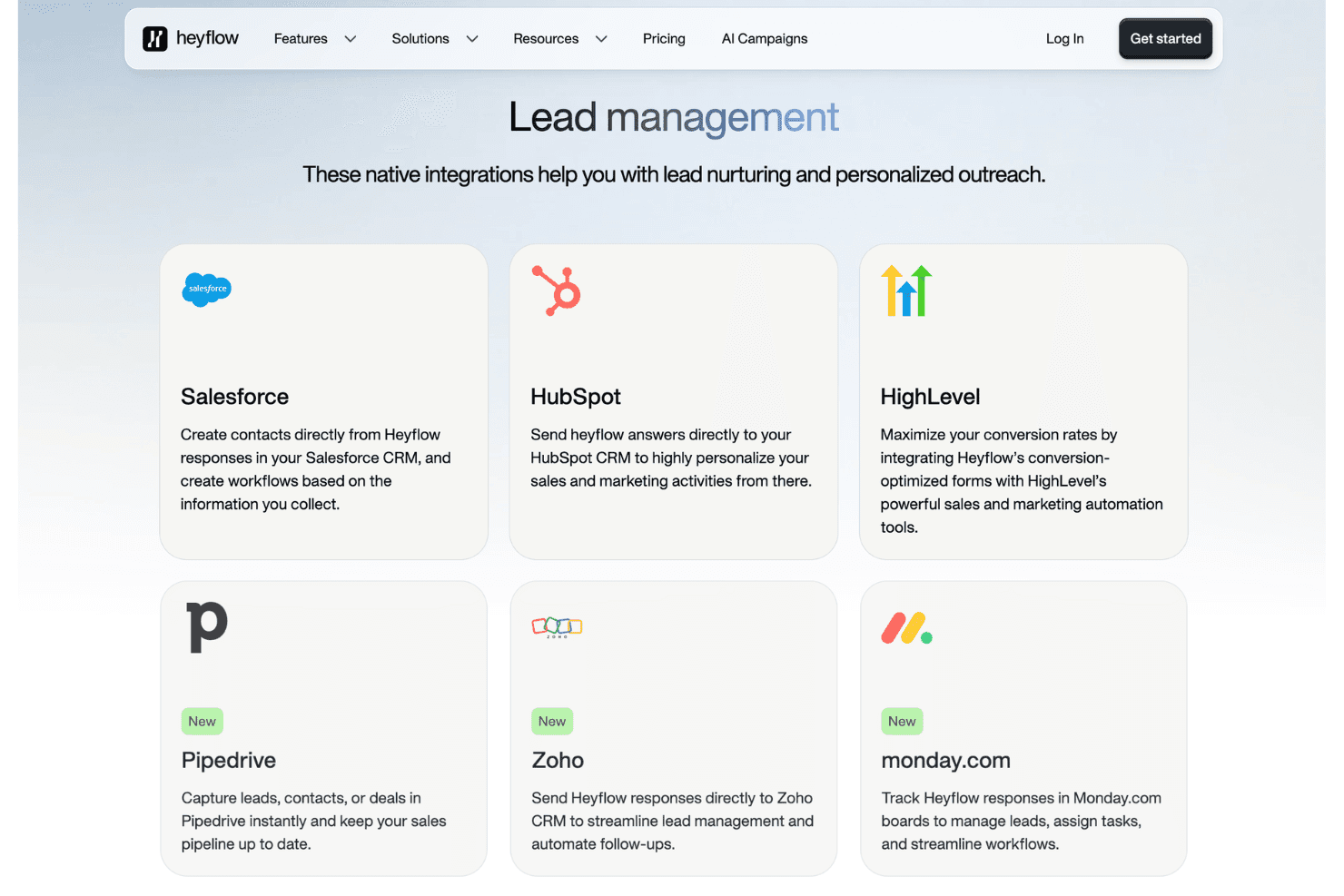
Heyflow integrates with HubSpot, Salesforce, Mailchimp, Google Sheets, Slack, Pipedrive, Zapier, Make, Webhooks, and Shopify.
Heyflow also offers a public API and connects with third-party integration tools like Zapier and Make.
Heyflow Specs
- A/B Testing: Yes
- API: Yes
- Data Export: Yes
- Data Import: Yes
- External Integrations: Yes
- Landing Pages: Yes
- Multi-User: Yes
- Third-Party Plugins/Add-Ons: Yes


