

Salesforce Financial Services -arvostelu: hyvät puolet, huonot puolet, ominaisuudet ja hinnoittelu
Salesforce Financial Services on erinomainen mukautettavien, rahoituspalveluihin räätälöityjen CRM-ratkaisujen tarjoaja, mikä tekee siitä erinomaisen vaihtoehdon tiimillesi.

We review tools independently, and commissions help fund our testing. See our transparency policy, our methodology, or suggest a tool.
Salesforce Financial Services Cloud is a financial services CRM built for wealth management firms, banks, and insurance providers that need to manage complex client relationships, household data, and financial goals across large teams. I'd consider it if your firm has outgrown a tool like Redtail CRM and needs deeper data modeling, enterprise-grade workflow automation, and access to a much broader ecosystem of native integrations built on the Salesforce platform.
Salesforce Financial Services Cloud Evaluation Summary
4.3/5
- From $325/user/month (billed annually)
- 30-day free trial
Why Trust Our Software Recommendations
6,700+
Reviews
20
Industry experts
16+
Evaluation factors
14
Years
Our reviews reflect our independent judgment—not a sales pitch. Learn how we stay transparent.
For this guide, we evaluated tools using hands-on testing and independent research, scoring tools using our selection criteria.
Our reviews reflect our human editorial judgment, not a sales pitch.
Salesforce Financial Services Cloud Overview
From my perspective, Salesforce Financial Services offers a solid CRM solution for financial services, particularly excelling in customer support and onboarding. Its customizable features and adaptability make it a great fit for wealth management teams and financial advisors. While the interface might seem complex initially, the robust support compensates well. Compared to others, it stands out with its specialized features but may fall short in ease of use for beginners. If your team values strong support and onboarding, this CRM should be on your shortlist.
Pros
- It offers excellent customer support to assist your team when needed.
- Customizable features let your team tailor the CRM to your needs.
- Onboarding is smooth, helping your team get started quickly.
Cons
- The interface can be complex, making it harder for new users to navigate.
- It may require more training for your team to fully utilize its features.
- Some users find it less intuitive compared to other CRMs.
Is Salesforce Financial Services Cloud Right For Your Needs?
Who Would be a Good Fit for Salesforce Financial Services Cloud?
Salesforce Financial Services is ideal for wealth management teams and financial advisors who need tailored CRM solutions. It helps you manage client relationships, asset lifecycles, and streamline operations with customizable features. Insurance companies benefit from its excellent customer support, ensuring your team gets timely assistance. If your work involves complex financial services and requires adaptable tools, Salesforce Financial Services provides the flexibility and support you need.
- Wealth ManagementIts customizable features help your team manage client portfolios and financial goals efficiently.
- Financial AdvisorsYou can improve client interactions with its client management tools.
- Insurance CompaniesYour team benefits from its strong support and tailored solutions.
- Commercial BankingIt enhances client relationship management with its specialized features for borrowers and managing referrals.
- Small Financial FirmsYou get a CRM that adapts to your specific needs and scale.
- Corporate Finance TeamsIts onboarding process helps your team quickly adapt and work efficiently.
Who Would be a Bad Fit for Salesforce Financial Services Cloud?
Salesforce Financial Services isn't ideal for small businesses or startups with limited budgets and resources. Its complex interface can be overwhelming for teams without dedicated IT support. If your work involves simple, straightforward CRM needs, you might find its extensive features unnecessary and cumbersome. Teams that prefer intuitive, easy-to-use systems may struggle with its learning curve and complexity.
- Small StartupsYour team may find the complexity and cost prohibitive for basic CRM needs.
- Non-Financial IndustriesIts specialized financial features won't align with your industry needs.
- Budget-Conscious TeamsYou could find its pricing too high for your limited budget.
- Simple CRM NeedsYour team might be overwhelmed by its extensive features.
- IT-Limited TeamsWithout dedicated support, you may struggle with its complex setup.
- Beginner UsersYour team may find the learning curve too steep compared to simpler options.
How We Test & Score Tools
We’ve spent years building, refining, and improving our software testing and scoring system. The rubric is designed to capture the nuances of software selection and what makes a tool effective, focusing on critical aspects of the decision-making process.
Below, you can see exactly how our testing and scoring works across seven criteria. It allows us to provide an unbiased evaluation of the software based on core functionality, standout features, ease of use, onboarding, customer support, integrations, customer reviews, and value for money.
Core Functionality (25% of final scoring)
The starting point of our evaluation is always the core functionality of the tool. Does it have the basic features and functions that a user would expect to see? Are any of those core features locked to higher-tiered pricing plans? At its core, we expect a tool to stand up against the baseline capabilities of its competitors.
Standout Features (25% of final scoring)
Next, we evaluate uncommon standout features that go above and beyond the core functionality typically found in tools of its kind. A high score reflects specialized or unique features that make the product faster, more efficient, or offer additional value to the user.
We also evaluate how easy it is to integrate with other tools typically found in the tech stack to expand the functionality and utility of the software. Tools offering plentiful native integrations, 3rd party connections, and API access to build custom integrations score best.
Ease of Use (10% of final scoring)
We consider how quick and easy it is to execute the tasks defined in the core functionality using the tool. High scoring software is well designed, intuitive to use, offers mobile apps, provides templates, and makes relatively complex tasks seem simple.
Onboarding (10% of final scoring)
We know how important rapid team adoption is for a new platform, so we evaluate how easy it is to learn and use a tool with minimal training. We evaluate how quickly a team member can get set up and start using the tool with no experience. High scoring solutions indicate little or no support is required.
Customer Support (10% of final scoring)
We review how quick and easy it is to get unstuck and find help by phone, live chat, or knowledge base. Tools and companies that provide real-time support score best, while chatbots score worst.
Customer Reviews (10% of final scoring)
Beyond our own testing and evaluation, we consider the net promoter score from current and past customers. We review their likelihood, given the option, to choose the tool again for the core functionality. A high scoring software reflects a high net promoter score from current or past customers.
Value for Money (10% of final scoring)
Lastly, in consideration of all the other criteria, we review the average price of entry level plans against the core features and consider the value of the other evaluation criteria. Software that delivers more, for less, will score higher.
Core Features
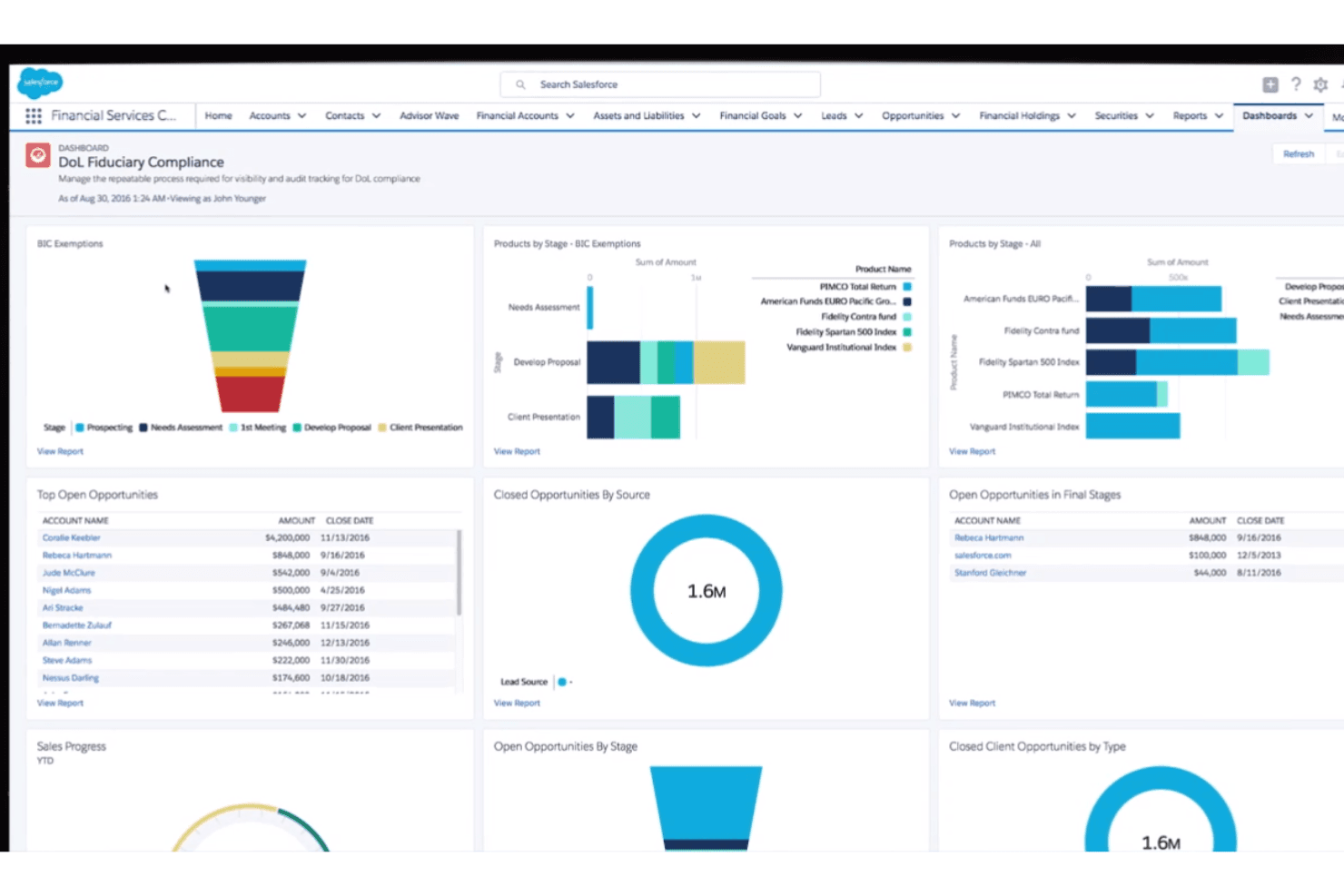
Customer Relationship Management (CRM): Salesforce centralizes customer data, interactions, and communication history using industry-specific data models, helping teams manage relationships and deliver more personalized experiences.
Workflow Automation: Automate tasks, approvals, and processes using Salesforce automation tools to improve efficiency and reduce manual work across teams.
Data & Document Management: Store, organize, and access files directly within Salesforce, ensuring teams can easily retrieve important documents and records.
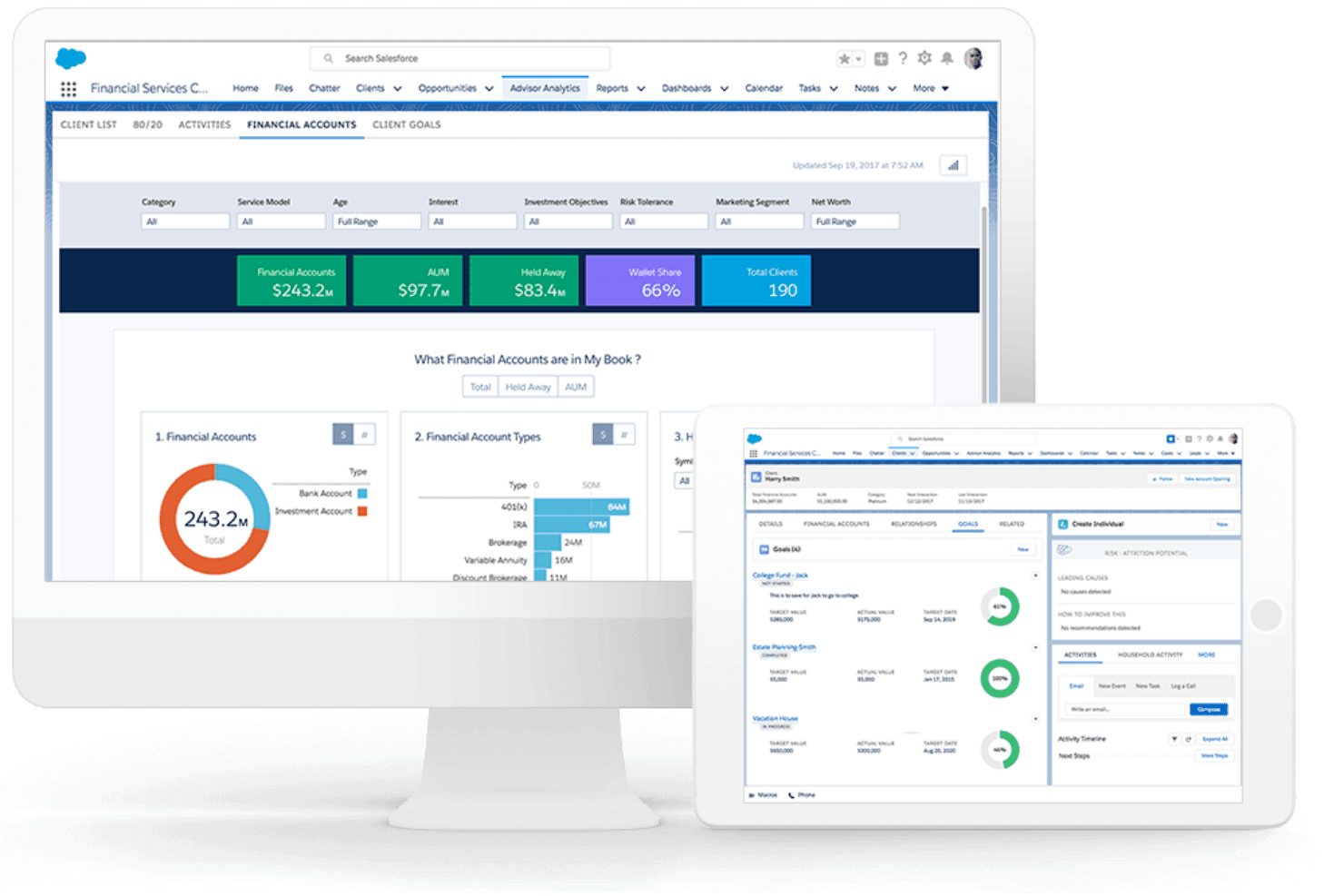
Reporting and Analytics: Generate real-time reports and analytics to track performance, monitor trends, and support data-driven decision-making.
Security and Compliance: Salesforce includes enterprise-grade security, role-based access controls, data encryption, and compliance tools to protect sensitive business data.
Ease of Use
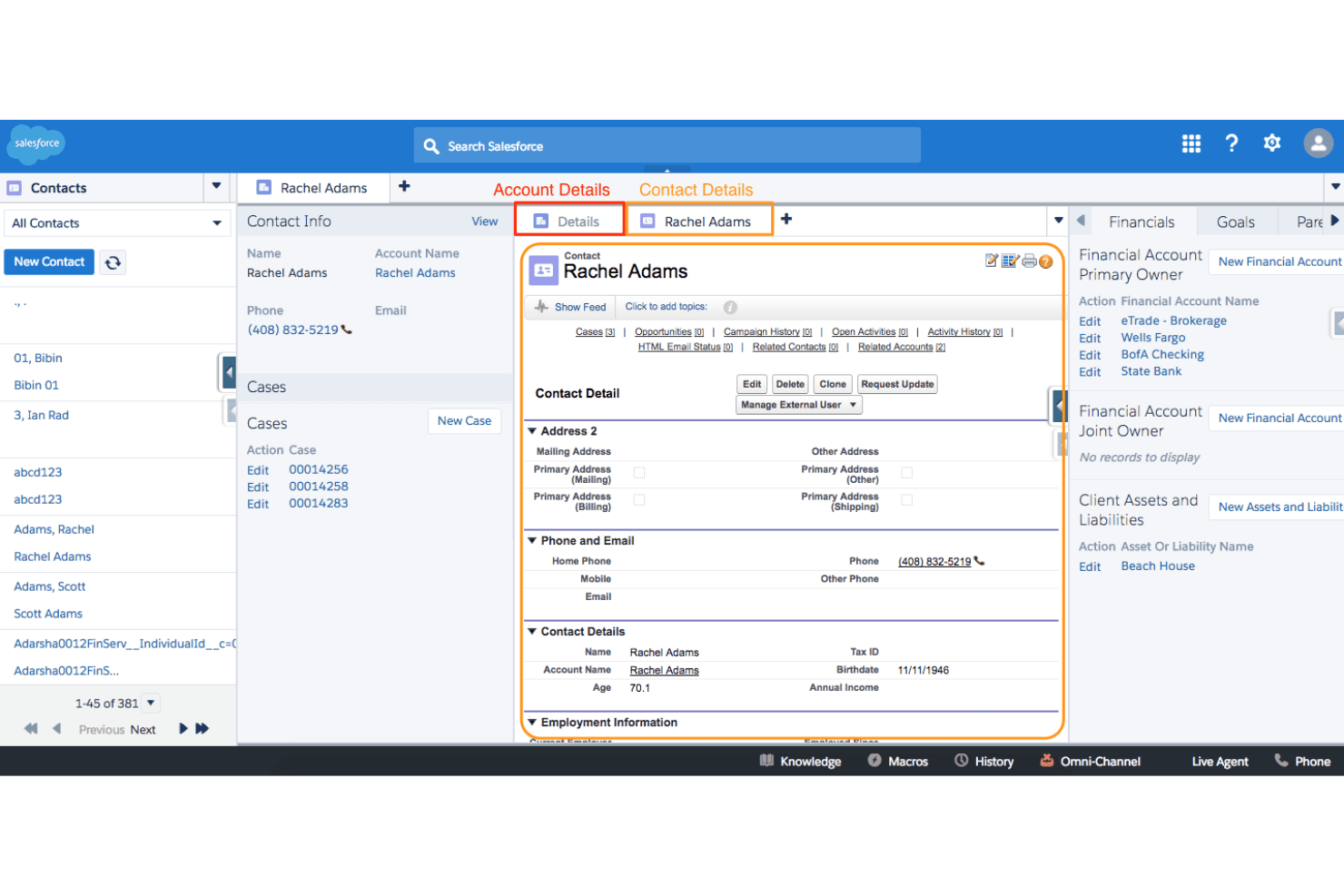
Salesforce Financial Services offers a wealth of features, but its complexity can be daunting for new users. Your team might find the interface less intuitive, requiring extra training to unlock its full potential. While it provides powerful tools for financial services, the learning curve can slow down initial adoption. Once you're familiar with its setup, though, the customization options and advanced functionalities can significantly enhance your team's efficiency.
Integrations
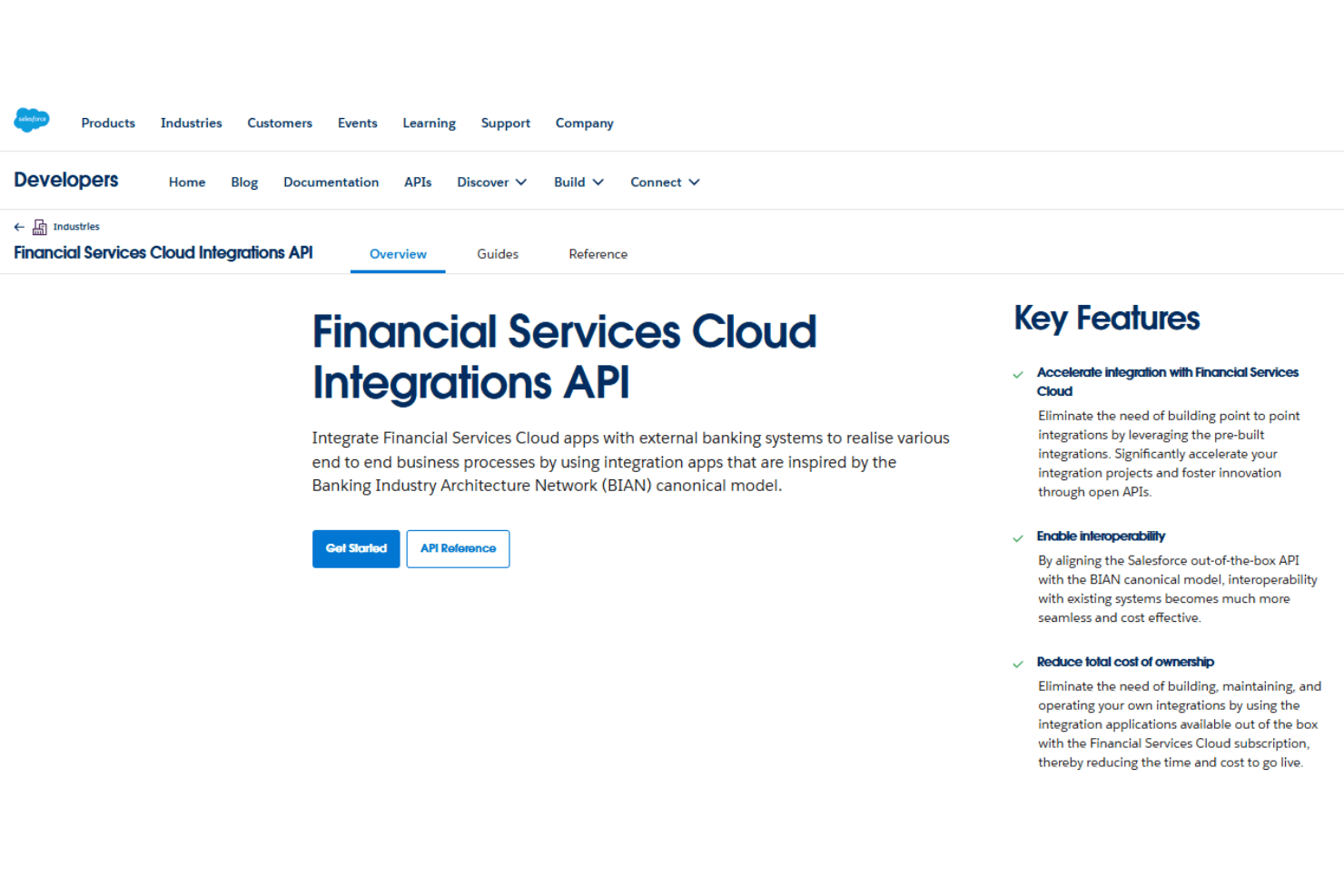
Salesforce Financial Services Cloud supports integrations through its robust APIs and third-party tools. It can connect with accounting platforms like QuickBooks and Xero, access financial data from providers such as Schwab Advisor Center (for RIAs), and integrate credit and data services like D&B Credit Check via AppExchange or middleware. Additional systems, including payments and custom applications, can be connected using Salesforce APIs and integration platforms.
Salesforce Financial Services Cloud Specs
- 2-Factor Authentication: Yes
- A/B Testing: Yes
- Analytics: Yes
- API: Yes
- BitCoin: Yes
- Conversion Tracking: Yes
- Dashboard: Yes
- Data Export: Yes
- Data Import: Yes
- Data Visualization: Yes
- Design Templates: Yes
- External Integrations: Yes
- Inventory Tracking: Yes
- Keyword Tracking: Yes
- Marketing Automation: Yes
- Multi-User: Yes
- Notifications: Yes
- Order Management: Yes
- Payment Gateway Integration: Yes
- Payment Processor: Yes
- PayPal: Yes
- Product Catalog: Yes
- Review Monitoring: Yes
- SAP Integration: Yes
- Scheduling: Yes
- Stripe: Yes
- Third-Party Plugins/Add-Ons: Yes


