
Reseña de Qobra: Ventajas, Desventajas, Funcionalidades y Resumen de Precios


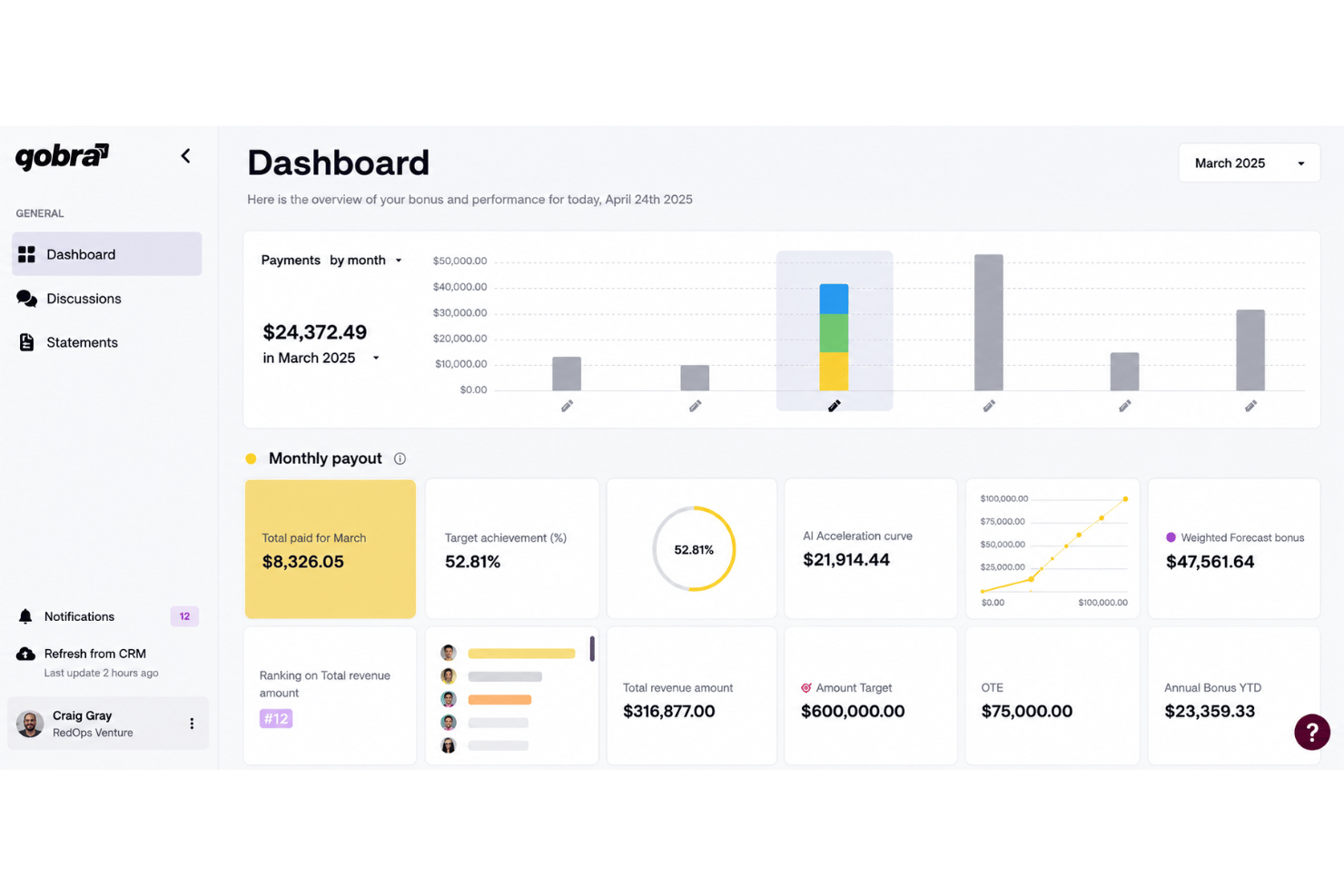
Qobra is a sales compensation software built for revenue teams that need to automate commission calculations and give reps real-time visibility into their earnings. I'd put it on your shortlist if you're outgrowing spreadsheets or find a tool like Xactly too complex for your current scale. Qobra delivers commission automation and rep-facing dashboards without the configuration overhead that enterprise platforms typically require.
Qobra Evaluation Summary
- Pricing upon request
- Free demo available
Por qué confiar en nuestras recomendaciones de software
Nuestras reseñas reflejan nuestro criterio independiente, no un discurso de ventas. Descubra cómo mantenemos la transparencia.
Para esta guía, evaluamos las herramientas mediante pruebas prácticas e investigación independiente, puntuando las herramientas según nuestros criterios de selección.
Nuestras reseñas reflejan nuestro criterio editorial humano, no un discurso de ventas.
Qobra Overview
In my judgment, Qobra stands out for its commission automation, intuitive interface, and flexible plan builder, which makes configuring complex commission processes far easier than with most tools. I think it’s a smart choice if you want real-time dashboards and automated workflows without heavy consulting or delayed implementations. Qobra does lag behind some competitors on deep native integrations, but its transparent pricing and responsive support offset that for most teams. I’d recommend it for high-growth sales organizations who want fast value and clear oversight as they scale.
pros
-
Automates complex commission plan calculations for sales teams
-
Real-time dashboards boost visibility into payouts for reps and managers
-
Custom approval workflows support sales, finance, and leadership needs
cons
-
Lacks advanced territory management or quota modeling features
-
Multi-currency support is limited compared to some competitors
-
API capabilities for custom automations are still developing
-

Prisync
Visit WebsiteThis rating combines scores from multiple user review sites to reflect overall customer sentiment about the product.4.7 -
Expedite Commerce
Visit Website -
QuickBooks Online
Visit WebsiteThis rating combines scores from multiple user review sites to reflect overall customer sentiment about the product.4




Cómo Probamos y Evaluamos Herramientas
Hemos pasado años construyendo, refinando y mejorando nuestro sistema de pruebas y evaluación de software. La rúbrica está diseñada para capturar las complejidades de la selección de software y lo que hace que una herramienta sea efectiva, centrándose en aspectos críticos del proceso de toma de decisiones. A continuación, puede ver exactamente cómo funcionan nuestras pruebas y evaluación a través de siete criterios. Esto nos permite ofrecer una evaluación imparcial del software basada en la funcionalidad principal, características destacadas, facilidad de uso, incorporación, soporte al cliente, integraciones, opiniones de los clientes y relación calidad-precio.
Funcionalidad Principal (25% de la puntuación final)
El punto de partida de nuestra evaluación es siempre la funcionalidad principal de la herramienta. ¿Tiene las características y funciones básicas que un usuario esperaría ver? ¿Alguna de esas funciones principales está restringida a planes de precios superiores? En esencia, esperamos que una herramienta cumpla con las capacidades básicas de sus competidores.
Características Destacadas (25% de la puntuación final)
A continuación, evaluamos características poco comunes que van más allá de la funcionalidad principal que suelen ofrecer herramientas similares. Una puntuación alta refleja funciones especializadas o únicas que hacen que el producto sea más rápido, eficiente o aporte un valor adicional al usuario. También evaluamos lo fácil que es integrar la herramienta con las demás del stack tecnológico para ampliar la utilidad y el alcance del software. Las herramientas que ofrecen integraciones nativas, conexiones de terceros y acceso API para crear integraciones personalizadas reciben las mejores puntuaciones.
Facilidad de Uso (10% de la puntuación final)
Consideramos qué tan rápido y fácil es realizar las tareas definidas en la funcionalidad principal usando la herramienta. El software que obtiene una alta puntuación está bien diseñado, es intuitivo de usar, ofrece aplicaciones móviles, proporciona plantillas y hace que tareas relativamente complejas parezcan sencillas.
Incorporación (10% de la puntuación final)
Sabemos lo importante que es la rápida adopción por parte del equipo de una nueva plataforma, por lo que evaluamos lo fácil que es aprender y utilizar una herramienta con una formación mínima. Evaluamos qué tan rápido un miembro del equipo puede configurarse y empezar a usar la herramienta sin experiencia previa. Las soluciones con puntuación alta indican que se requiere poco o ningún soporte.
Soporte al Cliente (10% de la puntuación final)
Revisamos cuán rápido y sencillo es encontrar ayuda y resolver problemas a través de teléfono, chat en vivo o base de conocimientos. Las herramientas y compañías que brindan soporte en tiempo real obtienen las mejores puntuaciones, mientras que los chatbots reciben las peores.
Opiniones de Clientes (10% de la puntuación final)
Además de nuestras propias pruebas y evaluaciones, consideramos el puntaje neto de promotores de los clientes actuales y anteriores. Revisamos su probabilidad, si tuvieran la opción, de volver a elegir la herramienta para la funcionalidad principal. Un software con puntuación alta refleja un puntaje neto de promotores elevado por parte de clientes actuales o anteriores.
Relación Calidad-Precio (10% de la puntuación final)
Por último, considerando todos los demás criterios, revisamos el precio promedio de los planes de nivel inicial frente a las funciones principales y consideramos el valor de los otros criterios de evaluación. El software que ofrece más, por menos, obtendrá una puntuación más alta.
Core Features
Automated Commission Calculation
Qobra calculates commissions automatically using live sales and CRM data. Teams eliminate spreadsheet errors and manual work every pay cycle.
Real-Time Dashboards
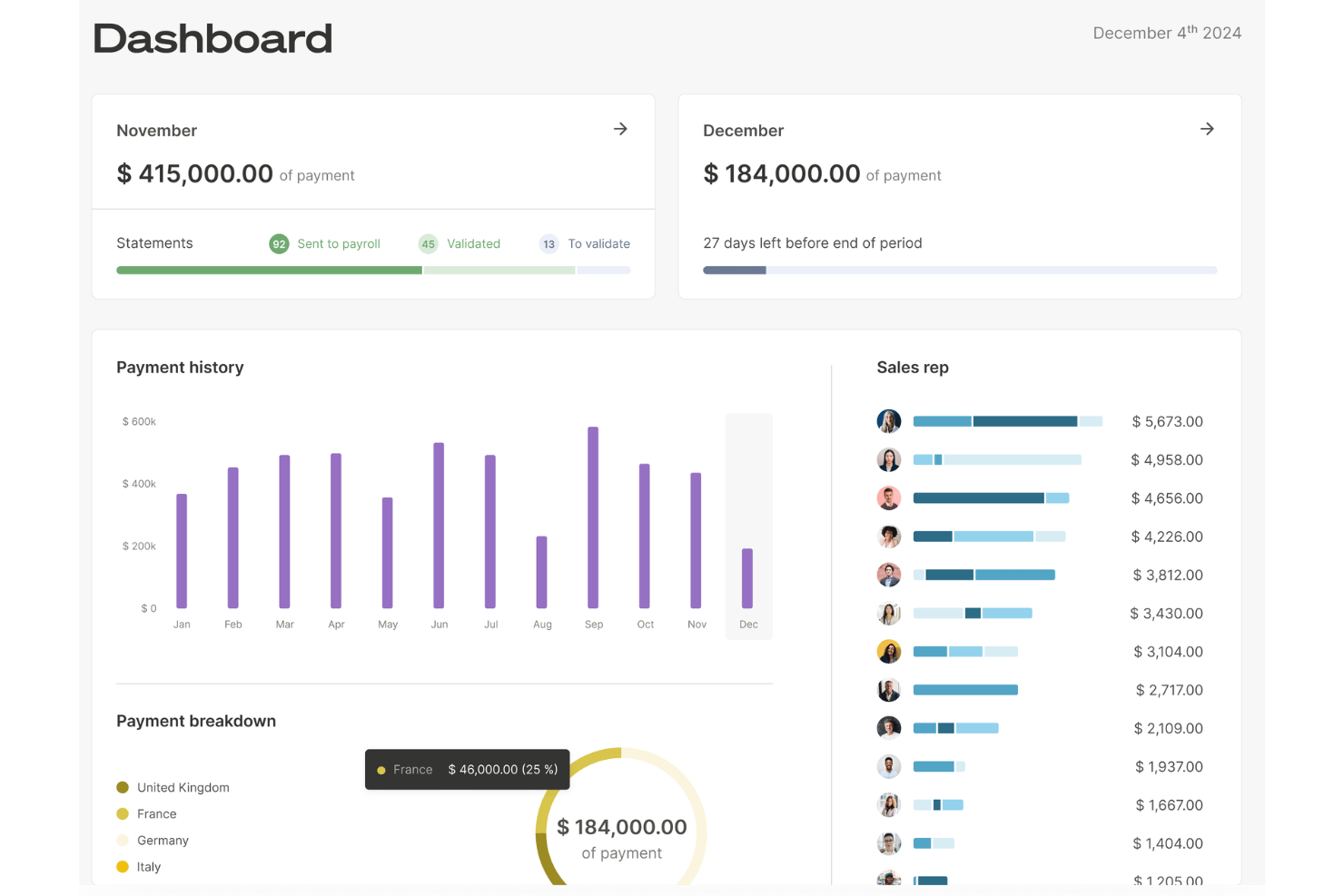
Everyone gets up-to-date visibility on pending, approved, and paid commissions. Sales reps and managers can track performance to targets at a glance.
Custom Plan Designer
Easily build and adjust variable compensation schemes and rules. Configure splits, bonuses, tiers, and exceptions to match varied roles.
Secure Approval Workflows
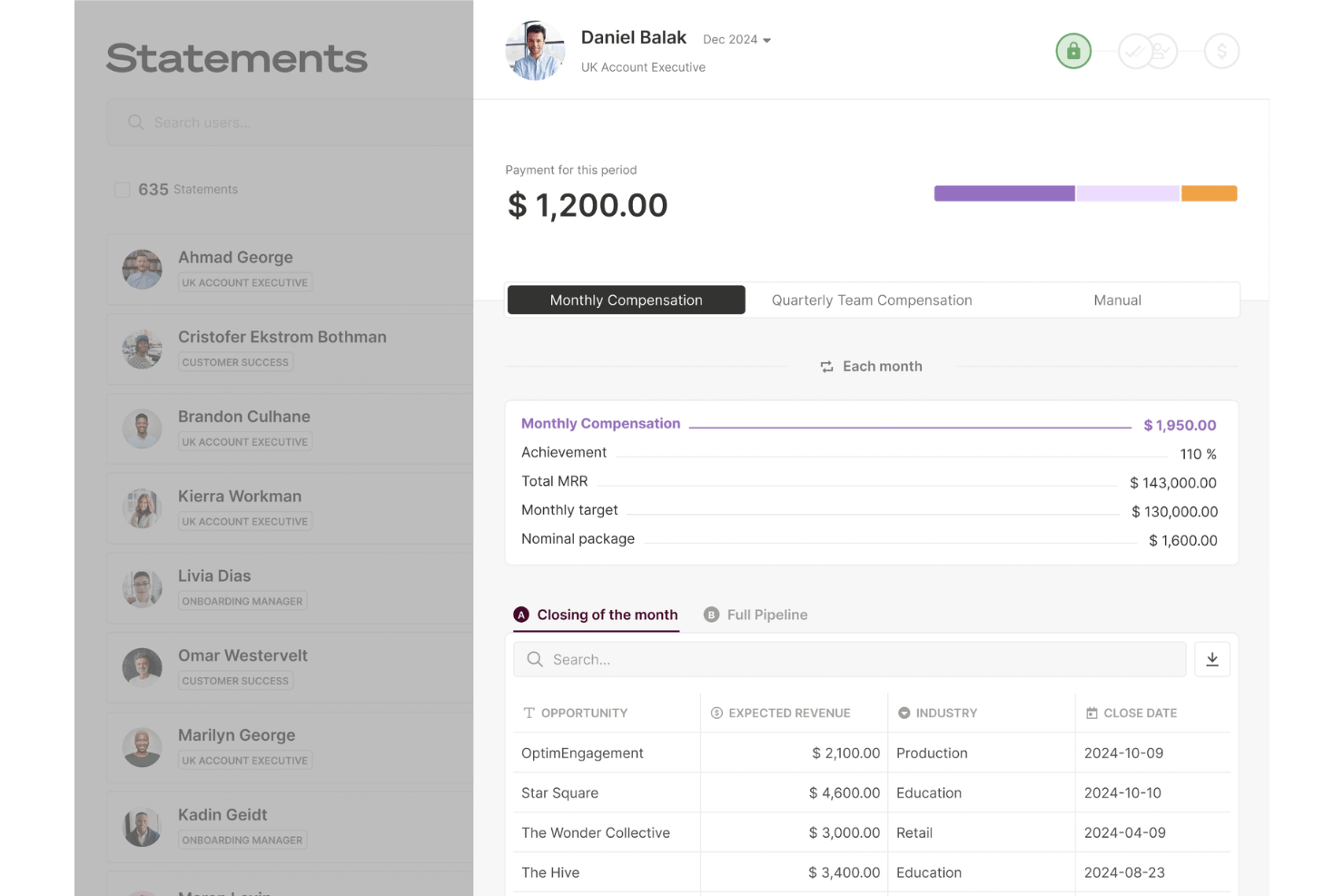
Route commission approvals through tailored workflows for sales, finance, and leadership. Add transparency and accountability for every payout.
Audit and Dispute Management
Track every change and flag disputes directly in the platform. Reps can initiate payout reviews for swift resolution and shared trust.
Compensation Analytics and Reporting
Analyze compensation spend, attainment, and plan effectiveness with built-in reporting. Make informed decisions about incentives and budgets faster.
Ease of Use
Qobra sets itself apart with a clean interface and guided workflows that help even first-time users configure complex plans quickly. I’ve seen users call out the clarity of its dashboards and how plan changes sync instantly with payout reports. Features like built-in approval flows and dispute tools make day-to-day use straightforward, cutting down on manual errors and unnecessary support tickets.
Integrations
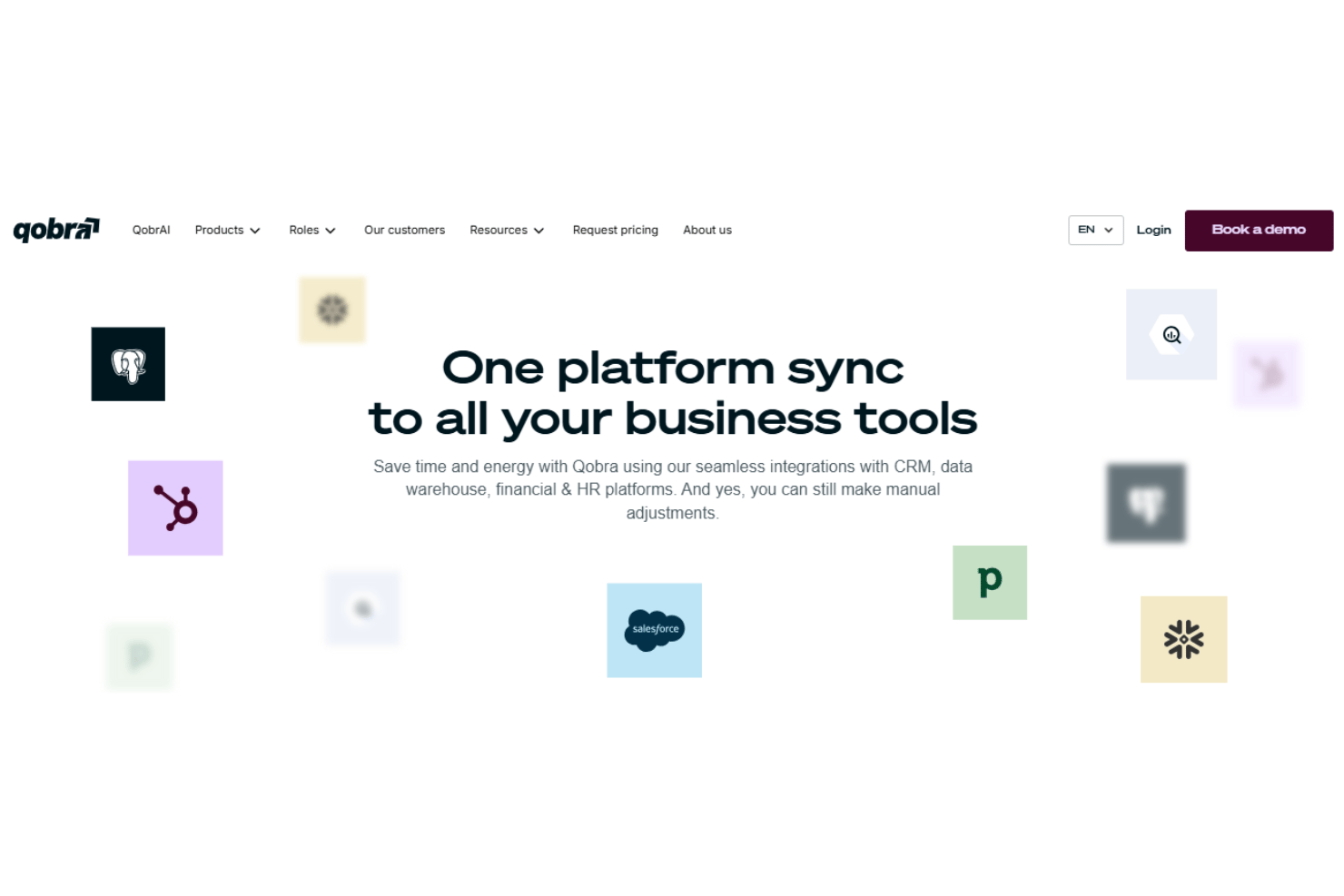
Qobra has seamless integrations with Salesforce, HubSpot CRM, Pipedrive, Odoo, Zoho CRM, Snowflake, Google BigQuery, and PostgreSQL, among others.
Qobra also offers a public API access and supports connections to databases, data warehouses, and HR platforms, letting you automate data syncs or set up custom integrations as needed.
Qobra Specs
- 2-Factor Authentication
- API
- Audience Targeting
- Budgeting
- Calendar Management
- Call Recording
- Click-to-Dial
- Contact Management
- Contact Sharing
- Conversion Tracking
- Customer Management
- Dashboard
- Data Export
- Data Import
- Data Visualization
- Email Integration
- Expense Tracking
- External Integrations
- Forecasting
- Google Apps Integration
- Inventory Tracking
- Lead Management
- Lead Scoring
- Marketing Automation
- Multi-User
- Notifications
- Payroll
- Project Management
- Referral Tracking
- Sales Motivator
- Scheduling
- Social-Media Integration
- Supplier Management
- Tax Management
- Third-Party Plugins/Add-Ons
- Travel Management