
Reseña de Odoo CRM: Ventajas, Desventajas, Características y Precios
Odoo CRM destaca entre las herramientas CRM gratuitas por su modularidad y su integración fluida con otras aplicaciones de Odoo, ofreciendo flexibilidad para diversas necesidades empresariales.

Analizamos las herramientas de forma independiente, y las comisiones ayudan a financiar nuestras pruebas. Consulta nuestra política de transparencia, nuestra metodología, o sugiere una herramienta.
Odoo CRM is a free CRM software built for teams that need pipeline and lead management tightly connected to broader business operations like invoicing, inventory, and purchasing. I'd pick it over HubSpot CRM if your team is already working within the Odoo ecosystem, since the native integration across Odoo modules goes far deeper than what HubSpot can offer through its app marketplace.
Odoo CRM Evaluation Summary
4.2/5
- From $25/user/month (billed annually)
- Free trial + free plan available
Por qué confiar en nuestras recomendaciones de software
6,700+
Reviews
20
Industry experts
16+
Evaluation factors
14
Years
Nuestras reseñas reflejan nuestro criterio independiente, no un discurso de ventas. Descubra cómo mantenemos la transparencia.
Para esta guía, evaluamos las herramientas mediante pruebas prácticas e investigación independiente, puntuando las herramientas según nuestros criterios de selección.
Nuestras reseñas reflejan nuestro criterio editorial humano, no un discurso de ventas.
Odoo CRM Overview
In my opinion, Odoo CRM is a versatile free CRM option that suits small to medium-sized businesses seeking modularity and integration capabilities.It excels in providing a customizable platform that integrates well with other Odoo apps, creating an all-in-one environment for businesses already using the Odoo ecosystem. However, its interface can be a bit challenging for new users, and it may not offer the most intuitive experience compared to competitors.
If your team values flexibility and integration, Odoo CRM is worth considering. It performs well in environments where customization and adaptability are priorities, but might not be the best choice for those needing a straightforward, out-of-the-box solution.
Pros
- You can customize Odoo CRM to fit your team's specific needs.
- It offers a wide range of modules for different business functions.
- Users often praise its seamless updates and improvements.
Cons
- The interface can be complex and overwhelming for new users.
- You might find the initial setup a bit time-consuming.
- Some users report occasional performance issues with large datasets.
Is Odoo CRM Right For Your Needs?
Who Would be a Good Fit for Odoo CRM?
Odoo CRM is ideal for small to medium-sized businesses that need customization and modularity. If your team values flexibility and wants a CRM that can grow with your business, Odoo CRM's extensive app suite offers a tailored approach. It's particularly suited for teams already using other Odoo applications, as the integration is seamless. Sales and marketing departments will benefit from its capabilities to manage leads and track customer interactions efficiently.
- Small BusinessesOdoo CRM's customization options allow you to tailor the system to your specific business processes.
- StartupsWith its modular design, your team can pick and choose the features you need as you grow.
- Sales TeamsOdoo CRM helps track leads and customer interactions, making it a strong choice for sales-focused operations.
- Marketing DepartmentsThe CRM's tools for managing campaigns and customer data can enhance your marketing efforts.
- E-commerceOdoo CRM integrates well with e-commerce platforms, aiding in customer management and sales tracking.
- Consulting FirmsIts project management modules complement CRM capabilities, making it a fit for consulting services.
Who Would be a Bad Fit for Odoo CRM?
Odoo CRM might not suit large enterprises needing advanced features and scalability. If your team requires a highly intuitive interface or extensive support for complex processes, Odoo CRM's learning curve could be a hurdle. Businesses needing advanced reporting or analytics might find it lacking compared to other CRM options. It's not ideal for companies looking for a plug-and-play solution without setup time.
- Large EnterprisesOdoo CRM may not scale well for complex, large-scale operations needing advanced customization.
- Tech-averse TeamsThe interface can be challenging for teams not comfortable with technology.
- Financial ServicesIf you need advanced reporting and analytics, Odoo CRM might fall short.
- Retail GiantsLarge retail operations might find it lacking in features tailored for high-volume transactions.
- Healthcare ProvidersOdoo CRM might not meet industry-specific compliance and data handling needs.
- Education InstitutionsComplex administrative needs in education could require more specialized CRM features.
Cómo Probamos y Evaluamos Herramientas
Hemos pasado años construyendo, refinando y mejorando nuestro sistema de pruebas y evaluación de software. La rúbrica está diseñada para capturar las complejidades de la selección de software y lo que hace que una herramienta sea efectiva, centrándose en aspectos críticos del proceso de toma de decisiones. A continuación, puede ver exactamente cómo funcionan nuestras pruebas y evaluación a través de siete criterios. Esto nos permite ofrecer una evaluación imparcial del software basada en la funcionalidad principal, características destacadas, facilidad de uso, incorporación, soporte al cliente, integraciones, opiniones de los clientes y relación calidad-precio.
Funcionalidad Principal (25% de la puntuación final)
El punto de partida de nuestra evaluación es siempre la funcionalidad principal de la herramienta. ¿Tiene las características y funciones básicas que un usuario esperaría ver? ¿Alguna de esas funciones principales está restringida a planes de precios superiores? En esencia, esperamos que una herramienta cumpla con las capacidades básicas de sus competidores.
Características Destacadas (25% de la puntuación final)
A continuación, evaluamos características poco comunes que van más allá de la funcionalidad principal que suelen ofrecer herramientas similares. Una puntuación alta refleja funciones especializadas o únicas que hacen que el producto sea más rápido, eficiente o aporte un valor adicional al usuario. También evaluamos lo fácil que es integrar la herramienta con las demás del stack tecnológico para ampliar la utilidad y el alcance del software. Las herramientas que ofrecen integraciones nativas, conexiones de terceros y acceso API para crear integraciones personalizadas reciben las mejores puntuaciones.
Facilidad de Uso (10% de la puntuación final)
Consideramos qué tan rápido y fácil es realizar las tareas definidas en la funcionalidad principal usando la herramienta. El software que obtiene una alta puntuación está bien diseñado, es intuitivo de usar, ofrece aplicaciones móviles, proporciona plantillas y hace que tareas relativamente complejas parezcan sencillas.
Incorporación (10% de la puntuación final)
Sabemos lo importante que es la rápida adopción por parte del equipo de una nueva plataforma, por lo que evaluamos lo fácil que es aprender y utilizar una herramienta con una formación mínima. Evaluamos qué tan rápido un miembro del equipo puede configurarse y empezar a usar la herramienta sin experiencia previa. Las soluciones con puntuación alta indican que se requiere poco o ningún soporte.
Soporte al Cliente (10% de la puntuación final)
Revisamos cuán rápido y sencillo es encontrar ayuda y resolver problemas a través de teléfono, chat en vivo o base de conocimientos. Las herramientas y compañías que brindan soporte en tiempo real obtienen las mejores puntuaciones, mientras que los chatbots reciben las peores.
Opiniones de Clientes (10% de la puntuación final)
Además de nuestras propias pruebas y evaluaciones, consideramos el puntaje neto de promotores de los clientes actuales y anteriores. Revisamos su probabilidad, si tuvieran la opción, de volver a elegir la herramienta para la funcionalidad principal. Un software con puntuación alta refleja un puntaje neto de promotores elevado por parte de clientes actuales o anteriores.
Relación Calidad-Precio (10% de la puntuación final)
Por último, considerando todos los demás criterios, revisamos el precio promedio de los planes de nivel inicial frente a las funciones principales y consideramos el valor de los otros criterios de evaluación. El software que ofrece más, por menos, obtendrá una puntuación más alta.
Core Features
Lead Management
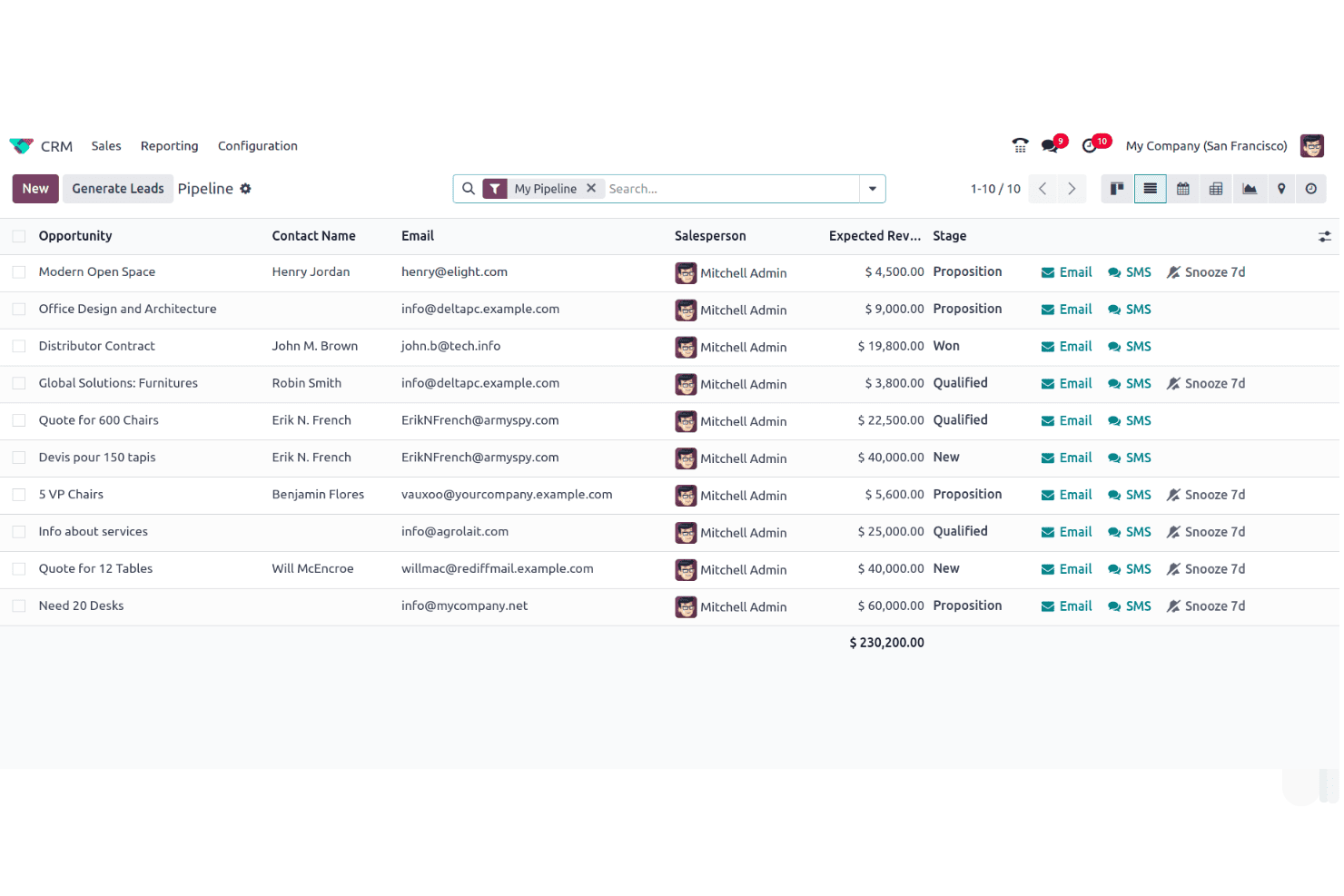
Odoo CRM lets you track and manage leads efficiently, ensuring no potential customer slips through the cracks. It helps you prioritize and follow up on leads effectively, improving conversion rates.
Pipeline Management
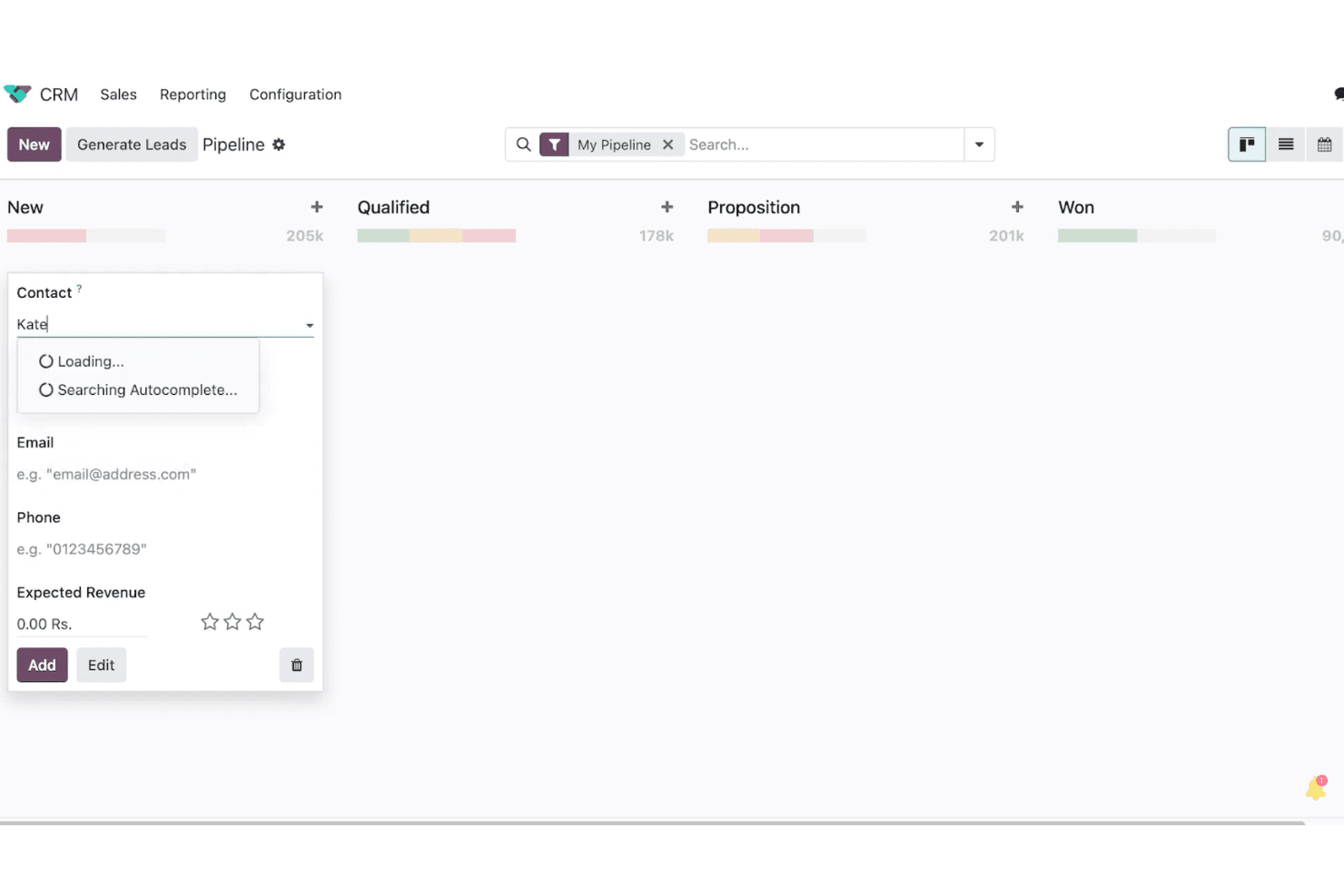
Visualize your sales process with drag-and-drop ease, allowing you to manage deals and keep your team focused. This feature helps your team members track progress and identify bottlenecks.
Contact Management
Store and access customer information in one place, making it simple to view interaction history. Your team can personalize customer interactions based on detailed insights.
Activity Scheduling
Plan and track meetings, calls, and tasks to keep your team on schedule. This feature helps ensure timely follow-ups and reduces missed opportunities.
Reporting
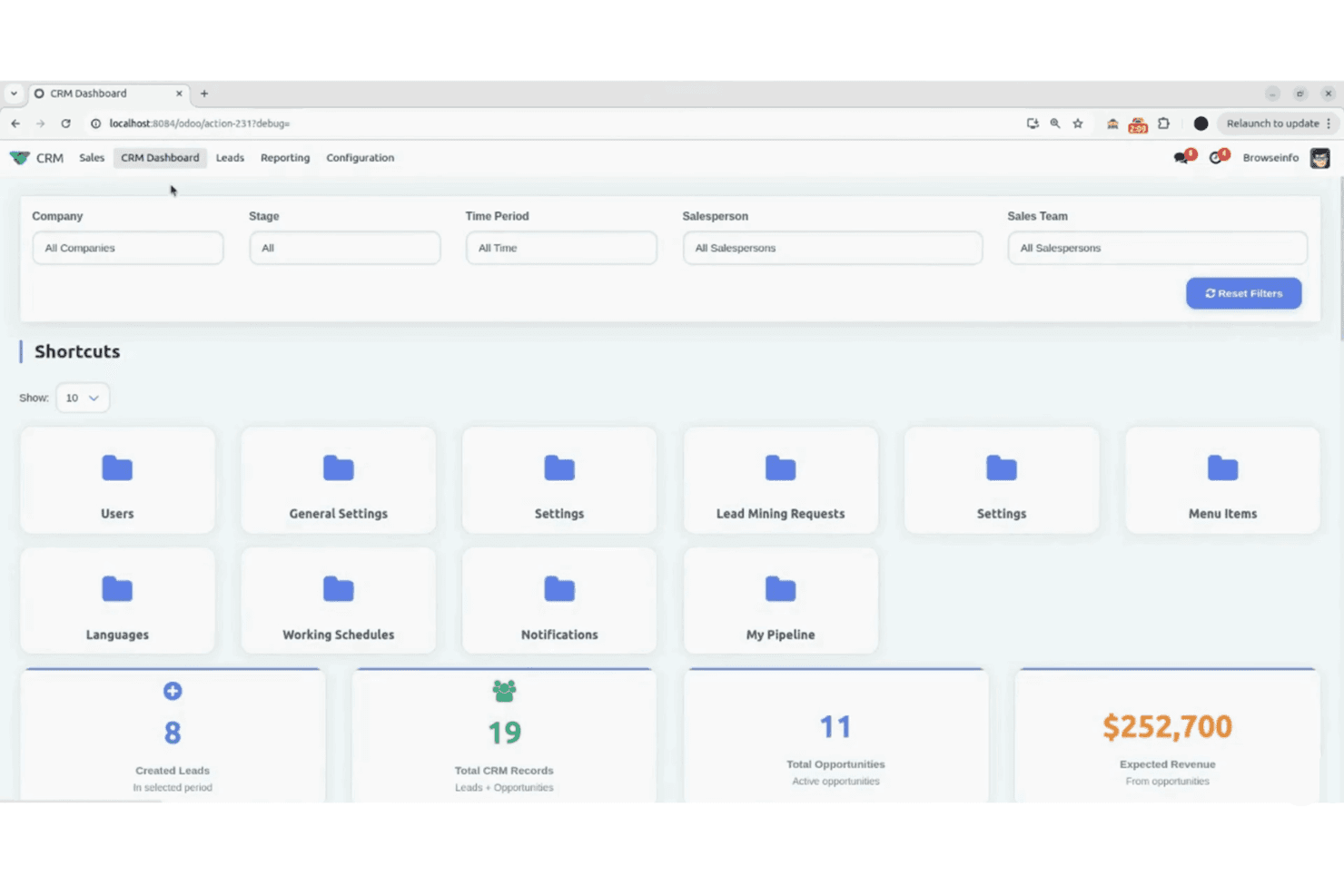
Generate basic reports to analyze your sales performance and support forecasting for future opportunities. It provides essential insights to help your team make informed decisions.
Email Integration
Sync your emails with Odoo CRM to keep all communication in one place. This integration supports your email marketing efforts and streamlines communication to ensure your team stays on the same page.
Ease of Use
Odoo CRM can be tricky for new users due to its complex interface, which might slow down your team's initial setup. However, once you get past the learning curve, its customizable features offer great flexibility. The drag-and-drop functionality in pipeline management and the central dashboard help simplify tasks, but you might find navigating its many modules a bit overwhelming at first. If your team is tech-savvy, the benefits of customization and modularity will outweigh the initial challenges.
Integrations
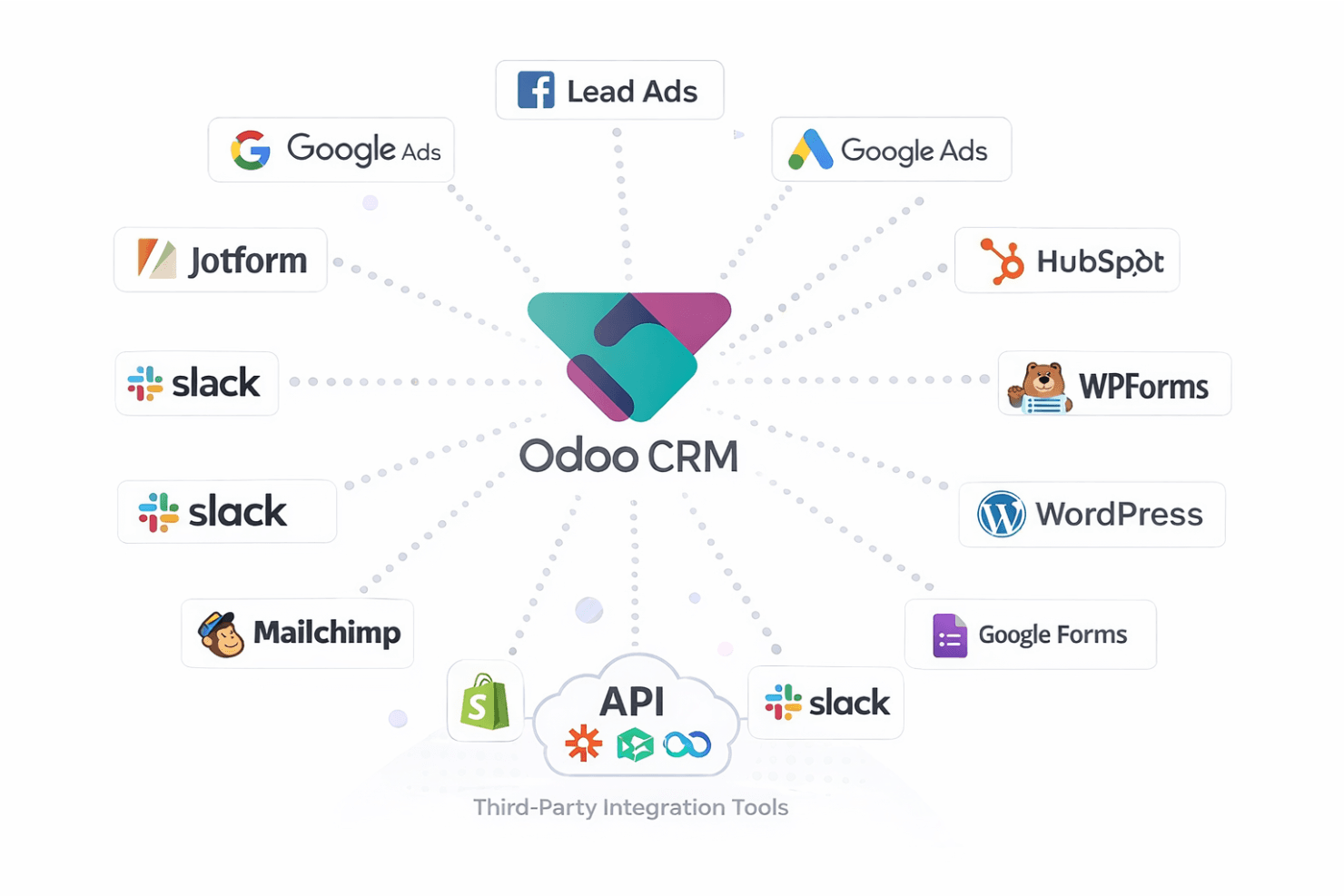
Odoo CRM integrates with Facebook Lead Ads, Google Ads, HubSpot, Jotform, WPForms, Google Forms, WordPress, Mailchimp, Shopify, and Slack. Odoo CRM also offers an API for custom integrations and can connect with third-party integration tools.
Odoo CRM Specs
- 2-Factor Authentication: No
- API: Yes
- Calendar Management: Yes
- Call Tracking: No
- Campaign Management: No
- Click-to-Dial: No
- Contact Management: Yes
- Contact Sharing: Yes
- Custom Data Forms: No
- Customer Management: Yes
- Dashboard: Yes
- Data Export: Yes
- Data Import: Yes
- Data Visualization: No
- Email Integration: Yes
- External Integrations: Yes
- File Sharing: No
- File Transfer: No
- Google Apps Integration: Yes
- Lead Management: Yes
- Lead Scoring: Yes
- Marketing Automation: Yes
- Mobile App: No
- Multi-User: Yes
- Notifications: No
- Pipeline Management: Yes
- Sales Automation: Yes
- Scheduling: Yes
- Social-Media Integration: Yes
- Task Scheduling/Tracking: Yes
- Third-Party Plugins/Add-Ons: Yes


