

monday CRM is a customer relationship management (CRM) software that helps you organize and manage your sales pipeline effectively. It’s ideal for small to medium-sized businesses and teams in industries like tech startups and creative agencies, where collaboration and flexibility are key. monday sales CRM offers your team a streamlined way to track sales efforts and foster strong customer relationships, enhancing your ability to close deals efficiently.
monday CRM Evaluation Summary
- From $12/user/month (billed annually)
- Free trial available
Por Qué Confiar en Nuestras Reseñas de Software
Hemos estado probando y revisando software RevOps desde 2022. Como líderes en RevOps, sabemos lo crítico y difícil que es tomar la decisión correcta al seleccionar software. Invertimos en una investigación profunda para ayudar a nuestra audiencia a tomar mejores decisiones de compra de software. Hemos probado más de 2.000 herramientas para diferentes casos de uso de RevOps y escrito más de 1.000 reseñas de software exhaustivas. Conozca cómo mantenemos la transparencia y nuestra metodología de evaluación de software.
monday CRM Overview
monday CRM is a customer relationship management (CRM) software that helps you organize and manage your sales pipeline effectively. It’s ideal for small to medium-sized businesses and teams in industries like tech startups and creative agencies, where collaboration and flexibility are key. monday sales CRM offers your team a streamlined way to track sales efforts and foster strong customer relationships, enhancing your ability to close deals efficiently.
pros
-
You can easily create automations without any coding.
-
Its integrated proofing feature lets you add comments to files.
-
You can create forms that live within your project as a view.
cons
-
The Gantt view isn't useful for building projects.
-
Subtask columns don't replicate task structure, needing extra customization.
-
Training videos use the old UI, which can confuse new users.
-

Clarify
Visit Website -
Mailchimp
Visit WebsiteThis rating combines scores from multiple user review sites to reflect overall customer sentiment about the product.4.5 -
monday CRM
Visit WebsiteThis rating combines scores from multiple user review sites to reflect overall customer sentiment about the product.4.6



Cómo Probamos y Evaluamos Herramientas
Hemos pasado años construyendo, refinando y mejorando nuestro sistema de pruebas y evaluación de software. La rúbrica está diseñada para capturar las complejidades de la selección de software y lo que hace que una herramienta sea efectiva, centrándose en aspectos críticos del proceso de toma de decisiones. A continuación, puede ver exactamente cómo funcionan nuestras pruebas y evaluación a través de siete criterios. Esto nos permite ofrecer una evaluación imparcial del software basada en la funcionalidad principal, características destacadas, facilidad de uso, incorporación, soporte al cliente, integraciones, opiniones de los clientes y relación calidad-precio.
Funcionalidad Principal (25% de la puntuación final)
El punto de partida de nuestra evaluación es siempre la funcionalidad principal de la herramienta. ¿Tiene las características y funciones básicas que un usuario esperaría ver? ¿Alguna de esas funciones principales está restringida a planes de precios superiores? En esencia, esperamos que una herramienta cumpla con las capacidades básicas de sus competidores.
Características Destacadas (25% de la puntuación final)
A continuación, evaluamos características poco comunes que van más allá de la funcionalidad principal que suelen ofrecer herramientas similares. Una puntuación alta refleja funciones especializadas o únicas que hacen que el producto sea más rápido, eficiente o aporte un valor adicional al usuario. También evaluamos lo fácil que es integrar la herramienta con las demás del stack tecnológico para ampliar la utilidad y el alcance del software. Las herramientas que ofrecen integraciones nativas, conexiones de terceros y acceso API para crear integraciones personalizadas reciben las mejores puntuaciones.
Facilidad de Uso (10% de la puntuación final)
Consideramos qué tan rápido y fácil es realizar las tareas definidas en la funcionalidad principal usando la herramienta. El software que obtiene una alta puntuación está bien diseñado, es intuitivo de usar, ofrece aplicaciones móviles, proporciona plantillas y hace que tareas relativamente complejas parezcan sencillas.
Incorporación (10% de la puntuación final)
Sabemos lo importante que es la rápida adopción por parte del equipo de una nueva plataforma, por lo que evaluamos lo fácil que es aprender y utilizar una herramienta con una formación mínima. Evaluamos qué tan rápido un miembro del equipo puede configurarse y empezar a usar la herramienta sin experiencia previa. Las soluciones con puntuación alta indican que se requiere poco o ningún soporte.
Soporte al Cliente (10% de la puntuación final)
Revisamos cuán rápido y sencillo es encontrar ayuda y resolver problemas a través de teléfono, chat en vivo o base de conocimientos. Las herramientas y compañías que brindan soporte en tiempo real obtienen las mejores puntuaciones, mientras que los chatbots reciben las peores.
Opiniones de Clientes (10% de la puntuación final)
Además de nuestras propias pruebas y evaluaciones, consideramos el puntaje neto de promotores de los clientes actuales y anteriores. Revisamos su probabilidad, si tuvieran la opción, de volver a elegir la herramienta para la funcionalidad principal. Un software con puntuación alta refleja un puntaje neto de promotores elevado por parte de clientes actuales o anteriores.
Relación Calidad-Precio (10% de la puntuación final)
Por último, considerando todos los demás criterios, revisamos el precio promedio de los planes de nivel inicial frente a las funciones principales y consideramos el valor de los otros criterios de evaluación. El software que ofrece más, por menos, obtendrá una puntuación más alta.
Core Features
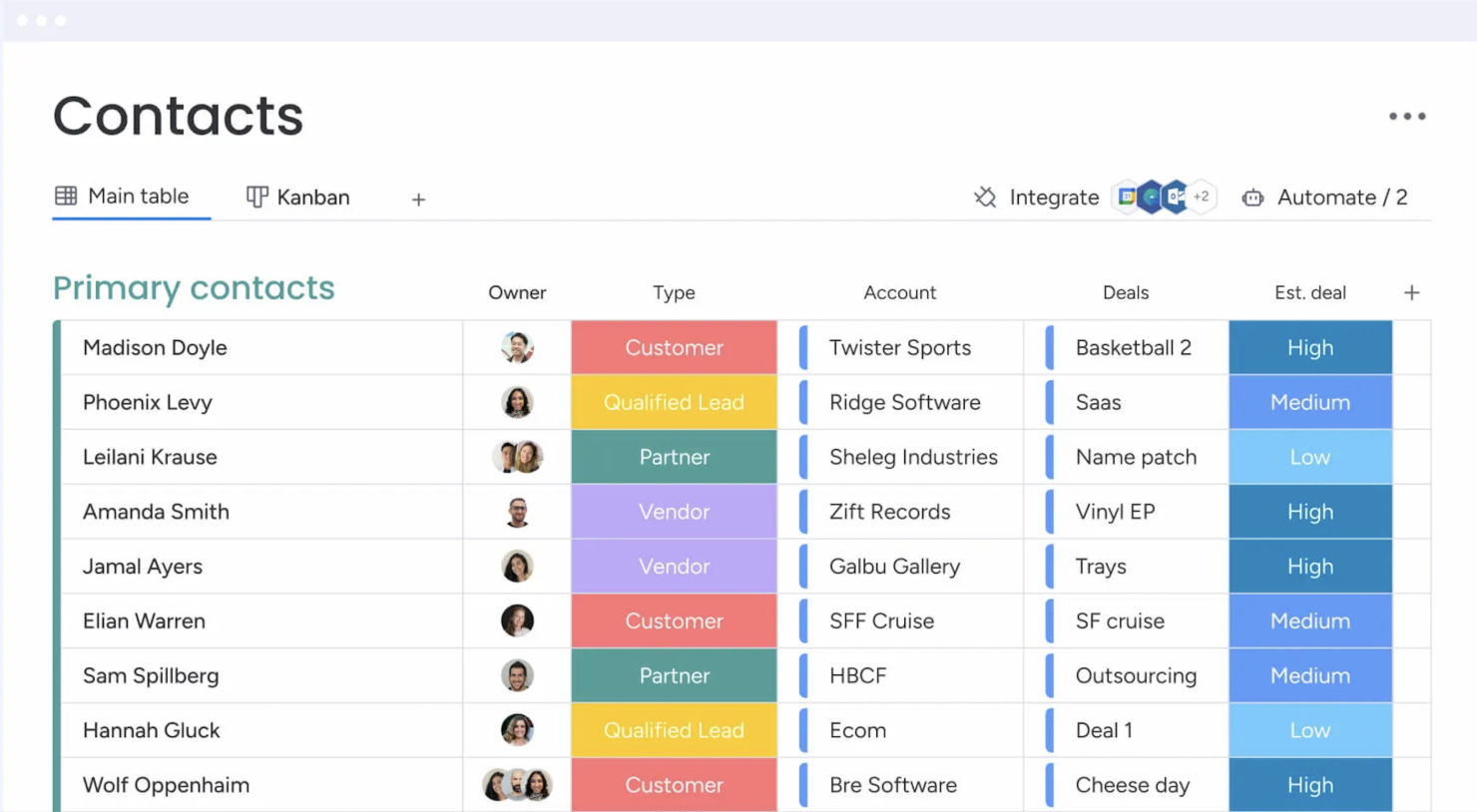
Contact Management: You get a central place to store all your contacts with details, communication histories, and linked deals. You can import them from Excel or auto-create contacts from your emails, so your team always has a clean, up-to-date list.
Lead Capturing and Pipeline Tracking: You can collect leads via forms or imports, track them through custom stages, and move deals with drag‑and‑drop. You see your entire sales funnel and can quickly spot where deals stall.
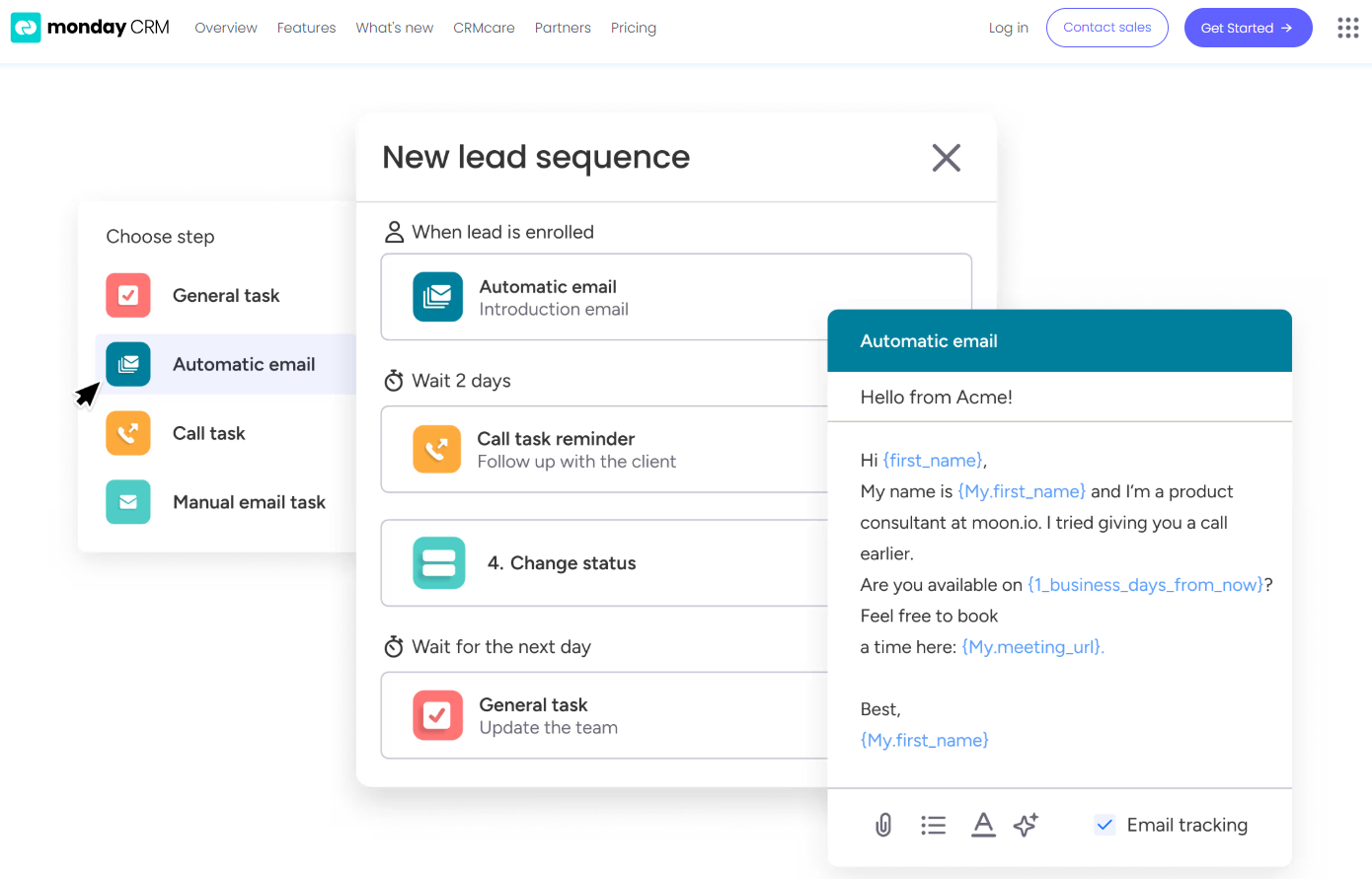
Email Sync and Tracking: You sync Gmail or Outlook to centralize email conversations, send bulk or templated emails, and get alerts when leads open or click. That way, you reach out at the right time and don’t miss follow‑up chances.
Automations: You set up no‑code rules that automate manual tasks like updating deal stages, sending reminders, or logging emails. It saves hours and keeps work consistent without extra effort.
Dashboards and Sales Forecasting: You get customizable dashboards that show pipeline status, team performance, and revenue forecasts by month or rep. These visuals help you spot trends and hit targets more reliably.
Activity Tracking And Team Goals: You track calls, meetings, and emails in one feed and monitor reps’ activity and quota progress. It gives you a clear picture of who’s doing what and where coaching might help.
Ease of Use
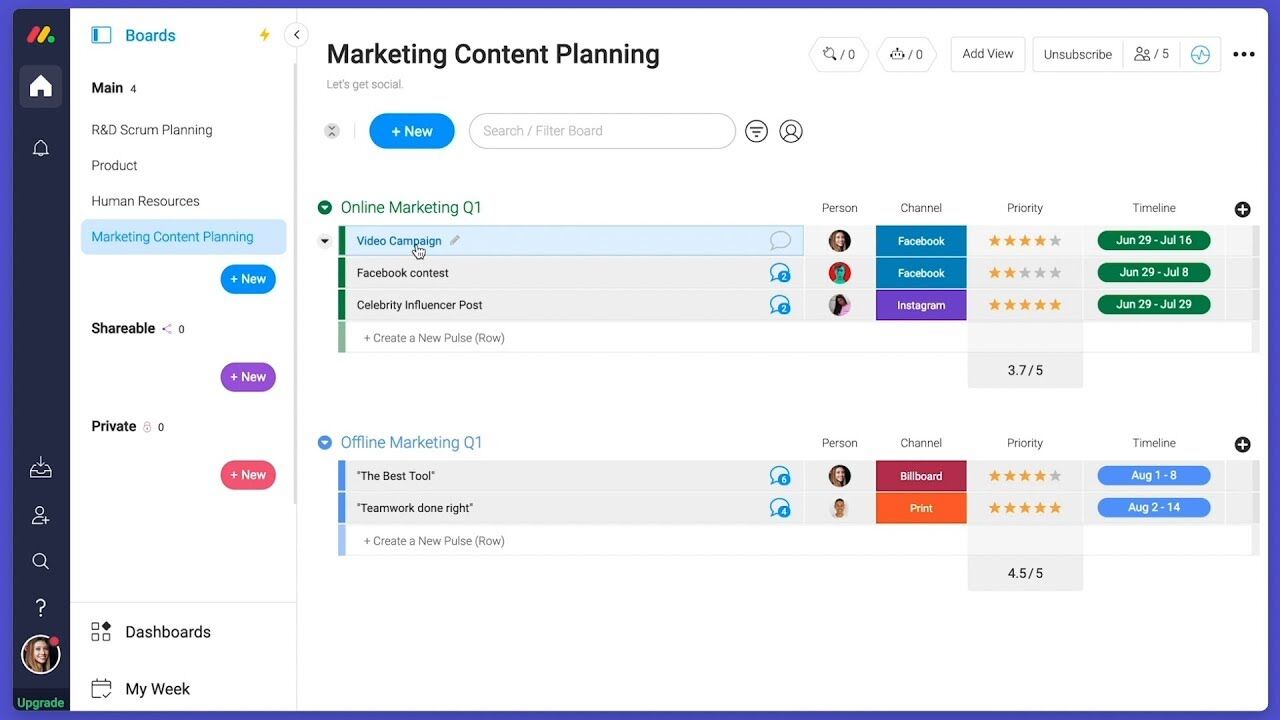
Monday CRM offers a user-friendly interface that helps your team get up to speed quickly, though some users find the multitude of features a bit overwhelming. Its drag-and-drop functionality and visual dashboards make task management intuitive. However, if your team prefers simplicity, the extensive capabilities might require a learning curve. The platform's customization options provide flexibility, but you might need time to explore and configure them to best suit your workflow.
New Product Updates from monday CRM

monday CRM Adds Meta Conversions API Integration
monday CRM has added an easier way to connect Meta Conversions API so you can sync lead status back to Meta. This helps you improve targeting and conversion performance with minimal setup effort. Highlights include:
- Meta Conversions API Integration: Connect monday CRM with Meta to share lead status updates automatically.
- Lead Status Sync: Send CRM lead status changes back to Meta to improve campaign targeting and conversion tracking.
- Automation Recipe: Configure the integration quickly using the new built-in Meta automation recipe.
Visit monday CRM's official site for more details.
 for more details.
monday CRM Introduces Activity Tracker Widget
monday CRM introduces an Activity Tracker widget that provides real-time insights into activities such as emails sent and tasks completed. This improves visibility and enables users to filter data by person, deal, or account for better performance tracking. Highlights include:
- Real-Time Visibility: Users can view their activities in real time, enabling them to quickly assess and respond to current demands.
- Comprehensive Tracking: It allows tracking the number of activities completed and emails sent, ensuring all actions are accounted for.
- Advanced Filters: Users can filter activities by categories such as person, deal, or account, enabling precise performance metrics.
Visit monday CRM's official site for more details.
monday CRM Specs
- 2-Factor Authentication
- API
- Calendar Management
- Call Tracking
- Campaign Management
- Click-to-Dial
- Contact Management
- Contact Sharing
- Custom Data Forms
- Customer Management
- Dashboard
- Data Export
- Data Import
- Data Visualization
- Email Integration
- External Integrations
- File Sharing
- File Transfer
- Google Apps Integration
- Lead Management
- Lead Scoring
- Marketing Automation
- Mobile App
- Multi-User
- Notifications
- Pipeline Management
- Sales Automation
- Scheduling
- Social-Media Integration
- Task Scheduling/Tracking
- Third-Party Plugins/Add-Ons
5 formas en que monday CRM es diferente al CRM que tu equipo detesta