

Reseña de JustCall: Pros, Contras, Características y Precios
JustCall destaca por su integración perfecta con CRM y su sólida comunicación multicanal, lo que la convierte en una opción ideal para equipos de ventas de alto volumen.

Analizamos las herramientas de forma independiente, y las comisiones ayudan a financiar nuestras pruebas. Consulta nuestra política de transparencia, nuestra metodología, o sugiere una herramienta.
JustCall is a cold calling software built for sales teams that need outbound dialing, call tracking, and CRM-connected workflows in one place. I'd consider it if your team runs a high-volume outbound motion and needs more dialer automation and CRM depth than Aircall provides, without the complexity of an enterprise contact center platform.
JustCall Evaluation Summary
4.1/5
- From $29/user/month (billed annually)
- 14-day free trial
Por qué confiar en nuestras recomendaciones de software
6,700+
Reviews
20
Industry experts
16+
Evaluation factors
14
Years
Nuestras reseñas reflejan nuestro criterio independiente, no un discurso de ventas. Descubra cómo mantenemos la transparencia.
Para esta guía, evaluamos las herramientas mediante pruebas prácticas e investigación independiente, puntuando las herramientas según nuestros criterios de selección.
Nuestras reseñas reflejan nuestro criterio editorial humano, no un discurso de ventas.
JustCall Overview
In my opinion, JustCall is a solid choice for teams looking for a reliable VoIP cold calling software and cloud phone system. It excels with its standout features like CRM integration and multi-channel support, making it a good fit for sales and customer support teams. While its ease of use and onboarding could improve, the software offers decent value for its price, especially for startups and small businesses. Compared to other providers, JustCall might not be the easiest to navigate, but its features can boost your team's efficiency. If you're seeking a tool that integrates well with existing systems and offers basic functionality, JustCall is worth considering.
Pros
- You can easily manage calls with its simple interface.
- Your team benefits from multi-channel communication options.
- JustCall's CRM integration boosts your workflow efficiency.
Cons
- You might find the onboarding process a bit challenging.
- Your team could struggle with its somewhat complex navigation.
- Customer support response times may not meet your expectations.
Is JustCall Right For Your Needs?
Who Would be a Good Fit for JustCall?
JustCall is a great fit for sales teams, customer support departments, and startups looking to enhance their communication. If your work involves frequent client interaction, you'll appreciate JustCall's multi-channel communication and CRM integration. These features simplify managing and tracking calls, which is ideal for high-volume environments. The software's ease of use allows your team to focus on customer engagement rather than technical issues, making it a practical choice for businesses aiming to boost efficiency.
- Sales TeamsJustCall's multi-channel support helps your team maintain consistent communication with prospects.
- Customer SupportYour support team will benefit from JustCall's easy call management and tracking features.
- Small BusinessesStartups can leverage JustCall’s cost-effective features to improve client interactions.
- Remote TeamsJustCall's cloud-based platform ensures your team stays connected no matter where they are.
- Outbound Call CentersThe CRM integration and call tracking make it perfect for centers focused on outbound sales.
- Tech StartupsJustCall’s simplicity and integration capabilities help your startup manage client communications efficiently.
Who Would be a Bad Fit for JustCall?
JustCall might not be ideal for large enterprises or teams requiring advanced customization and extensive onboarding support. If your work demands highly specialized features or complex workflows, you'll find JustCall's capabilities somewhat limited. Large organizations needing robust customer support and rapid response times might struggle with JustCall’s current support setup. These businesses may find the software's interface and onboarding process less accommodating for complex needs.
- Large EnterprisesLarge enterprises needing advanced customization will find JustCall's features too basic.
- Highly Regulated IndustriesIndustries requiring stringent compliance might find JustCall lacks necessary security features.
- Technical Support DepartmentsYour team might struggle with JustCall’s limited customization for technical support needs.
- Complex WorkflowsBusinesses with complex workflows will find JustCall’s interface less accommodating.
- High-Volume Call CentersYou might find JustCall's customer support response times inadequate for high-volume centers.
- Organizations Needing Extensive OnboardingTeams requiring in-depth training might find JustCall's onboarding insufficient.
Cómo Probamos y Evaluamos Herramientas
Hemos pasado años construyendo, refinando y mejorando nuestro sistema de pruebas y evaluación de software. La rúbrica está diseñada para capturar las complejidades de la selección de software y lo que hace que una herramienta sea efectiva, centrándose en aspectos críticos del proceso de toma de decisiones. A continuación, puede ver exactamente cómo funcionan nuestras pruebas y evaluación a través de siete criterios. Esto nos permite ofrecer una evaluación imparcial del software basada en la funcionalidad principal, características destacadas, facilidad de uso, incorporación, soporte al cliente, integraciones, opiniones de los clientes y relación calidad-precio.
Funcionalidad Principal (25% de la puntuación final)
El punto de partida de nuestra evaluación es siempre la funcionalidad principal de la herramienta. ¿Tiene las características y funciones básicas que un usuario esperaría ver? ¿Alguna de esas funciones principales está restringida a planes de precios superiores? En esencia, esperamos que una herramienta cumpla con las capacidades básicas de sus competidores.
Características Destacadas (25% de la puntuación final)
A continuación, evaluamos características poco comunes que van más allá de la funcionalidad principal que suelen ofrecer herramientas similares. Una puntuación alta refleja funciones especializadas o únicas que hacen que el producto sea más rápido, eficiente o aporte un valor adicional al usuario. También evaluamos lo fácil que es integrar la herramienta con las demás del stack tecnológico para ampliar la utilidad y el alcance del software. Las herramientas que ofrecen integraciones nativas, conexiones de terceros y acceso API para crear integraciones personalizadas reciben las mejores puntuaciones.
Facilidad de Uso (10% de la puntuación final)
Consideramos qué tan rápido y fácil es realizar las tareas definidas en la funcionalidad principal usando la herramienta. El software que obtiene una alta puntuación está bien diseñado, es intuitivo de usar, ofrece aplicaciones móviles, proporciona plantillas y hace que tareas relativamente complejas parezcan sencillas.
Incorporación (10% de la puntuación final)
Sabemos lo importante que es la rápida adopción por parte del equipo de una nueva plataforma, por lo que evaluamos lo fácil que es aprender y utilizar una herramienta con una formación mínima. Evaluamos qué tan rápido un miembro del equipo puede configurarse y empezar a usar la herramienta sin experiencia previa. Las soluciones con puntuación alta indican que se requiere poco o ningún soporte.
Soporte al Cliente (10% de la puntuación final)
Revisamos cuán rápido y sencillo es encontrar ayuda y resolver problemas a través de teléfono, chat en vivo o base de conocimientos. Las herramientas y compañías que brindan soporte en tiempo real obtienen las mejores puntuaciones, mientras que los chatbots reciben las peores.
Opiniones de Clientes (10% de la puntuación final)
Además de nuestras propias pruebas y evaluaciones, consideramos el puntaje neto de promotores de los clientes actuales y anteriores. Revisamos su probabilidad, si tuvieran la opción, de volver a elegir la herramienta para la funcionalidad principal. Un software con puntuación alta refleja un puntaje neto de promotores elevado por parte de clientes actuales o anteriores.
Relación Calidad-Precio (10% de la puntuación final)
Por último, considerando todos los demás criterios, revisamos el precio promedio de los planes de nivel inicial frente a las funciones principales y consideramos el valor de los otros criterios de evaluación. El software que ofrece más, por menos, obtendrá una puntuación más alta.
Core Features
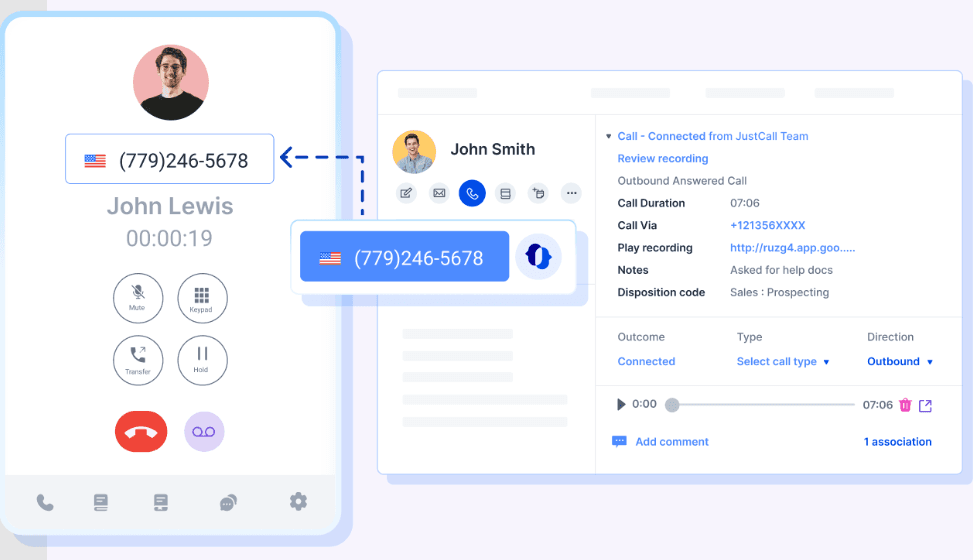
Call Management: You can easily handle incoming and outgoing calls with JustCall's intuitive interface. This feature helps your team stay organized and efficient.
Multi-Channel Support: JustCall lets you manage calls, texts, and emails all in one place. This helps your team streamline customer communication and keep every interaction organized.
Call Recording: Record your calls for quality assurance and training purposes. This feature aids in improving your team's performance.
Voicemail Drop: Leave pre-recorded voicemails to save time and increase productivity. Your team can focus on live interactions, benefiting from automation without wasting time on repetitive tasks.
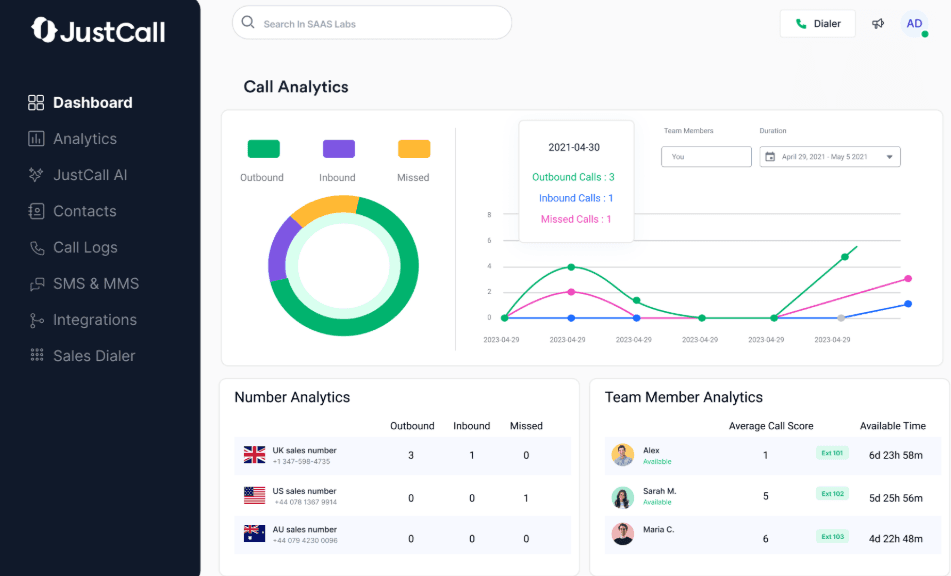
Analytics Dashboard: JustCall provides detailed analytics to help you track performance and call data. Use these insights to make informed decisions for your team.
Call Queueing: Manage high call volumes with JustCall's call queueing system and built-in interactive voice response (IVR) menus. This keeps your customers engaged and reduces wait times.
Ease of Use
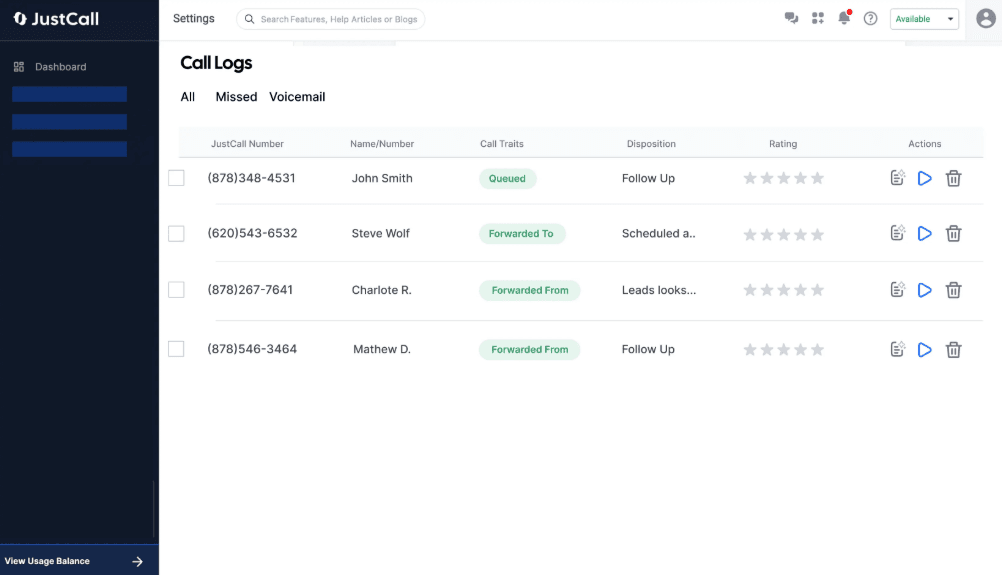
JustCall is user-friendly, but you might find its navigation less intuitive compared to other tools. The interface is straightforward, yet some users report challenges with setting up and mastering all features. If your team values simplicity, JustCall's design might require some getting used to. However, once familiar, your team can benefit from its organized layout and accessible features, making daily tasks manageable.
Integrations
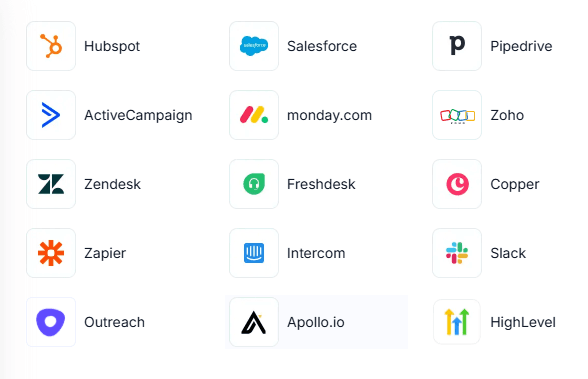
JustCall integrates with Salesforce, HubSpot, Zoho CRM, Slack, Pipedrive, Freshdesk, Intercom, Zendesk, Copper, and ActiveCampaign. JustCall also offers an API and connects with third-party integration tools like Zapier.
JustCall Specs
- Analytics: Yes
- API: No
- Auto Dialer: Yes
- Automatic Call Distribution: Yes
- Batch Permissions & Access: No
- Calendar Management: No
- Call Disposition: Yes
- Call Logging: Yes
- Call Monitoring: Yes
- Call Recording: Yes
- Call Scripting: No
- Call Tracking: Yes
- Chat: Yes
- Click-to-Dial: Yes
- Comparative Reporting: No
- Contact Management: Yes
- Contact Sharing: Yes
- Custom Data Forms: No
- Customer Management: No
- Dashboard: Yes
- Data Export: No
- Data Import: No
- Data Visualization: No
- Email Integration: Yes
- Escalation Management: No
- External Integrations: Yes
- Interactive Voice Response: Yes
- Lead Management: No
- Lead Scoring: Yes
- Marketing Automation: No
- Multi-User: Yes
- Notifications: Yes
- Scheduling: Yes
- Softphone: No
- Supplier Management: No


