
Reseña de Intercom: Ventajas, Desventajas, Características y Precios


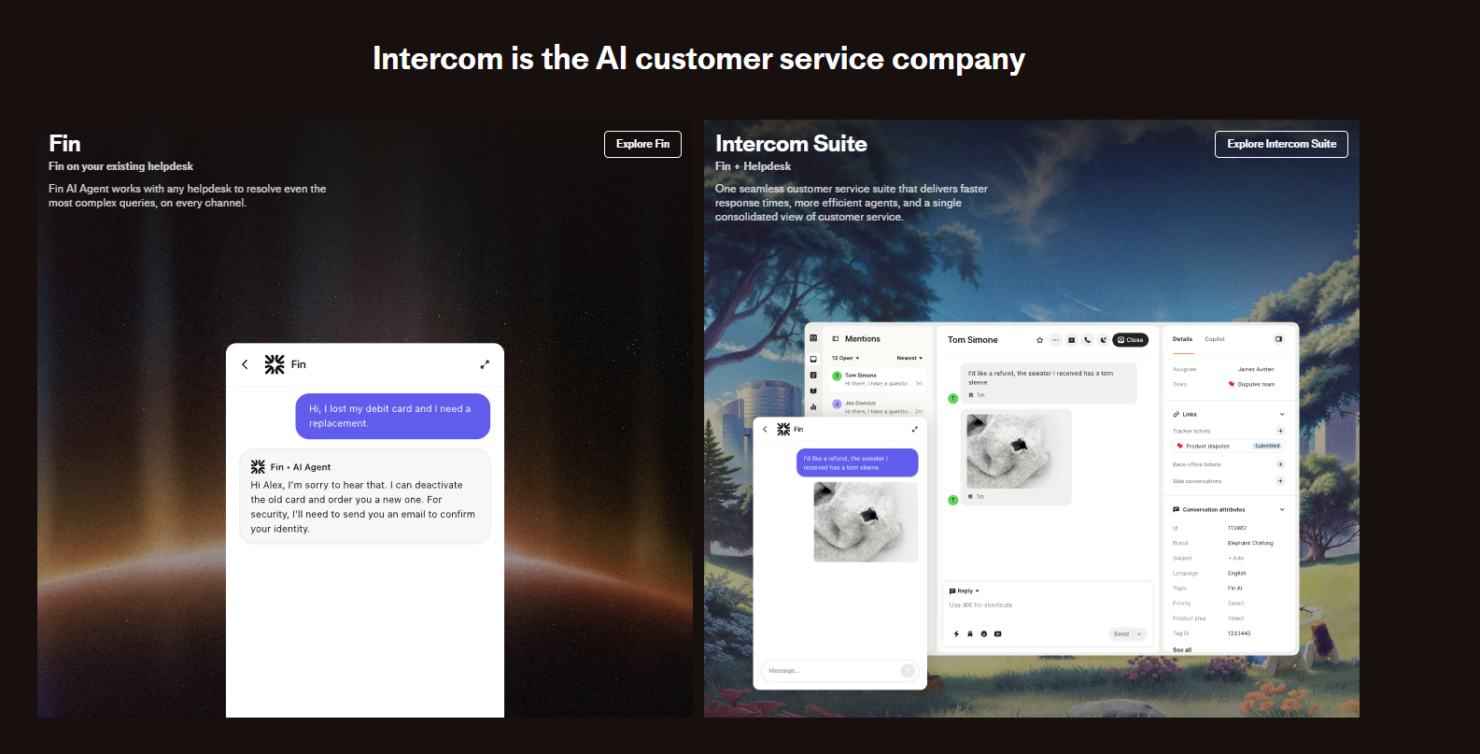
Intercom is a B2B lead generation software that captures and qualifies website visitors through live chat, AI-powered chatbots, and targeted in-app messaging. It's worth considering if your team needs to engage prospects in real time and route qualified leads directly to sales without manual handoffs. I'd lean toward Intercom over Drift if you want lead capture built into a platform that also covers customer onboarding and retention—not just top-of-funnel pipeline activity.
Intercom Evaluation Summary
- From $29/user/month
- 14-day free trial
Por qué confiar en nuestras recomendaciones de software
Nuestras reseñas reflejan nuestro criterio independiente, no un discurso de ventas. Descubra cómo mantenemos la transparencia.
Para esta guía, evaluamos las herramientas mediante pruebas prácticas e investigación independiente, puntuando las herramientas según nuestros criterios de selección.
Nuestras reseñas reflejan nuestro criterio editorial humano, no un discurso de ventas.
Intercom Overview
In my opinion, Intercom is a solid choice for teams looking for a lead generation tool with excellent customer engagement capabilities. Its standout features, AI capabilities, and user-friendly interface make it appealing for small to mid-sized businesses. Intercom's pricing might seem steep, but the value is evident in its robust support and integration options. Compared to competitors, it excels in customer support and engagement but might underperform for those needing extensive customization. It's best suited for customer-centric teams prioritizing communication and quick onboarding.
pros
-
Intercom offers excellent customer support with quick response times.
-
Its user-friendly interface makes it easy for your team to navigate.
-
The personalized messaging feature boosts your customer engagement.
cons
-
You might find the reporting features lacking compared to other tools.
-
Some users find the chatbot setup complicated.
-
It can be overwhelming for teams needing simple lead management.
-

Prisync
Visit WebsiteThis rating combines scores from multiple user review sites to reflect overall customer sentiment about the product.4.7 -
Expedite Commerce
Visit Website -
QuickBooks Online
Visit WebsiteThis rating combines scores from multiple user review sites to reflect overall customer sentiment about the product.4




Cómo Probamos y Evaluamos Herramientas
Hemos pasado años construyendo, refinando y mejorando nuestro sistema de pruebas y evaluación de software. La rúbrica está diseñada para capturar las complejidades de la selección de software y lo que hace que una herramienta sea efectiva, centrándose en aspectos críticos del proceso de toma de decisiones. A continuación, puede ver exactamente cómo funcionan nuestras pruebas y evaluación a través de siete criterios. Esto nos permite ofrecer una evaluación imparcial del software basada en la funcionalidad principal, características destacadas, facilidad de uso, incorporación, soporte al cliente, integraciones, opiniones de los clientes y relación calidad-precio.
Funcionalidad Principal (25% de la puntuación final)
El punto de partida de nuestra evaluación es siempre la funcionalidad principal de la herramienta. ¿Tiene las características y funciones básicas que un usuario esperaría ver? ¿Alguna de esas funciones principales está restringida a planes de precios superiores? En esencia, esperamos que una herramienta cumpla con las capacidades básicas de sus competidores.
Características Destacadas (25% de la puntuación final)
A continuación, evaluamos características poco comunes que van más allá de la funcionalidad principal que suelen ofrecer herramientas similares. Una puntuación alta refleja funciones especializadas o únicas que hacen que el producto sea más rápido, eficiente o aporte un valor adicional al usuario. También evaluamos lo fácil que es integrar la herramienta con las demás del stack tecnológico para ampliar la utilidad y el alcance del software. Las herramientas que ofrecen integraciones nativas, conexiones de terceros y acceso API para crear integraciones personalizadas reciben las mejores puntuaciones.
Facilidad de Uso (10% de la puntuación final)
Consideramos qué tan rápido y fácil es realizar las tareas definidas en la funcionalidad principal usando la herramienta. El software que obtiene una alta puntuación está bien diseñado, es intuitivo de usar, ofrece aplicaciones móviles, proporciona plantillas y hace que tareas relativamente complejas parezcan sencillas.
Incorporación (10% de la puntuación final)
Sabemos lo importante que es la rápida adopción por parte del equipo de una nueva plataforma, por lo que evaluamos lo fácil que es aprender y utilizar una herramienta con una formación mínima. Evaluamos qué tan rápido un miembro del equipo puede configurarse y empezar a usar la herramienta sin experiencia previa. Las soluciones con puntuación alta indican que se requiere poco o ningún soporte.
Soporte al Cliente (10% de la puntuación final)
Revisamos cuán rápido y sencillo es encontrar ayuda y resolver problemas a través de teléfono, chat en vivo o base de conocimientos. Las herramientas y compañías que brindan soporte en tiempo real obtienen las mejores puntuaciones, mientras que los chatbots reciben las peores.
Opiniones de Clientes (10% de la puntuación final)
Además de nuestras propias pruebas y evaluaciones, consideramos el puntaje neto de promotores de los clientes actuales y anteriores. Revisamos su probabilidad, si tuvieran la opción, de volver a elegir la herramienta para la funcionalidad principal. Un software con puntuación alta refleja un puntaje neto de promotores elevado por parte de clientes actuales o anteriores.
Relación Calidad-Precio (10% de la puntuación final)
Por último, considerando todos los demás criterios, revisamos el precio promedio de los planes de nivel inicial frente a las funciones principales y consideramos el valor de los otros criterios de evaluación. El software que ofrece más, por menos, obtendrá una puntuación más alta.
Core Features
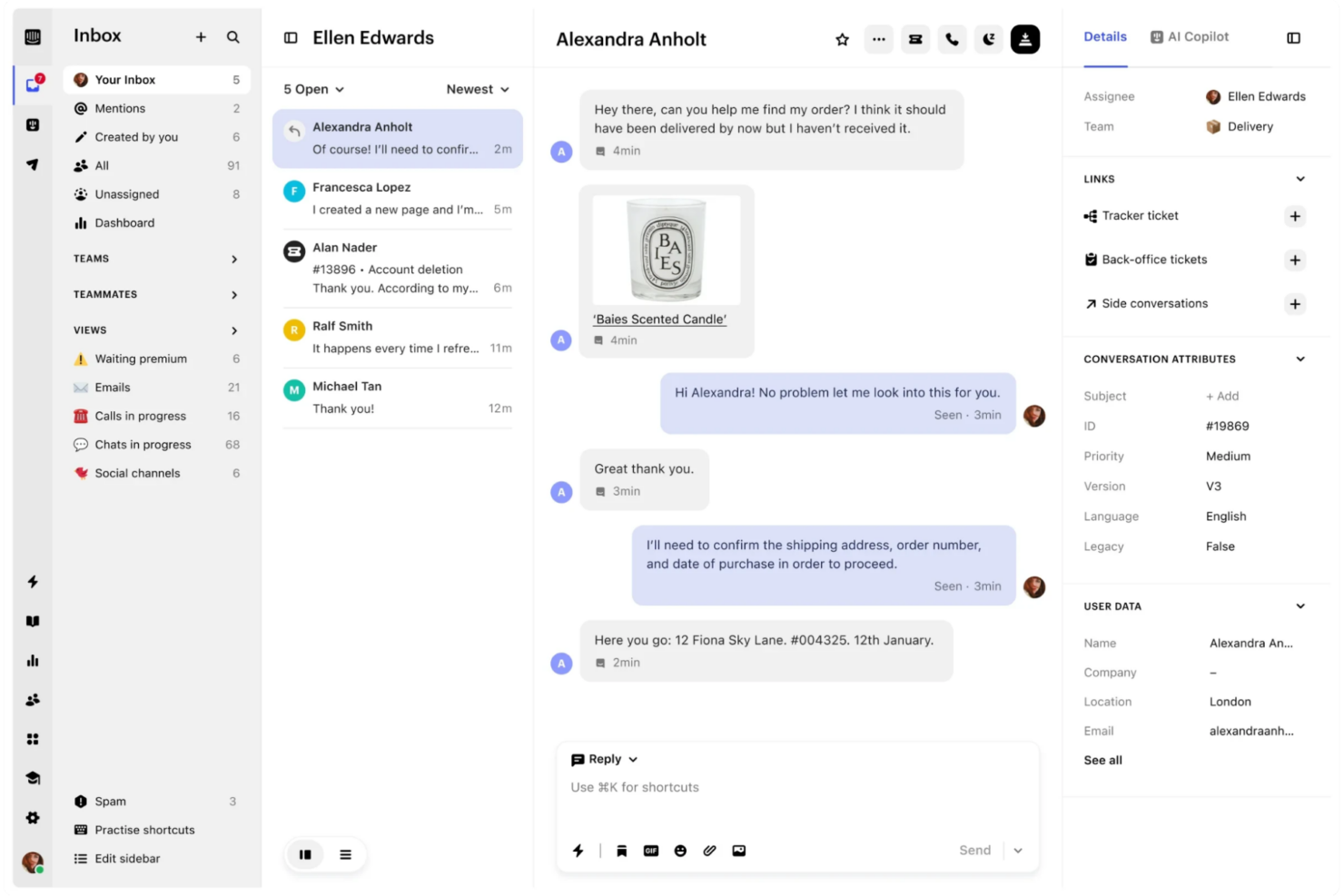
Shared Inbox: Keep all customer conversations in one place so agents can collaborate, assign, and respond faster. It reduces “who’s handling this?” chaos and keeps service organized.
Ticketing & Case Management: Turn conversations into trackable tickets so nothing slips through the cracks. Helps teams manage workload, priorities, and follow-ups more consistently.
Self-Service Knowledge Base: Create a help center so customers can find answers without waiting on support. This cuts ticket volume and improves response speed overall.
Automated Workflows: Automate routing and triage so the right requests go to the right place. This helps streamline support and keeps it moving even when volume spikes.
Omnichannel Support: Support customers across multiple channels while keeping context together. This improves continuity and reduces repeat questions.
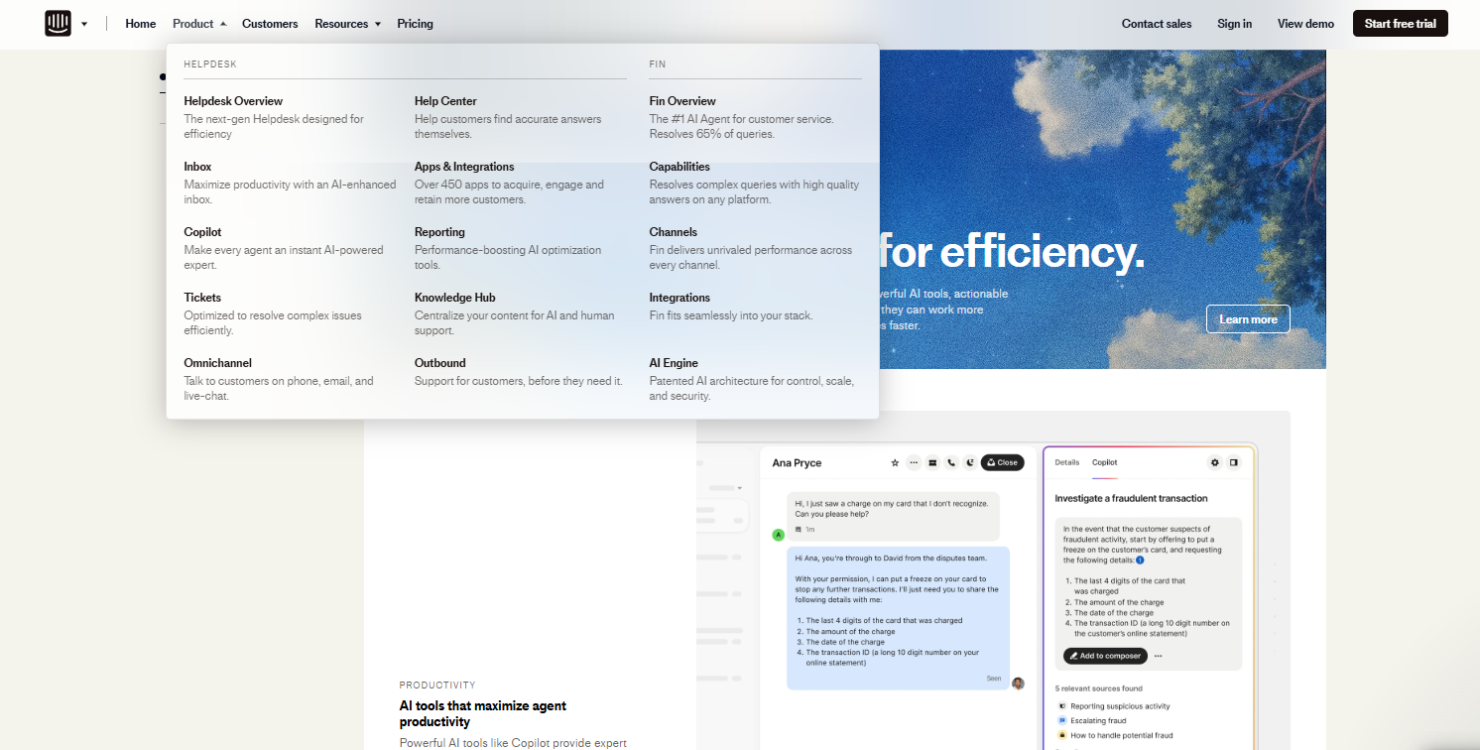
Apps & Integrations: Connect Intercom with other tools your team already uses through its App Store. Makes it easier to plug Intercom into existing workflows.
Ease of Use
Intercom is user-friendly, making it easy for your team to get started without a steep learning curve. Its intuitive interface and clear layout allow your team to navigate features like live chat and automated messaging effortlessly. Users often praise the simple setup and quick onboarding process, which lets your team focus on engaging with leads rather than figuring out the software. While some advanced features might take a bit more time to master, the overall experience is smooth and efficient.
Integrations
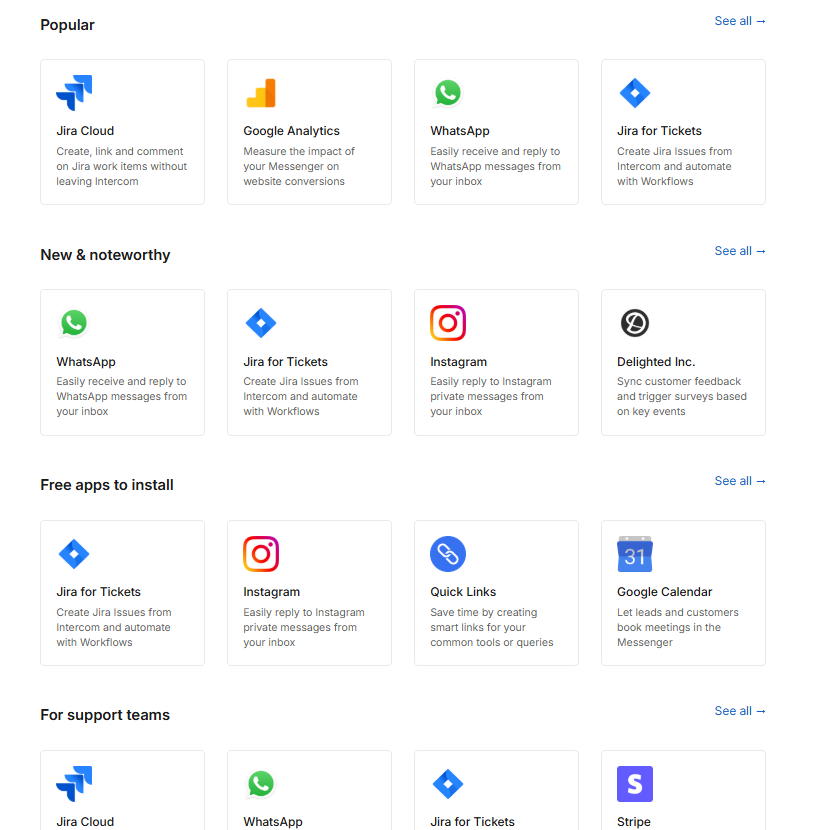
Intercom integrates with Salesforce, HubSpot, Shopify, Google Analytics, Stripe, Aircall, Jira Cloud, and Calendly, among others.
Intercom also offers a robust API and connects with third-party integration tools like Zapier for custom workflows.
Intercom Specs
- API
- Batch Permissions & Access
- Call Logging
- Call Monitoring
- Chat
- Click-to-Dial
- Contact Management
- Customer Management
- Customer Service
- Dashboard
- Data Export
- Data Import
- Email Integration
- Escalation Management
- External Integrations
- Feedback Management
- Google Apps Integration
- Instant Chat Integration
- Knowledge Base
- Lead Management
- Lead Scoring
- Marketing Automation
- Multi-User
- Notifications
- Self-service Portal
- Workflow Management