

Reseña de Affinity: Ventajas, Desventajas, Características y Precios
Affinity destaca en inteligencia de relaciones, ofreciendo perspectivas únicas que pueden potenciar las capacidades de networking y cierre de acuerdos de tu equipo.

Analizamos las herramientas de forma independiente, y las comisiones ayudan a financiar nuestras pruebas. Consulta nuestra política de transparencia, nuestra metodología, o sugiere una herramienta.
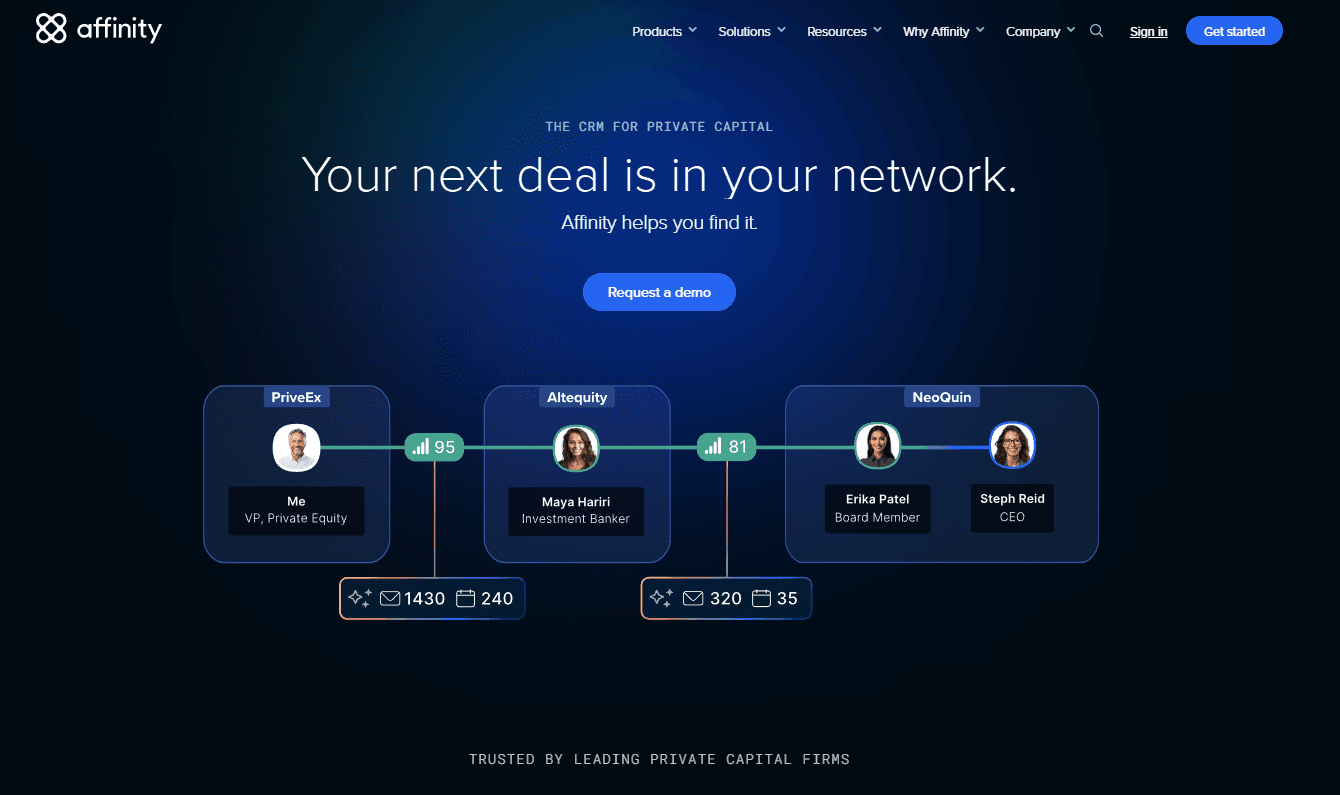
Affinity is a simple CRM built around relationship intelligence, automatically capturing contacts, interactions, and network connections directly from your email and calendar. It's a strong fit for deal-driven teams in venture capital, private equity, or professional services who need to track relationships across a portfolio without manually logging every touchpoint. If you've evaluated Salesforce and found the manual data entry burden too high to maintain accurate records, Affinity is worth a serious look—it surfaces relationship context automatically, so your pipeline data reflects how your team actually works.
Affinity Evaluation Summary
4.4/5
- Free to use
Por qué confiar en nuestras recomendaciones de software
6,700+
Reviews
20
Industry experts
16+
Evaluation factors
14
Years
Nuestras reseñas reflejan nuestro criterio independiente, no un discurso de ventas. Descubra cómo mantenemos la transparencia.
Para esta guía, evaluamos las herramientas mediante pruebas prácticas e investigación independiente, puntuando las herramientas según nuestros criterios de selección.
Nuestras reseñas reflejan nuestro criterio editorial humano, no un discurso de ventas.
Affinity Overview
From my perspective, Affinity stands out for its relationship intelligence capabilities, making it ideal for teams focused on networking and deal-making. It's particularly beneficial for venture capital and private equity firms. While it excels in providing actionable insights, it might not offer the same breadth of integrations as some competitors. I think it's a great choice for organizations that prioritize sophisticated relationship management over extensive third-party integrations. The onboarding process is smooth, and the customer support is top-notch, which is a plus if your team needs guidance.
Pros
- It excels in relationship intelligence, helping your team manage complex networks.
- You get actionable insights to boost networking and deal-making.
- The customer support is highly rated and reliable for your team.
Cons
- It might not have the same range of integrations as other CRM options.
- The user interface can feel less intuitive for new users.
- Some users find the customization options limited for their specific needs.
Is Affinity Right For Your Needs?
Who Would be a Good Fit for Affinity?
Affinity is a great fit for venture capital firms, private equity teams, and sales departments focused on relationship management. It excels at providing relationship intelligence, which is vital for networking and deal-making. If your team needs tools to manage complex networks and gain actionable insights, Affinity can enhance your work. The platform's strong customer support also ensures you get the help you need to maximize its features.
- Venture Capital FirmsAffinity helps your team manage relationships and track deals with its relationship intelligence features.
- Private Equity TeamsYou can leverage Affinity's networking insights to identify and connect with potential partners.
- Sales DepartmentsAffinity provides actionable insights to boost your team's deal-making capabilities to help close deals more efficiently.
- Investment BankingYour team can utilize Affinity's tools to maintain and grow professional networks crucial for success.
- Business DevelopmentAffinity helps you identify key contacts and streamline communication to drive growth.
- Corporate Strategy TeamsYou can use Affinity's insights to align your network strategy with organizational goals.
Who Would be a Bad Fit for Affinity?
Affinity might not be suitable for small businesses or teams that require extensive third-party integrations. If your work relies on integrating multiple tools for different functions, Affinity's limited customization and integration options could hinder your workflow. Additionally, if your team isn't focused on relationship-driven sales or investment activities, you might not fully benefit from Affinity's relationship intelligence features.
- Small Retail BusinessesYour team might find Affinity's features excessive if you don't need advanced relationship management.
- Tech StartupsIf you need extensive integrations with other tools, Affinity might not meet your needs.
- Manufacturing CompaniesAffinity's focus on relationship intelligence isn't aligned with your operational requirements.
- FreelancersYou might not need Affinity's complex network management for individual projects.
- Customer Support TeamsAffinity lacks the features necessary for handling customer inquiries and support efficiently.
- Logistics DepartmentsYour focus on supply chain management doesn't align with Affinity's relationship-centric tools.
Cómo Probamos y Evaluamos Herramientas
Hemos pasado años construyendo, refinando y mejorando nuestro sistema de pruebas y evaluación de software. La rúbrica está diseñada para capturar las complejidades de la selección de software y lo que hace que una herramienta sea efectiva, centrándose en aspectos críticos del proceso de toma de decisiones. A continuación, puede ver exactamente cómo funcionan nuestras pruebas y evaluación a través de siete criterios. Esto nos permite ofrecer una evaluación imparcial del software basada en la funcionalidad principal, características destacadas, facilidad de uso, incorporación, soporte al cliente, integraciones, opiniones de los clientes y relación calidad-precio.
Funcionalidad Principal (25% de la puntuación final)
El punto de partida de nuestra evaluación es siempre la funcionalidad principal de la herramienta. ¿Tiene las características y funciones básicas que un usuario esperaría ver? ¿Alguna de esas funciones principales está restringida a planes de precios superiores? En esencia, esperamos que una herramienta cumpla con las capacidades básicas de sus competidores.
Características Destacadas (25% de la puntuación final)
A continuación, evaluamos características poco comunes que van más allá de la funcionalidad principal que suelen ofrecer herramientas similares. Una puntuación alta refleja funciones especializadas o únicas que hacen que el producto sea más rápido, eficiente o aporte un valor adicional al usuario. También evaluamos lo fácil que es integrar la herramienta con las demás del stack tecnológico para ampliar la utilidad y el alcance del software. Las herramientas que ofrecen integraciones nativas, conexiones de terceros y acceso API para crear integraciones personalizadas reciben las mejores puntuaciones.
Facilidad de Uso (10% de la puntuación final)
Consideramos qué tan rápido y fácil es realizar las tareas definidas en la funcionalidad principal usando la herramienta. El software que obtiene una alta puntuación está bien diseñado, es intuitivo de usar, ofrece aplicaciones móviles, proporciona plantillas y hace que tareas relativamente complejas parezcan sencillas.
Incorporación (10% de la puntuación final)
Sabemos lo importante que es la rápida adopción por parte del equipo de una nueva plataforma, por lo que evaluamos lo fácil que es aprender y utilizar una herramienta con una formación mínima. Evaluamos qué tan rápido un miembro del equipo puede configurarse y empezar a usar la herramienta sin experiencia previa. Las soluciones con puntuación alta indican que se requiere poco o ningún soporte.
Soporte al Cliente (10% de la puntuación final)
Revisamos cuán rápido y sencillo es encontrar ayuda y resolver problemas a través de teléfono, chat en vivo o base de conocimientos. Las herramientas y compañías que brindan soporte en tiempo real obtienen las mejores puntuaciones, mientras que los chatbots reciben las peores.
Opiniones de Clientes (10% de la puntuación final)
Además de nuestras propias pruebas y evaluaciones, consideramos el puntaje neto de promotores de los clientes actuales y anteriores. Revisamos su probabilidad, si tuvieran la opción, de volver a elegir la herramienta para la funcionalidad principal. Un software con puntuación alta refleja un puntaje neto de promotores elevado por parte de clientes actuales o anteriores.
Relación Calidad-Precio (10% de la puntuación final)
Por último, considerando todos los demás criterios, revisamos el precio promedio de los planes de nivel inicial frente a las funciones principales y consideramos el valor de los otros criterios de evaluación. El software que ofrece más, por menos, obtendrá una puntuación más alta.
Core Features
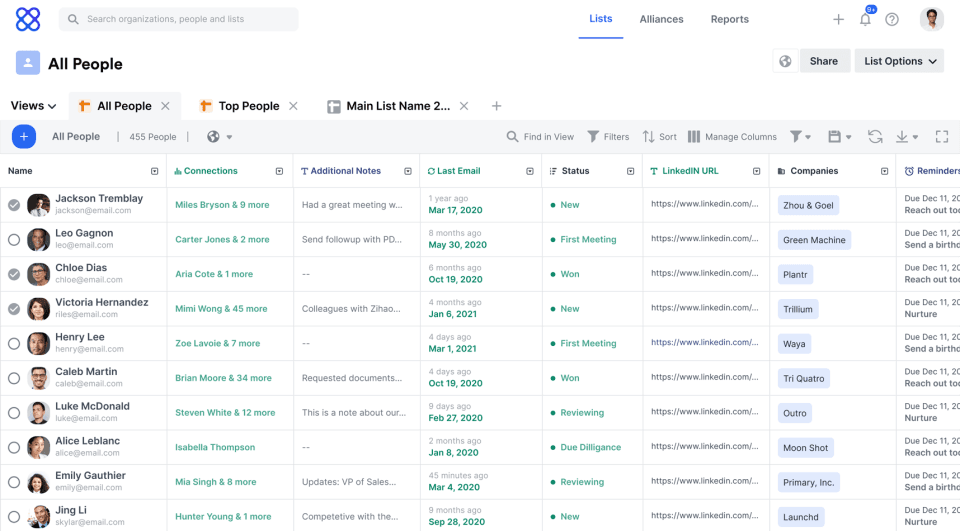
Contact Management: Affinity lets you store and organize your contacts efficiently. You can access detailed profiles and track interactions to enhance your networking.
Pipeline Management: Your team can visualize and manage deals in real-time with ease. This feature helps you track progress and prioritize tasks effectively.
Email Tracking: You can track email opens and responses and receive timely notifications, gaining insights into your communication effectiveness. This helps you follow up at the right time.
Calendar Integration: Affinity syncs with your calendar to manage appointments seamlessly. It ensures you never miss important meetings or follow-ups.
Reporting and Analytics: You get detailed reports, key metrics, and customizable dashboards to understand your team's performance. This helps you make informed decisions.
Ease of Use
Affinity is fairly user-friendly, but some users might find the interface less intuitive compared to other CRM options. While its robust features like relationship intelligence offer significant value, they can also come with a learning curve. Your team may need some time to adapt and fully leverage its capabilities. However, once you're familiar with the system, managing contacts and tracking deals becomes straightforward, enhancing your productivity.
Integrations
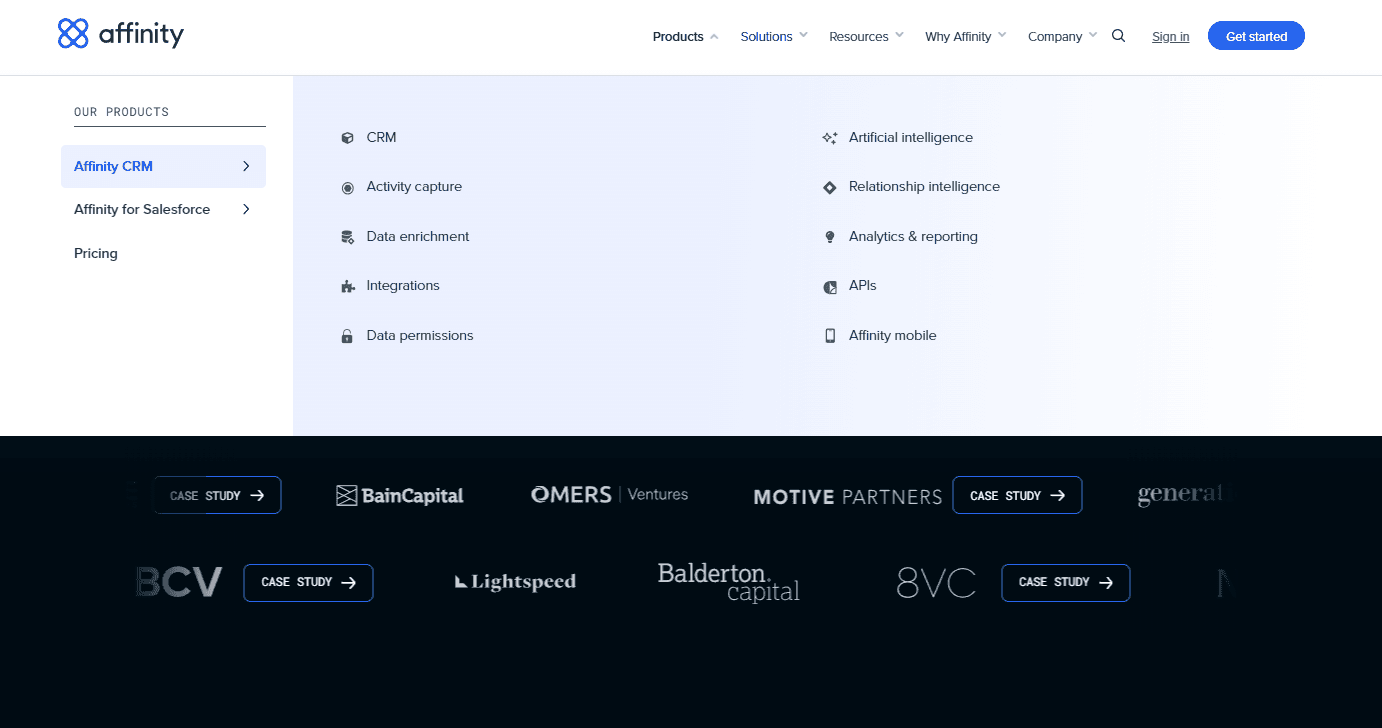
Affinity integrates with Dropbox, Eventbrite, Google Drive, Mailchimp, Microsoft SharePoint, Microsoft Teams, PitchBook, Slack, and Typeform. It also allows seamless email sync with providers like Gmail and Microsoft Outlook.
Additionally, Affinity offers an API and connects with third-party integration tools to enhance its capabilities.
Affinity Specs
- 2-Factor Authentication: No
- API: No
- Calendar Management: No
- Call Tracking: No
- Campaign Management: No
- Click-to-Dial: No
- Contact Management: Yes
- Contact Sharing: Yes
- Custom Data Forms: No
- Customer Management: Yes
- Dashboard: No
- Data Export: No
- Data Import: No
- Data Visualization: No
- Email Integration: No
- External Integrations: No
- File Sharing: No
- File Transfer: No
- Google Apps Integration: No
- Lead Management: Yes
- Lead Scoring: No
- Marketing Automation: No
- Mobile App: No
- Multi-User: No
- Notifications: No
- Pipeline Management: Yes
- Sales Automation: Yes
- Scheduling: No
- Social-Media Integration: No
- Task Scheduling/Tracking: No
- Third-Party Plugins/Add-Ons: No


