

Los 10 mejores programas CRM sanitarios analizados para 2026

10 Lista de los mejores programas CRM para el sector sanitario


Con tantos programas CRM diferentes para el sector sanitario disponibles, es difícil determinar cuál es el adecuado para ti. Sabes que quieres ofrecer una atención a los pacientes más personalizada y eficiente, pero necesitas averiguar qué herramienta es la mejor. ¡Estoy aquí para ayudarte! En esta publicación te ayudaré a tomar una decisión sencilla, compartiendo mis experiencias personales al utilizar docenas de herramientas CRM para el sector sanitario con diversos equipos y pacientes, junto con mi selección de los mejores programas CRM para el sector sanitario.
Por qué confiar en nuestras recomendaciones de software
Nuestras reseñas reflejan nuestro criterio independiente, no un discurso de ventas. Descubra cómo mantenemos la transparencia.
Para esta guía, evaluamos las herramientas mediante pruebas prácticas e investigación independiente, puntuando las herramientas según nuestros criterios de selección.
Nuestras reseñas reflejan nuestro criterio editorial humano, no un discurso de ventas.
Resumen de los mejores programas CRM para el sector sanitario
Esta tabla comparativa resume los detalles de precios de mi selección de los mejores programas CRM para el sector sanitario para ayudarte a encontrar la mejor opción para tu presupuesto y las necesidades de tu empresa.
| Tool | Best For | Trial Info | Price | ||
|---|---|---|---|---|---|
| 1 | Ideal para reducir costos operativos y aumentar la eficiencia | Prueba gratuita de 30 días + demostración gratuita disponible | Desde $350/usuario/mes (facturado anualmente) | Website | |
| 2 | Ideal para la automatización de marketing y la interacción con pacientes | Demostración gratuita disponible | Desde $60/usuario/mes | Website | |
| 3 | Mejor para organizaciones de salud animal y veterinarias | Not available | Precio a consultar | Website | |
| 4 | Ideal para la asignación automática de citas de médicos | Demo gratuita disponible | Desde $19/usuario/mes | Website | |
| 5 | Ideal para predecir el riesgo y mejorar los resultados de los pacientes | Prueba gratuita de 30 días disponible | Desde $80/usuario/mes | Website | |
| 6 | Mejor para ofrecer experiencias centradas en el paciente | Prueba gratuita disponible | Desde $29/usuario/mes | Website | |
| 7 | Ideal para automatización que reduce errores | Prueba gratuita de 30 días | Precios a consultar | Website | |
| 8 | Ideal para integrarse con todas tus fuentes de datos esenciales | Demo gratuita disponible | Precios disponibles bajo solicitud | Website | |
| 9 | Ideal para ofrecer soluciones a operaciones sanitarias específicas | Prueba gratuita disponible | Precio bajo demanda | Website | |
| 10 | Ideal para optimizar operaciones de laboratorio para el crecimiento y la retención de clientes | Disponible demostración gratuita | Precios bajo solicitud | Website |
Análisis de los mejores programas CRM para el sector sanitario
A continuación encontrarás mis resúmenes detallados de los mejores programas CRM para el sector sanitario que llegaron a mi lista de preseleccionados. Mis análisis ofrecen una visión detallada de las funciones principales, las ventajas y desventajas, las integraciones y los casos de uso ideales de cada herramienta para ayudarte a encontrar la mejor opción para ti.
Ideal para reducir costos operativos y aumentar la eficiencia
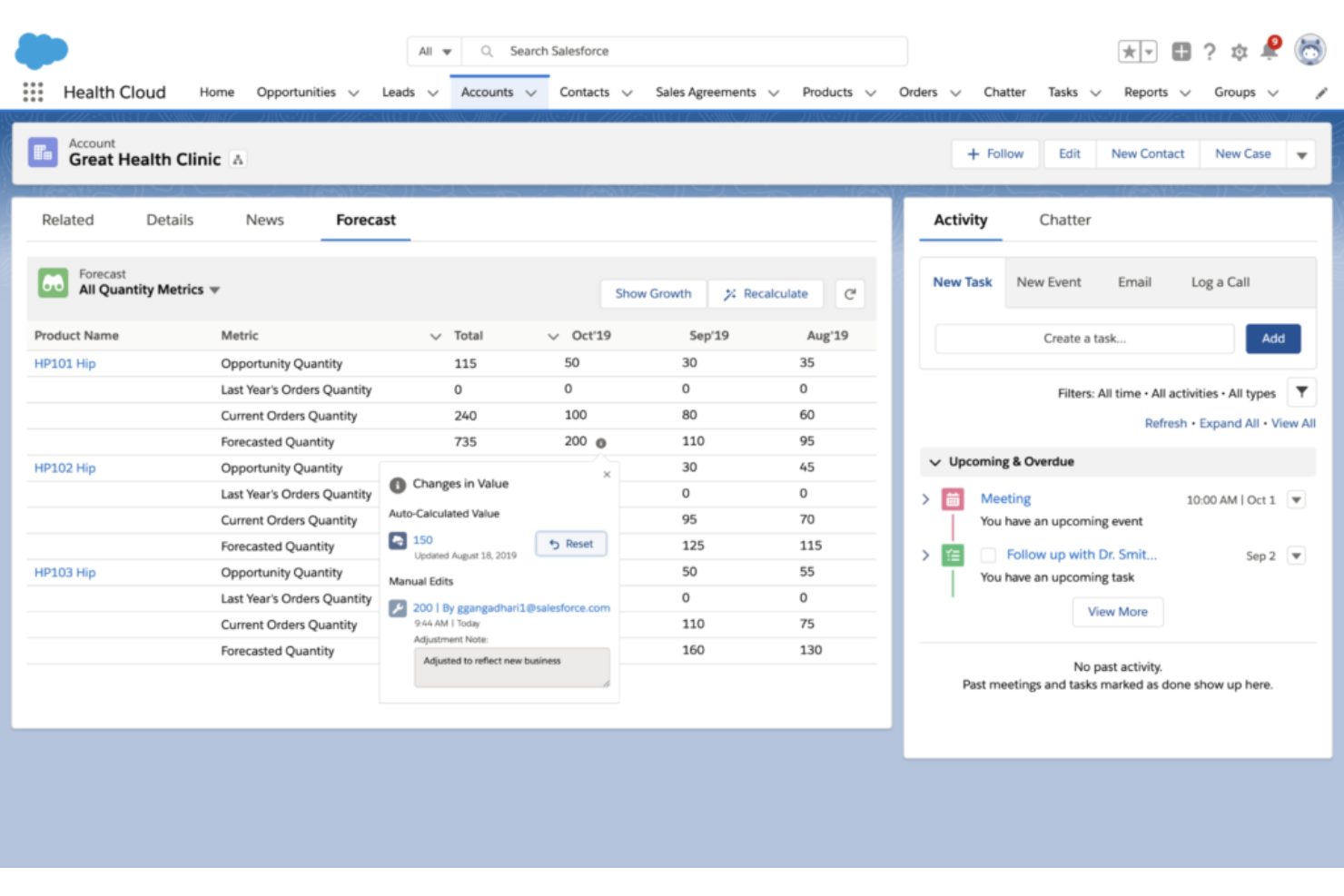
Este software de gestión para proveedores de salud es una solución CRM basada en la nube y de gestión de pacientes que se centra en la colaboración entre proveedores, pacientes y pagadores. Construido sobre la plataforma CRM de Salesforce, cubre las necesidades del sector sanitario permitiendo a los coordinadores de atención, enfermeros a domicilio y familiares interactuar de forma segura con los equipos de atención.
Por qué elegí Health Cloud: Una característica que me llamó la atención de esta plataforma es la Cronología de Health Cloud. Usando esta herramienta, los proveedores pueden obtener una visión de 360 grados de todas las interacciones clínicas y no clínicas con pacientes, familias y miembros. Estas interacciones pueden incluir recetas médicas, encuentros, barreras para la atención y seguimiento de tareas de planes de cuidado.
Características e integraciones destacadas de Health Cloud
Características destacadas incluyen modelos de datos personalizables y ya prediseñados para la toma de decisiones clínicas y de seguros, y soporte para atención virtual para que los médicos puedan clasificar y diagnosticar pacientes digitalmente.
Integraciones incluyen Cadalys CareIQ, CancerNav, CareIQ para Salesforce, CharmHealth, Elixir CRM, HealtheCRM de Cerner, Optum Care Coordination, ProviderMatch y SightCall Virtual Support.
Pros and Cons
Pros:
- Centraliza cada proceso interno de salud
- Tiene soluciones para salud y ciencias de la vida
- Ofrece plantillas para la mayoría de las necesidades de EHR, cuentas y medicamentos
Cons:
- Demasiado caro para organizaciones más pequeñas
- Problemas de funcionalidad con la herramienta de grabación automática de llamadas

Ideal para la automatización de marketing y la interacción con pacientes
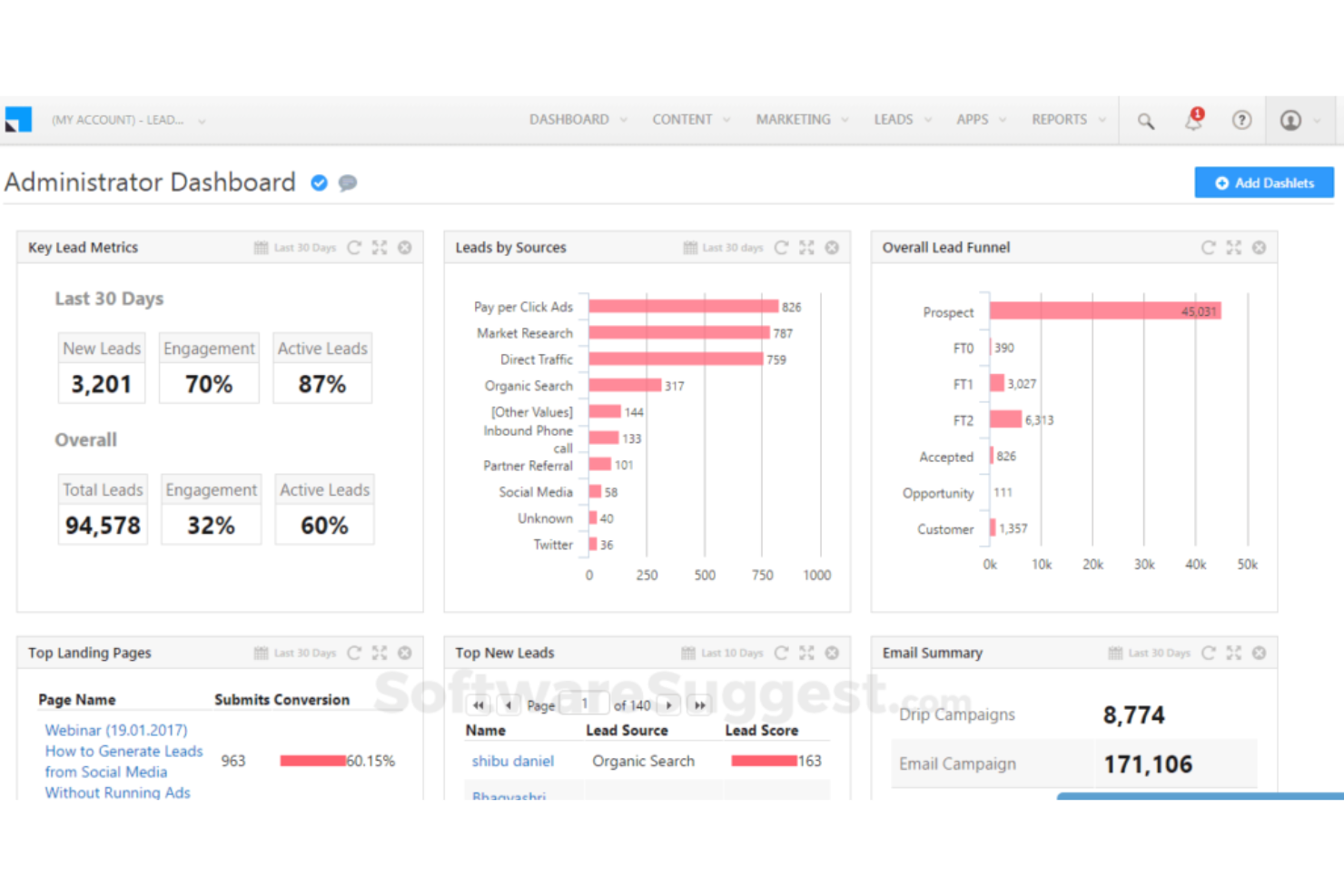
Leadsquared es una herramienta CRM integral para el sector sanitario, diseñada para ofrecer automatización de flujos de trabajo, interacción personalizada, captación de pacientes, marketing segmentado y seguimiento del recorrido, todo con un cumplimiento del 100 % con HIPAA.
Por qué elegí Leadsquared: Lo que me hizo incluir esta plataforma en mi lista fue la forma en que Leadsquared aborda la automatización de marketing. Con análisis de pacientes en tiempo real y soporte para comunicación omnicanal, se enfocan en aumentar las tasas de retención de pacientes a través de iniciativas personalizadas.
Funciones destacadas e integraciones de Leadsquared
Funciones destacadas incluyen seguimiento de conversiones para campañas de marketing, recorridos automáticos del paciente disparados por eventos y automatización en la admisión de pacientes con portales de autoservicio.
Las integraciones incluyen Acuity Scheduling, Freshdesk, Gmail, Google Analytics 360, LiveChat, Microsoft Outlook, Salesforce Sales Cloud, Shopify, WordPress y Zapier.
Pros and Cons
Pros:
- Aplicación móvil para atención en sitio
- Fácil de empezar a usar
- Capacidades de segmentación granular
Cons:
- La navegación es algo torpe
- Puede resultar demasiado costoso para pequeñas empresas

Mejor para organizaciones de salud animal y veterinarias
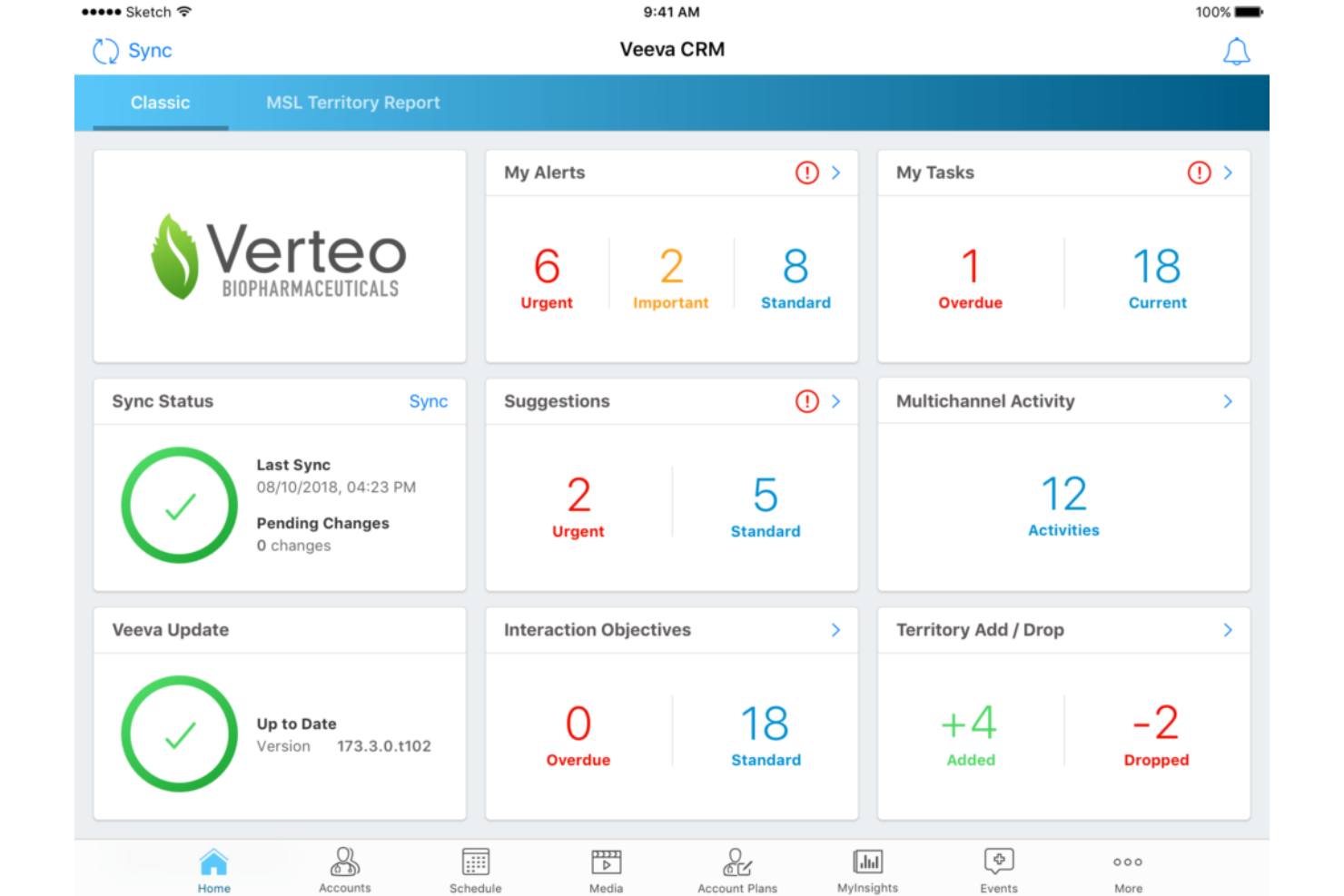
Este CRM médico para profesionales de la salud ofrece soporte empresarial para organizaciones de biotecnología, salud de consumo, farmacéuticas y salud animal. El CRM médico de Veeva proporciona herramientas clave para equipos de campo, análisis médicos, planificación de interesados y compromiso con el cliente. También es accesible desde escritorio o navegador para una funcionalidad completa tanto online como offline.
Por qué elegí Veeva: Esta plataforma llamó mi atención porque menciona específicamente un CRM para el sector de la salud animal. Con la capacidad de rastrear registros de pacientes en función de la información del animal o su dueño, se pueden mantener mejores registros médicos para pacientes animales.
Características y Conectores Destacados de Veeva
Las características destacadas incluyen una capa visual de configuración que permite implementar nuevos procesos sin necesidad de programar y paneles de informes integrados para optimizar los próximos pasos y elementos de acción.
Las integraciones incluyen Adobe Acrobat Sign, BEE Pro, Board, Guidebook, Knak, Mobile Locker, ON24, Pipefy, Salesforce Sales Cloud, Sisense y Workato.
Pros and Cons
Pros:
- Funciones de última generación disponibles en todos los dispositivos
- Implementación y capacitación rápidas
- Fácil de aprender y usar
Cons:
- La versión offline no está bien mantenida para iOS
- La incorporación requiere ayuda del soporte al cliente
Ideal para la asignación automática de citas de médicos
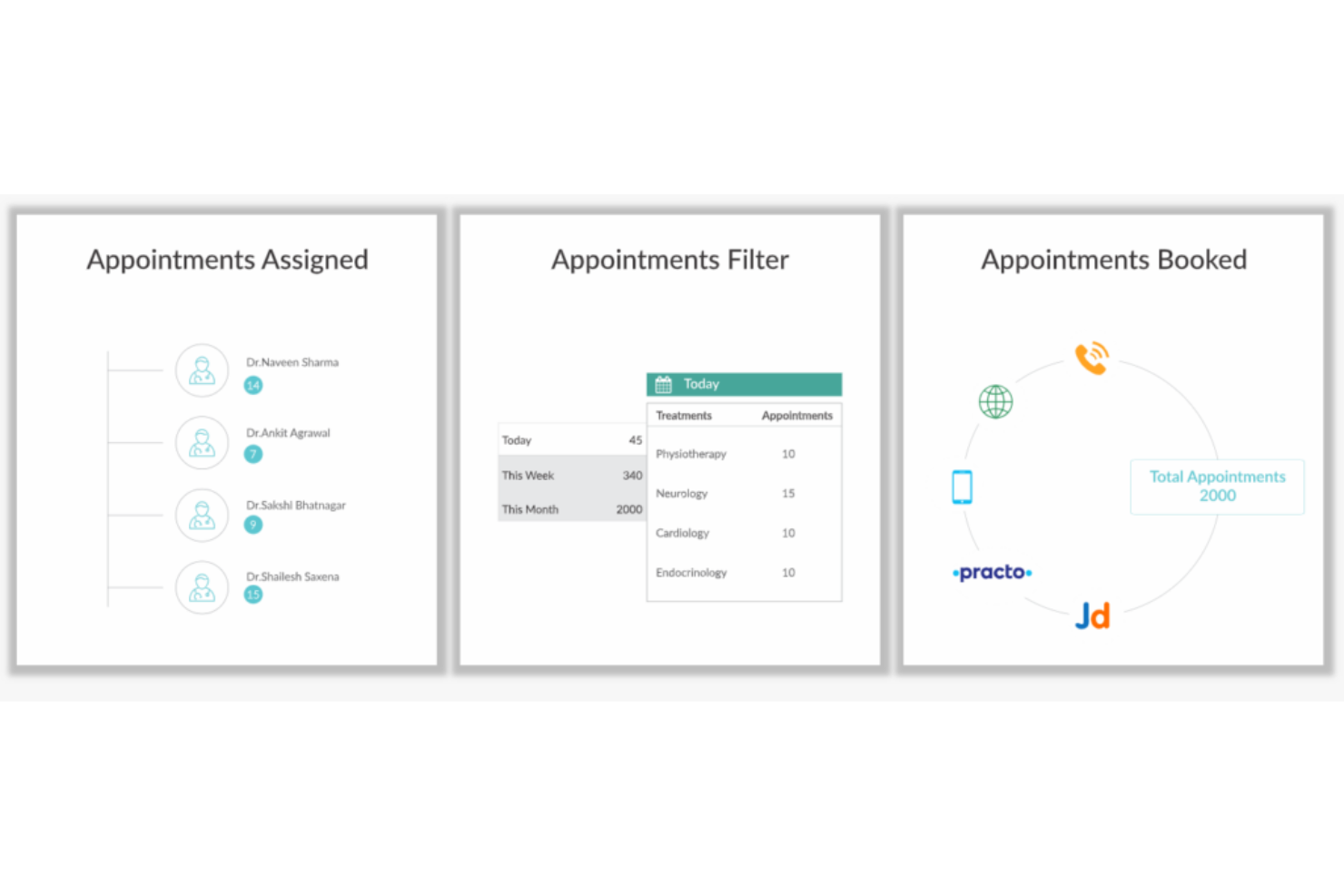
Diseñado para proporcionar una atención robusta en diversas plataformas sin exponer los datos de los pacientes, Kapture CRM puede apoyar tanto a pacientes como a médicos con acceso centralizado a todas las actividades: desde agendar citas hasta informes sobre el uso de recetas y el historial de tratamientos.
Por qué elegí Kapture CRM: Una característica única de esta plataforma es la asignación automática de citas para los médicos. En lugar de permitir que las solicitudes de cita saturen las bandejas de entrada de administradores y asistentes, Kapture CRM realiza el trabajo por ti, leyendo cada solicitud y asignándola al médico adecuado.
Características destacadas e integraciones de Kapture CRM
Características destacadas incluyen notificaciones móviles tanto para médicos como para pacientes, almacenamiento de datos en la nube para el historial de pacientes y un sistema de retroalimentación multicanal para evaluar las necesidades de los pacientes.
Las integraciones incluyen Freshbooks, Google Analytics, Google Calendar, Grow, Meta for Business, Plivo, SAP Customer Experience, Shopify, Twilio y WordPress.
Pros and Cons
Pros:
- Interfaz muy fácil de usar
- Navegación y panel simples
- Equipo de atención al cliente excepcional
Cons:
- El tiempo de carga puede ser lento
- La herramienta no es compatible con iOS

Ideal para predecir el riesgo y mejorar los resultados de los pacientes
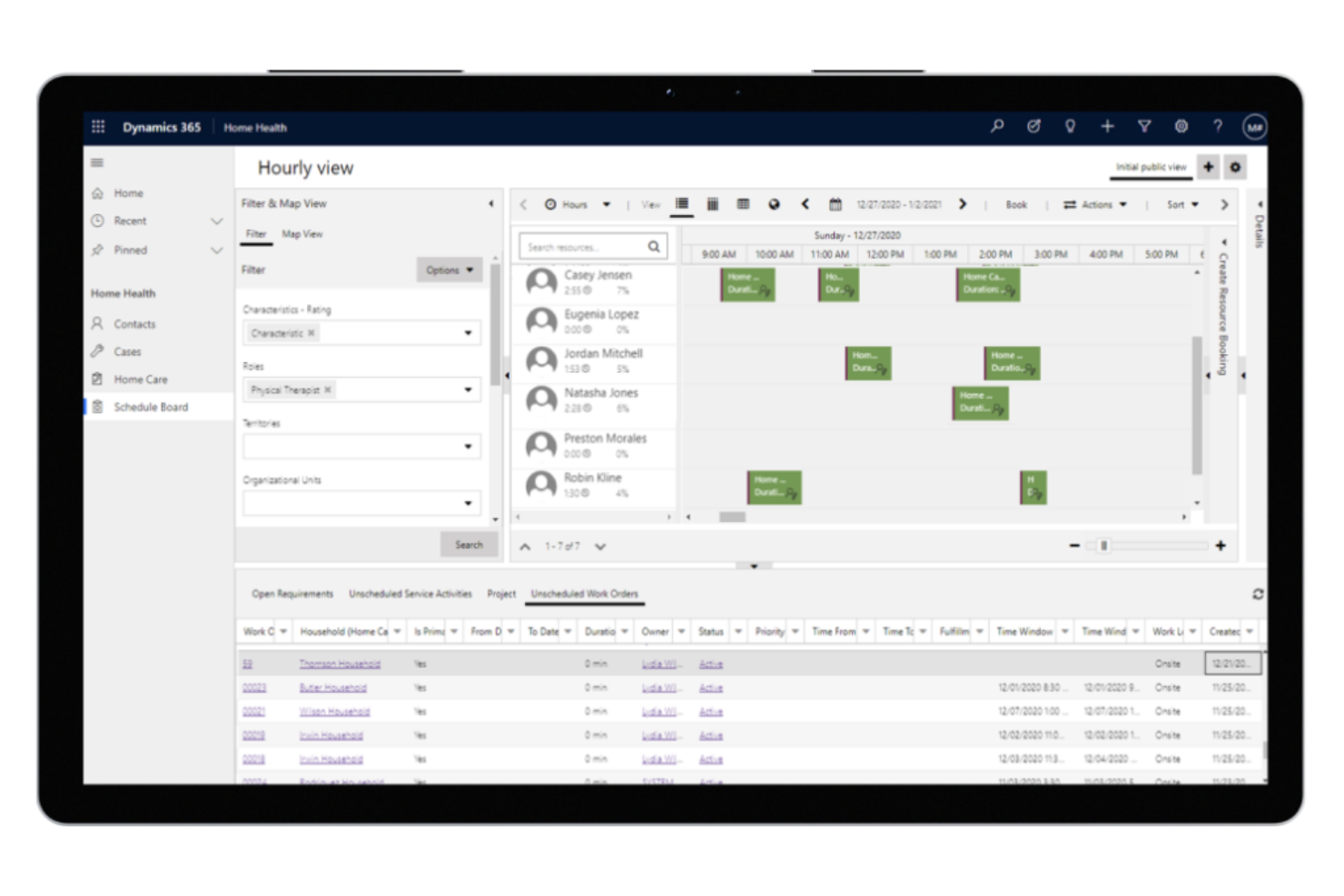
Como un CRM para el sector salud que prioriza experiencias de atención mejoradas a lo largo de todo el recorrido del paciente, Microsoft Dynamics 365 Healthcare se centra en conectar personas, procesos y datos para asegurar perfiles de pacientes más unificados y una mejor coordinación de la atención. Ofrece soluciones para pagadores, proveedores y ciencias de la vida.
Por qué elegí Microsoft Dynamics 365 Healthcare: Esta plataforma destaca porque busca integrar información previa a la visita, posterior a la visita y del plan de atención para los proveedores, a fin de mejorar las experiencias clínicas y los conocimientos operativos a través del análisis de datos. Hace lo mismo para los pagadores mediante el compromiso con los miembros, la gestión de casos y de atención, y la captación de miembros.
Características destacadas e integraciones de Microsoft Dynamics 365 Healthcare
Las características destacadas incluyen campañas de marketing basadas en el acompañamiento para la captación de nuevos pacientes y programación habilitada con IA para brindar atención médica en el hogar que reduce la carga en las instalaciones.
Las integraciones incluyen Adobe Acrobat Sign, ADP Workforce Now, DocuSign, Emburse Certify Expense, LinkedIn for Business, Microsoft Teams, PandaDoc, Salesforce Sales Cloud, signNow y Zoho Expense.
Pros and Cons
Pros:
- Proporciona acceso a toda la suite de Microsoft
- Innovación constante que resulta en nuevas funciones
- Equipo de soporte al cliente accesible
Cons:
- Caro para organizaciones pequeñas
- Cantidad abrumadora de funciones y herramientas

Mejor para ofrecer experiencias centradas en el paciente
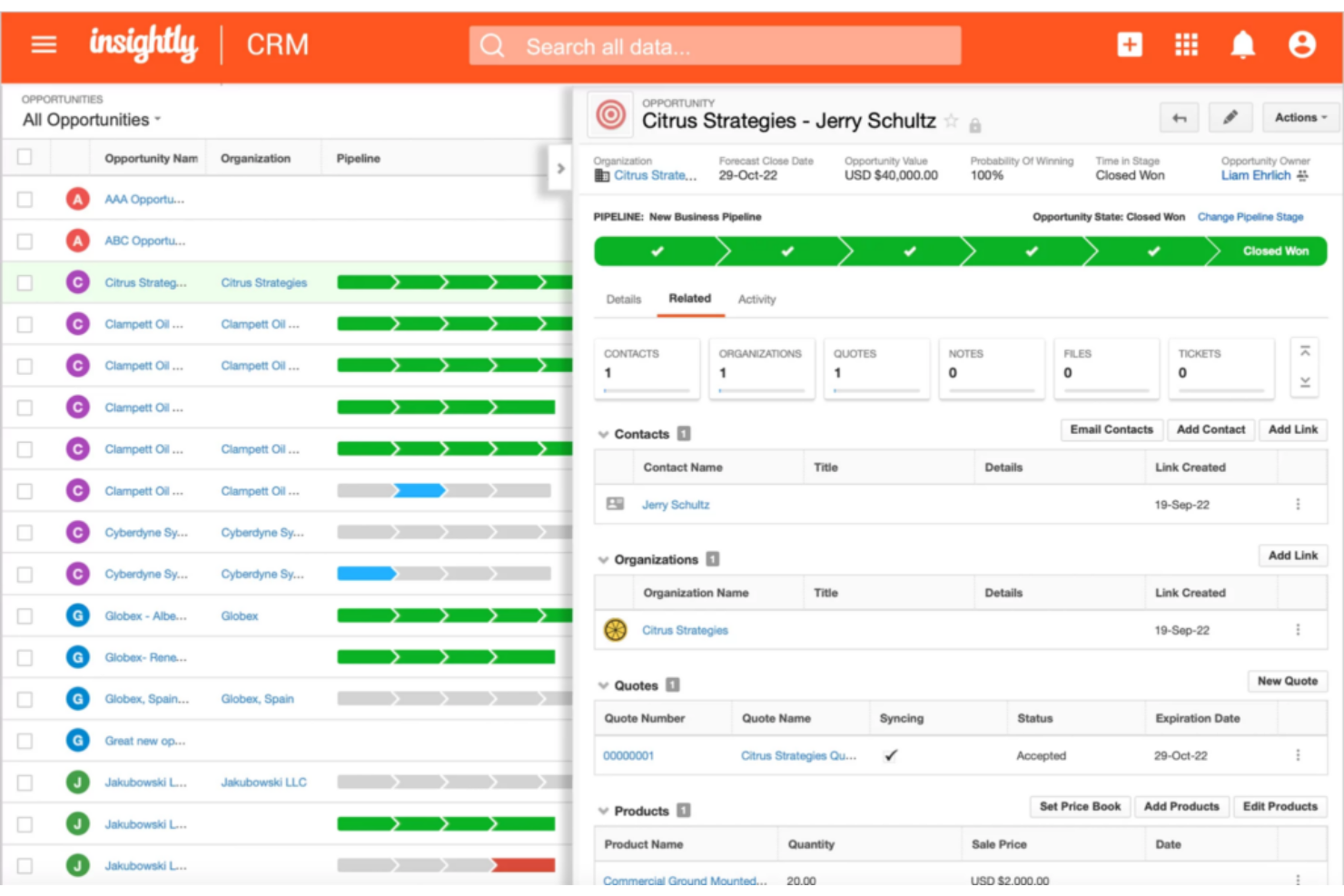
Diseñado para consultorios médicos que realmente necesitan reenfocarse en la gestión de relaciones con los pacientes, Insightly Health & Wellness CRM está ideado para construir relaciones con los pacientes mientras acelera el crecimiento y rastrea métricas clave. Te ayuda a poner a los pacientes en primer plano con un enlace flexible de registros para asegurar una mejor comprensión de las relaciones organizacionales complejas.
Por qué elegí Insightly Health & Wellness CRM: Algo que destaca de esta plataforma de compromiso con el paciente es su enfoque en un rápido retorno de valor. Insightly ha sido diseñado para ser fácil de adoptar, muy flexible y fácilmente integrable, para que tu organización pueda implementarlo de inmediato.
Características destacadas e integraciones de Insightly
Características destacadas incluyen una aplicación de tickets con un portal conveniente para pacientes y seguimiento de métricas con visualizaciones de datos fáciles de entender.
Las integraciones incluyen ADP Workforce Now, Asana, BambooHR, Calendly, DocuSign, Drift, Gong, Jira, Magento, Microsoft Power BI, NetSuite y Okta. Insightly ofrece integraciones con más de 2,000 aplicaciones, incluido software de salud popular.
Pros and Cons
Pros:
- Interfaz muy intuitiva
- Implementación y capacitación rápidas
- Fácil de aprender la mayoría de las funciones
Cons:
- Opciones de personalización limitadas
- No tiene una función nativa para creación de formularios
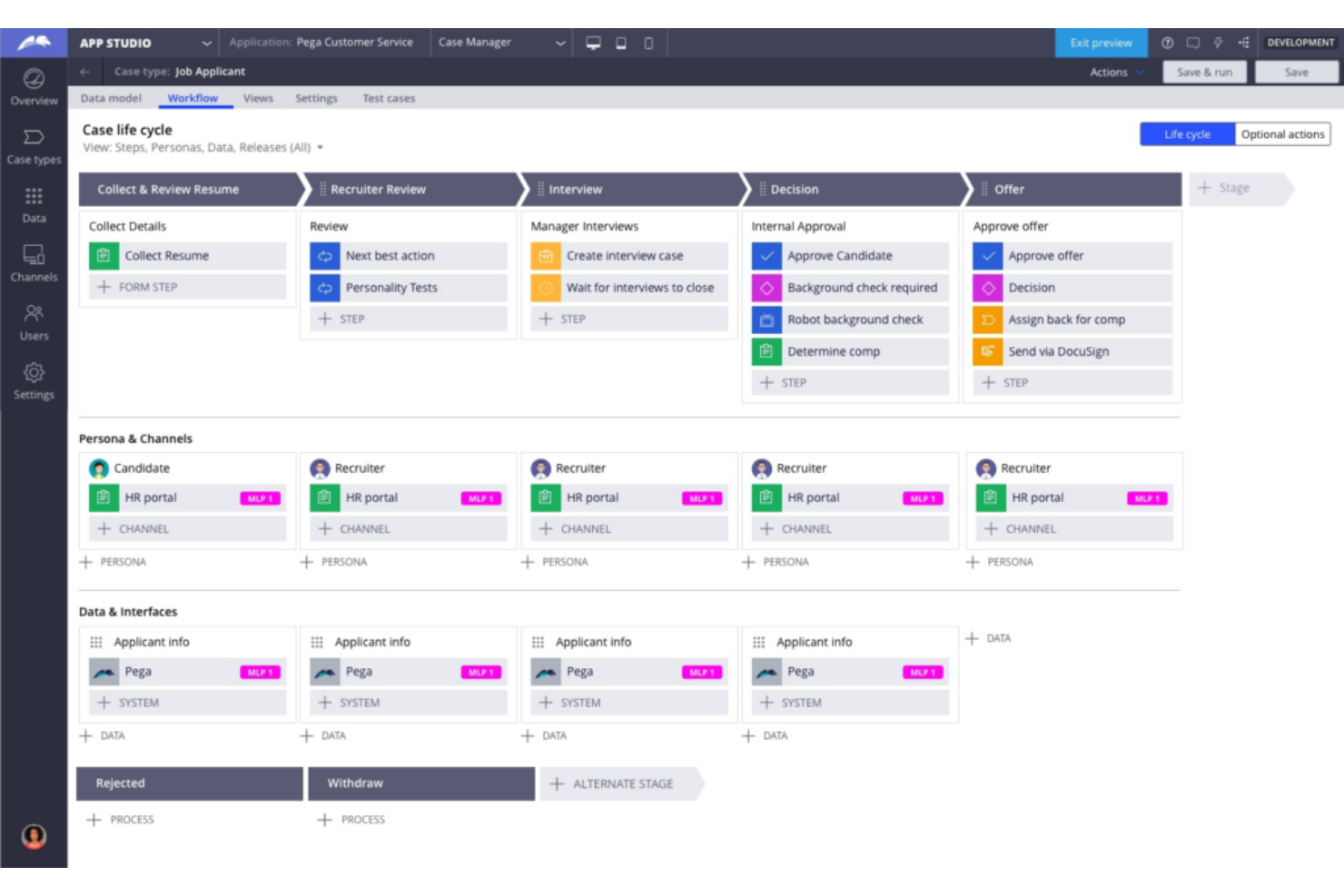
La solución de gestión de relaciones con clientes de Pegasystems para el sector salud busca integrar y coordinar a todas las personas, sistemas y datos involucrados en el proceso de gestión sanitaria. Esta plataforma prioriza la automatización de tareas, incluyendo la asignación, la puesta en cola, la escalada y la priorización para reducir errores manuales y optimizar los flujos de trabajo.
Por qué elegí Pega Healthcare CRM: La razón por la que esta herramienta fue incluida en mi lista es por su gestión automatizada para el sector salud desde la plataforma Build for Change. Este marco está preconstruido específicamente para las necesidades sanitarias, con flujos de trabajo, modelos de datos e interfaces diseñados para el sector salud.
Funciones destacadas e integraciones de Pega Healthcare CRM
Funciones destacadas incluyen automatizaciones para la administración de programas de Medicare y Medicaid, así como el procesamiento de apelaciones y reclamaciones.
Integraciones incluyen Abbyy, Avaya, Box, Cisco, DocuSign, Microsoft Outlook, qTest, React, Salesforce Sales Cloud y Squirro.
Pros and Cons
Pros:
- Academia de formación para soporte de incorporación
- Plataforma de bajo código con mayor personalización
- Muchas opciones de integración
Cons:
- Fuerte enfoque en BPM en lugar de CRM
- Costos elevados para pequeñas empresas
Ideal para integrarse con todas tus fuentes de datos esenciales
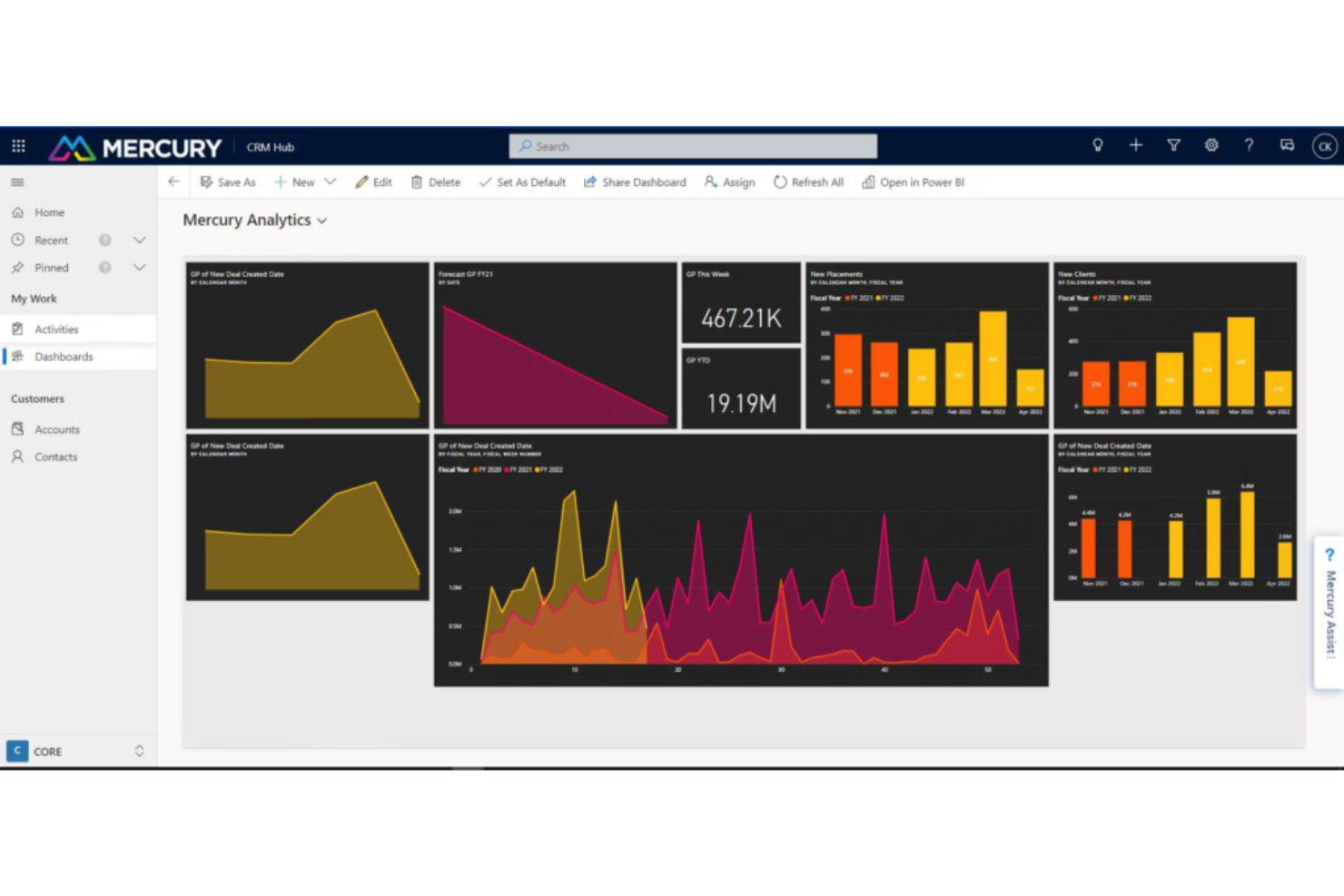
Esta solución de CRM para el sector salud está diseñada para aprovechar las ventajas de LinkedIn, Microsoft Power Platform y otras aplicaciones para hacer crecer tu organización. Aloja tus datos en un solo lugar, sincronizándolos regularmente con otras aplicaciones para garantizar que tu información esté siempre actualizada.
Por qué elegí Mercury Healthcare CRM: Lo que hace tan valiosa a esta herramienta es su capacidad para integrarse con cientos de fuentes EMR, asegurando que dispongas de los datos necesarios para tomar mejores decisiones. Además de la información conductual de los pacientes a través de la funcionalidad CRM, también obtendrás datos clínicos, datos de proveedores, información del ciclo de ingresos y datos operativos.
Características destacadas e integraciones de Mercury Healthcare CRM
Las características destacadas incluyen perfiles de 360 grados que ayudan a los agentes de centros de contacto a obtener una visión integral de los pacientes y modelos predictivos que te ayudan a crear campañas de marketing dirigidas.
Las integraciones incluyen HubSpot, LinkedIn Sales Navigator, Marketo, Microsoft Bookings, Microsoft Excel, Microsoft Power Platform, Oracle Eloqua, Salesforce y Zoho CRM.
Pros and Cons
Pros:
- Planes personalizados para necesidades específicas
- Muy transparente para mostrar el ROI
- Excelente soporte al cliente
Cons:
- Requiere algo de capacitación para aprender
- Imposible aprender a usar todas las funciones
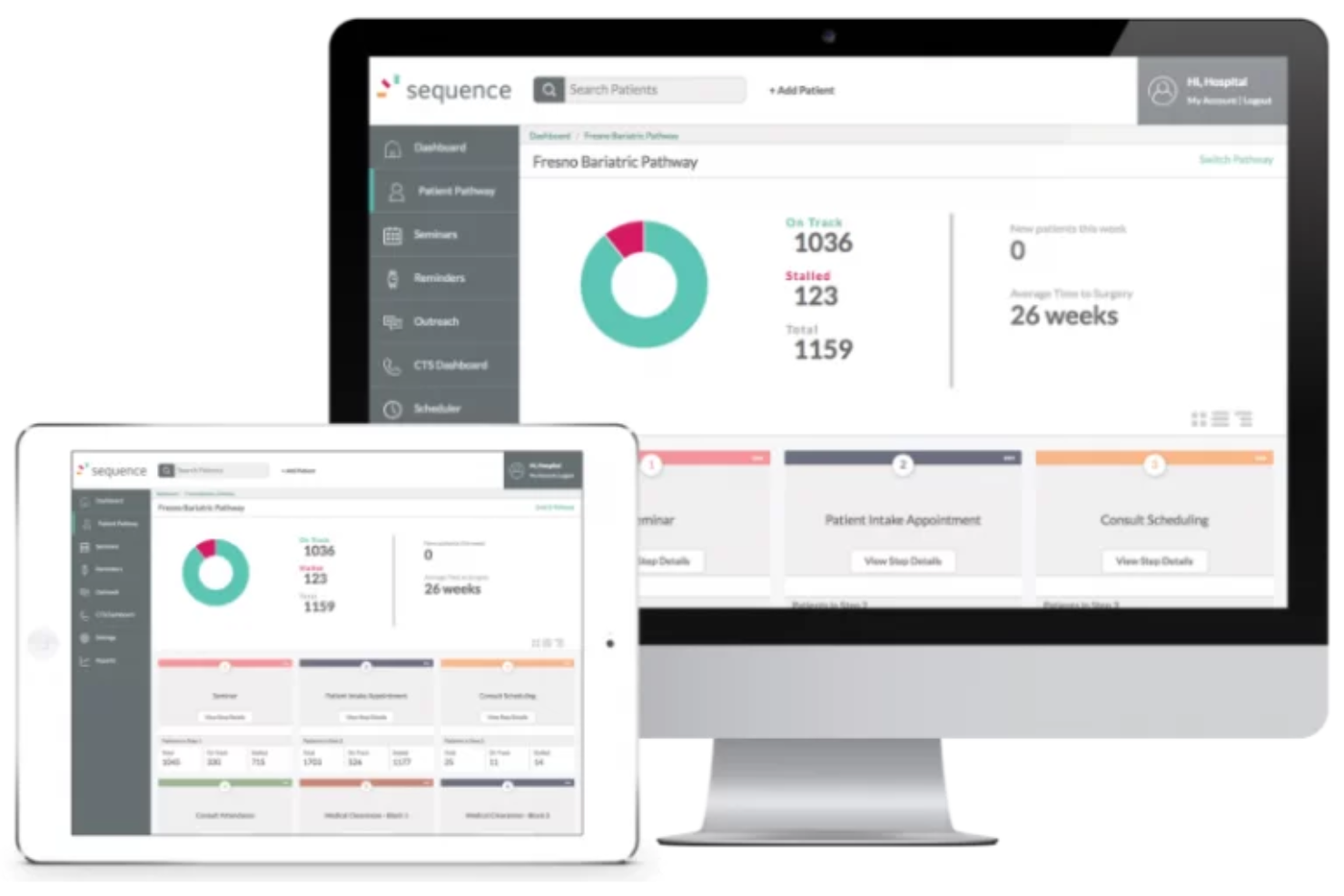
Este CRM de atención médica ofrece soluciones de compromiso con el paciente para garantizar una atención dirigida y centrada en el paciente, con características que respaldan necesidades específicas mediante soluciones únicas para telemedicina, bariátrica, atención primaria, cirugía general, salud de la mujer, cardiología, oncología, ensayos de la FDA, dispositivos médicos, trasplantes de órganos, cuidado de la visión, salud conductual y neurología.
Por qué elegí Sequence Health: Una de las herramientas que hicieron que esta plataforma entrara en mi lista fue la funcionalidad de telemedicina con audio y video compatible con HIPAA a la que sus pacientes pueden acceder con un solo clic. Los pacientes nuevos o actuales pueden solicitar una cita de telemedicina en cualquier momento, lo que desencadena una programación automática tanto para los pacientes como para el personal administrativo.
Características y Integraciones Destacadas de Sequence Health
Características destacadas incluyen integraciones con su EMR y con su sitio web, además de software de seguimiento de pacientes con intercambio de datos en tiempo real compatible con HIPAA.
Las integraciones no se listan en este momento.
Pros and Cons
Pros:
- Soluciones dirigidas para varias necesidades de atención médica
- Capacitación y soporte en línea
- Enfoque en la seguridad de los datos del paciente
Cons:
- Precio elevado en comparación con la competencia
- No hay prueba gratuita
Ideal para optimizar operaciones de laboratorio para el crecimiento y la retención de clientes

Este sistema de gestión de laboratorios para profesionales médicos busca capacitar a su personal de laboratorio para colaborar de manera más eficiente, descubrir conocimientos significativos y mejorar las relaciones con los clientes a través de un software totalmente configurable que prioriza las integraciones de datos. HC1 es una solución específica para laboratorios que cumple con HIPAA y está certificada por HITRUST.
Por qué elegí HC1: Esta plataforma está en mi lista de mejores soluciones de software CRM porque proporciona una vista de página única con datos en tiempo real que muestra cómo los clientes interactúan con su laboratorio. Puede ver cada métrica esencial para analizar tendencias de volumen por cuenta para descubrir qué proveedores necesitan atención adicional y qué pruebas están ganando popularidad.
Características destacadas e integraciones del CRM de HC1 Healthcare
Características destacadas incluyen paneles intuitivos que identifican tendencias clave y áreas de mejora, y alertas automáticas para equipos y usuarios específicos que provocan una acción inmediata.
Las integraciones incluyen Amazon Web Services, Beckman Coulter, CliniSys y Quest Diagnostics. También se integra con otras plataformas EMR, sistemas de información de laboratorio y software de facturación sanitaria.
Pros and Cons
Pros:
- Sistema basado en web para facilitar el acceso
- Aplicación iOS para trabajar de forma remota
- Excelente equipo de soporte al cliente
Cons:
- Empresa relativamente nueva con experiencia limitada
- Sin prueba gratuita
Otros programas CRM para el sector sanitario
Estas son algunas opciones adicionales de programas CRM para el sector sanitario que no llegaron a mi lista de preseleccionados, pero que aún merece la pena consultar:
- Creatio CRM
Ideal para la automatización de flujos de trabajo empresariales sin código
- PlanPlus Online
La mejor opción para necesidades de planificación de pacientes con énfasis en la programación de citas y la integración de calendarios
- VerioMed
El mejor para soluciones de laboratorio que abordan las necesidades de gestión de inventario y cadena de suministro


Cómo Evalúo el Software CRM para el Sector Salud
Evalúo las herramientas en dos niveles: los imprescindibles, como el manejo de datos conforme a HIPAA, registros de pacientes e integración con EHR, y los diferenciadores, como la profundidad del canal de referidos y los informes de atribución.
Funcionalidad Central (Requisitos Fundamentales para Esta Lista)
Cuando selecciono herramientas para mi lista, califico cada una en una escala de 0 (no ofrece la funcionalidad) a 5 (sobresale en esta área) para cada funcionalidad central mencionada a continuación. Después, calculo la puntuación total de la herramienta como un porcentaje. Cada herramienta debe alcanzar una puntuación total mínima del 55% para ser considerada para su inclusión.
- Manejo de Datos Conforme a HIPAA: Reviso la existencia de BAAs firmados, estándares de cifrado, controles de acceso por roles y registros de auditoría que demuestren que la PHI está protegida en todo el flujo de trabajo.
- Gestión de la Relación con el Paciente: Los perfiles unificados de pacientes son importantes aquí—busco campos específicos de la asistencia sanitaria, como la etapa en el recorrido asistencial, fuente de referencia y preferencias de comunicación.
- Seguimiento de Referidos y Proveedores: Evalúo cómo cada herramienta recoge, dirige e informa sobre referidos de médicos y socios para que los equipos de RevOps puedan detectar fugas en el canal de manera temprana.
- Compromiso Multicanal con Pacientes: El alcance automatizado por correo electrónico, SMS y voz es fundamental—analizo la profundidad de la segmentación y las capacidades de campañas basadas en desencadenantes.
- Integración con EHR/EMR: Busco sincronización en tiempo real con sistemas como Epic, Cerner o Athenahealth, incluyendo si la integración es nativa, vía API o por archivo plano.
- Analítica de Ingresos y Atribución: Evalúo si la plataforma conecta campañas y fuentes de referidos a ingresos reales de pacientes con atribución multitáctil y paneles de ROI.
Una vez que tengo una lista de herramientas que cumplen con estos criterios, considero qué diferencia a cada plataforma.
Factores Diferenciadores (Qué Distingue a los Proveedores)
Así es como comparo y contrasto diferentes proveedores:
Características Destacadas
Busco análisis impulsados por IA de pacientes que muestren riesgo de abandono y puntuaciones del valor de vida del paciente, brindando a los equipos de RevOps una forma clara de priorizar el gasto en alcance. La segmentación por línea de servicio es otro diferenciador: las herramientas que permiten construir campañas específicas para cardiología frente a salud conductual hacen que los informes de atribución sean mucho más accionables. También evalúo características de enlace con proveedores, como el registro móvil de visitas y la gestión de territorios para los equipos de campo que mantienen relaciones de referidos.
Más Allá de las Características
El ecosistema de integraciones es muy importante aquí: compruebo si las herramientas soportan los estándares HL7 y FHIR junto con sus conectores EHR, ya que eso determina qué tan bien fluye la información hacia las plataformas de facturación y RCM. Los plazos de implementación también varían mucho. Un sistema de salud con varias ubicaciones y una integración con Epic puede tardar meses en estar operativo, por lo que busco proveedores con equipos de implementación especializados en el sector salud. La transparencia en los precios completa mi evaluación: quiero ver modelos claros por usuario o por ubicación que los líderes de RevOps puedan vincular a los objetivos de costo de adquisición de pacientes.
Cómo elegir un programa CRM para el sector sanitario
Es fácil perderse entre largas listas de funciones y complejas estructuras de precios. Para ayudarte a mantener la atención mientras avanzas en tu proceso único de selección de software, aquí tienes una lista de factores que debes tener en cuenta:
| Factor | Qué debes considerar |
|---|---|
| Escalabilidad | ¿Puede el programa crecer junto con tu consulta? Considera el número de usuarios y el volumen de datos que admite. Evita las herramientas que puedan limitar tu expansión. |
| Integraciones | ¿Se conecta con sistemas existentes, como el historial clínico electrónico o el programa de facturación? Verifica la compatibilidad para evitar interrupciones en los flujos de trabajo. |
| Capacidad de personalización | ¿Puedes adaptar el CRM a tus necesidades específicas? Busca campos y flujos de trabajo flexibles que se ajusten a tus procesos. |
| Facilidad de uso | ¿La interfaz es intuitiva para tu equipo? Solicita opiniones sobre la experiencia de usuario para garantizar una adopción rápida y sin frustraciones. |
| Implementación e incorporación | ¿Cuánto tiempo tardarás en comenzar? Evalúa los recursos de formación y la asistencia disponibles para garantizar una transición fluida. |
| Coste | ¿Los precios se ajustan a tu presupuesto? Examina las tarifas ocultas y los costes a largo plazo para evitar sorpresas. |
| Medidas de seguridad | ¿Cómo protege el CRM los datos de los pacientes? Asegúrate de que cumple normas del sector como HIPAA para mantener el cumplimiento y la confianza. |
| Disponibilidad de asistencia | ¿Qué opciones de asistencia hay disponibles? Comprueba si ofrece acceso las 24 horas, los 7 días de la semana, o gestores de cuentas dedicados para resolver los problemas rápidamente. |
¿Qué es un programa CRM para el sector sanitario?
Un programa CRM para el sector sanitario es una herramienta especializada que los proveedores de atención sanitaria utilizan para gestionar y mejorar las interacciones con los pacientes. Integra en una sola plataforma funciones como la gestión de la información de los pacientes, la programación de citas, las herramientas de comunicación y las estrategias de participación de los pacientes.
Este programa adapta las funciones tradicionales de los CRM para satisfacer las necesidades específicas del sector sanitario, centrándose en la gestión de las relaciones con los pacientes y la coordinación de los servicios sanitarios.
Funciones
Al seleccionar un programa CRM para el sector sanitario, presta atención a las siguientes funciones clave:
- Gestión de datos de pacientes: Organiza y almacena la información de los pacientes de forma segura, haciéndola fácilmente accesible para los proveedores de atención médica.
- Programación de citas: Permite reservar y gestionar eficazmente las citas de los pacientes, reduciendo las ausencias y optimizando el tiempo.
- Comunicación automatizada: Envía recordatorios y actualizaciones a los pacientes automáticamente, mejorando la participación y reduciendo el trabajo manual.
- Informes y análisis: Genera información útil a partir de los datos de los pacientes para ayudar a los proveedores a tomar decisiones fundamentadas y mejorar la calidad de la atención.
- Capacidades de integración: Se conecta con sistemas existentes, como el EHR y el software de facturación, para mantener flujos de trabajo fluidos.
- Flujos de trabajo personalizables: Se adapta a las necesidades específicas de la consulta, permitiendo procesos personalizados y una mayor eficiencia.
- Integración de telesalud: Admite consultas virtuales e interacciones remotas con los pacientes, ampliando el acceso a la atención médica.
- Herramientas de cumplimiento de HIPAA: Garantiza la seguridad de los datos de los pacientes y cumple las normativas del sector para mantener la confianza y el cumplimiento.
- Compatibilidad con varios idiomas: Ofrece comunicación en varios idiomas para atender a poblaciones de pacientes diversas.
- Portales para pacientes: Proporciona a los pacientes acceso a su propia información, mejorando la transparencia y la participación.
Beneficios
La implementación de un software CRM para atención médica ofrece varios beneficios para tu equipo y tu negocio. Estos son algunos de los que puedes esperar:
- Mayor participación de los pacientes: La comunicación automatizada y los portales para pacientes mantienen a los pacientes informados y comprometidos con su atención.
- Mayor eficiencia operativa: La programación de citas y los flujos de trabajo personalizables ayudan a reducir las cargas administrativas y ahorrar tiempo.
- Mejor gestión de datos: La gestión de datos de pacientes garantiza que toda la información esté organizada y sea fácilmente accesible, lo que facilita la toma de decisiones.
- Mayor cumplimiento: Las herramientas de cumplimiento de HIPAA ayudan a mantener la seguridad de los datos y cumplir las normas regulatorias.
- Mayor acceso a la atención: La integración de telesalud permite realizar consultas remotas, ampliando el acceso de los pacientes a la atención médica.
- Toma de decisiones fundamentada: Los informes y análisis proporcionan información útil para orientar mejores estrategias y resultados en la atención médica.
- Inclusión cultural: La compatibilidad con varios idiomas garantiza una comunicación eficaz con poblaciones de pacientes diversas.
Costes & precios
Para seleccionar un software CRM para atención médica es necesario comprender los distintos modelos de precios y planes disponibles. Los costes varían según las funciones, el tamaño del equipo, los complementos y otros factores. La tabla siguiente resume los planes habituales, sus precios medios y las funciones que suelen incluir las soluciones de software CRM para atención médica:
Tabla comparativa de planes de software CRM para atención médica
| Tipo de plan | Precio medio | Funciones habituales |
|---|---|---|
| Plan gratuito | $0 | Gestión básica de datos de pacientes, programación de citas e informes limitados. |
| Plan personal | $15-$30/usuario/mes | Herramientas de comunicación mejoradas, portales para pacientes y análisis básicos. |
| Plan empresarial | $50-$75/usuario/mes | Integración avanzada de datos, flujos de trabajo personalizables y comunicación automatizada. |
| Plan empresarial avanzado | $100-$200/usuario/mes | Personalización completa, integración de telesalud y análisis exhaustivos. |
Preguntas frecuentes sobre el software CRM para el sector sanitario
Estas son algunas respuestas a preguntas frecuentes sobre el software CRM para el sector sanitario:
¿Cuál es la diferencia entre un CRM sanitario y un EHR?
CRM significa gestión de relaciones con los clientes, y EHR hace referencia a los historiales médicos electrónicos. Aunque ambos almacenan y gestionan datos, proporcionan herramientas de comunicación y colaboración, y generan informes a partir de análisis, los CRM se centran en mejorar las relaciones con los pacientes, mientras que los EHR están diseñados para documentar y proporcionar atención.
Otra diferencia importante entre ambos es el origen de su información. Los CRM obtienen datos de los formularios de los pacientes, pero también utilizan las redes sociales, los sitios web y las encuestas para recopilar más datos. Los EHR obtienen principalmente datos de laboratorios, farmacias y dispositivos médicos. Además, los CRM se ocupan sobre todo de los datos y las tendencias de comportamiento, mientras que los EHR tratan exclusivamente sobre tratamientos, diagnósticos, medicamentos e historial médico.
¿Es seguro el software CRM para el sector sanitario?
Sí, el software CRM para el sector sanitario está diseñado teniendo en cuenta la seguridad e incluye a menudo funciones como el cifrado de datos y los controles de acceso. Es esencial elegir una solución que cumpla con los estándares del sector, como HIPAA, para proteger la información de los pacientes. Revisa siempre las medidas de seguridad que ofrece un CRM para asegurarte de que satisfacen las necesidades de tu consulta.
¿Cuánto tiempo se tarda en implementar el software CRM para el sector sanitario?
El tiempo de implementación varía, pero normalmente oscila entre unas semanas y unos meses. Factores como el tamaño de tu organización, la complejidad de tus sistemas actuales y el nivel de personalización necesario pueden afectar al plazo. La planificación y la comunicación con el proveedor pueden ayudar a acelerar el proceso y garantizar una implementación exitosa.
¿Cómo se puede probar la facilidad de uso antes del lanzamiento?
Realiza un piloto con usuarios y flujos de trabajo reales. Comprueba con qué facilidad el personal gestiona los datos de los pacientes, los seguimientos y las actividades de contacto mediante el CRM.
¿Qué viene después?
Si estás investigando software CRM para el sector sanitario, conecta con un asesor de SoftwareSelect para recibir recomendaciones gratuitas.
Rellenas un formulario y mantienes una breve conversación en la que se concretan los detalles de tus necesidades. Después, recibirás una lista de opciones de software para revisar. También te ayudarán durante todo el proceso de compra, incluidas las negociaciones de precios.