


FluentStream Testbericht: Vorteile, Nachteile, Funktionen und Preise


FluentStream is a sales call tracking software built for sales teams that need call recording, routing, and analytics inside a single phone system. I'd consider it over a tool like Aircall if your team wants both the telephony infrastructure and the call tracking layer in one platform—rather than pairing a standalone tracker with a separate VoIP provider. It's a practical fit when your goal is tighter control over call flows without managing multiple vendors.
FluentStream Evaluation Summary
- From $5/month
- Free demo available
Warum Sie unseren Software-Empfehlungen vertrauen können
Unsere Bewertungen spiegeln unser unabhängiges Urteilsvermögen wider – keine Verkaufsstrategie. Erfahren Sie, wie wir transparent bleiben.
Für diesen Leitfaden haben wir Tools mithilfe von praktischen Tests und unabhängiger Recherche bewertet und dabei unsere Bewertungskriterien angewendet.
Unsere Bewertungen spiegeln unser menschliches redaktionelles Urteilsvermögen wider, keine Verkaufsstrategie.
FluentStream Overview
In my opinion, FluentStream is a solid choice for small to medium-sized businesses looking for reliable call tracking. It offers a user-friendly interface and good support, though its pricing may not suit everyone. It excels in providing clear call quality and flexible functionality but falls short on integrations compared to some competitors. If your team prioritizes ease of use and effective customer support, FluentStream could be a wise choice, especially for remote work environments.
pros
-
It offers a user-friendly interface that your team can navigate easily.
-
The call quality is consistently clear, enhancing your communications.
-
Customer support is responsive and helpful when you need assistance.
cons
-
It lacks advanced integration options for some specialized tools.
-
Onboarding can be a bit challenging for new users.
-
The feature set might not be as extensive as some competitors.
-

Prisync
Visit WebsiteThis rating combines scores from multiple user review sites to reflect overall customer sentiment about the product.4.7 -
Expedite Commerce
Visit Website -
QuickBooks Online
Visit WebsiteThis rating combines scores from multiple user review sites to reflect overall customer sentiment about the product.4





Wie wir Tools testen & bewerten
Wir haben Jahre damit verbracht, unser System zur Softwarebewertung und -prüfung aufzubauen, zu verfeinern und kontinuierlich zu verbessern. Der Bewertungsmaßstab ist darauf ausgelegt, die Feinheiten der Software-Auswahl und die Effektivität eines Tools abzubilden, wobei der Fokus auf entscheidende Aspekte des Auswahlprozesses gelegt wird. Nachfolgend können Sie genau sehen, wie unser Test- und Bewertungssystem anhand von sieben Kriterien funktioniert. Dadurch sind wir in der Lage, eine objektive Einschätzung der Software auf Basis von Kernfunktionalität, besonderen Merkmalen, Benutzerfreundlichkeit, Onboarding, Kundensupport, Integrationen, Kundenbewertungen und Preis-Leistungs-Verhältnis zu geben.
Kernfunktionalität (25% der Gesamtnote)
Unser Bewertungsprozess beginnt immer mit der Kernfunktionalität eines Tools. Verfügt es über die grundlegenden Funktionen und Merkmale, die ein Nutzer erwarten würde? Sind einige dieser Kernfunktionen nur in teureren Tarifen verfügbar? Grundsätzlich erwarten wir, dass ein Tool mit den Grundfunktionen seiner Wettbewerber mithalten kann.
Besondere Merkmale (25% der Gesamtnote)
Im nächsten Schritt bewerten wir außergewöhnliche Zusatzfunktionen, die über den üblichen Funktionsumfang hinausgehen. Eine hohe Bewertung spiegelt spezialisierte oder einzigartige Eigenschaften wider, welche das Produkt schneller, effizienter oder für den Nutzer wertvoller machen. Wir bewerten außerdem, wie einfach sich andere typische Tools zur Erweiterung der Funktionalität und des Nutzens integrieren lassen. Lösungen mit zahlreichen nativen Integrationen, Drittanbieter-Anbindungen und API-Zugängen für eigene Anpassungen schneiden am besten ab.
Benutzerfreundlichkeit (10% der Gesamtnote)
Wir berücksichtigen, wie schnell und einfach sich Aufgaben mit der Kernfunktionalität durch das Tool erledigen lassen. Hoch bewertete Software ist gut gestaltet, intuitiv bedienbar, bietet mobile Apps, Vorlagen und gestaltet sogar komplexe Aufgaben einfach.
Onboarding (10% der Gesamtnote)
Uns ist wichtig, wie schnell Teams eine neue Plattform übernehmen, daher bewerten wir, wie leicht ein Tool ohne umfangreiche Schulungen erlernbar und nutzbar ist. Wir betrachten, wie schnell Teammitglieder ohne Vorerfahrung loslegen können. Hoch bewertete Lösungen zeichnen sich dadurch aus, dass nur wenig oder keine Unterstützung notwendig ist.
Kundensupport (10% der Gesamtnote)
Wir prüfen, wie schnell und einfach es ist, Unterstützung per Telefon, Live-Chat oder Wissensdatenbank zu erhalten. Anbieter, die Echtzeit-Support bieten, erzielen die besten Noten, während Chatbots am schlechtesten abschneiden.
Kundenbewertungen (10% der Gesamtnote)
Zusätzlich zu unseren eigenen Tests berücksichtigen wir den Net Promoter Score von aktuellen und früheren Kunden. Wir prüfen, ob Nutzer das Tool für die Kernfunktionalitäten erneut wählen würden. Eine hohe Softwarebewertung spiegelt einen hohen Weiterempfehlungswert aktueller oder früherer Kunden wider.
Preis-Leistungs-Verhältnis (10% der Gesamtnote)
Abschließend bewerten wir unter Berücksichtigung aller Kriterien den durchschnittlichen Preis für Einstiegs-Tarife im Verhältnis zu den Kernfunktionen und dem Wert der übrigen Kriterien. Software, die mehr Leistung für weniger Geld bietet, erzielt eine höhere Bewertung.
Core Features
Call Management
FluentStream lets you manage calls with ease, providing tools for call routing, forwarding, and queuing. You can assign a phone number to different departments to handle calls efficiently.
Voicemail Transcription
This feature converts voicemails into text, allowing you to read messages at your convenience. It saves time and ensures you don't miss important details.
Call Recording
Record calls for quality assurance and training purposes. You can revisit conversations to ensure accuracy and improve your team's performance.
Customizable Call Flows
Design call flows that suit your business needs, directing calls to the right team members. This customization enhances caller experience and operational efficiency.
Call Logs and Usage Reporting
Access call data and metrics to track performance and identify trends. Use this information to make informed decisions and optimize your team's productivity.
Multi-Device Support
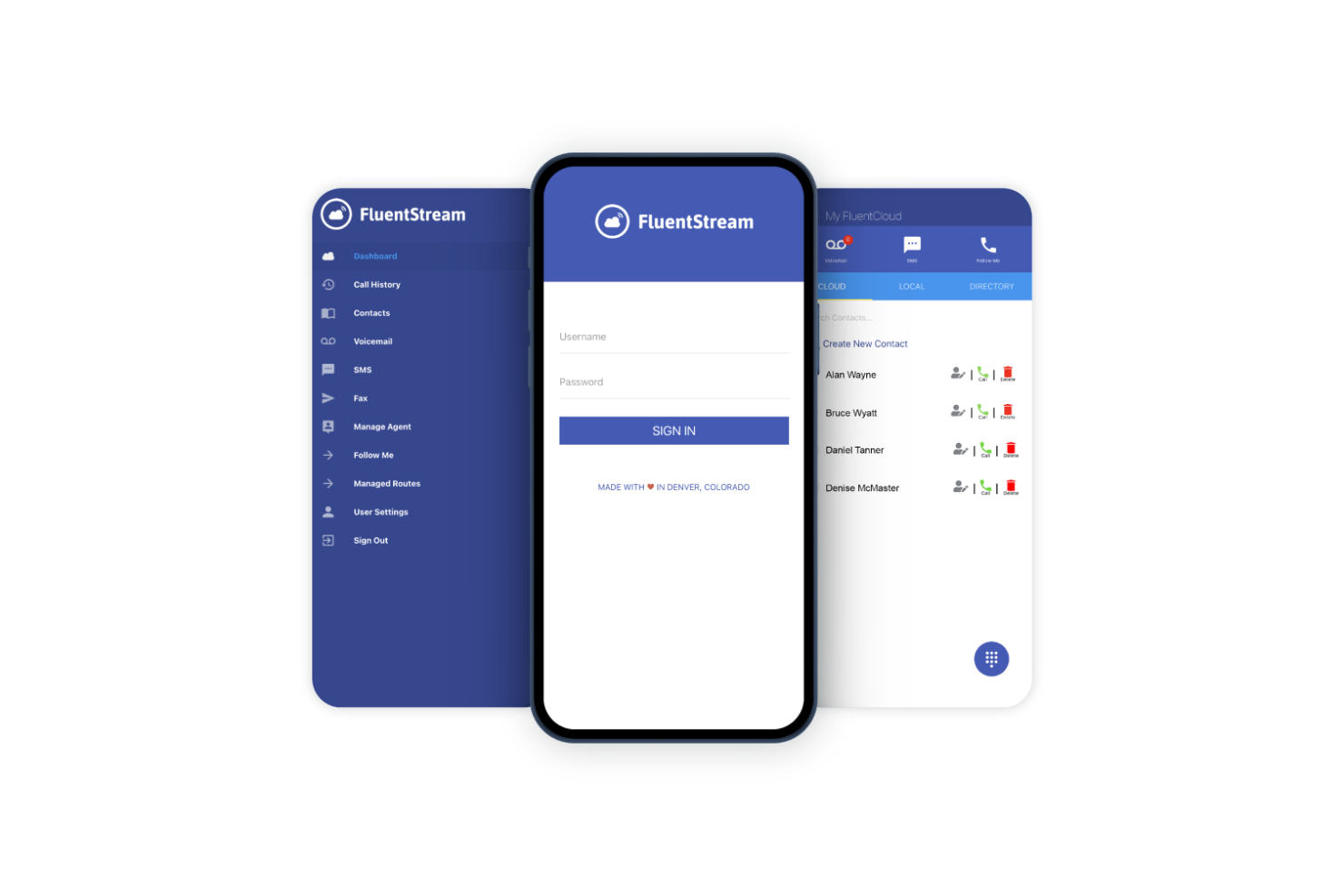
FluentStream works across various devices through its mobile app, enabling your team to stay connected on the go. This flexibility supports remote work and mobility.
Ease of Use
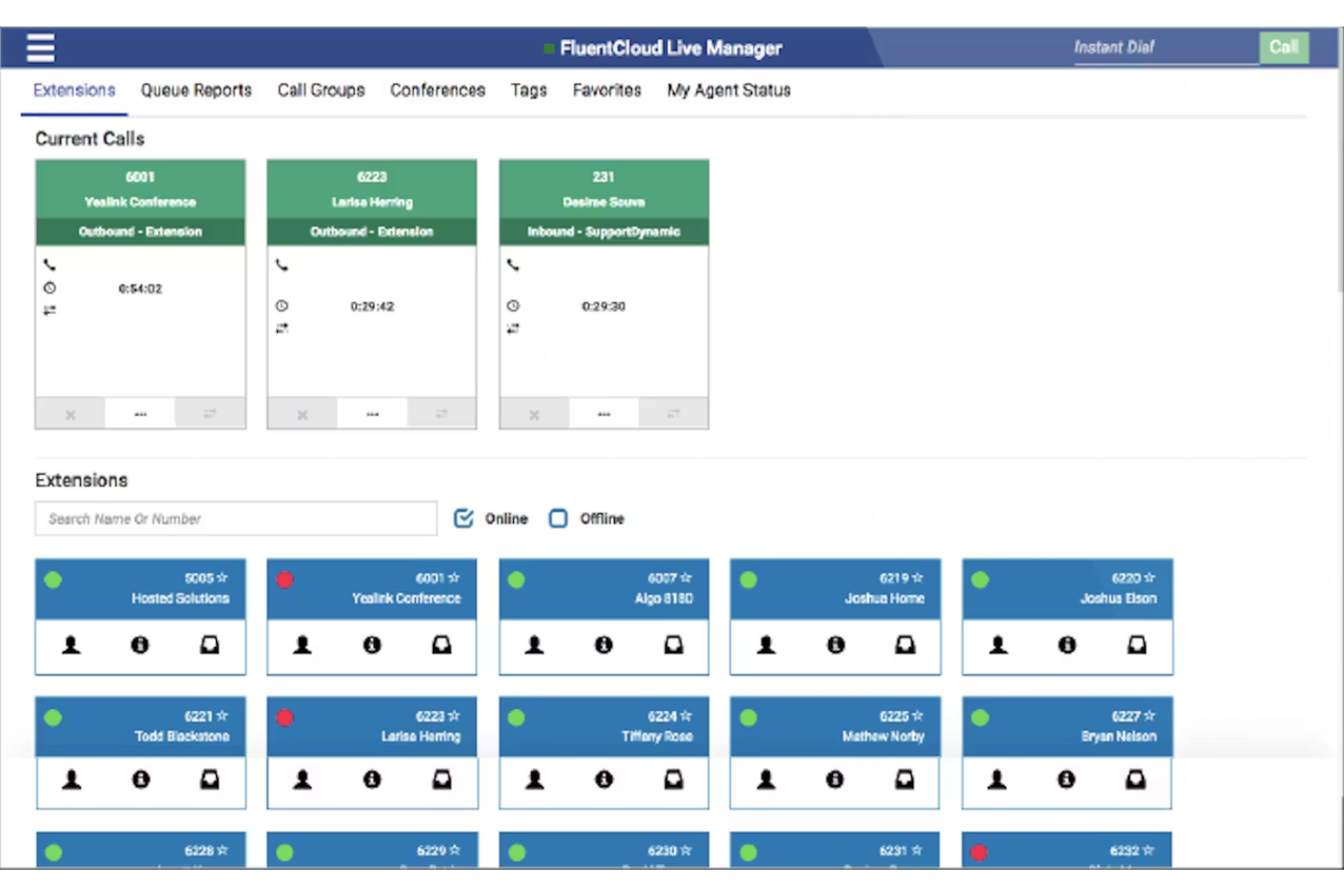
FluentStream is fairly user-friendly, with an intuitive interface that makes it simple for your team to start using quickly. While it may not be the most advanced, its straightforward design minimizes the learning curve. Features like customizable call flows and voicemail transcription are easy to navigate, enhancing daily operations. Some users may find onboarding a bit challenging, but once set up, the system's efficiency improves communication and productivity for your team.
Integrations
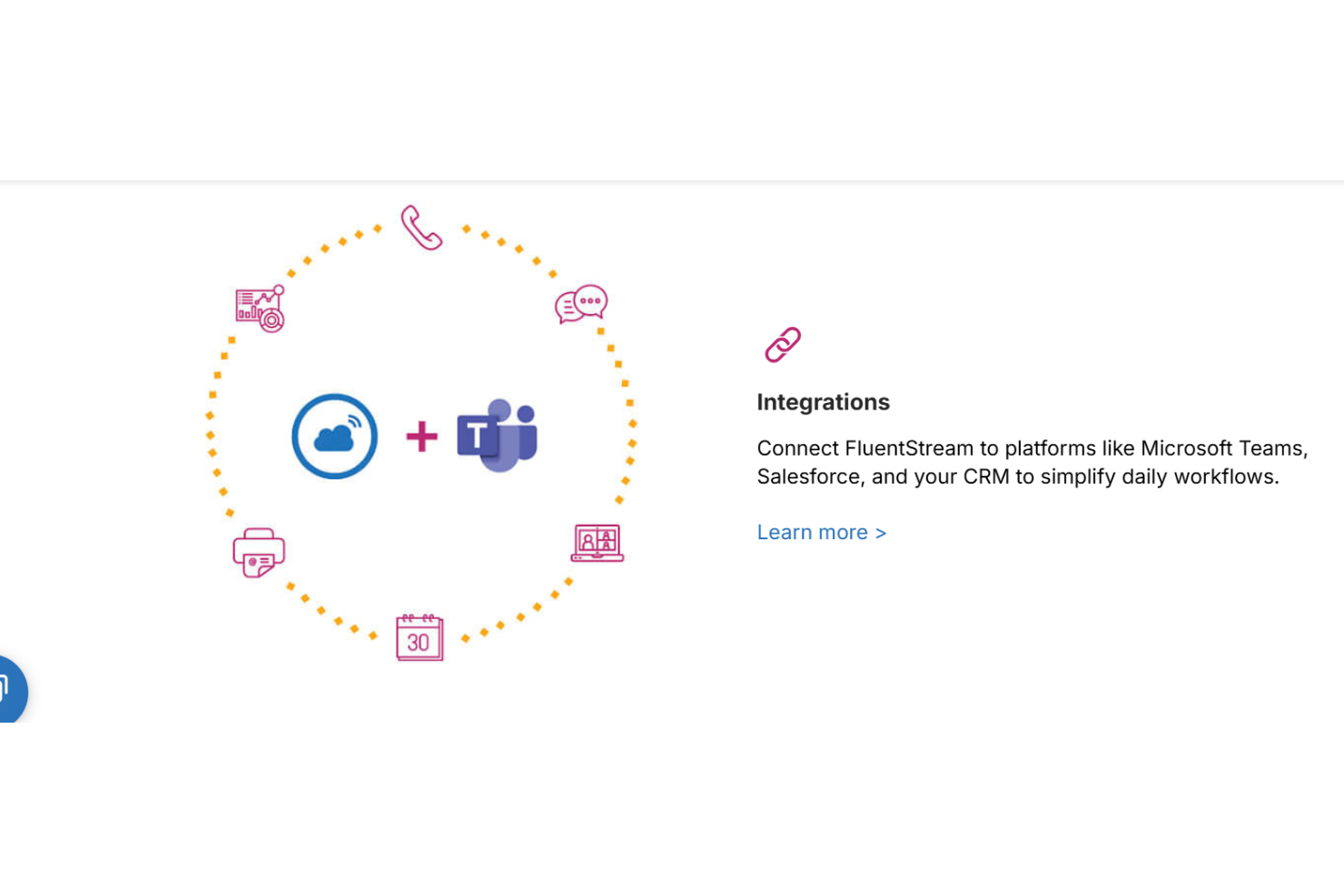
FluentStream integrates with Microsoft Teams, Salesforce, HubSpot, Zendesk, Microsoft Outlook, and Microsoft Dynamics 365 to connect calling workflows with CRM and productivity tools.
FluentStream also provides API access and supports automation through Zapier, enabling custom integrations and extended workflows.
FluentStream Specs
- 2-Factor Authentication
- API
- Audio Recording
- Calendar Management
- Call Integration
- Call Recording
- Chat
- Collaboration Support
- Contact Management
- Contact Sharing
- CRM Integration
- Email Integration
- External Integrations
- File Sharing
- Google Apps Integration
- Instant Chat Integration
- Mobile App
- Multi-User
- Notifications
- Project Management
- Scheduling
- SMS
- Softphone
- Video