
12 Best Call Recording Software Reviewed in 2026

Best Call Recording Software Shortlist
Here’s my shortlist of the best call recording software:


Managing business calls without a reliable record can lead to missed details, compliance risks, and communication gaps. Call recording software helps you capture, store, and review conversations to support training, quality assurance, and dispute resolution, ensuring every important interaction is documented.
I've dedicated significant time to testing and reviewing software, and I understand the challenges you face with data management, team communication, and compliance issues. Call recording can address these pain points by providing reliable records and insights.
In this article, I'll share my top picks for call recording software. You'll find unbiased reviews based on my extensive field experience. My goal is to help you choose a solution that fits your needs and supports your team's success.
Why Trust Our Software Reviews
Best Call Recording Software Summary
This comparison chart summarizes pricing details for my top call recording software selections to help you find the best one for your budget and business needs.
| Tool | Best For | Trial Info | Price | ||
|---|---|---|---|---|---|
| 1 | Best for video calls | Free plan + free demo available | From $13.33/user/month (billed annually) | Website | |
| 2 | Best for VoIP integration | Free demo available | From $15/user/month (billed annually) | Website | |
| 3 | Best for sales teams | Free demo available | Pricing upon request | Website | |
| 4 | Best for workforce analytics | Free demo available | Pricing upon request | Website | |
| 5 | Best for AI-driven call analysis | Free demo available | Pricing upon request | Website | |
| 6 | Best for Android users | Free plan available | Pricing upon request | Website | |
| 7 | Best for iPhone users | Free trial available | Pricing upon request | Website | |
| 8 | Best for voice transcription | Not available | Free on Pixel devices | Website | |
| 9 | Best for compliance recording | Free demo available | Pricing upon request | Website | |
| 10 | Best for AI-powered customer integrations | 7-day free trial + free demo available | From $30/license/month (billed annually) | Website |
-

Prisync
Visit WebsiteThis is an aggregated rating for this tool including ratings from Crozdesk users and ratings from other sites.4.7 -
Expedite Commerce
Visit Website -
QuickBooks Online
Visit WebsiteThis is an aggregated rating for this tool including ratings from Crozdesk users and ratings from other sites.4





Best Call Recording Software Review
Below are my detailed summaries of the best call recording software that made it onto my shortlist. My reviews offer a detailed look at the key features, pros and cons, integrations, and ideal use cases of each tool to help you find the best one for you.
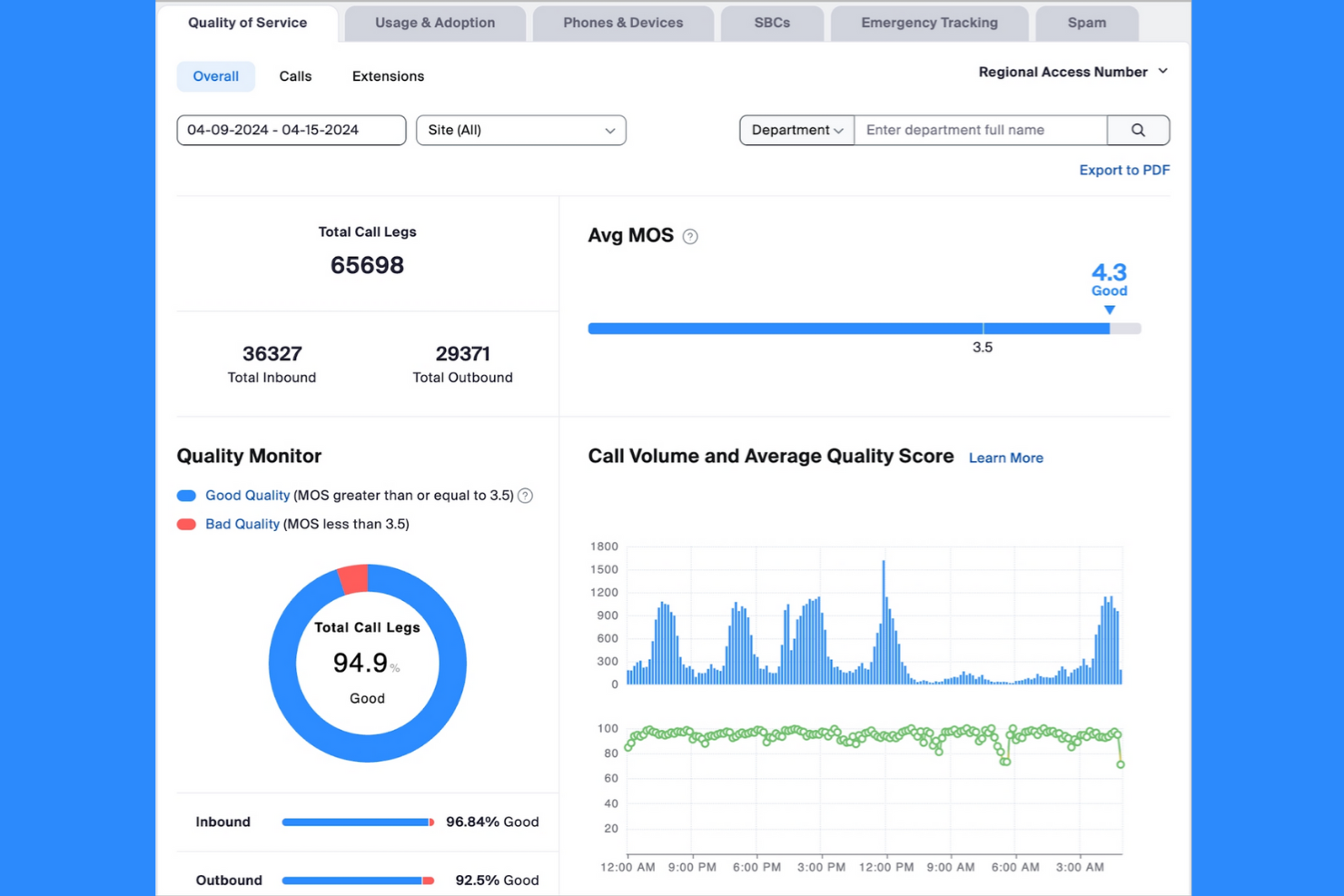
Zoom is a video conferencing platform for businesses and individuals needing reliable video communication. It supports video meetings, webinars, and collaboration, making it essential for remote teams and virtual events.
Why I picked Zoom: Zoom excels in video calls, providing high-quality video and audio for meetings of all sizes. It offers features such as breakout rooms and screen sharing, which cultivate strong team dynamics. The platform's ease of use and accessibility make it a favourite for virtual meetings. Zoom's ability to handle large-scale webinars sets it apart for businesses hosting online events.
Standout features and integrations:
Features include virtual backgrounds that allow you to personalize your video feed. The platform offers recording capabilities for meetings, making it easy to review sessions later. Chat functionality enables participants to communicate without interrupting the meeting.
Integrations include Slack, Google Workspace, Salesforce Sales Cloud 360, Microsoft Teams, Calendly, and more.
Pros and cons
Pros:
- Breakout room functionality
- High-quality video and audio
- Supports large webinars
Cons:
- Transcription accuracy can vary
- Advanced analytics require higher tiers
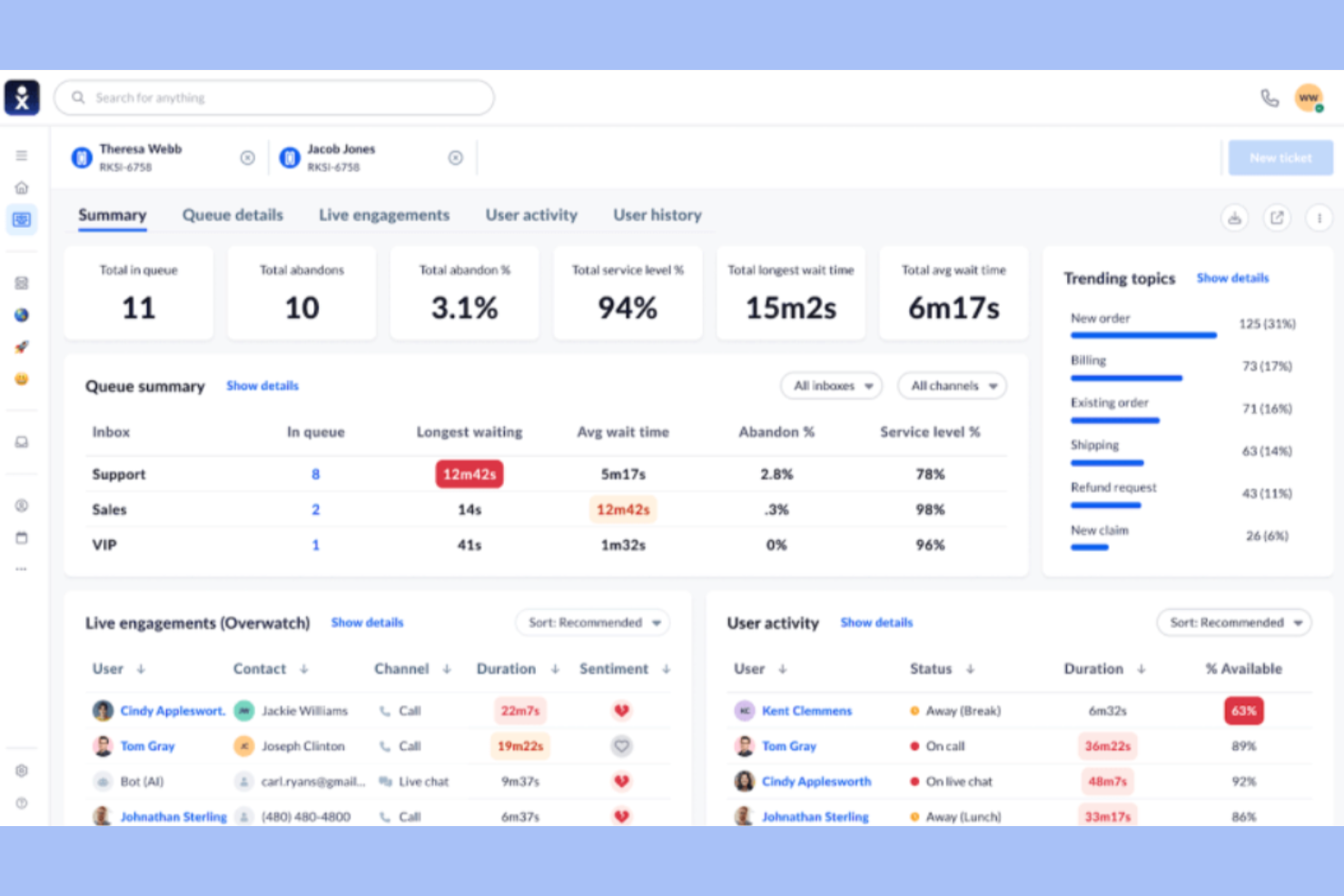
Nextiva is a VoIP communication platform for businesses of all sizes that provides simplified communication and collaboration. It focuses on facilitating business communication through voice, video, and messaging services.
Why I picked Nextiva: Nextiva goes beyond simple VoIP; it acts as a centralized hub that captures every customer interaction for easier team analysis. Its features include call routing and voicemail-to-email, which are essential for efficient team communication. The platform supports high-quality voice calls, ensuring your team stays connected without disruptions.
Standout features and integrations:
Features include call analytics, which enable you to track and measure customer interactions. The platform offers a virtual receptionist to efficiently manage incoming calls. It also provides video conferencing capabilities, allowing your team to collaborate visually.
Integrations include Salesforce, HubSpot, Microsoft Dynamics, Zendesk, Microsoft Outlook, Google Workspace, Microsoft Teams, ServiceNow, Zoho, and more.
Pros and cons
Pros:
- Scalable for business growth
- Detailed analytics and reporting tools
- Excellent VoIP integration
Cons:
- Limited texting features
- Initial setup complexity


Gong is a revenue intelligence platform to help your sales team analyze conversations and improve sales outcomes. It provides insights that drive better decision-making and strengthen team output.
Why I picked Gong: Gong provides sales teams with deep, AI-driven insights into customer interactions. Gong's ability to provide practical takeaways makes it a valuable tool for any sales-driven organization.
Standout features and integrations:
Features include deal intelligence to track and manage sales opportunities effectively. It offers team-coaching tools to improve your team's sales skills. The platform provides conversation analytics to highlight key trends and areas for improvement.
Integrations include Salesforce, HubSpot CRM, Slack, Zoom, Google Calendar, Microsoft Dynamics, Chili Piper, Microsoft Teams, Snowflake, Microsoft Outlook, and more.
Pros and cons
Pros:
- Data-backed insights
- Cross-functional alignment and visibility
- Advanced revenue intelligence
Cons:
- Extended implementation timeline
- Reporting customization is limited
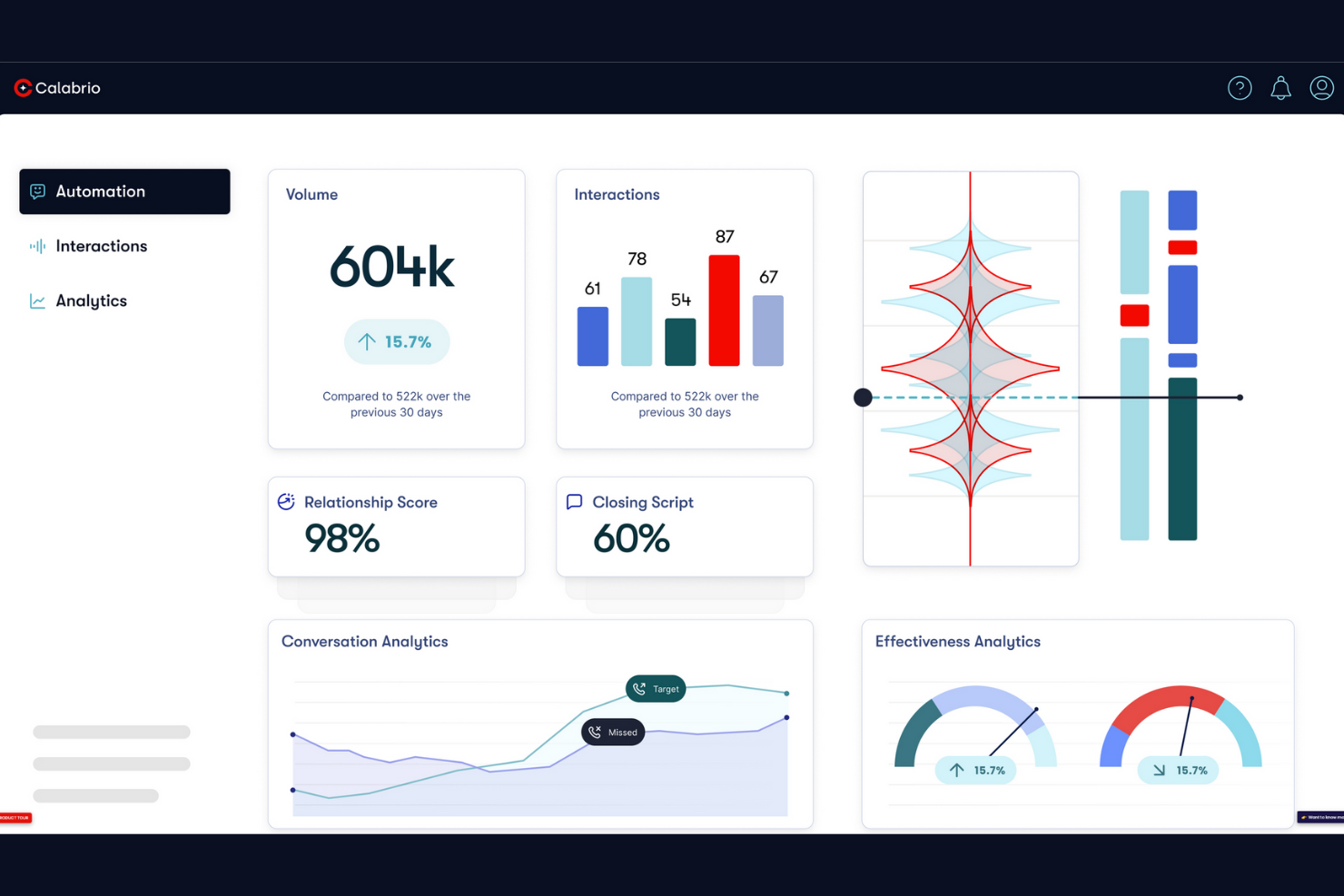
Calabrio is a workforce optimization software designed for contact centers. It helps businesses create deeper customer interactions and optimize workforce performance.
Why I picked Calabrio: Calabrio excels in workforce analytics, delivering insights that help you manage and improve agent performance. Predictive analytics enable you to make data-driven decisions, and the user-friendly interface provides easy access and interpretation of data. It's a valuable tool for contact centers aiming to optimize workforce management and boost customer retention.
Standout features and integrations:
Features include advanced speech analytics to understand customer sentiment, customizable performance dashboards to track team metrics, and predictive scheduling to optimize workforce allocation. It also provides real-time reporting to keep your team informed. The software offers quality management tools to ensure high service standards.
Integrations include Salesforce, Microsoft Dynamics 365, Cisco, Avaya, Amazon Connect, and more.
Pros and cons
Pros:
- Automated speech analytics
- On-demand call recording and reporting capabilities
- AI-driven forecasting and automated scheduling
Cons:
- Limited mobile access
- Nonintuitive interface

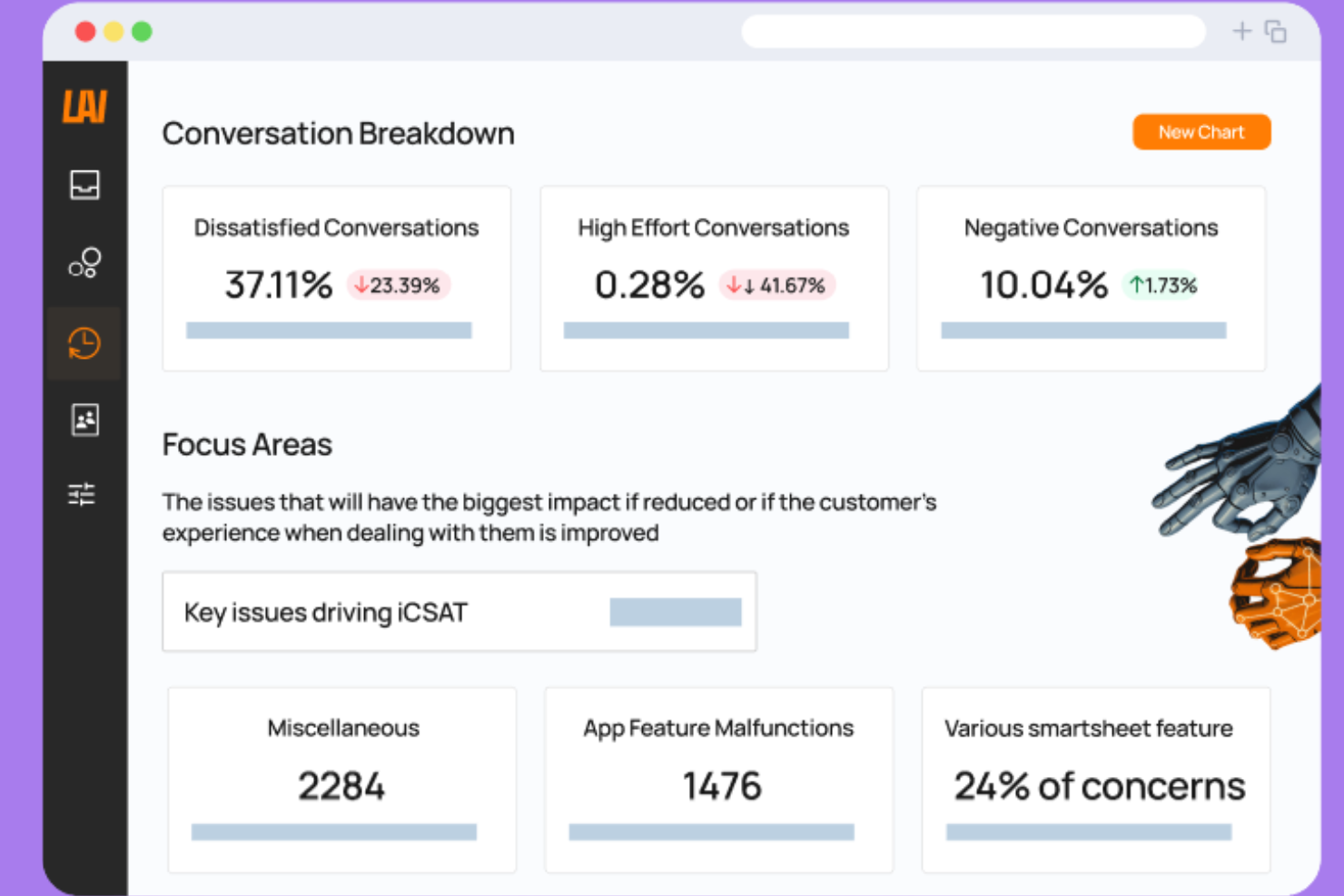
Level AI is a call recording software designed for businesses aiming to enhance customer interactions. Its main users are contact centers and customer service teams looking to gain insights from calls.
Why I picked Level AI: This tool focuses on AI-driven insights to help your team understand customer sentiments and improve service delivery. It offers AI Virtual Agents and automated quality assurance to provide detailed call analysis. The software's real-time agent assistance and screen recording features ensure you have the visibility needed to train and support your team effectively. These features make Level AI particularly suitable for industries like financial services and healthcare.
Standout features and integrations:
Features include AI-driven analytics that help you understand customer interactions better. It provides automated quality checks, so you can focus on coaching your team. The personalized coaching feature helps agents improve based on specific insights.
Integrations include Salesforce, Zendesk, Slack, Microsoft Azure, Okta, Zoom, Twilio, Intercom, Five9, LiveChat, and more.
Pros and cons
Pros:
- Automated quality assurance
- Real-time agent assistance
- AI-driven insights for calls
Cons:
- Not suitable for all industries
- Requires technical setup
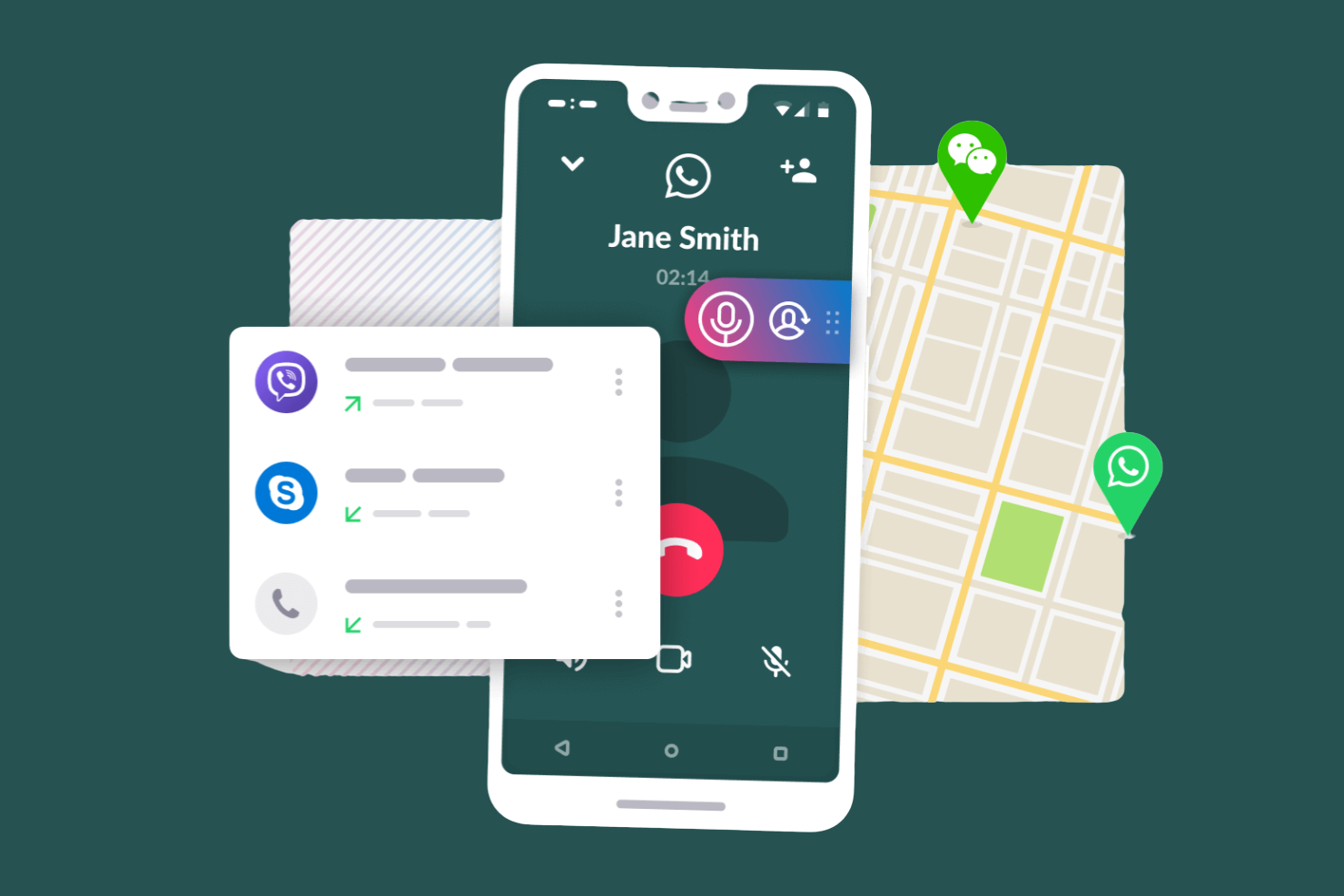
Cube ACR is a call recording app primarily for Android users that allows you to record phone calls and VoIP conversations. It's popular among individuals and small businesses looking to automatically capture and store call data.
Why I picked Cube ACR: Cube ACR is ideal for Android devices, offering reliable call recording for both phone and VoIP calls. It supports multiple VoIP services, such as WhatsApp and Skype, making it versatile for users with diverse communication needs. The app delivers excellent recording quality, making it a dependable recording tool for Android users.
Standout features and integrations:
Features include geotagging to track call locations, smart clean to manage storage by auto-deleting old recordings, and privacy controls with PIN lock and biometric authentication. It also offers a shake-to-mark feature for highlighting important parts of a conversation. Cloud backup ensures the safe storage of your recordings.
Integrations include Google Drive, Viber, Skype, WhatsApp, WeChat, LINE, and more.
Pros and cons
Pros:
- Smart Caller ID and geotagging
- Cloud-based backup and security
- High-quality VoIP call recordings
Cons:
- Compatibility issues with certain devices
- Limited call recording features on iOS
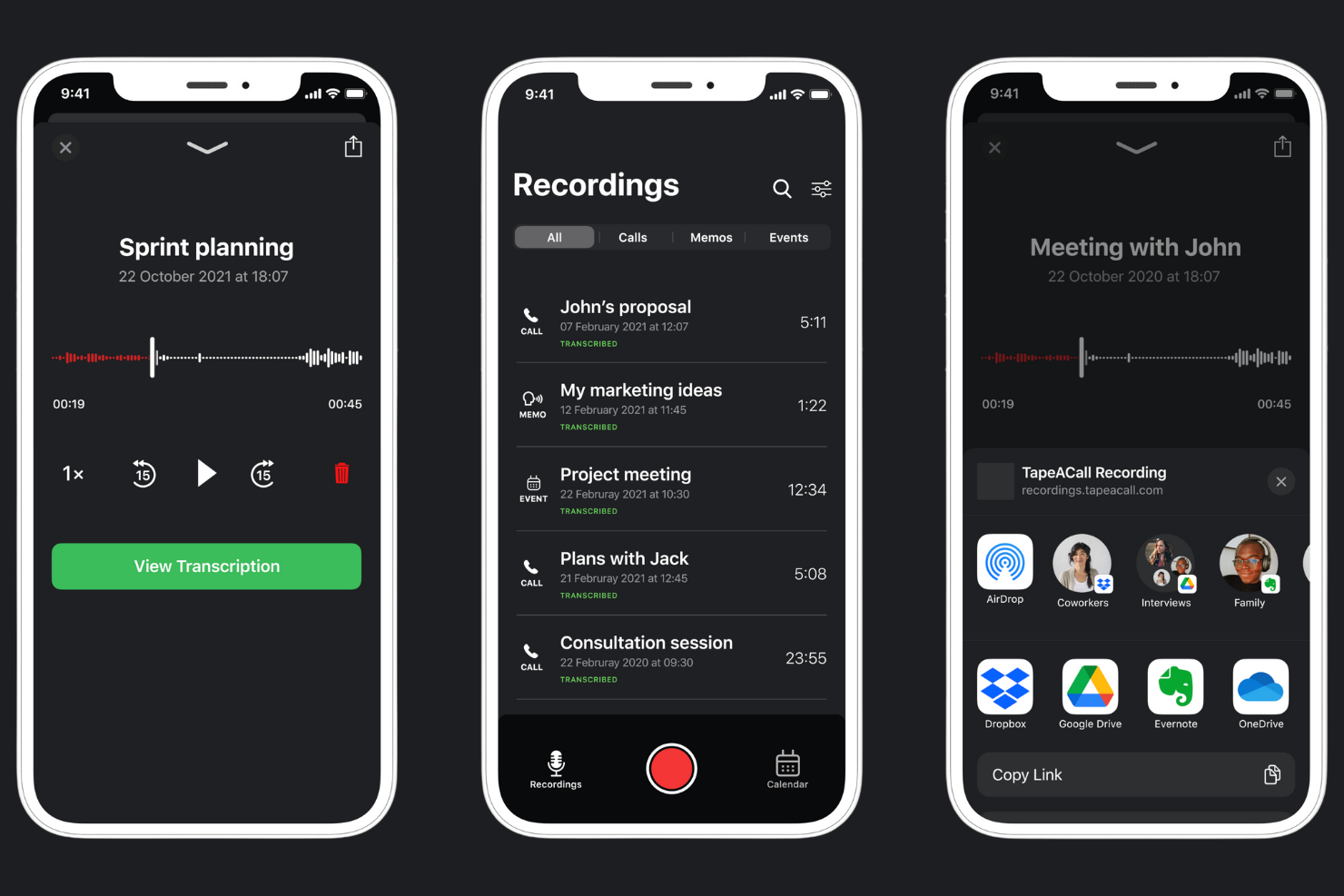
TapeACall is a call recording app particularly suitable for iPhone users that makes recording incoming and outgoing calls straightforward. It's useful if you need to capture important conversations for future reference.
Why I picked TapeACall: TapeACall provides iPhone users with a simple and effective solution for recording inbound and outbound calls. It's perfect if you need a user-friendly recording tool without a complex setup.
Standout features and integrations:
Features include unlimited call recording, allowing you to capture lengthy phone conversations without restrictions. You can share recordings via email or upload them to cloud storage services, such as Dropbox. It also provides easy access to your recordings with a simple interface.
Integrations include Google Drive, Dropbox, Zoom, Evernote, and more.
Pros and cons
Pros:
- No additional hardware required
- Supports both incoming and outgoing calls
- Unlimited call recording time
Cons:
- Recording quality may drop on weak connections
- Requires three-way calling
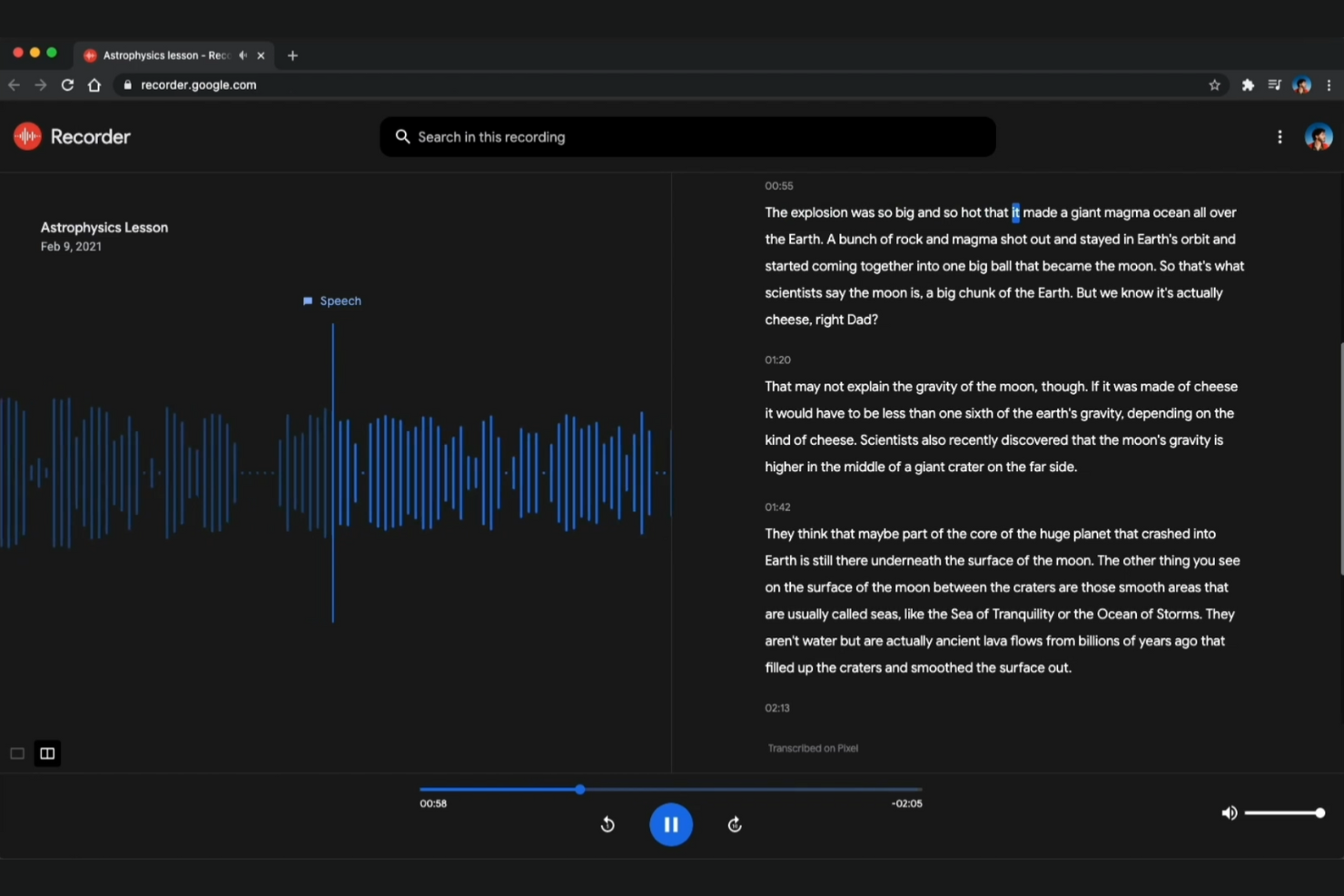
Google Recorder is a voice recording app ideal if you need accurate transcription services. It captures audio and automatically transcribes it, making it useful for students, journalists, and professionals who rely on detailed note-taking systems.
Why I picked Google Recorder: Google Recorder excels at voice transcription, offering highly accurate speech-to-text. It uses advanced speech recognition to ensure accuracy, making it a reliable tool for capturing detailed information. It's ideal if you're seeking powerful, convenient transcription capability.
Standout features and integrations:
Features include real-time transcription, which lets you see the text as you record. It offers offline functionality so you can use it without an internet connection. The app provides a search feature that lets you quickly locate words or phrases within recordings.
Integrations include Google Drive, Google Workspace, and more.
Pros and cons
Pros:
- Integrated editing and sharing
- Searchable audio and text
- Offline, real-time transcription
Cons:
- Limited export options
- Limited to Google Pixel devices


Versadial is a call recording solution for organizations seeking to meet compliance standards. Businesses that require secure and reliable call recording for legal and regulatory purposes use this software.
Why I picked Versadial: Versadial excels in compliance recording, ensuring your business meets industry regulations. Versadial's focus on security and compliance makes it a reliable choice for regulated industries.
Standout features and integrations:
Features include audit trails that track access and modifications to recordings. The software offers secure data storage to protect sensitive information. It also features advanced search capabilities, enabling you to locate and retrieve specific recordings quickly.
Integrations include Avaya, Cisco Call Manager, NEC VoIP, Shoretel, Panasonic, Skype for Business, and more.
Pros and cons
Pros:
- Advanced search capabilities
- Secure and encrypted records
- On-premises recording and data custody
Cons:
- Reliance on ongoing software updates for features
- Storage expenses

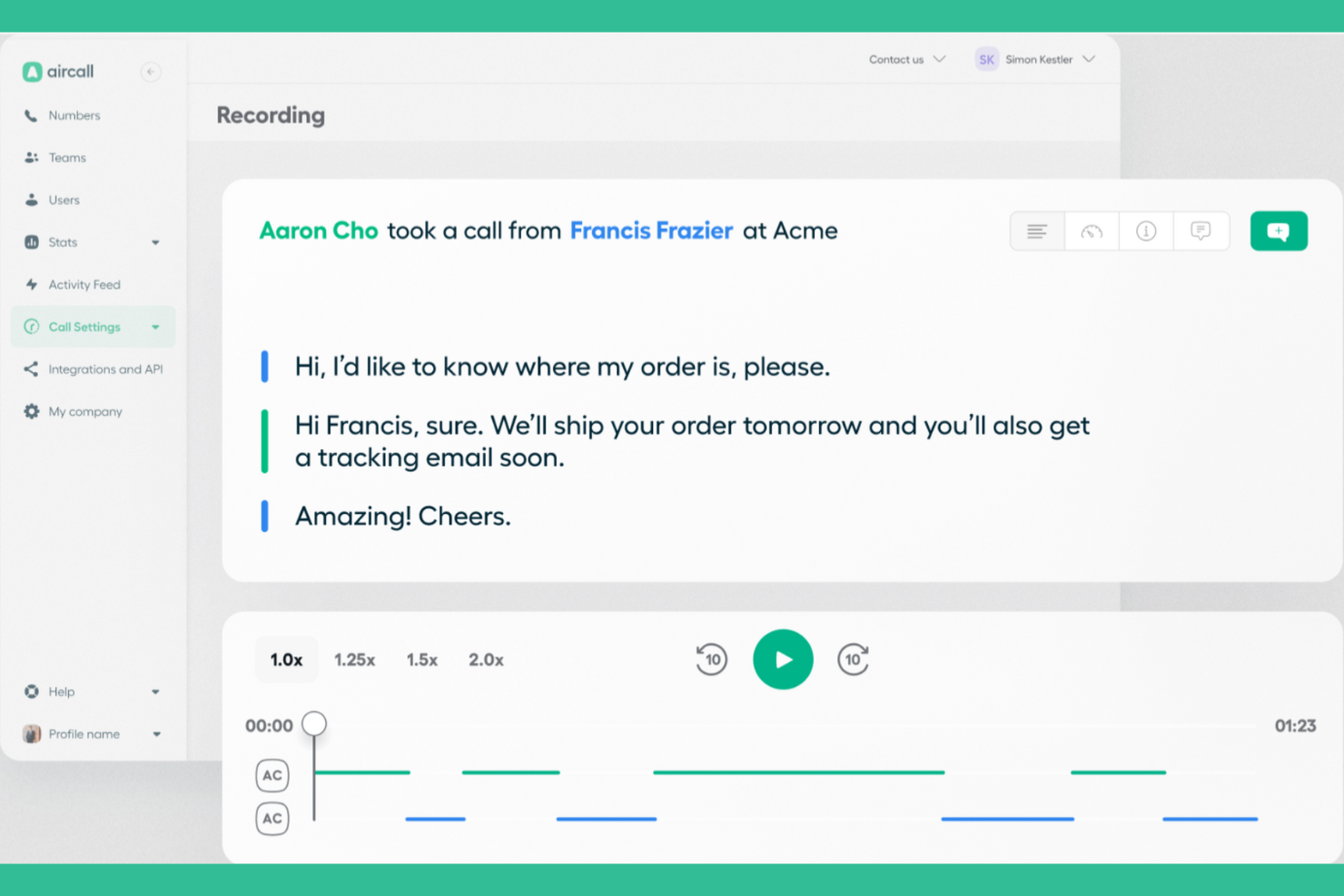
Aircall is a customer communications platform designed for small to medium-sized businesses. It refines business phone interactions with features such as AI-powered conversation intelligence and call management.
Why I picked Aircall: Aircall is ideal for small business teams that need efficient call management. It integrates with over 200 applications, including Salesforce and HubSpot, to drive team productivity. Your team can use this platform to improve customer interactions without heavy infrastructure.
Standout features and integrations:
Features include AI Voice Agents for 24/7 call handling, real-time call monitoring, and smart call routing. It also provides detailed analytics to help your team track performance. The ability to communicate via WhatsApp is a plus for reaching a broader audience.
Integrations include Salesforce, HubSpot, Intercom, Zendesk Sell, Slack, Pipedrive, Shopify, Zoho CRM, Microsoft Teams, and more.
Pros and cons
Pros:
- Extensive integrations with over 200 apps
- Strong support for remote teams
- Easy setup with no hardware required
Cons:
- No built-in video conferencing
- Limited call recording storage


Call Recording Software Selection Criteria
When selecting the best call recording software to include in this list, I considered common buyer needs and pain points, such as compliance with data regulations and ease of use. I also used the following framework to keep my evaluation structured and fair:
Core Functionality (25% of total score)
To be considered for inclusion in this list, each solution had to fulfill these common use cases:
- Record incoming and outgoing calls
- Store recordings securely
- Provide easy access to playback
- Offer search and filter options
- Support multiple file formats
Additional Standout Features (25% of total score)
To help further narrow down the competition, I also looked for unique features, such as:
- Real-time call analytics
- Voice transcription services
- Integration with CRM systems
- Customizable call tagging
- Advanced security protocols
Usability (10% of total score)
To get a sense of the usability of each system, I considered the following:
- Intuitive user interface
- Simple navigation
- Minimal learning curve
- Responsive design for mobile
- Customizable dashboard
Onboarding (10% of total score)
To evaluate the onboarding experience for each platform, I considered the following:
- Availability of training videos
- Interactive product tours
- Access to webinars and workshops
- Detailed onboarding documentation
- Supportive chatbots for guidance
Customer Support (10% of total score)
To assess each software provider's customer support services, I considered the following:
- Availability of 24/7 support
- Multiple support channels
- Quick response times
- Access to a knowledge base
- Personalized assistance options
Value For Money (10% of total score)
To evaluate the value for money of each platform, I considered the following:
- Competitive pricing plans
- Features included in the basic plan
- Cost efficiency for large teams
- Discounts for annual billing
- Transparent pricing structure
Customer Reviews (10% of total score)
To get a sense of overall customer satisfaction, I considered the following when reading customer reviews:
- Overall satisfaction ratings
- Commonly reported issues
- Frequency of positive feedback
- Mention of customer support quality
- Feedback on feature effectiveness
How to Choose Call Recording Software
It's easy to get bogged down in long feature lists and complex pricing structures. To help you stay focused as you work through your unique software selection process, here’s a checklist of factors to keep in mind:
| Factor | What To Consider |
|---|---|
| Scalability | Will the software grow with your business? Consider whether it can handle increased call volumes and additional users without performance lag. |
| Integrations | Does it work with your current systems? Check if it integrates smoothly with CRM, helpdesk, or other tools you already use. |
| Customizability | Can you tailor it to fit your needs? Look for options to customize settings, dashboards, and reports to match your workflows. |
| Ease of use | Is it user-friendly? Ensure the interface is intuitive and doesn't require extensive training for your team to get up to speed. |
| Implementation and onboarding | How fast can you get started? Evaluate the setup time, available training resources, and support during the onboarding phase. |
| Cost | Is it within your budget? Compare the pricing plans, considering the features included at each level and any hidden costs. |
| Security safeguards | How secure is your data? Ensure the software has encryption, access controls, and compliance with data protection regulations such as GDPR or HIPAA. |
| Compliance requirements | Does it meet industry standards? If you operate in a regulated sector, verify the software's compliance with necessary legal and industry-specific requirements. |
What Is Call Recording Software?
Call recording software is a tool that captures and stores audio from phone calls, allowing businesses to keep records of conversations. These tools are commonly used by customer service teams, sales professionals, and compliance officers to improve service quality and ensure legal compliance. Features such as automatic call recording, secure storage, and searchable archives help with managing and retrieving important call data. Overall, these tools provide businesses with valuable insights into customer interactions and help maintain high standards of communication.
Features
When selecting call recording software, look for the following key features:
- Automatic call recording: Captures all incoming and outgoing calls without manual intervention, preventing the loss of important information.
- Searchable archives: Enable you to quickly find specific recordings using keywords or filters, saving time and effort.
- Secure storage: Protects call data with encryption and access controls, ensuring compliance with data protection regulations.
- Transcription services: Convert audio recordings into text, making it easier to analyze and share call information.
- Integrations: Connect with CRM, helpdesk, and other tools to simplify workflows and improve productivity.
- Customizable settings: Offer options to tailor the software to fit your specific business needs and workflows.
- Analytics and reporting: Provide insights into call performance and trends, helping your business improve its communication strategies.
- Live call monitoring: Enables supervisors to listen to calls in real time for training and quality assurance.
- Compliance features: Ensure recordings meet industry regulations and legal requirements, reducing risk for businesses.
Benefits
Implementing call recording software provides several benefits for your team and your business. Here are a few you can look forward to:
- Improved customer service: Recordings allow you to review interactions and train your team to handle calls more effectively.
- Deeper compliance: By keeping detailed records, you ensure your business meets industry regulations and legal standards.
- Better decision-making: Access to call data and analytics helps you make informed business decisions and improve strategies.
- Increased productivity: Integrations with CRM and other tools improve workflows, allowing your team to focus on core tasks.
- Dispute resolution: Recordings provide a clear account of conversations, helping to resolve misunderstandings and disputes quickly.
- Quality assurance: Supervisors can monitor calls to ensure consistent service quality and identify areas for improvement.
Costs and Pricing
Selecting call recording software requires an understanding of the various pricing models and plans available. Costs vary depending on features, team size, add-ons, and more. The table below summarizes common plans, their average prices, and typical features that the call recording software solutions include:
Plan Comparison Table for Call Recording Software
| Plan Type | Average Price | Common Features |
|---|---|---|
| Free Plan | $0 | Basic call recording, limited storage, and essential playback features. |
| Personal Plan | $13-$30/user/month | Unlimited call recording, searchable archives, and basic analytics. |
| Business Plan | $30-$60/user/month | Advanced analytics, integrations with CRM systems, and improved security measures. |
| Enterprise Plan | $70+/user/month | Customizable options, compliance management, dedicated support, and comprehensive reporting tools. |
Call Recording Software FAQs
Here are some answers to common questions about call recording software:
Is call recording legal?
Yes, call recording is legal, but it depends on your location and the applicable laws. Some regions require consent from all involved parties, while others require only one party’s consent. Always check the specific legal requirements in your area before recording calls. Ensure that your software complies with these regulations and informs participants when an agent is recording the call. Maintaining transparency with your team and clients is vital to avoid legal issues.
Can call recording software integrate with my existing systems?
Yes, most call recording software can integrate with existing systems, such as CRM, helpdesk, and communication tools. Check the software’s integration capabilities before purchasing to ensure it works with your current tech stack. Many solutions offer APIs or direct integrations to make this process smoother. Integrating your systems can increase team output and simplify your workflows, allowing your team to access call data.
How can call recording software improve revenue operations?
Call recording software gives you visibility into rep-customer conversations. You can analyze patterns, share best practices, and identify coaching opportunities. This helps unify sales, marketing, and customer success teams, as everyone can learn from real calls and pinpoint what drives deals forward.
How secure is my recorded data?
Call recording software often includes security measures to protect your recorded data, such as encryption and access controls. Look for solutions that comply with GDPR, HIPAA, and other data protection regulations. It’s essential to choose a provider that prioritizes data security, ensuring your recordings are safe from unauthorized access. Regularly update passwords and access permissions to maintain security. This enables you to focus on using the data to improve your business without worrying about breaches.
Can I use call recording software for training purposes?
Yes, call recording software is an effective tool for training purposes. You can use recorded calls to review real interactions, identify areas for improvement, and provide feedback to your team. Sharing examples of successful calls can help train new employees and improve overall performance. It’s a practical way to ensure consistent service quality and develop your team’s skills over time. Use recordings as a learning tool to cultivate effective communication and customer service skills.
What's Next:
If you're in the process of researching call recording software, connect with a SoftwareSelect advisor for free recommendations.
You fill out a form and have a quick chat where they get into the specifics of your needs. Then you'll get a shortlist of software to review. They'll even support you through the entire buying process, including price negotiations.