

Med så mange ulike programmer for salgsprovisjon tilgjengelig, er det vanskelig å finne ut hvilket som passer for deg. Du vet at du ønsker en mer effektiv og feilfri metode for å håndtere salgsinsentiver, men må finne ut hvilket verktøy som er best.
Jeg hjelper deg! I dette innlegget gjør jeg valget enklere ved å dele mine personlige erfaringer med bruk av dusinvis av ulike verktøy for salgsprovisjon på tvers av forskjellige team og kontoer, samt mine anbefalinger av den beste programvaren for salgsprovisjon.
Why Trust Our Software Recommendations
6,700+
Reviews
20
Industry experts
16+
Evaluation factors
14
Years
Our reviews reflect our independent judgment—not a sales pitch. Learn how we stay transparent.
For this guide, we evaluated tools using hands-on testing and independent research, scoring tools using our selection criteria.
Our reviews reflect our human editorial judgment, not a sales pitch.
Sammenligningstabell for programvare for salgsprovisjon
Denne sammenligningstabellen oppsummerer prisdetaljene for mine fremste valg av programvare for salgsprovisjon:
| Tool | Best For | Trial Info | Price | ||
|---|---|---|---|---|---|
| 1 | Best with AI agents for automated comp plan design | Free plan available | From $31.50/user/month | Website | |
| 2 | Best AI-adaptive, user-friendly comp management | Free demo available | Pricing upon request | Website | |
| 3 | Best for mobile-first salespeople | Free demo available | Custom pricing upon request | Website | |
| 4 | Best enterprise-grade compensation management software that’s easy to use | Free demo available | Pricing upon request | Website | |
| 5 | Best for automating complex sales commission calculations | Free demo available | From $20/payee/month (15 user minimum) | Website | |
| 6 | Best for automated and transparent payout tracking | Free demo available | From $25/user/month | Website | |
| 7 | Best for Salesforce-native sales-focused teams | From $39/user/month | Website | ||
| 8 | Best sales commission software for resolving mid-market commission problems | Free demo available | Pricing upon request | Website | |
| 9 | Best for scaling to any complexity and volume | Free demo available | From $75/user/month (billed annually) | Website | |
| 10 | Best for small teams who need automatic, rules | Free demo available | From $30/seat/month with a minimum of 15 seats | Website |


Anmeldelser av den beste programvaren for salgsprovisjon
Nedenfor finner du mine detaljerte oppsummeringer av den beste programvaren for salgsprovisjon som kom med på kortlisten. Anmeldelsene mine gir et detaljert innblikk i de viktigste funksjonene, fordelene & ulempene, integrasjonene og ideelle bruksområdene for hvert verktøy, slik at du kan finne det beste for deg.
 Best with AI agents for automated comp plan design
- Free plan available
- From $31.50/user/month
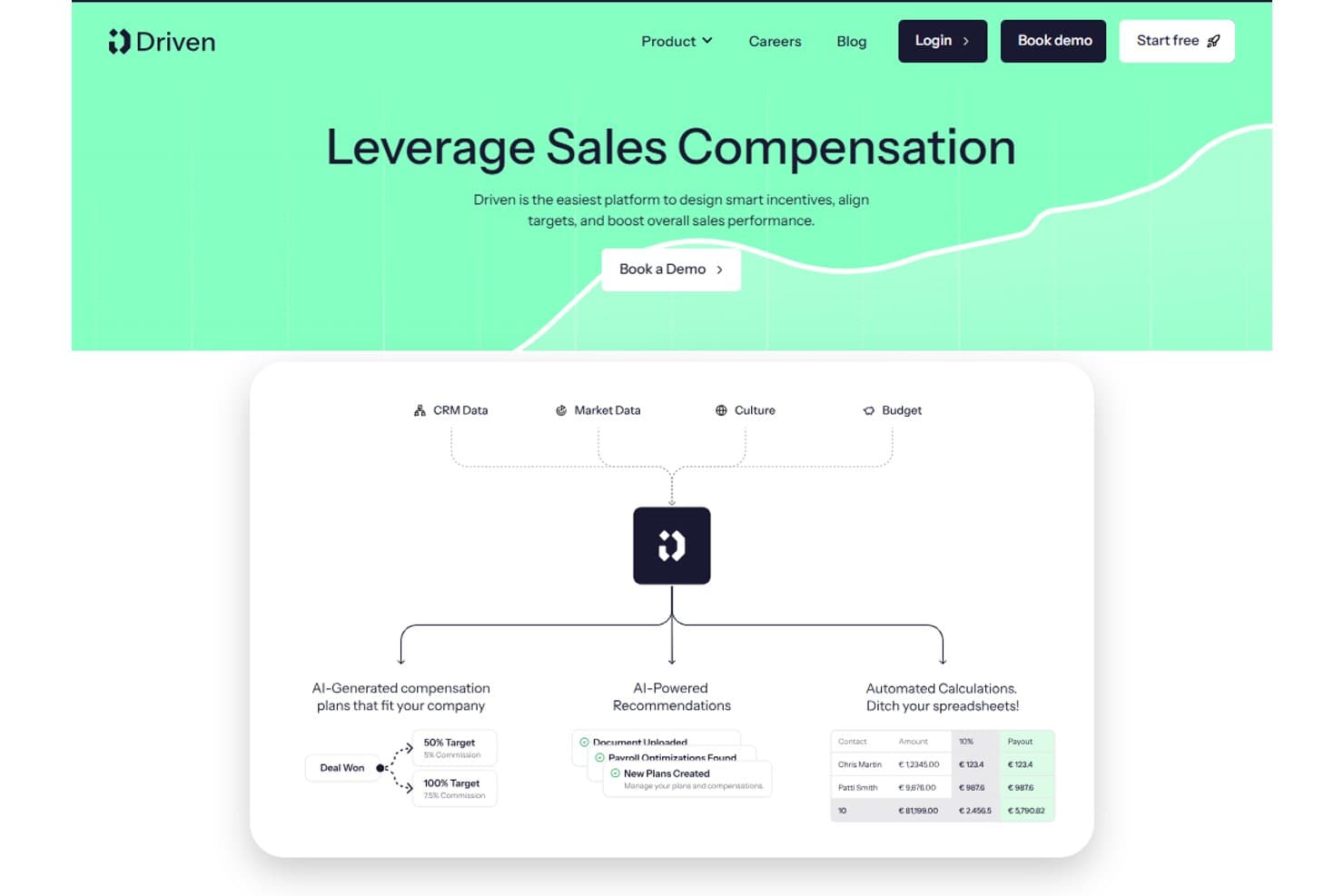
Driven offers an AI-powered sales compensation platform that automates commission calculations, generates compensation plans, and provides payroll optimization recommendations. Driven is an AI-native sales commission platform that uses autonomous agents to automate comp plan design, calculate commissions in real time, handle dispute reviews, and deliver personalized rep earnings dashboards.
Who Is Driven Best For?
Driven is a strong fit for RevOps and finance teams at scaling B2B companies running on HubSpot or Salesforce who are ready to move off spreadsheets.
Why I Picked Driven
Driven earns its spot on my shortlist because its agentic approach to comp plan design is unlike anything else in this category. Instead of manually configuring plans in a rule-based interface, the AI agent designs or updates your compensation strategy through a chat-based builder. I also like the Autopilot Dispute Reviews feature, where the agent automatically triages disputes by scanning deal comments, cutting the manual back-and-forth that bogs down finance teams at quarter close.
Driven Key Features
- Performance insights dashboard: Quickly analyze plan effectiveness, earning patterns, and attainment gaps using built-in analytics.
- Native HubSpot and Salesforce integration: Sync deal and rep data directly from popular CRMs for accurate, always-current commission calculations.
- Personalized rep dashboards: Give each sales rep a secure portal to view commissions, quota progress, and payout statements in real time.
- Multi-currency and fiscal year support: Configure complex sales orgs with global currencies and custom fiscal calendars for accurate compensation tracking.
Driven Integrations
Driven offers native integrations with Salesforce, HubSpot, and Slack, and provides an API for custom integrations.
Pros and Cons
Pros:
- Built-in rep dashboard and dispute resolution
- Real-time calculation engine with scenario modeling
- AI-powered agent automates plan design
Cons:
- Fewer user reviews than established competitors
- ASC 606 reporting is not fully automated
Learn more about Driven: Best AI-adaptive, user-friendly comp management
- Free demo available
- Pricing upon request
Visit WebsiteCustomer Rating:4.8/5
Visdum allows users to design compensation plans that align with their business needs without coding. Visdum is a sales commission management platform designed for revenue operations teams and sales leaders who need to automate complex compensation plans, reduce manual errors, and gain real-time visibility into commission data.
Who Is Visdum Best For?
Visdum is a strong fit for mid-market SaaS companies where sales operations and finance teams need to manage and automate multi-tiered commission structures without relying on spreadsheets.
Why I Picked Visdum
Visdum earns its spot on my shortlist because its AI-Adaptive engine handles the parts of commission management that typically break down at scale. The AI Copilot simulates real-time payout scenarios while you build or adjust comp plans, letting my team catch logic errors before payroll runs and disputes arise. The no-code plan designer also means I'm not waiting on engineering to update a quota threshold or add a new commission tier. Additionally, the AI-guided validation layer monitors each compute cycle and flags errors automatically, reducing the back-and-forth between finance and RevOps during close.
Visdum Key Features
- Rep-facing commission estimator: Sales reps can run "what-if" scenarios directly in their payee dashboard to see projected earnings based on open pipeline deals.
- SPIFFs and contests management: Sales leaders can set up and run short-term incentive programs and competitions on top of existing comp plans without rebuilding the plan structure.
- Clawback and mid-cycle adjustment tools: Finance and RevOps teams can apply clawbacks, top-ups, or mid-cycle corrections in a few steps, with a full audit trail attached.
- ASC 606 and IFRS 15 compliance automation: Visdum automatically structures commission amortization to align with revenue recognition standards, reducing manual compliance work.
Visdum Integrations
Integrations include Salesforce, HubSpot, Oracle NetSuite, Microsoft Dynamics, Sage Intacct, QuickBooks, Workday, HiBob, ADP, and DocuSign.
Pros and Cons
Pros:
- Real-time performance dashboards
- Clear visibility into earnings
- Intuitive, user-friendly interface
Cons:
- Mobile user support limited to higher-tiered plans
- Initial setup can be complex
Learn more about Visdum: Best for mobile-first salespeople
- Free demo available
- Custom pricing upon request
Visit WebsiteCustomer Rating:4.9/5
SmartWinnr focuses on mobile accessibility for commission tracking and gamification. SmartWinnr is a sales commission and incentive management platform designed for sales teams and organizations that want to automate commission tracking, motivate reps, and drive performance with real-time analytics and gamification.
Who Is SmartWinnr Best For?
SmartWinnr is a strong fit for mid-to-large sales organizations in industries like insurance, pharma, and financial services that manage distributed or field-based sales teams.
Why I Picked SmartWinnr
I picked SmartWinnr as one of the best because of how well it serves reps who spend most of their day away from a desk. The field coaching module is built mobile-first—managers can complete coaching forms, leave notes, and assign follow-up practice directly from their phone, even offline, with everything syncing once they're back online. I also like that live leaderboards update in real time on mobile, so reps in the field can check their contest standings and commission-linked KPI progress without logging into a desktop. For distributed sales teams where reps are rarely at a computer, that kind of on-the-go visibility into performance and incentives is genuinely useful.
SmartWinnr Key Features
- Incentive plan configuration: Build and manage multiple commission and incentive plan structures across different roles, regions, or product lines.
- AI-powered sales quizzes: Deliver bite-sized knowledge checks to reps to reinforce product knowledge and compliance training alongside performance tracking.
- Target vs. achievement tracking: Monitor individual and team progress against quota in real time with visual dashboards tied to commission outcomes.
- Contest management: Set up time-bound sales contests with custom rules, eligibility criteria, and reward structures to drive short-term performance.
SmartWinnr Integrations
Integrations include Salesforce, Microsoft Teams, Slack, SAP SuccessFactors, Oracle, Workday, Cornerstone OnDemand, Moodle, Zoom, and an API for custom integrations.
Pros and Cons
Pros:
- Responsive and fast support
- Multi-language availability
- Mobile-focused approach
Cons:
- No free trial
- Not a commission payout system
Learn more about SmartWinnr: Best enterprise-grade compensation management software that’s easy to use
- Free demo available
- Pricing upon request
Visit WebsiteCustomer Rating:4.3/5
Performio user data is highly protected due to AWS hosting and compliance regulation. Performio is a sales commission software built for revenue operations and finance teams who need to automate complex compensation processes, improve accuracy, and provide clear visibility into commission data for large or fast-growing organizations.
Who Is Performio Best For?
Performio is a strong fit for mid-market and enterprise sales organizations that manage high volumes of commission calculations across large or distributed sales teams.
Why I Picked Performio
Performio earns its spot on my shortlist because it genuinely delivers enterprise-grade commission management without the usual implementation headaches. What I like most is the structured plan builder—you can configure targets, crediting logic, clawbacks, draws, and true-ups without writing a single formula or calling in professional services. I also find the AI Admin Assistant particularly useful for enterprise teams: it flags calculation anomalies and speeds up dispute resolution in real time, which cuts down the back-and-forth that typically bogs down comp admins at scale. The flexible data model is another standout for large organizations, since Performio adapts to your existing data format rather than forcing you to reformat everything before importing.
Performio Key Features
- Sales rep portal: A configurable portal where reps can view their commission results, deal-level details, leaderboard rankings, and what-if calculators on desktop and mobile.
- ASC606 compliance and audit logs: Built-in support for ASC606 accounting guidelines, with full audit history and override capabilities for exceptions and edge cases.
- Commission forecasting and simulation: Tools to model and predict commission expenses, manage accruals, and run scenario planning for sales capacity and territory design.
- Analytics Studio: An AI-powered BI reporting layer that generates custom dashboards, leaderboards, and data visualizations directly from your compensation data.
Performio Integrations
Integrations include Salesforce, NetSuite, HubSpot, Microsoft Dynamics CRM, QuickBooks Online, Xero, Workday, Bamboo HR, Amazon Redshift, and Google BigQuery.
Pros and Cons
Pros:
- White-glove services
- Fast to implement
- Easy and intuitive to use
Cons:
- Limited flexibility in user reports
- Enterprise focused
Learn more about Performio: Best for automating complex sales commission calculations
- Free demo available
- From $20/payee/month (15 user minimum)
Visit WebsiteCustomer Rating:4.7/5
Commission report showing split breakdowns Core Commissions is built for businesses that need to manage intricate sales commission structures, helping finance and sales operations teams automate calculations, track payouts, and reduce manual errors.
Who Is Core Commissions Best For?
Core Commissions is a strong fit for mid-sized to enterprise businesses running multi-tiered or high-volume commission programs that have outgrown spreadsheet-based tracking.
Why I Picked Core Commissions
Core Commissions is on my shortlist because it handles commission structures that would break most spreadsheets. I chose it for its rules-based calculation engine, which lets my team define multi-tiered plans, split credits, and override logic without custom code. Automated audit trails log every calculation, so when a rep disputes a payout I can pull the exact formula and data that produced it. That level of transparency is difficult to achieve with manual processes.
Core Commissions Key Features
- Dispute management: A built-in workflow for reps to submit commission disputes, which managers can review, respond to, or escalate directly within the platform.
- Core Portal: A white-labeled web portal where individual reps can log in to view their own pay statements and performance data.
- Drag-and-drop report designer: A customizable reporting module that lets you build commission reports and dashboards using a visual drag-and-drop interface.
- Flexible commission cycle scheduling: Supports unlimited commission cycles running concurrently, across any time period—monthly, quarterly, or custom.
Core Commissions Integrations
Integrations include Salesforce, Microsoft Dynamics, Oracle NetSuite, HubSpot, Freshsales, and QuickBooks.
Pros and Cons
Pros:
- Unparalleled level of support
- ETL module for data transformation
- Automated commission calculating process
Cons:
- No dedicated mobile application
- Occasional disruptive technical issues
- Limited cloud-based version
Learn more about Core Commissions: Best for automated and transparent payout tracking
- Free demo available
- From $25/user/month
Visit WebsiteCustomer Rating:3.7/5
This dashboard provides simple navigation for managers when implementing and automating payout processes. ElevateHQ is a sales commission platform designed for revenue teams who need to automate complex commission calculations, improve payout accuracy, and give sales reps real-time visibility into their earnings.
Who Is ElevateHQ Best For?
ElevateHQ is a good fit for growing B2B sales teams that need to move beyond spreadsheets and manage multi-tiered or quota-based commission plans at scale.
Why I Picked ElevateHQ
ElevateHQ earns its spot as one of the best on my shortlist because of how well it handles payout transparency and reconciliation. I particularly like the payout reconciliation feature—if your team pays commissions on invoice collections, ElevateHQ automatically matches inward payments to deals and reps, which reduces the manual back-and-forth at month-end. Additionally, the overrides and audit trails feature lets me make exceptions to commission rules while logging every change, so there's a clear, traceable record of what was paid and why. Reps can also see exactly how their commissions are calculated through transparent payout workflows, which cuts down on disputes significantly.
ElevateHQ Key Features
- Commission plan designer: Build custom commission structures using a no-code plan designer that supports complex rules, multiple conditions, and custom CRM fields.
- Plan simulations: Test new commission plans before rolling them out to see how they'll affect payouts and team performance.
- Behavioral nudges: Surface incentive-based insights that show reps where they can take action to earn more within their current commission plan.
- Query resolution: Manage commission disputes through a built-in ticketing system that logs conversations, supporting documents, and overrides in one place.
ElevateHQ Integrations
Integrations include Salesforce, HubSpot, Microsoft Teams, Pipedrive, Slack, Chargebee, QuickBooks, Salesloft, Xero, and NetSuite.
Pros and Cons
Pros:
- Simple and easy to use
- Notifications for commission or plan changes
- Efficient and accurate commission tracking
Cons:
- Software can lag with large file loads
- No gamification features
Learn more about ElevateHQ:

Leverage Leaptree to create, configure, and edit intelligent sales incentive plans—no code required. Leaptree is a commission management platform designed for sales teams who need automated commission calculations, real-time performance tracking, and native integration with Salesforce to simplify complex incentive processes.
Who Is Leaptree Best For?
Leaptree is a strong fit for sales operations and RevOps teams at mid-market companies that run their revenue processes entirely within Salesforce.
Why I Picked Leaptree
I picked Leaptree as one of the best because it's built 100% inside Salesforce—not just connected to it. That distinction matters in practice. My team doesn't have to manage API connections, sync errors, or data living in two places at once. Commission calculations pull directly from Salesforce opportunity and deal data, so there's no manual export or reconciliation step between your CRM and your comp tool. I also like the no-code incentive plan builder, which lets sales ops configure complex, multi-tiered commission structures without developer support. And the personalized rep dashboards give individual sellers a live view of what they've earned and what they need to close to hit the next tier—which is the kind of transparency that changes rep behavior.
Leaptree Key Features
- Compensation plan modeling: Run side-by-side "what if" scenario comparisons to forecast the impact of new commission structures before rolling them out.
- Clawback and exception management: Track and resolve commission disputes related to clawbacks and exceptions, with a reported 50% reduction in related disputes.
- External rep commission reporting: Automatically generate commission reports for external sales reps at $10/rep/month, without requiring Salesforce licenses or logins.
- Real-time performance dashboards: Give sales managers a live view of team-wide compensation data, with drill-down capability across individual reps and deals.
Leaptree Integrations
Integrations include Salesforce. Native integrations are not currently listed beyond Salesforce.
Pros and Cons
Pros:
- Strong integration with Salesforce
- User-friendly interface
- Customizable scorecards
Cons:
- Requires Salesforce Lightning subcription
- Limited analytics capabilities
Learn more about Leaptree: Best sales commission software for resolving mid-market commission problems
- Free demo available
- Pricing upon request

Varicent allows you to edit and incorporate new data sources at any time. Varicent is a sales commission platform built for revenue operations teams and sales leaders who need to automate complex compensation plans, improve payout accuracy, and gain real-time visibility into sales performance.
Who Is Varicent Best For?
Varicent is a strong fit for mid-market companies with growing sales teams that need to manage multi-tiered commission structures without the overhead of enterprise-level systems.
Why I Picked Varicent
Varicent earns its spot on my shortlist because it directly addresses the commission management problems that mid-market sales teams run into as they scale. I like how its dispute resolution workflow lets reps flag payout discrepancies and track them through to resolution without back-and-forth in spreadsheets or email threads. I also use Varicent's plan modeling tools to test compensation structure changes before rolling them out, which helps avoid the kind of unintended payout errors that erode rep trust fast.
Varicent Key Features
- AI-assisted incentive plan design: Build and adjust commission plans using GenAI that draws on quotas, payout rules, and calculation logic embedded directly in the platform.
- Real-time rep earnings visibility: Give sellers a live view of their commission earnings so they can see how closed deals translate to payouts without waiting for end-of-period statements.
- Territory and quota optimization: Balance territory assignments and quota targets using capacity modeling tools that account for actual market opportunity.
- ELT data orchestration: Automatically connect, cleanse, and govern sales data from across your tech stack to keep commission calculations running from a single, accurate source of truth.
Varicent Integrations
Integrations include Salesforce, HubSpot, Workday, Amazon Aurora, Google Sheets, Oracle, Power BI, Shopify, Snowflake, and Tableau.
Pros and Cons
Pros:
- Highly configurable
- Territory management functionality
- Intuitive, multi-faceted system
Cons:
- No free trial
- Steep learning curve
Learn more about Varicent: Best for scaling to any complexity and volume
- Free demo available
- From $75/user/month (billed annually)

Spiff allows you to add visualization of your most recent reports to your dashboard for quick access as needed. Spiff is a sales commission platform designed for revenue operations teams and finance leaders who need to automate complex commission calculations, improve payout transparency, and reduce manual errors across fast-growing sales organizations.
Who Is Spiff Best For?
Spiff is a strong fit for mid-market and enterprise sales organizations that run high-volume, multi-tiered commission plans across large or rapidly scaling sales teams.
Why I Picked Spiff
Spiff earns its spot on my shortlist because of how well it handles commission plan complexity at scale. I like that its no-code plan builder lets my team design multi-tiered, multi-currency, and multi-role commission structures without needing engineering support—even as headcount and transaction volume grow. The real-time commission dashboards also give reps and managers live visibility into earnings, which cuts down on the back-and-forth that typically slows down commission cycles. When plan logic gets complicated, Spiff's audit trail keeps every calculation traceable and defensible.
Spiff Key Features
- Approval workflows: Build multi-step review processes so finance and operations teams can view, manage, and approve commission statements before they're finalized and sent out.
- Document management: Handle commission contracts, e-signatures, and document storage directly within the app to manage the full commission lifecycle in one place.
- Potential earnings insights: Give reps visibility into pending deals, open invoices, and AI-generated commission predictions so they can forecast their own earnings.
- ASC 606 & IFRS 15 expense reporting: Generate compliant expense reports tied directly to calculated commissions using the built-in expensing tool.
Spiff Integrations
Integrations include Salesforce, Workday, Sage, Xero, Microsoft Dynamics 365, NetSuite, QuickBooks, Oracle, ADP, and SAP.
Pros and Cons
Pros:
- Reps can personalize their profiles
- Knowledgeable customer support
- Accessible on desktop, iOS, and Android
Cons:
- Logging in requires extra clicks
- A bit of a learning curve
Learn more about Spiff: 10Best for small teams who need automatic, rules
Palette
- Free demo available
- From $30/seat/month with a minimum of 15 seats

Palette provides managers with an overview of commissions to be paid and forecasted commissions. Palette is a sales commission platform built for sales teams and revenue leaders who want to automate commission calculations, manage complex rules, and gain real-time visibility into payouts and performance.
Who Is Palette Best For?
Palette is a good fit for small sales teams that need to move away from manual spreadsheets and into automated, rules-based commission tracking without a heavy implementation lift.
Why I Picked Palette
I picked Palette as one of the best because it handles the kind of rules-based commission logic that small teams usually end up managing in messy spreadsheets. I like that you can build commission plans around multiple CRM criteria at once—things like deal type, invoice status, or engagement activity—without needing a developer to set it up. The conditional payout scheduling is especially useful: my team can set annual deals to pay out the following month while monthly deals split across four payments, all automatically. Palette also lets you manually overwrite data and leave comments on every change, which keeps things auditable without slowing down the process.
Palette Key Features
- Real-time commission dashboards: Sales reps and managers can view live commission statements, quota attainment, and payout breakdowns without waiting for end-of-month reports.
- Plan templates: Pre-built commission plan templates let you set up standard structures like accelerators, clawbacks, and tiered rates without building from scratch.
- Approval workflows: Route commission statements through a defined approval chain before payouts are confirmed, with full visibility into who approved what and when.
- CRM data sync: Palette pulls deal and contact data directly from your CRM to calculate commissions automatically based on live pipeline activity.
Palette Integrations
Integrations include Salesforce, Outreach, Stripe, Pennylane, Xero, Sapling HR, Netsuite, HubSpot, Pipedrive, and QuickBooks.
Pros and Cons
Pros:
- Quick implementation
- Great customer support
- Highly customizable
Cons:
- No free trial
- A bit of a learning curve
Learn more about Palette:
Annen programvare for salgsprovisjon
Her er noen flere alternativer for programvare for salgsprovisjon som ikke kom med på kortlisten min, men som likevel er verdt å se nærmere på:
- 11CommissionlyBest sales commission software for quick and easy setup
- 12Creatio CRMBest for no-code commission process automation
- 13EverstageBest for no-code commission plans
- 14QobraBest for built‑in approval workflows
- 15QuotaPathBest for AI-driven compensation planning
- 16XactlyBest for aligning comp to GTM strategy
- 17EasyCompBest for effortless plan design and simulation
- 18QCommissionBest commission software for GDPR, ASC 606, ISO, and SOC 1 and SOC 2 compliance
- 19Sales CookieBest commission platform with incentive planning, designing, and tracking tools
- 20CaptivateIQBest sales commission tool for flexible, variable workflows and inevitable adjustments
- 21SparkPlugBest sales incentive software for frontline employees in retail and restaurant industries
- 22Iconixx SalesBest for automating commission, bonus, and merit programs to lower administrative costs
How I Evaluate Sales Commission Software
I split my evaluation into baseline criteria—like automated commission calculation and CRM integration—and differentiators like what-if modeling and implementation support.
Core Functionality (Table Stakes For This List)
When I'm selecting tools for my list, I rank each one on a scale from 0 (does not offer the functionality) to 5 (excels in this area) for each core functionality listed below. Then, I calculate the tool's total score into a percentage. Each tool needs to achieve a minimum total score of 65% to be considered for inclusion.
- Commission Calculation Engine: I check whether the tool handles tiered rates, accelerators, splits, and overrides—things like multi-rep deal splits on channel partner deals.
- Incentive Plan Design: Each platform should let admins build SPIF structures, quarterly bonuses, and ramped plans without needing vendor support or custom code.
- Rep-Facing Earnings Dashboards: Reps need real-time visibility into attainment and projected payouts, not static PDFs emailed after month-end close.
- Dispute & Approval Workflows: I look for structured submission, tracking, and multi-level sign-off flows that replace back-and-forth Slack threads during payout cycles.
- CRM & ERP Integration: The tool should sync deal data from platforms like Salesforce or HubSpot and push approved payouts to payroll or ERP systems.
- ASC 606 Compliance & Reporting: I evaluate whether the platform automates commission amortization schedules and maintains audit trails for revenue recognition standards.
Once I have a list of tools that meet this criteria, I consider what sets each platform apart.
Differentiating Factors (What Sets Vendors Apart)
Here's how I compare and contrast different vendors:
Standout Features
What-if scenario modeling is a big one for me. Before rolling out a new comp plan, your team should be able to simulate how changes to rates or quotas affect payouts across the org. I also look for territory and quota management tools baked into the platform, since crediting rules directly shape commission accuracy. AI-powered insights add another layer—surfacing trends like rep attrition risk or plan cost overruns before they become problems.
Beyond Features
Implementation timelines matter a lot in this space. Migrating from spreadsheets or a legacy system mid-quarter can derail payouts, so I evaluate whether vendors offer dedicated comp consultants and pre-built plan templates to accelerate go-live. Security and compliance posture is equally important—I check for SOC 2 Type II certification and role-based access controls that limit who can view or edit payout data. Scalability also factors in, especially for teams expecting to grow headcount or expand into multi-entity structures.
Slik velger du programvare for salgsprovisjon
Det er lett å gå seg vill i lange funksjonslister og komplekse prismodeller. For å hjelpe deg med å holde fokus når du går gjennom den unike prosessen med å velge programvare, får du her en sjekkliste over faktorer du bør ha i bakhodet:
| Faktor | Hva du bør vurdere |
|---|---|
| FaktorSkalerbarhet | Hva du bør vurdereKan programvaren vokse med virksomheten din? Tenk på fremtidige behov og om verktøyet kan håndtere flere brukere og transaksjoner uten problemer. |
| FaktorIntegrasjoner | Hva du bør vurdereFungerer den med systemene du bruker i dag? Kontroller kompatibiliteten med CRM, ERP og andre viktige verktøy for å unngå datasiloer. |
| FaktorTilpasningsmuligheter | Hva du bør vurdereKan du tilpasse den til arbeidsflytene dine? Se etter muligheter for å justere innstillinger, rapporter og dashbord slik at de passer til prosessene i teamet ditt. |
| FaktorBrukervennlighet | Hva du bør vurdereHvor brukervennlig er den? Vurder om teamet ditt raskt kan ta den i bruk uten omfattende opplæring eller frustrasjon. |
| FaktorImplementering og innføring | Hva du bør vurdereHvor lang tid tar det å sette den opp? Vurder tiden og ressursene som kreves for å komme i gang, inkludert eventuelle nødvendige opplæringsøkter. |
| FaktorKostnad | Hva du bør vurdereHolder den seg innenfor budsjettet ditt? Sammenlign prisplanene og se opp for skjulte gebyrer. Sørg for at verdien samsvarer med prisen. |
| FaktorSikkerhetstiltak | Hva du bør vurdereHvor sikre er dataene dine? Se etter kryptering, tilgangskontroller og samsvar med standarder for databeskyttelse. |
| FaktorTilgjengelig brukerstøtte | Hva du bør vurdereHvilke alternativer for brukerstøtte finnes? Kontroller om leverandøren tilbyr rask hjelp via chat, e-post eller telefon når du trenger hjelp. |
Trender innen programvare for salgsprovisjon i 2026
Utviklingen innen programvare for salgsprovisjon gjenspeiler bredere trender innen forretningsteknologi, med vekt på automatisering, åpenhet og strategisk innsikt. La oss se nærmere på de spesifikke trendene som for tiden former programvare for salgsprovisjon:
Automatisering og integrasjon
- Forbedret automatisering: Det er en tydelig trend mot mer avanserte automatiseringsfunksjoner, noe som reduserer den manuelle innsatsen som kreves for å beregne og utbetale provisjoner. Automatiseringen omfatter import av data, bruk av regler og til og med løsning av tvister, slik at provisjonsprosessen effektiviseres.
- Dypere CRM- og ERP-integrasjoner: Verktøy for salgsprovisjon tilbyr dypere og mer sømløse integrasjoner med CRM- og ERP-systemer. Dette muliggjør dataflyt i sanntid og sikrer at salgsresultater og provisjonsberegninger alltid er i samsvar med de nyeste forretningsdataene.
Analyse og åpenhet
- Avansert analyse: Raske fremskritt innen analyse i programvare for salgsprovisjon gjør det mulig å følge opp resultater og analysere trender mer detaljert. Denne innsikten kan bidra til strategiske beslutninger innen salg og økonomi, og optimalisere provisjonsplaner for bedre resultater.
- Større åpenhet: Verktøyene tilbyr i økende grad funksjoner som gir alle interessenter bedre innsyn. Dette omfatter detaljerte kontrollpaneler og rapporter som er tilgjengelige for salgsrepresentanter, ledere og økonomiteam, noe som fremmer tillit og forståelse i hele organisasjonen.
Utvikling i etterspørselen
- Synkende etterspørsel etter frittstående løsninger: Ettersom virksomheter ønsker å samle teknologistakkene sine, avtar etterspørselen etter frittstående verktøy for salgsprovisjon. I stedet foretrekkes omfattende plattformer som tilbyr ende-til-ende-styring av salgsresultater.
- Mindre vekt på grunnleggende beregningsfunksjoner: Selv om kjernefunksjonalitet fortsatt er avgjørende, skjer det en tydelig dreining bort fra grunnleggende beregningsfunksjoner og mot mer komplekse funksjoner som skaper verdi, for eksempel scenarioplanlegging og prediktiv analyse.
Ved å forstå disse trendene kan ledere innen inntektsoperasjoner velge programvare for salgsprovisjon som ikke bare dekker dagens operative behov, men som også posisjonerer virksomheten godt for fremtidige utfordringer og muligheter. Den riktige programvaren bør tilby en kombinasjon av omfattende funksjonalitet, brukervennlighet og strategisk innsikt, slik at organisasjoner kan optimalisere salgsinsentivene sine og effektivt øke inntektene.
Hva er programvare for salgsprovisjon?
Programvare for salgsprovisjon er et digitalt verktøy som automatiserer beregning og håndtering av salgsprovisjoner. Den brukes av virksomheter til å håndtere komplekse provisjonsstrukturer, følge opp salgsrepresentantenes resultater og sikre korrekte provisjonsutbetalinger. Programvaren integreres med salgs- og lønnssystemer for å effektivisere provisjonsprosessen, fra beregning til utbetaling.
Funksjoner
Når du velger programvare for salgsprovisjon, bør du se etter følgende viktige funksjoner:
- Automatiserte beregninger: Beregn provisjoner automatisk basert på salgsdata for å redusere feil og spare tid.
- CRM-integrasjon: Synkroniser med eksisterende CRM-systemer for å sikre nøyaktig dataflyt og oppdateringer i sanntid.
- Tilpassbare rapporter: Generer skreddersydde rapporter for å analysere provisjonstrender og resultatmålinger.
- Flere provisjonsplaner: Støtt ulike provisjonsstrukturer for å imøtekomme forskjellige salgsroller og strategier.
- Dataoppdateringer i sanntid: Gi umiddelbar tilgang til den nyeste informasjonen om salg og provisjoner for bedre beslutningstaking.
- Mobil tilgang: Gjør det mulig for brukere å se og håndtere provisjonsdata mens de er på farten, noe som gir større fleksibilitet og tilgjengelighet.
- Sikkerhetstiltak: Beskytt sensitive økonomiske data med kryptering og tilgangskontroller for å opprettholde samsvar med regelverket.
- Brukervennlig grensesnitt: Sørg for at salgs- og administrasjonsteam raskt kan ta løsningen i bruk.
- Opplæringsressurser: Tilby veiledninger, webinarer og guider som hjelper brukerne med å få mest mulig ut av programvaren.
- Kundestøtte: Gi rask hjelp gjennom flere kanaler for å løse problemer og svare på spørsmål.
Fordeler
Implementering av programvare for salgsprovisjon gir flere fordeler for teamet og virksomheten din. Her er noen av fordelene du kan se frem til:
- Økt nøyaktighet: Automatiserte beregninger reduserer feil i provisjonsutbetalinger og sikrer rettferdighet og tillit.
- Tidsbesparelser: Ved å automatisere dataregistrering og beregninger kan teamet fokusere på mer strategiske oppgaver.
- Økt motivasjon: Tydelig og nøyaktig provisjonssporing motiverer salgsteam ved å knytte lønn direkte til prestasjoner.
- Bedre åpenhet: Tilpassbare rapporter og sanntidsoppdateringer gir et tydelig bilde av salg og provisjoner.
- Fleksibilitet: Flere provisjonsplaner og mobil tilgang gjør det mulig å tilpasse seg ulike salgsroller og arbeidsmiljøer.
- Bedre beslutningstaking: Sanntidsoppdateringer av data hjelper ledere med å ta velinformerte beslutninger basert på aktuell salgsytelse.
- Sikkerhet og samsvar: Sterke sikkerhetstiltak beskytter sensitive data og sikrer samsvar med bransjestandarder.
Kostnader og priser
Valg av programvare for salgsprovisjon krever en forståelse av de ulike prismodellene og planene som er tilgjengelige. Kostnadene varierer basert på funksjoner, teamstørrelse, tillegg og mer. Tabellen nedenfor oppsummerer vanlige planer, gjennomsnittsprisene deres og typiske funksjoner som inngår i løsninger for programvare for salgsprovisjon:
Sammenligningstabell for planer for programvare for salgsprovisjon
| Plantype | Gjennomsnittspris | Vanlige funksjoner |
|---|---|---|
| PlantypeGratisabonnement | Gjennomsnittspris$0 | Vanlige funksjonerGrunnleggende provisjonssporing, begrenset antall brukere og grunnleggende rapportering. |
| PlantypePersonlig abonnement | Gjennomsnittspris$5-$25/bruker/måned | Vanlige funksjonerAvanserte beregninger, CRM-integrasjon og tilpassbare rapporter. |
| PlantypeBedriftsabonnement | Gjennomsnittspris$30-$60/bruker/måned | Vanlige funksjonerFlere provisjonsplaner, mobil tilgang og forbedrede sikkerhetsfunksjoner. |
| PlantypeVirksomhetsabonnement | Gjennomsnittspris$70-$100/bruker/måned | Vanlige funksjonerSanntidsoppdateringer av data, dedikert brukerstøtte og fullstendige tilpasningsmuligheter. |
Vanlige spørsmål om programvare for salgsprovisjon
Her er noen svar på vanlige spørsmål om programvare for salgsprovisjon:
Hvordan vet jeg om bedriften min trenger programvare for salgsprovisjon?
Hvis teamet ditt bruker for mye tid på manuelle provisjonsberegninger eller du opplever hyppige feil, er det på tide å vurdere programvare for salgsprovisjon. Det er spesielt nyttig hvis salgsteamet ditt vokser, eller hvis du bruker komplekse provisjonsstrukturer. Evaluer de nåværende prosessene dine, og hvis de virker tungvinte eller utsatt for feil, kan programvare være en smart investering.
Er programvare for salgsprovisjon sikker?
Ja, anerkjent programvare for salgsprovisjon inkluderer sikkerhetstiltak som kryptering og tilgangskontroller. Kontroller alltid programvarens sikkerhetsfunksjoner og samsvar med regler for databeskyttelse. Dette er avgjørende for å beskytte sensitiv økonomisk informasjon. Spør leverandørene om sikkerhetssertifiseringene deres og hvordan de håndterer datainnbrudd.
Hvordan forbedrer programvare for salgsprovisjon åpenheten rundt utbetalinger?
Sørg for at selgerne kan se inntekter, mål og kommende utbetalinger. Åpenhet reduserer uenigheter og bygger tillit.